Mobile menu toggle

Search results for: SSD

Become A Video Editing Guru With These Tips, Tweaks, And Tricks For iMovie ’11 [Feature]

By

iMovieTraditional
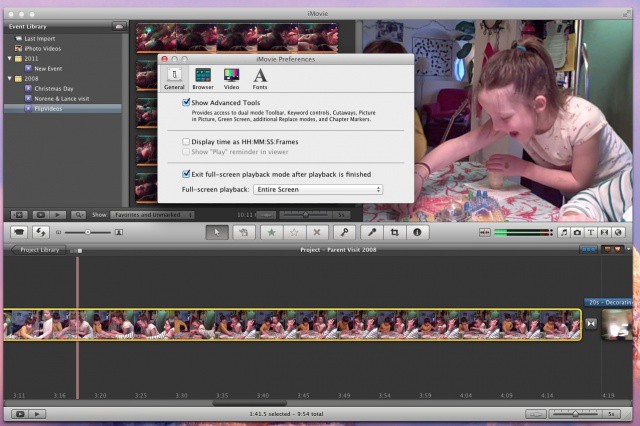
Seriously, who brought the cute kids?

Home movies rock, right? What better way to entertain the family than with moving pictures starring the kids at the beach, weird Uncle William putting carrots up his nose, and the four hundredth video walkthrough of your favorite amusement park. In the past, viewers of these home movies had to sit through hours of badly shot footage and horribly raw video and film of all sorts of activities. These days, however, Apple has saved us all with the creation of one of the best darn video editing packages for the average consumer, iMovie. With iMovie ’11, the development team has refined things to a high sheen, helping us all make short work of some fairly professional and complicated video editing activities.

To make things even easier, we’ve put together a list of tips, tricks, and tweaks to help you get the best out of iMovie, the video editing app for the rest of us.

The Next iMac May Not Have A Retina Display After All

By

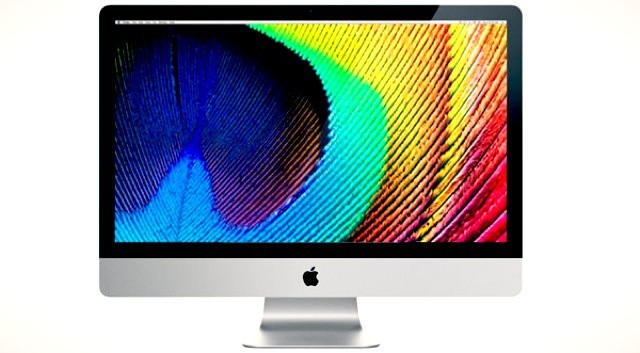
The world's most popular all-in-one is expected to get a Retina display this October.

Rumors about a possible Retina display iMac have been floating around almost as long as the Retina display itself. From the time the iPhone 4 was introduced, people began speculating that Apple’s Mac line would eventually receive a display upgrade as well. Now that this rumor has come to fruition in the case of the new MacBook Pro, it would only make sense for these new displays to trickle down to all of Apple’s other computers.

Word is now spreading that this might not be the case, though. We may have to wait a little while longer for an iMac with a Retina display.

New Portable Mini Drobo With Thunderbolt

By

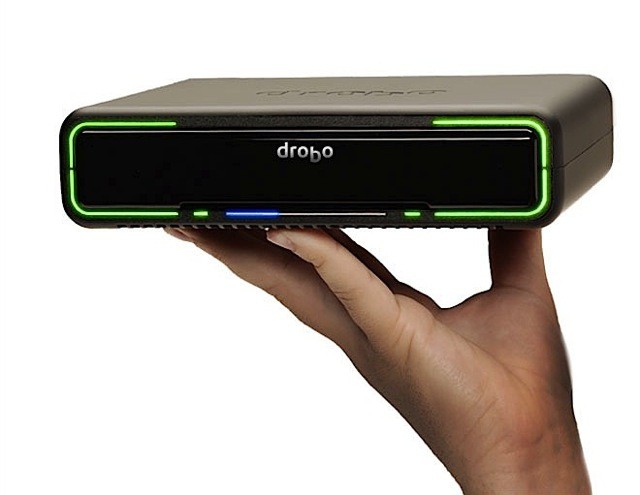
drobo-mini.jpeg

The Drobo Mini: Four drives of portable, redundant data awesomeness.

Who doesn’t love the Drobo? People who like to lose their data, that’s who. For the rest of us, today brings good news: New Thunderbolt-equipped Drobos, one for the desktop and one for taking on the road.

Move iMovie Files Around To Save Space On Your Mac [OS X Tips]

By

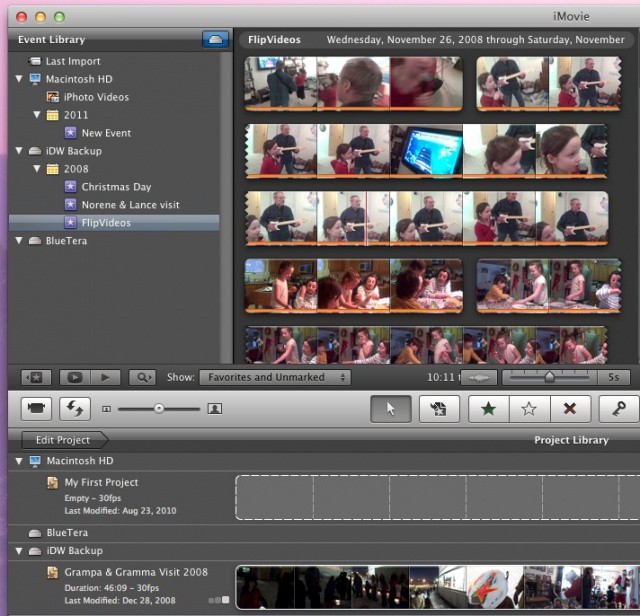
iMovieMoveEvents

There are two main reasons to move your iMovie files to an external storage drive. One is that video files take up a LOT of space, and the non-destructive editing that iMovie does can also add to the file load on your main hard drive (or SSD, in the case of a MacBook Air). The other is organizational – you might want to put all your stuff in one, easily accessed place for later retrieval and further editing.

Lucky for you, then, iMovie makes this pretty easy. Here’s how.

The 2012 Retina MacBook Pro [Review]

By

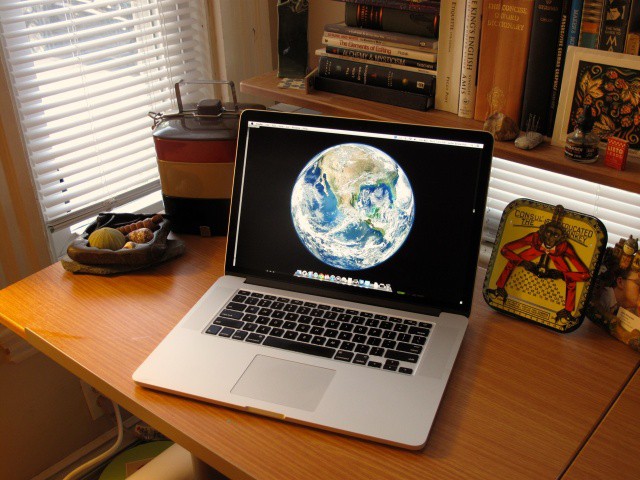
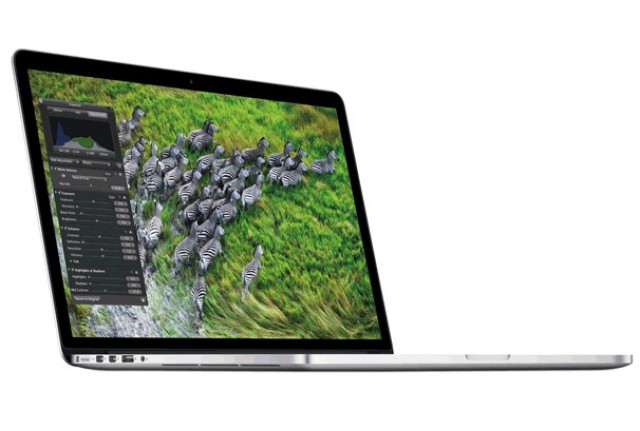
The Retina MacBook Pro
The Retina MacBook Pro is the best Mac Apple has ever made. But is it the best Mac for you?
Photo: Cult of Mac

The new 2012 15-Inch Retina MacBook Pro marks an evolution of the Mac: it’s the first of presumably the entire Mac line-up to get a Retina display, just like the iPhone and iPad.

Unlike the iPhone or iPad, however, the new Retina MacBook Pro is not aimed at the mass market. This is a professional machine, through and through, and has a price to match, starting at $2,199.

The beauty of the Retina MacBook Pro’s display can’t be overestimated: it’s like living print. Likewise, the Retina MacBook Pro is the most powerful all-in-one professional notebook you can buy off the shelf: it makes every Apple notebook before it look archaic.

It’s a Mac that has been designed by Apple for the first time as they would have it: completely without compromises, using cutting-edge technology that it will take at least a year for the competition to catch-up with.

But is it the Mac for you?

Teardown Reveals The Huge Differences Between Apple’s New MacBook Pros

By

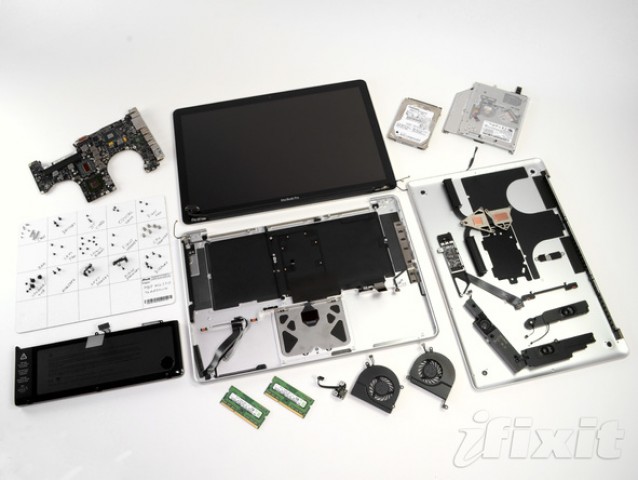
The older MacBook Pro is significantly easier to repair than its successor.

If you decided not to purchase a new MacBook Pro with Retina display simply because almost nothing inside it can be repaired or upgraded at home, then you’ll be pleased to know that the other new MacBook Pro (the one without a Retina display) is just as repairable as its predecessor, earning a 7/10 repair score from iFixit.

Here’s how it compares to the next-generation model on the inside.

Does The Retina MacBook Pro Use Sharp IGZO Display Tech Originally Meant For The New iPad?

By

MacBook

In the run up to the release of the new iPad, there were many rumors that Apple was going to use Sharp IGZO display technology to make a much more bright and vibrant Retina iPad with much better battery efficiency.

That didn’t pan out: Sharp delayed the debut of IGZO, and Apple instead was forced to release a Retina iPad that was thicker than the iPad 2 in order to accomodate a bigger battery necessary to drive the display.

But according to one expert, IGZO may have crept into the new Retina MacBook Pros…

iFixit Teardown Reveals New MacBook Pro Is ‘Least Repairable Laptop’ Yet

By

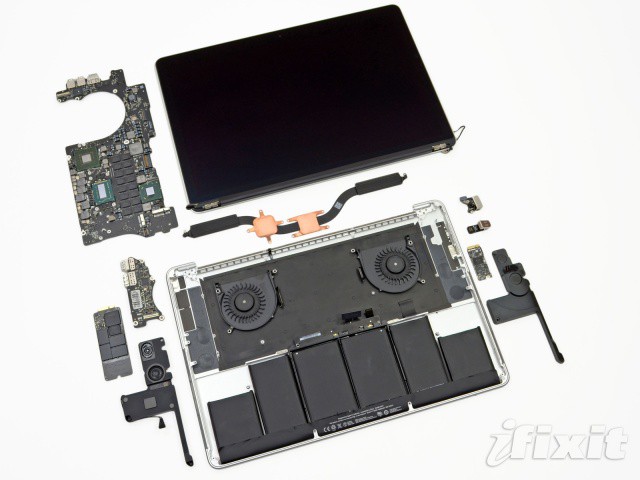
This is the new MacBook Pro without its fancy aluminum casing.
This is the what the new MacBook Pro looks like once you get inside.

Before the vast majority of us have even had the pleasure of signing for our new MacBook Pro delivery, iFixit has torn the notebook apart to reveal its internals. Although this is undoubtedly Apple’s best portable yet — what with its stunning Retina display, super speedy solid-state storage, and Intel’s latest Ivy Bridge processors — iFixit describes it as “the least repairable laptop” they’ve ever taken apart.

“Apple has packed all the things we have into one beautiful little package.” For consumers, this means incredible expensive repair bills, and little to no upgradeability at all.

New Mac Pro Delivers Unprecedented Performance, Proves Apple Supports High-End Computing

By

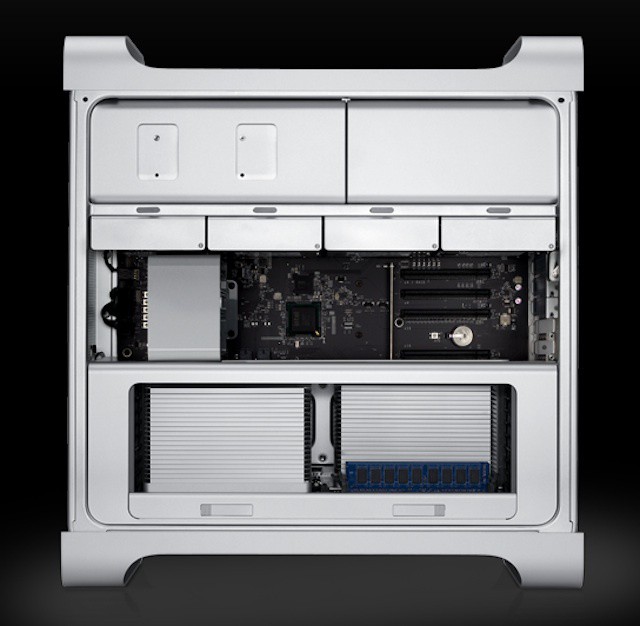
Inside the Mac Pro, Apple's most powerful and configurable Mac


There have been concerns about the fate of the Mac Pro ever since Apple killed off the Xserve a year and a half ago. Although Apple didn’t say the Mac Pro was on the chopping block, the company did let it go without an update for quite some time. Although the Mac Pro didn’t get featured in today’s WWDC keynote like the MacBook lineup, which includes the new MacBook Pro, it did receive a long-needed update.

The biggest reaction to the Mac Pro’s update today is a sense of relief by many creative professionals and Mac-focused IT departments. The update proves that Apple isn’t signing the death warrant for its most powerful and most expandable Mac. That makes the updated specs a symbol of Apple’s commitment to high-end and high-performance systems in addition to being a major product update.