It's not working just yet, but you can bet it will be by the time Mountain Lion goes public.
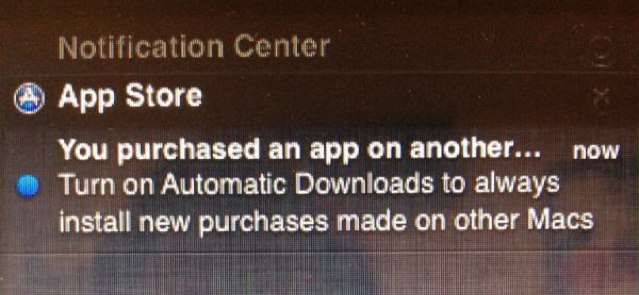
One of the features that I love most about iOS 5 is Automatic Downloads, which allows me to purchase an app, book, or song on my iPhone and have it installed on my iPad at almost exactly the same time. It’s great for users with multiple iOS devices, and it’s also coming to the Mac.
One developer has discovered the ability to turn on Automatic Downloads for Mac App Store purchases under the latest OS X Mountain Lion release.
Big news from the jailbreak community can tend to come out on the weekends, and this weekend is no exception. Earlier today Chronic Dev Team hacker pod2g confirmed that the upcoming untethered jailbreak for iOS 5.1.1 is only a “matter of days” away from dropping. We’ve been telling you that the jailbreak is coming for months, but it looks like things are finally coming together for a public release.
Coincidentally, a hacking convention called “Hack in the Box” will be taking place this week, and the Chronic Dev Team will be there in full force. We’re hearing that the new jailbreak tool will likely be announced at the conference. The name of the new jailbreak will be “Absinthe 2.0,” following the previous version of Absinthe that jailbroke the iPhone 4S and iPad 2 for the first time.
Every once in a while an “insanely great” offer comes around that can’t be missed…and this happens to be one of those deals.
For only $40 (which includes free shipping) you’ll get this flawless iPad accessory delivered right to your doorstep. (Please note: This Cult of Mac Deals offer is only available to customers located in the continental United States.)
This 2011 Macworld Best of Show winner was designed to be used not just at your desk or on a table, but also on your lap while kicking back on the sofa or laying in bed, the iRest lets you view your iPad’s screen in comfort with excellent stability.
Leading this week’s must-have apps roundup is a terrific photography app called StillShot, which allows you to extract full-resolution still images from your videos. It breaks your clips down into frames and allows you to save the best ones — all for less than a dollar.
We’ve also got a great note-taking app that claims to be the “word-processor for visual thinking,” an app that will ensure you never forget your grocery shopping list again, plus terrific updates to Flipboard and The Weather Channel.
Remember when people used to say that the iPad was a “content consumption device” useless for real “content creation”?
It’s a weird thing to say about a gadget offering a gazillion content-creation apps, but people said it. People still say it.
Pundits and writers say the iPad sucks for “real work” in general and writing in particular. I have come to believe the opposite: To me, the iPad is the best writing tool I’ve ever used.
Sega finally made a Sonic game that works well on iOS.
It’s been nearly two years since Sonic The Hedgehog: Episode I made its debut on consoles, and Sony has finally managed to deliver a sequel. Thankfully, it was worth the wait — and it leads this week’s roundup of must-have iOS games.
We’ve also got Bejeweled for the iPad, a Doodle Jump knockoff that’s even better than the original, a monkey that flies an airplane, and more.
Symantec Mobile Management integrates with the company's other enterprise tools
May is Mobile Management Month at Cult of Mac, where we will be profiling a different mobile management company every weekday. You can find all previous entries here and read our Mobile Management manifesto here.
Symantec has long and solid track record in delivering enterprise systems. The company’s full lineup of enterprise solutions are practically a one-stop shopping list for IT departments offering everything from virus and malware tools right through every IT task (deployment, Mac/Windows workstation management, help desk operations, even inventory). As you’d expect, Symantec Mobile Management integrates quite nicely with other Symantec enterprise tools creating a streamlined single source IT infrastructure.
Even as a standalone product, however, Symantec Mobile Management is an attractive offering. It has a powerful focus security and includes secure file management features. It’s also extremely scalable and makes almost every IT/mobile management processes as hand-off and automatic as possible. Even device enrollment is simple and designed to be accomplished by end users with little or no input from IT. That makes it particularly attractive to larger enterprise organizations.
I write a ton on my iPad these days, which lets me work wherever I like (usually in bed) and concentrate way better than I can working on my giant-screened iMac. Thanks to our complex blogging back end here at Cult of Mac, it’s still easier to add pictures and other bits and pieces with the Mac, but the writing part is so much better on the iPad that I try to do it as often as I can.
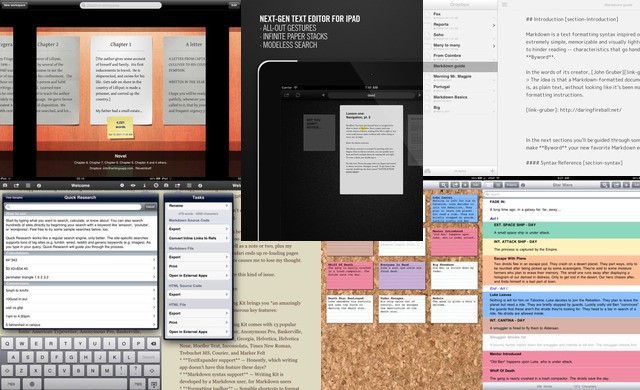
I figured I’d show you a few of the apps I used. Below you’ll find my favorite writing apps for the iPad.
How do you take a life that was lived so fully, with so much drama, triumph and failure, and condense it into a 2.5 hour movie that will effectively express Steve Jobs as a person? It’s a monumental task that will be nearly impossible for any screenwriter to accomplish.
No matter how great a job Aaron Sorkin does adapting Steve Jobs’s biography into a screenplay, some people are going to hate it and say parts were left out while other were embellished. Sorkin’s not aiming for Sony’s movie to be historically accurate though, so what do you think he should focus on?
Our friend Ken Segall, who worked closely with Steve for over a decade, has some great ideas on what the focus of Aaron Sorkin’s screenplay should be.
Looking for a “pro” camera app for your iPhone? There’s no shortage of options on the App Store. This week, we’re taking a look at one that has the most descriptive name: ProCamera.