Mobile menu toggle

Search results for: Apple One

Enterprise Device Alliance (A Mac And iOS IT Resources Group) Gain Members And Expands Services

By

Enterprise Device Alliance adds new members, in-person events
Enterprise Device Alliance adds new members, in-person events.

This week, the Enterprise Device Alliance announced its newest member – London-based Trams. The Enterprise Device Alliance (a.k.a. EDA) is a non-profit group that provides resources to companies and organizations looking to integrate Apple technologies into predominantly Windows-based environments.

Trams is an IT solutions vendor and consulting company that provides services to customers in the UK, Ireland, and Northern Europe.

The company is the fourth new member to join the EDA since the beginning of this year (and the second technology integrator to join this year). The company will help the EDA expand the resources available to UK and European IT departments integrating Macs, iPhones, and iPads into their organizations – starting with a luncheon for IT professionals, to be conducted on June 19 at the Soho Hotel.

The Crazy Adventures Of A Vintage Mac Collector [Interview]

By

Wozniac-Composite.jpg
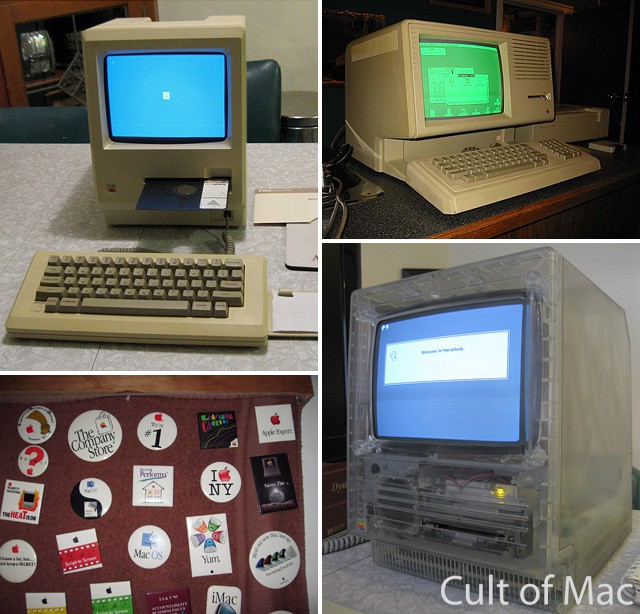
Rare Apple items: Twiggy 128k Mac, green-screen Lisa, Apple buttons, and clear Mac SE.

What does it take to be a vintage Mac collector?

A love of all things Apple and an encyclopedic knowledge of the many successful, unsuccessful and downright notorious products Cupertino has released over the years are a given. But the job can be more perilous than you’d imagine.

Just ask Adam Goolevitch. Known as “wozniac” on eBay, Adam is one of the premier vintage Mac collectors around. In just he last couple of months, some of Googlevitch’s rarest finds — including a 128k Mac with a 5.25” Twiggy floppy disk drive and a Macintosh SE with a clear outer case — have hit the web and sparked a flurry of interest.

But collecting these Macs isn’t always easy. From almost losing a finger to a PowerMac G4 Cube to mistakenly being investigated by the police under the suspicion of dealing drugs instead of Macs, Googlevitch has some wild stories to tell that prove that being a vintage Mac collector isn’t necessarily for the faint of heart.

Cult of Mac sat down with Adam to hear some of his adventures and also get the scoop on the rarest machines in his collection.

Protect Your Mac With ClamXav For Free [OS X Tips]

By

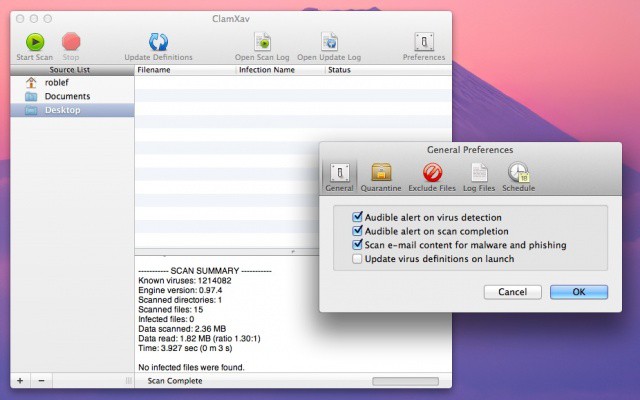
ClamXav

With all the new security warnings about Macs needing virus protection, I thought it a good time to note an antivirus app I’ve used for a few years, now. Let’s start this tip off with a bit of a disclaimer, though. Please don’t sue me (or Cult Of Mac) if you use this free app and get a virus on your Mac, okay? Today’s tip is just that: a quick tip to make you aware of a free antivirus app that runs on your Mac and costs nothing. Your mileage, of course, may vary.

Verizon Will Kill Your Grandfathered Unlimited Data Plan When You Switch To 4G LTE

By

Not altruism: this is why Verizon wanted LTE on the iPhone.
Kiss unlimited data goodbye on Verizon.

Bad news for grandfathered unlimited data subscriber on Verizon: the nation’s largest carrier will kill unlimited data once and for all when subscribers switch over to 4G LTE data plans.

Starting in mid-summer, when you buy a LTE handset and switch over to 4G data, Verizon will make you buy one of its new data share plans. Switching plans will end your grandfathered unlimited plan.

Hand Stylus Comes With Retractable, Replaceable Tips

By

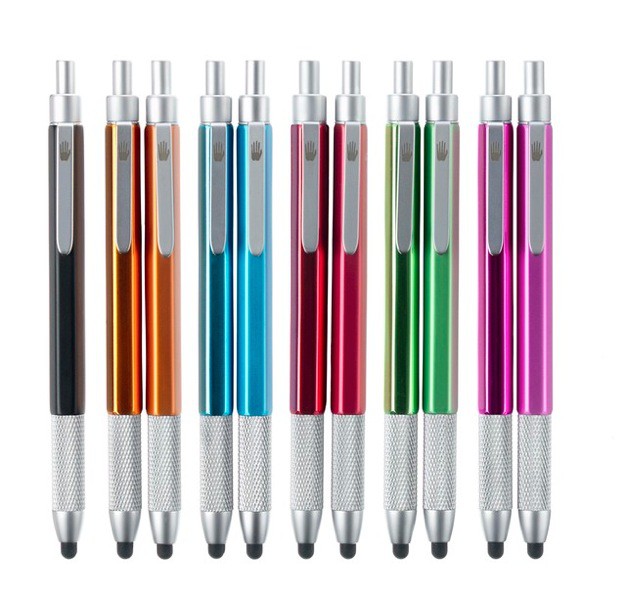
HAND-Stylus-Colors.jpg

The Hand Stylus might be the last stylus you ever need

You might like to think that Cult of Mac deputy editor John Brownlee is a beacon of intelligence in the world of Apple news, but sometimes he can be as dumb as the rest of us. Example: When staying with the Lady and I recently, John came to meet me in a local bar.

I pulled out my brand-new, just-bought Wacom Bamboo stylus to show him, and mentioned that it had a super clean, easy-glide tip. I handed it over and watched as John absent-mindedly stabbed the virgin rubber repeatedly onto the filthy, sticky bar table. Thanks a lot, John.

If I had had the Hand Stylus, though, I needn’t have suffered. The biggest feature of the Hand is its retractable tip, but there’s more to it than that.

Safely Browse The Web With Multi-User Private Browser [iOS Tips]

By

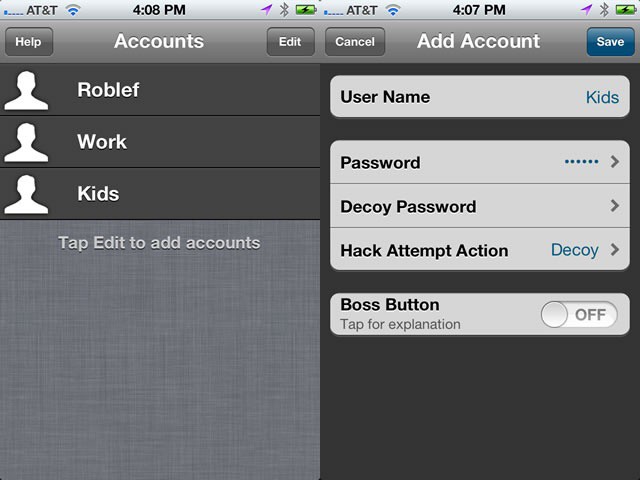
Multi-UserPrivateBrowser

So I don’t know if you have kids or not. Or a wife, or husband. Or a boyfriend or girlfriend. If you do, you might share your iPhone, or at least your iPad. I know I pass my iPad to my kids often. They’re usually more interested in the games I have downloaded on it, but my son has been known to occasionally drop into Safari to look for Minecraft videos.

Anyone using your iOS device has the same access to the browsing you’ve done on the web via mobile Safari as you do. You may not want to share all your browsing history with your children or significant other, am I right?

Here’s a private web browsing app for today’s tip, then.

Cisco’s BYOD Survey Sheds Light On BYOD Popularity And Costs [Update]

By

Cisco study shows BYOD is a reality not a possibility but there are some costs involved

Update: We incorrectly posted that Cisco charges its users to participate in its BYOD program. While the company’s report does list an average $600 expense for employees making use of BYOD, that expense refers to the purchase of a smartphone or other device and not an additional fee to use the device in the workplace. Clarifications from Cisco’s Ross Camp are included at the end of this post.

Cisco released a new report on BYOD programs at U.S. companies. The survey provides insights into the prevalence of BYOD, how companies manage BYOD programs, and some of the costs associated with BYOD approaches. While those stats are useful and important, the biggest and most surprising revelation in the report came from Cisco itself.

In planning and implementing its BYOD program, Cisco opted to charge users a fee (on average of $600) for the privilege of using their own devices at work.

The Loop Is My Favorite iPod Nano Wristband To Date [Review]

By

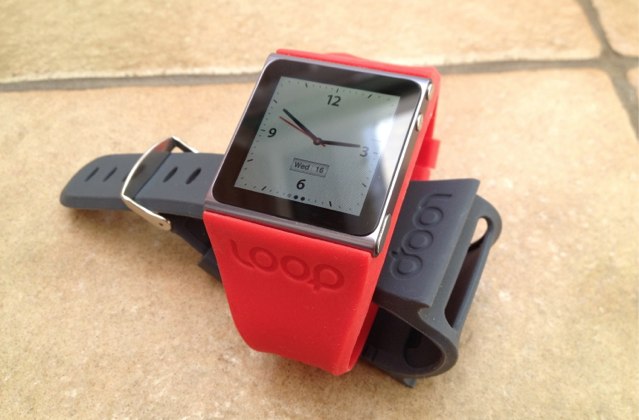
The Loop is a sleek, stylish, and lightweight iPod nano wristband.

The Loop is a silicone wristband for the sixth-generation iPod nano that promises to turn your device in a “high end timepiece.” Its sleek, stylish design does away with the unnecessary bulk and aims to showcase your iPod nano rather than drawing attention away from it.

Once fitted, the Loop provides full access to your iPod’s headphone jack, dock connector, volume buttons, and sleep/wake switch. It features a stainless steel buckle that won’t perish up against your sweaty wrist, and it comes in a selection of colors. But best of all, it only costs $19.99.

What does that price say about the Loop’s design and build quality?

Open Your Ears For Radioline, A Cute Radio App [Review]

By

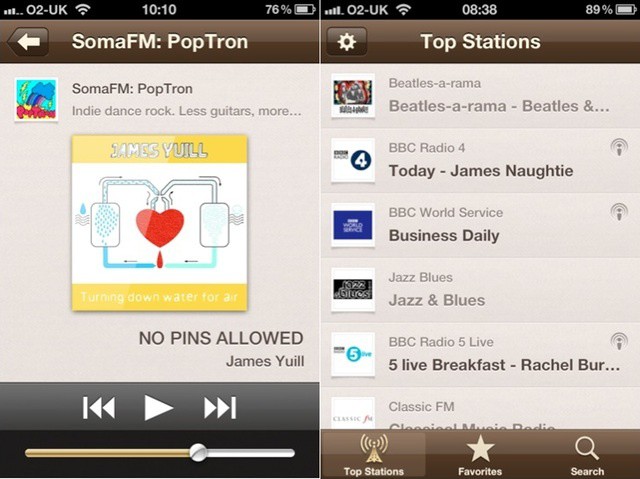
Clean. Simple. Radio. Mmmm.

Your iPhone is many things. My iPhone is many things. For each of us, the most important functions will differ. Some people might think it’s most useful as a mobile messenger client, others as a GPS device. For me, one of the most useful functions of my iPhone is that it can also be a radio.

Radioline is an internet radio player app for both iOS and OS X, with a focus on speed and simplicity. Let’s take a closer look.

Theme Inn Brings iWork’s Style To Office With Hundreds Of Amazing Templates

By

Theme Inn offers nearly 500 amazing Office for Mac templates
Theme Inn offers nearly 500 amazing Office for Mac templates.

One of the standout features of Apple’s iWork suite is how easy it is to make really standout documents and presentations. Compared to the basic and often drab files that Word, Excel, and PowerPoint produce, iWork-created files look bright, polished, and offer a sense of personality and style. While Office for Mac comes with a set of templates and design functions, they seem bland next to iWork and they aren’t anywhere near as easy to use.

Only Microsoft has the ability to make its tools less clunky and more intuitive, but other companies can spice things up with additional themes and templates. This week Theme Inn took up that challenge and succeeded rather spectacularly.