Mobile menu toggle

Search results for: Apple One

Quit Whining: iOS 7’s New Look Is Fantastic!

By

whitespace-2.jpg

You know what I’m hearing a lot of today? “Whine whine whine. Don’t like the icons. This really is kind of a mess.” And this, from our very own chatroom: “It hurts the eyes,” and “The hideousness of this is blowing my mind.”

It seems that a lot of people don’t like the look of iOS 7. But you know what? I love it. Sure, some of those icons are a little garish, but in iOS 6, all of the native Apple icons were hideous. And whatever you want to say about the new look, you have to admit that it is now way more consistent.


iOS 7 Reminds Us To Be Careful What We Wish For

By

begged-apple-meme

It’s our own fault. We all asked Apple to dramatically change the look and feel of the iOS operating system, which, until yesterday, remained largely unchanged since the introduction of the original iPhone back in 2007. And we all complained when it didn’t do that with iOS 6 this time last year.

But I can’t help but feel the Cupertino company is now punishing us for all those requests, and all that complaining we did before about its skeuomorphic designs.

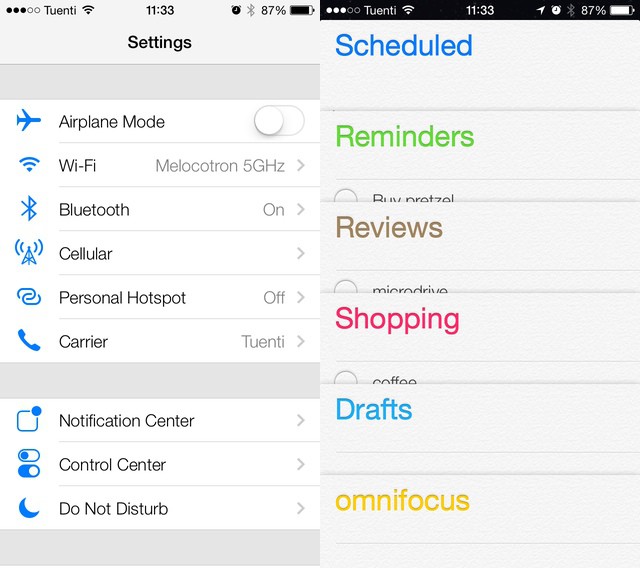
When it comes to design, iOS 7 is vastly different to its predecessors. It still functions in much the same way — though there are some new features you’ll need to get used to — but it looks completely different. As soon as you power it up for the first time the minimalistic feel is staring back at you, but it isn’t until you’ve completed the setup process and arrived at your home screen that you want to vomit in your own lap.

Jony Ive Knew What He Wanted iOS To Look Like Back In 2005

By

extrudo_iPhone_prototype

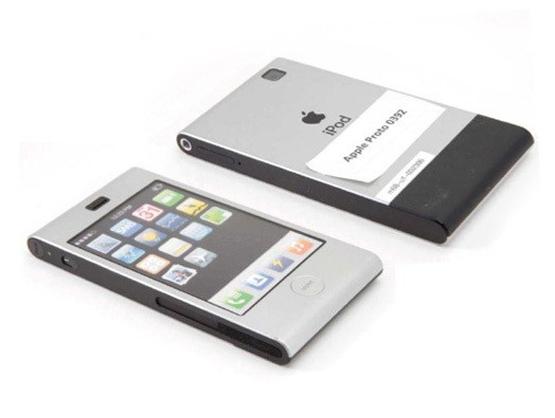
Want proof that Scott Forstall blocked Jony Ive’s vision for iOS? Here’s an early prototype for the iPhone, made in 2005 by Jony Ive’s industrial design lab. On the back it says “iPod” because it was based in the design of the old aluminum iPod Mini. Remember that dinosaur? But check out the icons on screen. Look familiar? The icons on the prototype’s screen look just like iOS 7!

If You Want A New Feature In iOS, Just Ask John McCain

By

johnmccaintweet1

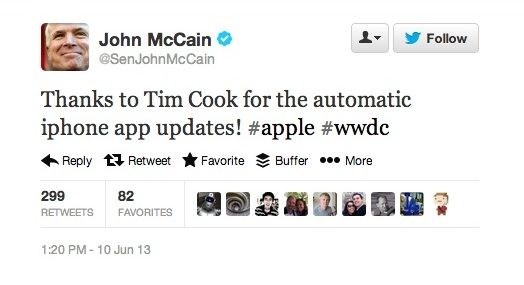
Just a few short weeks before today’s WWDC keynote went down, Tim Cook was grilled by John McCain at the Senate Sub-Committee Hearing to Examine Offshore Profit Shifting and Tax Avoidance by Apple, Inc. Before the hearing was over, Senator McCain let off a joke to Cook that Apple needs to hurry up and add automatic app updates to the App Store:

Sir, there’s only one thing I wanted to ask you today: why do I keep on having to update all the apps on my iPhone? Can’t you guys fix that already?

Turns out that Tim Cook was actually listening, and now iOS 7 is going to get the feature all thanks in part to the efforts of our illustrious senator from Arizona.

McCain even tweeted his thanks to Cook for adding the feature that had most likely been in the works for months before Cook’s Senate appearance, but it’s good to know if we ever need new features added to iOS, just ask John McCain to tell Tim.

iOS 7’s Maps Icon Is No Longer Trying To Kill You [Image]

By

enhanced-buzz-29031-1339521580-1
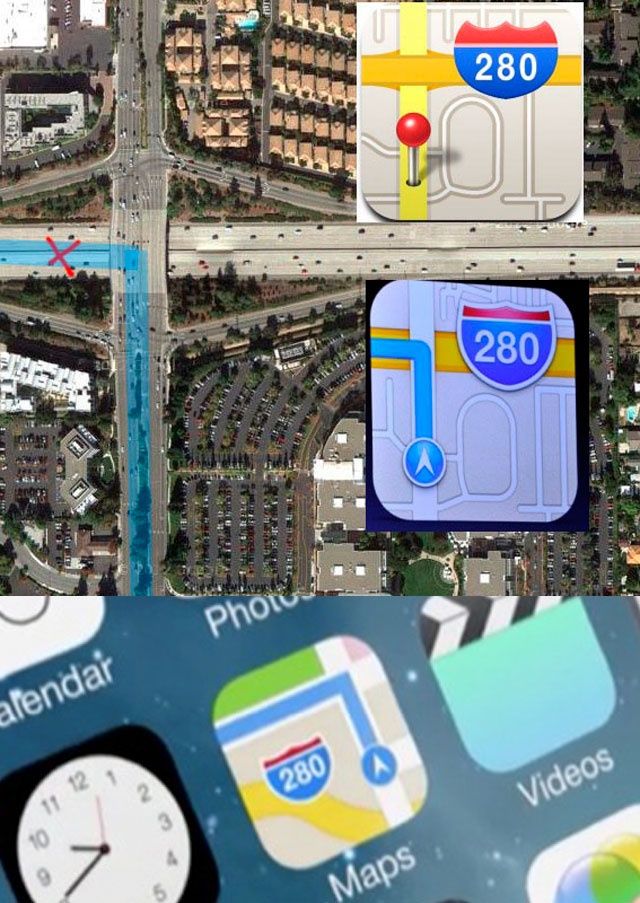
From top to bottom: pre-iOS 6 Maps icon, iOS 6 Maps icon, iOS 7 Maps icon.

When Apple unveiled iOS 6’s new Maps icon, it became an emblem for everything that was wrong with Apple Maps, a service that — at launch — was widely criticized as being inferior to Google’s own maps data, which every previous version of iOS had shipped with.

Why the icon? Because it gave directions that would probably end up killing you if you followed them in real life. But that’s all changed in iOS 7.

20 Gorgeous iOS 7 Screenshots [Gallery]

By

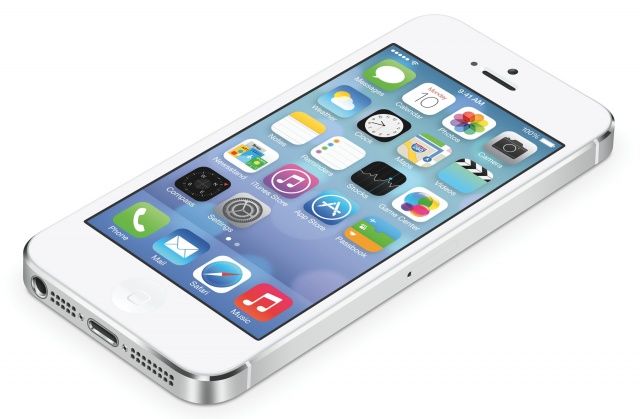
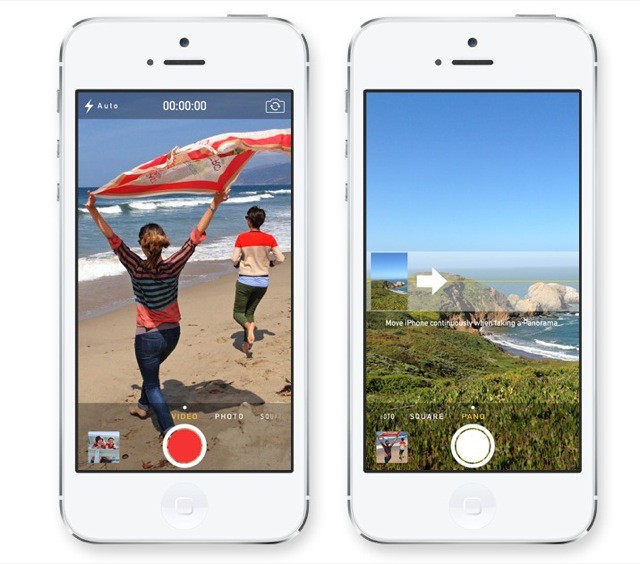
iOS 7 on iPhone 5

Today Apple unveiled iOS 7, the software’s biggest redesign since the debut of the original iPhone. We’ve already told you everything that was just announced at WWDC, so now it’s time to take a closer look at what iOS 7 looks like.

Apple has posted some gorgeous new images on its website alongside video walkthroughs. Here’s iOS 7 in action:

Every Device iOS 7 Will Be Compatible With [Image]

By

ioscompatiblitydvices


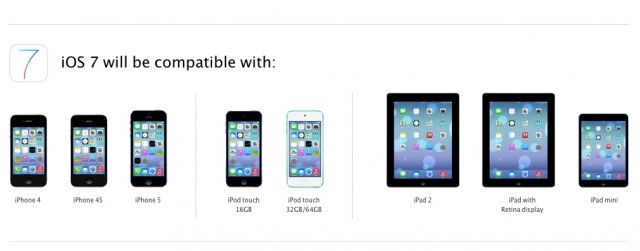
iOS 7 is coming out this fall, but before you get really excited about getting to enjoy the simplicity of Jony Ive’s new UI, you better make sure Apple is going to actually support your iDevice.

Apple posted the following chart on its website to let customers know which iOS devices will be supported for iOS 7. If you’ve got an iPhone 3GS or older, you’re out of luck. The original iPad also won’t be supported either, but other than that, it looks like all other devices are going to be able to get in on the fun.

Source: Apple

New iOS 7 Clock App Icon Now Displays The Real Time

By

clockupdatestimeinicon


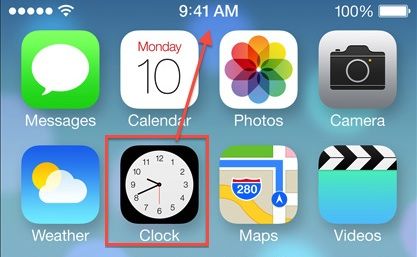
We’re still waiting for Apple’s Developer Portal to come online so we can install the beta of iOS 7, but one of our readers noticed a neat little feature that wasn’t discussed during the keynote – the iOS 7 Clock app icon now updates to show you the real time.

Not sure if third-party apps will get the same abilities, but things are looking really promising in iOS 7. Check out out round-up post for all the details on everything Apple announced today.


Thanks: Chris!