Mobile menu toggle

Search results for: Apple One

How To Downgrade From iOS 7 Beta To iOS 6 In Two Steps

By

Heading
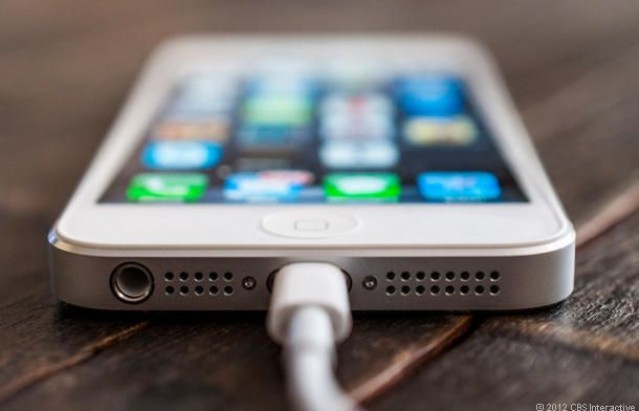
Here's how to get your beloved iOS 6 back.
Photo: CBS Interactive

We’ve already told you why you probably shouldn’t install the new iOS 7 beta; it’s not just that the icons suck, but there are good reasons why beta releases should be avoided if you’re not a developer — particularly if you plan to use them on your primary device.

But if you went ahead and did it anyway, and now you’re looking for a way back, look no further. Despite what Apple says, iOS 7 can be downgraded to iOS 6 — and it’s pretty simple. Here’s how to do it in just two steps.

What OS X 10.10 Will Look Like After Jony Ive Brings It In Line With iOS 7

By

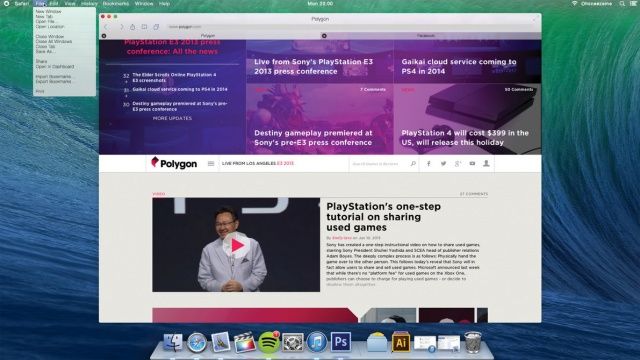
os_x_mavericks__desktop_by_ohsneezeme-d68l41f

One thing’s for sure: once you have iOS 7 installed, OS X Mavericks sticks out like a sore thumb. iOS 7 is where Apple’s software design is headed, and OS X Mavericks is what Apple’s software design aesthetic is fleeing from.

Clearly, OS X Mavericks was left alone this year because Apple couldn’t concentrate on two design overhauls at once. Instead, Ive & Co. simply satisfied themselves with stripping out some of OS X’s more Forstallian flourishes, like the Corinthian leather and gray linen textures.

But what about next year? What would OS X 10.10 look like if brought in line with the design of iOS 7? DeviantArt user Ohsneezeme‘s concept, while not perfect — he hasn’t touched the icons or the dock — is a strong guess.

I like it. What about you?

Jony Ive Is So Obsessive He Gave iOS 7 Icons The Same Rounded Corners As The iMac

By

iOS7iCons

As the new Director of Human Interface, Jony Ive has gone from making beautifully beveled Macs, to redesigning iOS into a multi-layered Parallax operating system. By drawing from his deep well of hardware design brilliance, Jony brought a lot of his hardware philosophies to iOS, and the Messages app icon shows just how insanely detailed Jony can get.

As discovered by Brad Ellis, Jony made sure that the Messages icon’s corners have the same tapered edges which can be found on the iMac and other Apple products.

The difference is just a small number of pixels that most users would probably never notice, so Brad created his awesome comparison GIF so you can actually see the changes: 

Here’s What Would Happen If We Let Jony Ive Redesign EVERYTHING [Humor]

By

windowsive

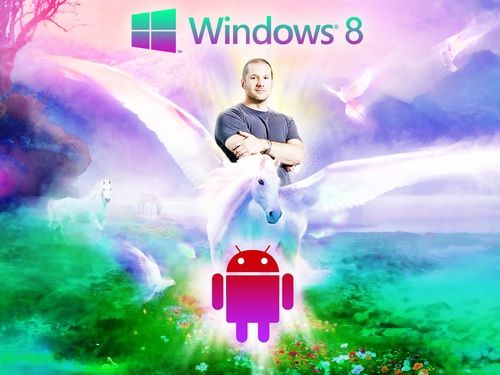
Jony Ive’s vision for iOS has received quiet a bit of heat over the last 24 hours thanks to his heavy use of flat icons, huge areas of white space and whimsical neon color gradients.

A few designers have already sought to ‘fix’ some of the uglier quirks of iOS 7, but what would happen if we let Sir Jonathan Ive redesign everything? Well, thanks to a hilarious new Tumblr called  ‘Jony Ive Redesigns Things,’ we have an answer, and it’s not pretty. Take a look:

WWDC 2013 Keynote Is Now Available For Download In iTunes

By

wwdc13-about-main_2x

Don’t have enough time to sit at your computer and watch all two hours of the WWDC keynote? Well you can take it with you on your iPhone or iPad now.

The WWDC 2013 keynote was just made available in iTunes. You can download the video straight to your device as a podcast, but with a run-time of 1 hour and 58minutes, the file is pretty big, so make sure you’re on a Wifi connection. Here’s the download link.


Source: iTunes

iTunes Radio Will Only Be Available In The U.S. At Launch

By

Ph
Ph

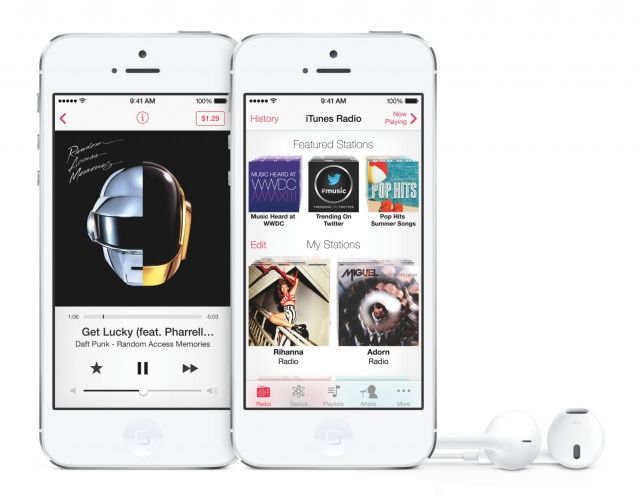
iTunes Radio is one of the staple features in iOS 7. The Pandora-like music streaming service is integrated directly into the stock Music app. Apple’s Eddy Cue demoed it for the first time yesterday, and iOS 7 beta testers can try it out now.

When iTunes Radio launches publicly alongside iOS 7 later this fall, it will not be available outside of the U.S., notes Bloomberg. This likely has to do with the fact that Apple has to setup licensing agreements with record labels in each country ahead of time.

You Can Search For Purchased Apps In The iOS 7 App Store

By

IMG_2974

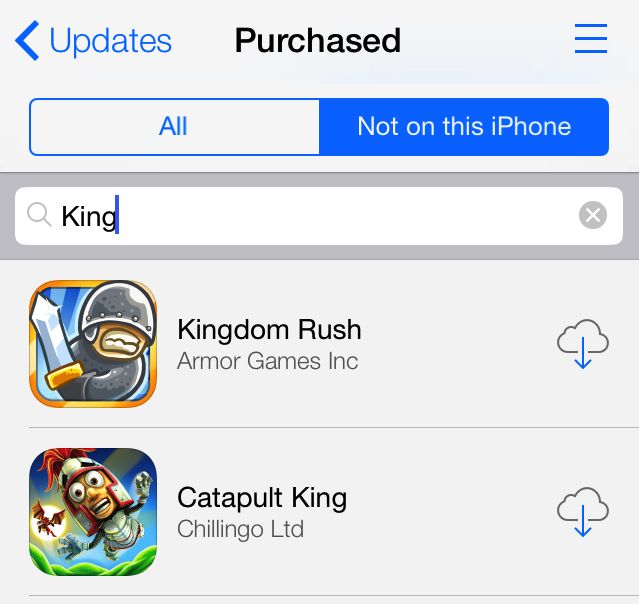
Nestled under the Updates window in the iOS 7 App Store, you can find your purchased apps. Like iOS 6, you can choose to look through all previously purchased apps and only the apps that aren’t currently installed on your iPhone.

For some weird reason, Apple never put a search bar in in this part of the iOS 6 App Store. Now it’s there in iOS 7.