Mobile menu toggle

Search results for: Apple One

Pros, Airs, iOS 7, Mavericks: Don’t Miss Our Full WWDC Recap On Our Special Edition CultCast

By

new-cultcast-site-promo-pic-heath.jpg

This time ’round on CultCast: iOS 7 debuts to a standing ovation, but some aren’t in love; OS X 10.9 Mavericks will have you rewatching Top Gun, we’ll highlight the new features; new MacBook Airs get insanely long battery life and more power; and Apple resurrects the rumored Mac Pro to uproarious applause—it’s our complete WWDC coverage on this very special episode of the CultCast.

Join us as we review all the great stuff Apple announced in the glorious 90-minute event know as WWDC. Stream or download new and past episodes on your Mac or iDevice by subscribing now on iTunes, or hit play below and let the good times roll.

Show notes up next.

Cultcast 76 post player image

Where Are All The Curse Words In iTunes Radio?

By

itunesradio


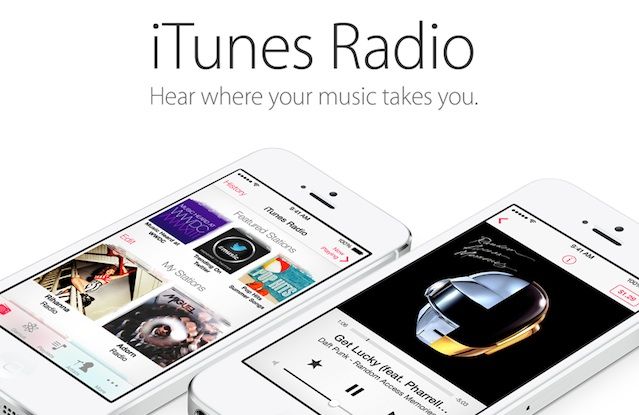
Apple finally announced its long-rumored iTunes Radio service yesterday at WWDC, and even though it doesn’t officially launch until this fall, we’ve been taking it for a spin in the iOS 7 beta. Initially, iTunes Radio has left us fairly impressed, except for one huge omission: all the curse words are missing.

When you stream music via iTunes Radio stations, all songs with profane lyrics are streamed in an edited edition, even on user-created stations. We’re not just talking about radio edits where more family appropriate lyrics are dubbed in. Nope, iTunes Radio just strips out the whole word so you’re left with awkward gaps in the song as your favorite artist chokes out a horrific blast of profanity.

During our time playing with iTunes Radio we haven’t come across a single explicit track that isn’t censored, so if you love to bath in the crass lyrics of hiphop’s greatest living legends, you’re out of luck. 

iOS 7 Keypad Buttons Now Morph Into Your Homescreen Background

By

newkeypadinios7


iOS 7 is full of huge UI changes and we’re just starting to scratch the surface on all the big changes, but here’s one new little feature that shows Apple hasn’t lost its touch with the little things.

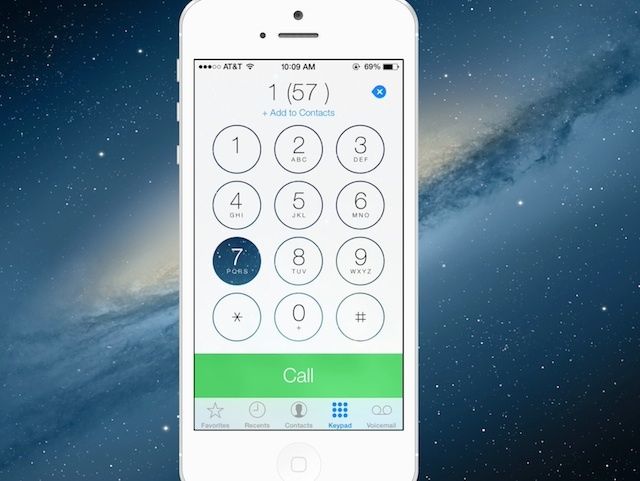
The Phone app for iOS 7 got a big makeover that tossed out the old keypad buttons for a minimalist keypad adorned in white space and large helvetica numbers. The new Phone app UI is pretty plain and boring until you touch a button and watch it quickly morph into the homescreen background before its opacity pops back to white.

The new animation helps users see where they’re pressing, but you can waste tons of time with it playing Bingo or Connect Four too if you’re into that thing. Here’s what it looks like in action:

Why You Probably Shouldn’t Install iOS 7 Right Now [Opinion]

By

IMG_2379

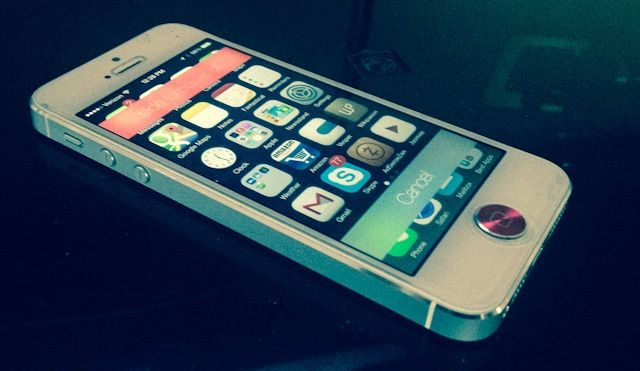
In the words of Apple itself, iOS 7 is the biggest change to their mobile operating system since the introduction of the original iPhone back in 2007. It’s more functional then ever, it’s prettier than ever: it’s the very definition of digital design purified and clarified down to the very basics of form merged with function.

Understandably, that means that many people are tempted to install it on their devices, either by forking over $99 for an Apple developer account or paying five or ten bucks to someone online to register your UDID for you.

We know it’s hard to wait, but you really shouldn’t do it. Here’s why.

Here’s What All The New iOS 7 Icons Look Like Compared To iOS 6 Icons

By

iOS6vsiOS7iConcomparison


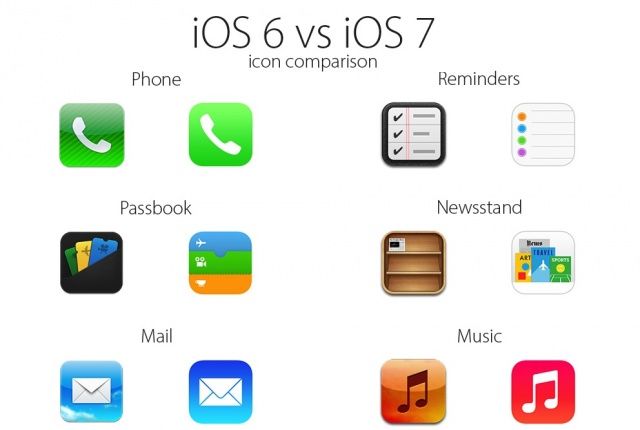
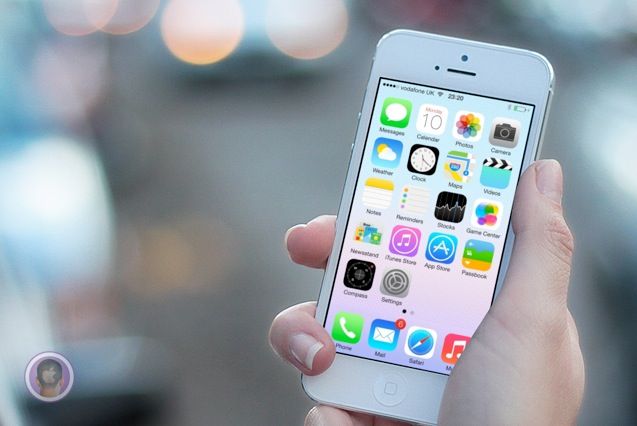
The new icons and user interface of iOS 7 has seemed to polarize a lot of Apple fans. Nearly every Apple app is getting a new icon when iOS 7 launches, and most of the icons are incredibly different that their iOS 6 counterparts.

Some designers have already set out to work on “fixing” Apple’s new icons, but to help you see how big the changes are, here’s a handy chart that compares all the new iOS 7 icons with their iOS 6 counterparts. Take a look:

OS X Mavericks: Here’s What’s New [Gallery]

By

OS-X-Mavericks-Features-MacBook


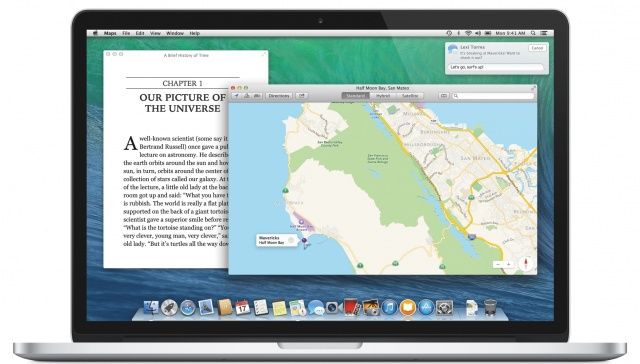
Although it’s not quite the overhaul we’re seeing in iOS 7, OS X 10.9 Mavericks is an exciting new update to OS X that crams a lot of new features into the Mac operating system, including Maps, iBooks, iCloud Keychain, a new Safari, a more powerful Finder with tabbed windows and tagging, better Notifications, far improved battery life support, and much, much more.

We’re still delving into Maverick and spotting the best features. Here’s everything new we’ve spotted so far, and we’ll be updating this post with more screenshots of the new shiny in OS X Mavericks.

Design Your Own Custom Movie Subtitles In iOS 7

By

subs.jpg

Years ago, I submitted a bug report to Apple. The problem? Teeny, tiny subtitles in the iOS Videos app, so small that even an eagle with binoculars couldn’t read them. I got a mail from Apple to follow up, and then, just one or two releases later, subtitles got big enough to read (the Lady and I have different native tongues so we usually watch everything with subs).

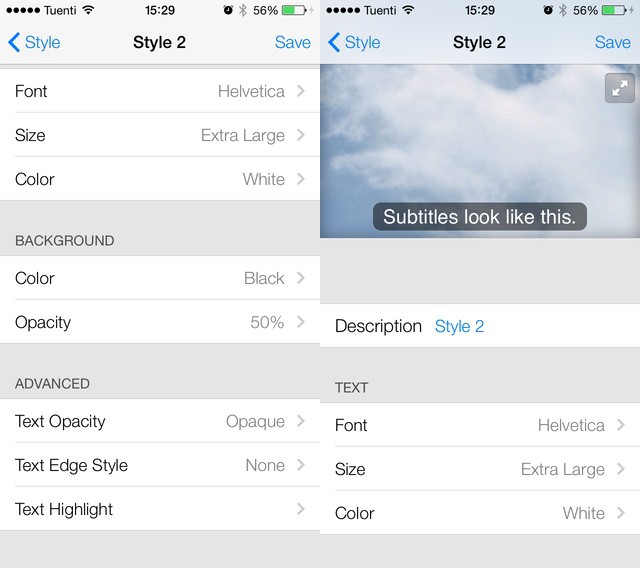
Now, in iOS 7, they’re not only big but completely customizable.