Mobile menu toggle

Search results for: Apple One

Eddy Cue Had To Convince Steve Jobs That iBooks Would Be Awesome On iPad

By

ipadminiwithibooks

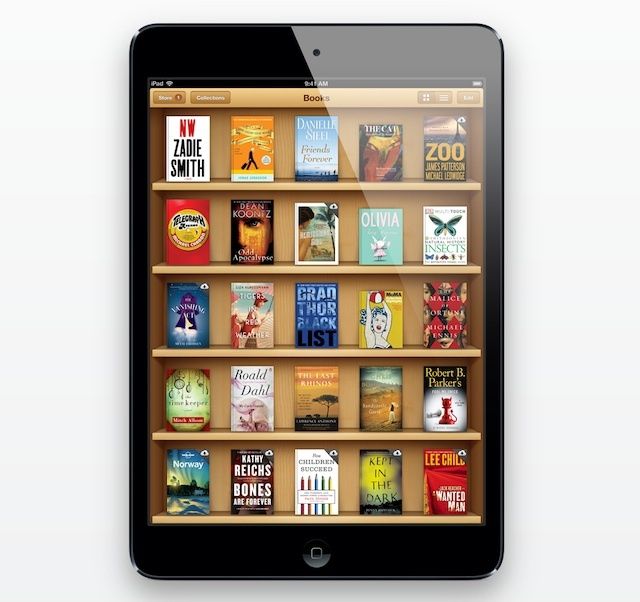
iBooks has been a big successful venture for Apple — despite the ongoing price fixing case from the Department of Justice — but it’s a service that may never have been if Eddy Cue hadn’t convinced Steve Jobs it would be awesome on the iPad.

Before Apple was gearing up to launch its popular tablet in late 2009, Steve Jobs wasn’t interested in the iBooks idea, and he felt e-books had no place on desktops and small smartphone displays.

Twitterrific Rises To Top Of App Store Charts Following iOS 7 Unveiling

By

twitterrific_photo.png

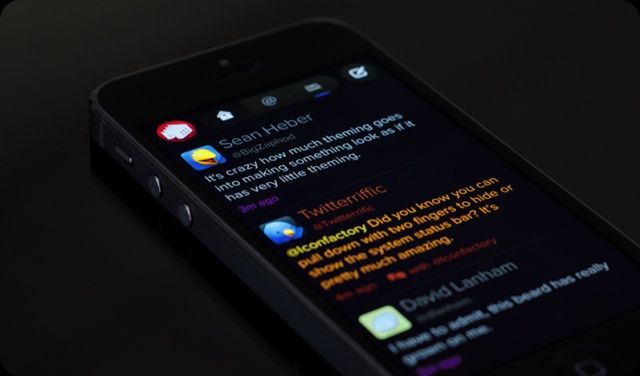
There are a few popular apps that already look like they were designed for iOS 7. Twitterrific 5 by The Iconfactory is one such example. Months before Apple unveiled iOS 7, Twitterrific started using the general design aesthetic Apple has now implemented across the entire OS. It’s almost like the makers of Twitterrific knew what was coming.

Following the unveiling of iOS 7 and Apple releasing the software in beta form to developers, Twitterrific’s downloads have spiked considerably, sending the app towards the top of the App Store’s charts.

Here’s How The New ‘Wish List’ Feature In iOS 7 Works

By

wishlistiOS7appstore

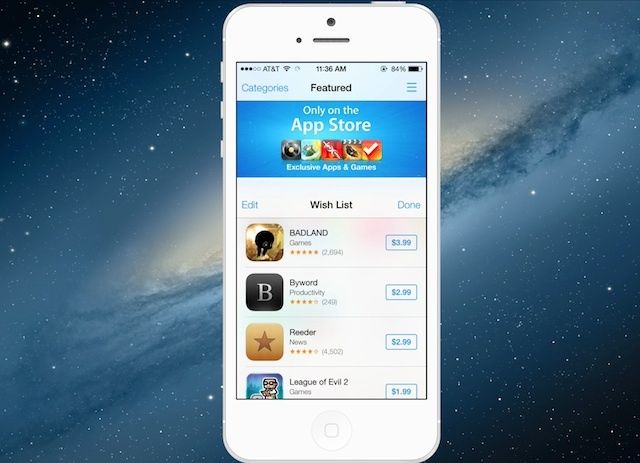
The App Store in iOS 7 has an new ‘Wish List’ feature designed to help you keep track of all the paid-apps you’re lusting after.

You can access Wish List from anywhere inside the new iOS 7 App Store by tapping on the Wish List icon in the upper-right corner. Apple’s put the Wish List icon on pretty much every page in the new App Store so it looks like they’re hoping users will really get into the new feature and buy more apps.

Here’s how Wish List works:

Designer Of Original Macintosh Icons Gives Thumbs Up To iOS 7

By

111124033649-susan-kare-icons-story-top

iOS 7 is a bold, radical departure from Apple’s previous design aesthetic, and as such, there’s a lot of controversy right now as people struggle to figure out what they think of the new look. It’s only natural that we’re in such flux to come to terms with what we think about iOS 7: what could be more personal than the interface of the one gadget with which we have our most personal connection?

One person who has no such reservations about the design of iOS 7, though, is Susan Kare, the woman who designed many of the original Macintosh operating system’s timeless and most beloved icon.

iOS 7’s Design Still “A Work In Progress”

By

iOS-7-in-hand

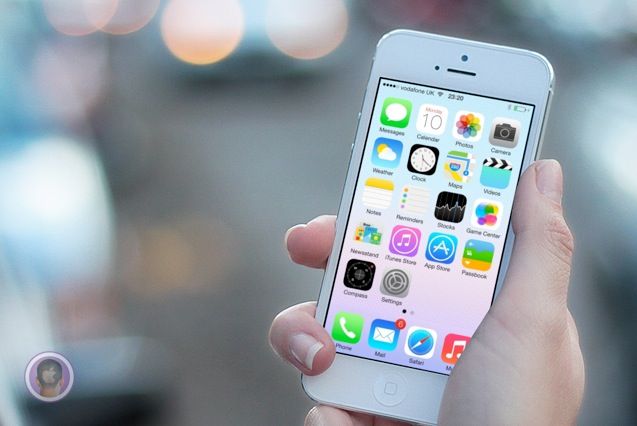
“Apple made this?” That’s the first thing I asked myself when iOS 7 was unveiled to the world at WWDC on Monday. It’s so different from anything Apple has ever done design wise that it’s hard to wrap your head around as a longtime fan of the company.

If you’re still in shock at the randomness and general weirdness of iOS 7 like I am, this tidbit of info helps clear things up: Apple’s own designers weren’t in charge of creating the OS’s icons. A new report reveals the disjointed process that Jony Ive led behind the scenes to create iOS 7 at Apple.

The Evolution Of The iOS Home Screens

By

iOS

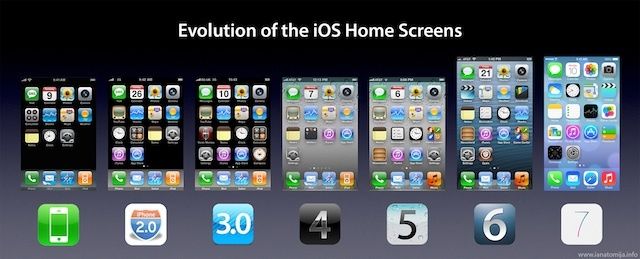
iOS has undergone a ton of small changes over the last six years, but never we have we seen as drastic changes as Apple has made with iOS 7. Don’t think iOS 7 is that big of change? Take a look at the image above that shows the evolution of the iOS home screen.

Jailbreakers have been able to customize their phones to look similar to iOS 7 now, but this is the first time that Apple is breaking away from some of the UI design principles that have made iOS so successful. The high res version can be viewed here.

Source: Reddit

iOS 7 Will Let You Slide Anywhere To Unlock Your Screen

By

slidetounlock


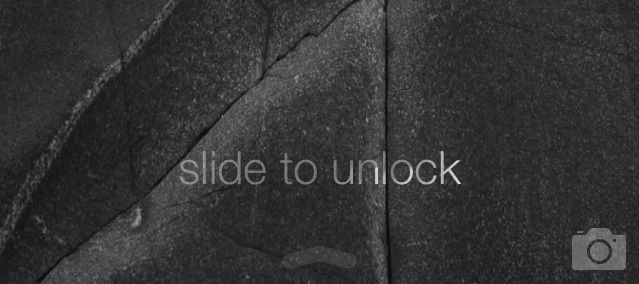
Ever since the iPhone came out in 2007, users have always had to slide a finger along the bottom of the screen to unlock it. With iOS 7, Apple’s still has the ‘slide to unlock’ message at the bottom of the lockscreen, but rather than having to drag a little square across the screen to open your device, now you can swipe pretty much anywhere.

You can slide to unlock from the bottom, top, middle; you can even swipe from the top left corner down to the bottom right corner and iOS 7 will still unlock your screen.

It’s one of the most convient little features in iOS 7, so Gizmodo created a handy GIF to show all the new ways you can swipe to unlock, check it out below: