Mobile menu toggle

Reviews - page 92

Fly like a dragon (and smash into walls) in fun but flawed Dragon Raiders

By

DRAGONS1
A whole roster of special power-ups keeps Dragon Raiders fresh and exciting.

I’m soaring through the air, dodging fallen trees and rocky overhangs, and evading plumes of sooty black smoke while trying to collect as many runes as I possibly can — and I’m loving it. Who would have thought being a dragon would be so cool?

In Dragon Raiders, an intriguing new iOS runner game, you’ll duck, dive and dodge your way through endless levels of entertaining fun to save the land of Landslandia from the meddling Megawobblins.

Age of Booty is about strategy, not whatever else you were thinking

By

Booty as in treasure, you perv. Photo: Rob LeFebvre, Cult of Mac

Full disclosure: the publisher of the naughtily-named Age of Booty: Tactics sent Cult of Mac a really nice wooden treasure chest with some fun promotional stuff in it. This usually means that we’d give it a skip, as generally, the better the swag, the crappier the game. We were pleasantly surprised, then, when we found Age of Booty‘s first outing on iOS to be a pretty darn great free-to-play game, with only a few caveats for the novice player.

The original Age of Booty was a 2008 downloadable real-time strategy game for Xbox and PlayStation, developed by Certain Affinity and published by Capcom. This time around, Certain Affinity took the concept to iOS with Age of Booty: Tactics, which switches things up, adding some new mechanics to the strategy formula and putting it into an asynchronous multiplayer format.

The graphics are charming enough, the soundtrack is appropriately pirate-themed, and the sea and boat sounds are nicely atmospheric. It’s in the strategic gameplay, though, that Age of Booty: Tactics surely shines.

Death is no stranger in repetitive Hellraid: The Escape

By

hellraid1
Death is inevitable as you battle your way through a labyrinth of dungeons in Hellraid: The Escape.

I’ve been trying to slip past demonic guards to escape magical chambers for the past few hours as I fight my way through the horrific world of Hellraid: The Escape. At its best, the game is gruesome, bloody and full of suspense, but it can also be painful and highly frustrating.

Because in this iOS game, death is no stranger: Die you will, over and over — that’s bloody guaranteed.

Top 3 iPad apps that let you get real work done

By

post-288789-image-3732e3ed7f7faa8c637908fd936d2af1-jpg

Though our iPads can be great for relaxation, sometimes it’s crucial to use these mobile workhorses for business. Luckily, when there is a lot being asked of you and deadlines are to be met, there are applications that can help save the day.

In today’s video, we reveal our top three must-have applications that will help you get your work done more efficiently. Take care of your documents, get your to-do lists organized and more with these functional apps.

Subscribe to Cult of Mac TV on YouTube to catch all our latest videos.

Wireless and waterproof, Pump sports headphones crank up the fun

By

If you line it up right, you can make the Pump look like a Cyberman
If you line them up right, you can make the Pump headphones look like a Cyberman. Photos: Charlie Sorrel/Cult of Mac

BlueAnt’s Pump wireless headphones caught my eye at Mobile World Congress. Sports gear that also looks cool? Count me in!

I’ve been giving theses waterproof Bluetooth headphones a workout since they arrived last week, and I love them. That’s not to say they’re perfect – they’re not. But they have a job to do, and they get on and do it.

Ported to iOS, ghostly Blackwell games will leave you yearning for more

By

blackwell01

As someone who’s never witnessed any paranormal activity, I’d probably crap myself should I ever come across a ghost in real life. Luckily I’ve got the Blackwell adventure games to give me a tidy little taste of the supernatural.

The episodic game series introduces you to the spirit world through the eyes of Rosangela Blackwell, for whom dealing with specters comes as no surprise, thanks to her family’s long history of strange and unexplained happenings. Her story unfolds over five games that were originally released on PC (and ported to Mac). The first three games in the series, recently ported smoothly and successfully to iOS, introduce us to a brilliantly told story driven by dialogue and character interaction, with many problem-solving elements.

You’ll love to hate TwoDots’ ridiculously addictive puzzles

By

TwoDots

I know that TwoDots, the followup to last year’s megahit Dots, has been out for a little while, but I have a pretty good excuse for not having reviewed it yet: I’ve been playing it this whole time.

It’s taken me so long to get to this article, in fact, that the developer has since released an update with a bunch more levels, and now this review is timely again. So take that, Time.

Anyway, TwoDots is a lot of fun. Provided you’re incredibly lucky.

Logitech Hinge is handy but hella heavy

By

The Hinge really is at home at home. Photos Charlie Sorrel/Cult of Mac
Logitech's Hinge case really is at home when it's at home. Photos: Charlie Sorrel/Cult of Mac

An iPad case should:

  1. Protect
  2. Add features
  3. Look good
  4. Not weigh a ton

The Logitech Hinge manages the first three of these, and were it not for the failure on point No. 4, it would be my new favorite case. As it is, the cool Logitech Hinge is my favorite case for using around the house.

Tile Bluetooth tracking tag works great — if you live in San Francisco

By

The tiny Tile really is small and light enough to use anywhere. Photos Charlie Sorrel/Cult of Mac
The tiny Tile really is small and light enough to use anywhere. Photos: Charlie Sorrel/Cult of Mac

The Tile is a tiny plastic widget that never gets lost. In theory anyway. It talks to your iPhone via low-power Bluetooth and lets you track the Tile itself, and anything the Tile is attached to.

I’ve been using one for the last couple of weeks, and it works just fine. But so far it doesn’t seem to be much more useful than one of those keychain finders that beeps when you whistle. Why? Because to be truly useful, the Tile needs to reach a critical mass of users.

Pear Sports’ new monitor is the workout coach you always wanted

By

Photo: Rob LeFebvre/Cult of Mac
Pear Sports' workout system pairs a heart rate monitor with comfortable earbuds and a mobile app. Photo: Rob LeFebvre/Cult of Mac

I’ve been a runner for a long time. I trained for (and ran) the 1994 Los Angeles Marathon. I’ve run 5K races, half marathons and relays for full marathons up here in Alaska, too. I find that running gives me the best bang for my buck: All I need is a pair of running shoes, some appropriate clothing (it gets cold up here), and some music to keep me getting out there.

Recently, though, I’ve been playing with a new bit of gear: the Pear Sports heart rate monitor, paired with a set of earbuds engineered to stay in your ears while working out, plus a pretty fantastic mobile app to make sense of the heart rate data.

Indulge your inner OCD with Brother’s tiny Wi-Fi label printer

By

Photo: Rob LeFebvre/Cult of Mac
The Brother P-Touch P750W label printer works like a charm. Photo: Rob LeFebvre/Cult of Mac

When I was a kid, we used to label everything: toys, boxes, file folders. My parents used one of those manual rotary label dispensers, the kind you had to squeeze hard enough to make each individual letter poke up through the hard plastic label tape. It was a good day when my brother and I got to use the label maker to title our shelves, toys and books (“Rob’s Stuff” was a common theme).

These days, printing labels is a lot easier thanks to computers and label printers like the ones from Dymo and Brother. Typically, you’ve got to connect these to a Mac or PC, and then use special software to send labels to the label printer.

The Brother P-Touch P750W (printer makers really need to work on their model names) is a label printer that can connect to your computer via USB, sure, but also connect either to your existing Wi-Fi network or create its own Wi-Fi 802.11 b/g/n network to print labels from any device, including iPhones, iPads, Android devices, Windows PCs and Macs.

Yeah, I’ve already labeled some shelves around the house. Old habits, it appears, die hard.

Man, I frikkin’ love this versatile folding bike by Brompton

By

Photos: Charlie Sorrel/Cult of Mac

The Brompton’s not a new bike. It’s not even new to me. But it is the best folding bike around, and it will change how you travel long distances, too. I’ve had mine ever since I recovered enough from a broken leg (busted playing bike polo) to hobble up to the local bike shop and order one. That was a few years ago, and since then the bike has come with me to three different continents, traveling on planes, trains, trams, automobiles and buses.

You can even ride it to the airport and pack it up when you get there.

Get a fully realized MOBA on your iPad with Fates Forever

By

Sometimes you'll die.

If you want to delve into the deep end with a massively online battle arena game, you can head on over to Riot Games’ League of Legends or Valve’s own Dota 2 with your computer, download a free copy of each game, and then dive in.

Or, you can grab a copy of Fates Forever, a surprisingly well-tuned and deep version of the popular game genre and eSports phenomenon. It’s been over a year in development by the team led by the founder of proto-Game Center Open Feint and one of the first hit game devs on the iOS platoform (Aurora Feint), Jason Citron.

When we spoke to Citron last summer, he was full of excitement about his promising game-in-development. The wait has been worth it, as Fates Forever puts on an impressive show, squeezing a fully-realized MOBA game complete with distinctive heroes and cunningly designed infrastructure that can encourage and include everyone, from those brand new to the genre to the more veteran MOBA players, all on the iPad.

This is a fantastic game, and you’ll want to check it out right now.

Storm Caster sets you on path to adventure with a few cards, lots of magic

By

SCTOP

I’m a bit of a sucker for anything remotely magical, and I love the idea of blasting spells around to save the world. If you’re also excited by that, and love hordes of monsters too, then Storm Casters will be right up your alley.

Packing a library of spells so extensive that even the great Gandalf would be in awe, Storm Casters’ enchanting design aesthetics and whimsical outlook will make you a fan straight off.

Get Set Games (developer of Mega Jump) has a lot to be proud of when it comes to Storm Casters. The company’s latest dive into the world of dungeon-crawling and spell-casting is especially appealing to newcomers as well as fans of the roguelike gaming subgenre.

Xistera crams every iPhone photo accessory into single awkward package

By

The Xistera crams everything into one accessory. Photos Charlie Sorrel/Cult of Mac
Homely multitool Xistera packs many iPhoneography essentials into one pointy package. Photos: Charlie Sorrel/Cult of Mac

Take the Xistera out of its box and you’ll be disappointed. It’s ugly as hell, like a cheap corkscrew, and it looks like it won’t really do much. But hidden in those graceless curves and eye-gouging corners is what a lazier journalist than me would call a “Swiss Army knife of iPhoneography.”

Mega-pedal serves up soaring vocal harmonies, impressive guitar effects

By

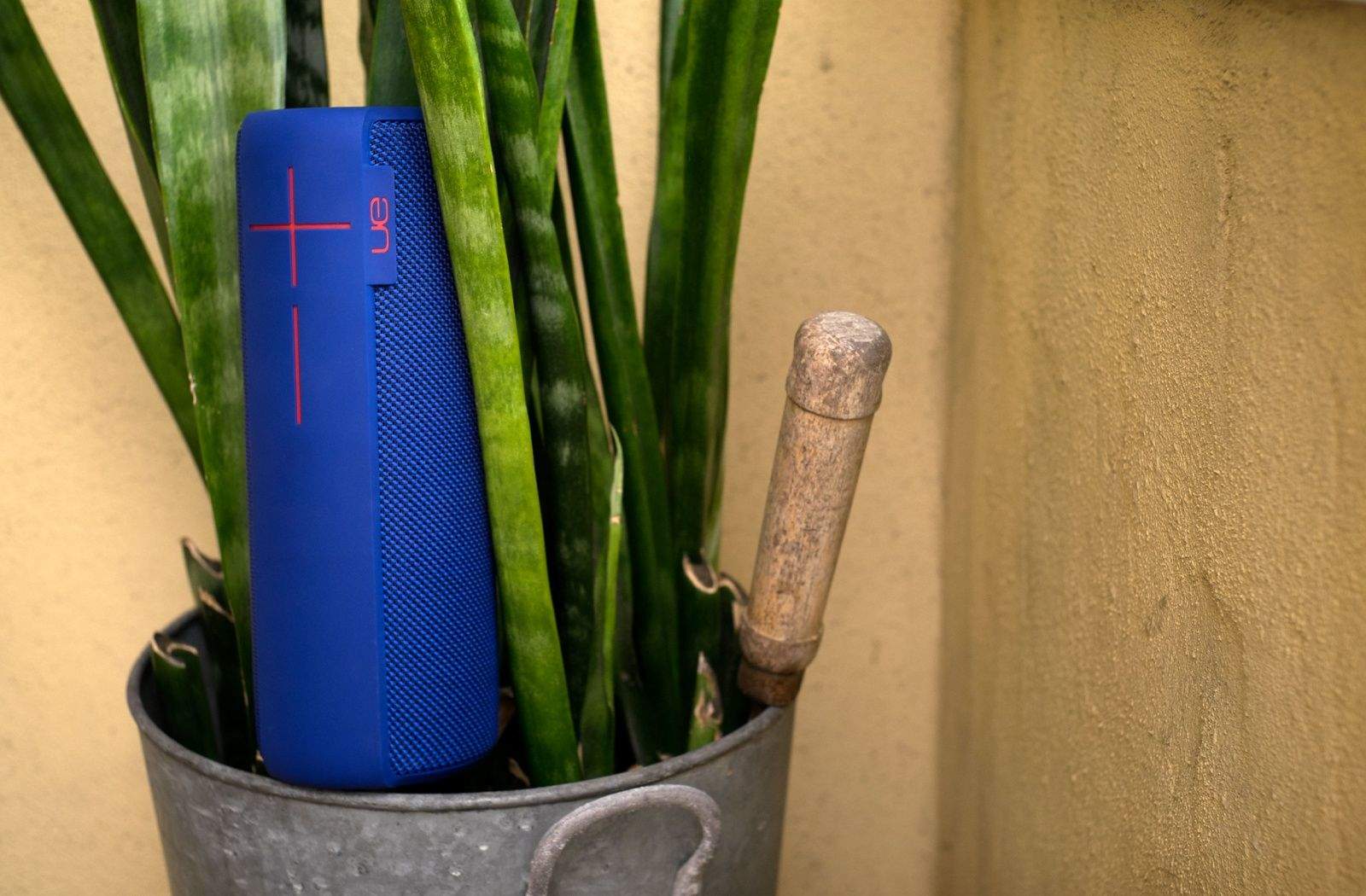
Photo: Rob LeFebvre/Cult of Mac
I’ve been playing music for coming up on 30 years now, and I’ve tried a ton of music gear. These days, I run a fairly bare-bones setup, with a smaller amp for those close venues, a couple of dual-effect pedals (Visual Sounds’ Route 66 and H2O), and a Boss VE-20 vocal harmony box to thicken up the background vocals in my disco band.

I’ve always had a thing for multi-effect boxes, though, running through my share of a few complicated ones that never quite gave me what I needed in terms of both effects sounds and onstage ease-of-use.

When I heard about TC-Helicon’s new VoiceLive 3 mega-stomp box, with a huge range of guitar effects and amplifier modeling, an amazing vocal-harmony processing system and a stage-quality looping feature, well, I had to try it out.

Now you can slay Monster Hunter’s epic beasts right on your iPhone

By

So pretty. So many monsters.

Imagine if you were actually a hunter of massive, dangerous creatures. You’d need to gear up, make sure you have all the weaponry and armor you’d need, enough ammo for your ranged weapons, and you’d have to be sure your giant swords are sharp enough to cut through touch monster hide.

You’d need to practice, for sure, and you’d probably get better over time, able to aim your sights at even more deadly monsters, because the bigger the baddie, the better the payoff.

Monster Hunter Freedom Unite is exactly this. While hunting monsters is a ton of stressful fun, full of dodging and attacking and slaying, the rest of the activities in-game — choosing weapons, farming, hiring chefs and companions, crafting and buying better weaponry and armor — are equally as satisfying.

And now? It’s on your iPhone (or iPad), with some really excellent touch controls and better visuals than ever.

Picturelife 3 should be your new super-awesome online photo library

By

The iPhone version is one of the best photo apps I've used. Screenshots Picturelife.
The iPhone version of Picturelife is one of the best photo apps I've used. Screenshot: Picturelife

Remember Picturelife? It was one of our top picks for online photo storage when Everpix bit it, and now it has been upgraded to version 3.0. The highlights are a new $15 per month unlimited plan, which is really truly unlimited and can be shared with up to three other family members, plus an all-new, redesigned iOS app.

Things in the online photo world are definitely heating up again. iOS 8 and OS X Yosemite will bring exciting new features for photographers and a recent update to Adobe Creative Cloud gives shutterbugs even more options for editing and storage.

But Picturelife has some pretty cool tricks up its sleeve to make it a worthy competitor to the big guns. Here’s why it deserves a shot at becoming your new super-awesome online photo library.

Beautiful leather folio puts absolutely everything in its place

By

Photo: Jim Merithew/Cult of Mac

I’m a digital pack rat. I’ve got an iPhone, an iPad mini, a Barnes & Noble nook eReader, a space pen, several USB flash drives, and various earbuds along with a few charging and adapter cables.

I usually just jam all these things into my backpack as I head out the door, hoping they don’t get lost or tangled in the process. They get lost in my bag of choice, and I spend a fair bit of time searching around for stuff I need in any given moment when out and about.

Honestly, though, it hasn’t been much of an issue. I’ve been ok with taking the extra effort to find my headphones, say, and unwrap them from the unholy tangle they’ve become in my bag, for the simple fact that I’m not super organized.

This new leather folio case, however, has me re-thinking all that. What if I could keep track of all the little digital ephemera I carry with me in a more compact, organized way?

Turns out that I can, and look great doing it.

Best List: Time to seriously upgrade your life

By

20140630_lust-list_0215-edit

You know what I hate about Apple computers? The precious keyboards. They look lovely, with their sleek designs and tiny little keys, but they absolutely kill my wrists and fingers. That’s why I plug a grimy old Goldtouch keyboard ($129 list when they made ‘em) into the MacBook Air that I use for work. I even take the weird-looking A-frame keyboard with me when I travel. It’s not an elegant-looking solution, but it’s a lifesaver.

I’ve dealt with typing-related RSI for decades. While I use voice recognition when I have to write something lengthy, it’s not the perfect tool to accomplish every task in every situation. Sometimes I need to hammer away on a keyboard, and when I do, the Goldtouch makes the experience far less painful. It’s split down the center, with a ball joint that lets me adjust the angle between the two halves as well as the height at the center. And the soft-touch keys just feel good to me. — Lewis Wallace

P.S. I haven’t tried the updated Goldtouch V2 ($115) or the company’s Go!2 Bluetooth mobile keyboard, but when ol’ faithful finally gives up the ghost, that’ll be my move.

Photo: Jim Merithew/Cult of Mac


Adorable puzzler Monsters Ate My Birthday Cake will keep you up all night

By

monsters ate my birthday cake

This is how my non-gamer girlfriend shows me which games are worth playing: She stays up until 3 a.m., wearing down the iPad mini battery to 22 percent while she tries to solve the next level.

This time, she bathed our dark bedroom in colorful reflected light while she moved Niko, Groggnar, Eek and Claude around on the screen in Monsters Ate My Birthday Cake. If it’s so important to solve environmental puzzles on the bright screen in the middle of the night, I know the game’s addictive.

This morning, still playing on the couch after charging up the iPad while she (finally) got some sleep, she told me like it is.

“It took me 15 minutes, but I finally got that level,” she bragged. “With three stars, bitch.”

Snappgrip iPhone camera grip fails to deliver on great idea

By

The wrist strap is the best part of the Snappgrip. Photos Charlie Sorrel/Cult of Mac
The wrist strap is the best part of the Snappgrip. Photos: Charlie Sorrel/Cult of Mac

The Snappgrip is a fantastic idea, with not-too-bad hardware to back it up. It’s an accessory grip for your iPhone that adds a Bluetooth shutter release, zoom buttons and control dial to the phone’s camera, as well as a wrist strap and a handy handgrip.

But in practice, you’ll be better off with the iPhone’s own volume switches if you want a hardware shutter release. Which is a shame, as I was super-excited to try the Snappgrip out.

This 80-year-old coffee pot still makes an amazing cup of espresso

By

The moka pot was designed over 80 years ago, but still beats most modern methods. Photos Charlie Sorrel/Cult of Mac
Designed more than 80 years ago, the moka pot still beats most modern methods. Photos: Charlie Sorrel/Cult of Mac

Before the AeroPress, there was the moka pot, or cafetera as it’s called in Spain. There is at least one cafetera in every Spanish kitchen, and if you want a quick fix of something strong and good, it’s your go-to coffee gadget. Not bad for something invented way back in 1933.

I’ve had a moka since I first saw one in action a couple decades ago. Up until I bought an AeroPress, I used a moka every day, never tiring of its old-school charm and serious wake-me-up taste. But what is a moka exactly, and why is it so good?

Road warriors share their iPhone toolkits

By

8526503079_a0efcb092e_h
CC-licensed, thanks to Moyan_Brenn.

In the interest of saving you time (and money) when you travel on apps that won’t help you get from point A to point B, we’ve sounded out dozens of road warriors — including flight attendants, serial conference goers, travel writers, CEOs, expats and even a comedian — to find out what they really need when stuck in an airport or mired in the daily commute.

Here are their picks – which just may get you some extra airline points or mellow out on the way to work.

Logitech’s updated Ultraslim Keyboard Cover is worse in almost every way

By

ultraslim-2
Old versus new: Logitech takes several steps backward with its next-gen Ultrathin Keyboard Cover. Photos: Charlie Sorrel/Cult of Mac

Logitech’s updated Ultrathin Keyboard Cover for iPad Air replaced its predecessor mere months after the original’s launch. The most obvious difference between the two is the flip-out hinge that joins the keyboard to the iPad like a cover to a book, but in reality the two devices are completely different.

Is the new one better? In one way yes. In others? Nope.