“It’s alright,” I tell the Upright posture trainer, which is attached to the base of my spine. “I’ll do it right this time.”
I’m not looking at the device itself; that would be impossible. Instead, I’m looking at the three smiley-face icons in the thing’s companion app. The green one is lit up now, but I just slipped into yellow for a second before I caught myself, and if it hits the red one — either from me slouching or overextending my back — it will be unpleasant.
Moshi's Avanti headphones are easy to wear and easy to carry. They sound [pretty great too. Photo: Leander Kahney/Cult of Mac
Best List: Avanti On-Ear Headphones by Moshi
I like the convenience of carrying earbuds in my pocket, but I’ve never liked jamming them in my ears. I love the sound of full-size headphones, but not the bulk.
I’ve discovered a happy middle ground. Moshi’s new $200 Avanti On-Ear Headphones are lightweight, folding headphones that sit atop your ears, not in them or over them.
They’re like a pair of soft pillowy hamburger buns that sound pretty darn great.
A tablet that I can actually work on. Photo: Ste Smith/Cult of Mac
The 9.7-inch iPad Pro was titled the ‘Ultimate PC replacement’ by Apple, and for a lot of people it is. But for myself, mainly working within the creative world designing graphics, editing videos and conjuring up visual effects — this isn’t really possible on the iPad Pro yet.
But I think I’ve found the solution in the form of Wacom’s latest tablet, the Cintiq Companion 2.
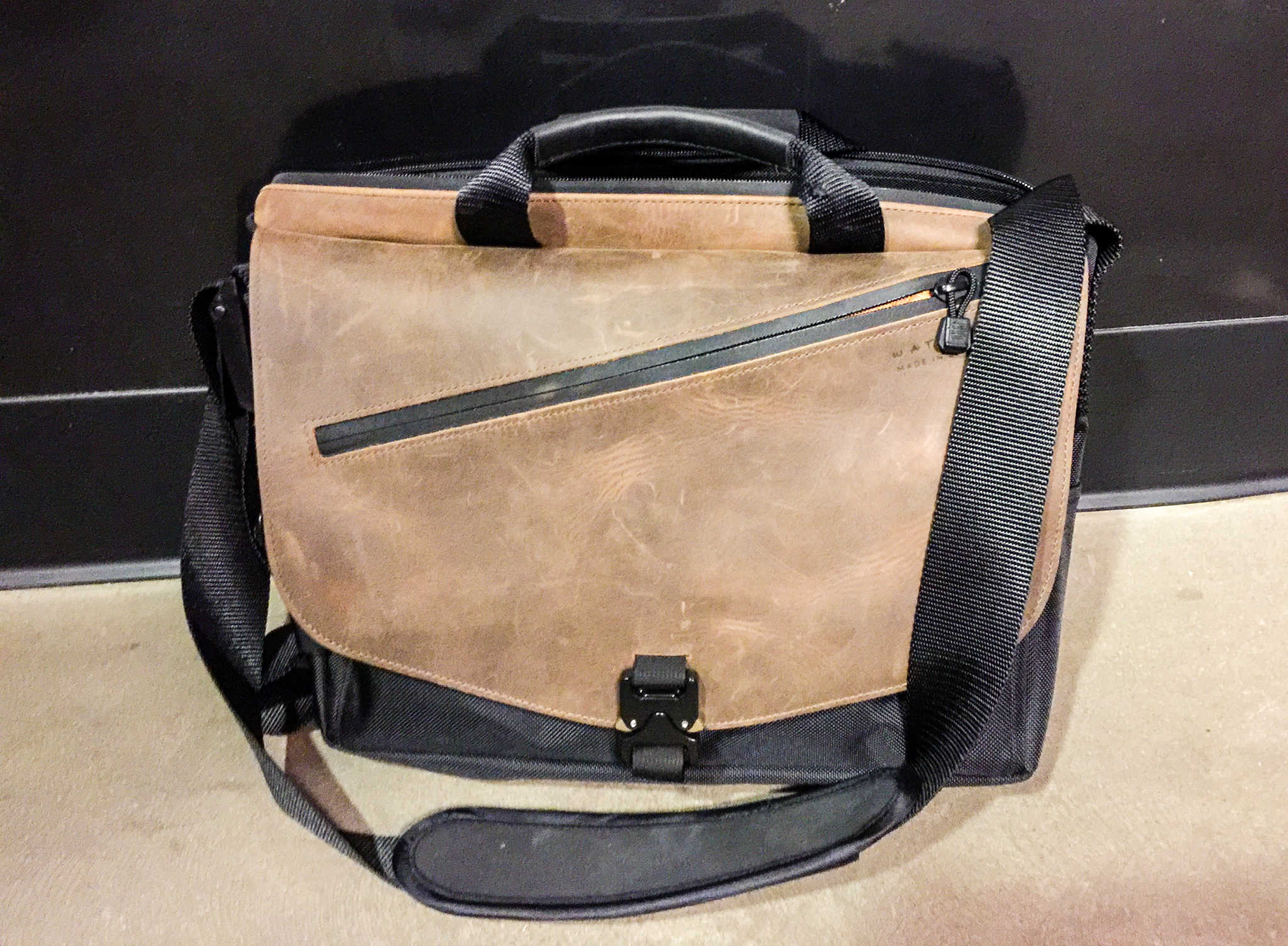
Waterfield's new Cargo Laptop Bag has a ton of space without sacrificing looks. Photo: Rob LeFebvre/Cult of Mac
Best List: Cargo Laptop Bag by Waterfield
When choosing a bag to carry my most precious cargo (MacBook, iPad(s), camera, iPhone), I generally look for something that offers a balance between minimalist good looks and higher-carrying capacity.
Waterfield’s rather boringly-named Cargo Laptop Bag is a fantastic choice for the pro on the go, with capacious storage pockets and a gorgeously-designed outer and inner experience that never feels overstuffed, even when I filled it up with all of my gear.
The LockSmart Mini uses Bluetooth and talks to your phone to unlock. Photo: Ste Smith/Cult of Mac
In a world full of smart and connected devices, a standard run-of-the-mill padlock just isn’t going to cut it for me. Thanks to Dog & Bone, though, I don’t have to settle.
This is the LockSmart Mini: a keyless, Bluetooth padlock taking the hassle out of remembering to keep those tiny little keys safe. And, saving me from trying to remember yet another four-digit passcode.
To see the lock in action and to check out my full review, see the video below.
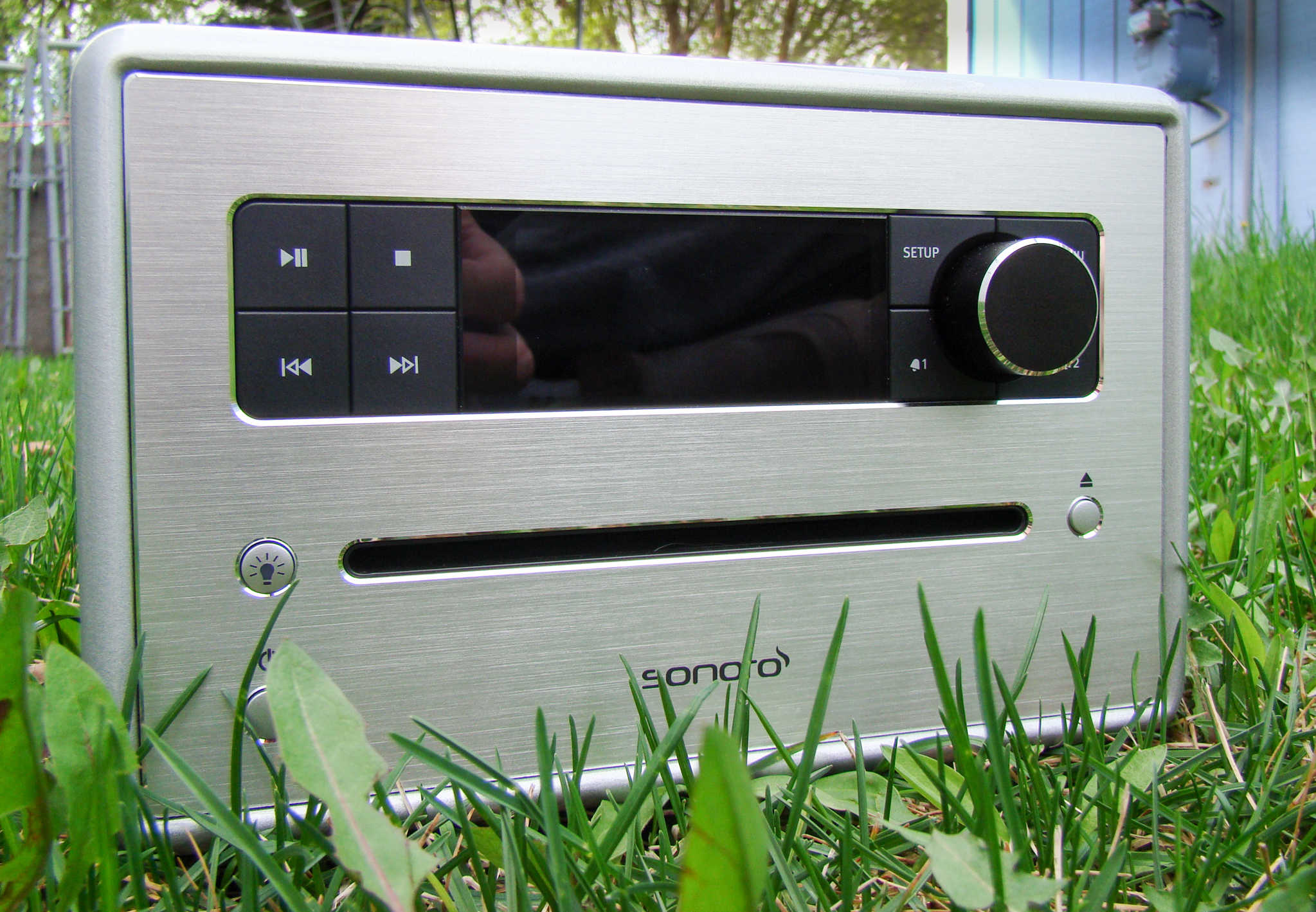
Liberate your languishing CD collection with Sonoro's Cubo. Photo: Rob LeFebvre/Cult of Mac
I’ve got a fat wallet-full of CDs that I never quite got around to ripping. Without a CD drive in my MacBook Pro, it was starting to look like I’d never hear them again unless I was driving in my car, which still comes equipped with a CD slot.
The Sonoro Cubo comes with a bunch of great features (like its phenomenal speaker system, built-in meditational audio and exceptional remote), but the killer feature is the addition of a CD slot. Now I can listen to any of the CDs I bought back in the 90s right in my living room without having to purchase a big stereo system.
In a recent survey, Apple's soon-to-disappear AirPort was ranked the most popular Wi-Fi router. Photo: Leander Kahney/Cult of Mac
I’ve seen the future of Wi-Fi. It’s called Eero. It comes in a pack of three, costs an arm and a leg, but boy is it worth it.
Eero is a slick system of mesh-connected routers that blanket your whole house in Wi-Fi. Eero promises to eliminate dead spots, make restarts redundant, and offer blazing speeds from the basement to the attic.
In my tests, Eero performs as advertised. After years of Wi-Fiheadaches, and an Apple Time Capsule that barely worked, we now have fast and reliable Wi-Fi all over the house.
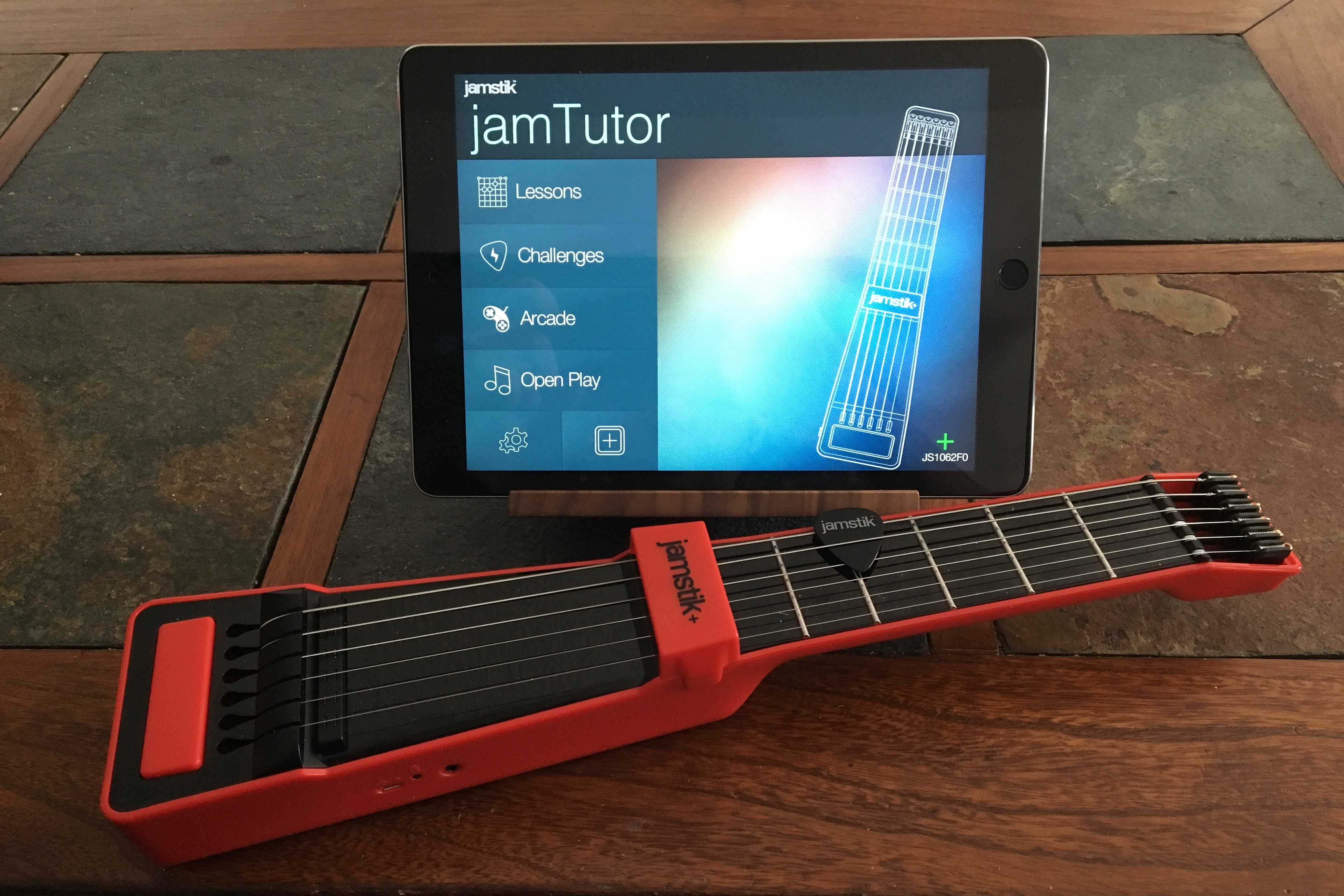
The Jamstik looks like a toy, but it could teach you some serious skills. Photo: Evan Killham/Cult of Mac
As a long-time player of console rhythm games like Guitar Hero and Rock Band, I’ve had several people’s share of silly, plastic instruments laying around my house. And while they’ve all looked varying levels of authentic, none of them actually taught me anything about how to play the guitar other than the base concepts of “one hand pushes down here while the other one goes up and/or down.”
But the Jamstick+ aims to change that by being an odd-looking, toy-like instrument that actually has lessons (via apps) to show you the basics and help you learn strumming, plucking and finger assignment. It even has real-feeling strings and frets to help you translate your lessons into the real thing.
Other than those individual pieces, however, you might feel ridiculous holding it.
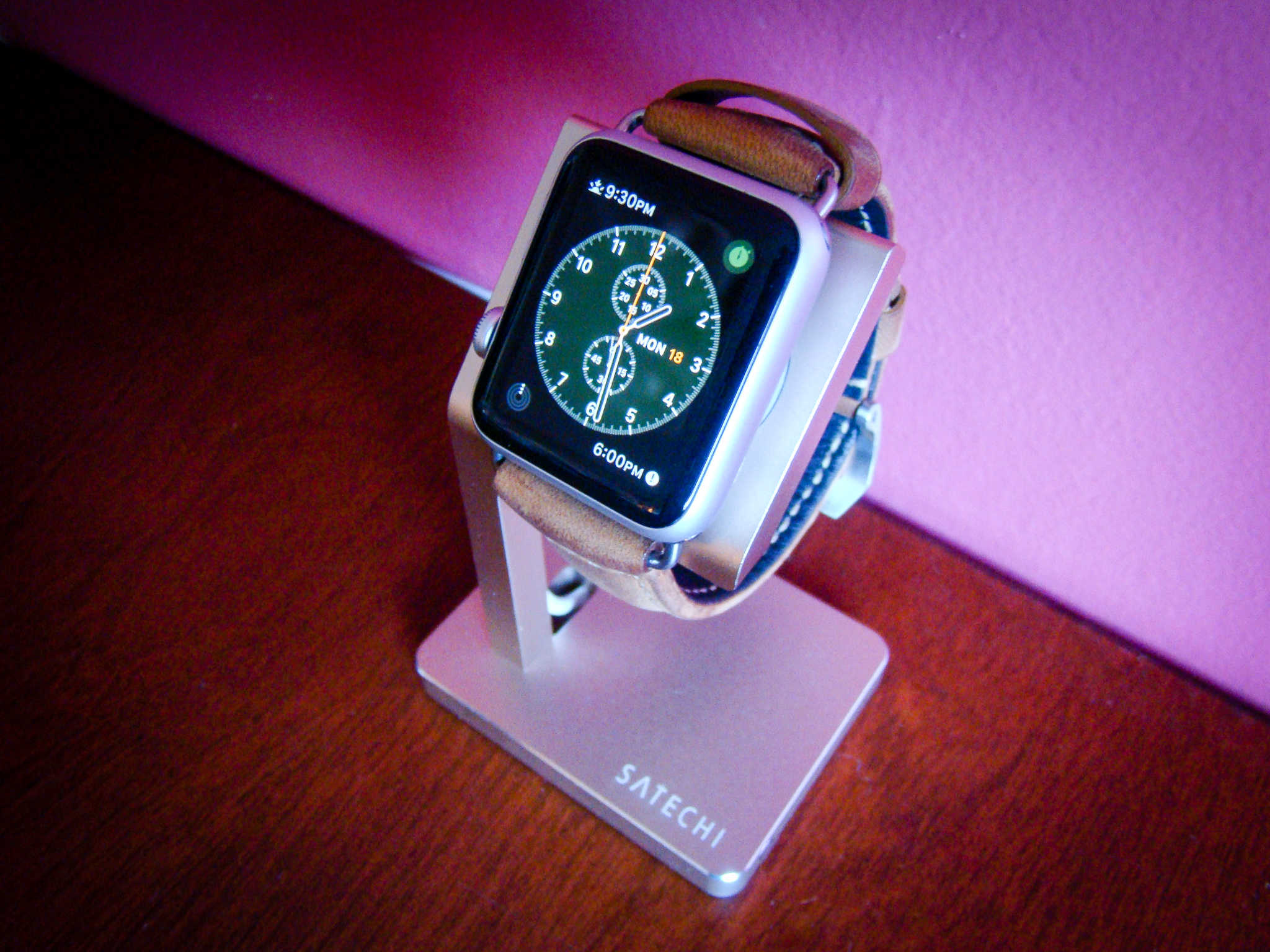
Your Apple Watch will thank you for keeping it above the mess. Photo: Rob LeFebvre/Cult of Mac
Best List: Aluminum Apple Watch charging station by Satechi
I’ve got an Apple Watch problem. I need to keep it charged up, but it continually gets lost in the clutter on my dresser.
You might tell me to just clean up the top of my bedroom furniture, but I like that my new solution allows me to elevate my Apple Watch above the mess. The Satechi aluminum charging stand for Apple Watch keeps my wrist computer charged up and ready to go without getting lost in the cruft of my bureau’s disarray.
Get more out of your commute with one or two of these pannier backpacks. Photo: Rob LeFebvre/Cult of Mac
Best List: Convertible Pannier Backpack by Two Wheel Gear
When I commuted to my office via bicycle a few years back, I had two choices, a backpack or a pannier bag. The backpack usually won out, because who wants to carry around a massive set of bags when they get to the office?
But a backpack can get heavy and sweaty as it sits on my back while I pedal furiously across town to get to work, so I’d end up trying the pannier thing every once in a while, dealing with the awkward carry when I’d arrive.
Two Wheel Gear has a nice compromise, however, a convertible bag that’s made to connect to your rear bike rack, pannier-style, that also converts into a handsome, rugged backpack to easily carry around once you reach your destination.
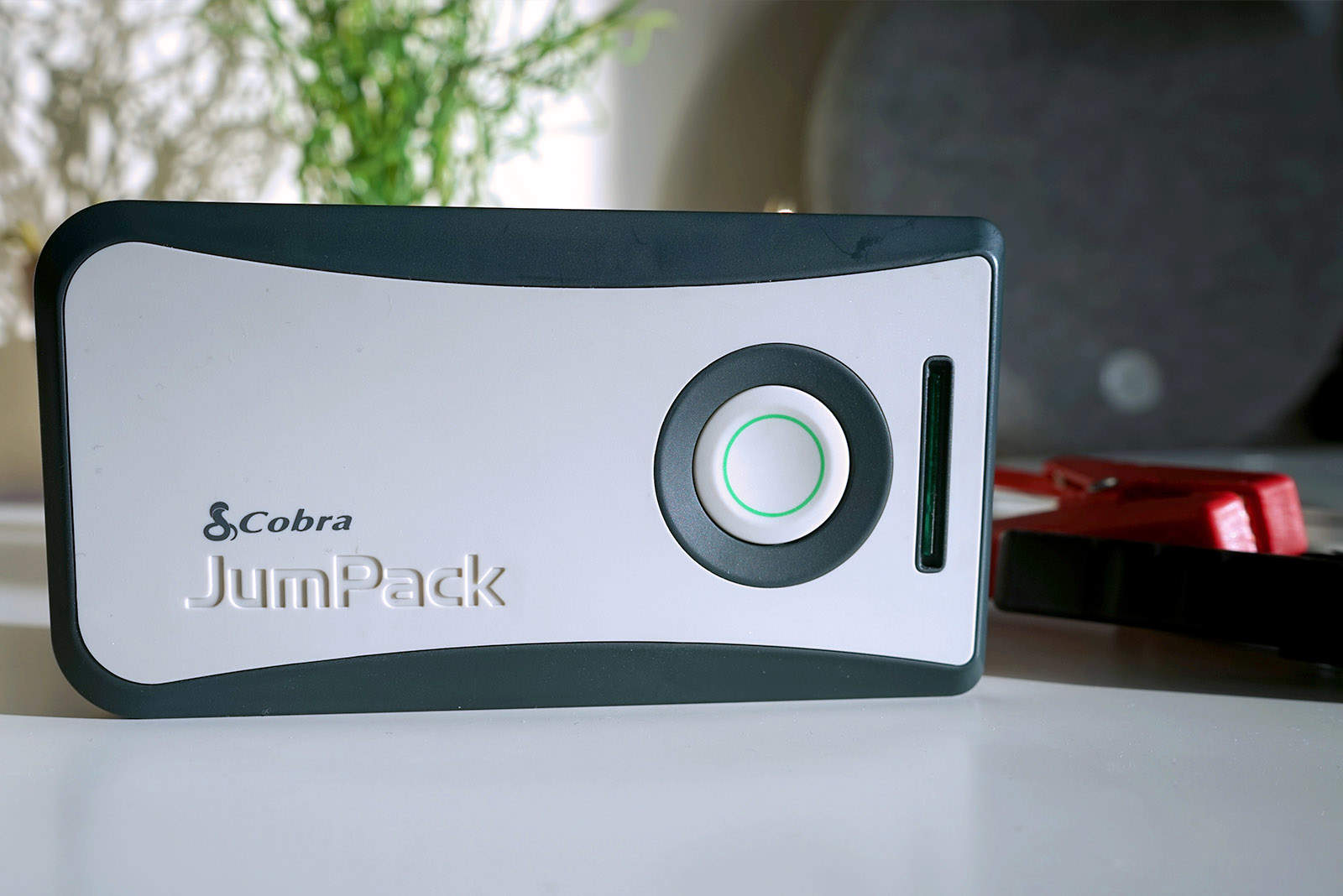
Give your phone a jump-start with the JumPack. Photo: Ste Smith/Cult of Mac
JumPack Power Pack CPP 8000 by Cobra
If you’re anything like me, you carry a ton of gadgets. Keeping them all charged is a juggling act and, inevitably, there’s always one device I’ve neglected to keep juiced.
Coming to my rescue though, Cobra sent over a JumPack Power Pack to charge up all my devices. Plus, it comes with an extra trick up its sleeve.
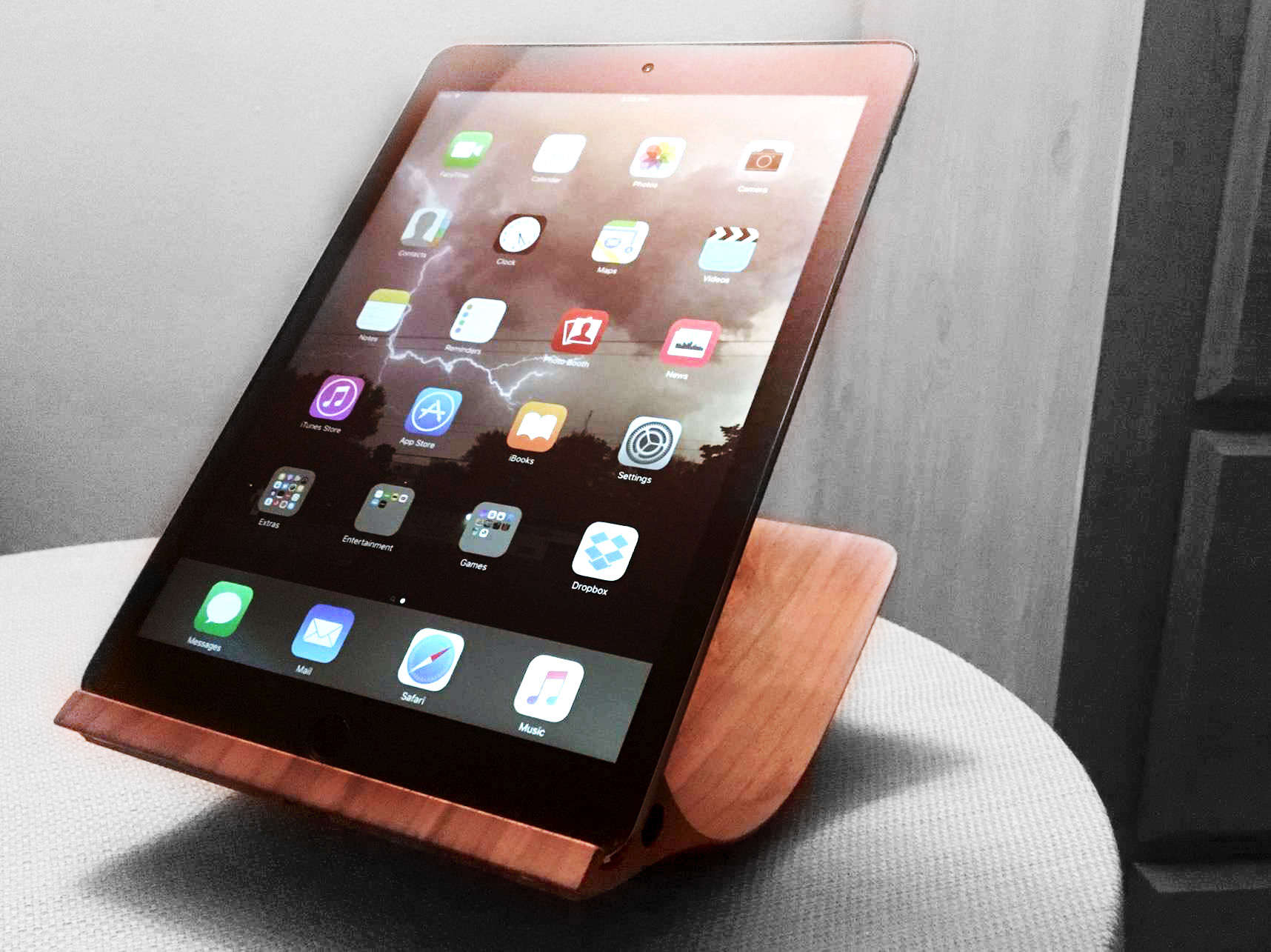
It's just one piece, but it does basically everything you need. Photo: Evan Killham, Ste Smith/Cult of Mac
I have a pretty decent iPad cover that lets me easily prop up my tablet in case I want to stay in bed and watch Netflix all day like someone who does not suffer from depression at all. But the recently released Yohann iPad stand makes my existing system look like cheap garbage.
It’s genuinely a beautiful and elegantly designed piece that looks great whether it’s holding the iPad or not, and it’s also incredibly useful. You’ll pay for every bit of that ingenuity, but if you have the scratch, this belongs in your home.
Blast aliens while you dance a little on Planet X. Photo: Rob LeFebvre/Cult of Mac
I’ve been smashing aliens with multiple eyes for a good while now, and the fantastic indie-flavored soundtrack of Loud on Planet X has invaded my brain.
A mashup of rhythm games like Rock Band and Guitar Hero with lane-based tower defense games like Plants vs. Zombies, Loud on Planet X will scratch that music game itch, getting you to tap your way to victory while getting to play as your favorite indie band, like Tegan and Sara, CHVRCHES, Lights, Purity Ring, and Little Dragon, just to name a few.
All of Arrow & Board's products are handmade in a tiny workshop in Austin. Photo: Traci Dauphin/Cult of Mac
Best List: Triple Tour Split Strap by Arrow & Board
With the deluge of Apple Watch bands on the market, I wanted to wrap my wrist in leather for a reasonable price.
Unwilling to drop $500 on the luxe Hermès Double Tour, I was delighted to discover the wares of Arrow & Board, a tiny company from Austin, Texas, that produces made-to-order, handcrafted leather accessories at modest prices.
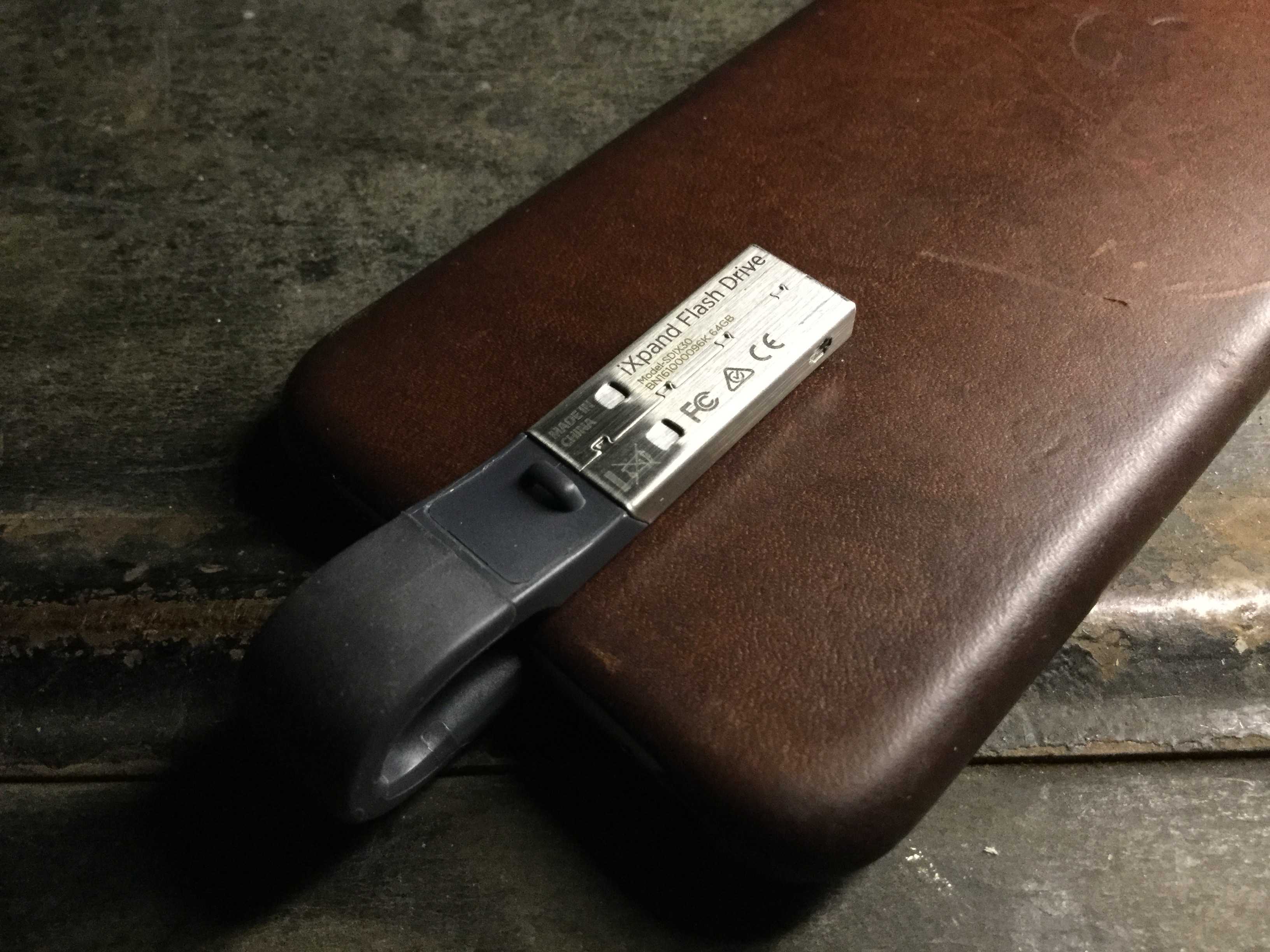
You'll barely even know the SanDisk iXpand is there. Photo: Evan Killham/Cult of Mac
Budget-minded iPhone owners have gotten used to making do with a meager 16GB of memory on their devices, but it’s annoying and may not be worth the money you’ve saved. But the market has no shortage of iPhone-friendly flash drives to make your life easier, and the new version of the SanDisk iXpand is one of the cooler ones we’ve seen.
Not only does it offer a bunch of different storage sizes and a really slick app to keep everything straight, but the makers also designed it to be as unobtrusive as possible. Basically, you can keep it plugged into your iPhone all the time, and you’ll barely even notice it. And that’s more than we can say about most of the phone accessories we carry around.
Free up some disk space easily and quickly thanks to these apps! Photo: Ste Smith/Cult of Mac
No matter the size of your Mac’s hard drive, there will come a time when you need to free up some space. Having a full hard drive can make your Mac feel sluggish, and running out of space can be terrifying.
Sifting through your archive of files may seem like a daunting task. But don’t fear — these three super-simple and effective Mac disk cleanup apps can help you out.
Check them out in the Cult of Mac video review below.
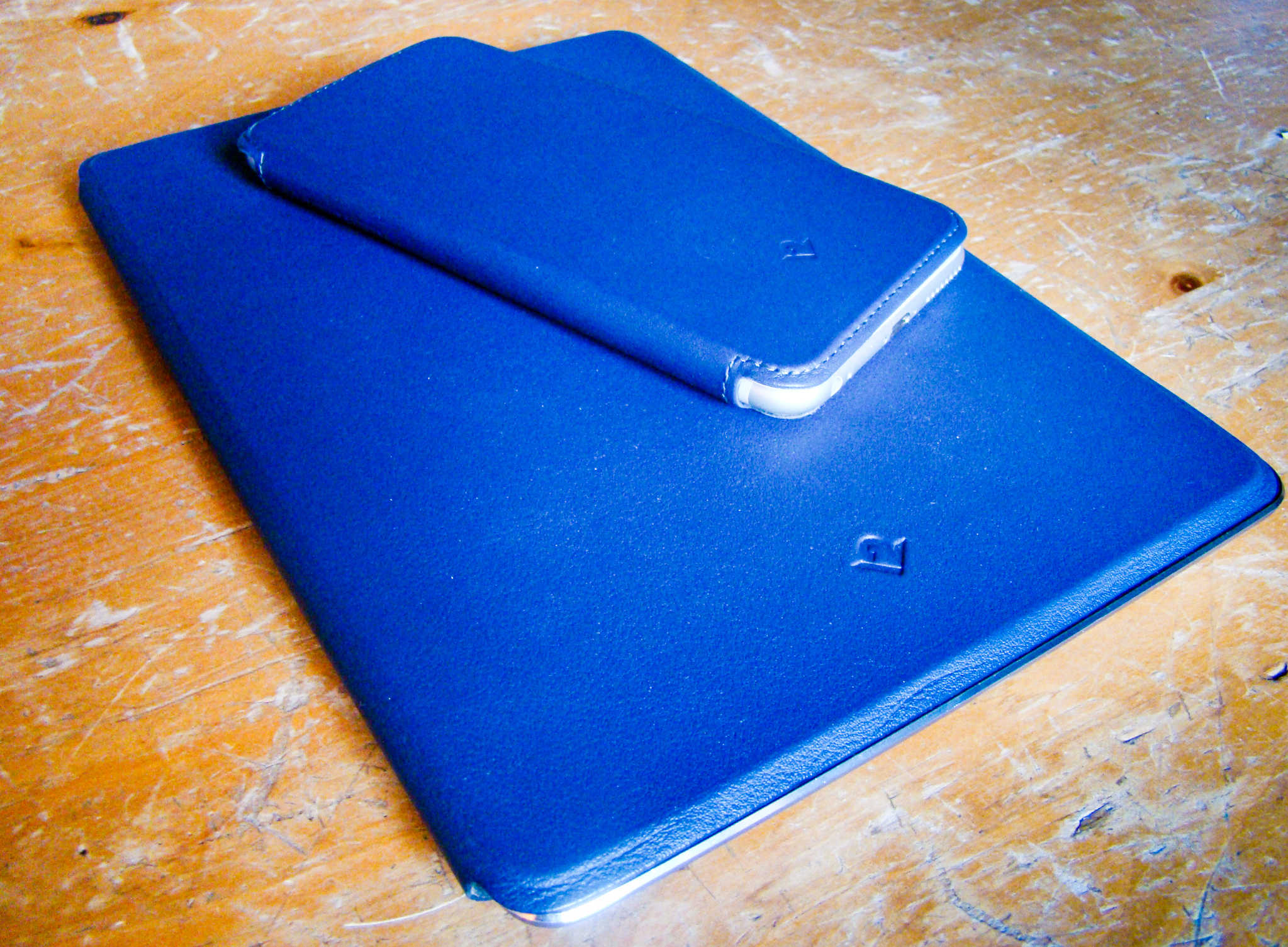
These lovely, leather folios are delightfully classy. Photo: Rob LeFebvre/Cult of Mac
SurfacePad for iPhone and iPad solves a problem I have with most folio-style cases.
These tend to cover up too much of the gorgeous Apple design without giving much in return. There’s always a trade-off between form and function. If you’re going to hide the gleaming Apple devices behind a case, at least make it look as classy and useful as Apple does.
The SurfacePad for folio cases from Twelve South are delightfully minimal, covering the front and rear of your iPad or iPhone in luxurious leather without sacrificing a refined look.
We have a little bit of everything this time. Photo: Ste Smith/Cult of Mac
April has arrived, which means that the cold and snowy weather is ostensibly behind us. In my case, I’ve traded it in for cold and rainy weather. But it’s still an improvement, so I’ll take it.
And if you’re looking for a way to celebrate the slightly improved temperatures, what better way than taking some cool, new iOS games for a spin outside? Just go to a park, sit in the sun, and jam your nose into your iPhone or iPad and ignore all of the beauty and wonder that surrounds you. Because we live in the future now, and that’s what we do.
Plus, these games are really good. Check them out.
Don't even ask what this iPad looked like before. Photo: Evan Killham/Cult of Mac
Best List: Whoosh Screen Shine Duo+
I don’t try to get my screens all fingerprinted and gross — they just get that way all on their own. It’s inevitable, really; we touch most of the screens we use throughout the day, and our hands are way dirtier than we think. I own more microfiber cloths than I do Lightning cables, but apparently my hands are grubbier than a normal human’s, so I need some more help. And apparently, that extra step is Whoosh Screen Shine.
It’s a screen-cleaning system that adds a bit of spray into the mix and claims it can repel fingerprints. I tried out the Duo+ version, which includes both desk- and travel-sized bottles, and it’s made my endless smudge hunt much more bearable.
Still better than a "smart" refrigerator. Photo: George Tinari/Cult of Mac
Nowadays it seems like we’re ready to replace just about every standalone device with a smartphone app or add a Wi-Fi connection to it, when the reality is that plenty of these devices work perfectly fine already. (I’m looking at you, Wi-Fi-enabled refrigerators.) So it was refreshing to be able to review a product that’s confident in what it is and what it isn’t: the Boogie Board Jot 8.5 eWriter.
The Jot 8.5 is an ultra-thin display that lets you write or draw whatever you want on it, then instantly erase all the contents at the push of a button. Think of it as a practical Etch-A-Sketch that doesn’t suck.
Work healthier with the Pro Plus 48. Photo: Killian Bell/Cult of Mac
Spending countless hours sitting in front of a computer every day is bad for your body. Not only do you have to worry about bad posture when sitting for extended periods, but also the fact that you’re probably going to die faster (according to some studies).
A standing desk is a great way to alleviate some of these problems and keep your body active during a long day in the office. And with the Varidesk Pro Plus 48, you can turn almost any standard desk into a height-adjustable standing desk in a snap.
This particular desk is one of the largest models offered by Varidesk, which makes it ideal for multi-monitor setups and those who need plenty of room. It’s also pretty pricey at $495 — but is it worth that price tag?
Time flies when you're having fun. Photo: Ste Smith/Cult of Mac
I’ve decided to take a step back and take a good, hard look at what I’ve been wearing on my wrist for an entire year. It feels like it was just yesterday the Apple Watch was revealed to the public, and everyone wanted one.
Has it become an essential bit of kit on my wrist, or is it another gadget for the junk drawer, left to gather dust?
Here’s my take on the year I’ve spent with Apple’s magical wrist computer.
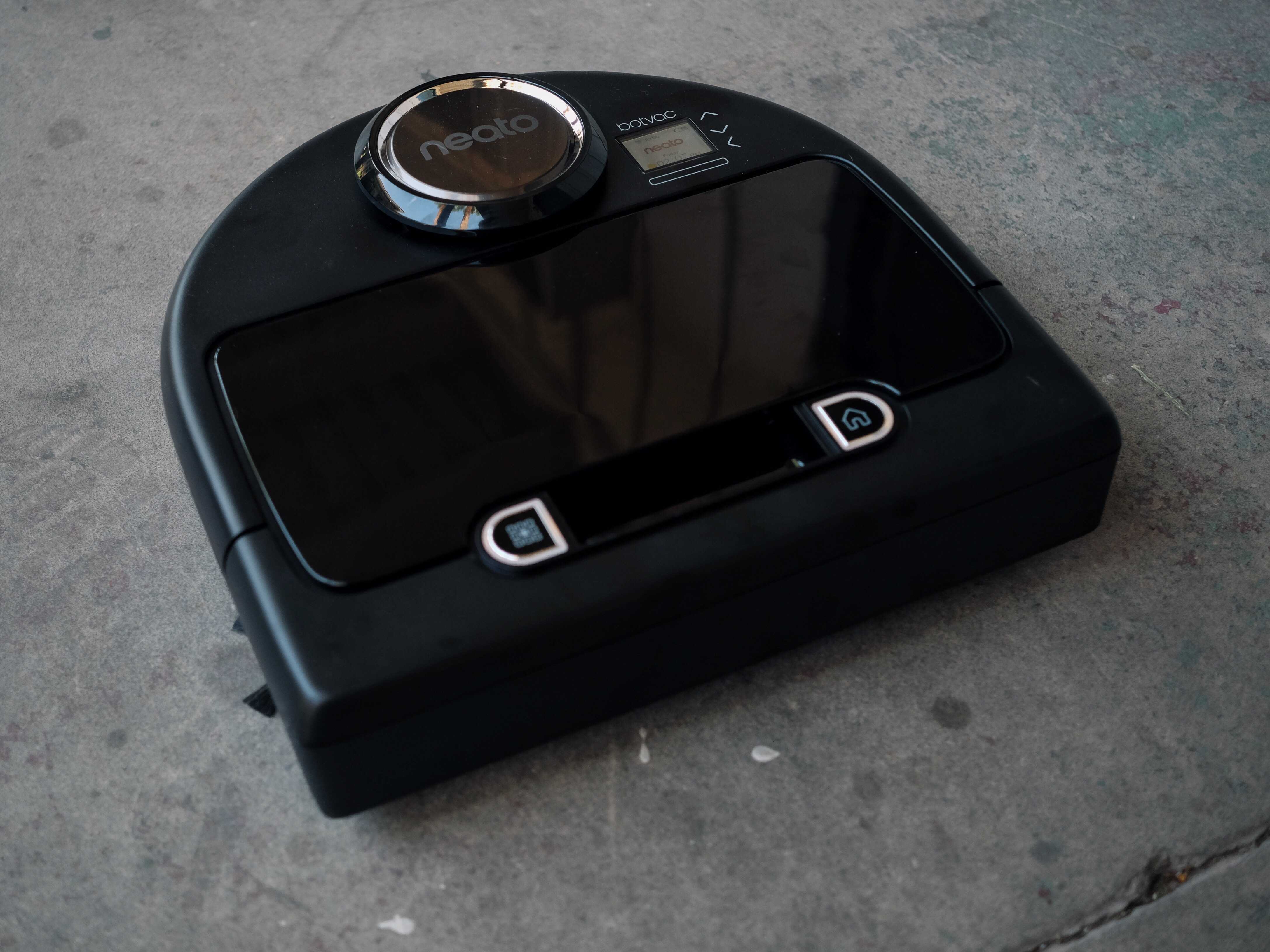
Botvac Connected is the world's most thorough cleaning bot. Photo: Buster Hein/Cult of Mac
My dog has a new archenemy, and its name is Botvac.
Neato’s tiny automated robotic vacuum stirs my dog into a fit of worried anger every afternoon I send it out for a round of sweeping and vacuuming. It’s so magical my dog doesn’t trust it.
I, for one, welcome our new robot overlords. Mostly because I’m too lazy to be bothered with tasks like vacuuming.
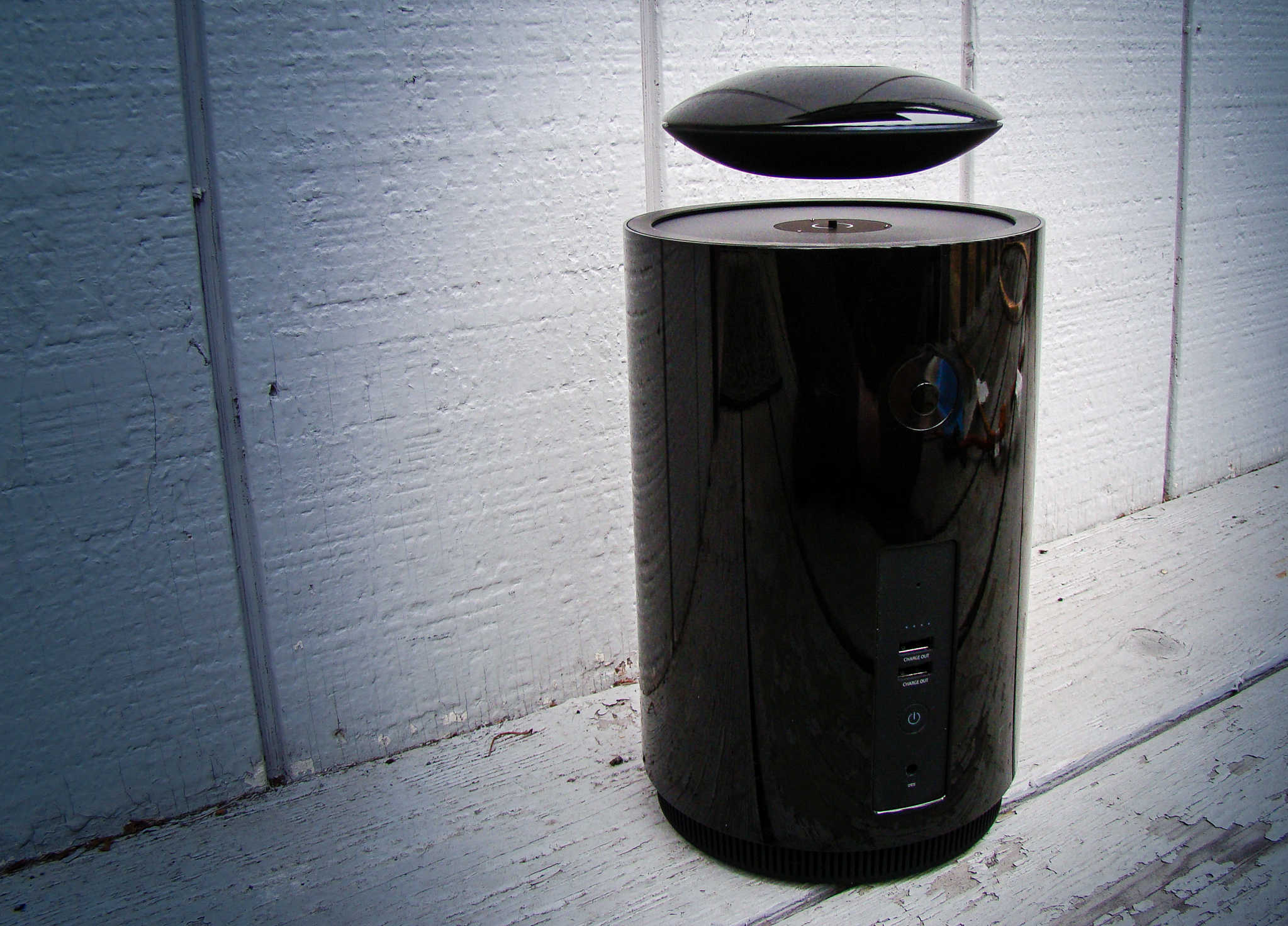
The floating speaker part is fun, but it's the killer sound that makes it worth every penny. Photo: Rob LeFebvre/Cult of Mac
Best List: Mars Bluetooth floating speaker by Crazybaby
The Mars Bluetooth speaker has a fairly reliable gimmick: the top part — which looks like a little UFO from an old sci-fi flick — floats above the bottom cylinder. It’s a cool visual trick managed by some fairly strong magnets, but it’s just that: a fun gimmick.
What’s surprising, though, is just how great this speaker sounds. It fills my house with deep bass thanks to the subwoofer abilities of that lower section of the speaker, and the UFO attachment flies proud while reproducing the rest of the sonic spectrum with highs and mids that don’t get lost in the bass response, but are also not too brittle.
Turn this floating speaker up and you’ve got a serious powerhouse Bluetooth speaker that just cries out to be admired by everyone at the party.