★★★★☆
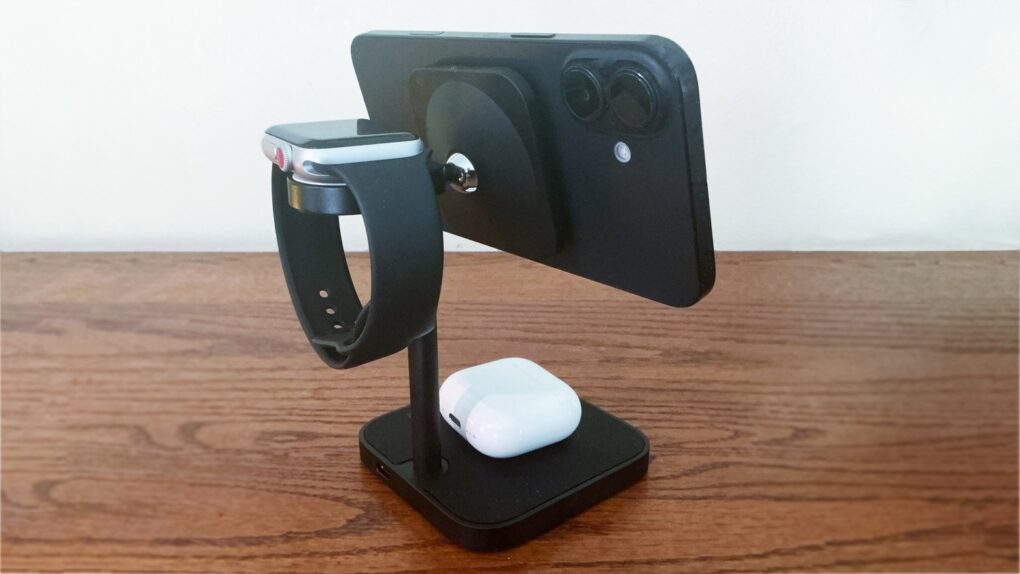
Simplify your device charging with this iPhone stand from Lululook. Photo: Ed Hardy/Cult of Mac
Put your iPhone on the Lululook Ultra-Rise Qi2 3-in-1 Wireless Charging Station to charge it at up to 15W, or to watch videos, make calls… whatever you need. Plus, the stand powers up your Apple Watch and AirPods at the same time.
And it looks great on your desk while doing so.
I tested out the multi-device charger in my home office. There’s a lot to like, but there’s a limitation, too.
These are all the best games on Apple Arcade. Image: D. Griffin Jones/Cult of Mac
It’s hard to know where to start on Apple Arcade because the service offers so many titles. But we scoured the catalog and found all the best Apple Arcade games so you can get right to the good stuff.
★★★★★
The Casemade Leather Laptop Case combines elegant design with a protective wool interior. Photo: Ed Hardy/Cult of Mac
Love doesn’t have to be complicated. I can fall for a product just because it’s simply perfect, even though what it does isn’t very complex. That’s what happened with the new Casemade Leather Laptop Case.
It’s made of top-quality cowhide leather, with a wool interior… including a pocket. It zippers closed and cushions the computer without unnecessary bulk.
I’ve been happily carrying my notebook in this case because it’s simply beautiful and designed exactly right for what it does.
★★★★☆
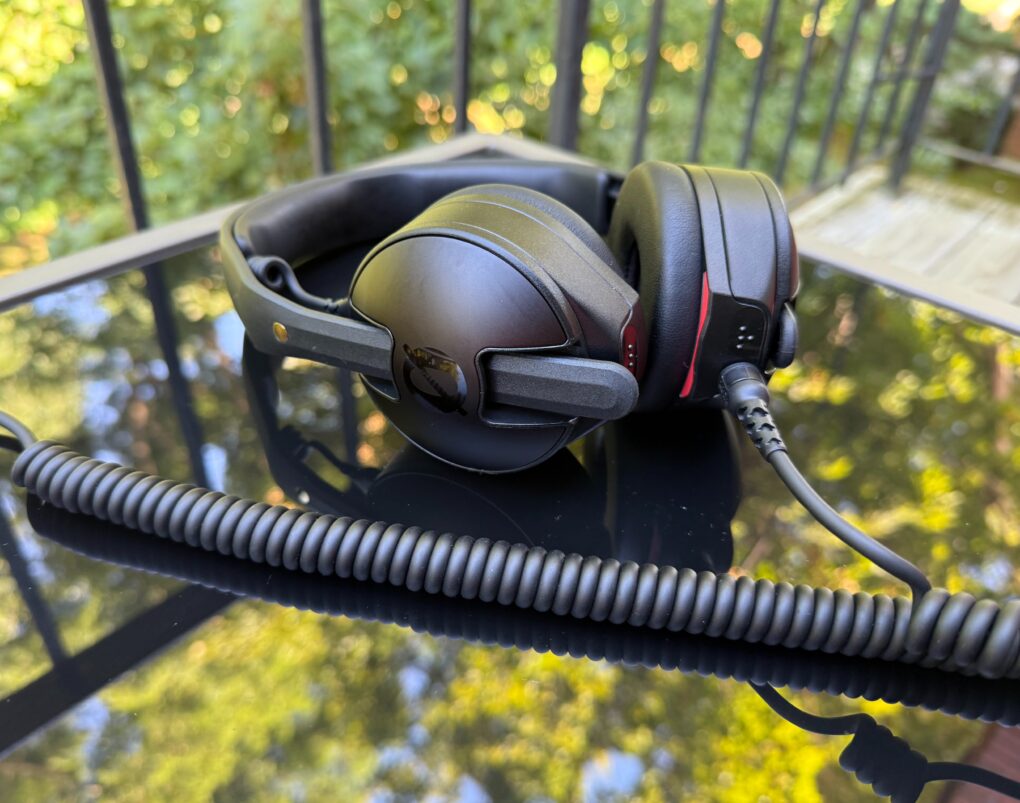
The headphones and cable bring some serious quality. Photo: David Snow/Cult of Mac
While Røde built its reputation on microphones, the Australian company’s first on-ear wired headphones deliver surprising audio quality for everything from studio monitoring to casual listening. This Røde NTH-50 headphones review finds the $99 wired cans challenge what we expect from professional headphones at this price point.
Is Røde’s entrance into the headphone market worth your attention? Let’s find out if these newcomers deserve a spot in your audio setup.
★★★★★
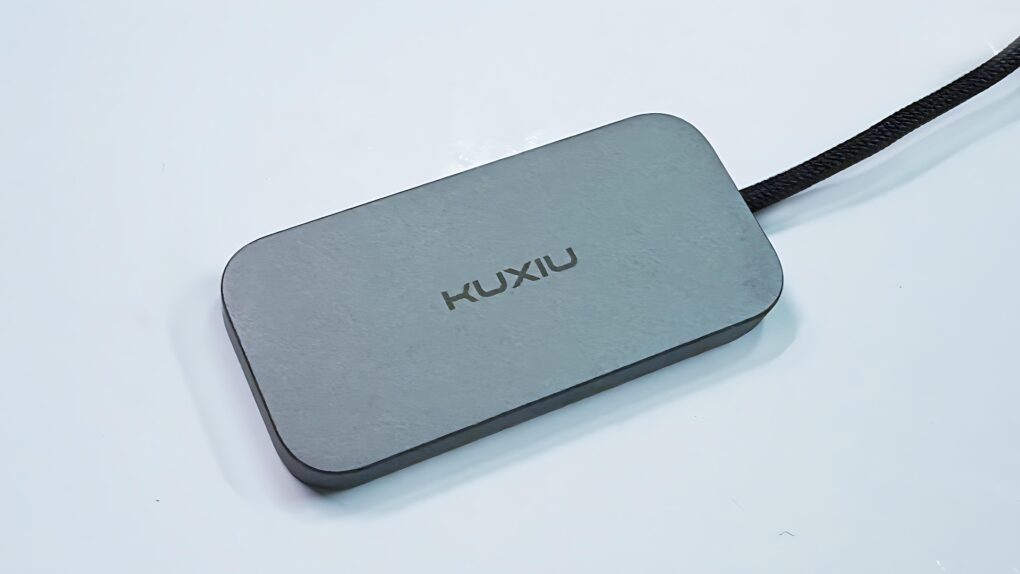
Charging your iPad doesn’t mean taking up the USB-C port with the Kuxiu M30. Photo: Ed Hardy/Cult of Mac
The Kuxiu M30 Magnetic Smart Connector Charger for iPad Pro/Air helps solve the irritating problem of limited iPad ports. It clings to the back of Apple tablets and charges them without taking up the computer’s sole USB-C port. It also reduces wear on the port.
I put the 35W charger through testing in my home office and came away quite satisfied.
★★★★☆
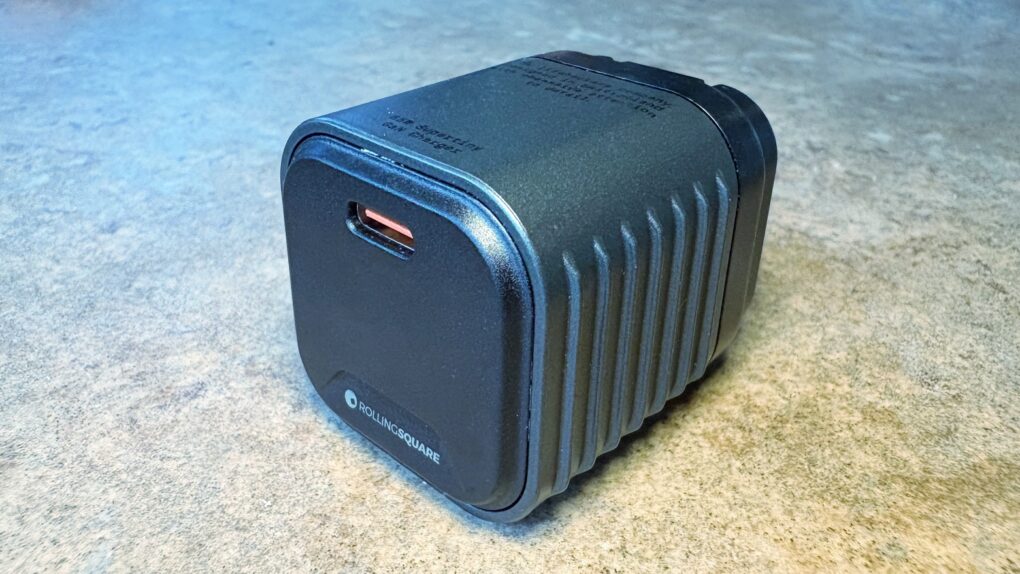
We went hands-on with the wee little Rolling Square Supertiny. Photo: Ed Hardy/Cult of Mac
Rolling Square claims, “Supertiny is the smallest 65W GaN Charger ever.” It’s definitely very small, but can still quickly power up a MacBook or other full-size computer.
I put the claims to the test and came away impressed. I do have one caution, though.
★★★★☆
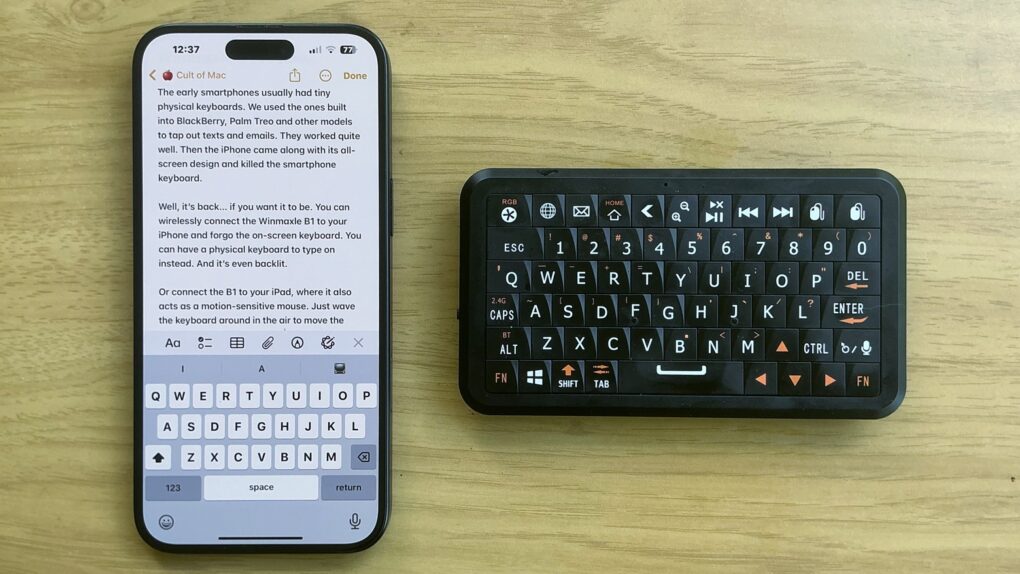
The Winmaxle Mobdel B1 adds a physical keyboard to your iPhone, and it's easier to type on than a virtual keyboard. Photo: Ed Hardy/Cult of Mac
The Winmaxle Mobdel B1 can be a physical keyboard for typing on your iPhone, harking back to the days of the BlackBerry. And because it’s also a motion-sensitive mouse, you can use it with your iPad, too. Either way, it’s a handy little gizmo.
I found multiple uses for the wireless keyboard while I was testing it. But I also ran into a limitation that made it not as useful with my iPad as I hoped.
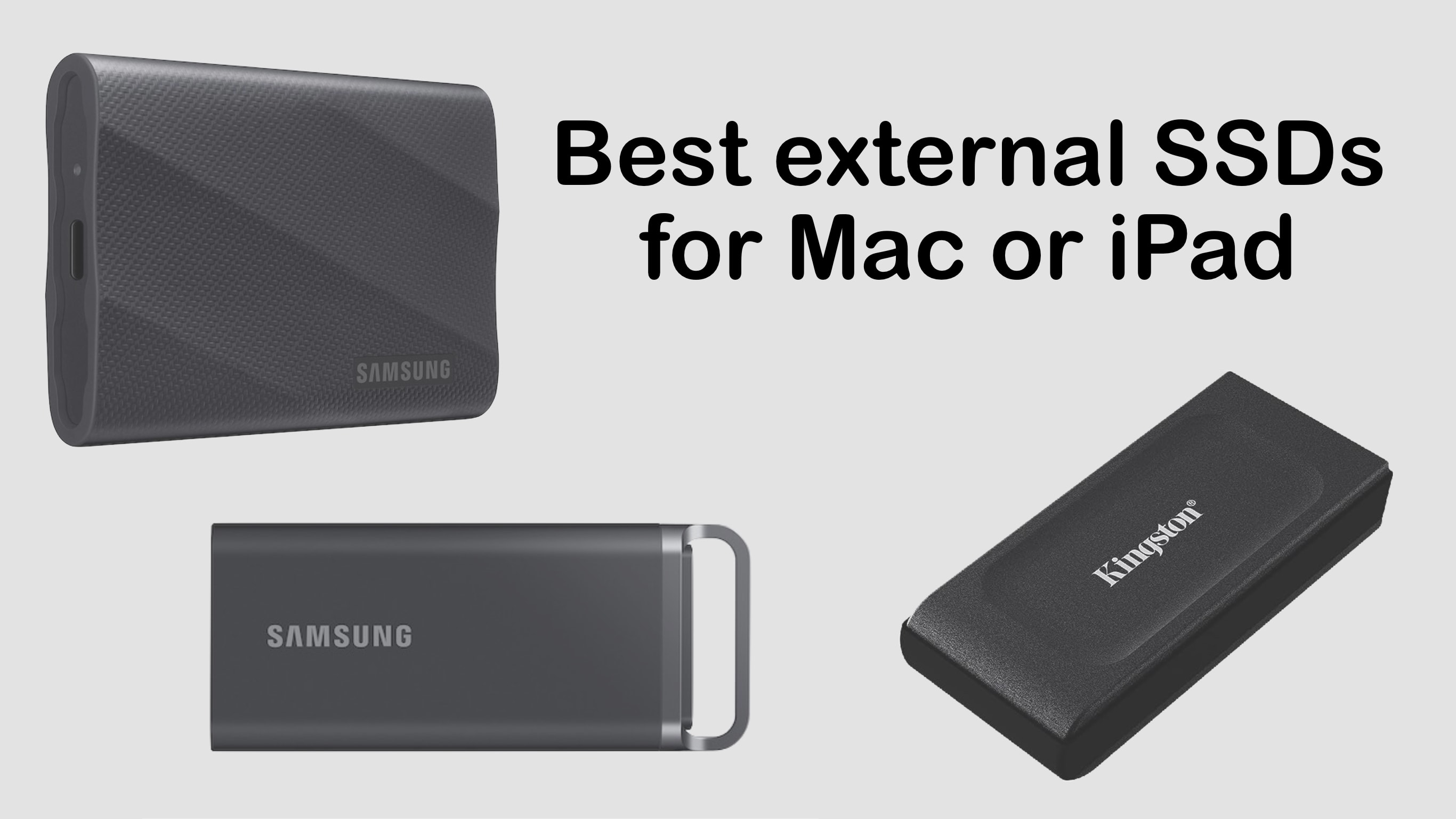
The best external SSD options add terabytes of storage, and are designed for portability. Photo: Ed Hardy/Cult of Mac
Adding high-speed plug-in storage capacity to your computer is so easy it’s something every Mac user should consider. Here are some of the best consumer-oriented external SSDs that are designed for portability. Even better: many of these are on sale.
We did hands-in testing for nearly all of these — look for links to our reviews.
Jason Momoa co-created, wrote, executive produces and stars in Chief of War. Photo: Apple TV+
While historical dramas often recycle familiar European or American narratives, Apple TV+’s Chief of War breaks cool new ground by exploring less-charted territory. The ambitious production transports viewers to 19th-century Hawaii, offering an authentic indigenous perspective on a pivotal period rarely depicted in mainstream media.
It’s bloody and brilliant. And you end up seeing Jason Momoa’s nearly bare backside so often that you just become numb to it.
Kidding aside, it only takes the first three episodes now available to stream as of Friday to see that Chief of War isn’t just another historical drama. It’s more of a cultural phenomenon that challenges conventional storytelling while delivering the great-looking cinematic work Apple TV+ subscribers have come to expect. The series masterfully weaves together political intrigue, cultural authenticity and human drama in ways that should captivate history buffs, cultural diversity seekers, bloodthirsty battle lovers and pretty much anyone hungry for some fresh storytelling.
★★★★☆
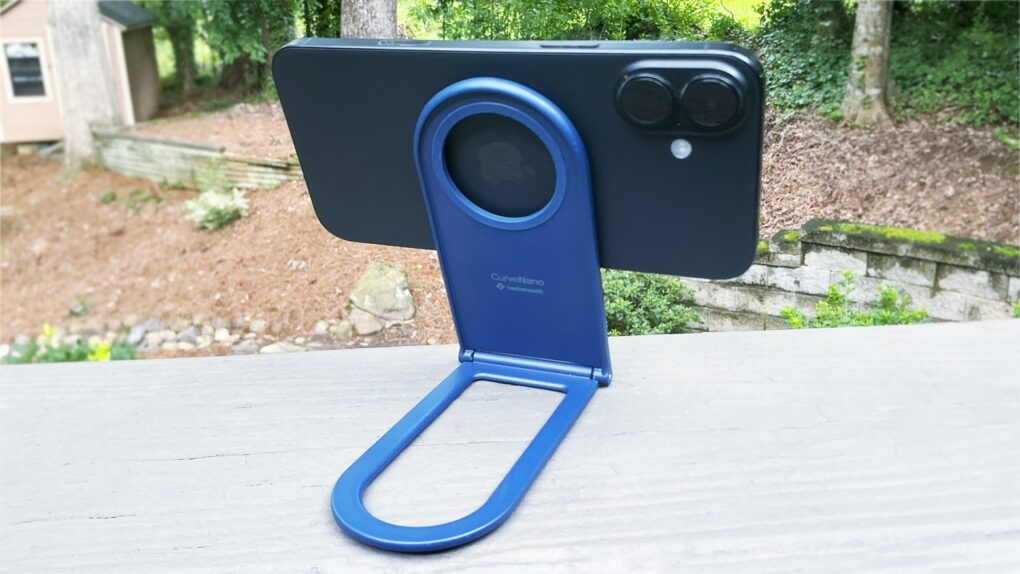
The Twelve South Curve Nano can be your iPhone stand wherever you need one. Photo: Ed Hardy/Cult of Mac
The Twelve South Curve Nano is an iPhone stand designed to go with you anywhere. It’s slim and lightweight when folded, but flips open to support your handset when you’re watching video, making a video call and more.
I tried it out with my iPhone 16 Plus, both at home and on the go. Here’s what I found.
★★★★☆
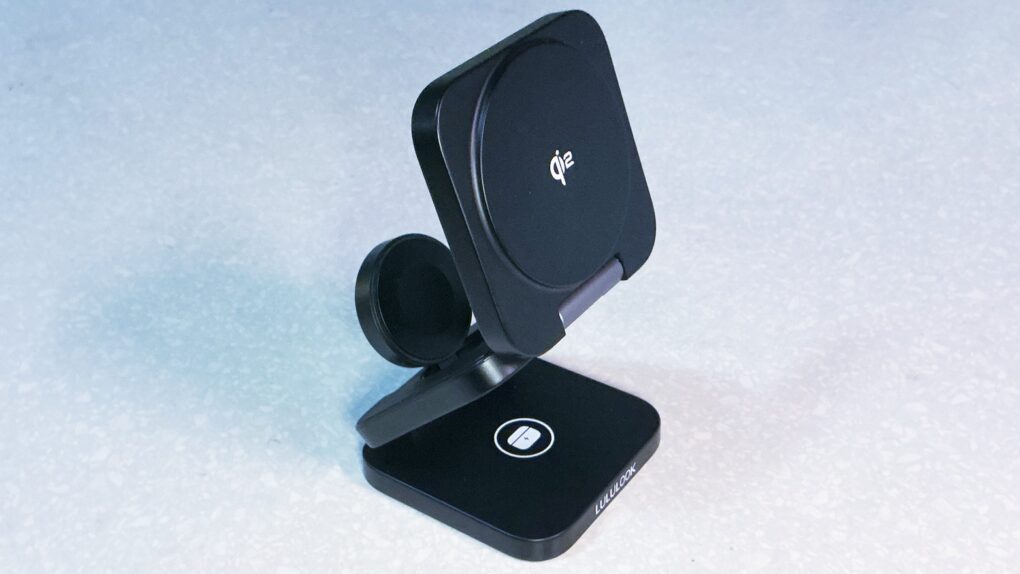
A new travel charger from Lululook works well and is very affordable. Photo: Ed Hardy/Cult of Mac
A couple of things immediately catch the eye about the Ultra-Nano Qi2 3-in-1 Travel Charger. One, you can make it into a convenient stand or lay it out flat when charging your iPhone, Apple Watch and AirPods. And the second? Wow, this thing is a deal.
I tried it out with all my Apple devices. There are a lot of features to like here, but also a quirk in the design that Apple Watch wearers need to know about.
When both silence and music are bliss, make sure you pick the ideal noise canceling headphones or earbuds. Photo: Grok Aurora AI
Whether you’re navigating a noisy commute, seeking focus in a bustling office, trying to unwind during air travel or simply blissing out to your favorite tunes, the right pair of noise-canceling headphones can transform your audio experience. These sophisticated devices do more than just play music — they create a mobile personal sanctuary.
Active noise cancellation (ANC) technology has evolved dramatically in recent years, with options ranging from premium over-ear headphones to compact wireless earbuds. The best models excel not just at blocking out unwanted noise, but also deliver exceptional sound quality, comfortable fit and long battery life.
Our comprehensive guide discusses key factors like a model’s noise-reduction capabilities, audio performance, comfort during extended wear and additional features that enhance the user experience. Find help navigating the options to find your perfect audio companion below.
"Stick" is the nickname pro golfers give the greats -- sometimes before they flame out, like Owen Wilson's character. Photo: Apple TV+
Popular Apple TV+ sports comedy Stick just completed its first season and got its green light for season two. So while comparisons to feel-good soccer phenom Ted Lasso seem inevitable, this Owen Wilson-led golf series carves out its own distinctive identity.
Rather than trying to replicate the wholesome optimism and wildly unbelievable story that made Ted Lasso a cultural phenomenon, Stick takes viewers slightly further into somewhat darker territory and into a slightly more believable story with suburban grift, sardonic humor and complex characters navigating grief and redemption.
Hey, I said somewhat darker,slightly further and slightly more believable, OK?
In a nutshell, Stick, like Lasso, is danged wholesome and all about redemption. And both series are feel-good shows people want to watch right now, given the societal circumstances. But for my Apple TV+ Stick review, here are three compelling reasons why Stick deserves your attention, regardless of how you feel about its more famous predecessor.
★★★★☆
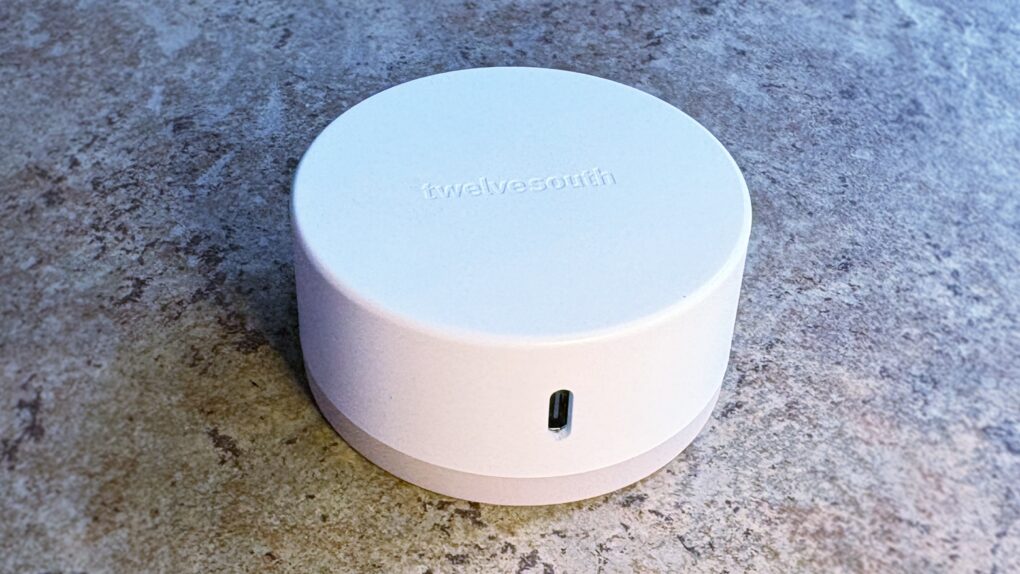
Don’t be fooled by the simple design — PowerBug is two useful accessories in one. Photo: Ed Hardy/Cult of Mac
The Twelve South PowerBug is a new palm-size accessory that does two useful jobs. It’s both an iPhone stand and a plug-in wall charger. It uses MagSafe magnets to hold onto the handset, whether you’re using it to watch video or to juice up the iPhone’s battery.
It works wirelessly, plus there’s a USB-C port for powering a second device.
PowerBug just launched today, but I got some hands-on testing time before the debut. Here’s what I found.
★★★★☆
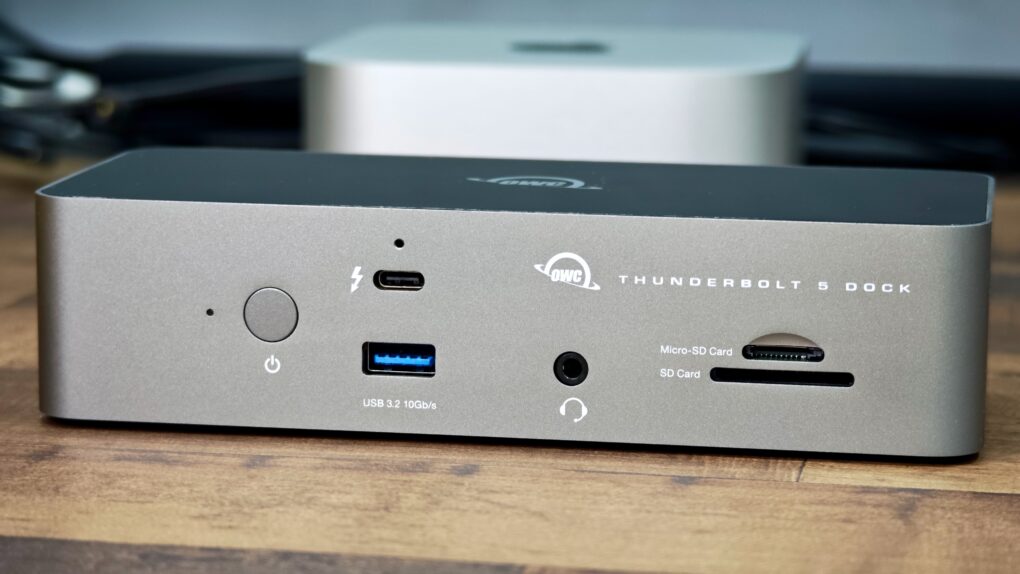
The OWC Thunderbolt 5 will extend your Mac's functionality with more ports. Photo: Rajesh Pandey/Cult Of Mac
While there’s no shortage of Thunderbolt docks, the OWC 11-port Thunderbolt 5 dock stands out for several reasons. As you’ll see in my review, it packs plenty of Thunderbolt 5 and USB-A ports, along with SD card slots and the ability to fast charge your MacBook Pro at full speed.
Here’s what makes the OWC 11-port Thunderbolt 5 dock worth considering for your Mac.
★★★★☆
AirNotch Pro tracker tag outperforms Apple’s AirTag in several important ways. Photo: Ed Hardy/Cult of Mac
Those needing to keep track of something living a tough life should consider the Rolling Square AirNotch Pro. It does the same thing as an Apple AirTag, but beats Apple’s tracker tag with sheer volume and a few other tricks, too.
It’s rugged, and connects to Apple’s Find My network so no additional app is needed to locate the tag with an iPhone.
I tested AirNotch Pro for months. Here’s what I found.
★★★★☆
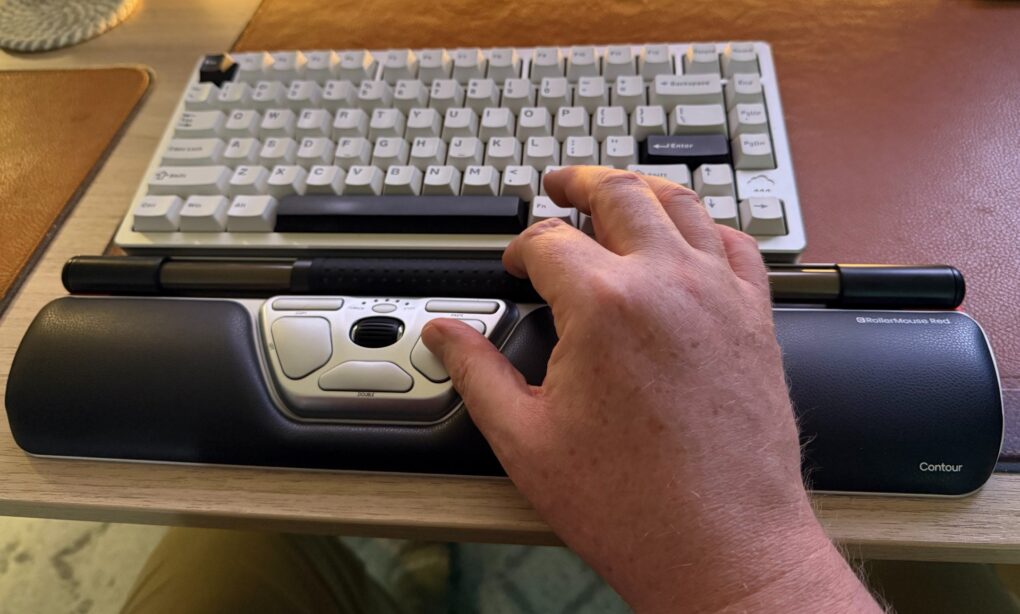
It's a cool and highly functional device, but it might cost too much for most people. For those suffering pain from mousing, though, it could be well worth it. Photo: David Snow/Cult of Mac
Would you spend $394 on a mouse? This Contour RollerMouse Red Wireless review might raise eyebrows, considering the device’s unusual design and premium price tag. The centralized pointing device with roll bar, scroll bar and three unfamiliar buttons in a wrist rest sits in front of your keyboard rather than beside it, challenging typical notions of computer navigation. But for those who need help with pain from repetitive strain injury (RSI), it could make a world of difference.
★★★★☆
The KYY 14” Portable Monitor pairs well with a 14-inch MacBook or a 13-inch iPad. Photo: Ed Hardy/Cult of Mac
The KYY 14” Portable Monitor challenges the idea that bigger is always better. It’s much smaller than the external display I usually travel with — and that’s exactly why I love it.
★★★★☆
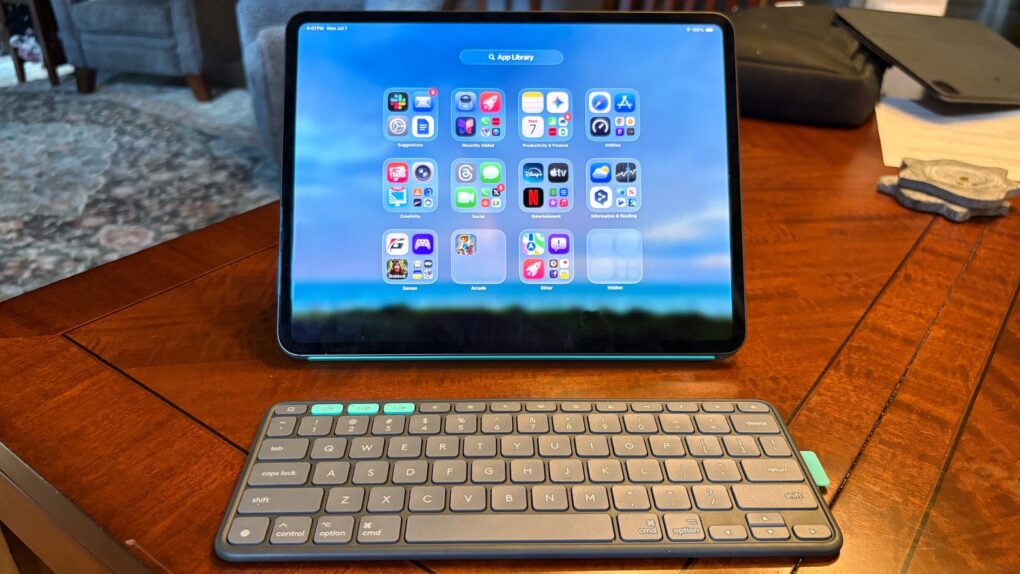
Logitech Flip Folio stands out with a keyboard that’s not permanently affixed to its case/stand. Photo: Ed Hardy/Cult of Mac
The Logitech Flip Folio is a protective keyboard case and stand for iPad Pro and iPad Air models that goes head-to-head against the Apple Magic Keyboard. Having tested both, Logitech’s new offering comes out ahead of Apple’s is some ways, including wider support for screen orientations, and because the keyboard can separate from the case/stand. Plus, a hefty price advantage can’t be overlooked.
★★★★★
Navee ST3 Pro Electric Scooter: So much fun in a (relatively) small package. Photo: Ed Hardy/Cult of Mac
While Apple doesn’t make an e-scooter, the Navee ST3 Pro Electric Scooter pairs well with an iPhone. More importantly, it’s both fun and useful, with lots of pickup and range. It comes with plenty of bonus features … all accessible via an iPhone. It even has Bluetooth and Find My support.
I put more than 200 miles on the e-scooter while testing it, driving it on errands and just for fun on streets and sidewalks. I’m genuinely thrilled with it. Here’s why.
★★★☆☆
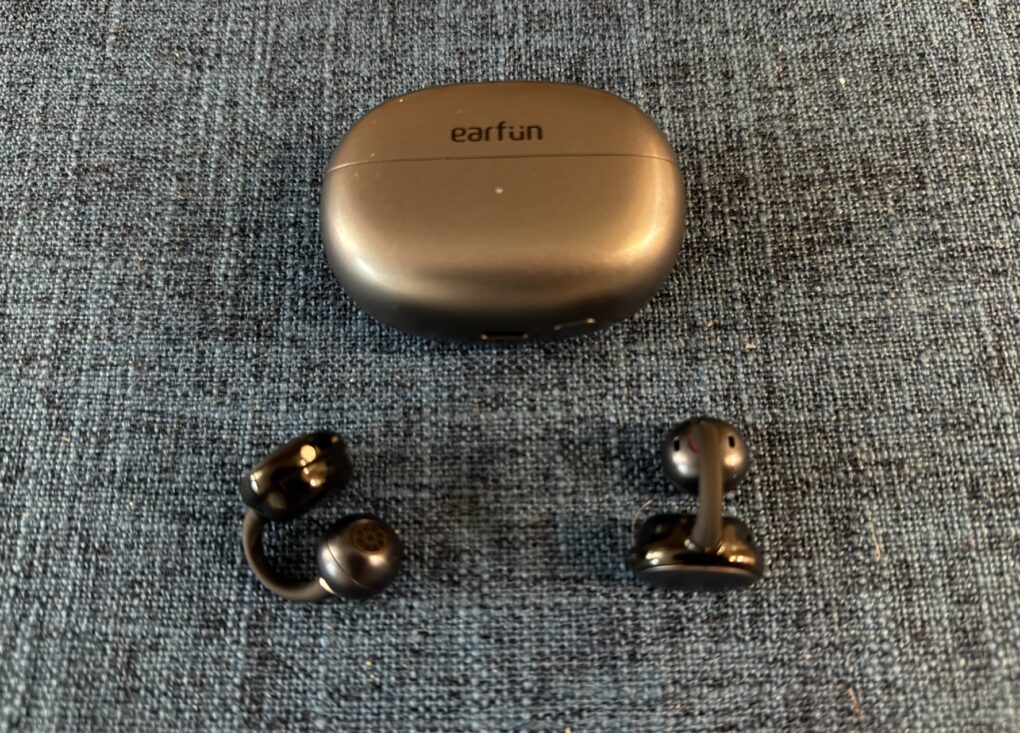
The tiny, super-light earbuds take a "C" shape. Photo: David Snow/Cult of Mac
EarFun Clip earbuds entered an increasingly crowded open-ear clip-on audio market Monday, promising premium features at a midrange $70 price point at launch (normally $89.99). In my EarFun Clip Open-Ear Wireless Earbuds review, I find they don’t fit me very well (I guess my big head means big ears, too). But they may suit many buyers, and the lightweight earbuds challenge the notion that you need to spend well over $100 for quality open-ear audio.
While brands like Sony and Soundcore are better known, EarFun has quietly developed open-ear wireless earbuds that deserve attention, particularly for active users who need awareness of their surroundings. For those they fit, EarFun Clip offers great sound at a great price.
★★★★☆
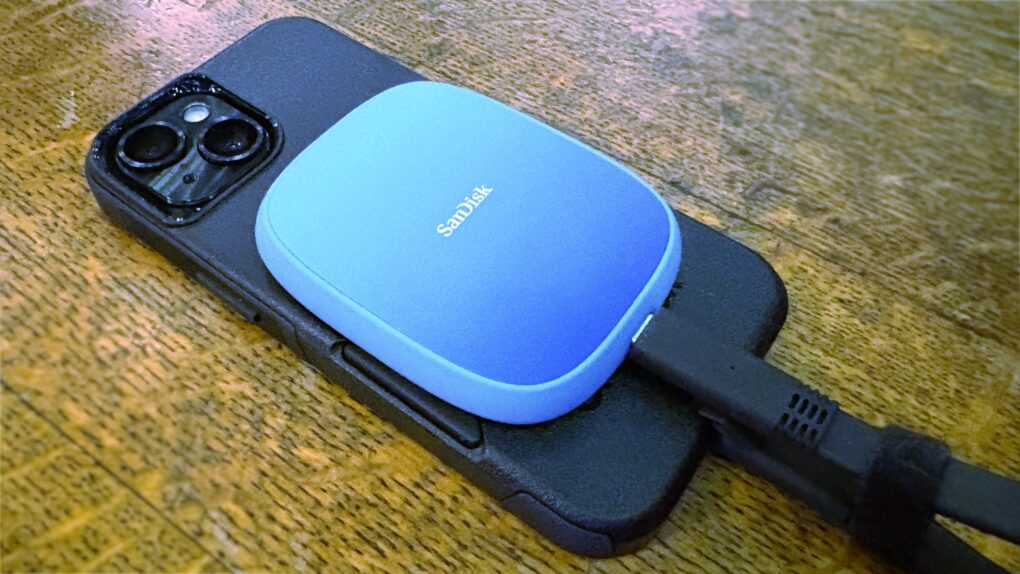
Expand your iPhone Pro/Pro Max storage capacity with this SanDisk SSD. Photo: Ed Hardy/Cult of Mac
SanDisk designed its Creator Phone SSD specifically for people recording large amounts of 4K ProRes video with a recent iPhone Pro/Pro Max model. The MagSafe drive magnetically attaches to the back of the handset so it’s out of the way during filming.
It holds up to 2TB of data without making the handset difficult to film with. And transferring data to a Mac for editing is a snap.
I tested the SSD with my iPhone and it worked very well. But the cable is bulkier than it should be.
★★★★☆
The Moft Dynamic Folio case/stand can lift your iPad closer to eye level. Photo: Ed Hardy/Cult of Mac
iPad cases that fold into stands are old news, but the Moft Dynamic Folio takes that idea and builds on it. The front flap can be folded into a variety of shapes to support the tablet at a range of angles, in both landscape and portrait orientations. A highlight is one that lifts the iPad up about 3 inches so it’s easier to see.
Plus, the case/stand is lightweight and very easy to attach and remove. There are versions for all recent Apple tablets.
I tested the flexible iPad accessory for several weeks. Here’s what I found out.
I’ve spent the week hands-on with iOS 26, living with its stunning new design and incredible features. I really love the direction iOS is going — even if there are a lot of kinks that need to be worked out before its September release.
Liquid Glass, the flashy new user interface, is gorgeous. Loads of people will love the new Lock Screen and Home Screen features, like Spatial Scenes and clear icons. A few other features may need some tweaking, however, like the new Camera app and Phone app.
Should you install it yourself? God no, it’s a buggy mess. You should definitely not install it on your daily driver. But should you be excited to get it in September, after Apple irons out the kinks? Absolutely. Keep reading or watch our video for a hands-on look at the joys (and annoyances) of iOS 26.
 ★★★★☆
★★★★☆