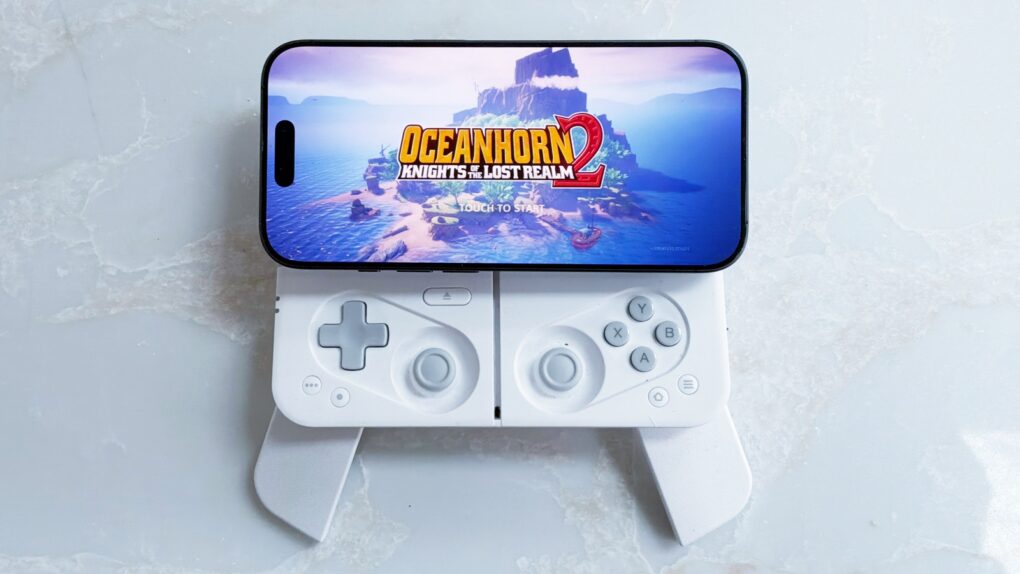
The Ohsnap Mcon doesn’t just rethink the mobile gaming controller — it practically throws the old playbook in the trash, delivering one of the most flexible and genuinely portable ways to play on the market today.
Even better, you can easily use it with your iPhone, but also your iPad and Mac.
I spent many hours playing games with the innovative controller — here’s why I love it.
Ohsnap Mcon review: The best iPhone game controller yet
For iPhone gamers, a mobile game controller can be the difference between casually tapping at a screen and truly playing a game. Physical buttons and analog sticks deliver the precision and tactile feedback that touch controls simply can’t match, especially in fast-paced shooters and RPGs where timing and accuracy matter. A controller also frees up valuable screen space, so your thumbs aren’t blocking the action, letting you actually see the gorgeous graphics modern iPhone games work so hard to deliver.
The Ohsnap Mcon provides all these benefits, and more. With the press of a button, you can switch the controller to your iPad or Mac and keep the gaming going.
The world’s most compact magnetic mobile controller, made for all phones. Mcon snaps to your phone with MagSafe ease — no clamps, no bulk. Deployable grips, Hall-effect triggers, full size TMR joysticks, tactile buttons and a slick slider mechanism deliver console-grade gameplay wherever you are.
- Very portable
- Built-in cover and fold-out grips
- Works with iPhone, iPad and Mac
- Unusual design for sticks
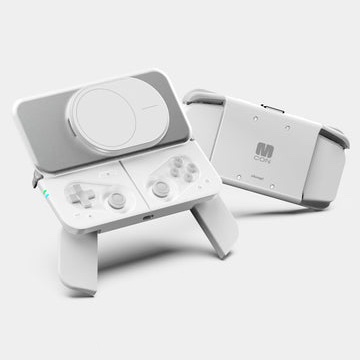
Table of contents: Ohsnap Mcon review
- Brilliant, flexible design
- Usual buttons and unusual sticks
- Fold-out grips feel comfortable
- A brilliant, flexible cover/stand
- Let’s get to the gaming
- Beyond the iPhone: Mac and iPad
- Ohsnap Mcon versus BackBone
- Ohsnap Mcon review: Final thoughts
- Pricing
Brilliant, flexible design
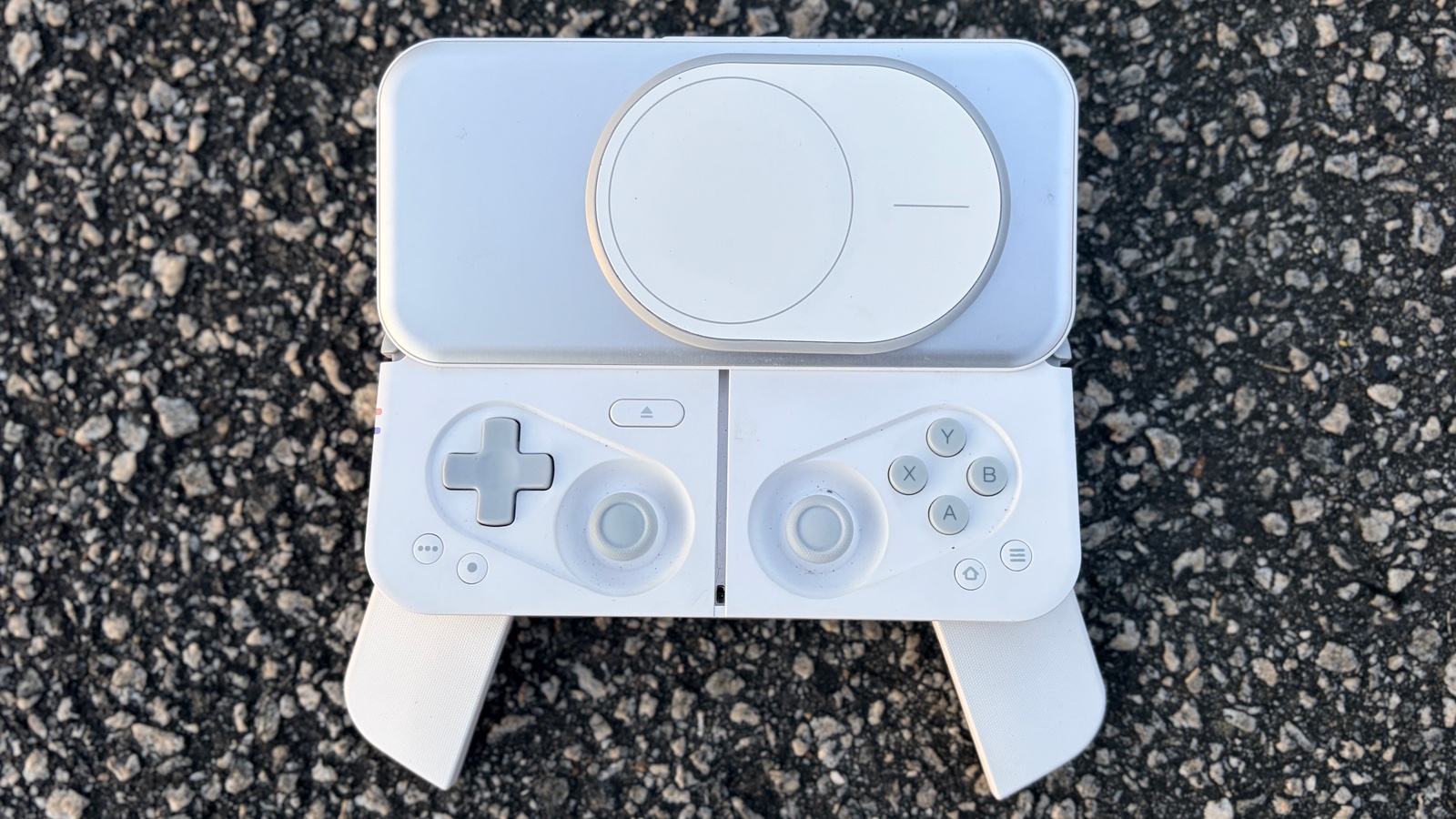
Photo: Ed Hardy/Cult of Mac
Picture a standard PlayStation controller, then shrink it down to 5.6 inches wide, and fold the grips under to further save space. Add a cover that protects the buttons and sticks, and slides up to become a magnetic holder for iPhones with MagSafe. Now you have a start at the design of the Ohsnap Mcon.
Many mobile game controllers aren’t really all that portable. Especially considering a case is needed to protect their buttons and sticks. OhSnap’s is clearly intended to be mobile, and needs no case.
Close it all up, and the device is 5.6 inches by 2.75 inches by 1 inch. It weighs less than half a pound.
Usual buttons and unusual sticks
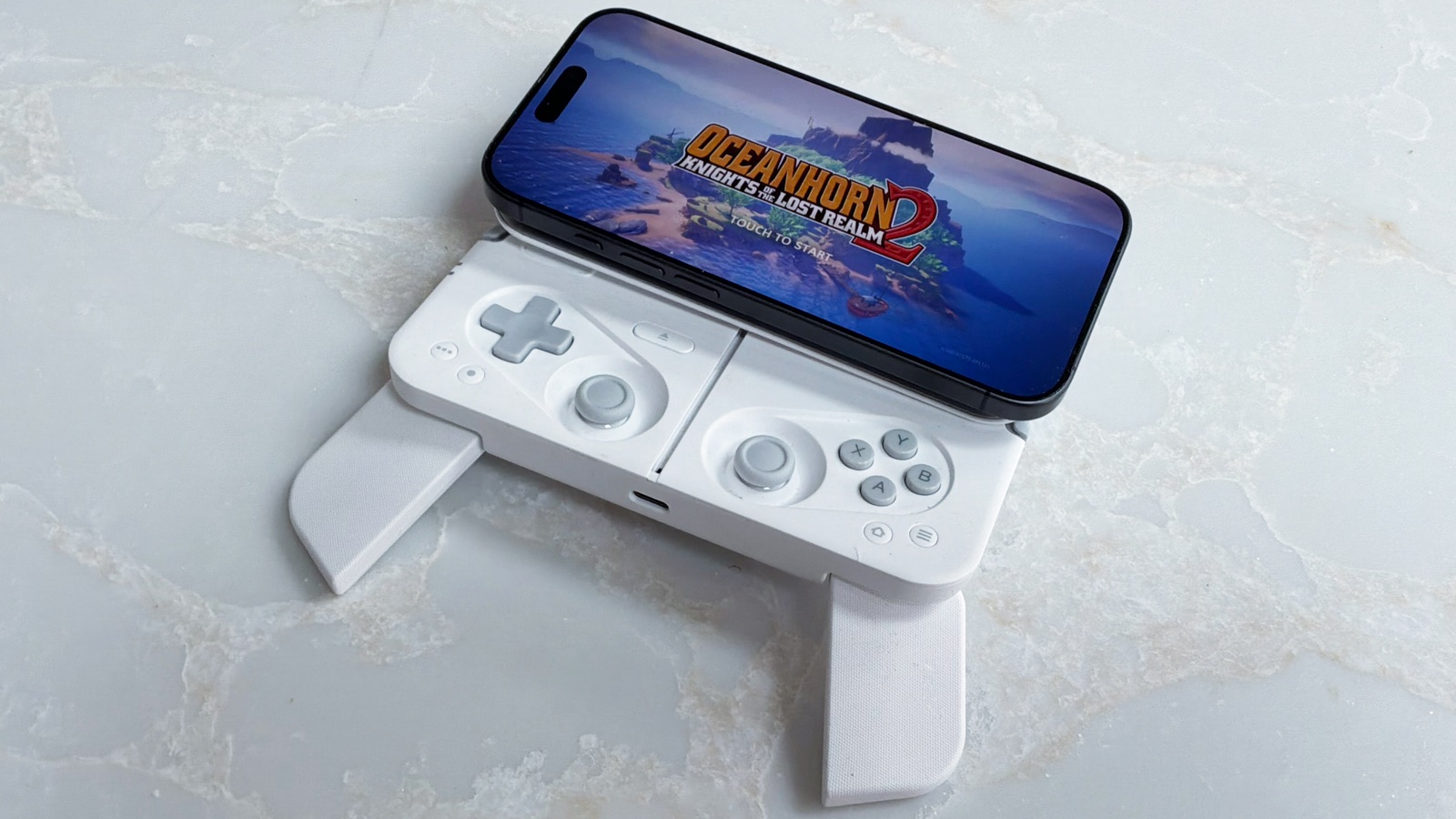
Photo: Ed Hardy/Cult of Mac
Of course, the Ohsnap Mcon iPhone game controller includes all the standard buttons, triggers and sticks, and in the usual configuration.
Let’s start with the Mag-Res joysticks that are full-size and accurate, with no stick drift — better than Hall Effect sticks. That said, the sticks are recessed below the top edge of the controller. They are completely accessible there, and have no effect on my gameplay… once I got used to them.
The buttons are generally quiet, but just a bit clicky, and bounce back immediately. They do not feel mushy at all.
The OhSnap Mcon uses an XYAB layout, but iOS lets you easily reconfigure what each button does so you Nintendo fans can have YXBA, though you can’t move the actual buttons.
The shoulder buttons are a decent size, but the triggers are slim … which is usual for mobile game controllers. Still, I found them usable. At least they are analog for better shooting.
Cumulatively, I’ve spent weeks, maybe months, with game controllers in my hands, and the Mcon felt immediately familiar. Certainly, the buttons did. And I didn’t have to fumble locating anything. The sunken sticks took some getting used to, but now I don’t even notice them. The same goes for the small triggers.
Fold-out grips feel comfortable
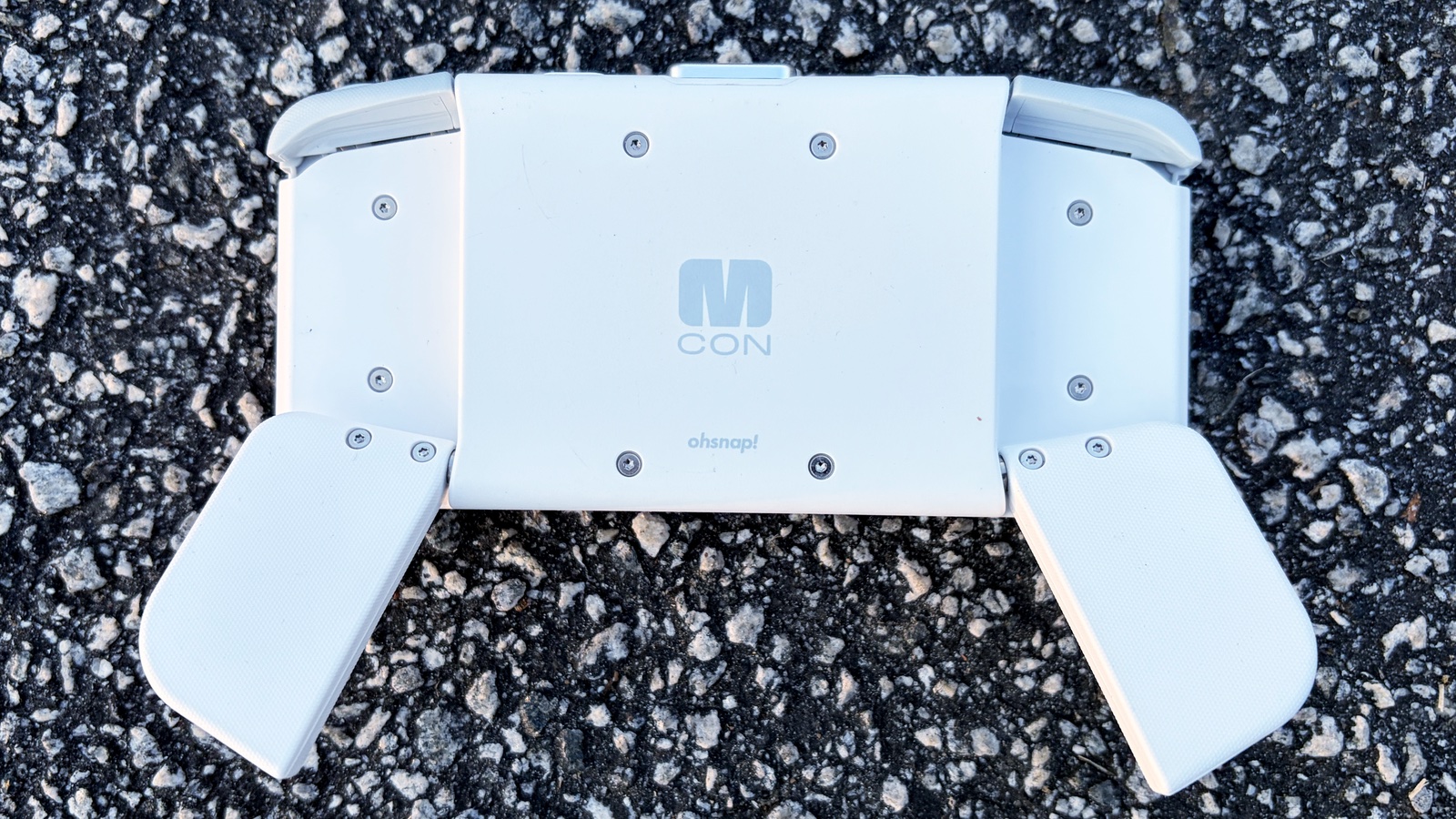
Photo: Ed Hardy/Cult of Mac
I mentioned the fold-out grips, but they are worth covering in more detail. Too many mobile game controllers skimp on the grips, or even leave them out completely, because they take up so much room — not the Ohsnap Mcon.
Flip the grips out, and the game controller becomes much more comfortable to hold for long gaming sessions. Or short ones. Flip them back in, and the accessory is portable again.
A brilliant, flexible cover/stand
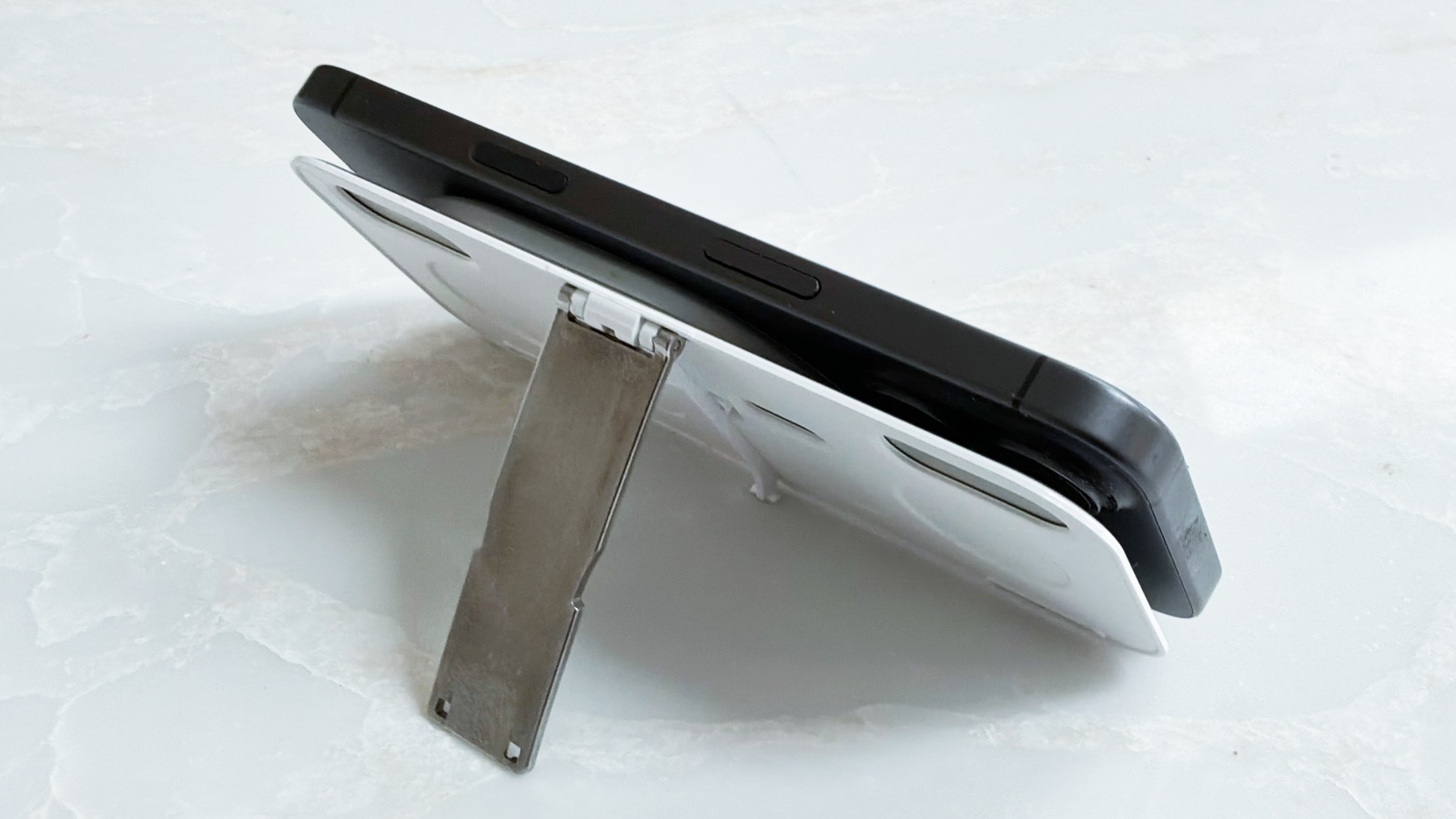
Photo: Ed Hardy/Cult of Mac
A cover to protect the buttons and sticks is one of my favorite features of the Ohsnap Mcon, but that’s just the start of what it does.
Press a button, and the cover springs up and tilts slightly. Your iPhone’s MagSafe magnets magnetically cling to the cover in either landscape or portrait mode, so you’re ready for an RPG or a retro game.
Push another button on the Mcon, and the cover detaches. Now you can use the cover as a stand thanks to the kickstand on the back. That could be for gaming, or maybe you want to watch a video.
And with the cover detached, the Ohsnap Mcon is also ready to be used with your iPad or Mac over Bluetooth. In this configuration, it weighs just 0.3 pounds.
Let’s get to the gaming
When I play matching games and word games, role-playing games are my true love. Walking through dungeons and hacking up monsters is a major source of entertainment for me.
So when I first connected the Ohsnap Mcon to my iPhone 17, I immediately launched Oceanhorn: Chronos Dungeon. Playing requires most of the buttons of a game controller, so it’s an excellent test. The new accessory passed with flying colors.
Retro gaming is hot right now, so I opened the free emulator Delta and started playing the classic DigDug. It went beautifully.
Not every game is intended for a landscape screen. Ohsnap took that into account when designing the Mcon. To see it in action — and to test Apple Arcade — I fired up Sp!ng. Admittedly, it wasn’t a challenge for the game controller as the app uses only one button. Still, I had fun.
The best way to get AAA titles on your iPhone is with a cloud gaming service. I tested Hogwarts Legacy on my iPhone 17 via Amazon Luna, and it went beautifully.
Beyond the iPhone: Mac and iPad
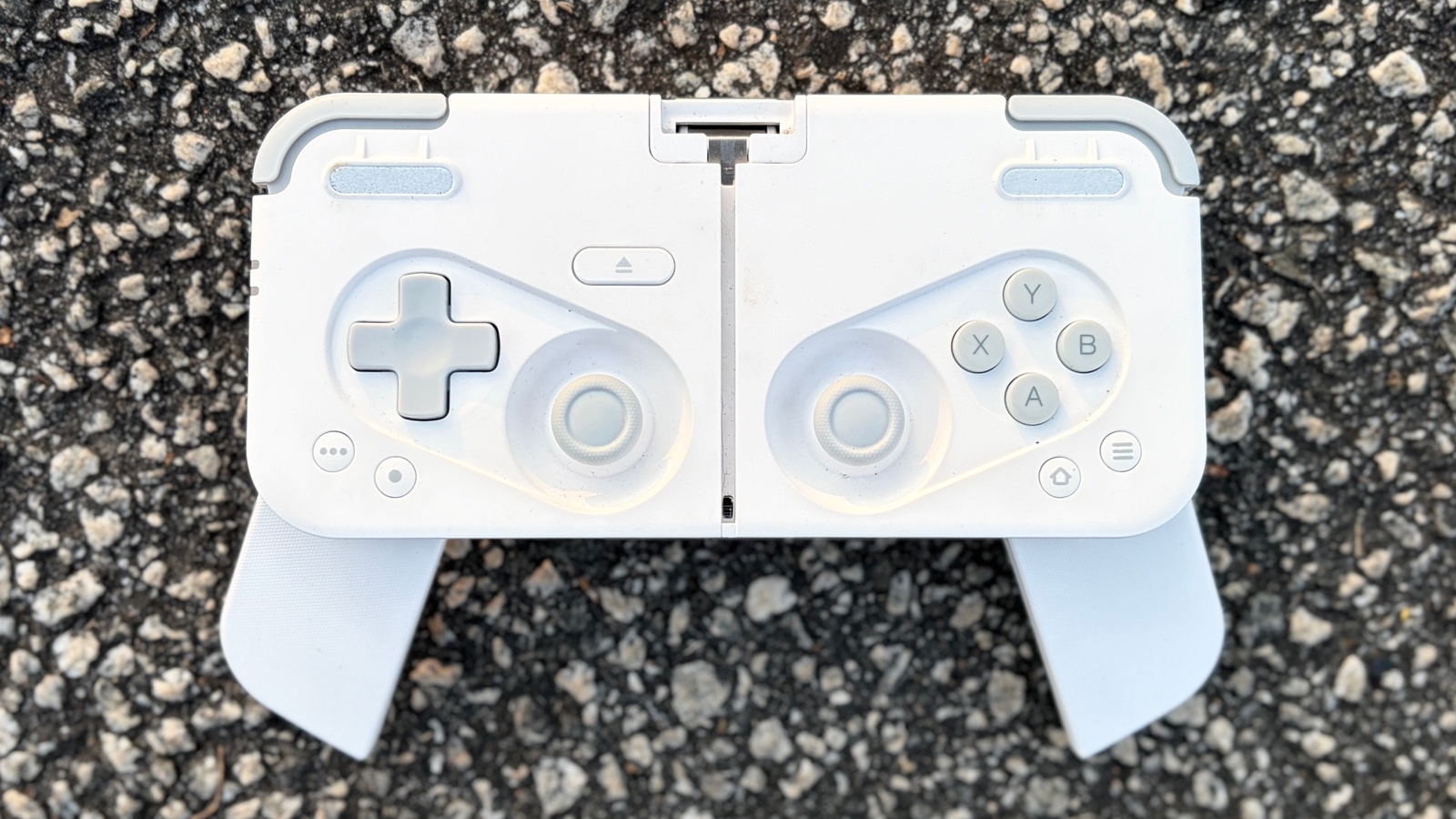
Photo: Ed Hardy/Cult of Mac
While the Ohsnap Mcon is a brilliant iPhone game controller, it’s more than that. It can pair via Bluetooth with up to three devices and switch between them easily.
I connected the controller to my iPad and dove into an old favorite: Lego Star Wars: TCS. The test went great — no problems at all.
And I love having a single controller that works with multiple computers. I’m the type of person who goes on vacation with different ones for my iPhone and iPad. But no more!
Ohsnap Mcon versus BackBone
The Ohsnap Mcon is a departure from traditional mobile game controllers, like the ones made by Backbone. These put the handset in the middle with game controls on either side.
I love the Backbone Pro — a fact which comes through clearly in my review. It’s another iPhone controller that can also pair with other computers, and its sticks and triggers are somewhat better. But the Mcon is more portable. That’s due to its smaller size, but also because it doesn’t need a case, as the built-in cover protects the sticks and most of the buttons.
Ohsnap Mcon review: Final thoughts
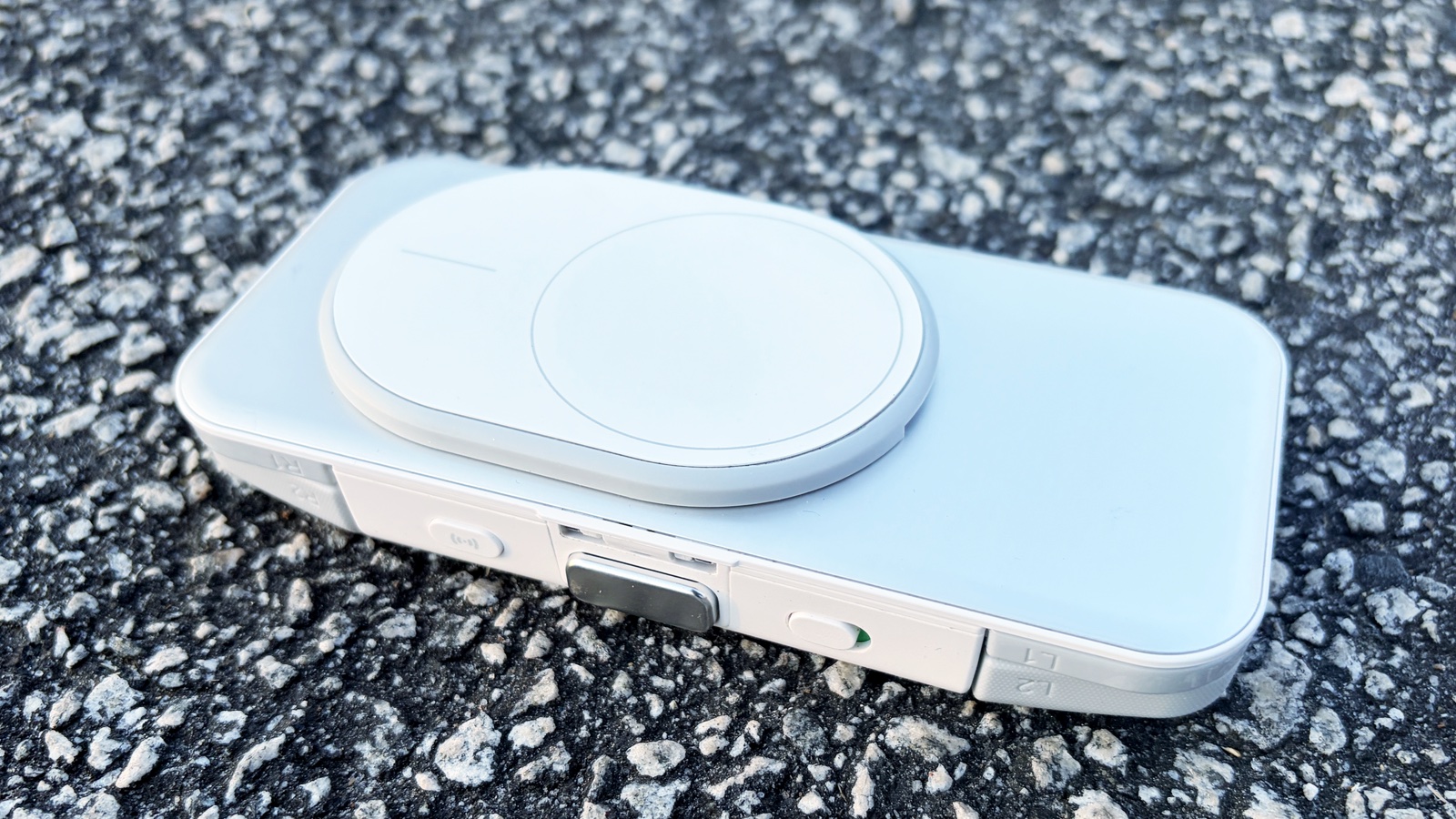
Photo: Ed Hardy/Cult of Mac
I realized the Ohsnap Mcon had become my favorite game controller when it hit me that I hadn’t used any of my other ones in months. The Backbone Pro used to be my “go-to” controller, but not anymore. The reason comes down to the Mcon being more portable. The best game controller is the one I have with me, and that’s the Mcon.
★★★★★
Pricing
After Ohsnap announced the Mcon way back at CES 2025, the wait is over — the game controller can be ordered now for $149.99. It comes in either black or white casings.
The world’s most compact magnetic mobile controller, made for all phones. Mcon snaps to your phone with MagSafe ease — no clamps, no bulk. Deployable grips, Hall-effect triggers, full size TMR joysticks, tactile buttons and a slick slider mechanism deliver console-grade gameplay wherever you are.
- Very portable
- Built-in cover and fold-out grips
- Works with iPhone, iPad and Mac
- Unusual design for sticks
Ohsnap provided Cult of Mac with a review unit for this article. See our reviews policy, and check out more in-depth reviews of Apple-related items.

Ed Hardy has been writing full-time about tech for 26 years, and using it for much longer than that. His intro to Apple was a Macintosh SE/30 (which he still has), but now he uses a 13-inch iPad Pro as his primary computer.
That’s because he’s a “tablet first” type of guy. Rather than use a Macbook, he connects a keyboard case to the iPad. And instead of a desktop Mac, he connects his tablet to a 27-inch display and full-size keyboard. (So don’t try to tell him that everyone has to use a Mac to be productive.)
Before coming to Cult of Mac, Ed wrote for NotebookReview, TabletPCReview and Brighthand, as well as other sites.

