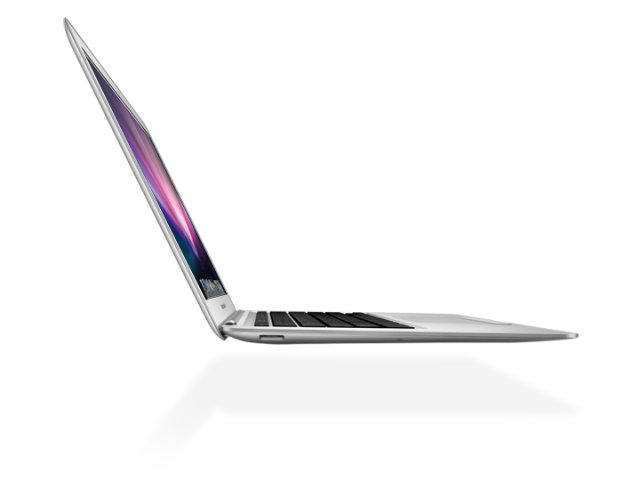
We wrap up another week of Mac deals with three bargains in the spotlight. MacConnections is now offering a discount on Apple’s recently released MacBook Air laptops. The $969 deal includes an 11.6-inch unit with a 1.4GHz Core 2 Duo processor and 64GB SSD. Also on tap is a bevy of iPhone games from EA, including Sims 3, Spore Creatures and more. Finally, there is a deal on the iDuo iPod/iPhone dock with card reader.
Along the way, we’ll also take a look at iPhone hardware and Mac software. As usual, details on these and many other bargains can be found on CoM’s “Daily Deals” page after the jump.
The MacBook Air, heralded earlier this week for its ultra-thin 0.68-inch profile and lack of any hard disk drive, is putting a knife in the back of drive makers. That’s the word from one company hurrying to move from dinosaur drives to a flash memory future.
“The new announcement of the MacBook Air is really stabbing Seagate and Western Digital in the back,” LacCie CEO Philippe Spruch, told the Wall Street Journal. The French-based Lacie is transforming quickly into a flash-based firm. The MacBook Air, instead of a hard disk drive uses flash for storage and a read-only memory card for installations. Who are the winners and losers in the storage upheaval?
A fingerpainting of the New York skyline by Benjamin Rabe. Courtesy iAMDA.
Artists who have traded canvases for touch screens and brushes for the Brushes app will meet up at a Digital Art Conference in New York City this weekend.
The iAMDA (International Association of Mobile Digital Artists) has organized its first ever MobileArtCon taking place at the New York University’s Interactive Telecommunications Program (ITP), October 23-24.
Cult of Mac talked with artist and organizer Matthew Watkins — whom we featured when his iPhone art was the first to hang at an Apple reseller — about what to expect from this weekend meeting of digital artists.
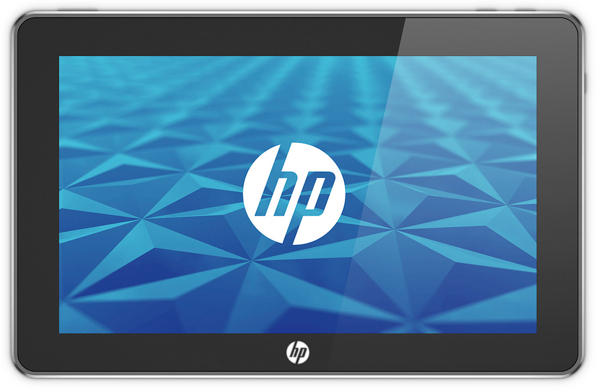
Earlier talk of the death of HP’s Slate tablet was incorrect – sort of. While a consumer-oriented tablet using the webOS acquired from Palm may have to wait until 2011, the computer maker is reportedly on the verge of unveiling the HP500, an $800 Windows 7-based tablet designed for the office.
The Slate 500 (the official HP Slate webpage redirects visitors to the company’s inventory of business laptop and tablet pcs) uses a full version of Microsoft’s Windows 7, weighs in at 1.5 pounds and includes an 8.9-inch multitouch screen.
The device also supposedly is powered by a 1.86 GHz Intel Atom chip. Apple’s 64GB iPad uses the in-house 1GHz A4. Apple CEO Steve Jobs recently commented on rival tablets. “Our potential competitors are having a tough time coming close to iPad’s pricing. iPad incorporates everything we’ve learned about building high value products,” he said Monday. The proof will be in the pricing of our competitors’ products, which will offer less for more,” Jobs claimed.
Sure, they’re not likely to impress Apple fans, but Samsung’s actually one of the few companies around that is managing to release products to rival Apple’s iOS devices. The Samsung Galaxy S is a capable smartphone that almost has the luster of the iPhone 4; likewise, the Galaxy Tab is probably the only real competition to the iPad out there in the tablet market.
What about Samsung’s answer to the iPod Touch, though? Meet the Samsung Galaxy Player in this utterly charming little commercial.
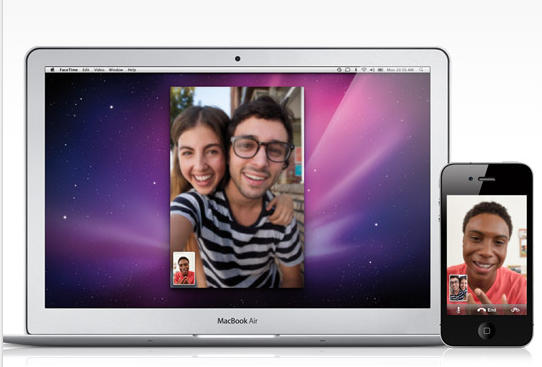
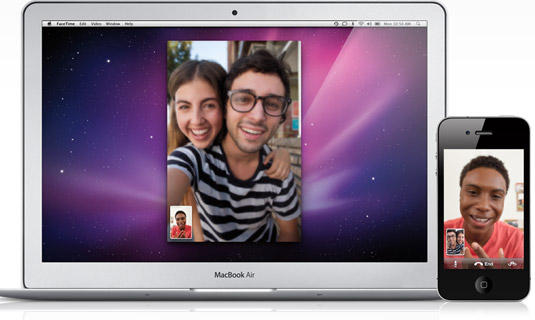
When Steve Jobs announced at the Back to the Mac event that the iPhone 42 s video chat feature FaceTime would be spreading to all Macs, our thoughts naturally turned to porn.
While interactive video sex chats are nothing new, FaceTime brings portability and convenience or, as the Apple site touts it: “Now your smile goes even further” — so we wanted an opinion from iP4Play, the first porn service to target FaceTime when it was only available for the iPhone 4.
Cult of Mac spoke with Travis Falstad, managing director of iP4Play, about these exciting new developments and “porn-free” devices.
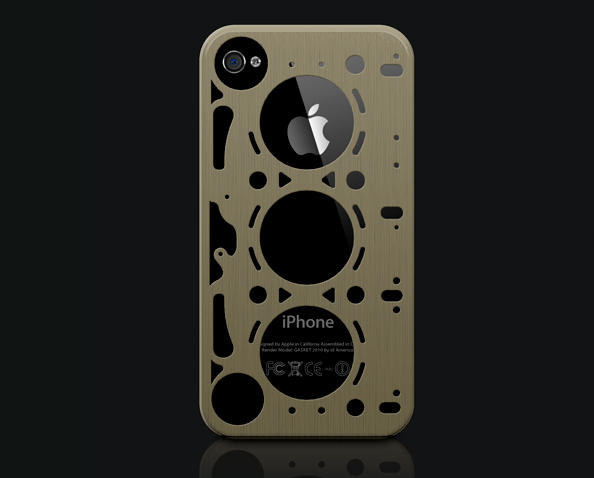
id America’s Gasket series of brushed aluminum cases for the iPhone 4 aren’t available yet, but I can’t wait until they are: the bronze colored case, in particular, is just a few glued-on wristwatch cogs away from a thorough steampunking.
In the meantime, we’ll have to wait, but the Gasket cases should cost just $30 when they’re made available, and id America promises that they will provide owners with “perfect fitment.” You can’t put a price on that, can you?
Last week, Microsoft released the anticipated Office 2011 for Mac update, the first OS X version of their popular Office suite for several years. It’s getting good reviews, but you know who hates it? David Pogue, who describes it as utterly broken in a lengthy review.
The whole thing’s worth reading, but here’s the takeaway:
[I]t’s sad to see such unpolished work from Microsoft’s Mac team. Looks like they had their eye on the big-ticket items—and simply left the smaller cookies to crumble.
I have no thoughts to share yet on the matter, except to say that I wanted to dump sewage all over Steve Ballmer’s head when I installed the application suite and it immediately dumped seven or eight hideous icons into my dock without once consulting me.
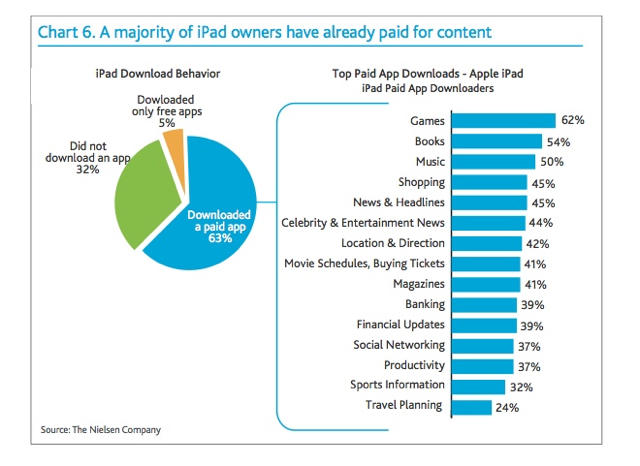
For those of us who practically live in third-party apps, it can be hard to believe that it’s even possible to own an iPad without immediately hitting the App Store… but a new Nielsen survey says that the app-less iPad is a common occurrence.
How common? According to the Nielsen Company, who polled over five thousand owners of “connected devices,” one-third of the iPad owners surveyed have never downloaded an application at all.
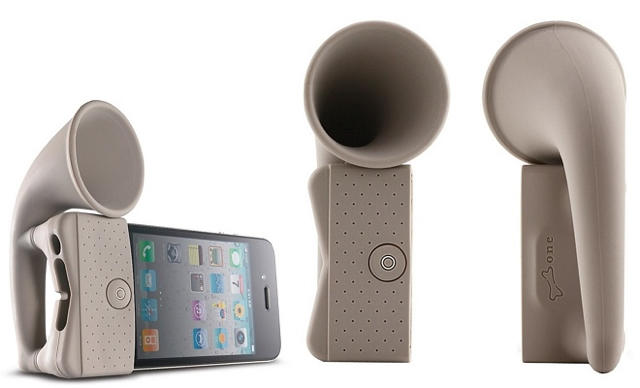
Taking its audiophonic cue from the giant brass horn your crotchety grandfather greasily crams down his cochlea when his nurses attempt to shout pleasantries at him, the Bone Horn Stand is an unpowered amplifier that slips over your iPhone’s bottom half and channels the sound of your speakers up through the trumpet shaped gramophone tube at top, amping up the output by another 12 decibels. It even works as a stand. Only $25!
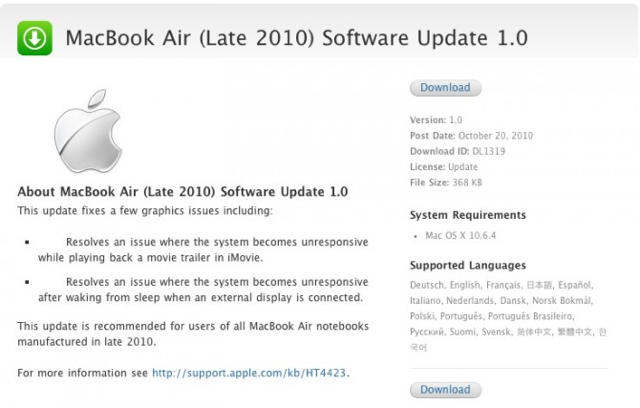
Well, that didn’t take long: the first MacBook Airs were barely in users’ hands before Apple has seen fit to squirt out their new laptop’s first Software Update.
What does the update fix? Mostly graphics issues, including one which strikes when a user opens iMovie ’11. It also fixes some sleep issues when the MacBook Air is hooked up an external display.
Here are the official notes:
This update fixes a few graphics issues including: Resolves an issue where the system becomes unresponsive while playing back a movie trailer in iMovie. Resolves an issue where the system becomes unresponsive after waking from sleep when an external display is connected. This update is recommended for users of all MacBook Air notebooks manufactured in late 2010.
The update weighs a paltry 368KB and can be downloaded here.
FaceTime for Mac is pretty cool, but it lacks spice. As Chatroulette amply proved, the thril of cold video calling random strangers is spicy indeed. Who will pick up? A nose-picking teenage girl? A throbbing erection with googly eyes glued upon the glans? A foul-mouthed puppet? If only FaceTime could match that degree of titillation!
Well, now it can, thanks to an enterprising programmer named Zach Holman, who has thrown together Facelette. It’s essentially Chatroulette for FaceTime, pairing two random people together through a FaceTime connection.
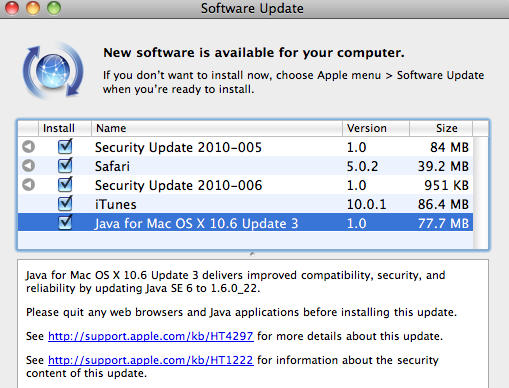
Yesterday, Apple quietly announced that they would cease future distribution of their own custom Java packages, concerning some Java developers. But no need to worry, Steve’s already already explained Apple’s thinking on the matter, and it makes sense to us.
First, Apple’s announcement of Java deprecation. According to the updated developer documentation for the Java updates for OS X released yesterday, Apple will no longer be maintaining their Java runtime at the same level, and it may even be removed from future versions of Mac OS X.
So does that mean that Macs will no longer have up-to-date Java? A concerned Java Developer from Portico Systems emailed Steve Jobs, asking that very question.
Jobs’ response:
Sun (now Oracle) supplies Java for all other platforms. They have their own release schedules, which are almost always different than ours, so the Java we ship is always a version behind. This may not be the best way to do it.
In other words, Apple’s leaving Java to the company that does it best… that is, if Oracle decides to step up and produce their own version of Java for Mac, as they do for every other platform. My guess is they will quickly fill the void and it’ll be a win for everyone: Apple no longer has to spend the money to produce custom-baked, already-obsolete versions of Java, and Mac users will get Java of the same level and quality as it is available on other platforms.
For a few hours yesterday, the Internet lit up with reports originating from Macwelt.de that there was a serious security hole in the FaceTime for Mac beta.
Frankly, calling it a “security hole” seemed even at the time a tad hyperbolic. Basically, the hole in FaceTime for Mac beta meant that once a user had logged into his account, that user’s AppleID and password could be altered within the app by anyone with physical access to the computer, without any other security checks.
At this point, we’re not really surprised when Apple’s new software drops support for old PowerPC Macs. Apple’s been building PCs on Intel hardware for four years now: at some point, going through all the expense and bother of coding for obsolete hardware just stops being worth it.
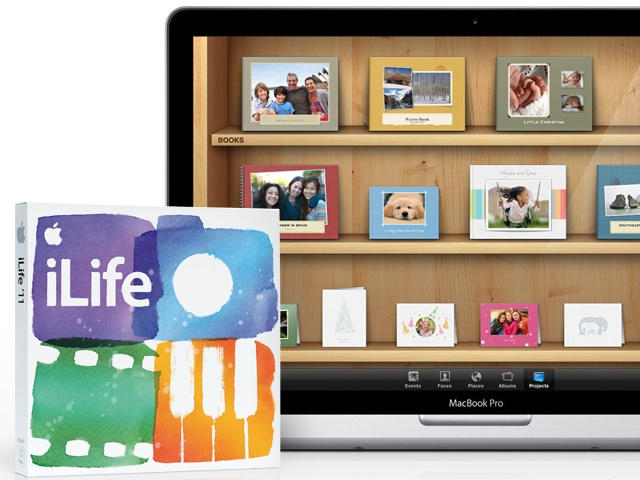
So when iLife ’11 dropped PowerPC support, we weren’t surprised. It’s not really a big deal: the previous version of iLife works just fine on the PowerPC architecture, and if you’re going to work on a five year old computer, you can live with a two year old media productivity suite, we reckon.
More surprising to us is iLife ’11’s strict requirement for a minimum OS install of Snow Leopard. That’s more than a little strange, although during the presentation, Jobs did mention that iLife ’11 was built upon many of the core technologies introduced in Snow Leopard.
Apple’s hissy catfight with Adobe over the future of Flash on the web has reached storied proportion at this point, with Apple claiming that Flash is buggy and slow and Adobe… well… not so much saying otherwise as whining about the unfairness of it all.
Given Apple’s strong feelings about Flash, it’s hard not to give perhaps undue importance to word that the new MacBook Airs are actually shipping without Adobe Flash pre-installed… even though it’s been preloaded on all of Apple’s past hardware.
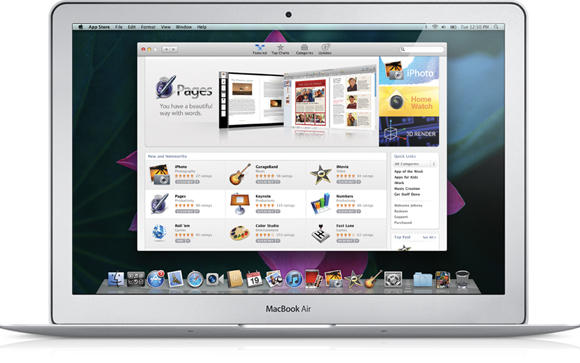
The forthcoming Mac App Store is pretty exciting news, but one thing I didn’t really get a good handle on during Steve Jobs’ keynote is if apps were distinct from programs in Apple’s mind. For me, an app is a smaller bit of less fully-functioned code, easily digested, while a program affords a much more substantial suite of functionality. Would the Mac App Store just be selling tinier programs, eschewing beefier applications like Photoshop or even Apple’s own iLife and iWork suite? I wasn’t quite sure.
It seems, though, that Apple answered my question during their own presentation. During Wednesday’s “Back to Mac” event, the keen-eyed fellows over at Electric Pig spotted iPhoto, GarageBand and iMovie as being apps on sale in the Mac App Store, each for a price of $14.99.
Apple’s new iPhoto ’11 is here and it will continue to be the best part of my iLife. I’d like to think that many of you would agree with me. The new features that Apple announced on Wednesday are really awesome.
The new full-screen views, enhanced Facebook integration, and other new or improved features give me opportunities to be more creative. I’ll be able to share photos with family and friends in ways I wasn’t able to before and I cannot wait to get started.
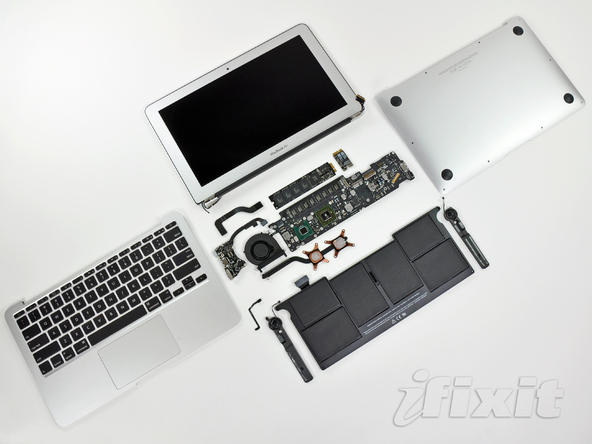
A recent teardown of the new MacBook Air today revealed that the pretty little notebook is unsurprisingly laden with a bevy of proprietary engineering making it one of the most difficult notebooks on the market to repair. Highlights of the full break down can be read after the jump.
Steve Jobs is reportedly having a one-on-one meeting with President Obama.
Jobs is meeting the president just before Obama speaks at the Palo Alto home of Google executive Marissa Mayer’s this evening.
The meeting with Steve Jobs is not on the president’s official calendar, but a White House official confirmed the meeting will occur.
Jobs is no stranger to meeting presidents. In June, he hung out with Russian president Dimitry Medvedev (who is an iPad user), and has had President Clinton over for dinner. Jobs and his wife are Democratic party contributors; and Obama is a famous Mac user.
Obama’s speech at Marissa’s Mayer’s house is at 7PM PST/10PM EST.
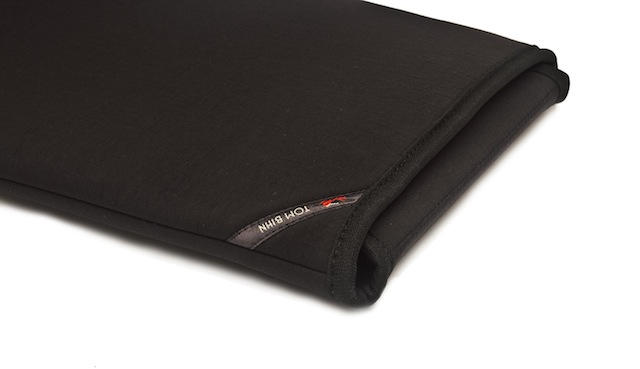
That was quick. An 11-inch sleeve for the MBA was announced from Tom Bihn yesterday, while Waterfield released a whole slew of cases tailored to both version of the MBA.
San Francisco-based Waterfield Designs offerings will ship at the end of this month and include the tough, ballistic nylon SleeveCase in both 11- and 13-inch sizes (at $37 and $39 respectively), which can be customized with add-on options; and the ultra-thin 11-inch ($25) and 13-inch ($29) Suede Jacket Sleeve. and will ship at the end of October. Tom Bihn has made an 11-inch, MBA-specific version of its Cache padded sleeve ($30), which will ship a little later than the Waterfields, in early November.
UPDATE: Well, turns out we were wrong about this one; it’s been around for awhile. Crow, anyone?
That rumor we mentioned yesterday — the one where we thought Apple would announce a new social network based around Apple Genii? Turns out Apple quietly added something very close to what we predicted yesterday during the virtual Apple Store’s refresh for the new MacBook Air and iLife ’11.
We start the day off with bargains on applications for the iPad and iPhone. First up is a new crop of price drops for Apple’s tablet, including “Spirit HD,” a puzzle. A number of iPhone apps are offered for no cost, including “X Invasion 2: Extreme Combat.” The deal spotlight wraps up with the just-announced new MacBook Air computers, including a $999 unit that includes an 11.6-inch screen, 1.4GHz Core 2 Duo processor and 64GB of solid state storage.
Along the way, we also take a look at other iPhone applications, as well as a rubber bumper for your iPhone, a 27-inch LED Cinema Display and Apple’s new iLife ’11 software bundle. As always, details on these and many other bargains can be found at CoM’s “Daily Deals” page right after the jump.
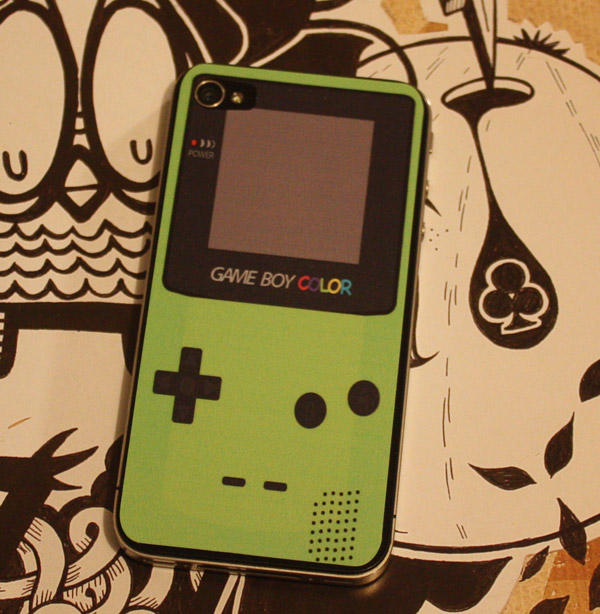
No, really, that’s not a GameBoy Color… it’s a decal slapped on the back of an iPhone 4.
I’m totally dropping $6 on this: I actually still have the exact model of the GameBoy Color this decal is based upon, right down to the fluorescent 90s hue.