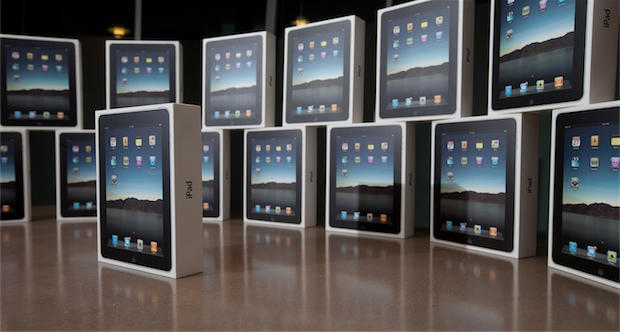
Apple should sell 22.5 million iPads in 2011, controlling half the 45 million tablets likely sold. The prediction comes from an unlikely source: ViewSonic, maker of an iPad rival. ViewSonic, maker of the just-released ViewPad 7, hopes to get 10 percent of the remaining non-iPad tablet purchases – or around 2 million units.
ViewSonic’s Asia Pacific president, Alan Chang, believes tablets will eventually force the phase-out of netbooks in Taiwan. The company’s 10-inch iPad alternative now uses Android, but will also offer a Windows 7 version.
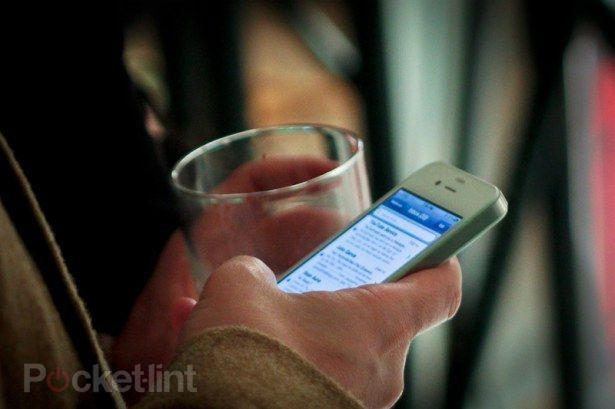
Like a lot of people, you have probably used the screen on your iPod as an impromptu flashlight.
Steven Spader is accused of using an iPod to guide him to victim Kimberly Cates, then hacking her to death with a machete.
One of the details to come out of the trial taking place in Mont Vernon, New Hampshire is how the 18-year-old Spader found his way through the one-story family house in the hours before dawn to reach his victims, Cates and her young daughter Jaime.
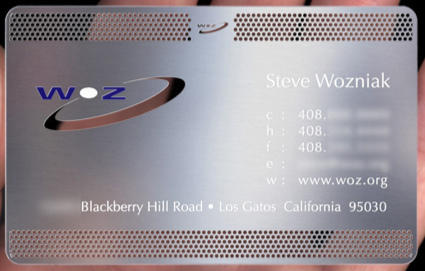
Rediscovered from the Geek Archives: Apple co-founder Steve Wozniak has one of the coolest business cards I’ve ever seen. Made from perforated stainless steel with laser-etched and painted lettering, Woz bragged on The Colbert Report in 2006 that he could cut steak with this thing! I believe it.
This isn’t your Father’s Business Card. Looks like Mr. Jobs isn’t the only Steve with good taste!
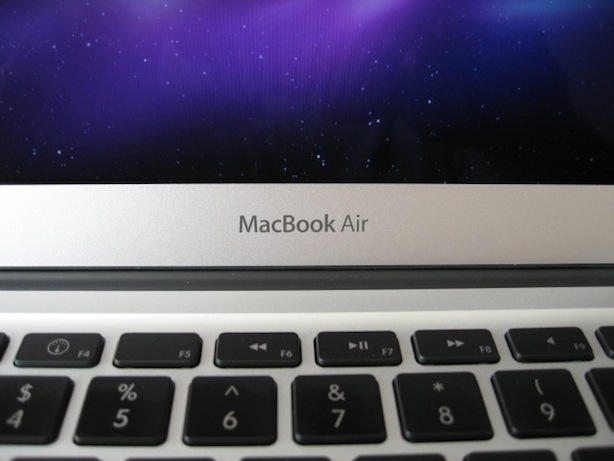
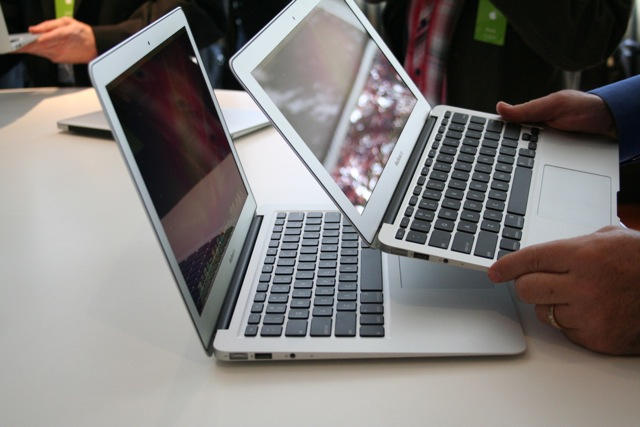
Apple’s new 13-inch MacBook Air isn’t anything like the old one. It’s incredible. It’s incredibly thin, light, and powerful. It’s blazing fast. It’s incredibly beautiful and well made.
It has an older CPU and comes up short with only 2GBytes of RAM in the base model, but it is not underpowered. It’s a perfect fit for users like me, who aren’t rendering 3D graphics, it’s more than perfect. It’s hugely better than previous models of the 13-inch MacBook Air. Incredibly thin and light, yet very capable of running a large number of applications without showing the infamous Mac OS X beach ball.
Unlike the 11-inch MacBook Air, reviewed by my editor Leander, there are a few less compromises in the 13-inch MacBook Air. While larger the 13-inch model still excels in the most important things portability, durability, and functionality.
Last year, I also bought a 13-inch MacBook Pro, which I loved, but in comparison to the 13-inch Air, it is huge, only a little bit faster, and comes with an optical drive that I seldom use any more.
I know what you’re thinking, “Didn’t this guy toss the new MacBook Air in the dump last week?” Well, last week I did and now it looks like I’m going to have to eat crow after buying a 13-inch MacBook Air last Saturday. Read on to find out why.
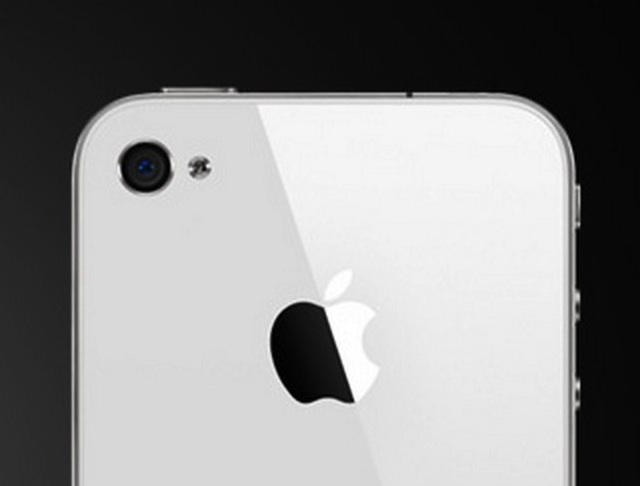
This is the third time the white iPhone has been pushed back: first to July, then the end of the year and now to next spring.
Once again, Apple didn’t explain the delay. In the past, the company has said the white iPhone was “more challenging to manufacture than we originally expected.”
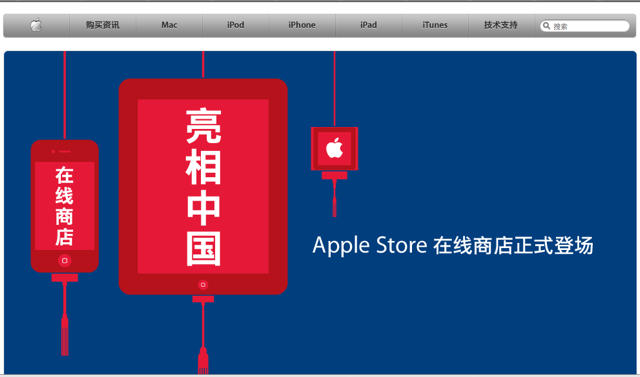
Red lanterns mark the launch of Apple’s online China store and the 37th international online store of the Cupertino company, stretching from Australia to Canada.
The latest online store promises to deliver all of Apple’s magical devices — including the iPhone 4 and the iPad — in time for the holidays, swathed in signature gift wrap.
“We are thrilled to open our newest online store in China,” said Tim Cook, Apple’s COO. “With personalized engraving, configure-to-order options and free shipping on everything, the Apple Store is a great destination for our customers in China.”
It also may cut down on the chaos Chinese customers experience while trying to get their hands on Apple’s must-have products if the reports of reservation scalpers for the iPhone 4 are anything to go by.
Apple is making a big deal about the jazzed-up photo book capabilities in iLife ’11, and for good reason — being able to cradle a vibrant, printed image still trumps the digital alternative. But iPhoto isn’t the only way to transform pixels into ink.
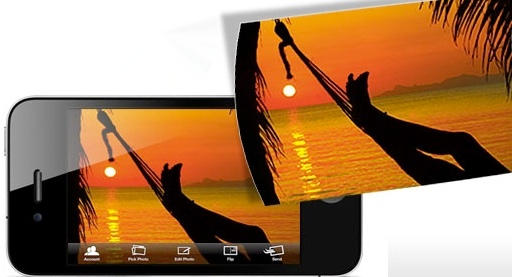
Simply Postcards lets users grab any photo off their iPhone and snail-mail it to an address in the U.S. or elsewhere. Postcards ship the day after ordering them, and prices range from $1-$2 for a stateside address to double that for international cards.
The app is free, and so is the first postcard; the Cult is going to use its free credits to brighten the Microsoft HQ mailbox with images of our new MacBook Airs!
Apple’s trademarked phrase “There’s an app for that” became political cannon fodder after a Republican candidate called out a Democrat for breaking the rules of a televised debate by looking at a text message.
The best part?
Even though the device delivering that text-message bomb turned out to be a Droid, the Republican posted a doctored photo of his rival and an iPhone calling her an “iCheat.”
The iPad is just about perfect for reading magazines; surprising, then, that more publishers haven’t come out with iPad-specific apps, right? Thankfully, publishers seem to be catching on, and last week saw two tricked-out versions of women’s magazines debut as apps on the iPad.
Nintendo, the mobile gaming pioneer, now sees Apple as the immediate threat to its future, not Microsoft. “Do I think that in the near term [Apple] can hurt us more than Microsoft? Absolutely,” Nintendo of America President Reggie Fils-Aime tells an interviewer.
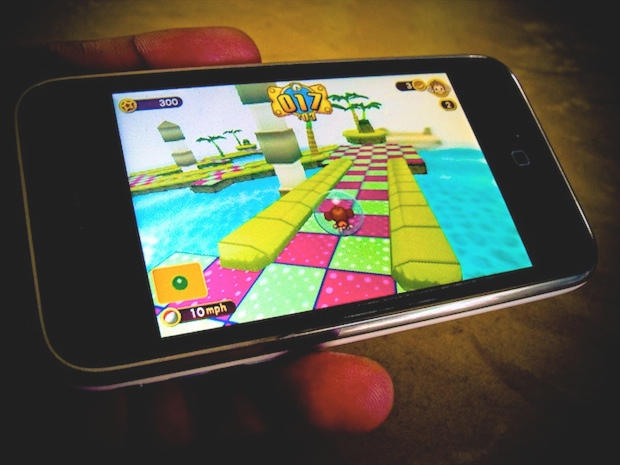
September was a good month for Apple’s push into mobile gaming. Alongside its claim that the Cupertino, Calif. company held 50 percent of the portable gaming segment, and that the iPod touch was the No. 1 gaming device, Apple opened a gaming center for its lucrative App Store. That, along with a survey finding iOS gamers nearly outnumber Nintendo fans is enough to explain why the DS maker sees Apple as the “enemy of the future.”
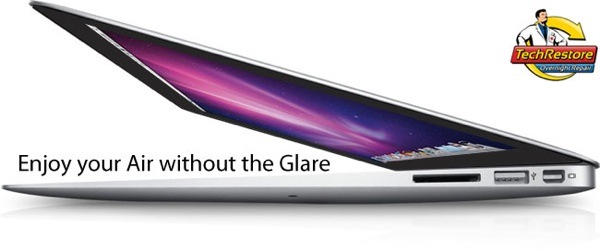
Laptop users usually have a strong preference for either glossy or matte displays, but unfortunately, if you buy an Apple notebook, you’d better get used to seeing reflections: all of Cupertino’s current notebooks save the 15- and 17-inch MacBook Pros come with displays of the glossy variety.
So what if you’re twitching for the new MacBook Air, but can’t stand seeing the translucent enantiomorph of your ugly mug overlaid on your desktop all the time? No problem: just call up TechRestore, send in your MacBook Air along with $250 bucks and they’ll rub some fine-grained sandpaper all over your glossy display until it nice and matted.
Sorry, we kid: in actuality, TechRestore will simply retrofit a matte display into your MacBook Air that is identical, spec-for-spec, with the stock one. Not worth a quarter grand to me personally, but then again, I’m a narcissist.
Every time a new and much anticipated gadget finally hits store shelves, it is inevitable that a couple losers will buy one just to film themselves destroying it. As you can see in the video above, the new MacBook Air will not be spared this ignominy, as a bewigged Jake Gyllenhall lookalike and an individual who can only be described as the one of the grossest humanoids in the world blow up a new Air with dynamite… and in slow motion.
The white iPhone 4, which has become somewhat of a mysterious species among the vast herds of black-and-silver handsets, may soon appear in the wild. Apple’s new Apple Store applications is listing it among the options for reserving and iPhone.
Although not available at Apple’s online storefront, the white iPhone, in 16GB or 32GB configurations, is listed in the “Reserve product” tab of the application. The option may mean the white iPhone 4 is ready for wider distribution.
Although I actually play them with what can only be described as garish, butter-fingered ineptitude, I love SHMUPs, and so I’m really excited to take Firi Games’ new $0.99 shoot-em-up Phoenix for a spin.
Not only does the graphics and action look absolutely fantastic — a throwback to some of my favorite SHMUPs like Cho Ren Sha 68k — but Phoenix boasts one nifty little trick to separate itself from competition like Cave’s Espagaluga II: while most SHMUPs are all about pattern recognition, Phoenix is totally random, piecing different enemy ships and bullet patterns together on the fly so that no game is ever the same.
Our most beloved of open-source video players, VLC, got a spankingly sexy iPad port last month… and now it’s been updated as a universal binary that supports the iPhone 4, iPhone 3GS and third/fourth gen iPod Touch.
If you’ve previously downloaded the iPad version, the update also adds the ability to delete files within VLC itself, as well as faster decoding and increased support for some of the more esoteric extensions.
Is there anything VLC doesn’t run on at this point? Besides the AppleTV, that is, which is positively twitching for a port?
VLC is a free download from the App Store. Go get it.
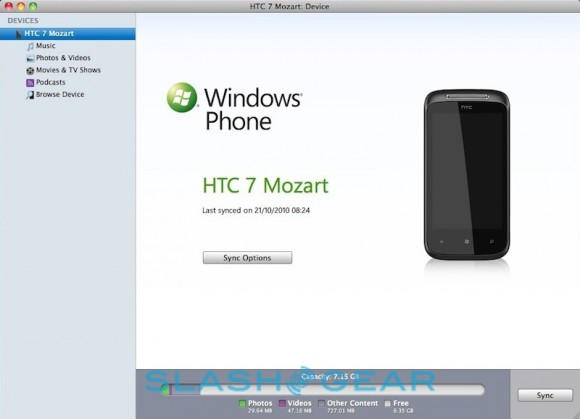
Earlier this month, Microsoft promised that Mac owners born with mental aberrations grave enough to compel them to buy a Windows Phone 7 handset over an iPhone would be facilitated in their madness by native OS X syncing software, and what do you know, Microsoft was as good as its word.
The software is called Windows Phone 7 Connector for Mac, and it will allow you to sync content including music, photos, video and podcasts from your Mac to your Windows Phone 7 handset. You can read a review of the software here.
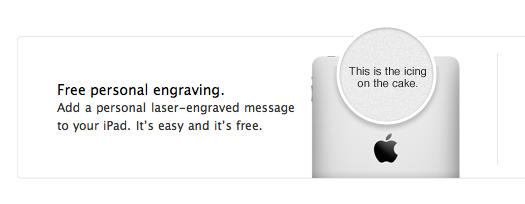
Want to get your iPad engraved with a foul limerick, or a portrait of Woz realized in ASCII, or a hip-hop style roll call of everyone who has ever shown you disrespect, or — I guess — some pithy line of sentiment? Apple’s finally offering to engrave iPads for customers. Like their iPod engraving program, getting some letters laser-etched into your iPad’s case is free if you order the tablet through Apple’s online store.
Isn’t that nice? Just remember that if you opt to get your iPad engraved, you can no longer exchange it unless it arrives as dead as a door stop.
If you’re a regular user of Skype and you’re considering picking up a MacBook Air, be warned: for some reason, Skype version 2.8.x just does not want to play nice with Apple’s new, wafer-thin notebook.
It’s not clear what is causing the problem, but the symptom is obvious: when you first open Skype, the login phase never fully resolves itself. Instead, users find themselves stuck staring at the login window until they quit the app.
Watch out! A major new security hole in the iPhone software has just been discovered… a bug that allows anyone who picks up your phone to easily unlock it and access all of your phone data under iOS 4.1.
In case you want to try it yourself, here’s how you gain access to a locked iPhone through the security hole. When your iPhone 4 is locked with a passcode, tap the emergency call button, then enter three hash keys. Now tap the call button then immediately hit the lock button.
Do the above correctly and you’ll be rewarded by being dumped into the iPhone’s Phone app. From there, you can access the user’s favorites, contacts, dial pad,. recent calls, voice mails and even send SMS and email messages through the Address book.
It’s a pretty huge bug, and it seems to work on all iPhones running iOS 4.1. This is the sort of thing Apple will patch pretty quickly, but in the meantime, show extra dilligence and care in not leaving your locked iPhone lying around.
Could Apple, with $51 billion burning a hole in Cupertino’s pocket, turn its acquisitive eye toward consumer electronics pioneer Sony? That’s the question getting attention today as rumor of potential purchases by the iPhone maker push Sony stock higher. Like many rumors, the Sony buyout chatter has vaporous origins.
Although analysts appear skeptical as to how friendly such a takeover would be, just the potential of a buyout had Sony’s stock climbing 3 percent. Also fueling the rumor were comments by former Apple CEO John Scully. Scully, talking with reporters, said Steve Jobs always envisioned Sony as Apple’s goal.
Here at Cult of Mac, we love Apple’s new A4-powered update to their “hobbyist” set-top box, the AppleTV… but all is not rosy for everyone. According to reports coming in from users, the new AppleTV might be prone to a very, very subtle skipping problem that — once seen — becomes impossible to unsee.
Next Monday is November 1st and for us would-be wordsmiths, that date has special import as the first day of National Novel Writing Month, or NaNoWriMo. Over the next thirty days, tens of thousands of would-be novelists will smash out as much prose as they can, trying to finish the first draft of a short, complete novel before the clock strikes midnight on November 30th.
In order to help novelists prepare for the orgy of fiction that will all but consume the lives of Mac-using NaNoWriMo next month, Scrivener — our favorite project planner for writers and novelists — has seen fit to release the public preview of the much anticipated 2.0 update… and it’ll be completely free to use until December 7th.
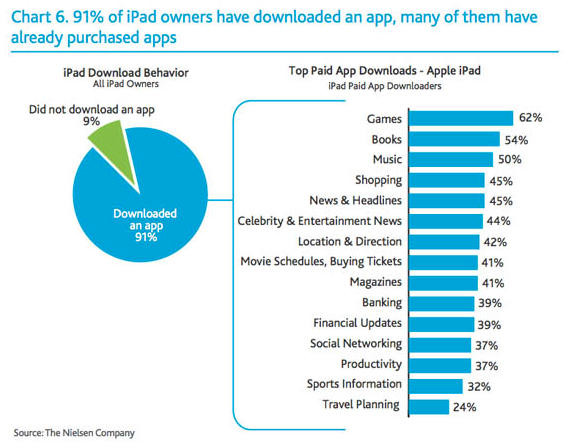
Remember last week’s report that said that almost one-third of all iPad owners had never downloaded an app?
We bought it — after all, the iPad is a compelling device right out of the box without ever plugging in a credit card company — but it looks like we were being overly credulous. Nielsen Group, who originally posted the numbers, has just released a huge honking update on their previous numbers… this time claiming that only 9% of iPad users have never downloaded an app.
One of the little secrets that has made Apple the most profitable company in tech is their ability to achieve high margins on their gizmos, but the new MacBook Airs might set a record even for Apple: according to analysts who have estimated its bill of materials, the entry-level, 11.6-inch MacBook Air costs only $718 to make.
That means that for every 11.6-inch MacBook Air Apple sells, they make $281, a profit margin of 28.1%. That’s for the 64GB: buy yourself a 128GB MacBook Air and the profit margin jumps to 34%. Buy a 128GB 13.3-inch MacBook Air and that margin nudges forward again, this time to 37%.
Those margins are excellent, even comparatively: Apple, on average, achieves a profit margin of just 20% on the rest of their laptops.