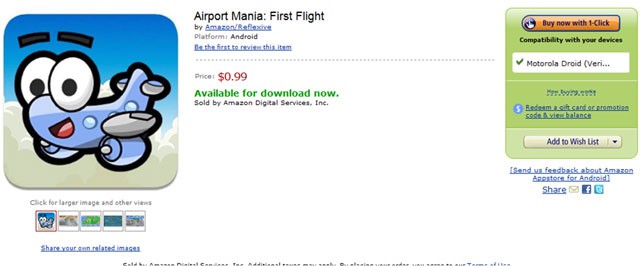
Apple filed a complaint in California on March 18, accusing Amazon of trademark infringement and unfair competition in regards to the upcoming “Amazon Appstore,” an online marketplace for Android devices.
“We’ve asked Amazon not to copy the App Store name because it will confuse and mislead customers,” Apple spokeswoman Kristin Huguet told Bloomberg.
Apple is seeking a court injunction on the “App Store” name and unspecified damages. According to the suit, Apple has applied for a trademark on “App Store,” but the application has been opposed by Microsoft. The matter will go before the trademark appeal board.
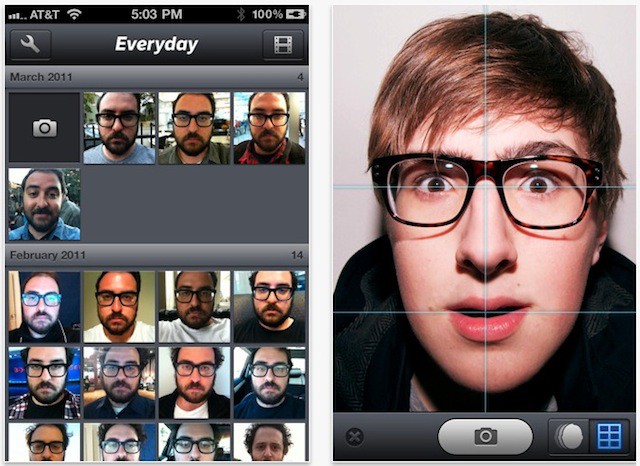
This is gorgeous. Everyday is a $2 app that reminds you, once a day, to take a photo of yourself. Then it combines all the photos you’ve taken into a timelapse movie of your changing features.
On the first day of spring, everyone’s favorite desktop feline has shaken the snow off its spots: Apple has just released Mac OS X 10.6.7, the latest update to their Snow Leopard operating system.
What’s new? Big fixes include a boost to Back To My Mac’s reliability, some minor updates to the Mac App Store, resolves an issue with transferring files to SMB servers and incorporates a number of security fixes.
Big bugs fixed include an issue with mid-2010 MacBook Air kernel panics, AirPort driver issues, improved brightness on external displays and a DVD player playback issue only seen on 64-bit Macs, as well as a rare issue that could cause users accounts to disappear after the system went to sleep.
In addition and per usual, the latest update to Snow Leopard supplements an already excellent operating system with the standard gaggle of enhancements to stability and compatibility.
If you want to check out the full list of changes, you can find it below. Otherwise, Mac OS X 10.6.7 can be downloaded through Software Update, or directly by clicking here.
At her next performance at the Manchester International Festival in June and July, Icelandic musician and loveable weirdo Björk will apparently unveil a “bespoke gamelan-celeste hybrid”, “bespoke digitally-controlled pipe organ” and “30-foot pendulum that harnesses the Earth’s gravitational pull to create musical patterns” across six shows.
Now, I love Björk. I also love a good old gamelan-celeste hybrid as much as any man possibly can, as long as a gamelan-celeste hybrid is what I think it is… namely, some sort of chicken-horse. However, I wouldn’t be posting this little bit of news if Björk didn’t tie her latest professional eccentricity into Apple somehow… and, by gad, she has.
Apparently, Björk’s show will come with several “companion apps” which should be available on iTunes soon. No one quite knows what they are going to do, but I’m going to guess that, at the very least, they’ll allow users to initiate a good Björk-style bespokening of their very own.
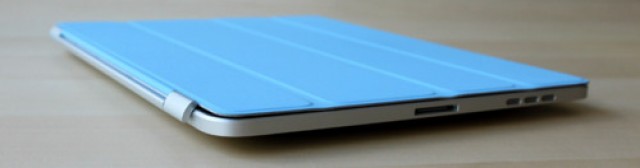
The Smart Cover for the iPad 2 is undeniably pretty nifty. Even though it’s not much more than a sheet of polyurethane with some magnets in it, it feels less like a case than a gadget in its own right, thanks to its smart design allowing it to function as a stand, as well as the way the iPad 2 has been built to detect the presence of the Smart Cover and wake itself up or go to sleep accordingly.
If you’re happy with the first-gen iPad, you probably wish you could at least buy a Smart Cover that would work with it. Unfortunately, the original iPad lacks the magnets built into the case allowing the Smart Cover to attach… but you can always glue them on yourself
The guys over at Three Russians Used A Pencil have a pretty good walkthrough on how to make your Smart Cover work with the original iPad. It’s not perfect — the system doesn’t wake from sleep when you peel the Smart Cover off, and the stand functionality is a tad wobbly — but it works, and even without the “smart” part, the Smart Cover’s pretty neat.
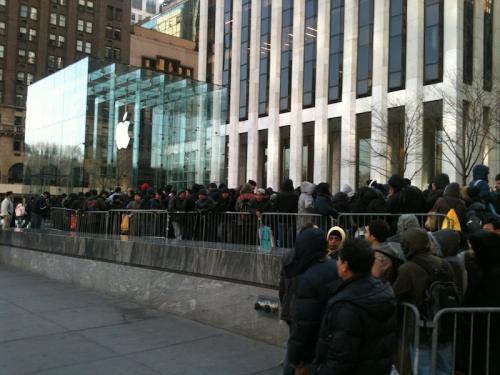
Given the recent publicity given to the iPad 2 grey market, especially overseas, you’re probably not going to be surprised to hear that many people waiting in line for an iPad 2 at Apple’s flagship 5th Avenue Store after every delivery are being paid to wait in line and buy their iPads for someone who will then sell them overseas. These line-waiters tend to make between $100 to $200 dollars for their services, and with iPad 2s going for at least twice and sometimes three times their retail price on eBay or in other countries, grey marketeers are obviously interested in soaking up as many iPad 2s as possible.
What might shock you is just how big a problem this is. According to the New York Post, though, more than half of the 400 people in line at Apple’s 5th Avenue Store last Thursday handed over their two purchased iPads in exchange for cash to a man sitting in a nearby BMW-X5.
“This has been going on for days,” one Apple Store employee said. “I feel for the die-hard customers who want the product but can’t get it.”
Here’s a great story about an iPad 2 that was returned to Apple.
Apple is keeping a close eye on iPad 2 returns as part of its QA process. The company wants to identify any problems in early production units, like the light-bleeding backlights we’ve been hearing about.
But one customer returned his iPad 2 for a different reason: his wife wouldn’t let him keep it. He took his iPad back to the Apple Store with a sticky note on it: “Wife said no.”
But a pair of executives at Apple got wind of the story and sent him a replacement iPad 2 with a new sticky on it. Guess what it said?
“Apple said yes”
If the lucky fellow reads this, please get in touch. We’d love to hear more.
What the Times brings to the story is not one, but two sources:
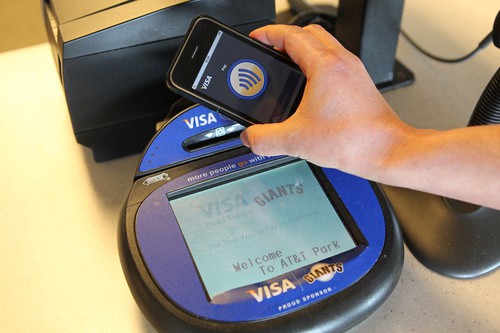
According to two people with knowledge of the inner workings of a coming iteration of the Apple iPhone — although not necessarily the next one — a chip made by Qualcomm for the phone’s processor will also include near-field communication technology, known as N.F.C. This technology enables short-range wireless communications between the phone and an N.F.C reader, and can be used to make mobile payments. It is unclear which version of an iPhone this technology would be built into.
We start another week of deals with three hardware items. First up is a 32GB (current generation) iPod touch for just $230. Next is an Apple TV unit for $80. We wrap up the spotlight with a $2GB iPod shuffle for just $30.
Along the way we also take a peek at ways to enlarge your iPhone screen, charge your handset and dock your iPod with Yamaha. For Apple 2 owners, there are new cases, as well as a two-year extended warranty.
As always, details on these and many other items can be found at CoM’s “Daily Deals” page right after the jump.
The Boston Business Journal reports that first gen iPads are “flooding” the resale market and prices are tanking as a result.
Before the Pad2 hit stores on March 11, electronics recycler Gazelle.com was offering as much as $530 for an iPad 64GB WiFi + 3G model in excellent condition with the original accessories. Today, the offering price is $328. A 32GB WiFi model in excellent condition was fetching as much as $340 prior to the release of iPad2. Today, the model is worth about $249.
A quick check of Cult of Mac’s local Craiglist, San Francisco Bay Area, shows a few of those 32GB WiFi models listed as low as $220, most in the $400-$500 range.
Does this sound right?
If you sold your iPad, did you get what you thought you would for it?
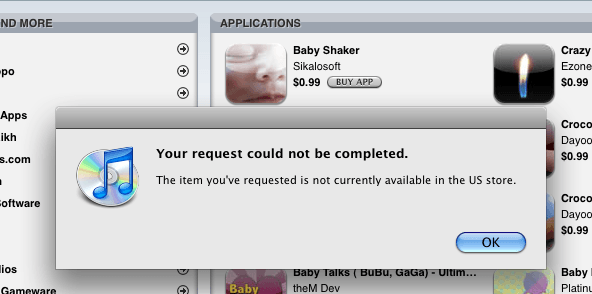
There are plenty of questionable apps available on iTunes – from the plethora of fart clones to belly jam – but here are some that Apple approved then removed because they were offensive.
What Apple approves, keeps or pulls in iTunes was on my mind over the weekend as I watched the number of signers to the online petition to remove a “gay-cure” app from Christian group Exodus International boom.
When we first wrote about the app, there were 6,700 signatures – about as many that got the much milder Manhattan Declaration pulled – there are now nearly 90,000.
Yes, the iPhone won’t officially be available to T-Mobile users until at least 12 months, when government regulators are expected to give thumbs-up (or thumbs-down) on the $39 billion acquisition by AT&T. However, that hasn’t stopped Wall Street experts from weighing-in on the possible impact. Depending on who you ask, the deal could be a huge, or minor, plus for Apple.
“We believe T-Mobile could add [around] 3 million incremental iPhones in its first full year, which could be conservative,” Bank of American analyst Scott Craig told investors Monday morning. If you don’t like that view, there is another.
BGR is reporting that Apple is already preparing a small point release of iOS 4.3 for release within two weeks time, and when it lands, iOS 4.3.1 will not only close the iPad 2’s jailbreak vulnerability, but update the baseband for the iPhone 3GS and first-gen iPad as well.
Here’s the fixes, according to BGR:
Baseband updates for the 3GS and iPad (original)
Fixed memory hang that results in memory corruption when reading large files from USIM filesystem
Fixed problem with NTLM authentication in apps and on websites
Fixed issue with the Springboard and 3rd party apps not recgonizing the gyroscope on the iPad 2
Fixed iPad 2 jailbreak vulneratbility
No word there on fixing the massive battery life drains that users of fourth-generation iPod Touches have been reporting, or a software fix for the yellowing display problems some iPad 2 owners have been experiencing. There’s also no word as to whether or not iOS 4.3.1 will be available for Verizon iPhone customers.
The clock is ticking for Sprint, the only U.S. carrier that hasn’t established a way to eventually offer the iPhone. First, there was only AT&T, then Verizon and now potentially T-Mobile USA, if a $39 billion acquisition by AT&T is approved. Although T-Mobile says it won’t offer the Apple handset for around 12 months, Sprint is already calling ‘foul.’
“The merger would result in a wireless industry dominated overwhelmingly by two vertically-integrated companies that control almost 80 percent of the U.S. wireless post-paid market, as well as the availability and price of key inputs such as backhaul and access needed by other wireless companies to compete,” Sprint bemoaned in a statement.
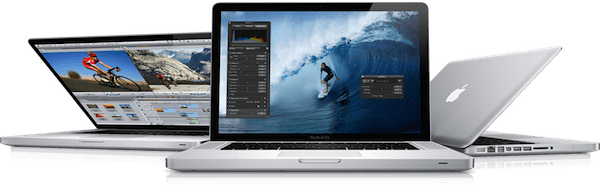
Owners of 15-inch and 17-inch 2011 MacBook Pros are reporting that their notebooks are freezing up entirely under extensive load… and the problem is so persistent that one sufferer was able to reproduce it on every MBP at his local Apple Store.
Apparently, owners of 2011 MacBook Pros are reporting that under heavy load, their notebooks will freeze, even as sound continues. The cursor will still be movable, but the computer is completely unresponsive, and the only way to solve the problem is a hard reboot.
Just one of the Apple.com Support Threads about the issue is now 41 pages long, and the word “systemic” is being thrown around. One fix being suggested is to try to limit yourself to using software that only uses the integrated Sandy Bridge GPU on the MacBook Pro, instead of the ATI one.
Given how wide spread this issue is, hopefully Apple will release a fix sooner rather than later. Have any of our readers noticed this problem? Let us know in the comments.
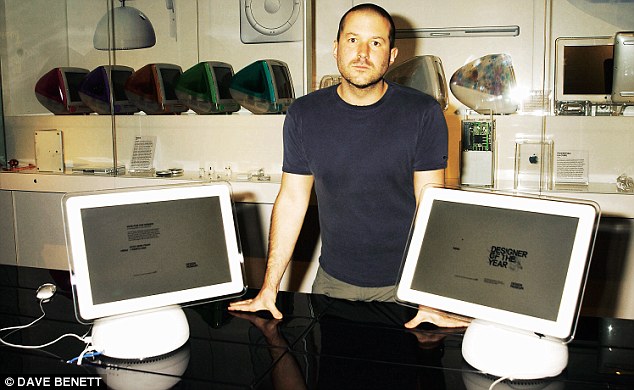
The Daily Mail — I know! — has posted up an excellent bio on Jonny Ive, explaining how the soft-spoken muscle man from Chingford went from designing toilet bowls — I know! — to becoming the lead designer over at Apple, which they argue makes him the most valuable Englishman on Earth.
From a news perspective, the most interesting detail of the bio might be word from close friends of Ive who say that he has no intention of leaving Apple to go back to the UK, and is, in fact, looking to sell his Grade II mansion in Britain to concentrate on America more closely.
AT&T’s $39 billion acquisition of T-Mobile might have you hopeful that the iPhone will be coming to T-Mobile customers soon. T-Mobile themselves want to set you right on the matter, though:
T-Mobile USA remains an independent company. The acquisition is expected to be completed in approximately 12 months. We do not offer the iPhone. We offer cutting edge devices like the Samsung Galaxy S 4G and coming soon our new Sidekick 4G.
In other words, don’t expect T-Mobile to get the iPhone until at least 2012, and even then, T-Mobile stores won’t suddenly become AT&T stores: T-Mobile will work as an independent company within AT&T, and have their own handsets. If the iPhone comes to T-Mobile, it won’t just roll out automatically to customers by dint of AT&T being the parent company.
On an ancillary note, check out this quote on the rationale of T-Mobile’s decision to be acquired by AT&T:
Bringing together these two world-class businesses will create significant benefits for customers. The merger will ensure the deployment of a robust 4G LTE network to 95% of the U.S. population, something neither company would achieve on its own.
This is interesting. It’s T-Mobile and AT&T admitting that their current “4G” offerings are nothing of the sort. While both T-Mobile and AT&T are calling their HSPA+ service “4G” when it’s really just faster 3G, and far inferior to the likes of Sprint’s WiMax or Verizon’s LTE. In fact, AT&T’s 4G smartphones are actually slower at data transfer than the iPhone 4, which is a decidedly 3G handset!
T-Mobile and AT&T seem to both be admitting that unless they work together, they simply don’t have any hope of catching up with Verizon’s LTE deployment. Together, though, they can blanket most of the country in GSM LTE in a shorter period of time. If there’s any bright side to any of this, it’s that at least T-Mobile and AT&T will both stop lying to customers about what 4G means.
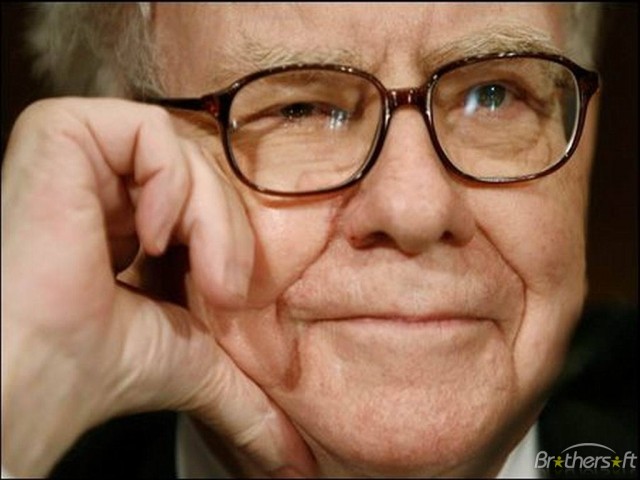
Warren Buffet, the world’s third richest man, has an aversion to buying Apple stock… because he just doesn’t get them.
“We held very few in the past and we’re likely to hold very few in the future,” said the billionaire chairman of Berkshire Hathaway. “[It is] very easy for me to come to a conclusion as to what it will look like economically in five or 10 years, and it’s not easy for me to come to a conclusion about Apple.”
My first instinct was to decry this Mumm-Ra of financial wizardry for opening his desiccated gum flap and, with a puff of dust and a voice the sound of an unoiled door hinge slowly creaking open, shouting “I’M OLD!” in this manner.
Then I thought about it, and I realized he was right. I mean, not economically — I have no idea what AAPL stock will look like in five or ten years, although I think he’s right as an investing chairman interested in the long-term to view electronics as a tumultuous market: ten years ago, for example, Microsoft and Dell seemed untoppleable, Apple seemed doomed and no one gave a damn about Google. Apple just isn’t as sure a thing as Coca-Cola over the long haul.
But Buffett’s right in another way, too. I have no idea what Apple will even look like as a company in 10 years, or even five. After all, five years ago, Apple was still primarily an MP3 player maker. Ten years ago, they were primarily a computer maker. Now, they’re primarily a mobile device maker. Twenty years from now, they could be selling us all brain implants for all I know. But unlike Buffett, I don’t fear that. It excites me.
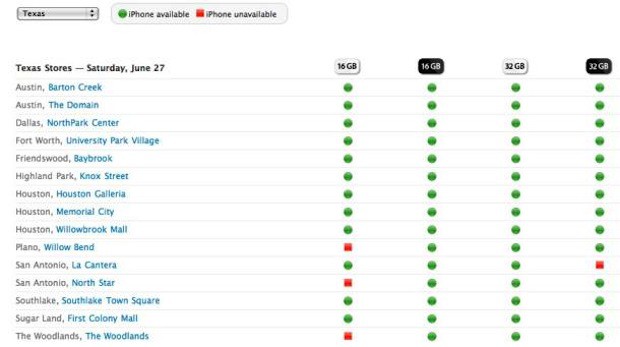
I know everyone is interested in purchasing an iPad 2, but you are not sure about whether your local Apple store has any in stock. What we need is an Apple iPad availability Web tool like the one we had before for the iPhone 3GS in 2009. Back then that page declared:
The Apple Retail Store likely has your iPhone 3GS in stock. You can check the most up-to-date availability right here. Shipments of iPhone 3GS arrive most days, and availability is updated hourly. The 8GB iPhone 3G is currently available in all stores.
You could access the tool to check the availability of an iPhone 3GS in your state. I checked and the URL no longer works — even when you substitute the word iPad in it for iPhone in the old URL.
I think that Apple would probably re-launch this tool again if they had better inventory availability, but with the iPad 2 selling out and screen manufacturing problems they probably don’t really need this tool right now.
Hopefully all that will change soon and a site like this will re-launch for the iPad 2. Then you won’t have to stand in ridiculous iPad 2 lines any more.
AT&T just bought T-Mobile USA for $39 billion so there are now only three major mobile carriers in the US – AT&T, Verizon, and Sprint.
Both carriers use the same technologies: GSM, HSPA+ and LTE. AT&T Mobile will become a monopoly for GSM cellular services in the US.
This doesn’t bode well for consumers who will now only have one GSM carrier to choose from and one less carrier for anyone to choose from.
AT&T will become the largest US cellular carrier surpassing Verizon by a nice margin based on an estimated number of subscribers at Verizon as 94 million. Purchasing T-Mobile will add about 34 million subscribers to AT&T’s 96 million creating a subscriber base of approximately 130 million for the combined carrier.
It also looks like T-Mobile subscribers will finally get a chance at owning an iPhone. In the last few months, the iPhone has gone from one carrier to all the major carriers except Sprint.
This is a guest post by Mark Hosbein, a potential iPad 2 customer. Mark has been unable to get an iPad 2 after several days waiting in line. He expresses the frustration felt by many. As we’ve reported, Apple continues to see long lines for the iPad 2 a week after launch day. Mark’s piece was originally published here.
I just returned from the Apple Store at the Short Hills Mall in New Jersey. I arrived at the mall at 5.20 AM to wait in line for my chance to buy an iPad 2. I was number 27 in line. I did not get one. The line went to 81. My wife had been there for the past two days, and both days she was shut out. She was number 39 yesterday, with no luck.
For a revered brand, Apple is risking customer will in the way they are managing the iPad launch.
Photo from Trey Ratcliff at www.StuckinCustoms.com
Plans to build a 16,000 square-foot Apple store in the balconies of Grand Central’s main terminal may have been abandoned by the Cupertino company, according to a source close to the M.T.A., who says that preliminary negotiations have fallen through.
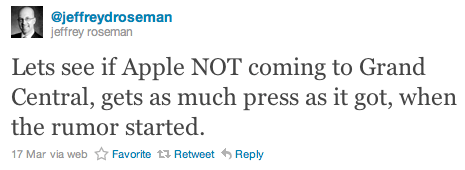
Jeffrey Roseman, a retail executive for Newark Knight Frank, posted a tweet on Thursday that backed up these claims, and indicated plans for Apple’s largest store in the world weren’t going ahead: “Lets see if Apple NOT coming to Grand Central, gets as much press as it got, when the rumor started.”
The store was expected to open this September, celebrating 10 years of Apple retail, and attracting some of the 700,000 people who visit the terminal each day. A source for Cult of Mac confirmed Apple’s plans to build the superstore back in February, however, it seems that the M.T.A.’s strict guidelines made Apple’s plans too good to be true.
<strong>Note from Leander: I’ve reached out to my source who said the deal was signed, sealed and delivered. I’ll report here what they say.
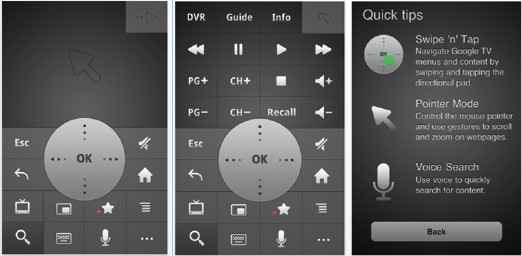
Google has today launched Google TV Remotefor iOS – a fully functional remote control for Google TV devices, featuring the complete range of buttons, a mouse pad, and even voice search.
The application has been available on Android devices for a while, and just like the Android version, this one’s free to download. It’s compatible with all Google TV devices and it’s simple to set up – just ensure your iPhone or iPod touch and your Google TV device are connected to the same Wi-Fi network.
Apple is stolen from by just about everybody. Microsoft and other companies steal design and interface ideas from Apple’s OS X. Cell phone handset makers steal Apple’s iPhone design elements. The new tablet market is essentially Apple’s iPad plus the tablets that steal ideas from the iPad. Everybody has stolen Apple’s approach to app stores.
There’s a difference between stealing ideas and stealing intellectual property. Stealing winning general approaches to doing things like multi-touch gestures on a tablet device is good. Stealing the code to do that is bad.
Microsoft has long been accused of stealing Apple ideas in the many designs of Windows that have occurred over the years. Windows has tended to be more challenging to use than OS X over the years, and Windows products tend to be less elegant. Because of all this, Apple fans often dismiss Microsoft as a company without innovation.
In fact, the opposite is true. Microsoft’s research wing is an under-appreciated engine of invention, in my opinion. And while Microsoft fails to productize some of its best inventions, it’s also occasionally successful at implementing new ideas in real products.
I’ll go further. Apple and its customers would benefit enormously if Apple were to steal the following five key ideas from Microsoft.