I don’t really know much about Superbrothers: Sword & Sworcery EP except what the guys over at Touch Arcade have written about it here. I know it’s an iPad game with a title that is phonetically spelled like a slight speech impediment. I know it features a cigar smoking protagonist named the Archetype, a protagonist called The Scythian, and supporting characters named Girl, Logfella and Dogfella. I know it’s due out Thursday. And that’s about it.
What else do you need to know, though, that isn’t conveyed in the mystifying, absorbing and utterly gorgeous trailer above? Look at the style of it: simplistic, abstract pixel art brought to life by ultra-realistic, fluid-like motions. Something about it reminds me of Another World. I can’t wait.
Two and half years after the last major version, Mozilla has finally released Firefox 4 for Mac, PC and Linux, bringing dramatic speed and performance enhancements, improved HTML5 support, increased customizability, improved security, a while new interface and cross-platform syncing features to the world’s second most popular browser.
Even though it has taken more than two years for Firefox 4 to creep out the door, Firefox 5 should be coming relatively soon: Mozilla has said that they want to release Firefox 4, 5, 6 and 7 by the end of 2011 as they adopt a more Chrome-like rapid release schedule.
The impetus to catch up in version numbers with the likes of Internet Explorer, Chrome, Opera and Safari are doubtlessly part of it, too: although Firefox is about as advanced as any other browser on the market, the lower version number risks the perception of being less advanced. If you knew nothing about web standards and security, which browser would you pick: Chrome 10, Internet Explorer 9, Safari 5 or Firefox 4? Exactly.
Firefox 4 is a free download, clocking in at around 27 megabytes. You can download it here.
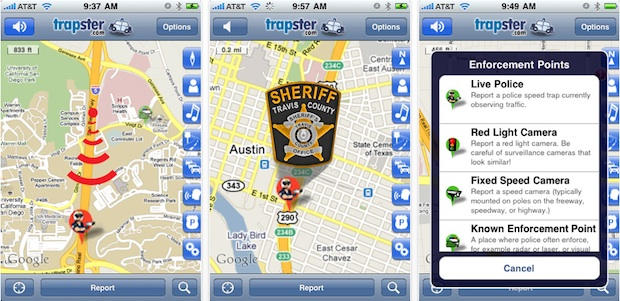
Trapster is a popular iPhone app that alerts drivers to police speed traps, red light cameras and DUI checkpoints. The company tired to remove DUI checkpoints, but users kept putting them back in.
Four U.S. Senators have sent a letter to Apple urging it to pull several apps they claim help drunk drivers avoid the police.
“Giving drunk drivers a free tool to evade checkpoints, putting innocent families and children at risk, is a matter of public concern,” the senators said. “We hope that you will give our request to remove these applications from your store immediate consideration.”
According to the senators, there are “numerous” apps that help drivers identify DUI checkpoints, allowing drunk drivers to avoid them. One app has a real-time database of DUI checkpoints, while another allows its 10 million users to alert each other to DUI checkpoints in real time, the senators say.
The letter was sent to Scott Forstall, who is in charge of iPhone software at Apple.
The four Democratic senators include Harry Reid (D-NV), the Senate Majority Speaker. The others are Charles E. Schumer (D-NY), Frank Lautenberg (D-NJ), and Tom Udall (D-NM).
Are there really numerous DUI checkpoint apps? And should they be pulled? Last year, I talked to Trapster (likely one of the apps targeted by the Senators), which was seeing a number of police departments using the app to highlight their own checkpoints. It’s just another way of increasing enforcement, the police say.
Here’s the full text of the letter that the senators sent to Scott Forstall:
UPDATE: Brian Tong sent me a note pointing out my unfair characterization of him as “just a TV show host.” Brian has worked at CNet for three years where he is an editor. He’s a journalism major and even used to work in Apple retail. He’s got lots of contacts at the company. My apologies to Brian for unfairly questioning his credentials.
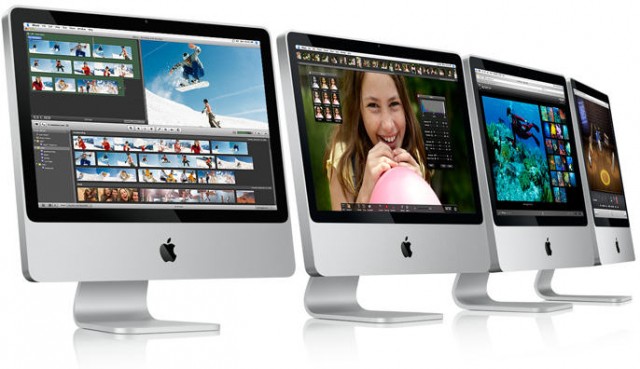
New iMacs with Sandy Bridge CPUs and the zippy new Thunderbolt port are due at the end of April or the first week of May, according to CNet TV presenter Brian Tong, citing “anonymous sources.”
There won’t be a redesign. The new machines will look the same as the old, which is no bad thing.
The source of this info is a bit iffy. Tong isn’t a traditional is a tech reporter — he’s a TV show host — but he does work in tech news and Tong is an editor at CNet and host of CNet TV’s The Apple Byte Show. He says he’s “highly confident” about his source.
The Sandy Bridge update is definitely on the cards. What’s new is the ship date — four to six weeks. This in line with our interactive Buyer’s Guide, which says an iMac update is overdue.
Please, please, please let this be true. I’m in the market for a new desktop to replace my old Mac Pro, and Sandy Bridge, big screens and Thunderbolt make for a juicy, juicy update.
The last iMac update was about eight months ago with Intel’s Core i3, i5 and i7 chips and ATI Radeon graphics. But the MacBook Pros were just updated with quad-core Sandy Bridge processors, and they’re screamers.
Thunderbolt is a new port for high-speed peripherals and displays. Dubbed “one connector to rule them all,” it’s a single 10Gbps cable that consolidates almost all existing ports, from FireWire to USB to miniDisplay to eSATA.
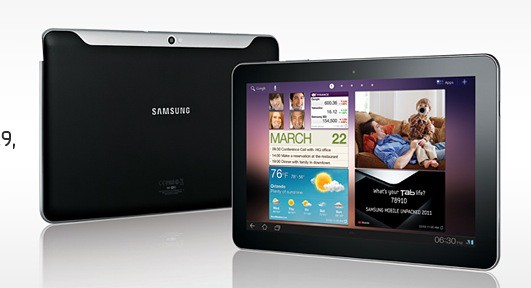
Samsung, the South Korean “frenemy” of tech giant Apple, Tuesday released its two Galaxy Tab devices, both aimed squarely at Apple’s iPad. Taking a page from RIM, which earlier in the day unveiled its own PlayBook tablet, Samsung set its Galaxy Tab 10.1 at prices mirroring the iPad 2: $499 and $599 for 16GB and 32GB Wi-Fi versions, respectively.
However, both Tabs have a 1280×800 pixel display, versus the iPad 2’s 1024×768 9.7-inch screen. The Samsung devices shave a hair from its thickness. Still the difference (Samsung’s 8.6 millimeter versus the iPad’s 8.8 mm) is only noticeable with someone carrying a finely-tuned scale.
We start the day with a deal from the Apple Store on 13 Core i5 and Core i7 MacBook Pro units, beginning at $1,439 for a 2.53GHz i5 model. Also on tap is a deal on the iLife ’11 home productivity software suite for just $30. The spotlight wraps up with a 20 percent discount on cases for the iPad and Amazon Kindle.
Along the way, we check out a number of other bargains, including software and hardware. As always, details on these and many other items can be found at CoM’s “Daily Deals” page right after the jump.
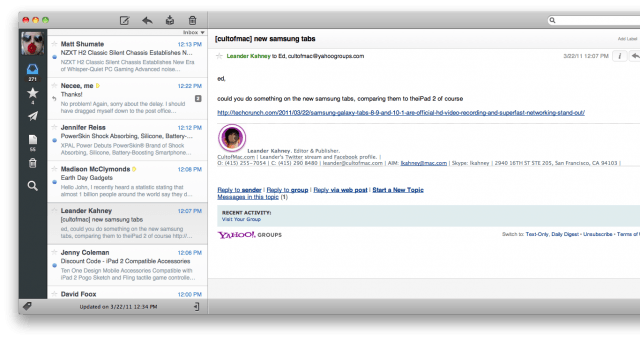
Woot! Sparrow for Mac — the Tweetie-like email client that has become my go-to Mac email app — just got its long promised 1.1 update, and it’s a beefy one: it brings universal IMAP support to the mix.
What does that mean? Sparrow is no longer a Gmail only client: it should work with almost any webmail service now. If you haven’t given Sparrow a try simply for lack of support of your choice of webmail, you now no longer have an excuse.
That’s not to say Sparrow isn’t still mostly a Gmail-centric app, though. In fact, Sparrow 1.1 improves upon its predecessor’s support for Gmail functionality and now allows you to switch between your regular inbox, priority inbox and unread items.
Along with stability improvements and bug fixes, Sparrow also features a redesigned preferences panel that allows multiple signature support. Other changes include a format bar in the compose window, a new minimalist mode that hides message previews, improved scrolling performance and multitouch gesture support.
If you haven’t already bought Sparrow, it costs $9.99 in the Mac App Store. There is also a Lite version which can only be used with a single account at a time, but it has yet to be updated to 1.1.
Valve Software’s incredible Steam platform came to OS X last year after years of Windows exclusivity, and as far as I’m concerned ushered in a refreshing new era in OS X gaming, in which Mac gamers were afforded all the same perks on our platform as Windows gamers have long taken for granted on theirs.
It looks like Valve’s love for Apple might not stop at OS X, though. Valve is now apparently looking into expanding Steam into iOS.
For Mac fans the patch of land in North Carolina owned by Apple is akin to Area 51: everyone knows it exists, but few know its true purpose. Speculation has centered on some cloud-based service requiring beefy data pipes. While a recent report seemed to suggest the Cupertino, Calif. company doesn’t plan to kill the golden goose with free streaming music, one analyst Tuesday offered a number of possibilities.
According to Bernstein’s Toni Sacconaghi, potential uses for the data center range from expanding Apple’s streaming and advertising business to a voice “interface” based on the tech giant’s recent Siri acquisition.
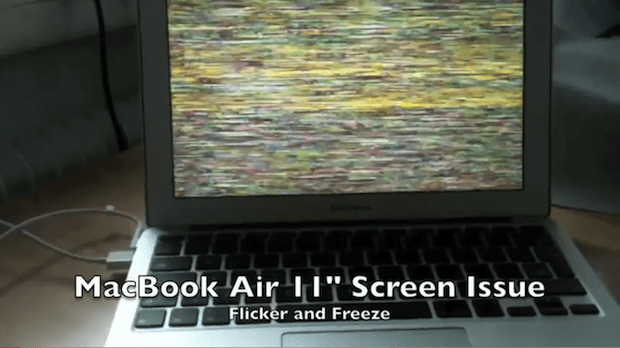
These updates and suggested fixes worked for some, but unfortunately they didn’t work for everyone. People are still complaining on Apple Discussion Forums about problems they are encountering when connecting their MacBook Airs to external displays.
People were hoping that the next Mac OS X release would solve these problems. That update, Mac OS X 10.6.7, was released yesterday.
It didn’t solve the problem for some people, but we’ve gotten some clues on how to resolve the problem for others.
Think the big deal with the iPad 2’s rear-facing camera is all about snapshots and videos? Think again.
The augmented reality gurus over at Metaio sound pretty darn excited about the new iPad 2 for two key reasons. The first is obvious: it has a much larger screen, which makes the iPad much more useful for, say, mixed-reality games than the iPhone ever was. The second ingredient is the iPad 2’s new, explosively fast dual-core A5 processor.
The hubbub over the app from Christian group Exodus International keeps growing. The petition against the app for “homosexual strugglers” has reached nearly 130,000 signatures.
Apple has still not responded and, at this writing, the free app is still in the iTunes store. The battle is also being waged in the reviews for the app – currently there are 371 five-star reviews and 836 one-star reviews.
Exodus International spoke to the Christian Post about how they hope Apple the reviews won’t shake the initial 4+ rating for their content – meaning it contains no objectionable material — and how the app has been misunderstood.
UPDATE: Thanks to everyone who participated! I had a great time reading all your comments. Congrats to Mitchell Chin (youtube user: Sportwin) and Mark Fleser (youtube user: markfleser) on winning a small stack of assorted Gear Ties from Nite Ize. If you’re one of those two people, check your youtube account, I just messaged you!
If you missed my gushing review of these brilliant Gear Ties from Nite Ize, check it out here to see what all the fuss is about.
I love these little rubber-bonded-over-pliable-steel pieces. I use them so often and they work so well, they’ve become one of my favorite new products.
Well, I got to thinking that you, our dear CoM readers and viewers, might love them too. So I asked Nite Ize if they’d be willing to give some away to you, and they responded with a resounding “yes!” So, if you’d like to qualify to win some of these little wonders, you only need to do two simple things:
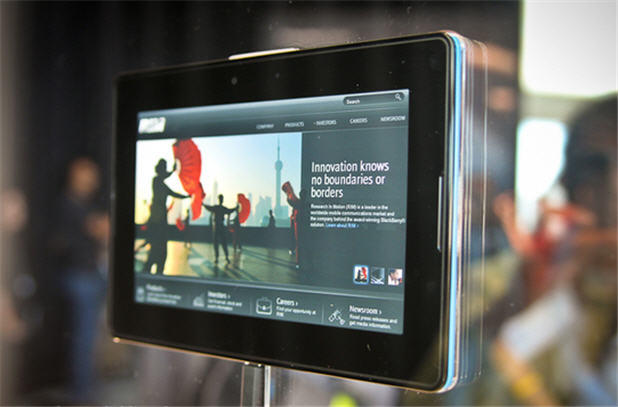
After a long wait, Research in Motion announced Tuesday morning pricing for its PlayBook tablet identical to Apple’s iPad 2. The 16GB Wi-Fi version is $499 32 GB costing $599 and a 64GB model priced at $699. RIM’s tablet hits U.S. and Canadian Best Buy stores April 19.
“Previews of the BlackBerry PlayBook have generated tremendous excitement and we know that customers are eager to get their hands on one,” Craig McLennan, Regional Managing Director, North America, Research In Motion, said in an announcement.
Given how difficult it is to get an iPad 2 in America right now, you didn’t have to be a die-hard cynic to think that Apple was going to have to repeat 2010’s one month international delay in launching the iPad internationally.
Not so! Apple wants everyone to know that the iPad 2 will still launch in 25 more countries this Friday.
Apple also announced that all models of iPad 2 will be available in Hong Kong, Korea, Singapore and additional countries in April.
As with the American launch, customers will be able to purchase their iPad 2 directly at an Apple retail store starting at 5pm local time. If you want to order one online, you can do so through Apple.com at 1am that same day (the press release doesn’t say, but presumably this is Pacific Time).
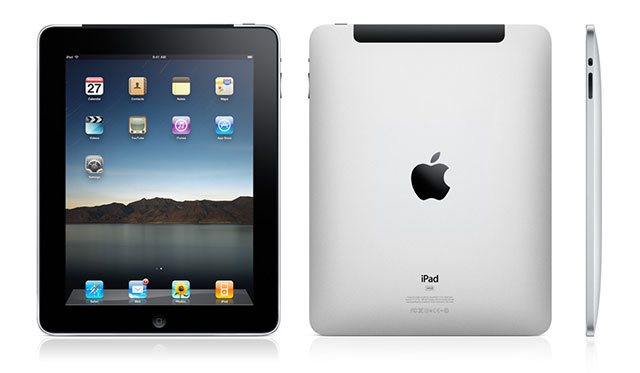
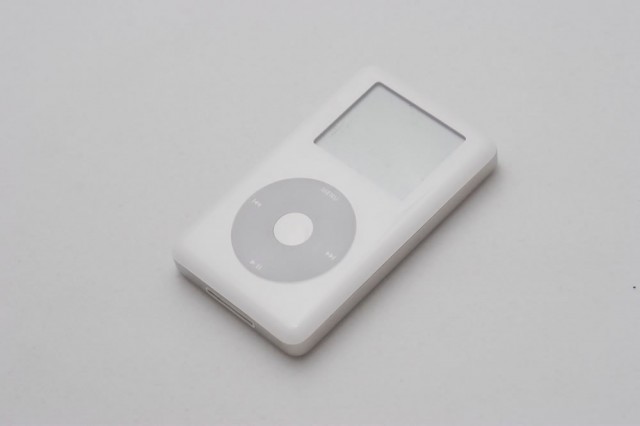
If you’re an international customer planning on ordering an iPad 2 online, keep in mind that even the U.S. customers who ordered their iPad 2s within minutes of the order page going live had to wait 3-5 business days for their iPad 2 to ship (mine only came yesterday). Also, U.S. customers who didn’t order their iPad 2s quickly now face a 4-5 week wait. Set your alarms and get ready to be patient. To explore more about thehistory on Mac and how previous Apple devices evolved, check out this detailed timeline.
How is Apple capable of launching in 25 countries when they can’t even supply the United States? My guess is that they’ve either been stockpiling iPad 2s for the international launch, or that current US delivery estimate times are massively informed by projected international demand.
Either way, if you’re someone who has been trying to get an iPad 2 at your local Apple Store, only to have a shady gray market iPad 2 smuggler purchase it out from under you every time, take heart! As the gray market overseas is a huge part of what is contributing to current shortages, iPad 2 availability through retail channels should actually improve when the tablet is available in more countries.
With the iPad 2 set to launch internationally on Friday, it’s time to set our eyes upon the next big thing… the iPhone 5’s debut in June or July. Apple certainly is: China Times is reporting that the iPhone 5 has entered trial production and is scheduled for wide scale release in Q3 of this year, which aligns with the iPhone’s traditional late June / early July release date.
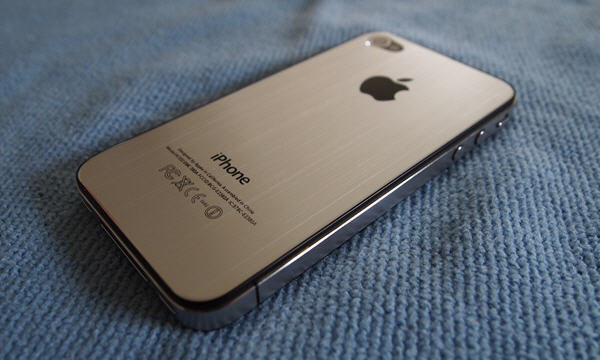
As for what the iPhone 5 will look like, the latest report supports rumors suggesting that the iPhone 5 will mostly be similar to an iPhone 4s, with the major differences being a slightly larger 4-inch touchscreen in the same form factor (accomplished by having less room between the side bezels of the device), as well as a metal chassis to make the device lighter and improve antenna sensitivity.
Despite being on medical leave, Steve Jobs has been ordered by a US Magistrate to answer questions in court about the iTunes music store and Apple’s supposedly monopolistic behavior, Bloomberg reports.
The order was imposed by US Magistrate Judge Howard R. Lloyd, who is ruling over a class-action lawsuit aimed at Apple and iTunes. Steve Jobs will have to submit to “limited” questioning of under two hours, with questioning to be focused only on the changes that Apple made to their iPod software back in 2004.
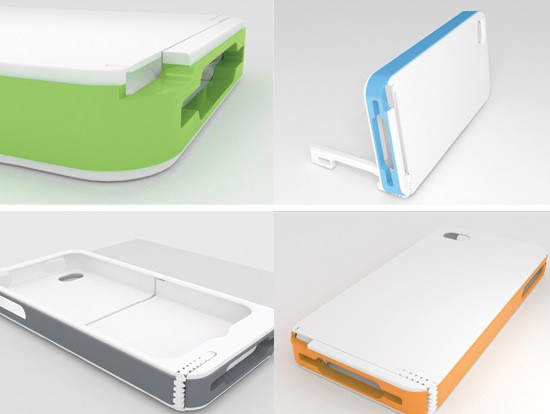
Joey Chun had an idea, and the idea was this: a cute iPhone stand with a sturdy fold-out arm, so you can use it as a viewing stand, or to keep your device still while recording video and taking photos.
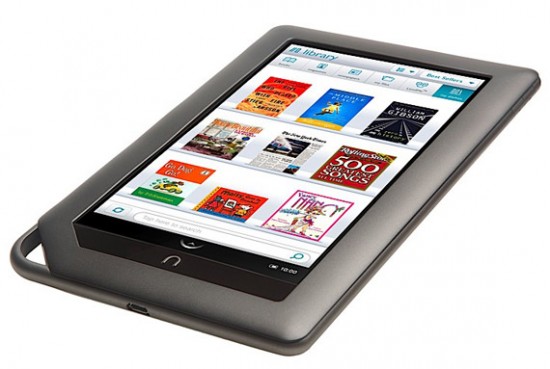
While the big news of the day is Apple suing Amazon for violation of their (in my totally non-legal opinion) overly broad claims to owner ship of the term “App Store,” there’s another heady tech lawsuit hitting the feeds this evening: Microsoft has just filed a patent lawsuit against Barnes & Noble, accusing the company of infringement through their Android-based Nook e-reader.
What’s this all about? If you recall, early last year, Microsoft licensed some of their key smartphone patents to HTC, who was sued by Apple a month or so previously for allegedly violating their patents with HTC’s line of Android phones. That helped protect HTC, and Microsoft came to similar agreements with other Android device makers.
You know who didn’t pay up when Microsoft approached them, though? Barnes & Noble, whose latest Nook e-reader is essentially a budget, touchscreen Android tablet. So they’re suing.
Disney is an entertainment giant. But with assets valued at a total of just (!) $81 billion, Apple could probably snap it up with the money Tim Cook uses to wedge his office door open with. There are people who will swear up and down that an Apple/Disney buyout makes perfect sense — particularly given Steve Jobs’ history as a major Disney shareholder.
Recently Francis McInerney, a consultant at North River Ventures, called the deal “frighteningly obvious” and said that “the logic is so great this could happen tomorrow.” Rumors of an Apple/Disney merger go back at least as far as 1999 when it was reported that Disney planned to acquire both Apple and Pixar in a $12 billion stock swap, with Steve Jobs being ordained CEO of the mega-company. Since then, this rumor has come back with surprising regularity — although it’s unknown exactly why Apple would be interested in running theme parks and making animated movies.
The AFL-CIO is opposing Steve Jobs’ reelection to Disney’s board of directors.
The AFL-CIO, which holds about 3.8 million Disney shares, says Jobs’ poor health, plus his job as CEO of Apple, make him a bad choice for Disney’s board. Jobs is likely to be reelected at Disney’s annual meeting on Wednesday.
Jobs is the largest individual sharholder with 7% of Disney’s stock, awarded after the 2006 purchase of Pixar.
The union isn’t the only group opposing Jobs. It is joined by an institutional investment group that is also questioning Jobs’s reelection to the Disney board because of his health.
Institutional Shareholder Services notes that Jobs has attended less than 75% of board meetings in the last three years, and wonders if Jobs should be reelected.
“Jobs’ poor attendance in three of the past four years, and recent leave of absence from his primary employer, raises questions about his ability to fulfill his responsibilities as a director of the company,” ISS wrote in a note to shareholders.
ISS stopped short of rejecting Jobs but said shareholders deserve greater disclosure about his ability to function as a director.
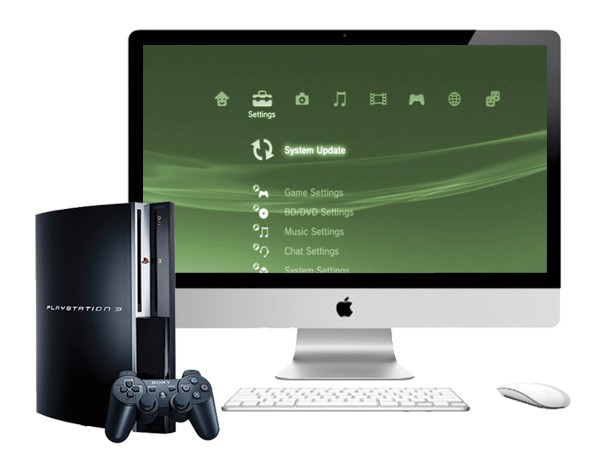
If you have a 27-inch iMac or 27-inch Apple LCD Cinema Display and you don’t already know about the Kanex XD, then you should. This miniature aluminum box enables you to take any device with a HDMI connection – such as your PlayStation 3, Xbox 360, or Blu-ray player – and hook it up to your iMac or Cinema Display via the Mini DisplayPort connector.
It’s perfect for casual gaming at your desk or catching a Blu-ray in your lunch hour, and it’s a great way to make the most out of your expensive Apple display.
Following the incredibly successful launch of the iPad 2 in the U.S., it seems that once again Apple is struggling to meet the demand for its highly sought-after tablet, and this could mean dreaded delays for international launch dates. If the iPad 2 doesn’t arrive on time in your country and you’re keen to get your mitts on the latest device soon, here are four ways of getting one imported from the U.S.