Admit it. You took one look at the tiny Satechi Bluetooth speaker up there in the photo and thought “This is going to be a piece of junk.” It probably won’t help your hastily formed opinion if I tell you that it costs just $30.
Don’t worry. I thought the same. I only had the PR people send me one so I could tease, and write a mean but hilarious review about this obviously crappy little speaker. It turns out that I was dead wrong.
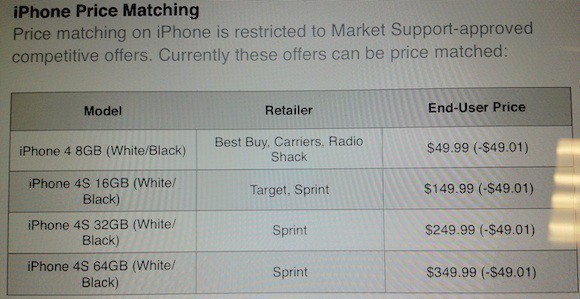
The new iPhone will be released in September and already we’ve seen a couple carriers and retailers drop the price on the iPhone 4S, iPhone 4, and iPhone 3GS below the standard contract price.
Apple’s website is still selling at the standard prices, but according to some informers, Apple Store employees have now been authorized to price match discounts from other retail locations.
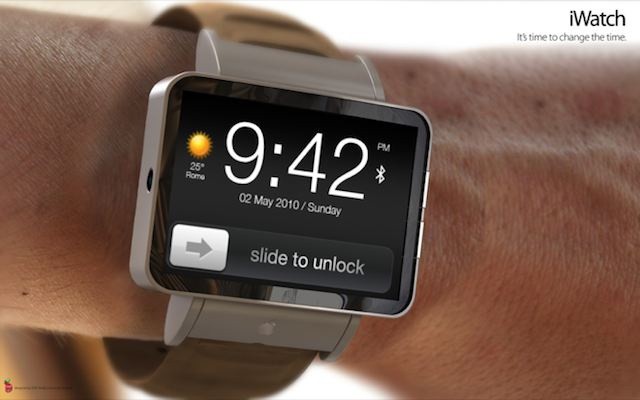
You’re probably aware that tons of people wear their iPod Nano as a watch, even thought it’s really a great. But what if it were better? Would you actually want it?
The Pebble ePaper Watch was the most successful Kickstarter project of all time because it lets you get notifications from your phone on your cute little wristwatch. Do you think Apple might jump all over that idea and release a similar product of their own via the iPod Nano? Plus, iOS 6 Beta 4 has a new Bluetooth Sharing feature that might let you pair your iPhone 5 with a new iPod Nano (iWatch).
Is there a point in getting phone notifications and texts on your watch when you can just pull your slender iPhone out your pocket to do all that plus check the time and play Temple Run while walking down the street? I dunno, but I’m interested to hear what you guys think. Do you really really want Apple to release an iWatch style product?
The Federal Trade Commission released information this morning that because of their misrepresentation to users of Apple’s Safari Internet browser, Google has agreed to pay a record $22.5 million civil penalty to settle charges from the FTC.
The $22.5 million fine is the largest in FTC history. Earlier this year an investigation found that Google had placed advertising cookies on the computers of Safari users who visited sites on Google’s DoubleClick ad network. Users were told by Google that they would automatically be opted out of the tracking, but Google kept tracking them anyway.
Allan Odgaard’s TextMate has been a beloved text editor since 2004 and one of Cult of Mac’s favorite apps for about just as long, but since 2009, development on the app has slowed to a crawl: three years ago, Odgaard said TextMate 2 was about 90% complete, but a public alpha didn’t hit the web until December 2011, and as of writing, a final version still hasn’t been released.
However, in a surprise (and very awesome move), its source code has: TextMate 2 is going open source.
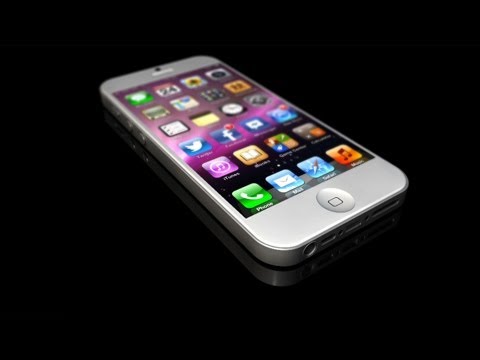
If you’ve been keeping up with the various part leaks and image renders that have been coming out over the past few weeks, you’ll already be familiar with the broad design strokes of the next-gen iPhone being shown off in this video by TechRadar, but if you’re curious what Apple’s next iPhone looks like in full 3D, this video shows off every nook and cranny.
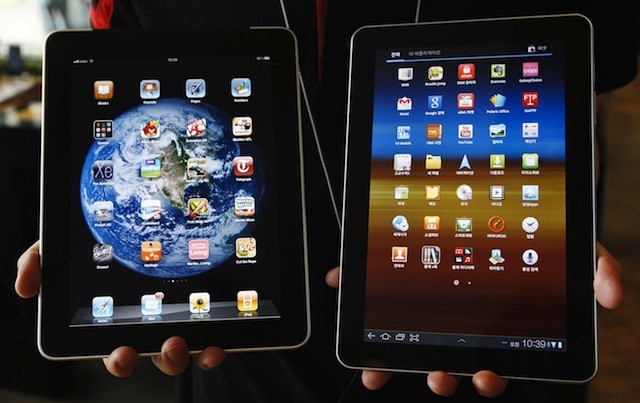
Could you tell the difference if the displays were turned off?
It seems that making your latest product look exactly like the market leader isn’t always the fastest route to success. As Samsung found when it aired its first commercial for the Galaxy Tab 10.1, the device is so similar to the iPad that half of TV viewers thought it was an Apple product. Only 16% realized it was made by Samsung.
Remember the 1982 Activision classic Pitfall! from the Atari 2600? It’s probably been a while since you played it, but that’s about to change. The jungle-crawler has been revamped and relaunched on iOS — 30 years after its first debut — promising thrilling new environments and twists on the classic gameplay that will “appeal to fans of all generations.”
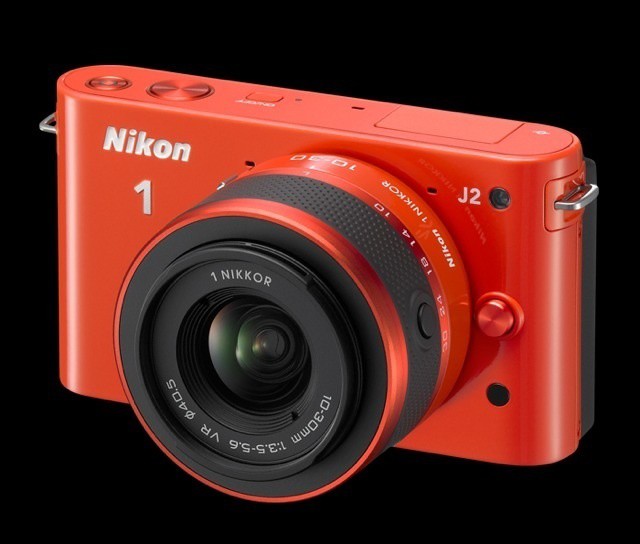
Nikon has added a new model to its toy camera Nikon 1 line. The J2 is a tweaked version of the J1, and in addition to some improvements it drops its price by $100, to $550. And if you’re thinking that this still seems steep for a camera with a tiny compact sensor – even if you can change its lenses – then you’re right.
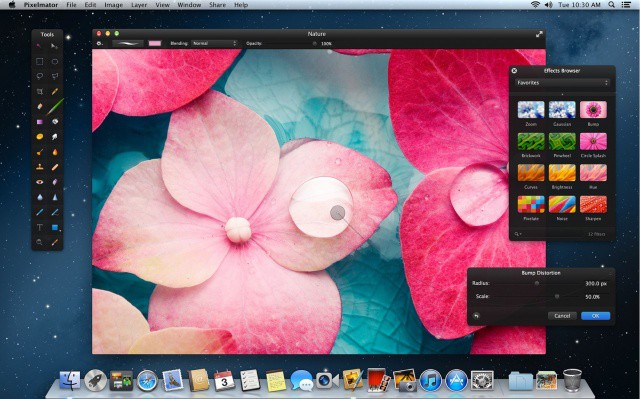
Pixelmator now looks even more incredible on a Retina MacBook Pro.
Pixelmator, a wonderful image editing app for Mac OS X, just received a major update that introduces some great new features. As well as Retina graphics for the new MacBook Pro, version 2.1 brings iCloud syncing, a new Effects Browser with new effects, OS X Mountain Lion support and more.
I really liked the RSS Visualizer screensaver from OS X Lion and earlier, but for some reason, Apple’s taken it out of the install of OS X Mountain Lion. Luckily for all of us who enjoy watching an RSS feed swirl around the screen in a fun 3D style, there’s hope. The screensaver file works just fine in Mountain Lion – you just need to grab it from an earlier OS X install, like OS X Lion, and move it to your current machine. Here’s how.
This is from the always-questionable Digitimes, so take it for what it’s worth, but Intel may be planning on rolling out the ability to wirelessly charge smartphones to its 2013 Ultrabook standard. If so, that means that we might all be wirelessly charging our iPhones and iPads from our MacBook Airs as soon as the end of next year.
Apple could be making a mistake if it releases a smaller “iPad mini” alongside the new iPhone this fall, because according to a recent survey conducted by a leading coupon code site, nearly 80% of Americans will shun the tiny tablet in favor of the smartphone.
Another morning, another big leak in next-generation iPhone components.
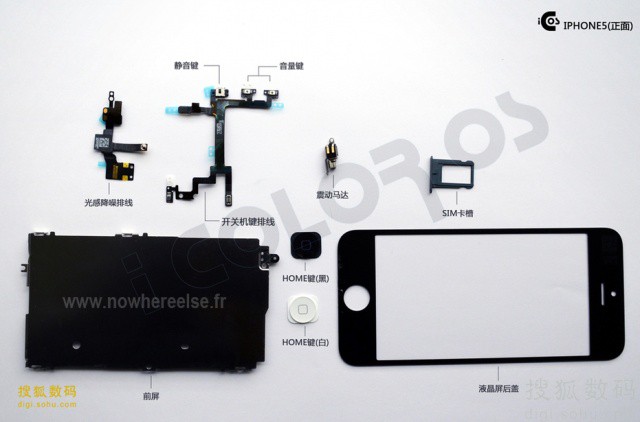
This morning, that leak comes to us from iColorOS, which shows pretty much the entire front assembly of the iPhone 5, including the glass display, internal sensors, home button, and volume control… as well as a new protective shielding that separates the back of the iPhone’s display from the rest of the internal components.
In addition, the iColorOS photos — which are very well done — clearly show a number of other iPhone 5 parts we’ve seen popping up over the last couple weeks, such as the new nano-SIM tray.
There’s no doubt about it: this is what the next iPhone is going to look like, friends.
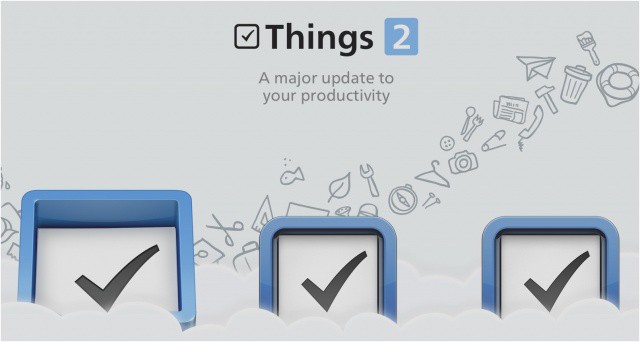
I’ve always had a lot of love for Things for iOS, ever since I began using it on my iPhone 3G. But lately I’ve felt the iOS version has been lacking a few key features, and struggling to compete with rival solutions. Today, however, Things has received a massive update packed full of new features, including a fresh new look, and Things Cloud syncing. But does it do enough?
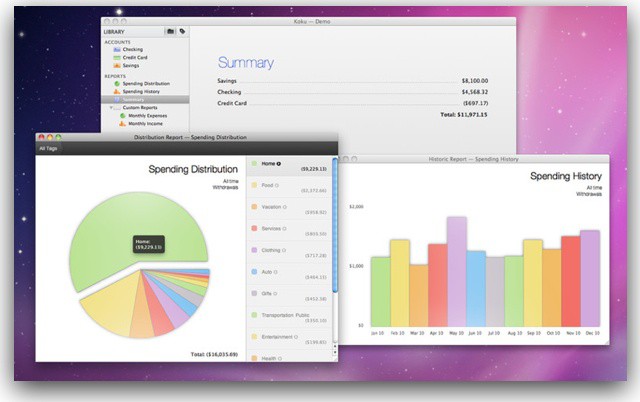
No big pitch here, let’s just talk money. I’m lucky that I married someone with a head for managing money. Me, yeah, not so much. For me the barrier has always been finding the right tool to help me manage, track, and understand where I spend money (How much at the LEGO store?!?). Looking at today’s deal—Koku—I think I might have an app to check out. Easy, intuitive financial management. Nice.
Also don’t forget about the other deals on right now:
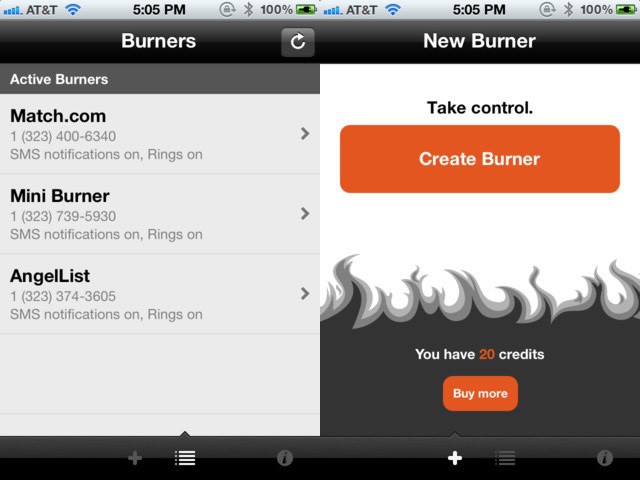
So, there’s a new app out there for the iPhone that will let you create a temproary number that routes to your real phone number, and can be set to stop working, or “burn,” after a set amount of time. Basically, the free Burner app comes with enough credits to create a temporary phone number called a mini-burner that expires after 20 minutes of talk time and/or 60 text messages, or after 7 days. Or you can burn it sooner.
Inbound and outbound calls use up your actual phone plan minutes and/or texts, but the actual identity of the caller and callee are kept private. You can then buy more credits, in various tiers starting at 3 for $1.99. These can be used to buy burner numbers of different lengths, or to extend burners you’re currently using.
Yeah, we all want to think we’re James Bond, but the reality is probably more mundane. Or, you know, way to hook up anonymously (possible NSFW link). As the iTunes description says, “** What will you use Burner for? **”
Public information, but should it be this easy to find?
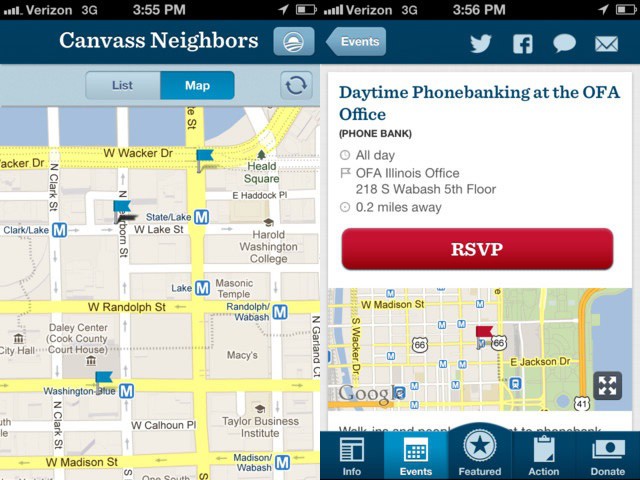
A new iPhone app campaign tool released by the Obama for President Campaign last week is raising privacy concerns among activists who worry about the potential for misuse. The iOS app, to be released for Android tomorrow, allows users to see already public information about registered voters, including their first name, last initial, age, gender, and street address.
The app is freely available to the public, even though it was created for use by campaign workers to help locate, register and ask local Democratic voters for money. It also allows users to find nearby political events, and send out announcements to Twitter and Facebook.
The NPD Group announced a report today that confirms what many other analysts and data firms have been saying for a while now: Apple and Samsung are the top smartphone brands in terms of growth. Samsung and Apple’s combined unit sales rose 43 percent in the last year, from the second quarter of 2011 to the just finished second quarter of 2012. Other smartphone makers’s unit sales fell 16 percent.
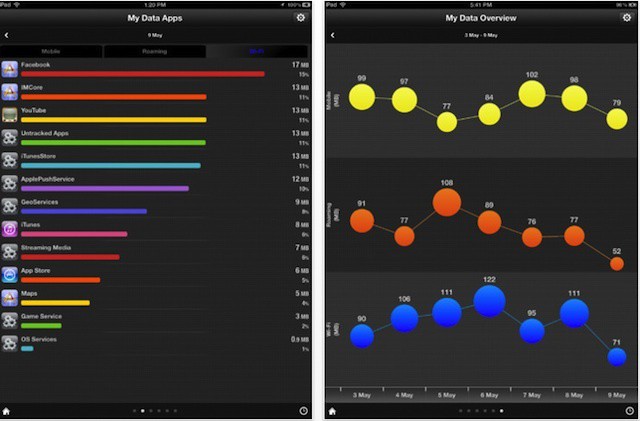
There are lots of apps out there that let you manage your data usage, but My Data Manager amazes. It works on both the iPhone and iPad, and has a feature set that’d make it a great deal even at $5 — let alone at the $0 it actually costs.
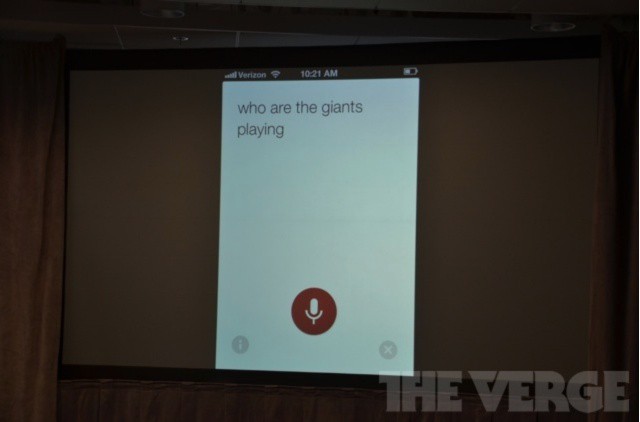
Siri will be able to give sports info in iOS 6 this fall.
Apple and Google haven’t exactly been been on the best of terms in recent years. The stock YouTube iOS app disappearing is a more recent example of the bad blood between the two companies. Google tried its best to sherlock Apple’s 3D technology in the iOS 6 Maps app, and many moves Apple and Google make can be seen as direct outcomes of the bad blood Steve Jobs spoke of when he vowed to wage thermonuclear war on Android.
Apple and Google may hate each other, but that doesn’t mean they still don’t compete in the same markets. Today Google lifted the curtain on a major update that’s coming to its iOS Search app. The new version of the app will feature smart, contextual voice recognition that clearly mimics Apple’s own digital assistant, Siri.
Since the beginning of the 2012 London Olympics last month, Apple has been giving away a rotating set of 4 Great Britain-themed lapel pins each day. This isn’t a new thing for Apple, as the company gave out similar Canadian-themed pins during the 2010 Winter Olympics in Vancouver.
For the Olympics this year, the pins are tiny black and white iPhones and iPads. Cult of Mac reader Andrew Wingert sent in some shots of Apple’s full pin set.
You need to read more. It’s just a fact. Everyone could stand to read a few more books a year and watch a few less GIFs on the internet. Isn’t that why you bought your iPad? Because you said you’d read more if you had an “eReader”? No? Well you should anyway.
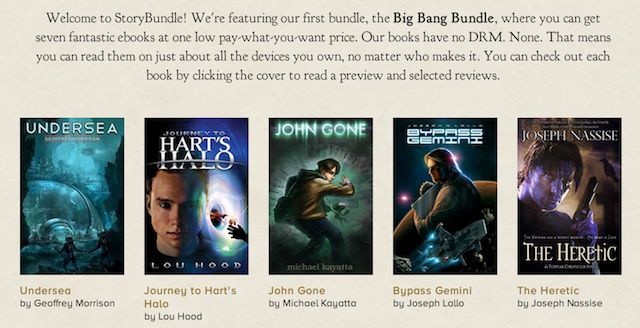
To inject your life with more literature you’ll need to buy a lot of books. They’re not cheap, and they kind of suck to buy because, depending on which digital store you buy them from, they’re laden with DRM. Don’t let that get you down though because there’s some really great news today on the eBook front. Storybundle.com just launched their cool new website, and it’s pretty much the neatest thing to happen to eBooks this year.
Just a blurb: according to Macrumors, Apple is starting to get ready to seed builds of OS X 10.8.1 to developers. That means it won’t be long until we have it in our hands.
Fingers crossed that 10.8.1 addresses Mountain Lion’s bizarre way of handling “Save As…” functionality as well as the massive battery life hits many users are seeing on their Mac laptops. What bugs do you hope Apple squashes in 10.8.1?
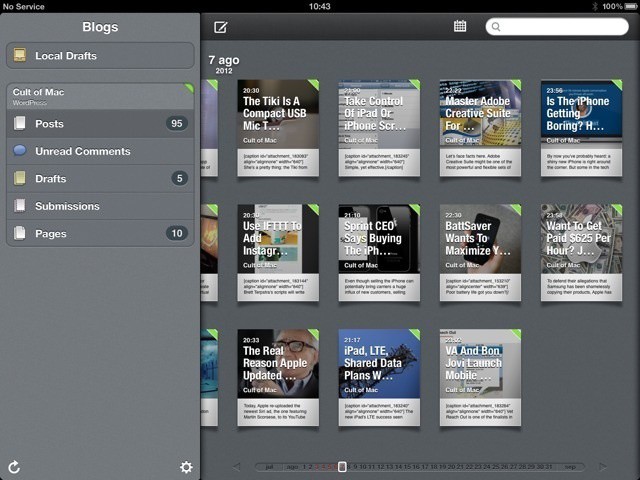
Yesterday, if I had suffered a grievous accident involving some kind of heavy farm machinery, and my fingers were mangled to leave only a single, stubby nubbin where previously I had sported ten beautifully slender digits, I’d still have been able to count the entirety of half-decent iPad blogging apps on one hand.
Today, though, I’d have to start counting on my toes, as Black Pixel software, the company behind Apple award-winning app Versions, had launched Posts, and you might like to call it the Reeder of blog publishing.