Mobile menu toggle

New Guide To Mountain Lion Server Confirms Apple Is Cutting Enterprise Tools And Features

By

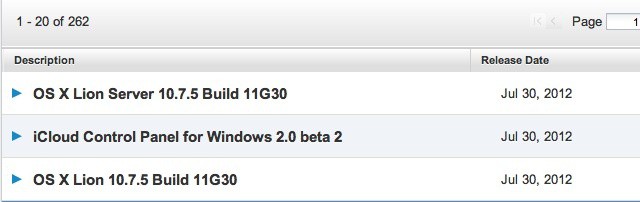
Mountain Lion Server guide confirms that Apple has cut many advanced tools and features from previous releases.
Advanced Admin Guide for Mountain Lion Server confirms Server Admin & Workgroup Manager aren't included.

Mountain Lion Server is the final chapter in Apple’s march from the enterprise data center – a march that started five years ago when Apple introduced a simplified management interface for small business as part of Leopard Server. The first sure sign that Apple had decided to tailor its server platform only for smaller organizations came with the cancellation of the Xserve.

To experienced OS X Server administrators, Lion Server looked like a patched together product that still had much of its former enterprise capabilities but with advanced administration tools that had been gutted like a fish. All of which pointed to Apple moving forward with its narrower focus and a simplified management app call simply Server.

Apple Was The Only Top PC Vendor To See An Increase In PC Shipments Last Quarter [Report]

By

Screen Shot 2012-07-11 at 5.05.42 PM

Research firm Gartner just released its numbers for PC shipments during the second quarter of 2012, and Apple was the only company in the top 5 vendors to see an actual increase in PC shipments. Every other PC manufacturer suffered a significant decline, totaling a 5.7% drop in overall U.S. PC shipments.

On the opposite side of the spectrum, tablet and iPad sales are increasing exponentially. A recent report even estimated that tablet shipments will surpass the PC in the next 4-5 years.

Tim Cook Makes Surprise Appearance At Media Conference Looking To Make Deals

By

Cook

According to the New York Times, Tim Cook has been the talk of the town in Idaho, making an appearance at the Allen & Co. Media Conference held annually in Sun Valley. Some have even called him “Mr Popular,” since Apple so rarely attends events such as these.

Cook has also lined up meetings with many executives, and is looking to make deals, apparently.

Microsoft: Screw Apple’s Post-PC Era, It’s Time For The PC+ [Agony Of Ballmer]

By

The man, the myth, the sweaty legend: Steve Ballmer

Microsoft has had a lot to say about Apple over the past couple days. The Redmond-based company is holding its annual Worldwide Partner Conference this week, and some recent comments from Microsoft COO Kevin Turner and CEO Steve Ballmer address the company’s stance on Apple as a competitor.

Apple CEO Tim Cook and the late Steve Jobs have spoken out multiple times on how the iPad and iPhone have pioneered the “post-PC era.” Instead of needing a traditional desktop computer, consumers are turning to tablets and smartphones for their everyday habits. Today, Microsoft’s Turner called Apple out on its post-PC label, saying “We actually believe Windows 8 is the new era for the PC plus.” Yesterday, Steve Ballmer said, “we are not going to leave any space uncovered to Apple.”

World Of Goo Creators Tease Utterly Bizarre New Mac Game, Little Inferno

By

post-178529-image-aad1dab4e8b8f7564a909c7783104549-jpg

If you’ve ever gamed on your Mac or iPad, you’re probably a big fan of the Tomorrow Corporation and their indescribably weird physics puzzler, World of Goo. They’re now teasing a new game, called Little Inferno, and while there’s no gameplay to go by, it looks even weirder, taking place in a world suffering from a mysterious ice age in which children must burn their old toys and mementos and breathe in the fumes in order to stay warm and fight off encroaching death.

Yup. Absolutely bonkers. There’s no release date yet, but you can pre-order the alpha for $14.99, which will get you access to the game early on the PC or Mac. The iOS version will probably come out a few months after release if World of Goo is anything to go by.

Source: Little Inferno

Bitzer Mobile Makes Secures Data On Business iOS Devices Easier To Access

By

Bitzer streamlines the process of accessing secure business data/resources on iOS devices.

One of the things that can frustrate mobile users when using an iPhone or iPad for work is needing to repeatedly enter passcodes other user account credentials like a user name and password. Often because of a mobile device’s size and virtual keyboard, this process can seem more onerous than it does while using a Mac or PC in the office.

A growing number of apps and mobile management tools are becoming available that make it relatively easy to safely store business data in an encrypted and secure container on an iPhone or iPad. Realizing that security requires verifying a user’s identity when accessing specific apps or content after the device has been unlocked. Advantages to this include significant increases in mobile data security and the ability to wipe just the business data off of a device if it is lost or stolen.

The downside is the need for mobile users to repeatedly enter credentials – a downside that one mobile developer is helping iOS users sidestep

Increasing iPad Demand Could Cut Into Mac Sales [Report]

By

iPad Mac

In yet another another analyst forecast, Mac sales are expected to decline as demand for the iPad continues to increase. According to a report by BMO analyst Keith Bachman, the last two quarters of 2012 will be “challenging” for Apple, due to increased iPad demand and the expectation of a new iPhone.

Bachman has lowered his Mac sales forecast by 1.6 million units, while raising iPad sales expectations by 3.8 million. In fact, for the next six quarters, Bachman predicts a reduction in Mac sales by 40% of the increased iPad sales.

Why iOS Users Have High Business App Expectations And How To Meet Them

By

In the office or on the road, iOS business users have high expectations for IT and internal business apps.

One of the unique traits around iOS devices used in business and enterprise environments is that users have much higher expectations for mobile tools and processes than they do for traditional PC applications, processes, and user experiences. That’s true whether the device is employee-owned or provided by an employer.

It’s easy to see why most iPhone and iPad users have these higher standards. With iOS, Apple has created a platform that is app-driven and offers an incredible selection of apps to users. Apple, and many iOS developers, have done an amazing job of getting rid of anything that stands between the iOS user and the experience of content that they are watching, reading, or creating. That delivers an immersive experience that is unlike the vast majority business or productivity tools loaded on workplace PCs.

The PixelSkin HD Wrap: An iPad Case That Ticks All The Right Boxes [Review]

By

Pretty.
Pretty.

The PixelSkin HD Wrap ($50) is an iPad (third-generation) case from Speck that promises to be “the perfect iPad folio case for anyone looking for lightweight protection, secure grip and pixelicious style.” It’s made from a flexible TPU that’s impressively robust, and provides full-body protection to your iPad with a number of nifty features.

Open Sites In Chrome From Safari Without Jailbreaking Your iPhone [iOS Tips]

By

Open In Chrome

I don’t know about you, but I’m a huge fan of the mobile version of Chrome on my iPhone and iPad. I use Chrome for Mac almost exclusively, and having all my bookmarks and browsing history available to me on the go is really the killer feature.

Alex has already shown you how to set Chrome as the default browser if you have a jailbroken iOS device, but what about those of you (like me) who don’t want the hassle of a jailbreak? How can we quickly hop over to Chrome on our iPhone? Turns out, it’s pretty easy.

Best Musician’s Gadgets [Best Of]

By

cult_logo_featured_image_missing_default1920x1080

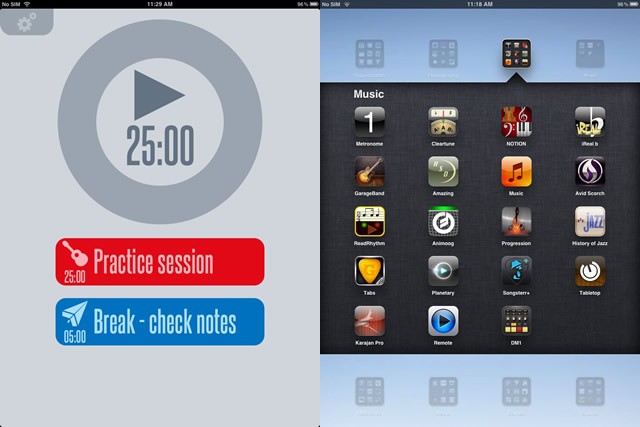
Macs and musicians have always been synonymous (not to meantion aliterative), and some of the first creators to make a nonsense of the canard that the iPad is “only for consumption” were musicians. And where music nerds go, specialist hardware always follows. Here’s a list of the best Mac and iOS music accessories out there.

Tweetbot For Mac Alpha Brings The Tapbots Charm With Plenty Of Potential [First Look]

By

Screen Shot 2012-07-11 at 1.44.31 PM

The guys at Tapbots released the highly anticipated Tweetbot for Mac today with a catch. The app is available for free, but it’s in alpha form. This means that the developers are still working furiously to iron out the kinks and create the complete, public version. But for now, those who feel so inclined can download Tweetbot for Mac 0.6 and give it a go.

I’ve been playing around with the app, and for an alpha release, Tweetbot for Mac is very good. The app has already become my default Twitter client on the Mac for a few reasons.

The Cost Of Supporting iDevices In Enterprise Goes Up Every Year

By

The cost of supporting BYOD programs and employee-owned devices is rising.

Bring your own device (BYOD) programs that let employees use their personal iPhones, iPads, and other devices for work purposes are becoming increasingly common. No one doubts that there are advantages to these programs in terms of employee productivity and satisfaction. That said, whether they actually save businesses money or incur outrageous new costs has been a matter of debate in the business and IT circles.

Based on a survey conducted by Osterman Research, such programs do have significant costs associated with them. On average, the study indicates that they will raise IT expenses by 48% between 2011 and 2013. Those costs, while real, may not always be easily seen or quantified in many companies.

Tweetbot For Mac Released As Free Alpha!

By

Screen Shot 2012-07-11 at 11.31.13 AM

The day has finally come. Tapbots has released its highly anticipated Tweetbot for Mac application. After releasing an acclaimed iPhone app in April of 2011 and a native iPad app back in February, Tweetbot for Mac is now available to complete the family… albeit in alpha form.

The new Twitter client comes with stunning graphics for the new MacBook Pro with Retina Display, and the app’s design borrows heavily from the iOS interface. Tapbots designer Mark Jardine leaked a screenshot of the Mac app a few weeks ago. We’re all excited that it’s finally here!

The Real Reason Why Macs Before 2011 Can’t Use AirPlay Mirroring In Mountain Lion [Feature]

By

airplay-mirroring-mac
If your Mac wasn't made in the last year and a half, you won't be able to do this.

With OS X Mountain Lion, AirPlay Mirroring is finally coming to the Mac, allowing some Macs to stream audio and video directly to their Apple TV.

‘Some’ is the operative word here. Much to the disappointment of the vast majority of Mac owners who will be installing Mountain Lion on their machines in a couple weeks time, AirPlay Mirroring will only work if you have an iMac, MacBook Air or Mac Mini from mid-2011, or a MacBook Pro from early 2011.

There’s been a lot of conspiracy theories floated about this requirement. Some have argued that it’s forced obsolescence on Apple’s part, trying to force older Mac owners to upgrade their machines. Others have suggested that the reason Apple requires a Mac from 2011 or later is because of special DRM technology in Intel’s chips that didn’t debut until last year.

The truth of the matter, however, is far less sensational. The reason you need a 2011 Mac to make use of AirPlay Mirroring in OS X Mountain Lion is because the graphics in older Macs just don’t cut the mustard.

Smarter Stand Makes Your Smart Cover Even More Useful

By

wpid-Photo-11072012-1301.jpg
The Smarter Stand locks the Smart Cover's hinges.


The Smarter Stand is just the kind of gadget that we like here at Cult of Mac: cheap, simple and ingenious. And it seems that we’re not the only ones that appreciate these qualities: the stand blew through its $10,000 Kickstarter goal in just 24 hours, and is currently pushing $80,000 in pledges.

Here’s The List Of Macs That Will Be Able To Run OS X Mountain Lion

By

Will your Mac be able to run Mountain Lion? Apple has the official list.

While it’s already been revealed that there are certain spec requirements for installing Apple’s upcoming OS X Mountain Lion, certain 64-bit Macs will also be unable to run the new operating system when it ships this month. Following the release of the Mountain Lion GM to developers, Apple has an official list of current Mac models that are compatible with Mountain Lion.

If your Mac doesn’t support the current OS X Lion already, don’t expect to hop on the Mountain Lion bandwagon later this month.

Why PayPal, Amazon, and Apple Are The Leaders In Mobile Payments

By

Despite new technologies for mobile payments, customers trust familiar companies like Apple.

PayPal, Amazon, and Apple are leading the mobile payment market according to IDC. The research company released the results of a business strategy study that focused on new and emerging payment technologies. The 2012 study is eighth year that IDC has conducted the survey, but it is the first year where mobile payments were a major focus.

While many efforts are underway to develop new payment technologies, many of them based around NFC, most new technologies have yet to catch on with consumers.

Overall mobile payments, however, are catching on with consumers. IDC reports that the number of individuals making mobile payments has doubled since last year’s report and that one-third (33%) of consumers have made some form of mobile payment. The data also shows that the mobile payments market is being led established players and existing technologies.

60% Of Major Mobile Patent Suits Have Apple At The Core [Report]

By

Apple's legal team must be one of the biggest in Cupertino.

Apple’s courtroom battles with rivals like Samsung and HTC have been well-documented over the years, and it seems that not a month goes by without news of yet another legal tiff. That’s not because Apple likes to fight its rivals in court, it’s because the company has a zero tolerance policy on copycats, and it’s happy to fight to protect its intellectual property.

So it’s hardly surprising to hear that the Cupertino company is at the center of around 60% of all major mobile patent suits.

Picosteady, A ‘Steady-Cam’ For Your iPhone

By

cult_logo_featured_image_missing_default1920x1080

The iPhone already has built-in image stabilization (which is why the frame zooms in annoyingly close whenever you shoot video), but who could argue with this tiny, cute steady-cam-a-like for smartphones? It works on a very simple principle, hanging a counterweight below the camera to stop things shaking. Despite this simplicity, though, the kit will cost you a surprising $180.

Metroon Theme For DreamBoard Brings Windows 8’s Metro UI To Your iPhone [Jailbreak]

By

What would Steve Jobs think?

When you’re getting a little bored of looking at the same old home screen, the DreamBoard app for iOS can completely revamp your device with a whole new look. Couple that with a new tweak called Metroon and you have yourself an iPhone that runs Windows 8 (well… almost) — complete with a Metro user interface, live tiles, and even the “Charms” bar.

iPhone Case Packs Vestigial USB Thumb Drive

By

Possibly pointless but plainly pretty.

What if I told you there was a case that adds up to 16GB storage to your iPhone? And further, that this case costs just $50. You’d be pretty interested, right? Well, it’s kind of true. You can indeed buy a 16GB case, but sadly that memory can’t actually be used with the iPhone.

Enlarge The Font To See Your iTunes Track List Better On High Resolution Displays [OS X Tips]

By

iTunes Font List

Today’s tip is a simple one, but I think valuable. As we continue to upsize everything these days, including fast food meals, automobiles, data plans, and computer monitors, it’s easy to forget the simple things.

I just recently upgraded my Mac Mini monitor from an old crappy 4:3 LCD to a newer, less crappy 6:9 LED display with a much higher resolution. Boy is it nice to have some screen real estate to play with. As with any monitor (or iPad!) resolution increase, the stuff on the screen gets relatively smaller looking, giving me more space for stuff like windows and icons and the like.

But what about the fonts? I can increase the font size of Finder lists, the icon and font size of icons on the Desktop, but I had forgotten that I could upsize the font in iTunes. Because, yeah, it’s kind of small for my every-day-a-little-older eyes.