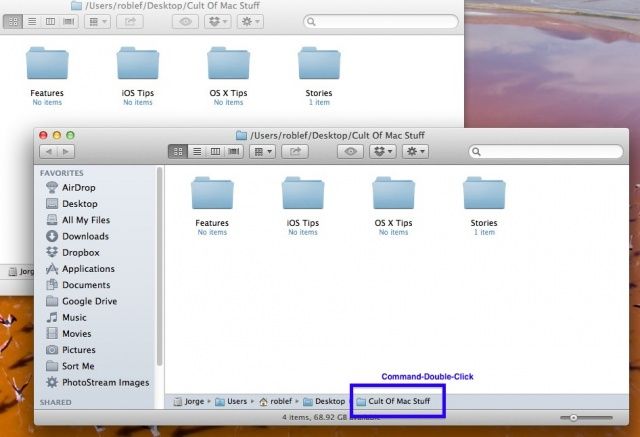
Typically, when you hit Command-N while you’re in the Finder, you’ll get a window for the folder you have set in the Finder’s Preferences dialogue. But what if you want to open two copies of the same folder on your Mac, to move stuff around in sub-folders when in icon view, for example? If you want to open two copies of the same folder on your Mac at the same time, simply do the following.
Easily Open A Second Finder Window From The Same Folder [OS X Tips]