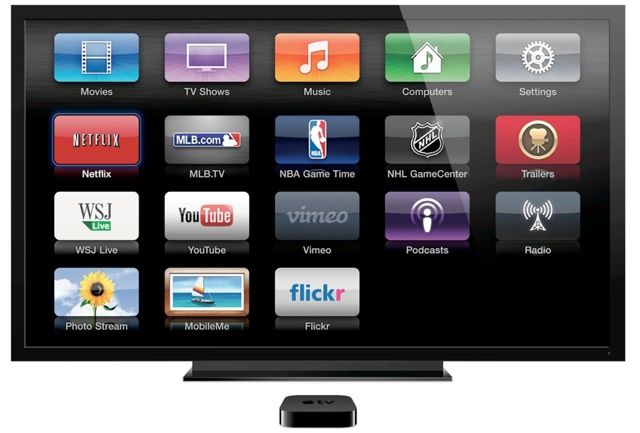
iTunes Radio won’t just be available on your iOS devices, but also on your Apple TV, according to a new beta release now available to registered developers. The update also adds some other minor features, and makes improvements to Home Sharing to make it more reliable.
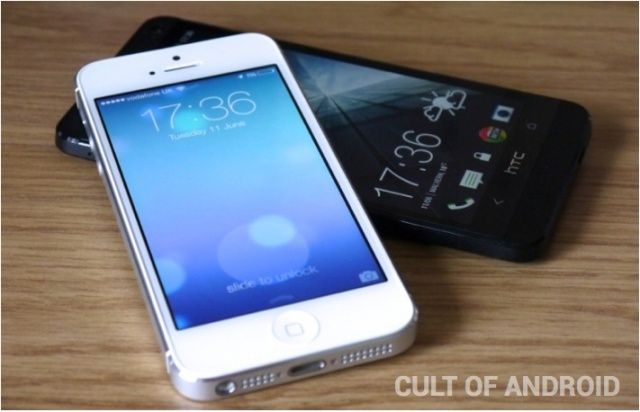
This is probably the front assembly of the iPhone 5S. Sadly, it looks pretty much the same as the iPhone 5, which is to be expected: the iPhone 5S is anticipated to be an incremental release over the iPhone 5, sharing the same look as the previous generation device just like the iPhone 4S and iPhone 3GS before it.
So nothing to be excited about? It’s hard to tell, but we have yet to see the home button array for the iPhone 5S, and that’s where rumor has all the new hardware in the next-gen iPhone going: namely, a fingerprint sensor under the home button which lets you lock out anyone who isn’t you… or who has cut off your finger.
As we continue to look at some tips for the new OS X beta this week, remember that OS X Mavericks isn’t a final version—it’s meant to be used by developers to ensure that their software will work with Apple’s latest and greatest.
With that disclaimer in mind, let’s continue.
If you need to use Java for any reason on your Mac, and you install OS X Mavericks beta on it, you’ll be sad when you try and run that Java-reliant bit of software.
For me, it was setting up the Minecraft server for my kid after I installed the beta last night to take a look at things. When I went to run it in Terminal, I got an error, saying there was no Java installed. So, even though I’d had Java installed in Mac OS X Mountain Lion, the Mavericks install seems to have taken Java off my Mac. No worries; it was kind of an easy fix.
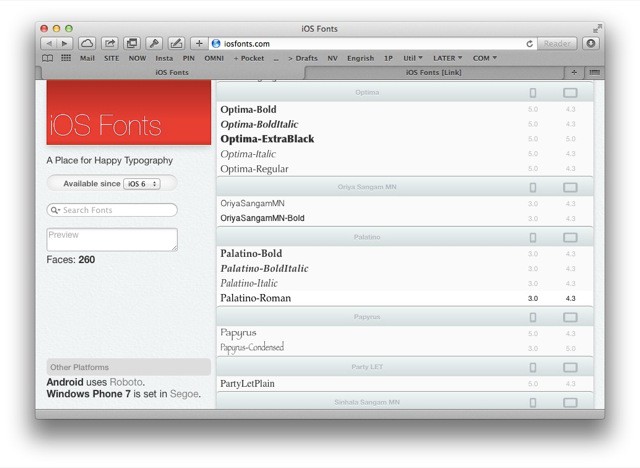
IOS Fonts is the most concisely-named website of the day. It shows you all the fonts available on your iOS device, lets you search them and even preview your chosen text in them. I love it… and yet I’m struggling to find any practical use for it.
Hands up anyone who knows what a light meter is? You at the back… speak up… No, it’s not a way to tell how much electricity you use to illuminate your home. Fine, I’ll tell you: it’s what we used to use to measure light and set the exposure on our cameras, back before they were so good at doing it themselves.
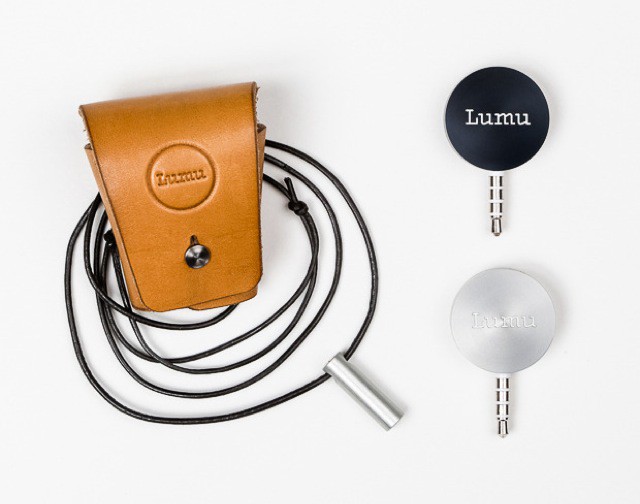
Oddly enough, this weekend I found myself in need of one. And then what do I see in my inbox? The Lumu, a light meter for the iPhone.
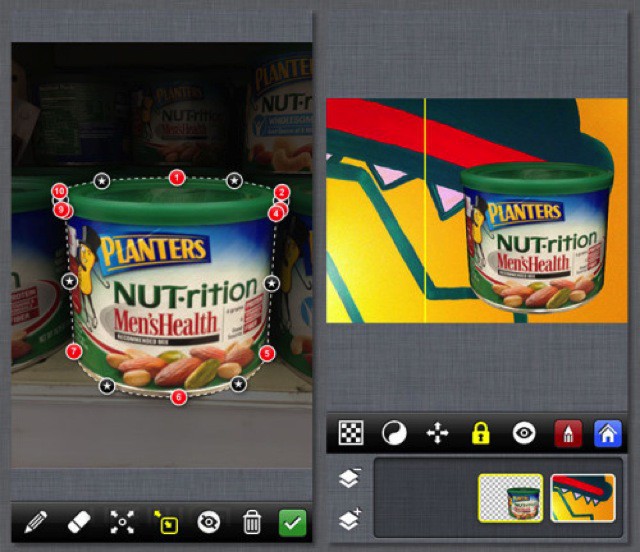
PhotoStation 2.0 brings layer support to the powerful but unintuitive photo editing app. Now you can use bezier clipping paths to adjust and fine-tune your image selections on multiple layers, letting you make edits that you usually expect to do on the desktop.
Remember the Unibody MacBook, so called because it was milled from a single chunk of aluminum? Now that most of Apple’s products are made that way, you never hear the term “Unibody” any more – it’s like cars: you only write “16-valve”, “ABS” or “fuel injection”on the back when you’re showing off something new.
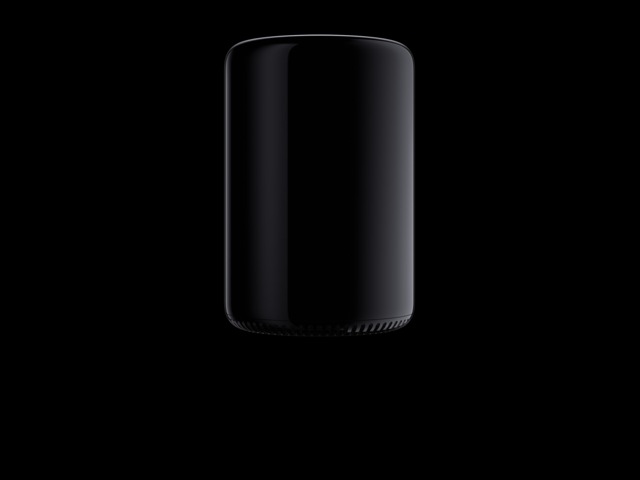
It’s time, then, for a new construction method, and the new “trashcan” Mac Pro has one. It’s called Impact Extrusion, and it is super cool.
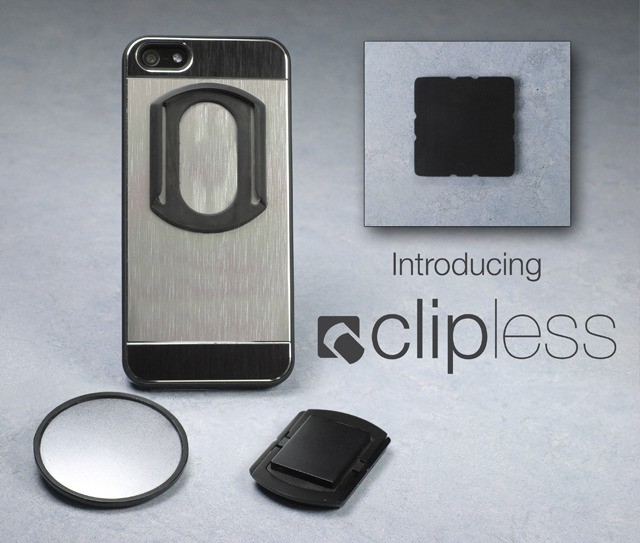
Clipless is not a foot retention system for bicycle pedals. Or rather, it is, but this version isn’t – it just has the same name. Today’s clipless is instead a magnetic gizmo that sticks your iPhone to your clothes… Or anything else.
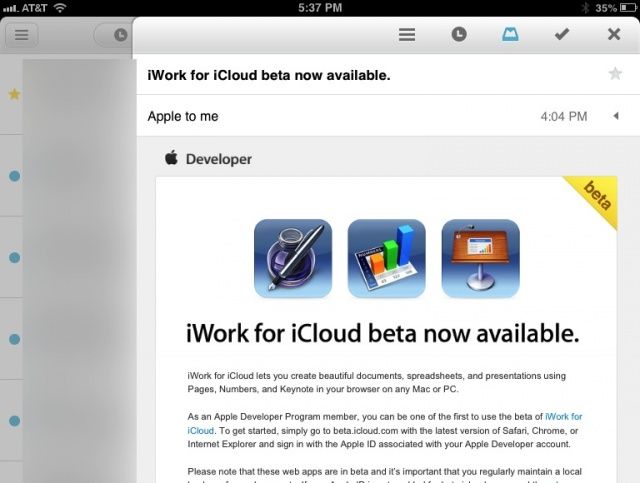
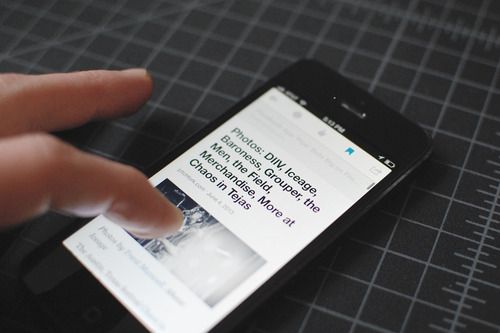
Mailbox, the wondrous new email client for iOS that lets you manage your emails as they come in, has just gotten another update. Now you can use Mailbox on your iPad in the portrait orientation, instead of the landscape-only mode that was previously the only option on the bigger iOS devices.
Brad Smith wants to encourage developers to explore the final frontier: making apps for Apple TV.
Smith, director of engineering at RadiumOne, spoke at AltWWDC about facing the challenges for this new territory.
“I like to think of it as the forgotten iOS device,” Smith said, showing a slide of Tom Dickson, who has blended every device from the Cupertino company — with the exception of the Apple TV.
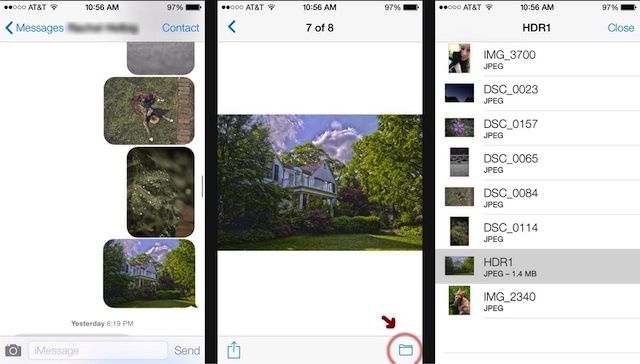
If you send friends a lot of pictures via iMessages, you’ll love this new little feature in the iOS 7 Messages app that makes it easier to find old photos you’ve sent friends.
To view all the files that you’ve ever sent someone from your iPhone you can tap the new folder icon at the bottom of a photo preview screen and you’ll get a list of all the files the two of you have sent to each other. No more hunting through chat logs to find that funny pic your friend sent you that you forgot to save.
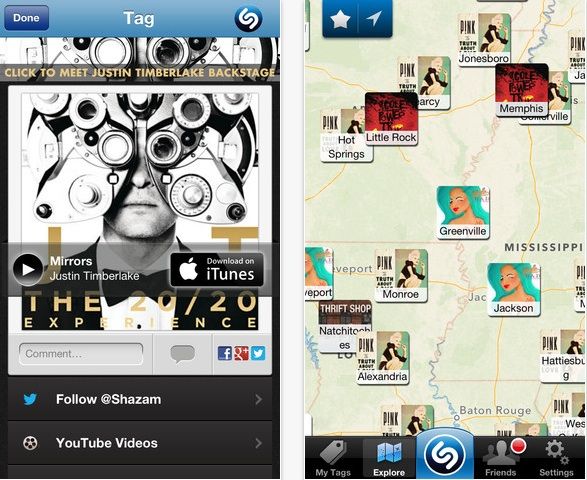
Shazam released version 6.1 of its iOS today on the App Store. The new version comes with a special feature called ‘Pulse’ that can be used to discover new music that is trending on Shazam’s charts.
Included in the big update is a new look for the tab bar, better chart updates, improved Friends page loading, and of course some bug fixes. The new version is available on both iPhone and iPad in the App Store for free.
Apple’s iOS platform has continued to be the top platform for users who actually like to buy stuff via their smartphone, says a new study from Forrester. Consumers with iOS devices are 30% more likely to buy something via their device, than Android users.
Even though iOS is where more of the money is at, Android isn’t getting ignored by U.S. companies. Forrester’s study also reported that 96% of ebusiness professionals surveyed for the study plan to launch a native or hybrid Android app by the end of 2013, while 99% said they plan to do the same for iOS.
As you may know, Apple released the first beta for its upcoming iOS 7 this past week, after an announcement at WWDC just prior.
We’ll take you through some lesser known features with our tips for a bit, giving you a sneak peek into the workings of the newest system to hit the iPhone. Be aware, however, that as this is beta software, any of these features and tips could change before iOS 7 hits the streets this coming fall. In addition, be sure that you’re not using a beta iOS 7 on an iPhone you need to get work done on–Apple has provided it without guarantee for developers to start working with, not for you to use on any mission critical tasks.
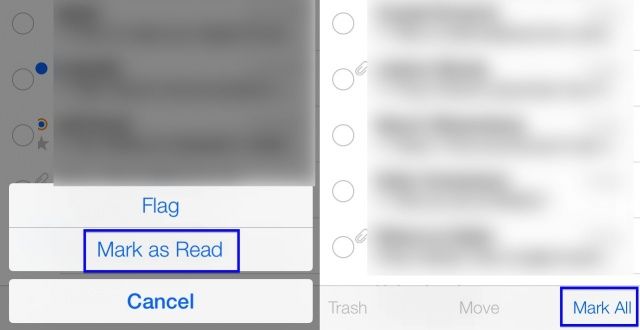
That said, let’s check out Mail, the built-in app for checking and sending your email from Apple. One of the biggest things I’ve always wished for in the previous app is a way to mark all the messages in my inbox as read in one fell swoop.
It looks like, in iOS 7 beta, anyway, that you can do just that. Here’s how.
Google Reader’s execution date is set for June 30th, so the team at Digg has been busy working on build a replacement as fast as possible. Digg Reader isn’t ready to go quite yet, but the company has started testing its new app and announced that it will be ready to go live on June 26th.
Digg posted an update on its progress to replacing Google Reader this morning and stated that the team’s initial launch goals are to satisfy power-users with easy onboarding from Google Reader, a clean reading experience, and useful mobile apps.
Here’s what Digg had to say on its site about the upcoming launch:
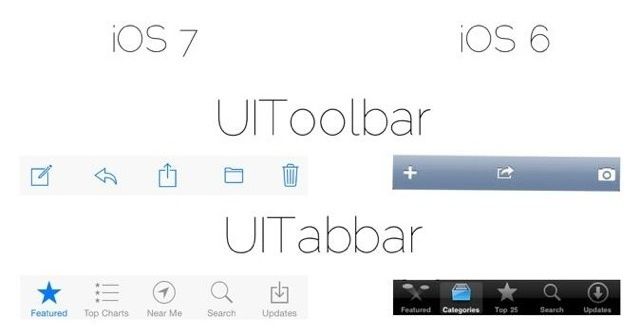
With all the new changes coming to iOS 7 there are still a ton of little details to discover while Apple continues to put the finishing touches on it. While iOS 7 does feature a completely revamped UI, its the little changes that make everything really come together.
One redditor put together this handy info graphic that compares some of the smallest iOS 7 UI elements with their iOS 6 counterparts.
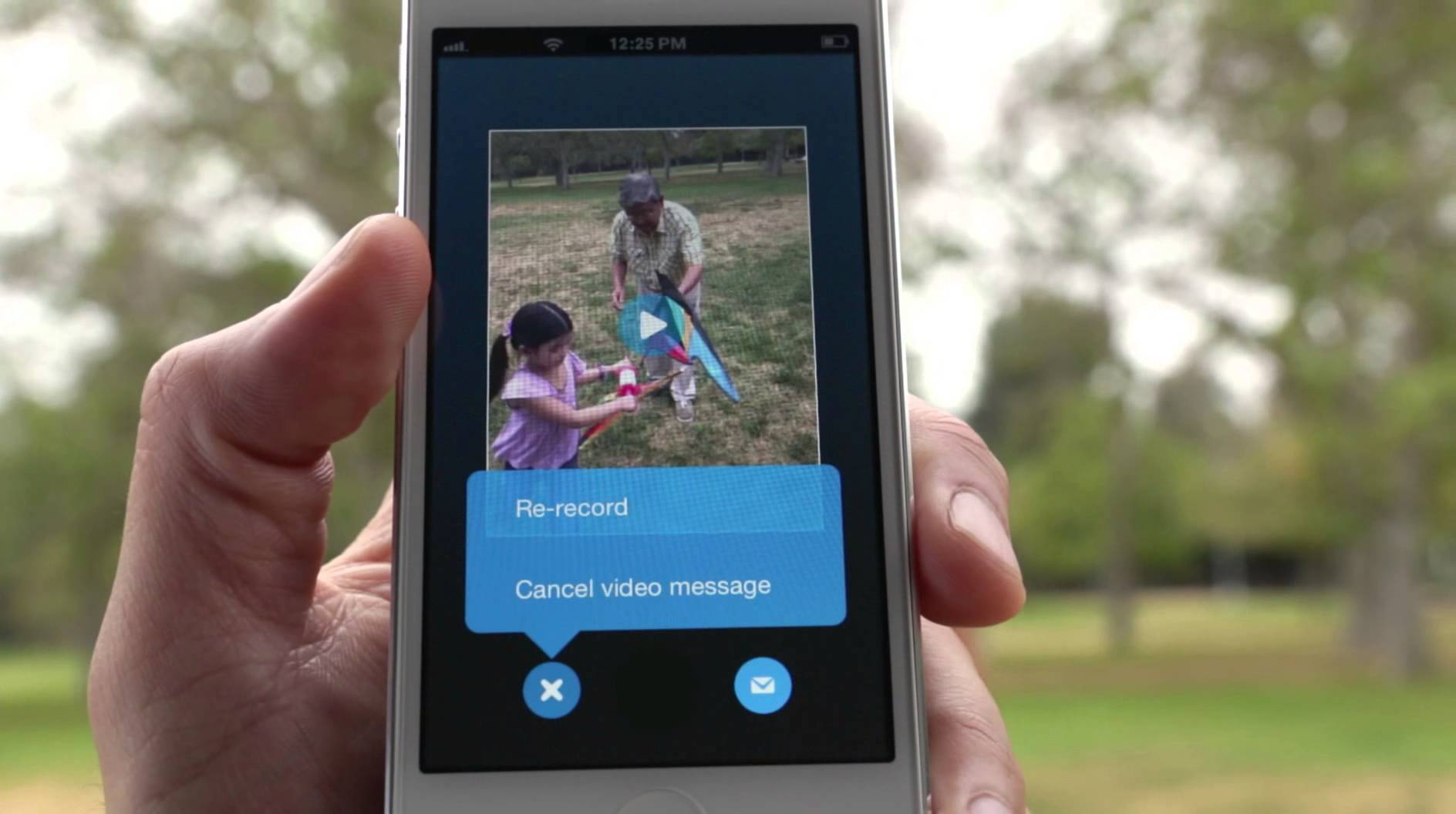
Skype for iOS and Skype for Machas been updated today with support for a new feature: video messaging. But don’t think video chat. Skype’s new video messaging is all about recording brief, meaningful moments and sending them to other Skype users, not as a stream, but as a self-contained message that will reach them, even if they aren’t online.
Apple is building a massive new store at the Stanford shopping center in Palo Alto to replace its smaller, more modest retail location a few hundred yards away. The new Apple Store is going up just a stones throw away from a big Microsoft Store that opened last spring.
The new flagship store is expected to be one of Apple’s largest ever, as it will enough extra floor space to test new product ideas. Designs for the store were completed and approved in 2011 by Steve Jobs, just six months before Tim Cook took over as CEO.
According to the Palo Alto Online, construction on the new store is happening seven days a week as contractors hurry to finish the 12,000 square-feet store. The store was supposed to officially open in November 2012, but the sensitive glass design of the building has caused delays.
Here are a couple photos of the store currently under construction:
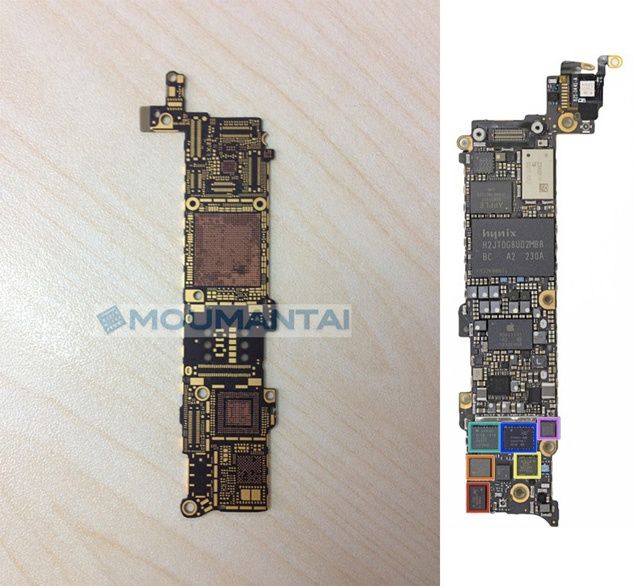
Japanese part firms Mounantai has turned up three photos of what they’re emphatically claiming is the logic board for the iPhone 5S. There’s nothing soldered or plugged into this part, meaning no early peek at the iPhone 5S’s (presumed) A7 chip.
There’s not much to go on here, except that it looks like the iPhone 5S circuit board might be slightly narrower than that in the iPhone 5, and that while the iPhone 5S might just be a small speed-bump before the debut of the iPhone 6 next year, it’s still gotten a major overhaul on the inside.
Gameloft has today released a new teaser trailer for Modern Combat 4’s upcoming Meltdown update, which brings new maps, new weapons, new game modes, and more to the company’s popular first-person shooter. The update is coming to both Android and iOS, and it could be the last before Modern Combat 5makes its debut.
Poster, a wonderful WordPress client for iOS, which we’ve written about many times here on Cult of Mac, has been acquired by WordPress creator Automattic.
The app has since been pulled from the App Store and will no longer be available in its current form, but developer Tom Witkin, who announced the acquisition on his blog, insists he will continue to provide support for existing users.
Do you enjoy problem-solving games on iOS whereby the only thing you think you understand as you get started playing is that tapping objects on your touchscreen does something? Splatz is one of those games. Despite its deceptively simple graphics and fairground music soundtrack, Splatz is really absorbing and taxes your memory. Patterns start to emerge….
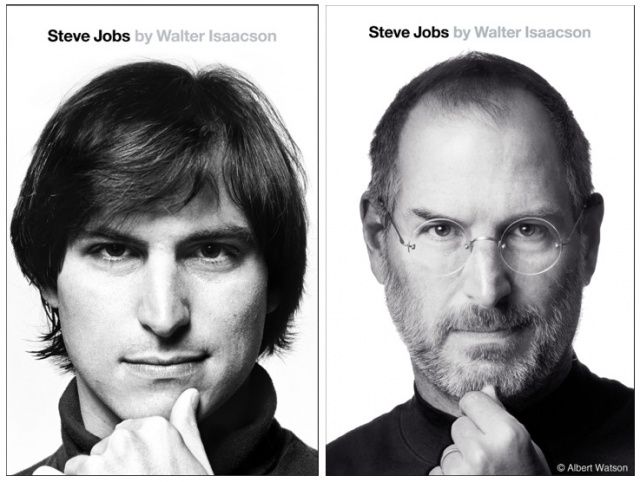
Albert Watson's photo of Steve Jobs, right, is similar to a portrait of Jobs in his younger years. Photo: Simon & Schuster
Simon & Schuster has confirmed it will be launching a paperback edition of Walter Isaacson’s best-selling biography on Steve Jobs this fall, featuring a younger Jobs on its cover. The book, which will also be updated with a new afterword, will be available on September 10.
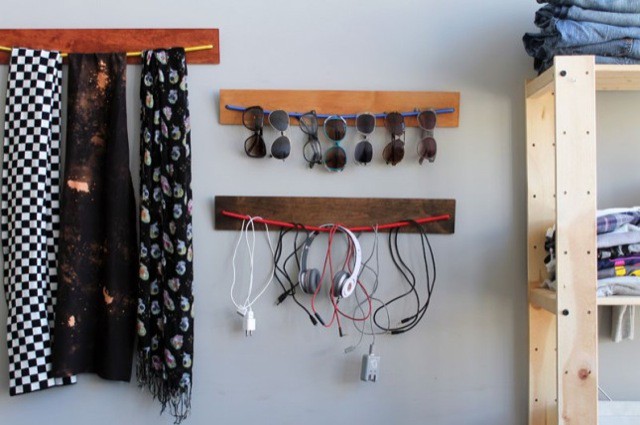
Despite having a rats nest of cables in the back of your closet, you can never find the one you actually want.
All cables – ALL OF THEM – are self-tangling. And “tangle-free” cables are the worst.
Try as you might, you have never managed to come up with a good way to organize cables and have them look good.
This is one reason I like the look of Brit Morin’s cool DIY project. The other reason is that it’s not just for cables but for several other things I have too many of: sunglasses, neckties, straps (just kidding about the neckties).