Mobile menu toggle

10 Awesome iOS 7 Features That Apple Didn’t Mention At WWDC

By

iOS-7-lock-screen

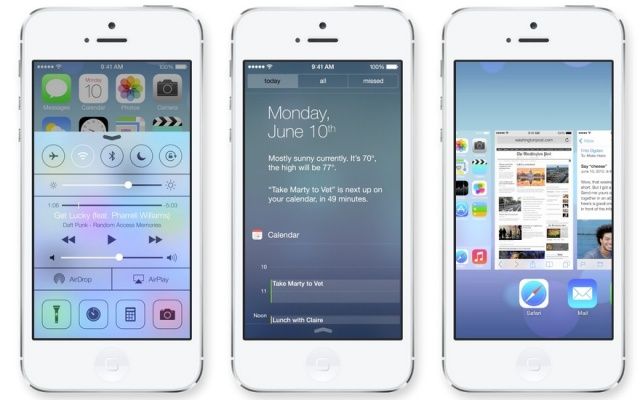
I’ve given iOS 7 a lot of hate this morning — just because I hate its icons — so I thought it was about time I showed it some love. It may not look the best, but the next-generation of iOS is packed full of awesome new features that should greatly improve the user experience.

A lot of those were detailed during Apple’s keynote at WWDC yesterday, but some got left out. So here’s ten awesome features in iOS 7 that didn’t get a mention at the event.

Design Your Own Custom Movie Subtitles In iOS 7

By

subs.jpg

Years ago, I submitted a bug report to Apple. The problem? Teeny, tiny subtitles in the iOS Videos app, so small that even an eagle with binoculars couldn’t read them. I got a mail from Apple to follow up, and then, just one or two releases later, subtitles got big enough to read (the Lady and I have different native tongues so we usually watch everything with subs).

Now, in iOS 7, they’re not only big but completely customizable.

Designers Set About Fixing The Mess Apple Made In iOS 7 [Gallery]

By

Redesign_iOS7_Big

Okay, so not everyone thinks Apple has ruined iOS with its newfound support of flat icons and whacky, eye-stinging colors. In fact, some iOS users love the new look. But many think it’s a gut-wrenching mess. In fact, some hate it so much that they’ve taken some time to fix it.

User interface designers have taken to Dribbble to showcase their own iOS 7 concepts, and I think you’ll agree that they’re a welcome improvement.

Quit Whining: iOS 7’s New Look Is Fantastic!

By

whitespace-2.jpg

You know what I’m hearing a lot of today? “Whine whine whine. Don’t like the icons. This really is kind of a mess.” And this, from our very own chatroom: “It hurts the eyes,” and “The hideousness of this is blowing my mind.”

It seems that a lot of people don’t like the look of iOS 7. But you know what? I love it. Sure, some of those icons are a little garish, but in iOS 6, all of the native Apple icons were hideous. And whatever you want to say about the new look, you have to admit that it is now way more consistent.

iOS 7 Reminds Us To Be Careful What We Wish For

By

begged-apple-meme

It’s our own fault. We all asked Apple to dramatically change the look and feel of the iOS operating system, which, until yesterday, remained largely unchanged since the introduction of the original iPhone back in 2007. And we all complained when it didn’t do that with iOS 6 this time last year.

But I can’t help but feel the Cupertino company is now punishing us for all those requests, and all that complaining we did before about its skeuomorphic designs.

When it comes to design, iOS 7 is vastly different to its predecessors. It still functions in much the same way — though there are some new features you’ll need to get used to — but it looks completely different. As soon as you power it up for the first time the minimalistic feel is staring back at you, but it isn’t until you’ve completed the setup process and arrived at your home screen that you want to vomit in your own lap.

OS X Mavericks Now Shows Which Apps Are Sucking Power

By

power.jpg

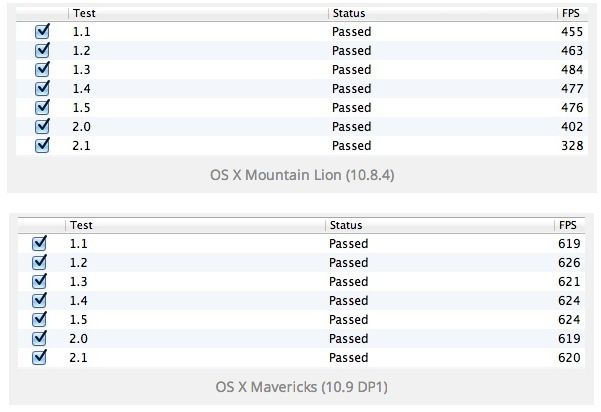
OS X Mavericks has some crazy new power-saving technologies, as demoed yesterday at the WWDC Keynote. Most of these are system-based: the OS stops wasting CPU cycles running animations that are hidden behind another window, for example. But some, like this neat addition to the battery menu, are about advising the user what’s sucking the juice.

Smart Cargo Adds Smart Storage To Smart Cover

By

smart-case.jpg

Our serial-inventing friend Dotan Saguy is back, this time with yet another super-smart iAccessory. It’s a little carrying case for your everyday iPad essentials, and it is designed to integrate with your iPd Smart Cover. It’s called the Smart Cargo, and it’s as ingenious as Dotan’s other Kickstarter projects like the Smarter Stand.

Apple’s 2013 Design Award Winners Include Great Apps Like Letterpress And Evernote

By

ada

Every year a few quality apps are selected to win the coveted Apple Design Award at WWDC. It’s a developer’s dream to be recognized by Apple for making great software, and the Design Award is the pinnacle of accolades in the Apple developer community. This year’s winners include some very popular titles you may have heard of, like Letterpress and the newest iOS version of Evernote.

Ironically, one of the apps Apple selected for a Design Award this year has been killed in iOS 7.

Everything Apple Announced Today At WWDC [Round-Up]

By

timcookios7

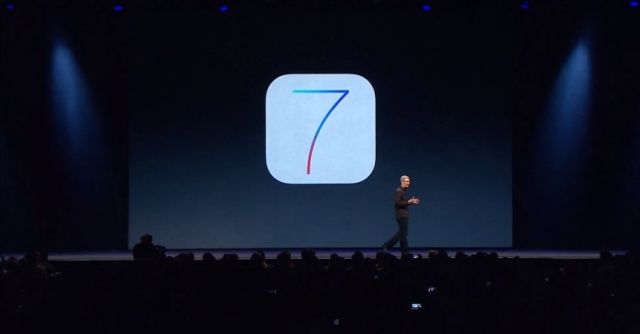
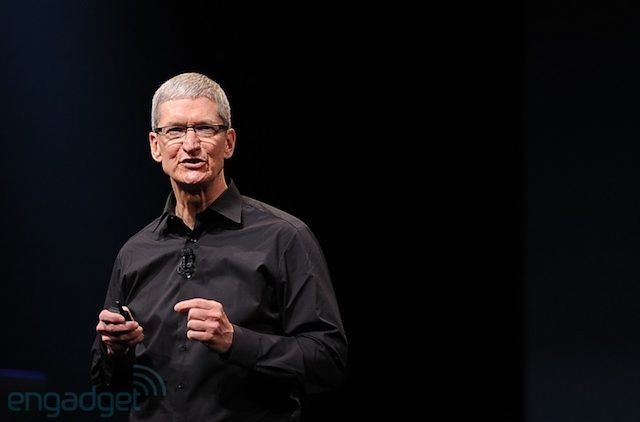
Apple just finished its WWDC keynote and holy crap, there is a ton of new stuff coming to iOS 7 and OS X. A radical looking Mac Pro was also showed off alongside some MacBook Airs with all-day battery life.

To help save you some time, here’s a list of everything new Apple introduced today at WWDC 2013 that we’ll be updating throughout the day as new info become available.

iOS 7 Compass App Has A New Trippy Level Feature Too

By

iOS7level

Not only did the Compass app in iOS 7 get a healthy dose of Jony Ive minimalism, it’s also got a new, ultra-minimalist level feature as well.

To access the feature just swipe left from the main screen of the Compass app. The app uses the iPhone’s accelerometer to show the user how many degrees off of zero a surface is. If a surface is flat, the iPhone locks into green screen.

8 Apps Apple Killed Today At WWDC

By

iOS7newperspective

Every time Apple releases new versions of iOS and OS X, you can guarantee Apple will take aim to destroy some popular third-party apps by aping their most popular features into Apple’s core services.

With iOS 7 and OS X Mavericks, Apple has its sights on some really strong competition. 1Password is in danger of becoming obsolete, along with a number of other notable powerhouses. Here’s who Apple aimed in its sights today:

Jony Ive Knew What He Wanted iOS To Look Like Back In 2005

By

extrudo_iPhone_prototype

Want proof that Scott Forstall blocked Jony Ive’s vision for iOS? Here’s an early prototype for the iPhone, made in 2005 by Jony Ive’s industrial design lab. On the back it says “iPod” because it was based in the design of the old aluminum iPod Mini. Remember that dinosaur? But check out the icons on screen. Look familiar? The icons on the prototype’s screen look just like iOS 7!

iOS 7 Finally Lets You Put The Newsstand App In A Folder

By

newstandgiftinios7


Here’s one of the best new little features in iOS 7: you can put the Newsstand app in a folder. You can’t delete it, but at least it’s out of the way.

There have been a few jailbreaking hacks that allow you to put the Newsstand app icon in a folder, but until iOS 7, Newsstand was the only iOS app that couldn’t be placed in a folder, to the annoyance of millions of iOS users.

iOS 7 And OS X Mavericks Betas Now Available In Apple Dev Center

By

iOS 7

The first betas for iOS 7 and OS X Mavericks and are now available for registered developers to download in Apple’s Dev Center. The iOS 7 beta is only available for iPhone models and the iPod touch. Apple has said that an iPad version will be coming in a few weeks.

OS X Mavericks is available as well for Mac developers. The Xcode 5 developer preview is available with support for iOS 7 and OS X Mavericks. Apple has released an iOS 7 beta for the Apple TV as well. Lastly, there’s a new beta of the Find My iPhone app with support for the new security features Apple has in iOS 7.

Source: Apple

Apple Takes Another Step Away From Google With Bing Integration In iOS 7

By

img_9325

During today’s WWDC keynote, Apple’s Eddy Cue briefly mentioned Bing integration in iOS 7. While demoing new features in Siri, Cue mentioned that Bing is used to power web searches. Nothing was said about Google, and that shouldn’t come as a surprise.

Apple has been distancing itself from Google for quite some time. For instance, Apple Maps is now on iOS and OS X. Bing integration in Siri, while a more subtle move, is definitely a knife jab at Google. And Microsoft couldn’t be happier.

If You Want A New Feature In iOS, Just Ask John McCain

By

johnmccaintweet1

Just a few short weeks before today’s WWDC keynote went down, Tim Cook was grilled by John McCain at the Senate Sub-Committee Hearing to Examine Offshore Profit Shifting and Tax Avoidance by Apple, Inc. Before the hearing was over, Senator McCain let off a joke to Cook that Apple needs to hurry up and add automatic app updates to the App Store:

Sir, there’s only one thing I wanted to ask you today: why do I keep on having to update all the apps on my iPhone? Can’t you guys fix that already?

Turns out that Tim Cook was actually listening, and now iOS 7 is going to get the feature all thanks in part to the efforts of our illustrious senator from Arizona.

McCain even tweeted his thanks to Cook for adding the feature that had most likely been in the works for months before Cook’s Senate appearance, but it’s good to know if we ever need new features added to iOS, just ask John McCain to tell Tim.

iOS 7’s Maps Icon Is No Longer Trying To Kill You [Image]

By

enhanced-buzz-29031-1339521580-1
From top to bottom: pre-iOS 6 Maps icon, iOS 6 Maps icon, iOS 7 Maps icon.

When Apple unveiled iOS 6’s new Maps icon, it became an emblem for everything that was wrong with Apple Maps, a service that — at launch — was widely criticized as being inferior to Google’s own maps data, which every previous version of iOS had shipped with.

Why the icon? Because it gave directions that would probably end up killing you if you followed them in real life. But that’s all changed in iOS 7.

Apple Releases New ‘Designed by Apple in California’ Ad [Video]

By

designedbyapple

Apple has really started to rally around its identity as an American company. During Tim Cook’s recent appearance in Washington he repeatedly stressed the point that Apple is proud to be an American company. Phil Schiller also made sure to note that the new Mac Pro is designed and assembled in America.

At the end of WWDC Apple revealed a new ad, ‘Designed by Apple in California’ which talks about the passion Apple puts into its products. Cook said the ad will start appearing on TV later today.

Get Artist Corner For iPad And A Chance To Win A $100 Apple Giftcard [Freebie]

By

CoM - medium_win_apple_gift_card

It’s not very often you find a contest where everyone wins, but that’s exactly what we have in store for you here at Cult of Mac Deals with this offer!

Artist Corner is the revolutionary new drawing and coloring app made specifically for the iPad. Download this iPad app for free and you’ll have endless hours of entertainment for your children, nephews, nieces, or any other child who wants to let their inner artist shine. And you can use the app to create a drawing to enter for a chance to win a $100 Apple gift card. (Note: Five drawings will be selected for a total of five $100 gift card giveaways.)