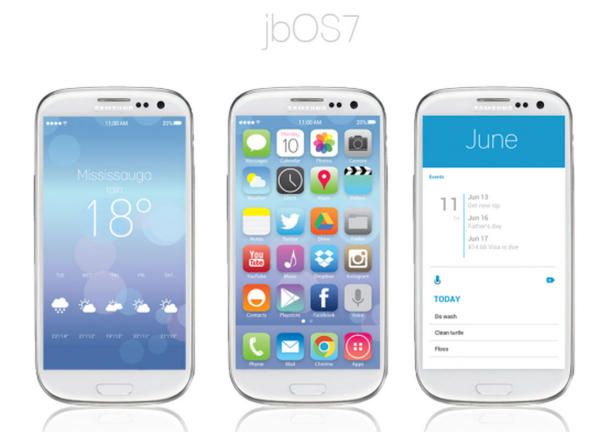
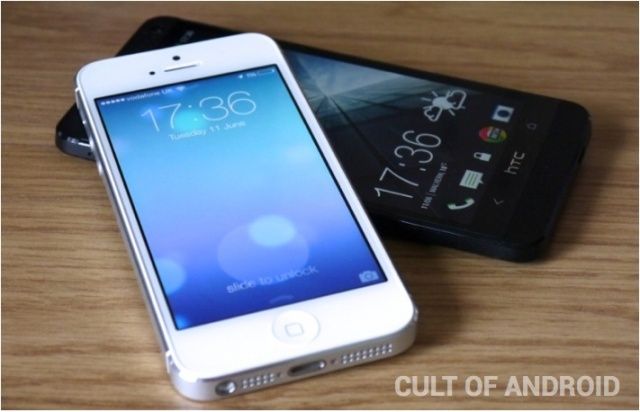
A new Android theme mimics the design of iOS 7, Apple’s newest mobile operating system. The theme is a combination of custom icons and the Nova Launcher home screen replacement for Android 4.0+.
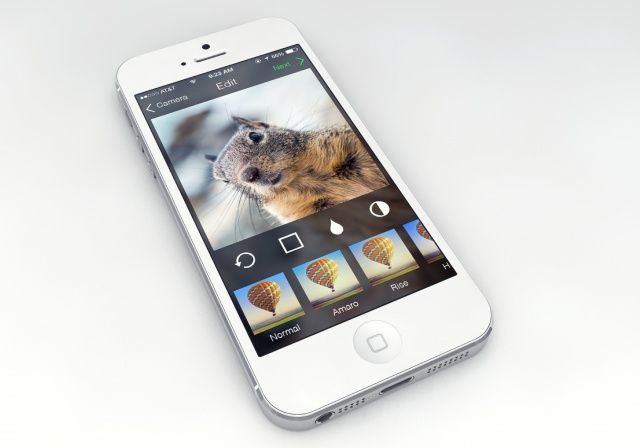
Instagram is in desperate need of an iOS 7 redesign. The current interface looks very outdated and overly textured compared to the rest of Apple’s newest OS.
To be fair, iOS 7 won’t ship to the public for months, and I’m sure Instagram’s talented designers are working on an update right now. But in the meantime, the above concept looks great. The navigation buttons and typography meshes perfectly with iOS 7, and I would totally use it on my iPhone.
The design is by Michal Vasko on Dribbble. What do you think?
iOS 7 looks totally different than iOS 6, and most App Store apps are going to have to undergo a big design overhaul to fit it. Gone are the rich textures and deep garnishes. Corinthian leather has been replaced with Gaussian blur. A lot of iOS 6 apps look instantly out of place.
There are, however, quite a few popular apps that look like they belong in iOS 7. Whether it’s by coincidence or intentional forethought, these 16 iOS apps fit in with iOS 7 very well already:
Going to see Man of Steel this weekend? Then check out the official iOS game by Warner Bros. You fly around as Supes and beat on General Zod and his posse.
The gameplay looks decently fun for an iOS title, although the graphics leave much to be desired.
This is another small but great feature in iOS 7: you can now scrub through songs from the lockscreen if you are playing them through the official Music app. This doesn’t work with third-party music apps, like Rdio, and in practice in the first beta, it can be a little difficult to scrub (the touch target is too small). Still a very nice addition indeed.
MiniDrive by MiniDrive Category: Storage Works With: SD-slot-equipped Mac Price: $20
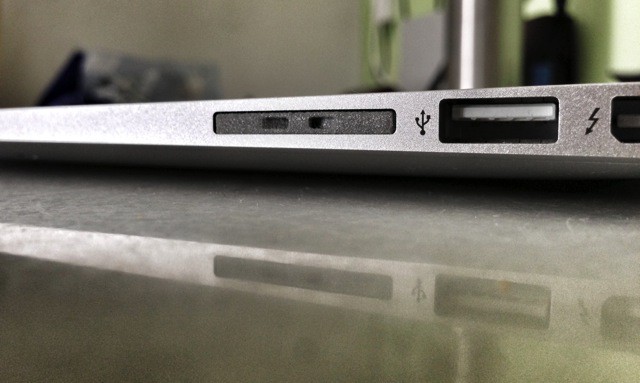
The MiniDrive is tiny caddy that lets you hide a microSD card entirely inside the SD card slot on your MacBook Air (or any other Mac with an SD slot). The idea is that you can cheaply add storage to your SSD-equipped Mac.
When I first wrote up the MiniDrive as a news piece, a whole bunch of readers got in contact to tell me how much it sucked, mostly because it didn’t fit properly into the SD slot on their Macs.
My experience has been fine, so I’m putting down those bad experiences to being the first wave of Kickstarter order fulfillments. That’s no excuse, clearly – if you sell something it should work – but I can only review what I have to review. And so I will.
UPDATE: This MiniDrive has nothing to do with the Nifty Minidrive I saw at CES. Sorry for any confusion.
SAN FRANCISCO, CA Collin Donnell wants app developers to learn from his mistakes.
Donnell, a full-time iOS developer since 2008 whose app credits include Pinbook for Pinboard, shared some tips to a packed room at AltWWDC, which we have beenallover like an snuggle iPad case. He divided them into practical and philosophical, but they sort of blend together.
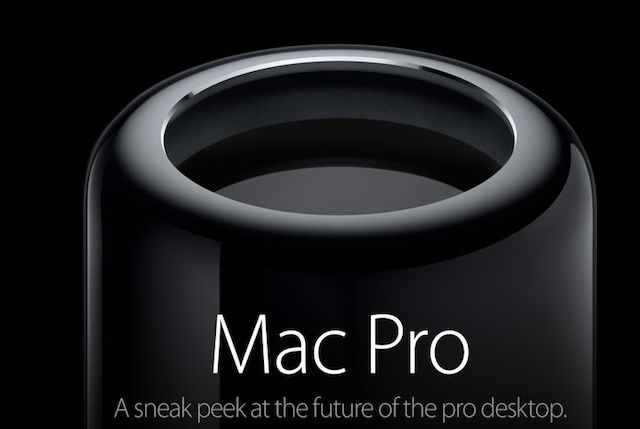
The new Mac Pro is probably going to be one of the most insane piece of desktop hardware ever created.
We know all that horsepower is going to be used to create some really great creative content, but there are some altnative uses for the Mac Pro that you’d never even dream of, like a beer keg.
Here are the best alternatives uses for the new Mac Pro:
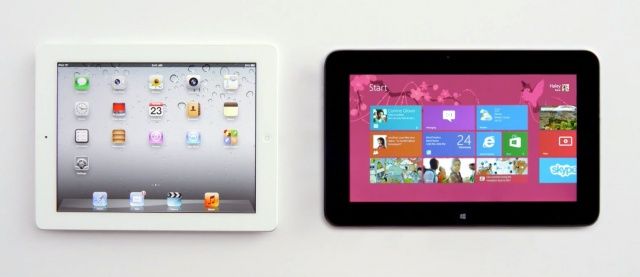
Microsoft just loves to poke fun at the iPad, doesn’t it?
It has already aired a number of commercials for the Asus VivoTab that mock its size, weight, lack of Office support, its inability to run two apps simultaneously, and most of all its price. And now the software giant is doing the same on behalf of Dell.
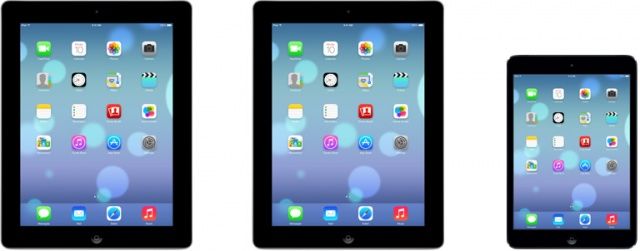
We’ve all seen iOS 7 running on the iPhone 5 now, but Apple’s still holding back showing it off on the iPad… at least, everywhere except on their site, where the eagle-eyed boys over at iGen.fr spotted Apple’s official shots of iOS 7 running on the iPad 2, iPad 3 & 4, and iPad mini.
There’s even a shot of what the official Music app looks like running on the iPad. Looking good!
With one WWDC special episode already already under our belts, you think we’d be good, but with so much great hardware and software coming out of Apple’s big 90-minute keynote, we had to make the pleasure last.
Join us for another new CultCast, this time with Wired writer and special guest Christina Bonnington, as we discuss our favorite iOS 7 features and why its current look is still a big “a work in progress.” Plus—we asked, you answered—we’ll read your thoughts on iOS 7’s radical new look and the new features you love.
All that and more on this week’s second CultCast! Stream or download our new and past episodes on your Mac or iDevice by subscribing now on iTunes, or hit play below and let the good times roll. Show notes up next!
Apple made a lot of significant changes in iOS 7, and some of those will be instantly familiar to those who are running the latest versions of Android. As is often the case, Apple has “borrowed” certain features from rival operating systems, and we’ve counted at least seven that were part of Android first.
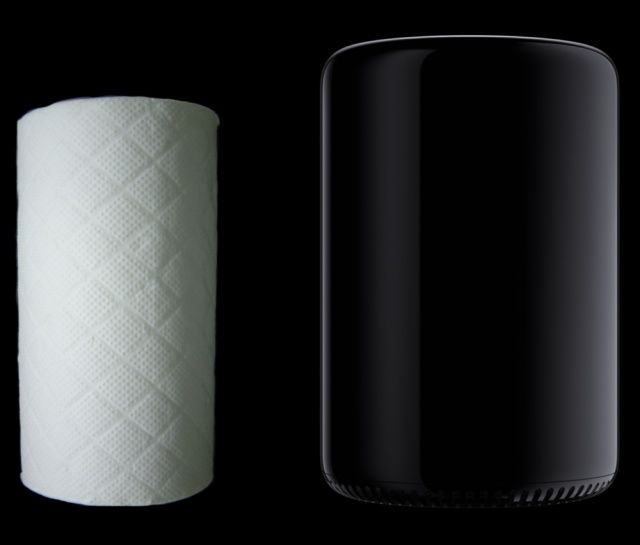
The new Mac Pro is tiny. How tiny? It’s only slightly bigger than a roll of paper towels. And yet inside it is the power to render, I dunno, a jillion 3D models of them.
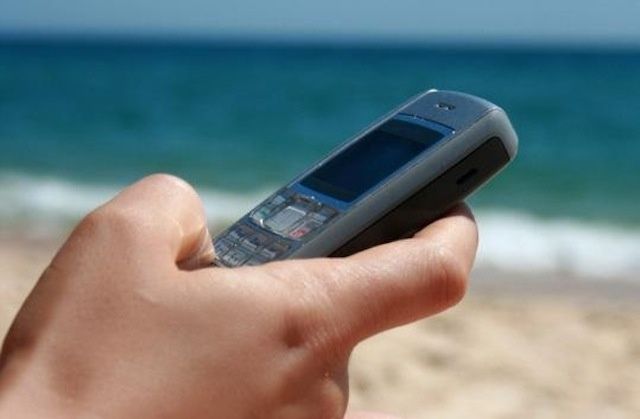
Europeans will next year be able to take their smartphones anywhere within the EU and enjoy calls, texts, and data without paying a penny more than they do at home. Expensive roaming fees are set to be scrapped by July 1, 2014, after the European Commission voted to fast-track a major overhaul of telecoms regulation.
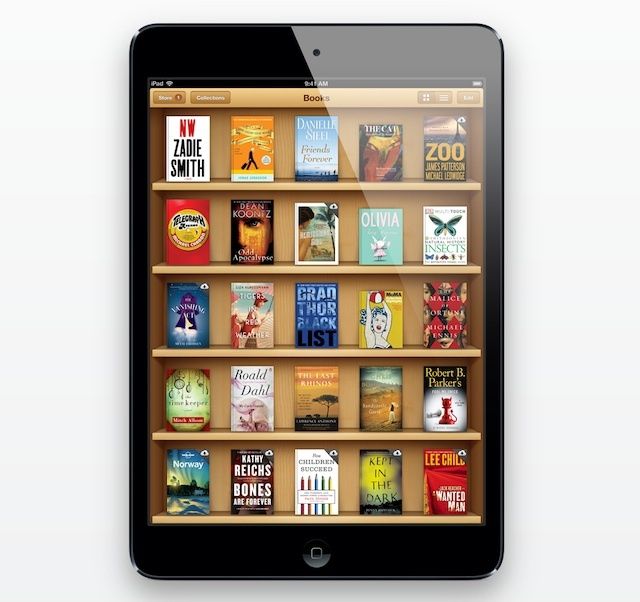
iBooks has been a big successful venture for Apple — despite the ongoing price fixing case from the Department of Justice — but it’s a service that may never have been if Eddy Cue hadn’t convinced Steve Jobs it would be awesome on the iPad.
Before Apple was gearing up to launch its popular tablet in late 2009, Steve Jobs wasn’t interested in the iBooks idea, and he felt e-books had no place on desktops and small smartphone displays.
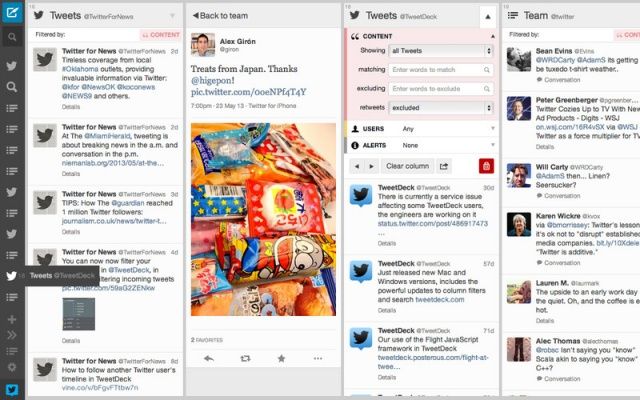
TweetDeck for Mac just got a pretty nice update via the Mac App Store that introduces a new user interface and a number of new features. Users will find it’s now easier to navigate their way around the app thanks to a new sidebar, while the built-in translation makes it easier to communicate with foreign friends.
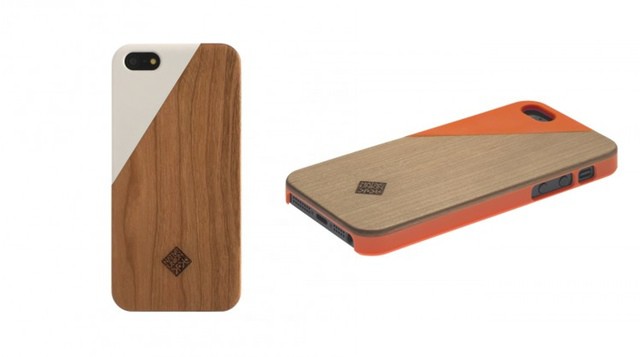
Got wood? Good. Then you won’t be interested in the new Clic Wooden case from Native Union. It’s a rather slick little number featuring a solid cherry wood back panel with a high-gloss plastic insert.
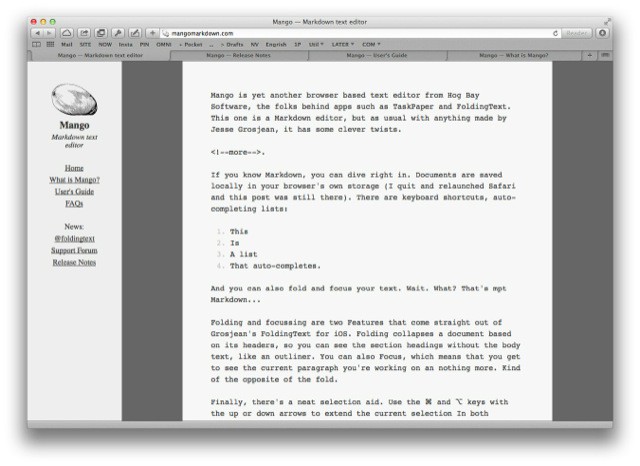
Mango is yet another browser-based text editor from Hog Bay Software, the folks behind apps such as TaskPaper and FoldingText. This one is a Markdown editor, but as usual with anything made by Jesse Grosjean, it has some clever twists.
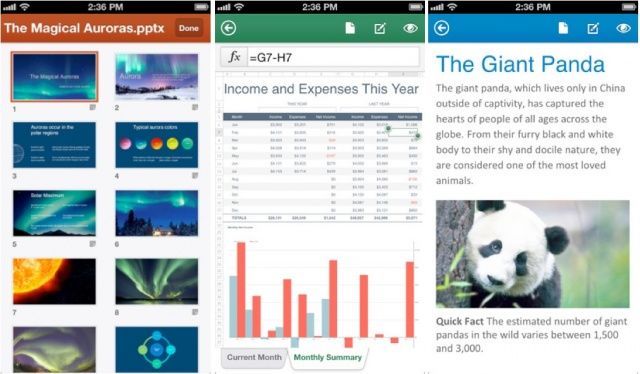
Microsoft has launched Office Mobile for iPhone today, allowing Office 365 subscribers to access and edit their Word, Excel, and PowerPoint documents stored in SkyDrive, SkyDrive Pro, or SharePoint from virtually anywhere. The app boasts support for charts, animations, SmartArt graphics and shapes, and more.
As fantastically well-made as they are, I only use a Pad&Quill case permanently on one of my devices: the Kindle Paperwhite. For my iPads, I prefer something less bulky. If I used an 11-inch MacBook Air, though, I’d be all over the brand new Cartella Linen, a beautiful case which seems much more in keeping with the larger proportions of a notebook computer.
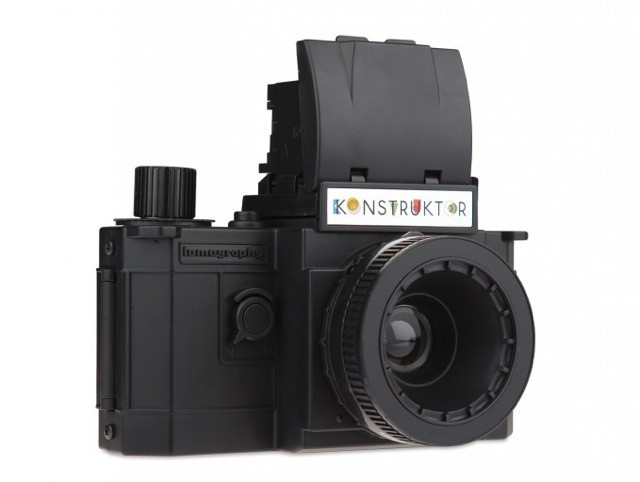
It’s a long way to December, but write this one down on the list of gifts you’re planning to buy me this Christmas: the Lomo Konstruktor, a plastic kit that turns into a plastic camera. As a photo geek who likes to make things and tinker, this is just about perfect.
Nestled amid the gentle rolling hills of my old stomping ground of Westlake Village sits Blue Microphones, little more than a half hour north of Los Angeles. There’re actually two lakes in the area: beautiful Lake Sherwood, and the grubby, man-made boating pond of Westlake Lake. Neither, to my recollection, has ever had a reported sighting of a monster.
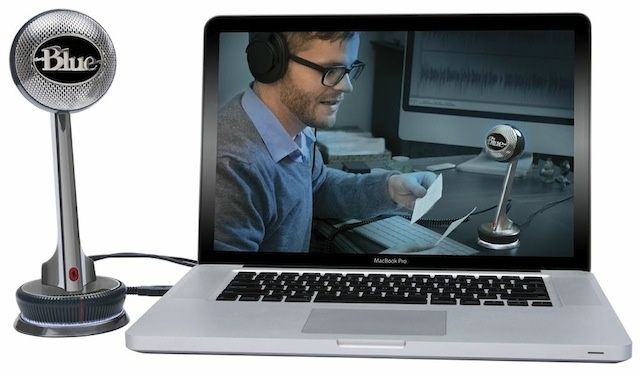
Blue Microphones’s new USB mic is named “Nessie,” which I guess means now the area has at least one lake monster. Only in this case it’s the good, super-friendly kind of monster.
Apple introduced a few new wallpapers in iOS 7. Since the software is only in its first beta, there are only two new static images to choose from. iOS 7 also supports animated wallpapers, and Apple has included two of those to try out. If you’re interested in exploring more about the iOS 7 background, take a look at all the new wallpapers in iOS 7.
If you’d like to get iOS 7’s hi-res wallpapers on your iPhone right now, then you can download them directly from here and here. A zip file with the static version of the two dynamic wallpapers is also available here. These wallpapers are optimized for the iPhone 5 and 5th-gen iPod touch’s 4-inch Retina display.
Another cool feature in iOS 7 is the ability to use panoramic photos as wallpapers. Apple will hopefully add more wallpapers before iOS 7 ships in the fall.
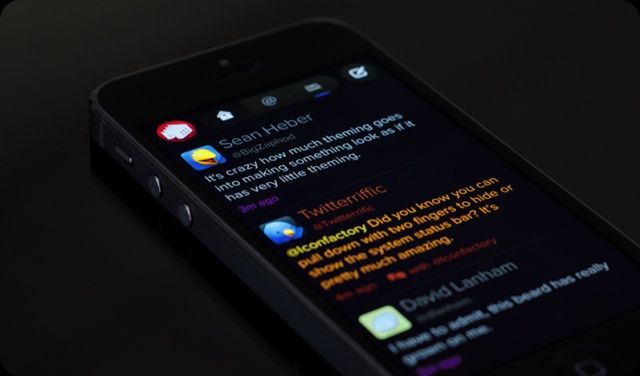
There are a few popular apps that already look like they were designed for iOS 7. Twitterrific 5 by The Iconfactory is one such example. Months before Apple unveiled iOS 7, Twitterrific started using the general design aesthetic Apple has now implemented across the entire OS. It’s almost like the makers of Twitterrific knew what was coming.
Following the unveiling of iOS 7 and Apple releasing the software in beta form to developers, Twitterrific’s downloads have spiked considerably, sending the app towards the top of the App Store’s charts.
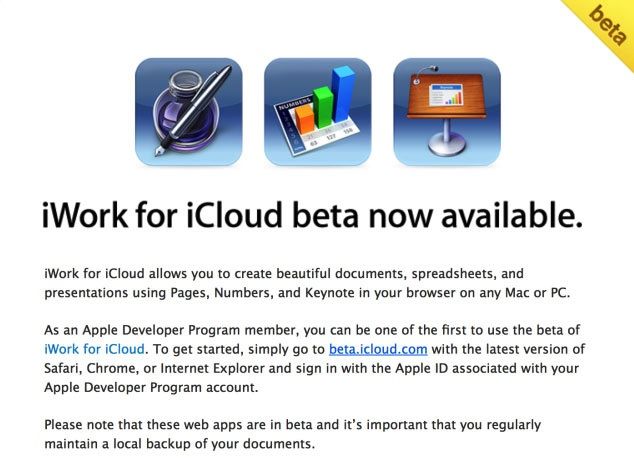
Apple’s new ‘iWork for iCloud’ suite of browser-based apps are now ready for testing. Developers received a notification today that iWork for iCloud is up and ready for a test drive.
iWork for iCloud allows users to edit any iWork document from a web browser. The programs will run on a PC or Mac as long you’re running Safari, Chrome, or Internet Explorer. iWork for iCloud includes browser-based versions of Pages, Numbers, and Keynote.
To access the new service, developers can head to beta.icloud.com and log in.