For any longtime Apple fans, it’s amazing to think that today marks 30 years since the January 22, 1984 airing of the Nineteen Eighty Four-inspired Macintosh commercial, directed by Ridley Scott.
Not only did the commercial usher in Apple’s most famous desktop computer brand, but it also served as a perfect articulation of the Apple identity: an identity that continues along the same lines three decades later.
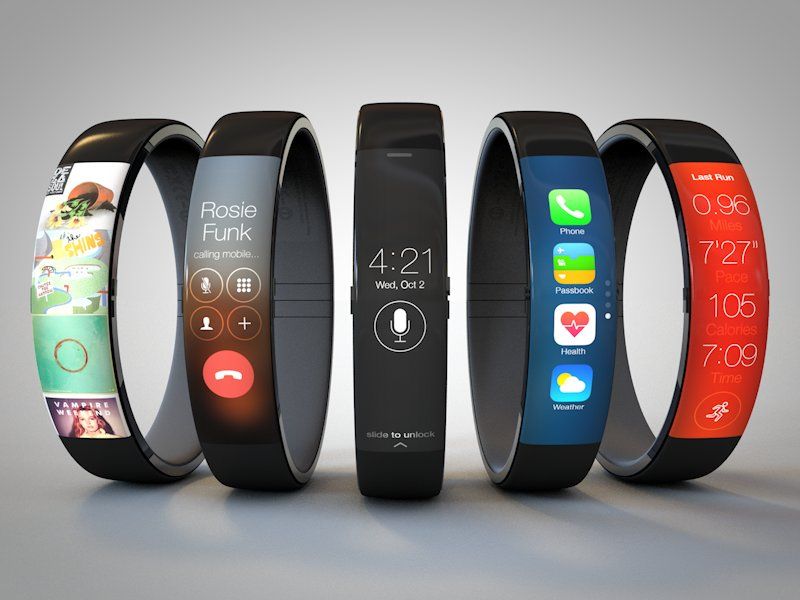
Despite the lack of concrete news available on the subject, we’re hardly short of concept designs for Apple’s eventual iWatch.
This one, by San Francisco UI designer Todd Hamilton, is among the best yet — a sleek design that resembles a cross between the Nike Fuelband and an iPhone.
There are bound to be teething problems as Google Glass rolls out to users. Back in October last year, Cult of Android reported on the Glass user given a ticket for “driving with monitor visible to driver.”
Now we have the not dissimilar case of a theater-goer removed from a screening for alleged piracy.
The viewer in question was watching Jack Ryan: Shadow Recruit with his wife at an AMC movie theater in Columbus, Ohio, when he was roughly removed from the screening by Department of Homeland Security officials.
The team behind cult drawing app DrawQuest have sadly announced that it will be closing shop.
For those unfamiliar with it, DrawQuest is was an iOS app — originally for iPad, but with an iPhone version launched in November last year — that set daily drawing challenges to a niche community of artists.
In a blog post on the DrawQuest site, app creator Christopher “moot” Poole (also the man behind 4Chan) wrote the following:
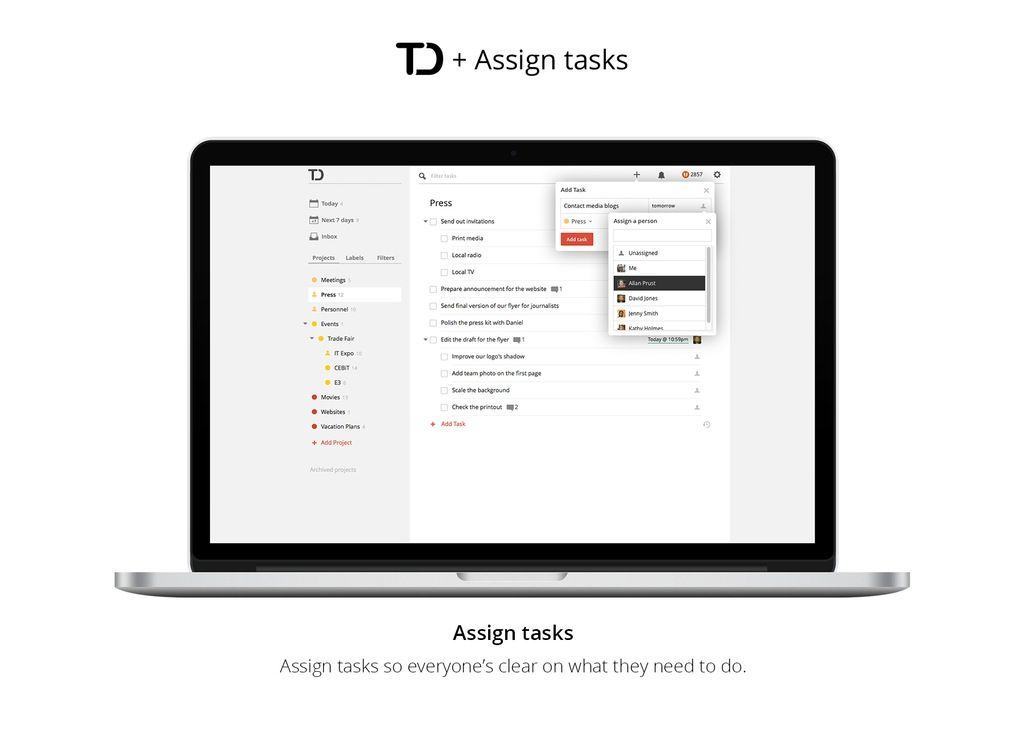
The Todoist todo app has been updated and renamed. It’s now called “Todoist Next,” and it has been turned into a lean, mean visual-scheduling-and-collaboration machine.
Adobe has issued an update to Adobe Reader, its popular PDF reader app.
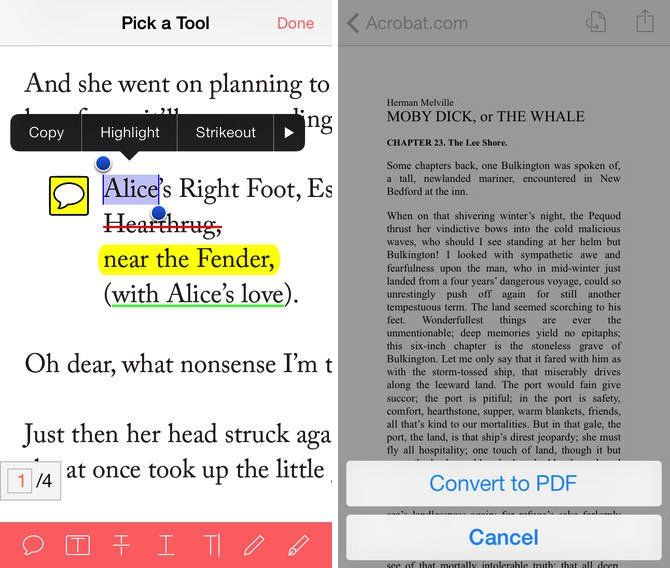
Version 11.2.0 introduces a new design that matches the look and feel of iOS 7. The new look includes alterations to the color scheme as well as plain glyphs, as well as improvements and relocation of menu bars for better navigation.
The update also places recently viewed documents up front, adds a better integrated help system, and includes improves single file edit (which lets you perform basic operations without having to open a file) and text selection features (letting you select a single character rather than entire words).
Instapaper’s Instapaper Daily feature, which shows the day’s most popular new story for your quick-consuming delectation, was apparently so successful that it has spawned a sequel. Instapaper Weekly. This time it’s not a new website which shows you an ultra-clean view of the day’s top Instapaper story: it’s an email newsletter.
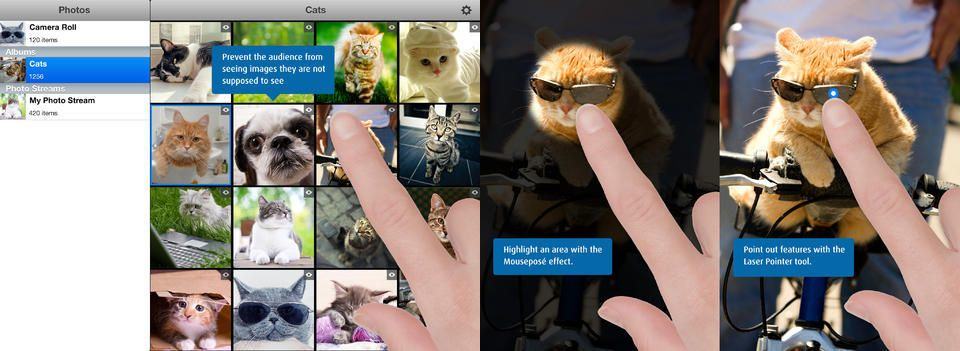
Quick: You have taken a bunch of great photos of your recent birthday weekend in [EXOTIC LOCATION], and your parents want to take a look at your vacation pictures on the big screen. But you also spent some “quality time” with your girlfriend/boyfriend/spousal unit in the hotel room, and you sure as hell don’t want your folks to see those photos. What do you do?
You use Boinx’s PhotoPresenter, an app that’s designed for impromptu slideshows.
Tech companies such as Apple and Google will pay $1 per stop, per day for employee shuttle bus services using public bus stops in San Francisco — according to a new pilot program approved by the San Francisco Municipal Transportation Agency (SFMTA).
In a scheme that will bring in around $1.5 million in fees over an 18-month trial, companies such as Apple will pay SFMTA more than $100,000, while smaller tech companies will pay around $80,000 per year. Any money gained will be put back into the program to cover administrative fees, permits, enforcement, and other related costs.
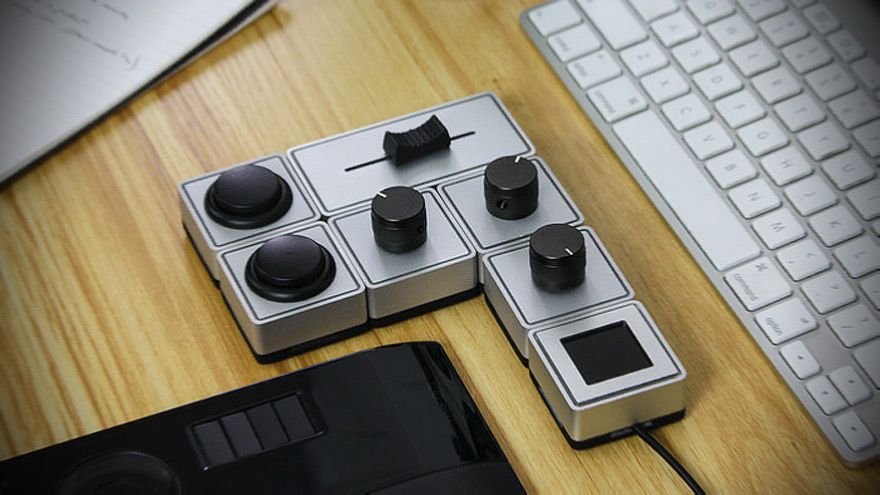
Keyboard shortcuts and trackpad gestures are fine, but they’re not as good as dedicated knobs and dials for just getting out of the way and letting your concentrate on the job instead of the interface. But knobs and dials are annoyingly fixed, whereas an on-screen control panel can be changed to fit the function.
Can you see where we’re going here? The Palette does both. It’s a modular, Lego-like set of buttons, knobs, dials and sliders which can be configured in hardware and software to do whatever you want them to.
K’lip is a USB thumb drive that’s actually useful. Yes, you can use it to take PDFs of your boarding passes to the local print shop, but you can also just use it as a keyring, until one day you need to copy a movie or rare bootleg album off your friend’s computer.
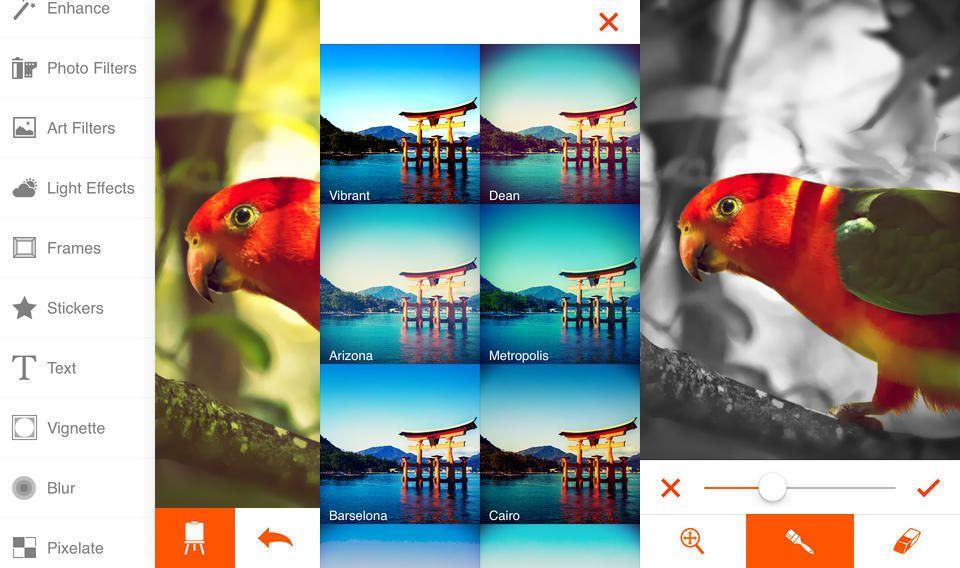
You’re going to love Phoenix Photo Editor from the second you launch it. After a neat but not-too-long launch animation, you get straight into your photo library, with oversized thumbnails that let you actually see what the photos contains before choosing to load it. Confused about another “import” button down at the bottom of the screen? Tap it. It’s for grabbing pictures from your i{hone albums, Instagram, Facebook or Flickr.
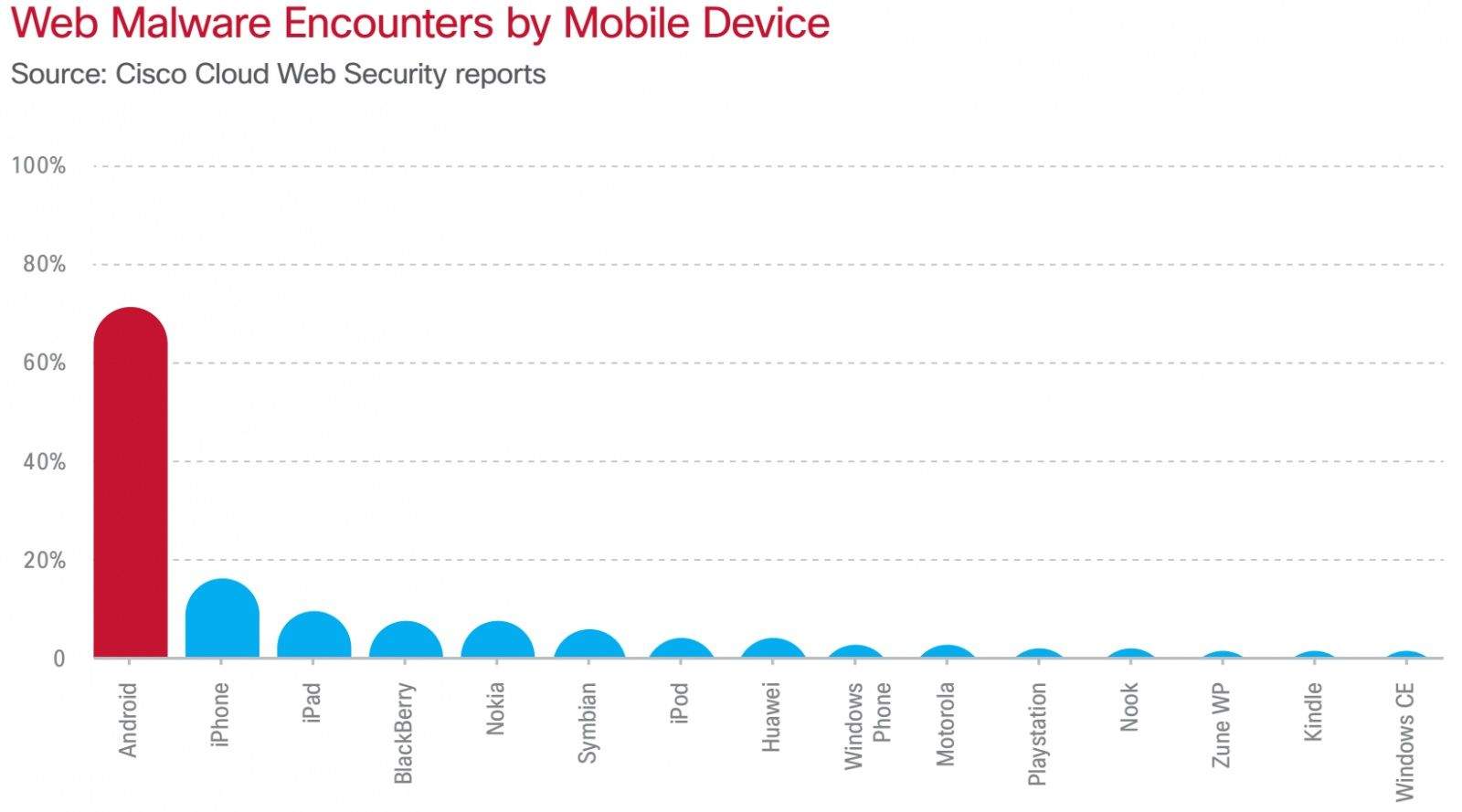
Today Apple’s Phil Schiller tweeted a link to Cisco’s 2014 Annual Security Report. The biggest takeaway from the report is that mobile malware is becoming much more prevalent on Android vs. any other platform.
Cisco has calculated that 99% of malware targeted Android last year. 71% of Android users came into contact with web-related malware while iOS only saw a 14% encounter rate. Last year, Schiller tweeted a link to another security report that said 79% of malware targeted Android in 2012.
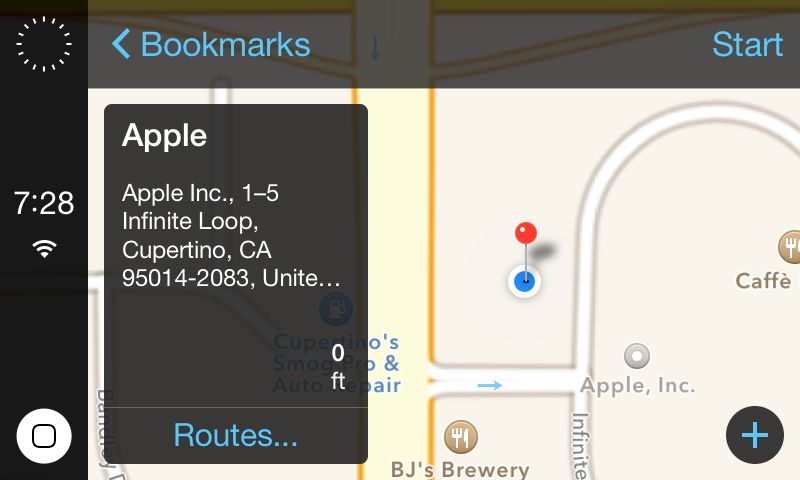
Developer Steven Troughton-Smith has uncovered screenshots of Apple’s unreleased interface for iOS in the Car, a feature that integrates an iOS device with a vehicle’s in-dash system. According to Troughton-Smith, iOS in the Car is in the current, public release of iOS 7.0.4. He assumedly found it after digging through the software’s code.
When Apple unveiled iOS 7 at WWDC last June, it teased iOS in the Car with a design that is pretty different from what Troughton-Smith has leaked. The screenshots reflect the iOS 7 aesthetic, and could very well represent the design Apple will ship to the public.
iOS in the Car has been labeled as “coming soon” since it was originally announced last summer. Apple has said at least a dozen automobile partners are on board with the technology, like Honda, Nissan, and Acura. It has been reported that iOS in the Car will go live alongside the release of iOS 7.1 in the coming months.
Some more screenshots provided by Troughton-Smith compared to Apple’s current materials:
Smooth Leather Sleeve by Joli Originals Category: Cases Works With: iPad Price: $87 as tested
The biggest surprise about the Joli Originals iPad sleeve is how much I like it. I use my iPad just about as much as I use my iPhone, (which is a lot). Maybe more. And for this reason I prefer a case which I can flip open and get to the screen as soon as possible. In short, I have no time for iPad sleeves. And yet the Joli sleeve won me over.
Touchscreens and platformers just don’t mix most of the time. Lots of developers try to make platformers for mobile devices, of course, and will continue to as long as our collective nostalgia for Mega Man and Super Mario Bros. remains. UsagiMan is a creative spin on Mega Man-like platforming that compensates for less-responsive touch controls by sprinkling in a little web-slinging.
UsagiMan by Shogo Suzuki Category: iOS Games Works With: iPhone, iPad Price: Free
UsagiMan is a rabbit-shaped hero bounding through levels overflowing with high ledges and murderbots. Rather than ducking down to avoid enemy fire and carefully maneuvering over precarious platforms, UsagiMan flings himself across the screen via a Spider-Man-like grappling hook. Players can also attack enemies by furiously tapping them, which sends the hook out in rapid bursts.
Nobody likes to see a cute baby animal in danger. Sarah McLachlan has worked very hard to ensure that.
Lost Yeti by Neutronized Category: iOS Games Works With: iPhone, iPad Price: $0.99
Lost Yeti is a cute game about an adorable baby yeti having a cuddly adventure. I never even knew an adventure could be cuddly, but this game taught me that it is not only possible, but preferable.
It’s also a smart, deceptively complicated puzzler that will keep you thinking, tapping, and swearing at those good-for-nothing monsters who pick on that poor little lost yeti for no reason other than that they are jerkfaces.
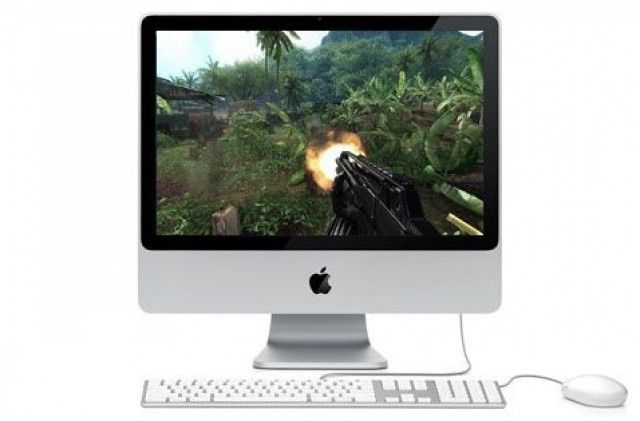
Spending by Mac and PC gamers will grow to more than $27 billion worldwide in the next three years, according to a new report from market research firm International Data Corporation.
Published Tuesday, the study also predicts that global PC and Mac digital game revenue will rise about 4 percent per year between 2012 and 2017, while North American revenue will slip due to the prevalence of more casual, browser-based games, as well as those on smartphones and tablets. IDC’s Worldwide Digital PC and Mac Gaming 2013–2017 Forecast also predicts a steady drop in subscription revenue from games like World of Warcraft.
Outside of North America, however, things look a bit rosier. IDC says that the digital PC and Mac digital gaming revenue should expand by more than five percent per year in countries with a currently rising standard of living, like Brazil, Russia, India, and China (BRIC).
Odds are your wallet or purse cost $50–100 alone (not counting the cash and invaluable items inside) so why wouldn’t you insure it with a $25 investment?
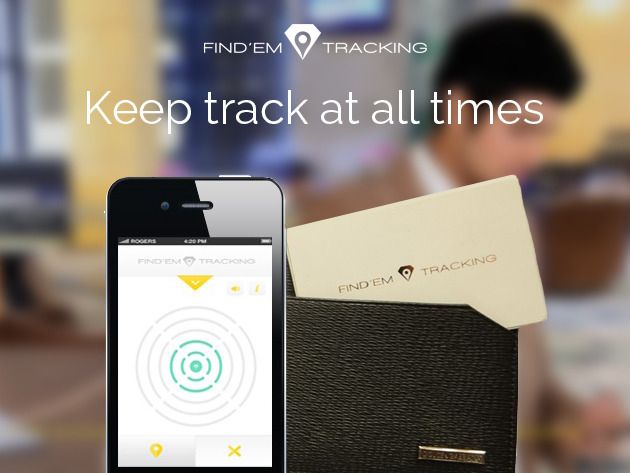
The Find’Em Tracking Card contains a Bluetooth-connected tracking device that syncs to your phone (via free iOS or Android app) and shows you its exact location as long as you’re within 150 feet of it. And now you can get it for only $24.99 – a savings of 37% – courtesty of Cult of Mac Deals.
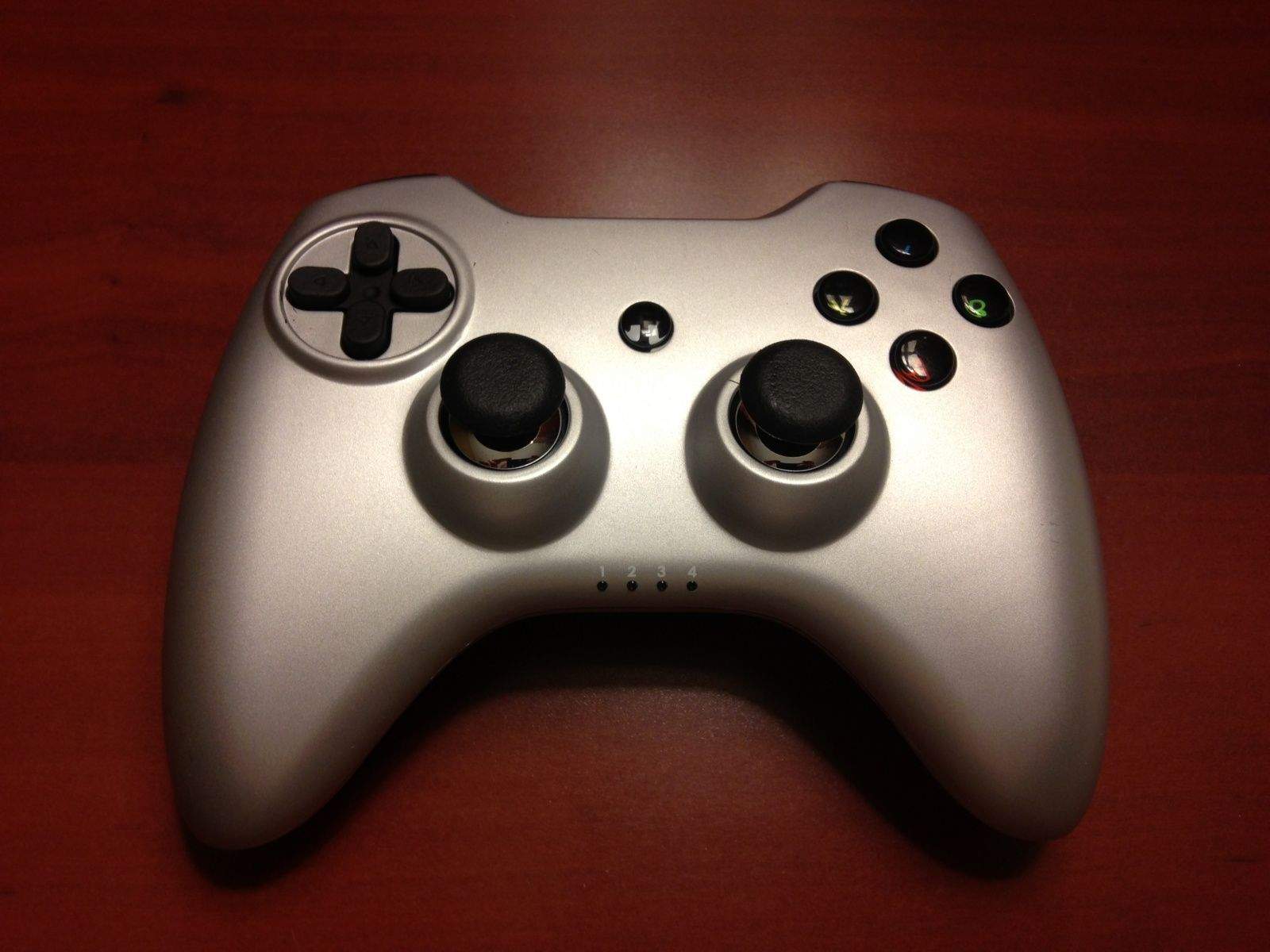
A key feature in iOS 7 dangles the prospect of console-style action in front of hard-core gamers hooked on action-platformers and first-person shooters. But while developers can now add controller support to games, hardware makers face a new challenge: getting gamers to shell out $100 to morph their iPhones or iPads into console killers.
Hardware maker Signal is unapologetic about the hefty price tag for its new RP One controller, one of several new gaming devices certified under Apple’s Made for iPhone (MFi) program.
“Quality is not free,” Signal’s director Mark Prince told Cult of Mac, “and it makes no sense to compare an MFi controller to a ‘bag and tag’ generic [Bluetooth] controller.”
Core gamers want to sit down with a precision controller when they immerse themselves in a console game. iOS developers compete with the big boys of console gaming like Sony, Microsoft, and Nintendo, for their audience’s gaming dollars.
It’s a clear trend, and even Apple, which has long played the “we don’t care much about gaming” card with iOS, has finally introduced built-in code to support game controllers.
Peripheral makers Logitech, SteelSeries, and Moga have all put their efforts into iOS 7-compatible controllers, each a little different. They all run $100, though, leaving gamers wondering if Apple has set the pricing.
“$100 is probably the lowest viable price point for most if not all of us to cover development, material and manufacturing costs, plus packaging, distribution and retail margins,” said Prince. “We’d like to go on record as saying that Apple does not set these prices.”
Apple has today announced that iBooks Textbooks and iTunes U Course Manager are expanding into new markets across Asia, Latin America, Europe, and other countries around the world. The expansions brings the total number of countries supported by iBooks Textbooks up to 51, while iTunes U Course Manager is now available in 70, including Russia, Thailand and Malaysia.
If you have the word Candy in the name of your app, watch out. King.com Limited — the makers of the hypnotically popular mobile game Candy Crush Saga — is gunning for you. They have trademarked the word ‘candy.’
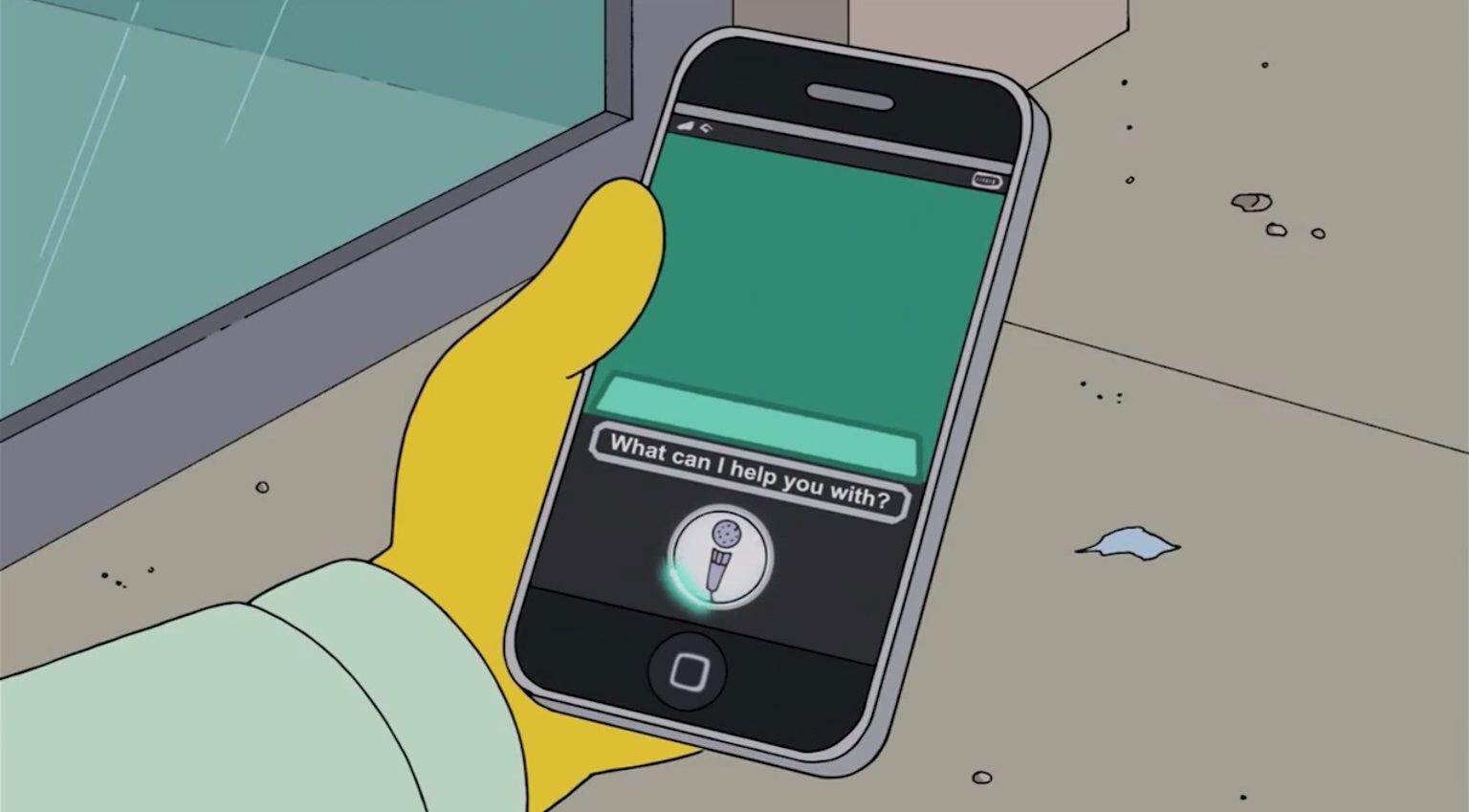
While all attention is currently being placed on the new fourth iOS 7.1 beta, a feature that seems to have skipped most people’s attention is that beta version 3 includes a female counterpart to the British male variant of Siri, which users can choose between.