Mobile menu toggle

Turn Off That iPhone Flashlight Without Even Using The Control Center [iOS Tips]

By

Flashlight Off

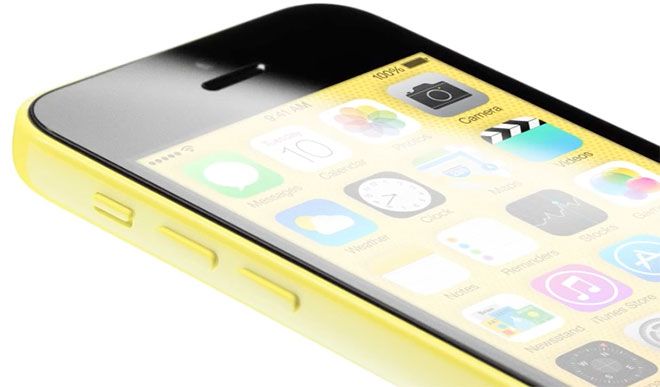
I don’t know about you, but I’ve found the included Flashlight–along with the ease of access within the Control Center–to be a fantastic addition to my life. I always have my iPhone with me, which means I always have a quick flashlight with me. I use it to see in my over-crowded closet, behind the sound board at gigs, and into my shed during the dark hours of the winter up here in Alaska. It’s handy.

One thing, though, that’s kind of a pain is turning the thing off. Yeah, you can slide the Control Center up, then tap the flashlight icon to turn it off. But I’m usually trying to manage my phone along with whatever thing I needed from the shed or the closet and those couple of steps can seem like too much.

Yep, Angry Birds Go Sure Is A Kart Game [Review]

By

Birds Go 3

The inevitable fate of all popular mascots to eventually end up in a go kart. Take a look at Mario, Crash Bandicoot, Sonic, and many other iconic video game mascot characters and you’ll find they’ve all squished themselves into a car at some point. Well, now the Angry Birds are, too.

Angry Birds Go by Rovio
Category: iOS Games
Works With: iPhone, iPad
Price: Free

Angry Birds Go is a free-to-play karting adventure full of repetition and cool-down meters. Unlocking aesthetically pleasing carts means putting in real money, and your spirited birdy racers get tired after a short while. Beyond that, Go is a completely average racer.

Minecraft Replica of Apple’s HQ Will Blow Your Mind [Video]

By

minecraftcampus

Apple fanboys dream of getting inside the locked gates of heaven Apple HQ in Cupertino but if you’d rather not brave blitzing past the security guards to see all the toys inside Jony’s design studio, you can now get a complete Minecraft tour of Apple’s cubed campus from your computer.

Over the last two years Michael Steeber has meticulously recreated every detail of Apple’s headquarters this mind blowing Minecraft map. Not only did The Steeb nail the entryway and the major buildings, but you also get a look at the avenues, cafes, basketball & volleyball courts, atrium, parking lots, even the BJ’s Restaurant & Brewhouse across the street.

Take a full tour of the campus in the video below:

Horrible Dating Sim Objectifies Women, Treats Men Like Idiots

By

Just, no. No.
ZOOB: Just say no.

I’d thought I’d seen it all when it comes to misogynistic, women-as-objects gamification strategies out there, but apparently there’s yet another fine example sent directly to our Cult of Mac inbox recently.

Here’s the pitch for oh-so-scintillating dating simulator, “Mingling At The Gallery:”

Don’t have the time or comfortability to go out, date and meet new people? That’s no longer a problem because ZOOB has created a game providing the experience of your own dating adventure, mingling with people through an engaging, fun and educational iOS app called “Mingling at the Gallery.”

Sure, the company name sounds like the ugly stepsister of n00b + boob, but it might be fun to play a game about the complex interactions needed in successfully navigating a night out at an art gallery, with maybe some tips thrown in for those of us who need a little practice.

Then I watched the promo video.

Watch An iPad Become A Classic Mac In This Fun LEGO Timelapse [Video]

By

1280_mac

LEGOs have been morphing Apple products into dinosaurs and miniature cities for as long as I can remember, but rarely are the Apple/LEGO mashups as useful as the twist a pair of advertising professionals from Norway put on this Macintosh Classic.

Jason Kinsella and Charlotte Bakken decided to combine their love of Apple and LEGOs to create a touch screen Macintosh Classic. The duo from Oslo started by recreating a scale model of the 1984 Apple machine but had to make a few adjustments to the design to fit the iPad, resulting in a fun looking dock you can to sit back and watch a movie from.

Checkout the entire transformation in the time lapse video below:

Beyoncé’s Surprise Record Is Now The Fastest Selling Album In iTunes History

By

giphy

Beyonce surprised us last Friday by exclusively releasing her fifth album, BEYONCÉ, on iTunes without even a whisper of a warning that it was coming out. The sneak attack was aimed at stopping pirates from siphoning off Queen B’s honey and it looks like it was a wild success.

Apple announced today that BEYONCÉ has become the fast selling album ever on iTunes with an ungodly 828,773 albums sold on the first three days alone. Who says you can’t sell a million records in a week anymore?

‘Where Is My Flight’? Way Out In The Air, See It Flyin’

By

Where Is My Flight

Where Is My Flight — Utilities — Free

Where Is My Flight is a pie-simple tracker with a single box. You put the flight number in there, and it tells you where and when to find it. If you’re the one flying, you might find it helpful that the app tells you which terminal you’ll be in so that you can plan your overpriced airport meals accordingly.

If you’re not the one flying, you’ll find the landing-time estimates handy so you can time your pick-up accordingly. It’s just a simple, useful app, and anything that removes any of the annoyances of air travel is worth checking out.

Where Is My Flight

Galaxy Run Delights In Sending Its Homesick Astronaut Plunging To His Doom [Review]

By

Galaxy Run

I don’t know why characters in endless runner games are always in such a big hurry.

Galaxy Run by Spiel Studios
Category: iOS Games
Works With: iPhone, iPad
Price: $0.99

Sure, Runbot was fleeing the secret lab that created him. And the guy in Temple Run has that whole “killer demon monkeys” thing going on, so he’s cool.

But Rez, the hero of the new endless runner Galaxy Run, is just headed home. Why’s he gotta be Mr. Perpetual Motion all the time? It just gets him killed a lot.

Other World Computing Has All The Mac Holiday Goodies You Can Wish For [Sponsored]

By

image

This post has been sponsored by Other World Computing, which sells a wide range of upgrades for your Apple gear.

This holiday, why not treat yourself and your loved ones with Other World Computing‘s massive catalog of great-quality Mac, iPhone and iPod products and services. With a range of computer-expansion products such as memory/speed-boosting drives, tablet stands, cases, even a Mac-customized Internet service, OWC provides extensive U.S.-based technical support to Mac users around the world.

Why Making Facebook’s Dubious ‘Games of The Year’ List Is Actually Awesome

By

GoTA_Screen1

Looking at the Facebook Games Of The Year list, it’s pretty clear what Facebook gamers enjoy. A majority of the 22 titles are casual, with hits like Candy Crush and Farmville 2. One comment heard around the Cult of Mac writer’s room was, “Who’s ever heard of these games?”

The one game that stands out is Disruptor Beam’s Game of Thrones Ascent, a fairly mid-core gaming title. We asked Jon Radoff, CEO and founder of Disruptor Beam, how it feels to rise to the top of Facebook’s casual-game environment.

“I think Facebook wanted to develop a list that contains some of the most popular games in the world (like Candy Crush) but they also made an effort to include innovative and more unique games,” Radoff told Cult of Mac by email. “Game of Thrones Ascent stands out among the games because we created something new: a story-driven strategy game, which nobody knew would work on Facebook until we tried.”

Go Ahead, We Don’t Mind: Put The Dock In The Corner On your Mac [OS X Tips]

By

Dock Upper Left

While no one puts baby in the corner, you can ignore that time-honored advice and actually put the Dock in the corner on the screen of your Mac.

While the traditional tools for moving the Dock around will let you move it to the right, left, or bottom of the screen, this little bit of Terminal magic will have the dock pinned to the far corners of your Mac’s screen, either the right bottom, the top left, or any other corner you can imagine.

How I Made My Old Car Future-Proof With Automatic

By

DSC01817

This story first appeared in Cult of Mac Magazine.

I drive a 10-year-old Nissan Xterra. When I see new vehicles with technology like Ford Sync and Siri Eyes Free, I get jealous of the ability to send texts and answer phone calls without touching my iPhone. The most advanced thing my car can do is play audio from my iPhone through a stereo jack in the radio console.

Combine the lack of cool tech in my whip and my obsession with the latest gadgets and I was immediately intrigued back in March when I heard about Automatic, a hardware/software startup based in San Francisco that’s pitched as a smart driving assistant. Unlike an expensive add-on that has to be installed by a dealer, the Automatic Link is a $100 dongle (Amazon link) that can plug into the car’s data port found somewhere under the steering wheel. It communicates over low-energy Bluetooth to an iPhone app that records your driving, analyzes your mileage, reads your check engine light, helps you find your parked car and more.

The feature that sold me was the ability to see what was causing my engine light to come on—a problem that has ruthlessly followed me with every vehicle I’ve owned so far. I immediately preordered and my Automatic arrived mid-October.

After using Automatic for about a month now, it’s real usefulness is starting to show. There are features about it I love, and it’s shown me how everyday technology, like an iPhone, can enhance the car experience. The Jetsons-like future of transportation isn’t here yet, but Automatic is a precursor of what’s to come. It gets me excited about how our personal computers will interface with cars in 10 years.

Yahoo Weather’s Latest Update Makes It Look Even More Beautiful On iPad

By

Screen Shot 2013-12-16 at 7.42.08 AM

Weather apps have a depressing tendency to be iPhone-only, as if iPad owners have never idly wondered whether it was raining outside or not. Yahoo’s gorgeous, Flickr-integrated Weather app was one of these, but no longer: version 1.5 of the Yahoo Weather app has snuck past the gates of the App Store, bringing iPad support to the mix as well as some welcome new social features.

Don’t Worry, Spies Didn’t Really Steal The iOS 7 Jailbreak

By

Cydia
We haven't Cydia on our iPhones in forever.
Photo: Alex Heath

When will the iOS 7 jailbreak arrive? Although earlier reports suggested it might already be in the chamber, and proof that exploits had already been found, the iOS 7 jailbreak still remains elusive.

That should not be a surprise. We predicted it would take a full six months to jailbreak the iPhone 5s back in February, and it looks like we might not be far off. But what is happening with the iOS 7 jailbreak?

Well, a lot of intrigue. But don’t worry, things are still moving forward.

iPad Mini With Retina Display Now Shipping Online In 1-3 Days

By

Screen Shot 2013-12-16 at 7.13.22 AM

Supplies of the iPad mini with Retina Display has been severely constrained ever since it launched on November 12th. Even though it was Within hours of the device becoming available, online orders shot up to 2 weeks delivery times, and for weeks, the best way to get an iPad mini with Retina Display quick was to try your luck at your local Apple Store.

Just in time for Christmas, though, Cupertino has managed to loosen up supply constraints, guaranteeing that if you order an iPad mini with Retina Display right now, you will receive it after it ships in 1-3 business days. That means if you need a last-minute gift idea, you can order an iPad mini with Retina Display now and get it in time for Christmas Eve. Cool beans!

Source: Apple.com

A New Beatles Album Is Coming To iTunes

By

bootlegs1963 copy

The relationship between Apple Computers and Apple Records (the Beatles’ record label) has always been tumultuous. Bringing suit against Apple early in the Mac-maker’s history for their similar names, an agreement was struck that Apple could use its iconic fruit name only if it didn’t get into the music game… an agreement Apple disregarded when it launched iTunes. That move kept the Beatles off of iTunes until a deal was finally struck in 2010.

Things between Apple and the Beatles have been pretty rosy since. In fact, a new Beatles album comprised of rare recording and bootlegs will ll launch later this week exclusively through iTunes.

Apple Supplier Uses Facial Recognition Technology To Screen For Underage Workers

By

iSlave-iPhone-5-Foxconn

In the wake of the news concerning the 15-year-old employee who died after working on the iPhone 5c production line, Apple supplier Pegatron has revealed the high tech measures it goes to in order to avoid hiring underage workers.

According to Pegatron, the Taiwanese manufacturing firm has been employing facial recognition technology since earlier this year to screen for such an occurrence.

12 Days Of Gifts App Offers New Lorde Single As Sneak Preview

By

Christmas

When you’re the most-watched tech company in existence, there’s nothing quite like taking people by surprise.

And although Apple’s “12 Days of Gifts” app — this year available to U.S. customers for the first time — was due to kick off on December 26, Apple has decided to give downloaders a taste of what it is to come by offering Lorde’s new single “No Better” as a pre-Christmas gift.

Moshi VersaPouch Stays Useful Even After You Remove Your iPad

By

versapouch


I just spent a week traveling with my Retina iPad mini, and there are a few things I learned. One is that you don’t have to worry about charging it like you did with the first full-sized retina iPad, the iPad 3 – the new retina mini can be juiced in a few hours tops. Another thing is that I like to have a good protective case for when I stuff the iPad into an already-full backpack.

But I don’t want a bulky cover that sticks around when I’m actually using the iPad. And this is where the new VersaPouch Mini Stand Case comes in.

Safari File Reveals Your User IDs & Passwords In Plain Text

By

safari_loophole_03

The peeps behind Kaspersky Labs’ Securelist blog have uncovered an Easter Egg in Safari, which they claim lists user IDs and passwords in plaintext.

The problem relates to Safari’s retention of browser history as used in the “Reopen All Windows from Last Session” feature — which enables users to easily revisit sites they opened during previous Safari sessions.

Projecteo, A Teeny-Tiny Projector For Your Instagrams

By

projecteo-instagram-projector-5b9e.0000001386217843


Back in the 1970s and 1980s, and maybe into the 1990s (I spent much of that decade drunk, so it’s all a little hazy), there was a phrase that could turn even the toughest and most sociable of us into terrified, dread-filled jellies. You would be invited to a friends house for drinks and maybe dinner, to celebrate their successful return from a trip to the furthest corners of the world.

You’d be all set, happy to see them and spend some time chatting over drinks, and then the words would come. “There will be a slideshow.”

In the times of film, this meant a darkened room, a humming projector and lots of very dull commentary. And after dinner, it was almost impossible to stay awake.

Which brings me to the new The Projecteo Gift Set, which is either an awesome modern-day take on the slideshow, or a way to get revenge on your show-off friends from decades past. It could even be both…

The TabHandler Adds A Handy Handle To Your iPad

By

TabHandler


The TabHandler is another handle that sticks to the back of your iPad, only it beats the competition in a few ways: First, the permanent circular mount is small enough not to annoy when attached. Second, the handle is almost absurdly useful in its range of positions. And third, the voiceover guy on the video sounds amazing, like he should be selling saddles and lassos to cowboys, not iPad accessories to soft-skinned cubicle-dwelling troglodytes (cublodytes) like us.