Mobile menu toggle

New Macbook? Here Are Some Non-Obvious Trackpad Gestures You May Not Know About [OS X Tips]

By

These are just the obvious ones.

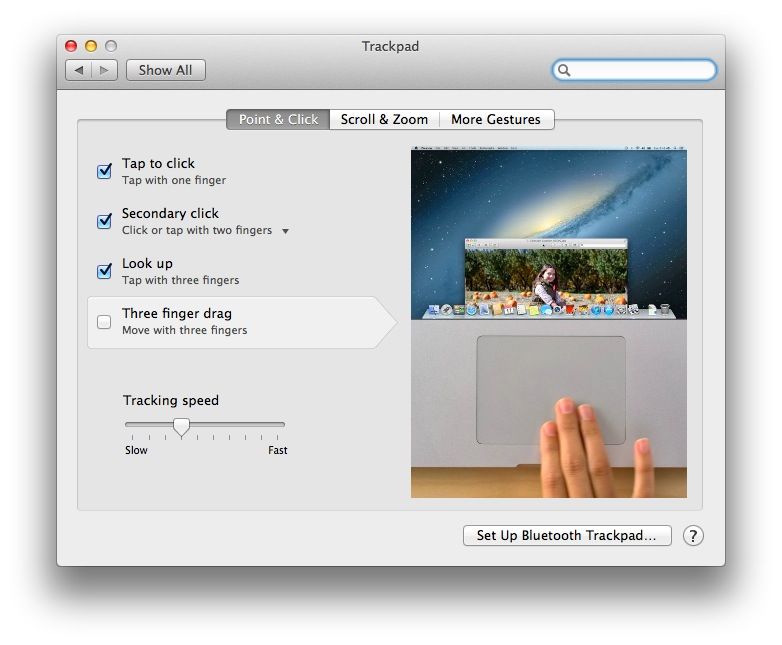
I’ve let friends borrow my Macbook when they come over to my place from time to time, and I’m still surprised by the way they don’t “get” the trackpad. Some of them look for the button to click, some want to know how to right click, and still others move the mouse cursor way over to the scroll bar area on the web browser, looking to move the page up or down.

So, I figured it might be time for a quick tip with some easy yet non-obvious Trackpad gestures that you can use if you’re new to the Macbook trackpad system, or if you just want to send to friends that continue to be baffled by the trackpad when they borrow your laptop.

Final Cut Pro Now Optimized For Mac Pro With Support For 4K

By

post-259060-image-6468c0f4089428fdb39bd906984f2ac4-jpg

Coinciding with the launch of its new Mac Pro, Apple has released an update to Final Cut Pro X — adding new Mac Pro-optimized features to the video editing suite.

The update comes as no surprise, since Apple let us know it would be happening during the WWDC back in June. What wasn’t revealed at that stage, however, was the list of new features carried by the software.

‘Cut The Rope 2’ Is A Fun, But Predictable Sequel To Keep You Feeding Om Nom [Review]

By

So close, and yet so far.

Cut the Rope is one of the most popular App Store games of all time, and rightly so. When it launched way back in 2010, it was an original concept. Physics-based puzzlers are all the rage now, but Cut the Rope was one of the first good ones. Since then, ZeptoLab has continually updated the game with new features and levels, including spinoff releases like Cut the Rope: Holiday Gift, Cut the Rope: Experiments, and Cut the Rope: Time Travel.

Cut the Rope 2 by ZeptoLab
Category: iOS games
Works With: iPhone, iPad
Price: $0.99

The original Cut the Rope has been downloaded over 100 million times, which is insane. That’s why the full-blown sequel has been highly anticipated. And after months of teasing, it’s finally here.

China Mobile “Currently Has No Announcement” Regarding Apple Deal

By

China Mobile, the largest carrier in the world, officially partnered with Apple last year.

Filed under “S” for “Stalling” and “Still waiting” is the Apple-China Mobile deal, which remains yet to materialize.

In place of the expected announcement, China Mobile chairman Xi Guohua said on Wednesday morning that his company currently has no announcement to make on a deal to carry the iPhone — although he hoped to reveal one soon.

“China Mobile has yet to reach an agreement with Apple, but good news deserves to be waited for, and we expect to release cooperation information soon,” he said.

ZX Spectrum Bluetooth Keyboard For iPad

By

tv3_spectrum

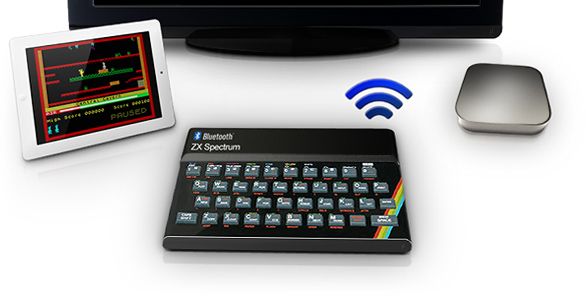
For nerds of a certain age (my age), the Sinclair ZX Spectrum was our first home computer/games console/escape from the nightmare world of normal humans. And now this iconic machine is set to be reborn in its home country of Great Britain, only now it’ll be a Bluetooth accessory for your iPad.

Jolicloud Now Includes Instagram, Feedly, Evernote

By

joli2

Jolicloud, the Norwegian Dropbox alternative that doesn’t have to secretly give your data to the U.S. police state whenever it’s asked, has made available a beta version of its v2.0 web app. And it’s pretty amazing. Up until now, Jolicloud was very similar in intent and execution to Dropbox: a folder that’s everywhere.

Now, though, you not only get online access to your Jolicloud folder, but to all your other internet accounts. Including Dropbox.

Writer Pro: The Ultimate Writing Tool For Mac, iPad And iPhone Is Here

By

01_Workflow

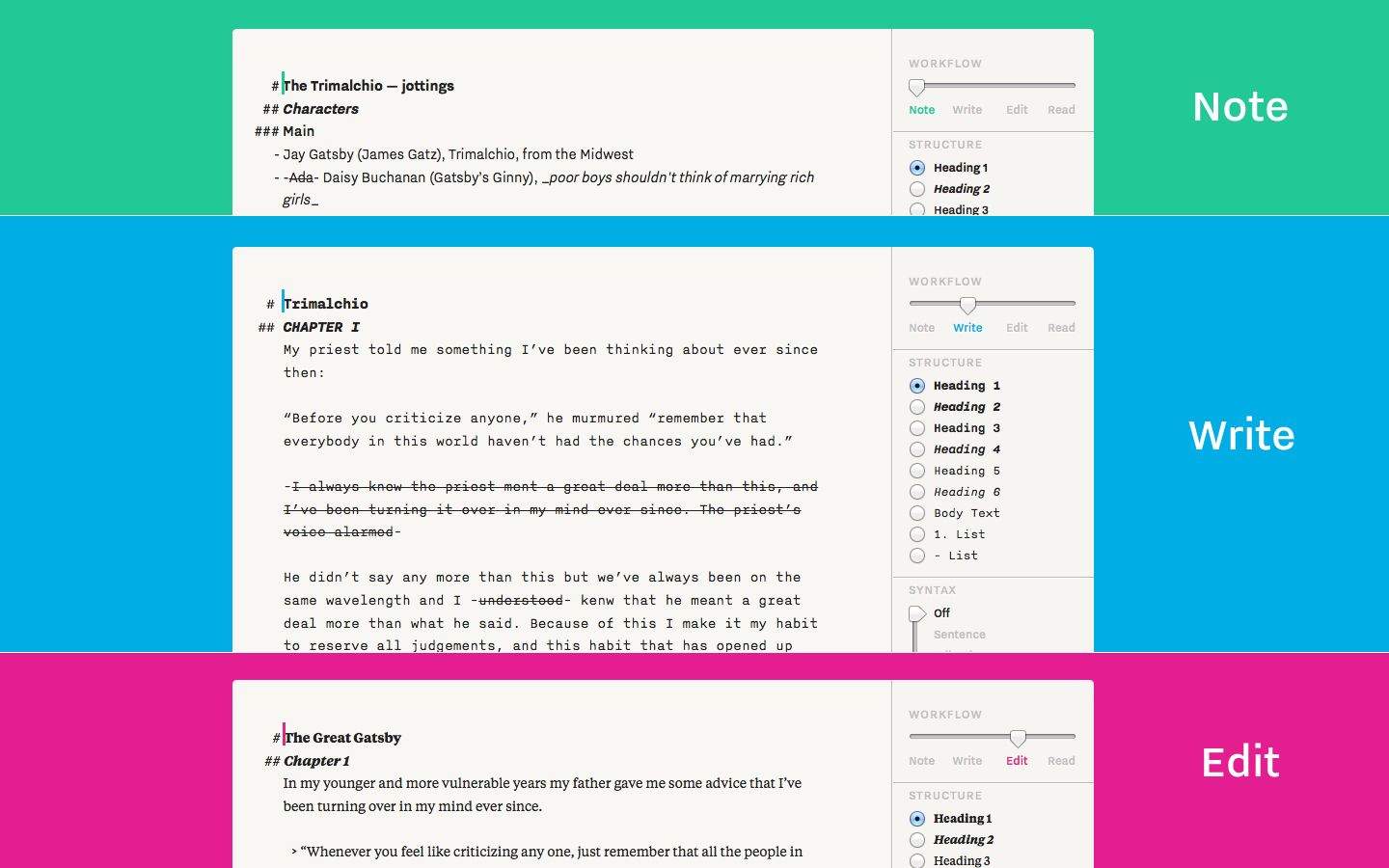
In the world of minimalist text editors that do geeky things like support Markdown, iA Writer is one of the best. Made by Information Architects in Tokyo, the app has sold over 1,000,000 copies in the App Store since its release in 2010.

The followup to iA Writer has been released today on Mac and iOS. It’s a jaw-dropper. Talk about the perfect balance of a lightweight interface and awesome feature set.

Pebble Smartwatch Gets Its Own App Store Next Year

By

04A-Blog-Pic

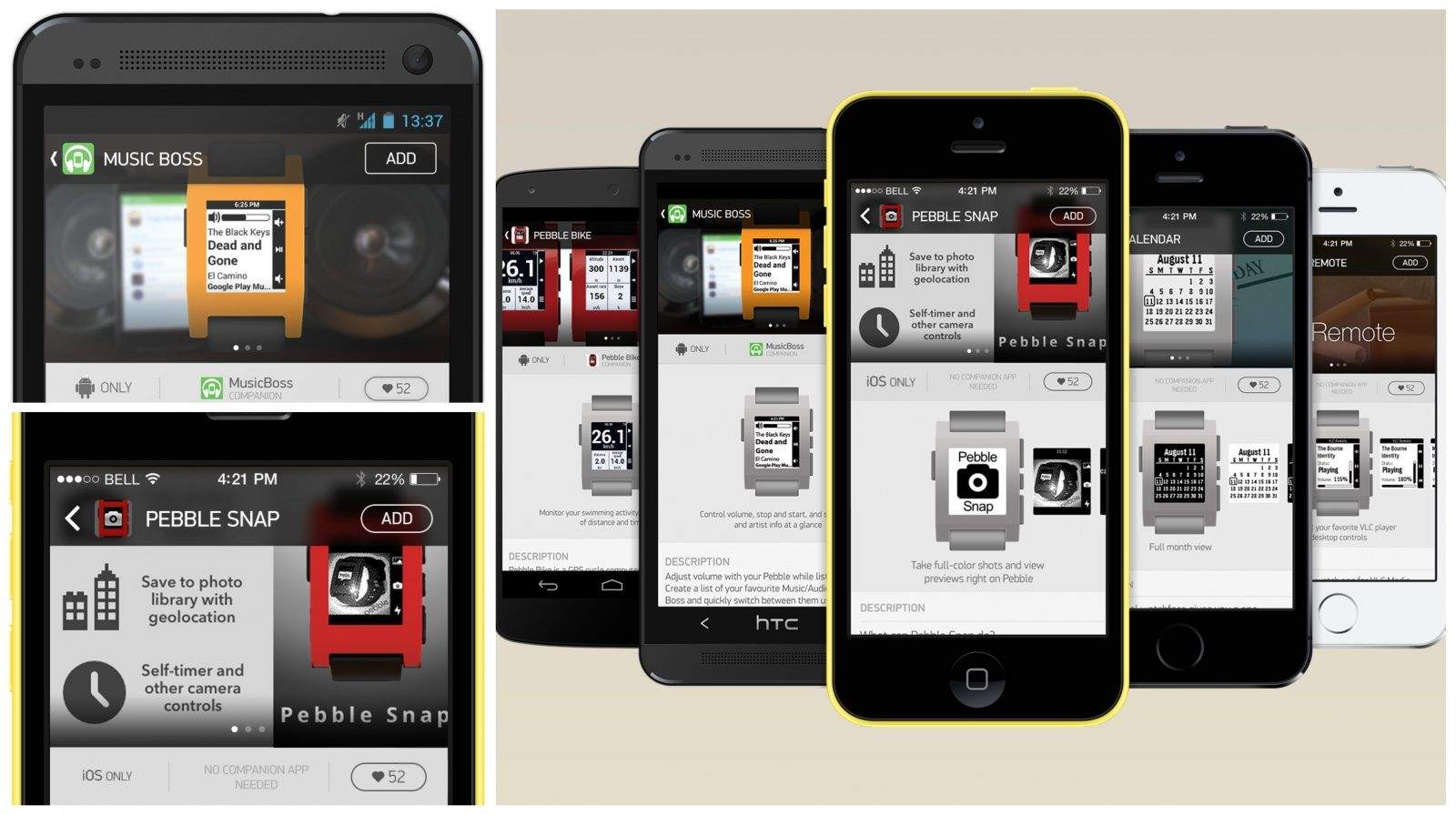
The Pebble smartwatch started as a project on Kickstarter and has now shipped over 190,000 units. While select partners like Yelp and Foursquare have been working with Pebble to create apps for the platform, Pebble is announcing that it will be introducing an official app store of its own in 2014.

Developers will be able to submit and sell apps in what Pebble is calling a “first-of-its-kind wearable tech application directory.” Like Apple’s App Store, Pebble owners will be able to browse for apps to install from the Pebble iOS and Android companion apps.

Last month Pebble released its 2.0 SDK that gives devs access to the device’s accelerometer and full support for iOS 7’s enhanced Notification Center. You can order a Pebble online for $150.

Source: Pebble

Top iOS Apps of the Week

By

Smart Decisions

Browsing the App Store can be a bit overwhelming. Which apps are new? Which ones are good? Are the paid ones worth paying for, or do they have a free, lite version that will work well enough?

Well, if you stop interrogating me for a second, hypothetical App Store shopper, I can tell you about this thing we do here.

Every week, we highlight some of the most interesting new apps and collect them here for your consideration. This time, our picks include something to help you make good choices, a simple flight locator, and instructions for keeping your hands really super clean.

Here you go:

Smart Decisions — Productivity — Free

I clearly have a lot on my mind — I can’t even decide which pants to wear. Luckily, Smart Decisions exists. It’s an app that breaks up your major (or minor) quandaries into their component parts and helps you reach conclusions simply and methodically. First you identify the problem, and then you list out the alternatives. After that, you figure out the most important factors to consider and rank them in order of importance. The app then has you compare two options at a time based on the factors you listed. After you’ve exhausted all combinations, it tells you what your best choice is.

Apparently, I want cereal more than pancakes. That was a surprise.

Smart Decisions

Hand Wash

Hand Wash — Health & Fitness — Free

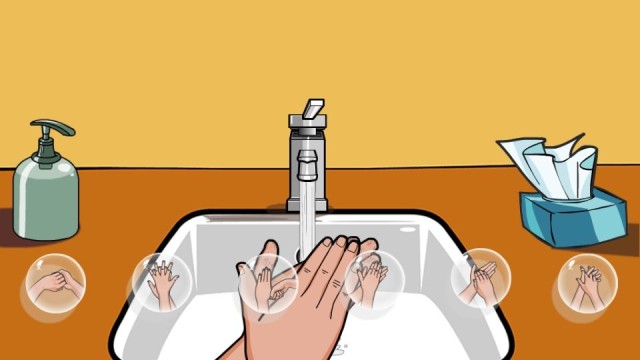
Cold and flu season is upon us, and you might not know this, but that thing where you just hold your hands under the water for a second before wiping them off on your pants? That’s not doing a darn thing.

If you’d like to know a better way to wash your hands, Hand Wash is here for you. It trains you in the World Health Organization’s Five Moments method, and it even contains a little game that will grade your mastery of washing technique and duration.

Now, stop using your hand as a tissue and go clean up. I want to sneeze just looking at you.

Hand Wash

Where Is My Flight

Where Is My Flight — Utilities — Free

Where Is My Flight is a pie-simple tracker with a single box. You put the flight number in there, and it tells you where and when to find it. If you’re the one flying, you might find it helpful that the app tells you which terminal you’ll be in so that you can plan your overpriced airport meals accordingly.

If you’re not the one flying, you’ll find the landing-time estimates handy so you can time your pick-up accordingly. It’s just a simple, useful app, and anything that removes any of the annoyances of air travel is worth checking out.

Where Is My Flight

Thyme

Thyme — Utilities — Free

Here’s an app that might come in useful for any big meals you might be planning.

Thyme lets you set individual timers for each burner of your stove and your oven so that you can see at a glance how much longer everything has to go. It sure beats my usual method of setting one timer on the microwave, one on my phone, one on the back of the stove (which never works, anyway), and then just watching the clock.

We’re all about simplifying here, people.

Thyme: A kitchen timer for your culinary arts

Bill Samurai

Billy: The Bill Samurai — Utilities — Free

So you go out to dinner with a bunch of your friends, and when the bill arrives, you decide to save time and just pay the whole thing yourself. But you’re a little obsessive-compulsive, so you insist that your friends pay you back exactly what they owe. But how do you figure it out? That’s a lot of math to fit into one head.

This app has you covered. You just enter in the menu price of every item, tell it who ordered what, and enter in the tip and tax percentages, and it gives you the exact amount each person needs to pay you back, to the cent. And nothing screams “friendship” quite like making change.

Billy: The Bill Samurai

Essential iPhone Accessories

By

iPhone-5s-camera

Here’s how to make sure your new iPhone rings true in all the places you take it – these are Cult of Mac’s favorite, top-rated accessories for 2013.

EarPod Covers

Earskinz are a pair of silicone covers custom-made to fit Apple’s EarPods designed to add grip to the slick surface and to make them stay in your ears. If you don’t have the ideal ear shape that Apple was designing for — and seriously, who does? — these are definitely for you. They also help by shutting out ambient noise for better sound and allowing you to listen at a lower volume.

The EarSkinz not only keep your headset in place, but the slight extra thickness forms a pretty decent seal in my ears, let you walk through busy city streets listening to podcasts and audio books with the sound at a reasonably low level. Both our reviewers can’t imagine using their iPhones without them.

Buy from: EarSkinz
AL13ProductShot

Bumper Case

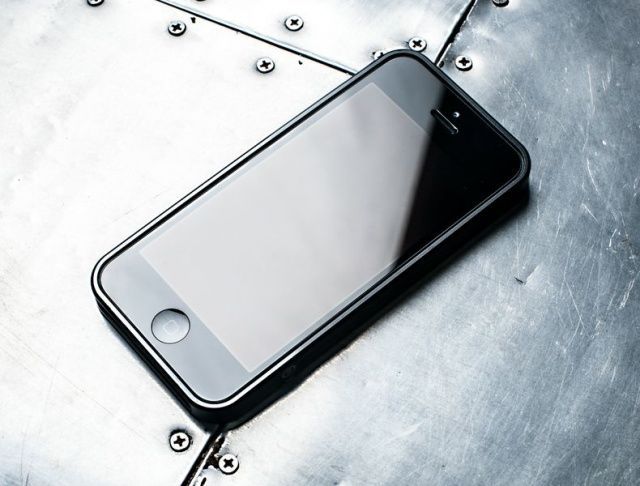
There’s no point in obscuring the beautiful line of your iPhone 5 or 5s with a clunky case: go for the AL13 Ultrathin bumper, a precision-cut aluminum number that shows off the design of device while providing some additional protection. The bumper case comes in a gorgeous metal box, cushioned with black foam, with a design aesthetic that matches the AL13 itself.

The material of the bumper case is metal, transmits vibrations from the iPhone a bit more than other rubber or plastic cases. That’s not a bad thing when it’s in a pocket, but set it on a glass or metal table and you’re going to hear it.

Ultimately, unless you own nothing but glass tables, the AL13 is a delightfully simple, minimalist, elegant design for an iPhone 5 case, and provides just enough protection while allowing the gorgeous design of the iPhone itself to shine forth. While $80 might be a bit on the steep side for many of us, for those to whom design matters, it’s a small price to pay for such a well-crafted and delightfully Apple-like iPhone case.

Buy from: design by m

Armband
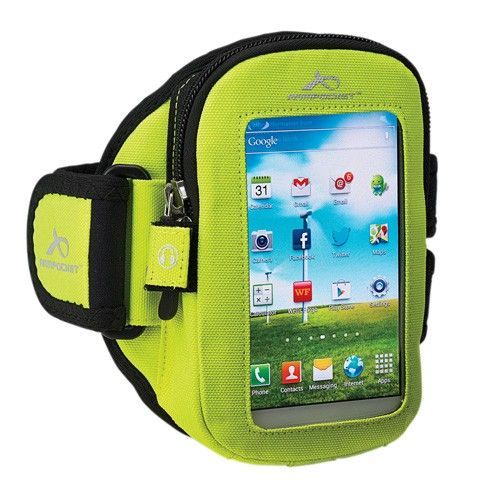
Arm-Pocket-i30

The Armpocket i30 is perfect for walking, running, hiking, and pretty much any physical activity that requires easy storage of and access to all models of the iPhone 5 (and older versions too!) when pockets aren’t an option. The i30’s storage is generous without being too bulky, providing three separate sections to hold stuff in place via a pocket in front and a strap on the back.

The problem with many armbands that I’ve used over the years is twofold, reviewer Rob LeFebvre notes. If the armband is too small, it only holds an iPhone without a case and nothing else. Two, unless it’s cinched incredibly tight on a bicep, the weight of the phone tends to bounce while running, making the whole concept less than useful. The Armpocket i30 armband is a fantastic little iPhone 5 holder that solves both of these problems.

Buy from: Armpocket Web Store

Screen protector

Screen protectors are the best way to keep your device’s display in great condition, but applying them is a pain in the butt. Enter Tru-Fit which comes with its a film applicator, which is essentially a plastic frame the shape of your iPhone. You place the film inside the frame, then clean your iPhone’s display using the included microfiber cloth.

Unlike other screen protectors, the Tru-Fit also comes with a sticky sheet that you can use on your front of your iPad’s display to ensure you’ve removed any dust and debris, and to prevent anything from settling on it while you’re getting the protector ready. It’s durable, anti-glare and has a terrific grip.  The anti-glare version is available for the iPhone 5s and iPhone 4 models – but not for the iPhone c.

Buy From: Tru-Fit

Docking Station
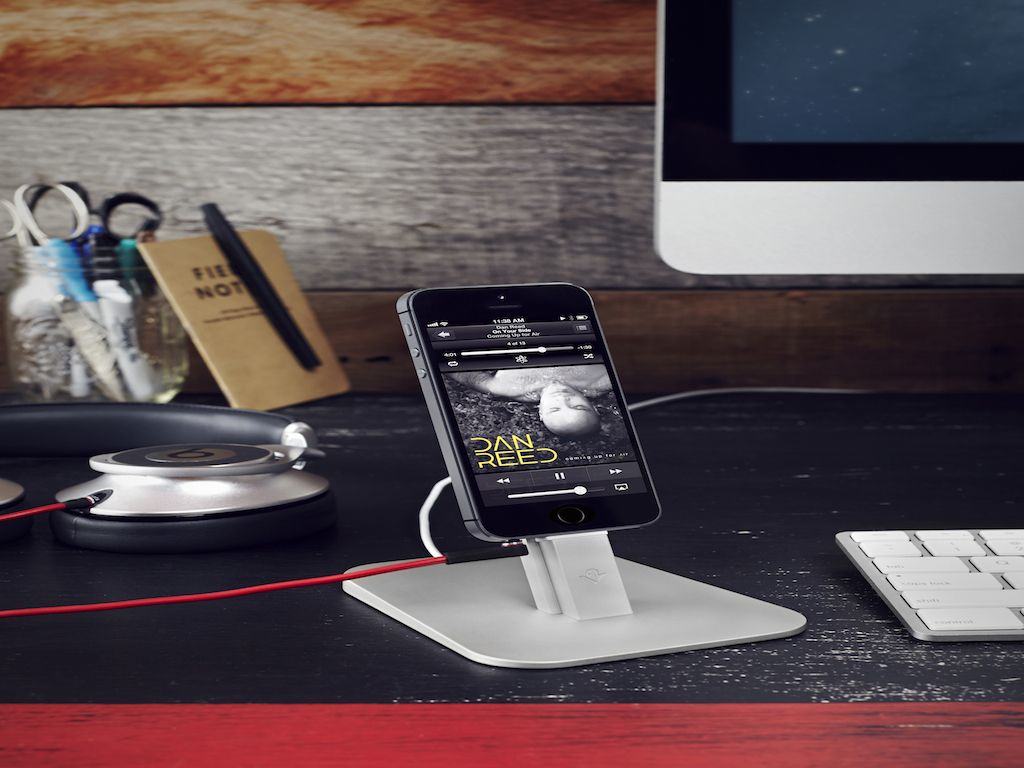
twelvesouth_hiriseiphone5s_desktop_hires

If putting together those Lego sets hasn’t left you completely exhausted, the HiRise is the docking station for you.

Twelve South’s HiRise for iPhone and iPad mini, is a combination dock and stand that looks great, is made of solid materials, fits both an iPad and an iPhone at the same time, works with cases, and best of all, will almost definitely work with all future iterations of iPhone and iPad that have a Lightning connector.

It also works with most cases, so you don’t have to dance the on-off fumble every time you need a charge. One caveat: putting it together.  While beautifully packaged, the HiRise comes disassembled, like something you’d buy from IKEA. The screws didn’t want to fit, the hexwrenches were so small that they hurt my fingers to use, and even after I put the HiRise together, the two arms were very slightly crooked from one another.

“Once the HiRise is put together, I don’t have a single complaint about it. But I never want to put one together again,” says reviewer John Brownlee.

Buy From: HiRise