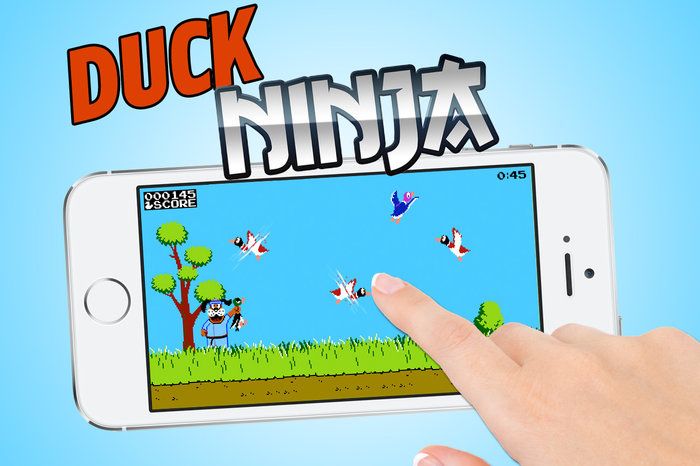
The House That Mario Built isn’t any closer to bringing Zelda, Mario, Donkey Kong, and the others to iOS anytime soon, but what would Nintendo’s classic games look like if they were originally built for iOS?
Rather than waiting for Flappy Mario to hit the App Store, Red Bull decided to re imagine some of our favorite Nintendo games with a iOS twist that mashes up the likes of Donkey Kong with Angry Birds, Candy Crush Saga with Dr. Mario, and Nintendo’s own Temple Run knock-off starring Link.
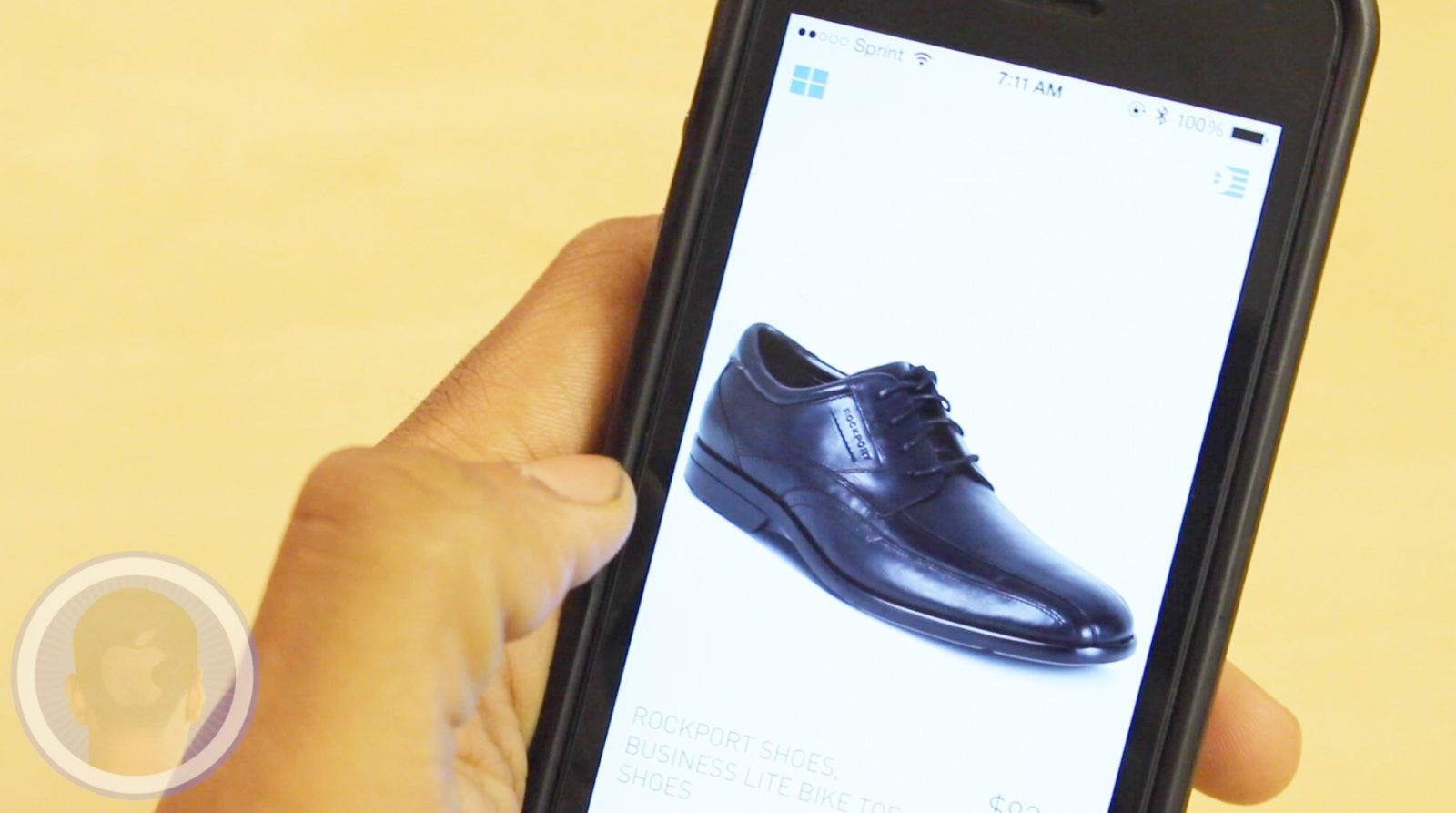
Men can be quite particular when it comes to their clothing and with so much being offered in stores, shopping can be nothing more than a headache. Luckily the app Dapper is an application that categorizes clothing for men to check out. Always learning from what you like and dislike, Dapper just may become your new shopping buddy.
Take a look at Dapper and find out what you think.
This is a Cult Of Mac video review of the iOS application Dapper brought to you by Joshua Smith of “TechBytes W/Jsmith.”
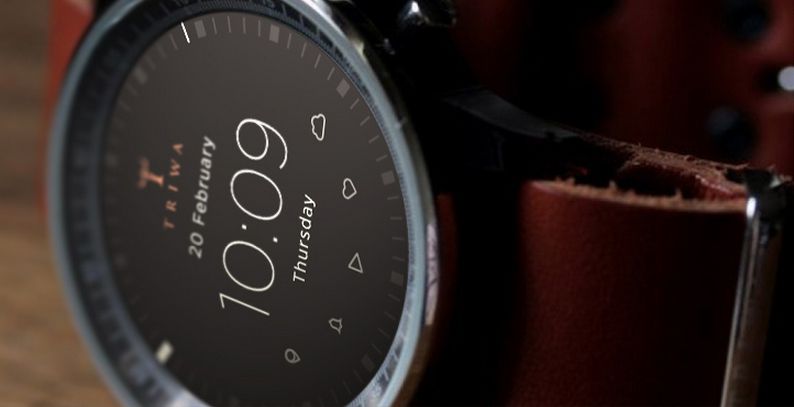
We’ve seen so many iWatch concepts that at this point we really just wish would Apple to show their cards, but here’s a concept of a traditional wristwatch we wouldn’t mind them aping a few features from.
Gábor Balogh says he was tired of all the supergeekylookingiWatchconcepts, so he whipped up this clever beauty that features modern smartwatch features re imagined in a classic, traditional analog watch way.
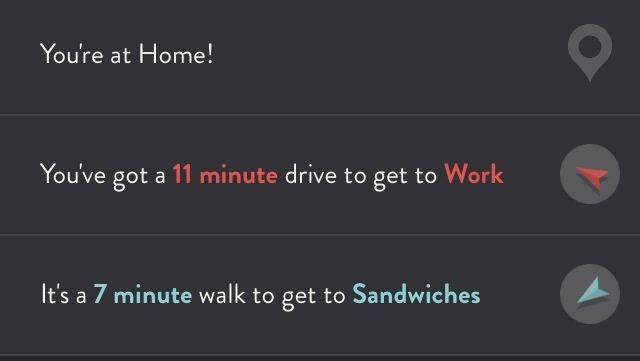
ETA is all about telling you how far you are from your favorite places. It’ll also point out which direction they’re in, in case you have to know that at all times.
But Maps will do that, too, so to distinguish itself, ETA lets you build up a list of your most-traveled spots, and it’ll tell you at a glance how long it will take to get there in current traffic. And with a couple taps, you can get directions from either your built-in navigator or Google Maps. And that’s really handy because I always like to know how far I am from sandwiches.
I play a lot of games about getting one thing and maybe getting three other things along the way if I can (or feel like it). I just reviewed one Wednesday, in fact. But it’s a solid premise, and as long as getting all those things isn’t boring, developers can keep making them until everyone’s thumbs fall off.
Eets Munchies by Klei Entertainment Category: iOS Games Works With: iPad Price: $2.99
Developer Klei Entertainment’s first mobile title, Eets Munchies, is another “one and maybe three” game, but it’s also a clever puzzle title that is equal parts Lemmings and Rube Goldberg. It’s the latest in Klei’s debut series, and it’s interesting to see the company go back to the cutes after its recent dalliances with hyperviolence in games like Shank and Mark of the Ninja.
Don’t let the adorable graphics fool you, though; once you really get into it, this game is to difficulty as cake is to delicious flavor.
Ever since the iPad arrived in 2010, analysts and Apple fans alike have been eagerly awaiting the next “big” Apple product.
With CarPlay, they may have finally found it.
Thanks to a cabal of major car manufacturers opening their doors to Apple, the Cupertino company has the opportunity to revolutionize the way we drive and interact with our cars.
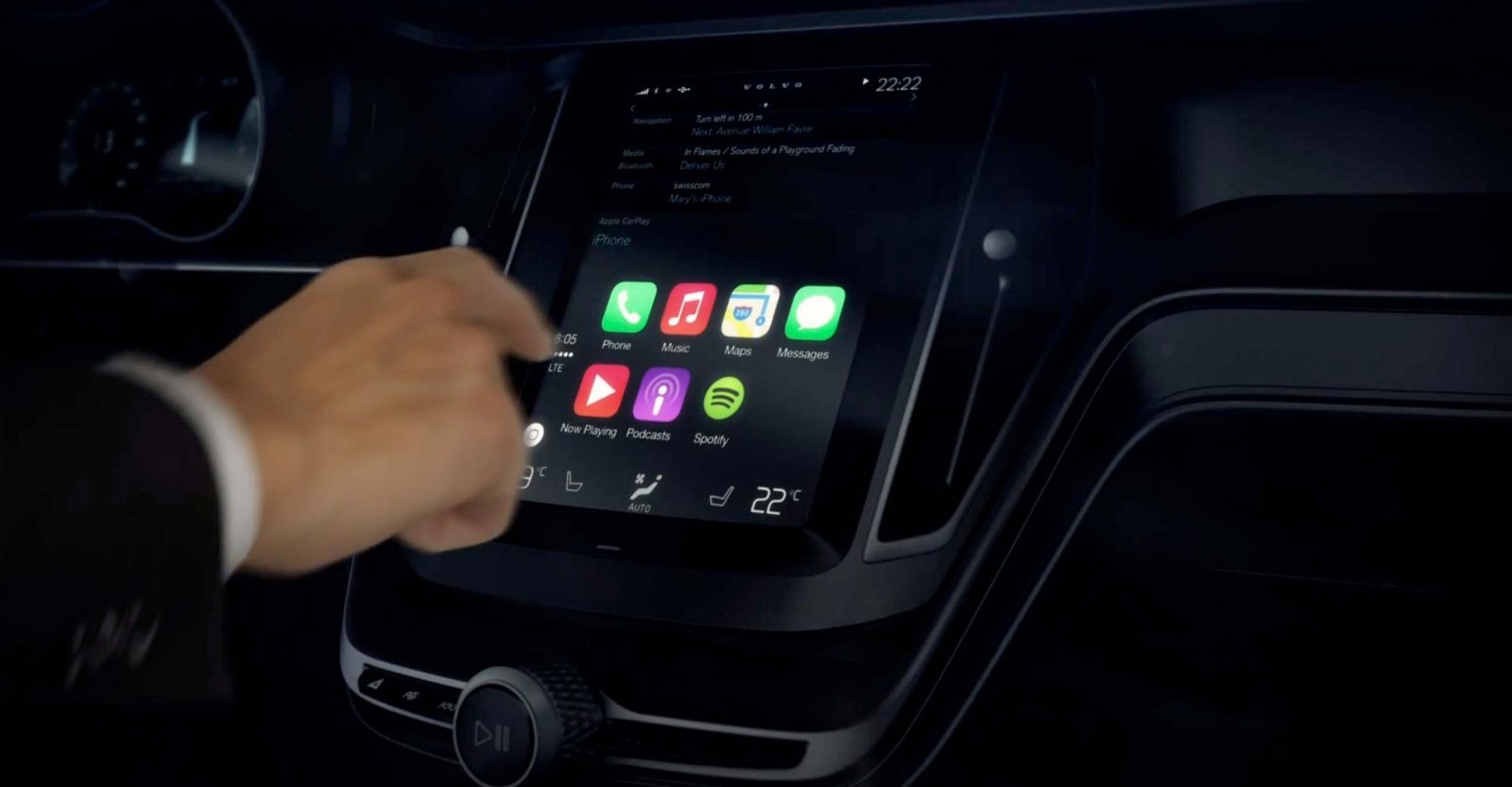
Previously known as iOS in the Car, CarPlay drove most of the media buzz when it debuted at the recent International Geneva Motor Show. Sitting behind the wheel of a Ferrari, a family-friendly FF four-seater with skis in the back, veteran auto journalist Jennifer Clark says that the integration was as smart and seamless as you’d expect from Apple.
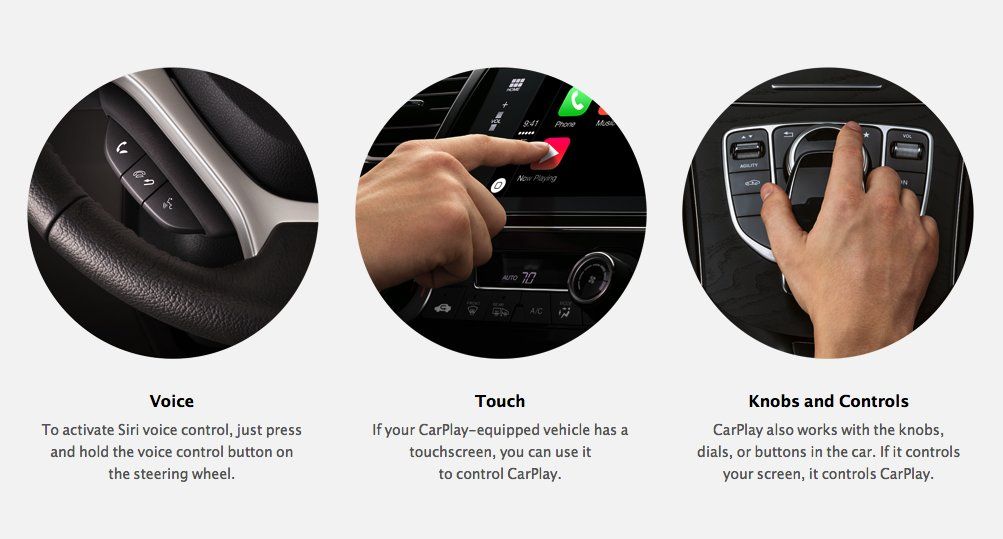
Here’s how it works: the iPhone plugs into a jack inside the central armrest, and with the press of a button, the familiar Apple icons appear on the car’s entertainment screen. The driver or passenger can active the phone, messaging, podcasts, music or map icons either my button, by touchscreen or by Siri voice command.
By creating a version of dashboard iOS that allows your iPhone to connect with the existing in-car infotainment systems used by Ferrari, Mercedes-Benz, Volvo, and others, Apple can tap into the fast-growing connected car market — predicted to be worth $131.9 billion by 2019.
Much like Apple TV provided a streamlined solution to TV viewers begging for a better interface, so CarPlay represents Apple’s gambit at taking an idea that has been around for years (the in-car infotainment system) and making it better.
CarPlay transfers many of the UI elements of iOS to the dashboard.
There is currently a lot of misinformation about CarPlay — from Apple’s relationship with automakers, to the suggestion that it’s working side-by-side with BlackBerry on the QNX software platform which has been the glue holding various in-car infotainment systems together for years.
CarPlay isn’t a case of Apple licensing a system to manufacturers, but rather an add-on for what is already in your car. It’s not a whole new technology, but a way to better integrate the iPhone into the system currently in place: overriding it only if you have an iPhone, AND this iPhone is plugged in.
“Connectivity to smartphones and other mobile devices is a key strength of QNX Software Systems’ platform for car infotainment systems, and many automakers and tier one automotive suppliers use our platform to implement smartphone/head-unit integration in their vehicles,” a spokesperson for QNX confirmed to Cult of Mac. “We have a long-standing partnership with Apple to ensure high-quality in-car connectivity to their devices, and this partnership extends to compatibility support for Apple CarPlay.”
But while CarPlay could be thought of as a glorified iPhone app, Apple is taking it very seriously indeed.
“Having something in the automobile is very, very important; it’s something that people want and I think that Apple can do this in a unique way better than anyone else,” said Tim Cook during the Q3 earnings call in 2013 — describing it as a “key focus for us.”
Tim Cook called CarPlay a “key focus” for Apple.
Why exactly Apple is so keen is obvious: because as potential users nearly all spend hours in the car in week — valuable hours (both to us and Apple) that we could better use engaging with iOS devices.
The average one-way daily commute for workers across the U.S. is 25.5 minutes, while a 2011 survey carried out by the U.S. Census Bureau claiming that 79.9 percent of workers travel to work alone by car. We’re buying more cars, too — the number of car sales in the U.S. have increased by 1 million vehicles every twelve months.
This isn’t an area that is new to Apple, but one that it has been working toward for at least a decade.
“You have to go back to the iPod,” veteran Apple analyst Horace Dediu of Asymco told Cult of Mac. “By about 2004, its use in the car was very much sought after, because users wanted to get music in their vehicles. We had the standard CD players, but the idea was that if you had a thousand songs in your pocket you should also be able to get them to play in your vehicle. Already by 2003 and 2004 Apple was reaching out to car makers regarding this, and after just a few years, they were making claims that between 70 percent and 90 percent of cars manufactured in the United States had the iPod as a supported product.”
In 2010, while Steve Jobs was still at the helm, Apple launched its iPod Out service with iOS 4.0, which let users pair their iPods with their in-car entertainment systems, and which quickly gained the support of 35 car manufacturers.
Two years later, in 2012, Apple and Mercedes-Benz announced that Siri would be put into the A-Class Mercedes Benz line — giving drivers the ability to use the apps on their iPhones via voice commands. Known as Drive Kit Plus, the program works in conjunction with Mercedes-Benz’s Digital DriveStyle App.
CarPlay was announced during the opening keynote at WWDC last June, under the clunkier moniker iOS in the car, with the idea that it will be coming to a dashboard near you from 2014 onward.
Third-party apps are still lingering question when it comes to how smart your car will become with Apple. So far, the only companies that Apple has provided a private API for include Spotify, Beats Radio, iHeartRadio, and Stitcher. These are all popular streaming music and podcast services, designed to replace old fashioned radio.
Currently CarPlay is very much like current Apple TV, or the iPhone in its early years — offering a select few apps from a smaller number of big companies, but no larger app ecosystem. It is not yet clear whether Apple will pursue this route.
“As a third-party developer we don’t currently have access to CarPlay,” says Michael O’Shea, CEO of Abalta Technologies, and 22 years of experience in the car infotainment field. “But clearly the door has already been opened to some — which suggests that it might be opened a bit wider over time.”
Opening CarPlay to third-party developers could trigger a driving app revolution, just as happened for mobile devices when Steve Jobs opened the App Store to iPhone developers in July 2008.
But it could also create problems: just how much “play” — and the consequences of distracted driving — will be allowed in the system?
For now, CarPlay features Siri-guided apps that don’t require the user to keep looking away from the road at the in-car screen. How would Apple ensure that low distraction factor for all third-party apps? Unlike an iOS app designed to be as attention-grabbing as possible, what obligation does Apple have to ensure the safety of drivers using the system?
“Technically and operationally, Apple has the ability to create a certification process that ensures that apps conform to certain guidelines, but along with that comes potential liability,” O’Shea says.
“I’m not sure this is going to be as open as [current iOS devices] where you can have any app you want on your home screen,” says analyst Horace Dediu. “Apple may want to restrict the type of functionality to maybe just music or navigation. The app opportunity is exciting, but cars are also hazardous environments that can kill you if you don’t do the right thing. I don’t think it’s going to be opened up as much for developers to take real estate on the screen. I think Apple will take a more cautious approach.”
With Google also entering the car infotainment space, we have a repeat of the smartphone war. Photo: Google/Apple
Currently CarPlay is a car accessory. But what happens if Apple is able to switch this around so that the system plays a far more central role in the driving experience — making cars truly smart?
The quantified car could be used not just for navigating, answering messages, and accessing music — but also controlling the extra features in your car and analyzing your driving habits, improving fuel mileage and nudging you to get the brakes checked. These “nudges” are already incorporated in some car systems, like the Toyota Prius.
It’s already possible to make CarPlay a tool for accessing some of the information that is currently reserved for car mechanics — relating to diagnostic info from your engine about metrics like fuel consumption or potential faults you may be experiencing. This is already the functionality of a tool like smart driving assistant Automatic, which plugs into your car’s standard OSB-II data port, and connects your car to your iPhone via Bluetooth.
This would also present Apple a valuable tool for gathering user data.
“The way that we drive can tell companies a lot about us,” says Michael O’Shea. ”Where do you go? What do you do while you’re traveling there? What do purchase along the way, and at what time? All of these are questions that can be invaluable from an analytics perspective. It’s an enticing area for companies for that very reason.” Although this might be more the remit of Google — who have continually exhibited their enthusiasm for gathering and monetizing user data — Apple could use these behavioral insights to help push engagement with the Apple ecosystem and beyond.
Apple isn’t the only A-list tech company working in the in-car infotainment space. Microsoft has been pushing its Windows Embedded Automotive 7 system, designed as a platform for automakers and suppliers to deliver a Microsoft in-car experience aimed at drivers. Google is also a new entrant into this field, but it made a big announcement at this year’s CES regarding the Open Automotive Alliance, which is a partnership with Audi, General Motors, Honda, and Hyundai to put an Android OS in cars this year. This alliance would result in automakers having access to an open ecosystem that would allow programmers to easily create new apps designed specifically tailored to in-car use.
CarPlay also faces competition from companies already working in the infotainment field, such as satellite-radio broadcaster Sirius XM — which has made a number of recent acquisitions showing their determination not to lose their competitive edge. In August 2013, the company acquired connected-vehicle services business Agero Inc. for $530 million, allowing Sirius to provide in-car Web-connected services related to security and real-time navigation.
Apple has the name, reputation, and (from what we’ve seen so far) the goods, to make a major dent in the in-car infotainment area.
Questions about how much control car companies are willing to cede will have to play out, but CarPlay certainly looks a whole lot better than some of the dismal offerings already out there.
Cult of Mac Deals has assembled a wide variety of promotional offers over the years, and this time around we’ve got two that will appeal to anyone who’s trying to learn more, build better-looking apps and workflows, and save money all in one go.
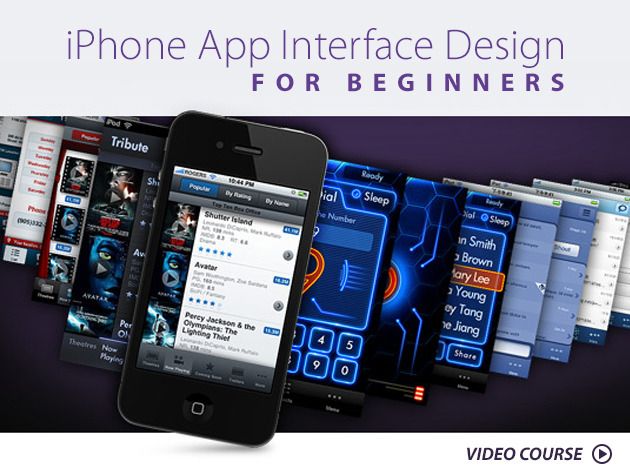
First up is the iPhone App Interface Design For Beginners course, which will teach you how to build better-looking apps. We’ve also got Pixa, an app that will easily organize your images and build a better workflow in the process. You can get the iPhone App Interface Design For Beginners course for only $29 and Pixa for just $9.99 – all thanks to Cult of Mac Deals!
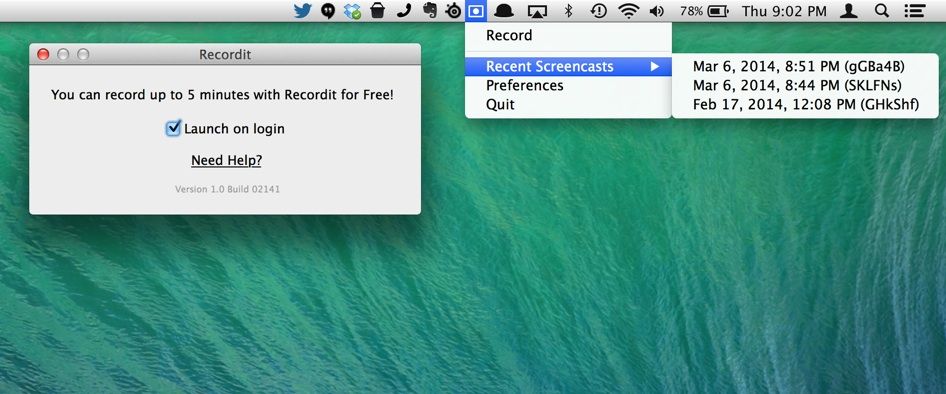
Have you ever wanted to create a quick video of yourself doing something interesting on your Mac? Need to show someone in another department how you manage your files, or the tagging system you employ using Mavericks?
You can create a screencast with many third-party tools, some of them quite robust and expensive, but there’s a new one that’s both free and easy to use.
It’s called Recordit, and the developers sent along a version for us to try out here at Cult of Mac Tips HQ, and we’re pretty impressed. Recordit allows anyone to create a quick recording (up to five minutes) of any portion of their screen and share it via a URL.
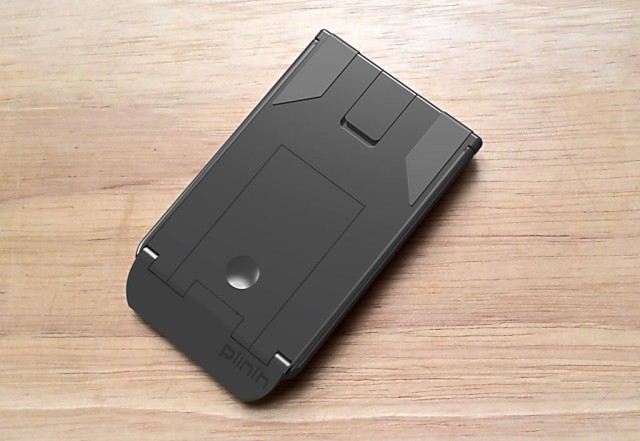
With its arms folded in, the Plinth hardly looks like a tablet stand. Image courtesy John Bull
The Plinth isn’t just a super-compact tablet stand — it’s an amusing party trick.
Slide the sleek accessory out of your pocket or purse and into the hands of a friend and you’ll likely be met with a quizzical stare as they try to figure out what, exactly, the flat plastic object is. Thin, feather-light and somewhat curiously shaped, the Plinth — which currently exists only as a 3-D prototype, although if you’re quick you can get in on the Kickstarter campaign — looks something like a Chinese puzzle box or a Transformer in stealth mode.
It’s obviously composed of multiple parts that fit together seamlessly, and a couple of buttons look like they might do something. But let a friend fondle the plastic object, and they’ll likely fiddle with it for a while before they discover the Plinth’s awesome secret.
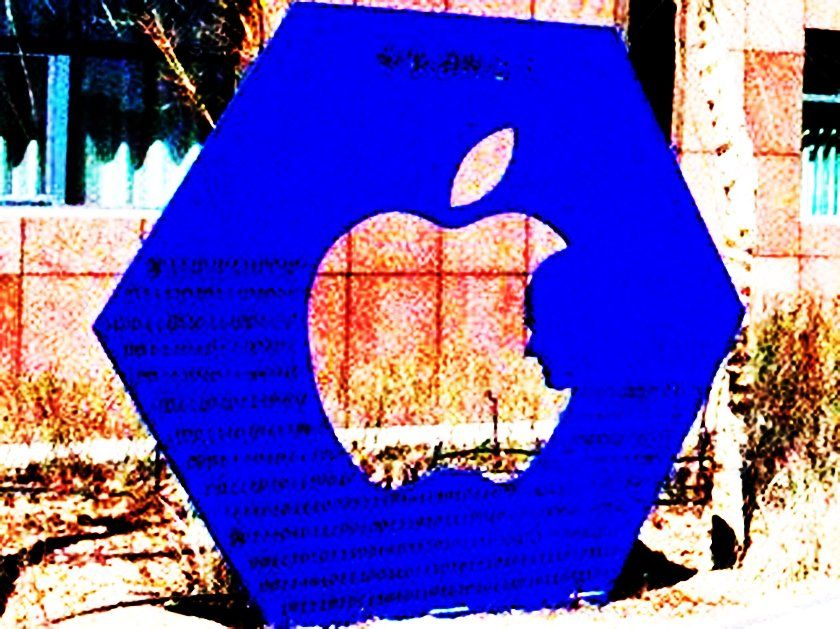
Well, a new Steve Jobs sculpture may have it beaten in the weirdness stakes.
Urban explorer Darmon Richter found the above hexagonal blue sculpture — depicting Jobs’ profile against the iconic Apple logo — during a recent trip to Ordos City, China.
Earlier this week Israeli Prime Minister Benjamin Netanyahu met Tim Cook for a lunch as part of his tour of the United States.
In the aftermath of the Wednesday meeting, the Prime Minister uploaded a short video clip to his YouTube channel, offering a brief inside glimpse of the Apple headquarters in Cupertino.
New retro-styled JRPG puzzle game Block Legend made it to the App Store today — and it’s accompanied by the most entertaining game trailer we’ve seen in ages.
Inviting players to travel through a range of different lands fighting monsters and completing quests, Block Legend combines tile-breaking gameplay with a massive world populated by different characters.
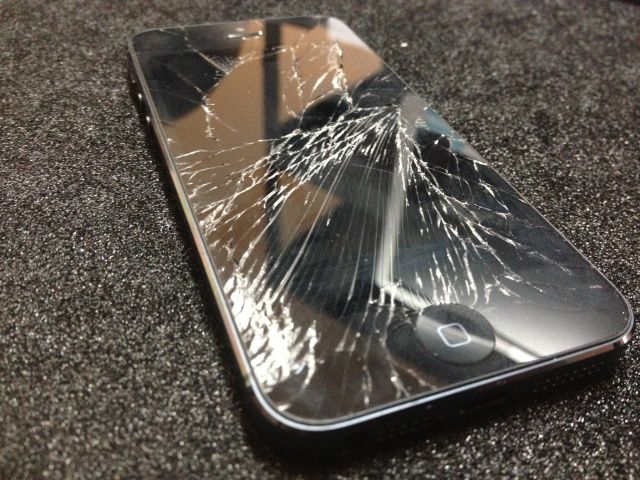
According to a new report, iPhone users are 46% less likely than other smartphone owners to need a replacement device due to accidental damage — but 65% more likely to have their device stolen or lost.
The insight comes from third-party insurance company ProtectCell, who based their findings on 2 million policies with various mobile device owners.
Award-winning Reuters photojournalism app The Wider Image has just been updated to version 3.0.
Originally arriving on iOS platforms in October 2012, The Wider Image lets users explore the world through captivating visual stories from award-winning Reuters photojournalists.
In addition to images, each story provides additional interactive content in the form of expanded facts and quotes, along with audio materials, and more.
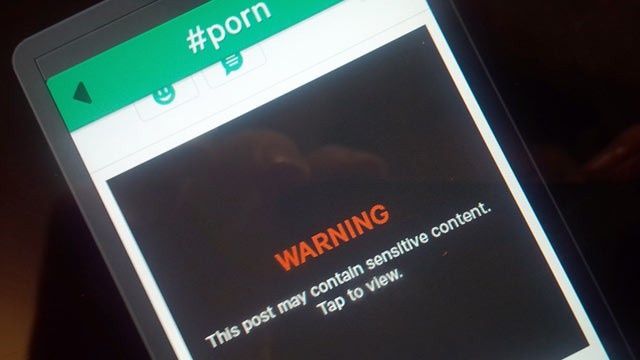
Twitter’s video sharing social network Vine will no longer tolerate porn.
In a new blog post, the company claimed that it has no problem with explicit sexual content on the Internet — they just prefer not to be the source of it.
“As we’ve watched the community and your creativity grow and evolve, we’ve found that there’s a very small percentage of videos that are not a good fit for our community,” Vine wrote.
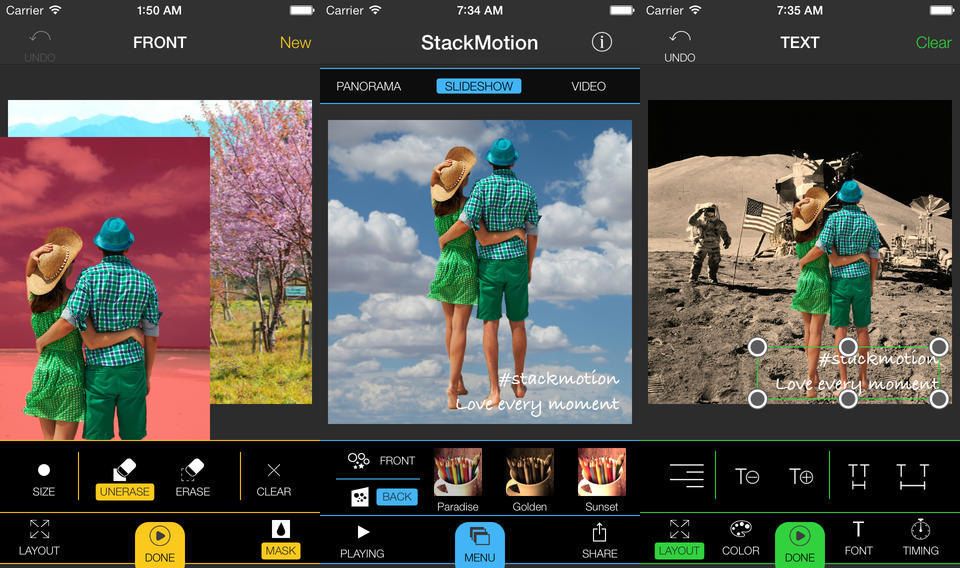
Stack Motion is a fin new app that helps you cut somebody or something out of your photos and overlay it on top of another photo, or even a video. That’s pretty much the whole premise right there, but there are some clever features to help make it easy.
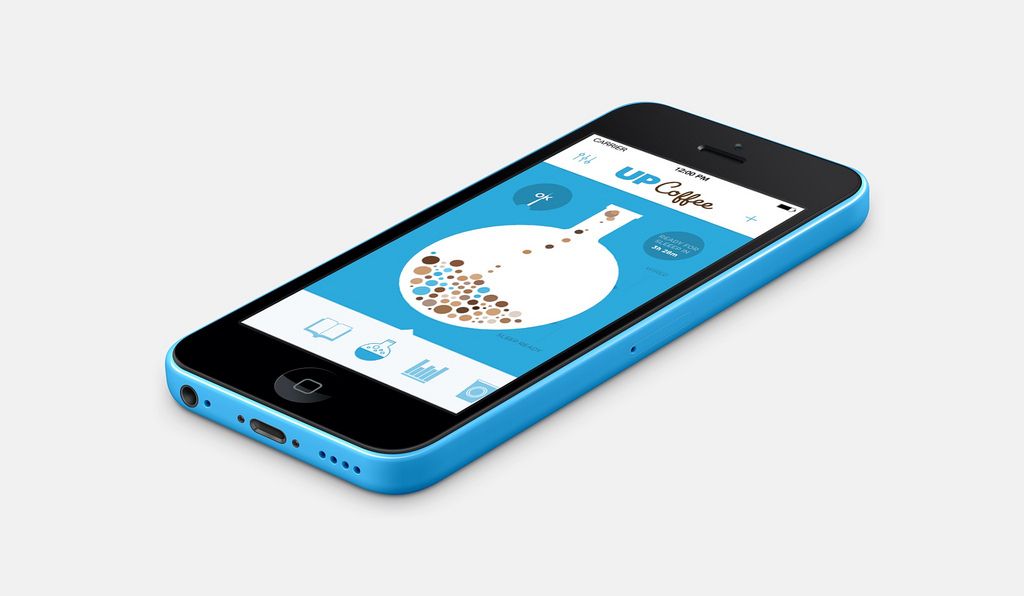
How much coffee do you drink? If you drink any at all, then the answer is probably “Too much.” And how does all that caffeine affect you? Now, with Jawbone’s new Up Coffee app, you can find out.
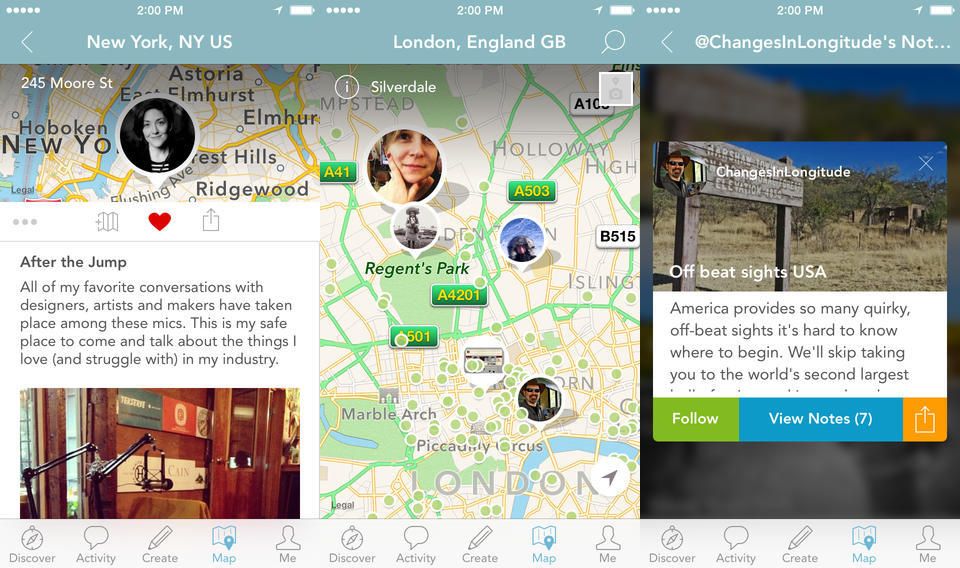
Findery, from inventor of Flickr Caterina Fake, is like Instagram for places, or maybe Foursquare for everywhere – even that street corner you like or the park bench you read on sometimes on Sundays.
Findery is a an iOS app and web site, and it lets you save pictures and make notes about places, and either share them with anyone, or just people you know, or even just yourself.
Wello is an iPhone case that costs $200, and monitors your vital signs like a pocket Dr. McCoy. Why would you buy such a thing? Science, bitches! Also, Stanley Kubrick stars in the promo video.
Native Union’s Gripster case is now available for the iPad Air, and it looks like the perfect accessory for folks who own an iPad air and also have hands. Yes, hands – those prehensile utilihooks at the ends of your chestal meat-sticks.
The case combines a grip, a stand and a cover, and is possible even better suited to the Air than it is to the mini, for which it is already available.
Hey dorks, great news! Toady is the day you get to fill up your utility belt with… With really dorky stuff. The brand new Modular Pixel Pocket Rocket is perhaps the hottest thing that’s gonna get near your pants pocket this year. You lucky dog you.
It was only a matter of time, but here it is: TwelveSouth’s BookBook Case for the iPad Air, which makes your fifth-gen Apple tablet look the very model of some ancient, dusty tome, just plucked off of the shelf from the Library of the House of Usher.
Both obfuscating your iPad’s value from thieves and protecting it, the BookBook Case is a perpetual fave here at Cult of Mac.
Like previous models, it allows you to prop up your iPad at a 30 degree angle, both for typing and movie viewing. It comes in black and brown leather varieties — no red yet, sadly — and costs $79.99.
Apple’s surprise announcement of CarPlay turned a lot of heads. Bizarrely running on Blackberry’s QNX platform, of all things, CarPlay will launch through partnerships with Volvo, Mercedes, and Ferrari. But how hard will it be for other developers to add CarPlay support to their apps?
The good news is the answer is: ‘not very.’ But the bad news is, Apple’s the gatekeeper to when that happens, and they won’t open up access until they are convinced CarPlay is safe.
It was only a week ago that Apple released OS X 10.9.2, a critical update that fixed a major SSL vulnerability that allowed anyone on the same WiFi network intercept your data.
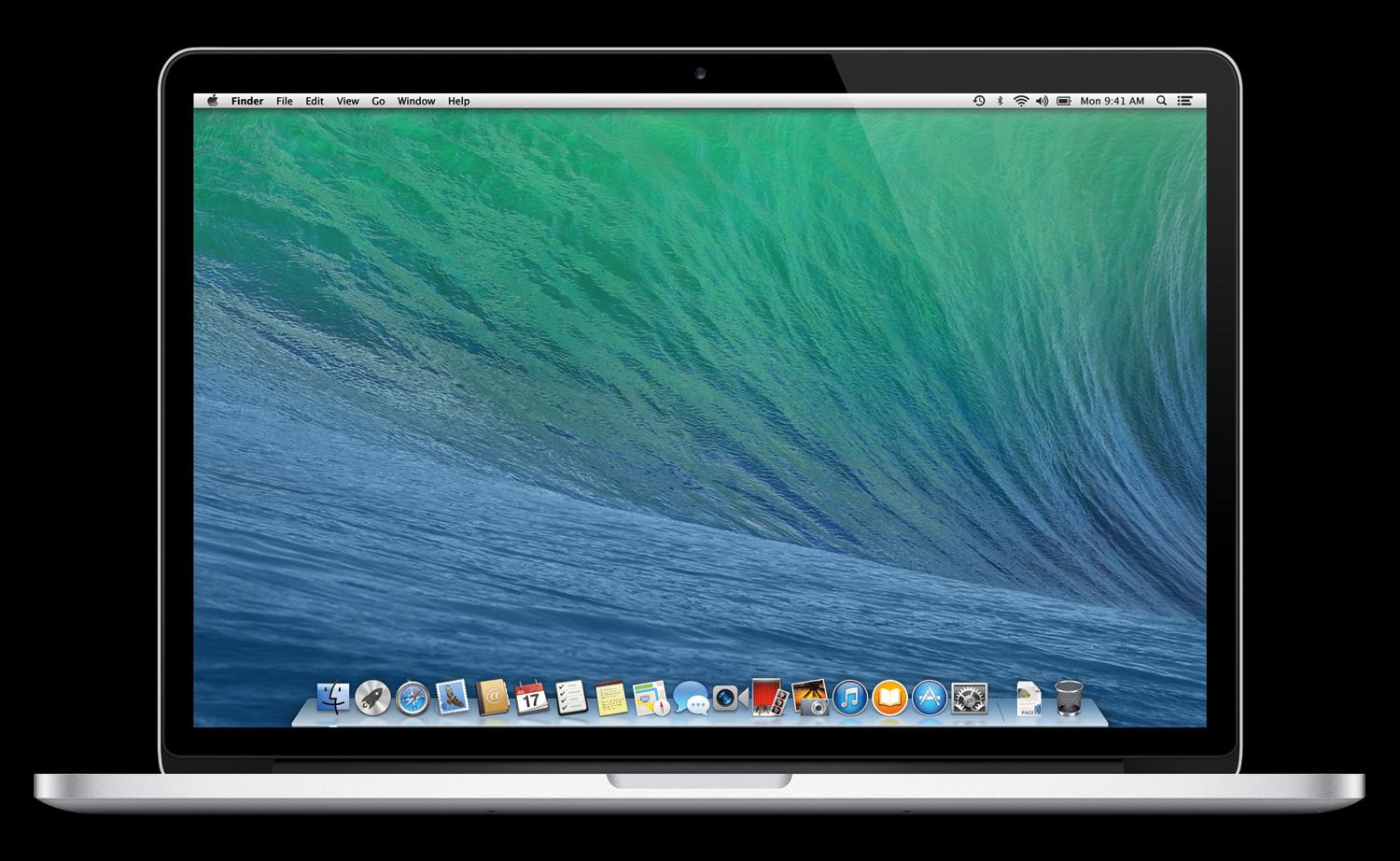
In Apple World, though, things never stop moving. So here comes OS X 10.9.3’s first beta, which is now available to developers via Software Update or Apple’s developer portal.
There’s no explicit release notes, although Apple has asked developers to focus on graphics and audio. Thankfully missing is any mention of Mail, which has experienced a number of problems since OS X Mavericks was released last October. Perhaps the debacle is finally over.
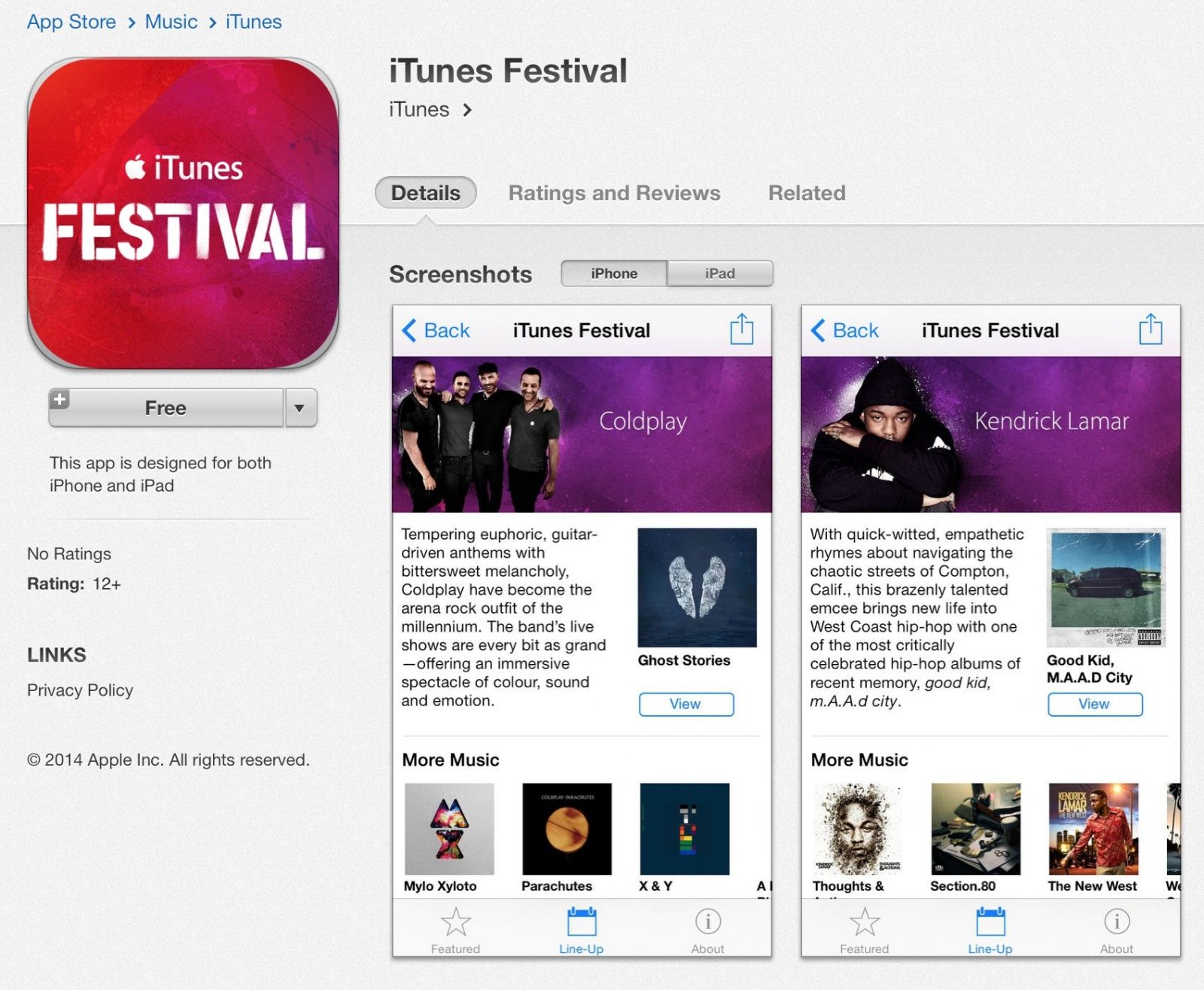
An updated version of the iTunes Festival app has appeared in the App Store. According to Apple’s release notes, the update includes a “refreshed design” and the ability to stream the upcoming festival at SXSW next week.
While the update is visible in the App Store, it can’t be downloaded in the U.S. currently. Instead, a message saying the app is temporarily unavailable is displayed.
A recent rumor said that the iTunes Festival SXSW update would require iOS 7.1, but Apple has yet to release that update. The App Store says iOS 7.0+ is needed to install the new iTunes Festival 5.0 app.
Update: Users in most countries are able to download the app now.