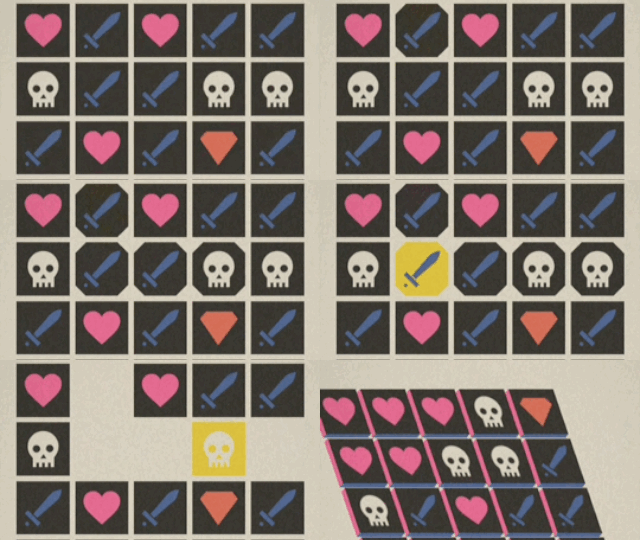
Faif by Beavl Category: iOS Games Works With: iPhone, iPad Price: $1.99
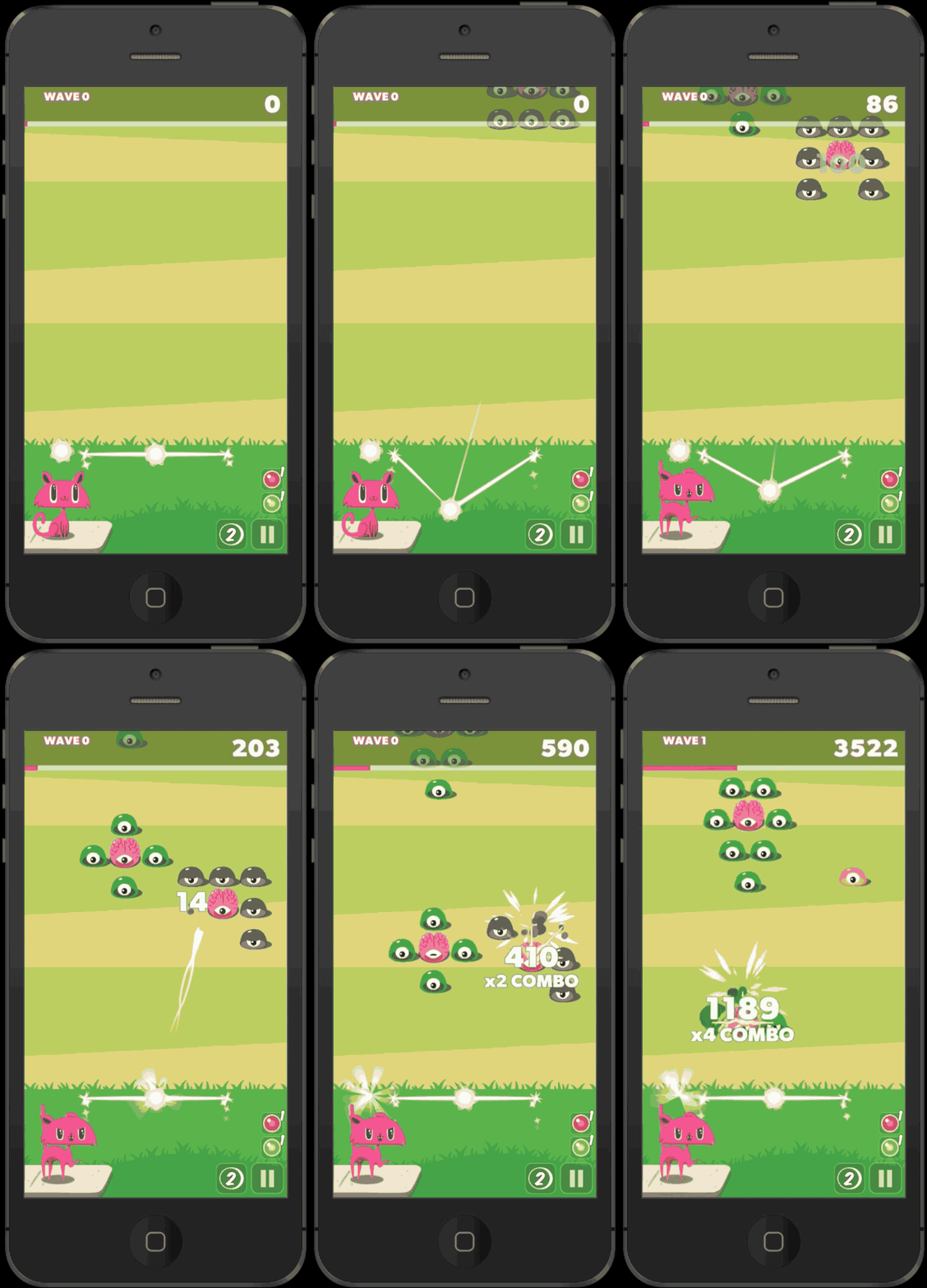
It’s kind of like Bejeweled, only you’re not trying to match anything. And it’s kind of like a role-playing game, except you’re not really on a quest (or are you?). It’s sort of like gambling, but you don’t win anything, and it’s a smidge like a free-to-play game, but you don’t have to pay real money for the in-game currency.
All of these kindas and sortas add up to a unique experience that I think I enjoy, but I’m honestly not sure.
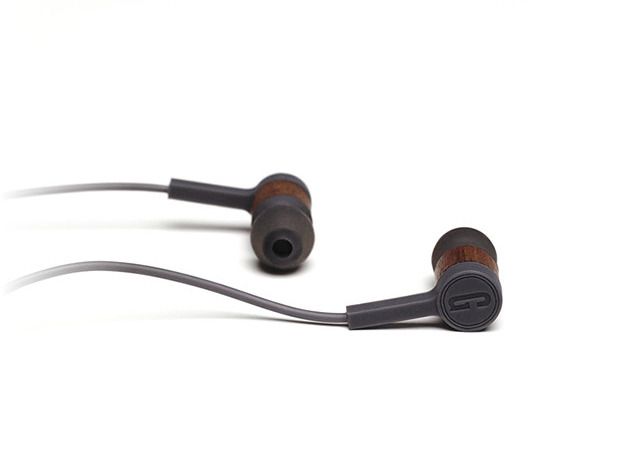
Let’s cut to the chase: these In-Ear Headphones from Grain Audio are earbuds redefined.
The In-Ear Headphones from Grain Audio deliver perfect sound and design. Owners of this product can maintain their style without sacrificing any audio quality. Cult of Mac Deals has got these sleek headphones for 15% off the regular price – just $84.99 – during this limited time offer.
For the first time since it was introduced nine years ago, the cost of Amazon Prime is going up. According to Amazon, existing Prime members will pay $99 per year on their annual renewal date, while Amazon Student members will now pay $49.
The Prime Fresh membership fee will remain unchanged at $299.
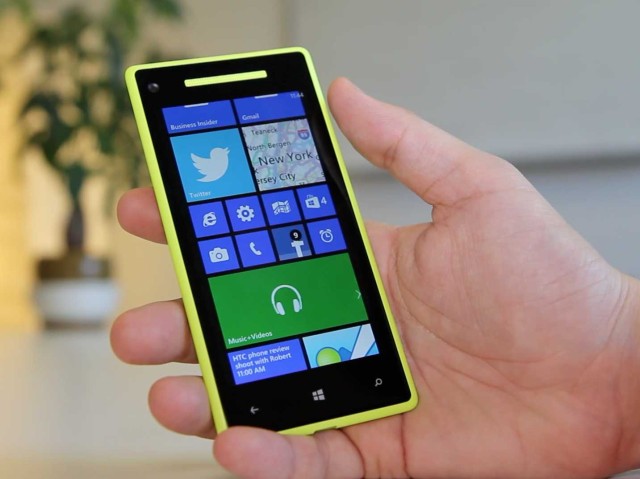
Microsoft has reportedly made its Windows Phone operating system free to select handset manufacturers in an effort to gain ground on Android and iOS.
Both Xolo and Karbonn — two smartphone makers based in India — recently signed deals with Microsoft that will allow them to launch Windows Phone devices free from license fees, according to sources speaking to The Times of India.
Three out of every four smartphones sold in Japan are reportedly iPhones, but how did the Apple devices get there to start with?
SoftBank CEO Masayoshi Son shed some light on that question during a television interview with Charlie Rose which aired earlier this week, in which he told the story of how he landed the iPhone back in 2008.
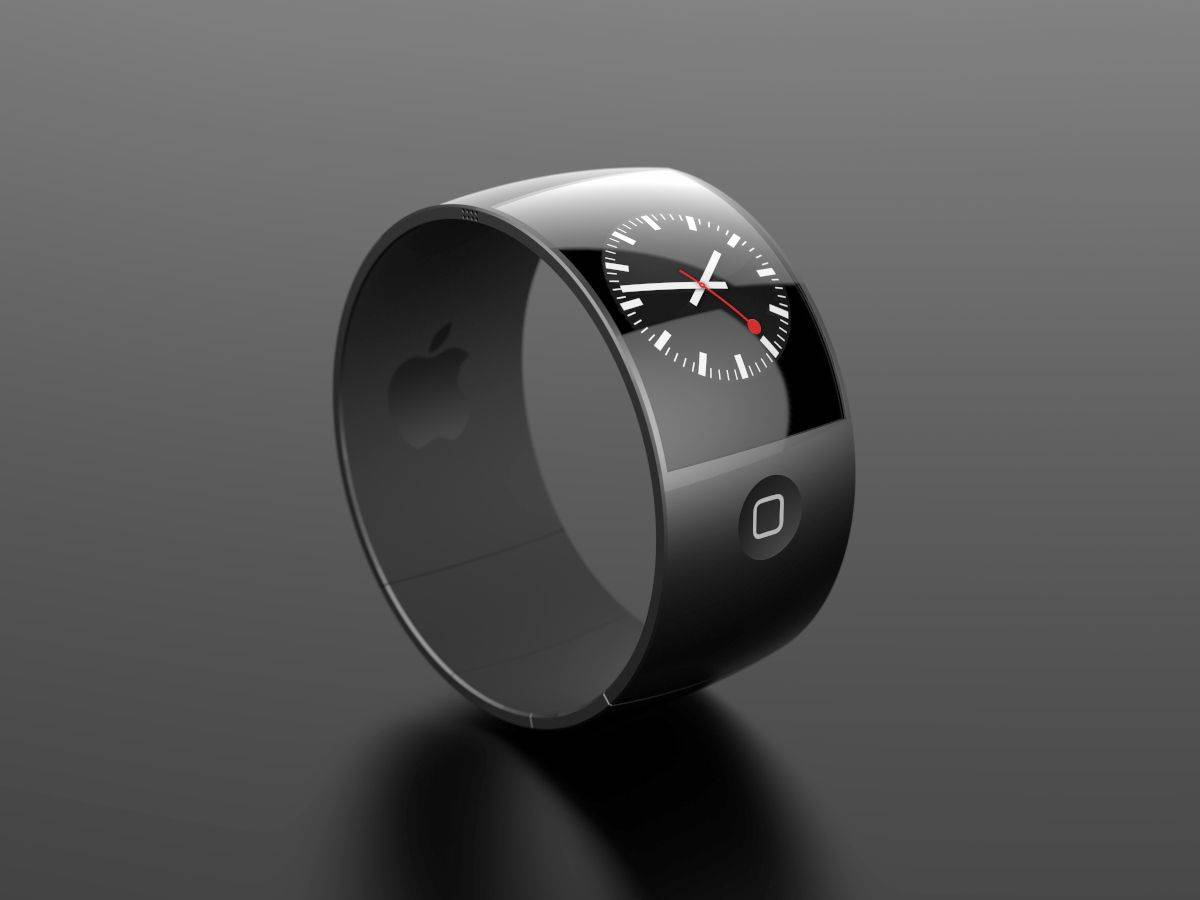
There have been many wearables and quantified-health applications over the past few years, but most have steered clear of proclaiming themselves medical devices. Some of the rumors about the iWatch (such as the fact that it will be able to listen to the sound blood makes as it flows through arteries, and use this to predict heart attacks) may sound a bit too good to be true. But the number of
biosensor and biomedical engineers Apple has snapped up recently makes us think the iWatch could be a device that crosses over firmly into the "medical monitoring" category.
According to one recent report, a reason for the long delay before launch is that Apple is awaiting certification from the Food and Drug Administration to get the iWatch approved as medical equipment. Given Apple's recent announcement of the Health app for iOS 8 to collect and show data on calorie consumption, sleep activity, blood oxygen levels and more, plus the conspicuous absence of a health-tracking fitness band in Apple's last iPhone 5s ad, the idea that the iWatch will be geared toward health seems as close to a foregone conclusion as you get for a device that hasn't even been officially announced yet.
Apple dropped another heavy hint about its interest in the iWatch on Thursday, as it published a patent application relating to a smart watch-mounted pedometer.
The Wrist Pedometer Step Detection patent application is another example of Apple’s interest in health-tracking technology for future devices. The application describes a method for optimally detecting steps, which uses advanced algorithms to filter out much of the “noise” that might lead lead to it missing or inaccurately recording steps.
France’s Opéra de Lyon is set to begin performing its multimedia opera — combining the story of Steve Jobs with that of Henry V, taken from Shakespeare’s 1599 play.
Written by German composer Roland Auzet, “Steve Five (King Different)” explores the supposed similarities between the two rulers (one of Silicon Valley, the other of England) who changed the nature of reality by inventing. The opera features both sung and spoken opera, as well as poetry, rap and orchestral interludes — and will debut on Friday, March 14 at the Théâtre de la Renaissance in Lyon, France. Subsequent showings will follow on March 15, 17, and 18.
Apple spends a lot of money on United Airlines tickets. Photo: United Airlines
Rolling out in April, United Airlines will offer a special personal device entertainment system on-board select aircraft for people using the iPhone and iPad, running iOS 7.
Customers will be able to choose from more than 150 movies, and close to 200 TV shows, which they can access free of charge.
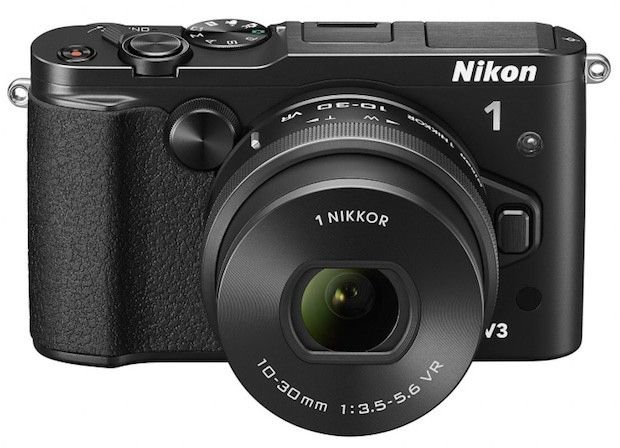
Nikon continues to beat the dead horse that is its tiny-sensor “1” range with the new 18.4 megapixel V3. The Nikon 1 series, for those who still care, is the company’s answer to the mirrorless camera question, if that question was “How can we make it look like we actually care about anything but SLRs?”
InRoute really does look like my new favorite journey planner. It’s a Universal map app with a whole slew of useful extras, including charts for elevation, curviness (!), wind speed, precipitation and more. It looks especially good for folks who understand that a journey and its route aren’t just about the miles.
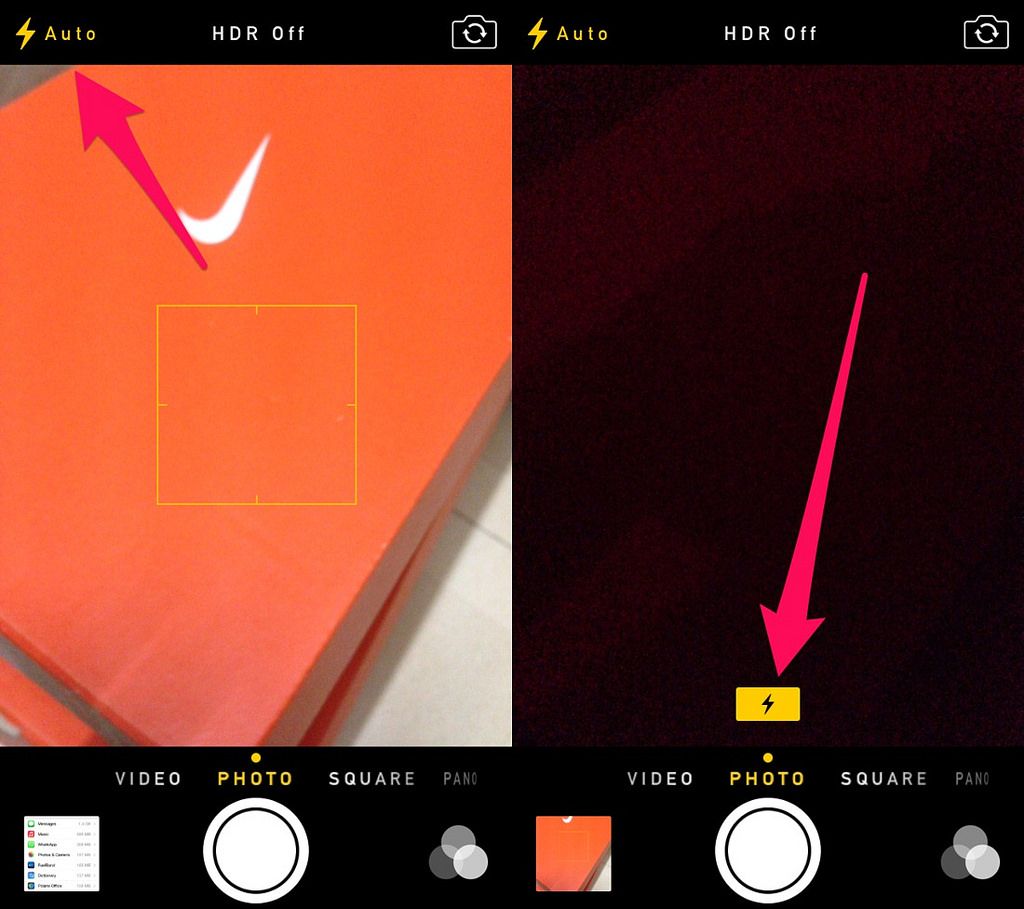
The iOS 7 update has another nice tweak in the camera app. Just like the iPhone 5S warns you when it decides to automatically engage the HDR mode, it now tells you when it’s going to fire the flash. To be honest, you should probably have the flash turned off all the time, but if you don’t, you at least now get a warning before it powers up and washes out your poor subject’s skin tones.
The Ember bag is a Kickstarter that – at first glance – seems to be a bag out of some first-person-shooter. It’s a modular backpack design, which starts out as a “20-liter urban pack” and can be extended by adding all manner of sleeves and pockets.
If you’re a normal human with normal human needs and desires, I would imagine that you want this bag like now. It’s called the Berlin, and it is a special edition from ONA made to celebrate 100 Years of Leica.
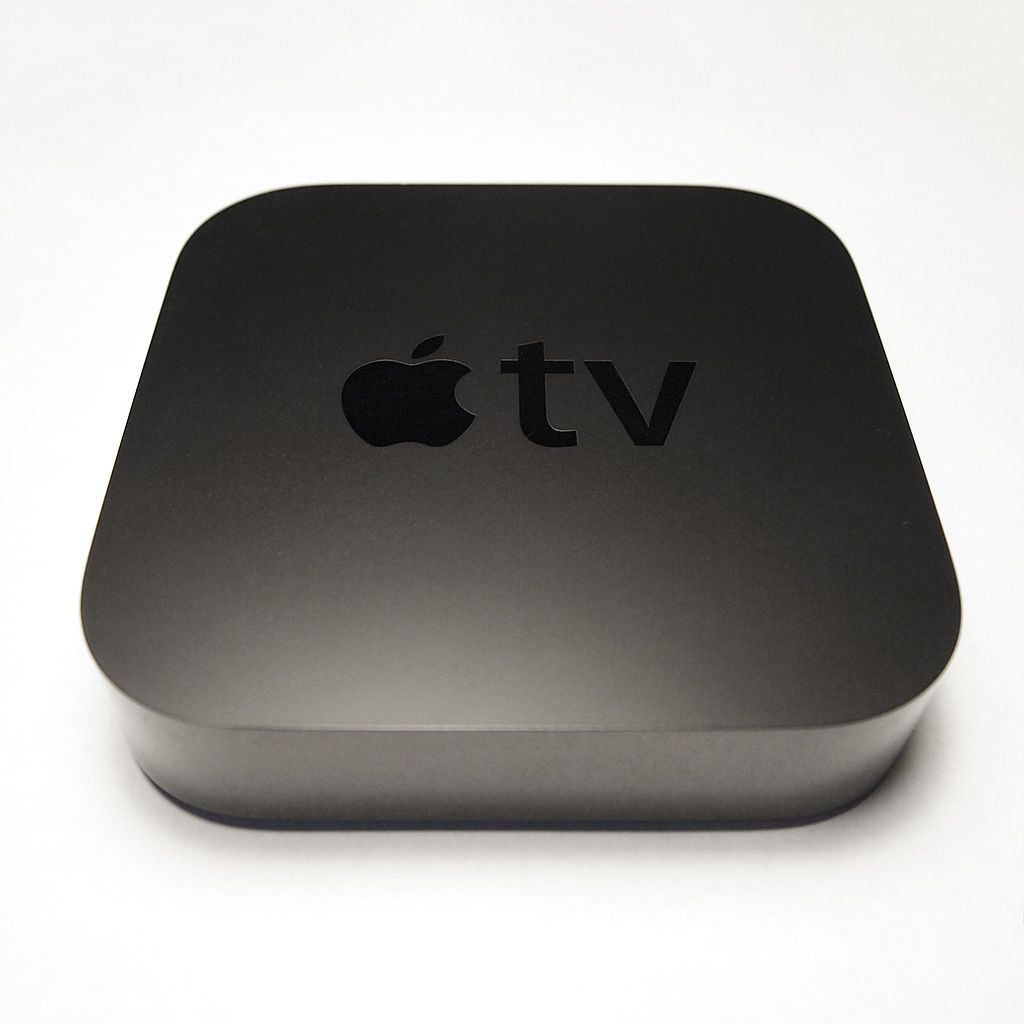
If you’re using the latest Apple devices and all your software is up to date, then your iPhone will now use Bluetooth to search for nearby AppleTVs as well as just searching on the network using Bonjour. The end result is the same – streaming over the local Wi-Fi network – but if you have an odd or non-standard Wi-Fi setup, this might help[,your devices talk to one another.
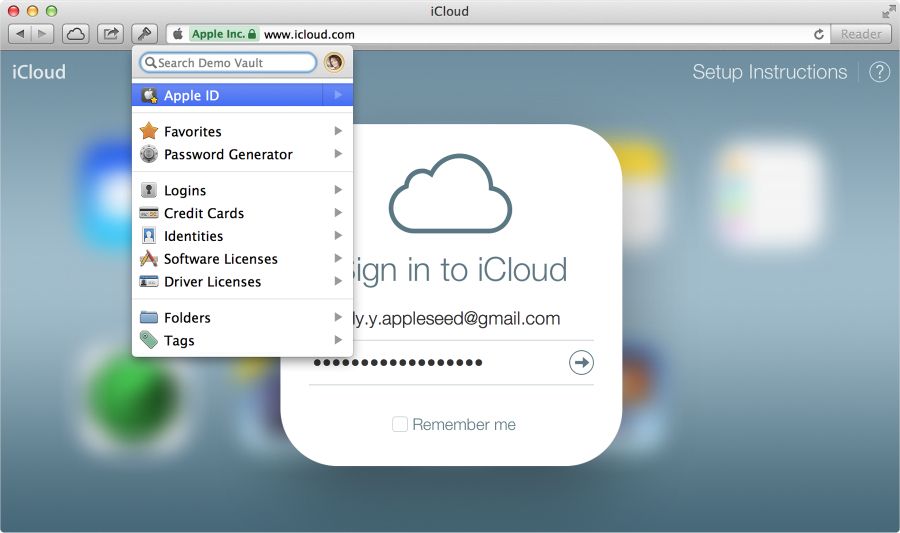
Today AgileBits released 1Password 4.2 for Mac, a big update to the popular password manager that brings over 30 new features and improvements. The bulk of the additions are actually for 1Password mini, the app’s browser extension for Safari, Chrome, Firefox, and Opera.
You can finally edit items directly in 1Password mini, which has been one of the app’s biggest feature requests from users. There are a lot of other improvements included in the update, and AgileBits has commissioned Lonely Sandwich to make an awesome promo:
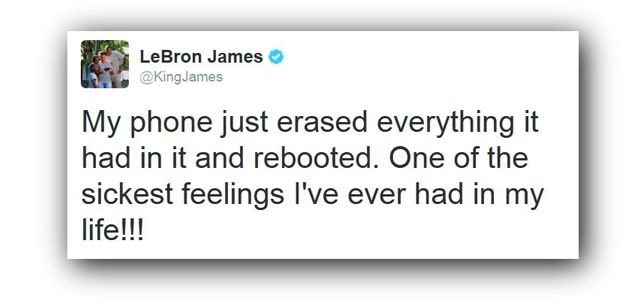
“My phone just erased everything it had in it and rebooted,” NBA superstar LeBron James tweeted earlier today. “One of the sickest feelings I’ve ever had in my life!!!”
Hey, that does sound frustrating. Who can blame him for tweeting his frustration with his Galaxy Note phablet?
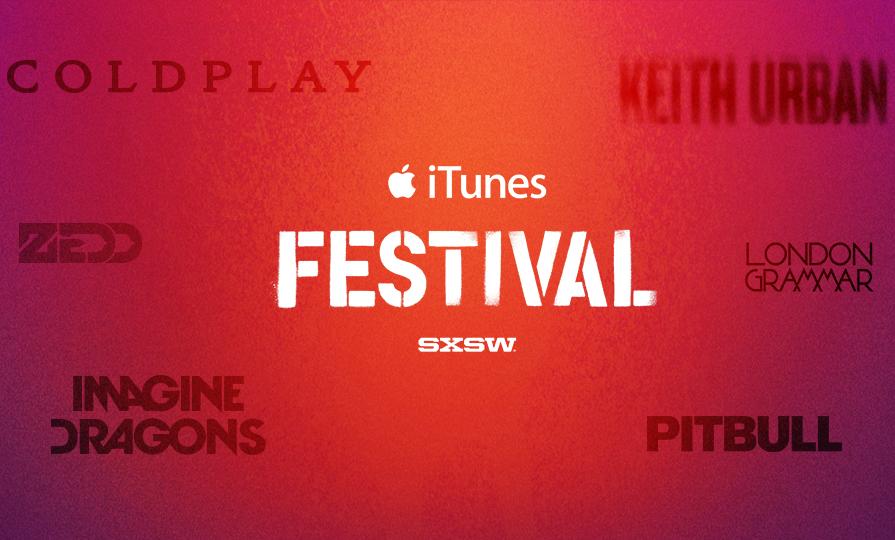
Although the iTunes Festival has been a great success in the UK for years, it’s only at this year’s SXSW festival that it’s finally come to the States, with Apple arranging for artists such as Coldplay, Imagine Dragons, and Kendrick Lamar to perform free for five nights in Austin, Texas.
What was the hold up? According to Apple’s Eddy Cue, they just weren’t sure they could reproduce the positive vibe anywhere else. But it looks like they’ve succeeded.
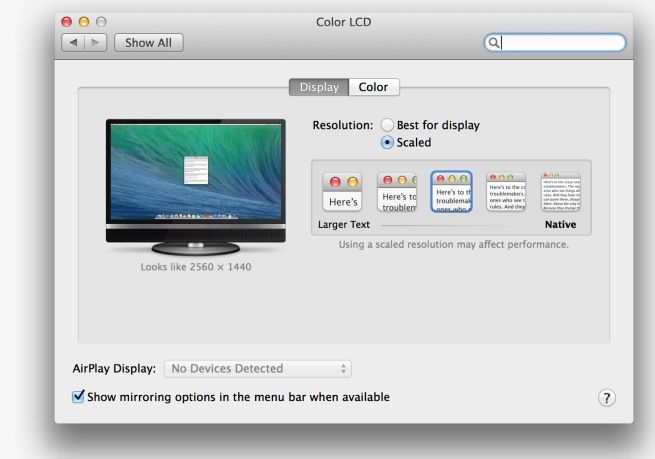
Although 4K Monitors are starting to become affordable, OS X hasn’t up until now supported them with the same sophistication it does a Retina Display. Even under Mavericks, the only readable resolution was 3840 x 2160, with no support for OS X’s Retina scaling options.
According to Anand Lal Shimpi of Anandtech, though, this has all changed, with the latest developer build of OS X 10.9.3 supporting the full range of Retina scaling modes for 4K monitors, allowing you to use those extra pixels to make things crisper instead of just smaller.
That’s good news… and probably a hint that whenever Apple releases the Retina iMac, it’ll boast a 3840 x 2160 display, and not the crazy 5120 x 2880 pixel display that would be called for if Apple just doubled the resolution of the 27-inch, as it has with other Retina Macs.
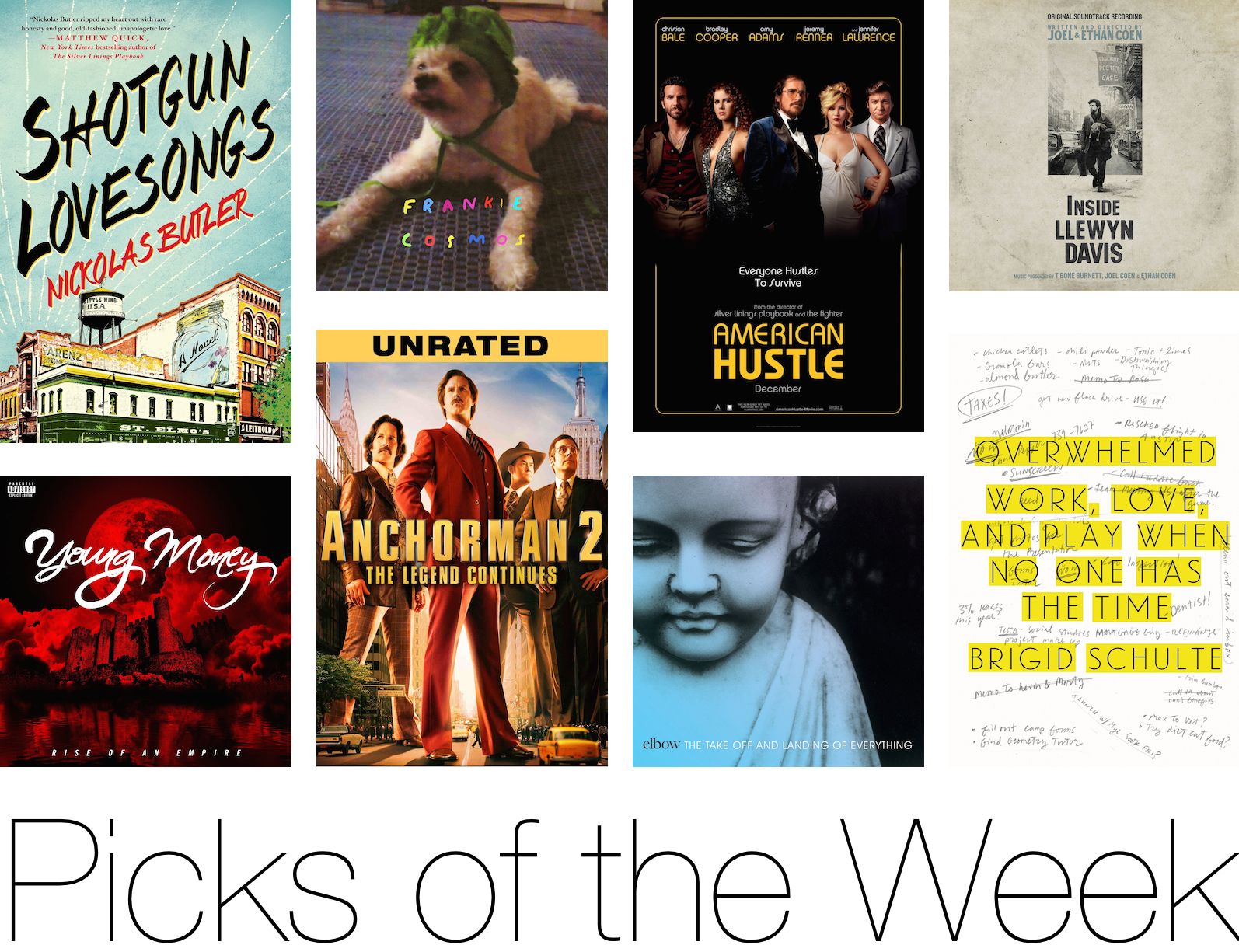
Rather than slogging through a lake of reviews to find something you’re just going to put down after 10 minutes, Cult of Mac has once again waded through the iTunes store to compile a list of the best new albums, books and movies to come out this week.
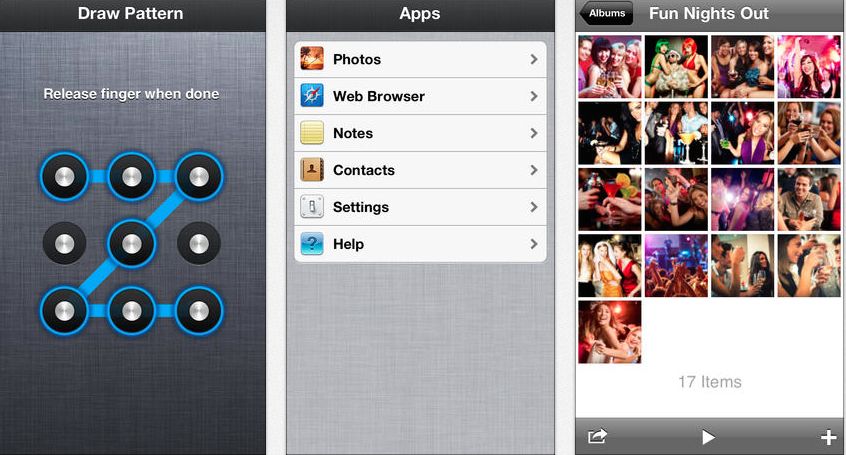
If you have material on your iPod Touch, iPhone or iPad that you don’t want anyone to see, there’s a better solution than hiding the app icons, which is currently how Apple allows you to handle that red-hot material.
There are at least a dozen apps — free and paid — in iTunes that serve as kind of a secret locker for the stuff you don’t want prying eyes to see. I checked out the free version of the popular Secret Apps, called Secret Apps Lite, which is so comprehensive that I’m a little ashamed to have nothing worth hiding that carefully.
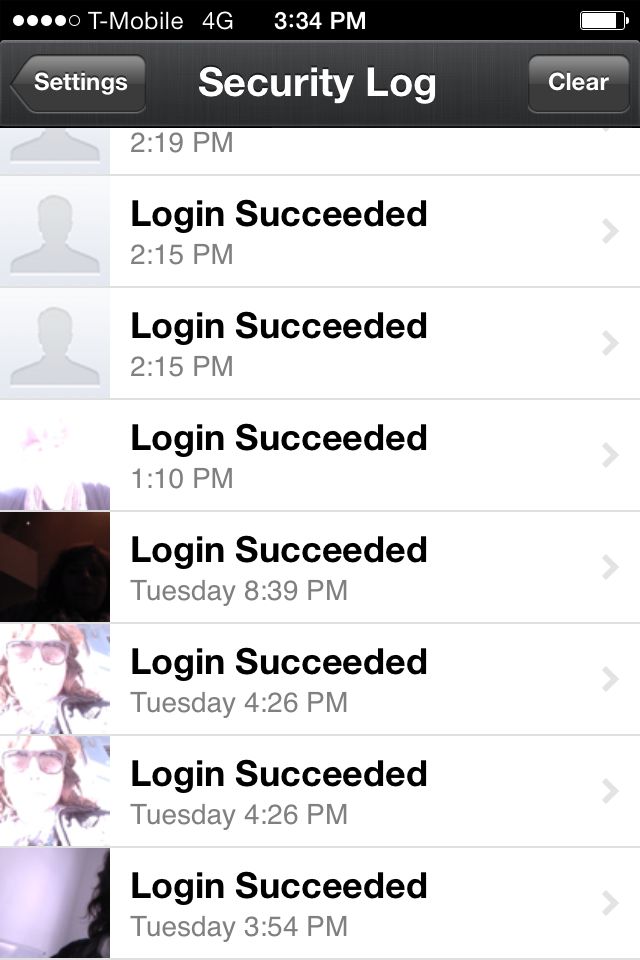
The settings on the free version include options for a real and decoy passcode. The default security is set to take a picture on login and save it as a security log, providing photographic evidence of the person clever enough to have figured out both your real and decoy pass codes.
The login record – note the option to take automatic photos.
Once in, you can import photos, contacts, files and take notes plus browse Safari in private mode. Of course, there are a few caveats: for example, the photos must be uploaded from your camera roll and once you’re inside (or your expert snoop is inside) they can be emailed or texted outside the “vault.”
And, while the app has an innocent enough sounding name (My Apps Lite) the icon resembles a combo lock. This probably won’t tip off the snoops in your life since it’s barely visible on an iPhone but it does become evident to suspicious minds on an iPad. One more thing for the record: the download shows up on your iTunes account activity as “Secret Apps.” If you’re going stealth, check out our tip in the article on hiding iTunes activity.
Customers in China aren't lining up for the iPhone like they once were. Photo: Apple
Apple has chopped its iPhone return policy from 30 to 14 days, according to leaked document uncovered by 9to5Mac. The updated policy officially goes into effect on March 13th, but Apple’s website is already showing the change.
The change sounds like an effort to clear up return policy confusion.
In the past, customers could bring an iPhone back to Apple within 30 days of purchase, but the carrier would still charge an early termination fee if the iPhone was returned after 14 days. iPhone carrier partners have always offered a 14-day return window, and all of Apple’s other products have a 14-day policy as well.
ALIENS ARE DESTROYING HUMANITY.
CAT MUST STOP THEM. WITH MIND BULLETS.
CAT MUST REMEMBER: AIM FOR THE BRAINS.
CAT MUST SURVIVE.
Seriously, do you need more from the press release than that? You do? Really?
Ok, fine. Ignoring the fact that you already knew your cat had mind-bullets, Team Chaos announced Wednesday that its latest free-to-play iOS game, Cat vs. Aliens, is live and in the App Store.
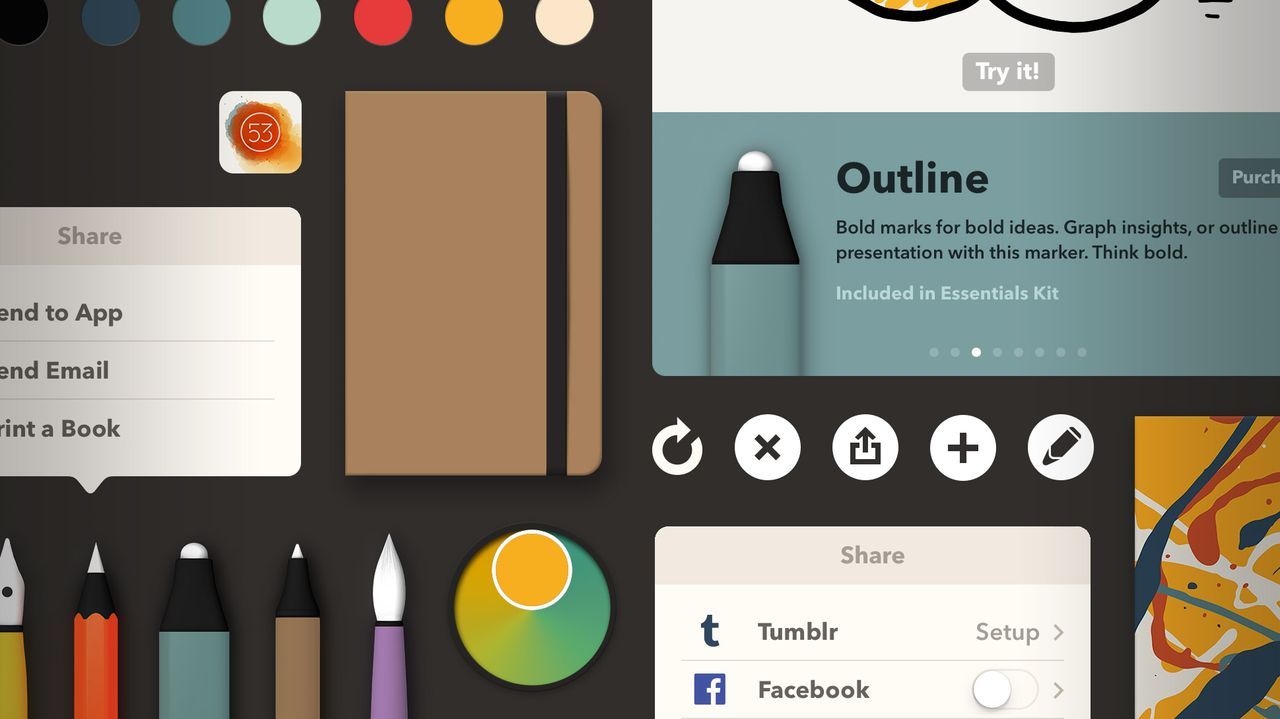
Today FiftyThree released a new version of Paper that has been optimized for iOS 7. The update also includes enhancements to existing tools, like Zoom.
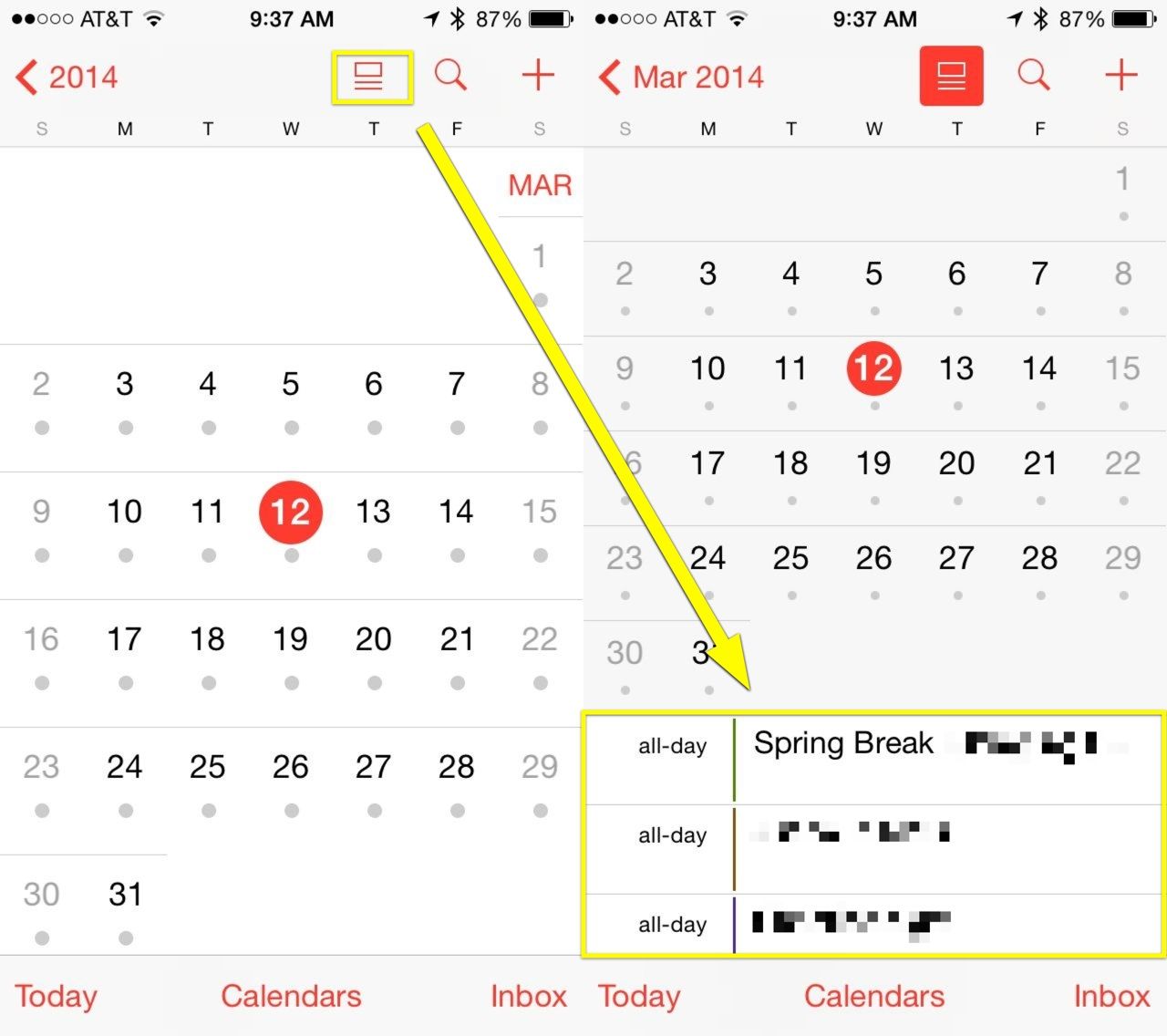
The new iOS 7.1 update now lets you see your events list along with your monthly calendar all on the same screen, giving Apple’s Calendar app a much-needed boost in usefulness.
We owe at least one dark corner of iTunes to sneaky parents.
Back in 2011, Apple listened to what sounded like a chorus of adults who didn’t want their kids to know what mommy and daddy were doing on the family iPad by allowing users to “hide” purchases.
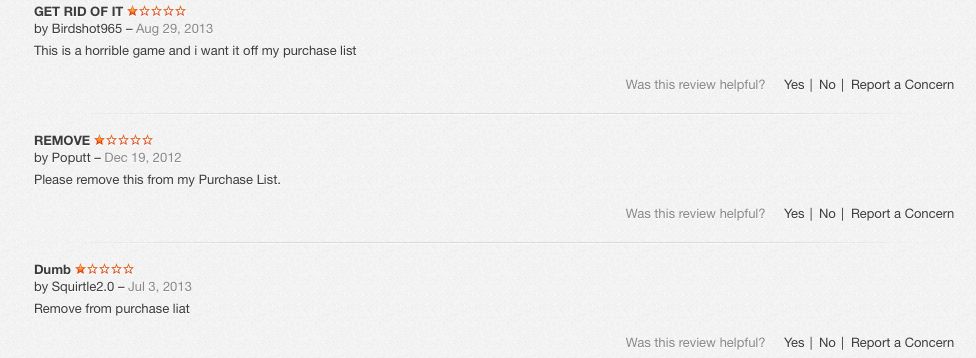
If you spend any time lurking around the more shadowy parts of the store, you’ll note how many of the reviews of these apps are comments from desperate users who want the traces of their momentary lapse in judgement wiped clean. The ability to hide purchases and downloads changes that, to a point.
Reviews from an adult “Truth or Dare” game.
Like a lot of things in iTunes, the destination may be straightforward but the road is tortuous, making it easy in effect for multiple users (parents, kids, co-workers) to hide what they buy (or download) on iTunes.
The key word here: hide. Apple will not delete a record of anything you download or buy on your devices, unless in the first 90 days you ask for a “refund” or “report a problem.” (More on this below). Note that Apple considers free downloads “purchases,” so those go on your permanent record “purchase history,” too.
This means that you can delete the dubious Kama Sutra app that your co-worker downloaded on the company iPad while at SXSW, but a record of its passing across your device will live on, forever, in the purchase history, even if it was free.
That said, there are two ways to squirrel your not-for-public-viewing materials under the virtual mattress. The first is the one authorized by Apple, the second one we stumbled across researching this story.
Method One: Create a “hidden list” of purchases or downloads
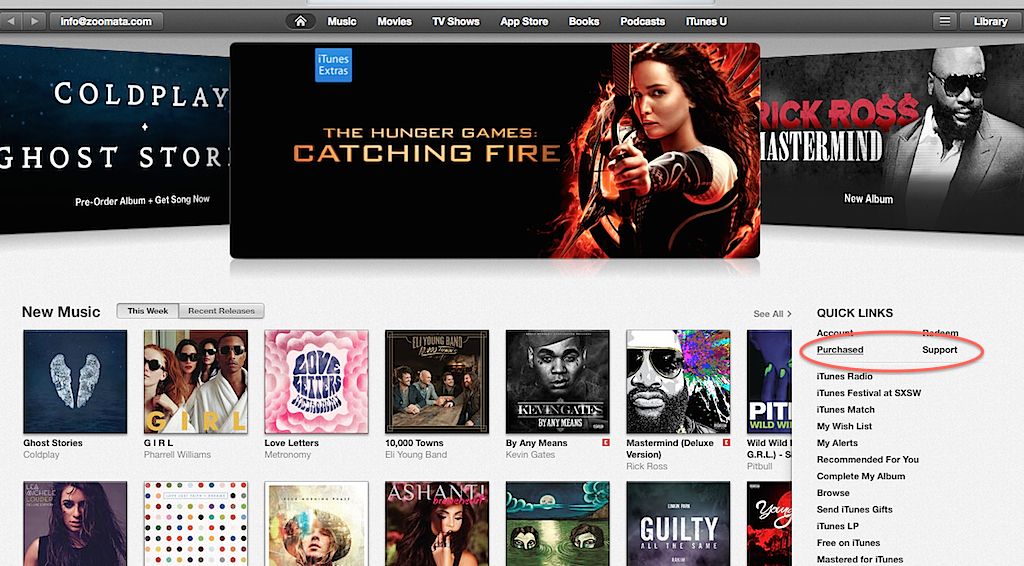
Once signed into your iTunes account, click on the “purchased” link under the Quick Links section on the right.
Remember, this “purchased” also list includes any free media downloaded across any devices linked to this account — music, movies, TV shows, apps and books.
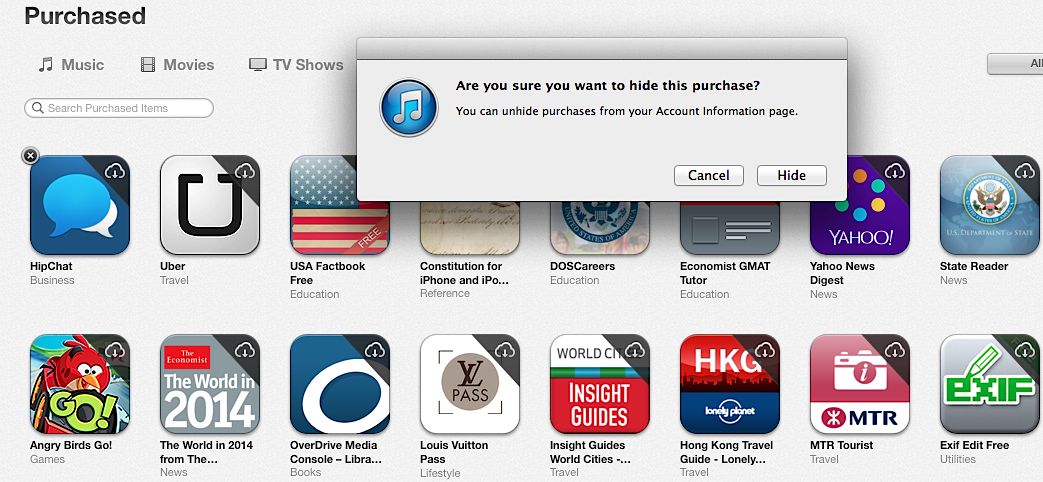
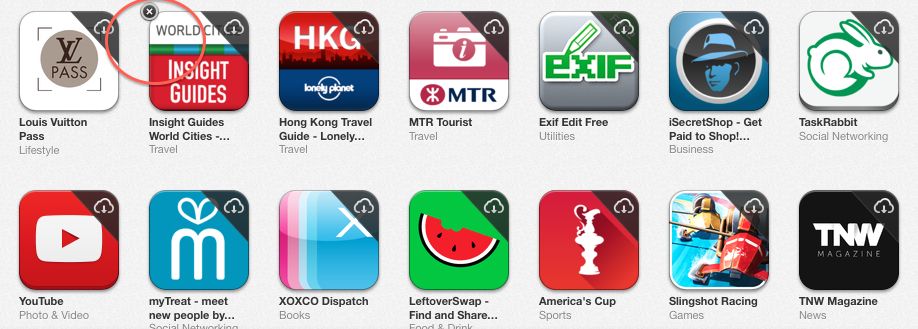
Using apps as an example, inside the purchase list, all the icons will appear with a “x” in the left-hand corner when you mouse over them. Clicking on the “x” hides them across all your devices. (Note: not deleted. I mean it: they will not be deleted from your device or your purchase history. Just hidden from view.)
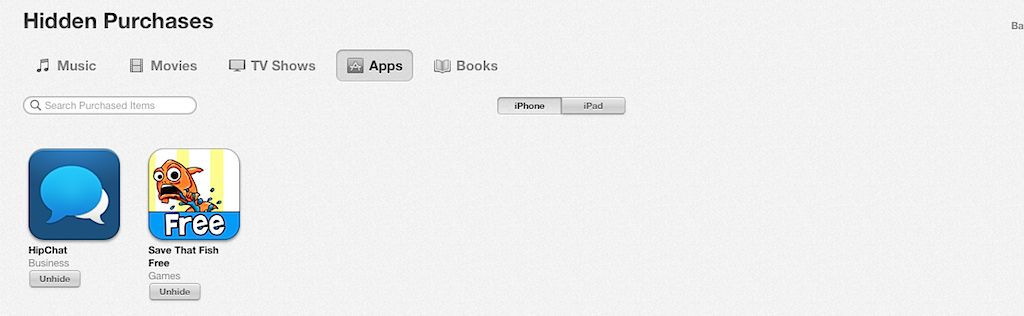
These records live on in the cloud. To see what may be hidden — or unhide them — head back to your “Account” section. Scroll down to iTunes in the Cloud and select “manage” under Hidden Purchases.
From here, you can “unhide” them for easy access.
Method two: Smokescreen
You may have noticed a problem: while it’s easy to hide questionable music and such, what about in-app purchases? These don’t show up on the previous menu, making, for example, a monthly Grindr Xtra subscription out in the open in your purchase history.
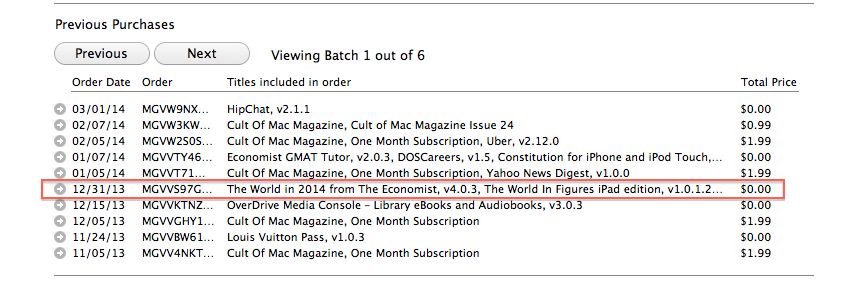
Under account information, click on “purchase history.” Here’s where the smokescreen comes in: Apple lumps all activity for one day together in a tiny, difficult-to-read grid with room for the barest description.
So it’s easy to bury something by downloading a couple of free, innocent-sounding apps at around the same time; without going inside the history for that particular day, you miss the whole picture.
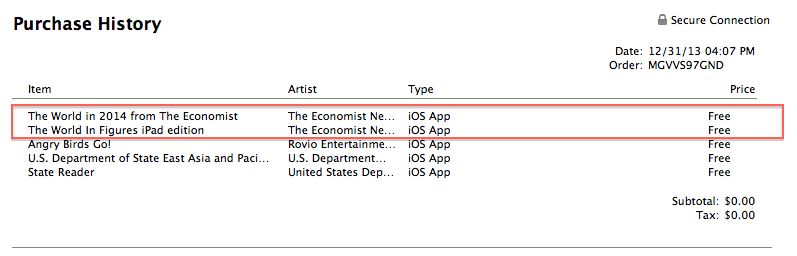
Here’s a concrete example of what looks like account activity for December 12 – note: only two virtuous-looking downloads.
To see the whole enchilada, you have to click on the tiny, left-hand arrow to open up that day’s worth of activity. Here you’ll note that three more downloads — look mom, Angry Birds! — didn’t make it on to the first page.
We’re going to bet that if your iTunes account gets heavy use by multiple people and multiple devices, you’d have to be a determined snoop to a) know Apple doesn’t list everything on the first page and b) open it up to see what else might be there. It’s also from this inside page with the full day’s purchases that you can “report a problem” and lobby to have the purchase removed, though many people have reported getting no satisfaction.