Mobile menu toggle

Long-exposure photographer works on his light moves

By

Motion study of canoeing. Photo: Stephen Orlando

Just when you think there is little left to reveal with photography, Stephen Orlando comes along and shines a new light – ribbons of light to be exact – on motion.

To imagine the push-and-pull sweep of a kayak stroke or the looping follow-thru of a tennis serve, you might think to use video and slow down the sequence of frames to get a sense of the patterns of movement bodies use to propel forward.

Orlando, of Waterloo, Ontario, Canada, contains the complete trajectory of movement in a single still frame with long exposures and a simple lighting technique that seems to illuminate the otherwise invisible forces at play.


Skulpt Aim takes the pain out of measuring body fat

By

Photo: Jim Merithew/Cult of Mac
Going for great guns? Skulpt Aim measures and tracks your muscle mass and body fat. Photo: Jim Merithew/Cult of Mac
Photo:

LAS VEGAS — If shedding some body fat is one of your New Year’s resolutions, you’re probably like me and looking for all the high-tech help you can get.

Cult_of_Mac_CES_2015 Activity trackers are great at logging exercise, but if you want to measure the actual progress your muscles are making, check out the Skulpt Aim — an iPod-size device that measures your body fat percentage.

The Skulpt Aim uses electroanalysis to not only determine how much excess fat you’re carrying around, but also your muscle quality. Just spritz a little water on the muscle you want to test, press the device firmly against your muscle, and within a few seconds, Aim spits out your score.

Apple fans in Japan risk their lives for a Lucky Bag

By

maxresdefault
Artist's impression of "lucky" Apple fans. Photo: The Shining, Warner Bros.
Photo:

How much would you endure to get a cheap deal on a new Apple product?

When we wrote about the traditional Japanese “Lucky Bag” special offer — which gives customers the chance to buy a $300 gift bag, containing cut-price luxuries like MacBook Airs and Apple TVs — many U.S.-based Cult of Mac readers complained that they weren’t given similar promotions.

I saw their point — at least until I glimpsed something much worse: photos showing the freezing Apple fans in question, lined up outside the Sapporo, Japan Apple Store on January 1.

You know that moment when an otherwise fun special offer turns into the last scene of The Shining (spoilers!)? This is it.

Mercury contest calls on Earthlings to name craters

By

This  view of Mercury was produced by using images from the color base map imaging campaign during MESSENGER's primary mission. These colors are not what Mercury would look like to the human eye, but rather the colors enhance the chemical, mineralogical, and physical differences between the rocks that make up Mercury's surface. Photo: NASA/Johns Hopkins University Applied Physics Laboratory/Carnegie Institution of Washington
The enhanced colors in this image of Mercury highlight differences between the rocks that make up the planet's surface. Photo: NASA/Johns Hopkins University Applied Physics Laboratory/Carnegie Institution of Washington

Mercury is the most cratered planet in the solar system, a popular destination for asteroids and comets.

As bleak a place as this sounds, you may be able to give the pockmarked planet some personality.

The team piloting the MESSENGER spacecraft exploring the closest planet to the sun is calling on “all Earthlings” to name some prominent craters after famous people in the arts and humanities.

The deadline is Jan. 15 and inspiration can be found in pictures of the five craters on MESSENGER’s official website.

7 useful ways to resurrect your old iPhone from the junk drawer

By

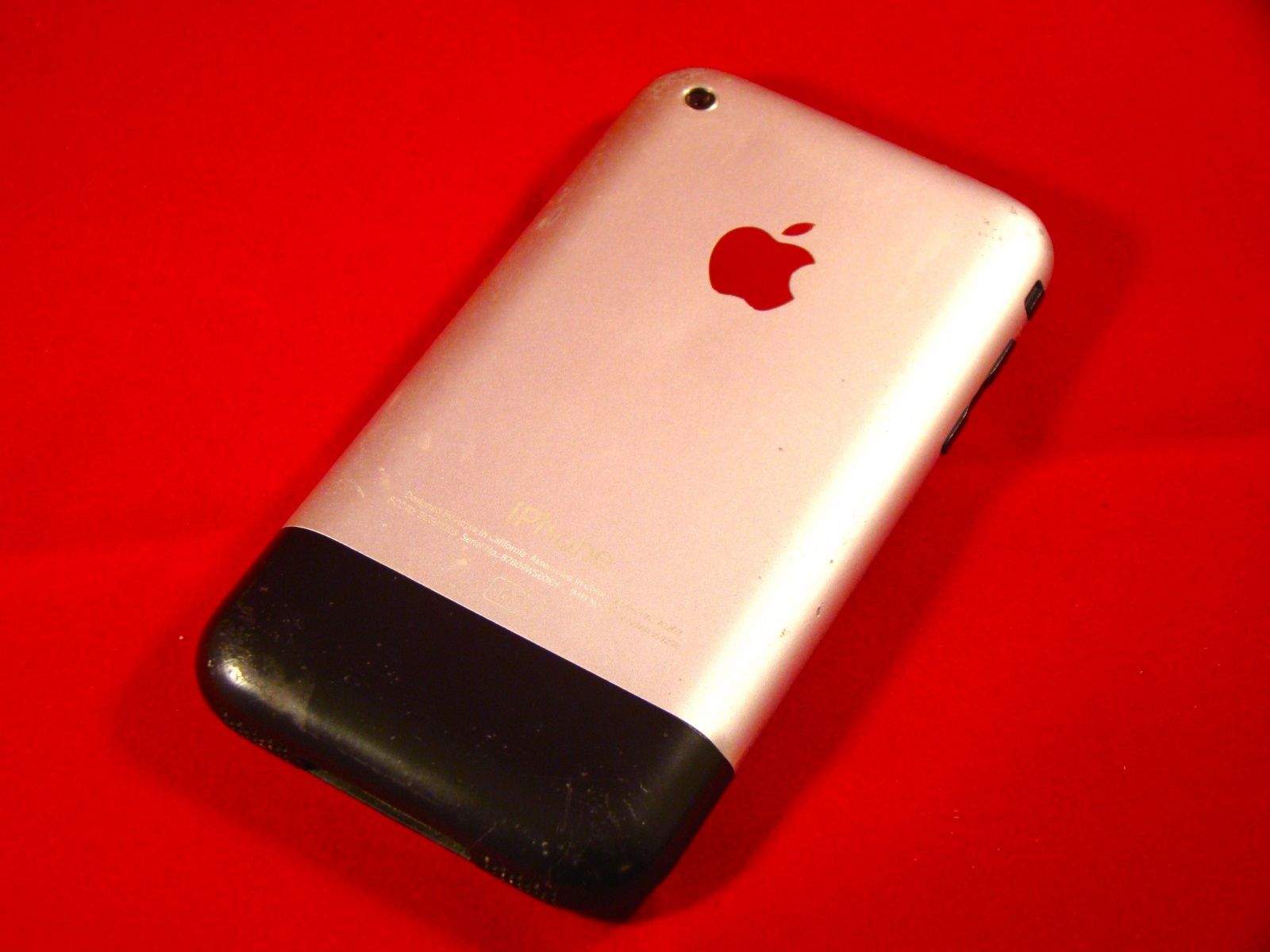
iphone back
Still plenty of life in the old thing. Photo: Rob LeFebvre, Cult of Mac
Photo: Rob LeFebvre/Cult of Mac

If you’re like me, you’ve got a junk bin full of old technology. It’s just the way we’re made; there’s nothing better than sifting through the detritus of technology that you loved.

I’ve traded in my iPhone for the last five generations, from the iPhone 3G to the iPhone 5, or passed them along to my kids or significant others. The first generation iPhone, however, was something special, so I kept it.

As I was looking for ways to let my daughter listen to music at night without the temptation (or networked connection) of her more modern mobile phone, I chanced upon this lovely little rounded gadget from 2007 in the plastic bin I lovingly refer to as my Dead Technology Museum.

I figured I’d add some music to the thing, and that would be that. But the more time I spent messing around with it, I realized that I could make it into a pretty great little device; even though it pales in comparison with the iPhone 6, there’s still plenty of use in this baby.

 Here are seven things, then, that you can do with your own old iPhone to make it just a bit more useful, whether it’s an original iPhone or an even more modern model. If you’re looking for inspiration, check out these old iPhone uses.

ICYMI: Baking the perfect cookie at CES 2015

By

We're getting hungry over here. Cover design: Stephen Smith/Cult of Mac

The Cult of Mac team spent the past week sweating it out in Las Vegas and gathered up a ton of hands-on looks at some of the hottest products heading down the tech conveyor belt to you in the near future.

We’ve got the two guys who’s gadget can help you bake the perfect cookie, a self-adjusting belt for when you’ve eaten too many cookies, and a sexy sci-fi car that will help you feel better about not having your futuristic flying vehicles, yet.

Be sure to click on through and see this week’s top stories, and subscribe to our free weekly digital magazine right here.

How to eject a stubborn disc from your Mac

By

post-308494-image-eba20bd9c3497c49bb58451cb46370c2-jpg

There’s a ton of reasons why a disc may get stuck in your Mac. Not only is it frustrating, but it can also bring you into a cold sweat — panicking about how to remove it when there’s no easy access.

But don’t worry: in today’s video we go over a few simple tricks to force eject your favorite album or movie without ripping apart your beautiful Mac.

Make sure to Subscribe to Cult of Mac TV on YouTube to catch all our latest videos.

Steve Jobs gave the iPhone its grand unveiling 8 years ago today

By

Photo of Steve Jobs holding an iPhone in front of an Apple logo during the first iPhone demo on January 9, 2007.
Steve Jobs introduced the original iPhone 8 years ago today.
Photo: Apple

The iPhone has become such a major part of our existence, a piece of technology that we almost take for granted, that it’s difficult to remember a time when we were instead tapping away at our Moto Q, Palm Treo and Nokia E62 handsets.

But while the iPhone has gone on to revolutionize our lives (and Apple’s business) it’s not that long ago — eight years today — that Steve Jobs stood on stage at MacWorld 2007, and told the world that Apple had created a touchscreen iPod, a cell phone, and a breakthrough Internet device all-in-one.

Coming off its most profitable holiday season ever, and a record-breaking week for the App Store, it’s worth taking a moment to rewatch Jobs’ first iPhone presentation: both to see an iconic moment in tech history, and to be reminded of how far we’ve come since then!

Check it out after the jump:

Samsung may play a part in building the Apple Watch

By

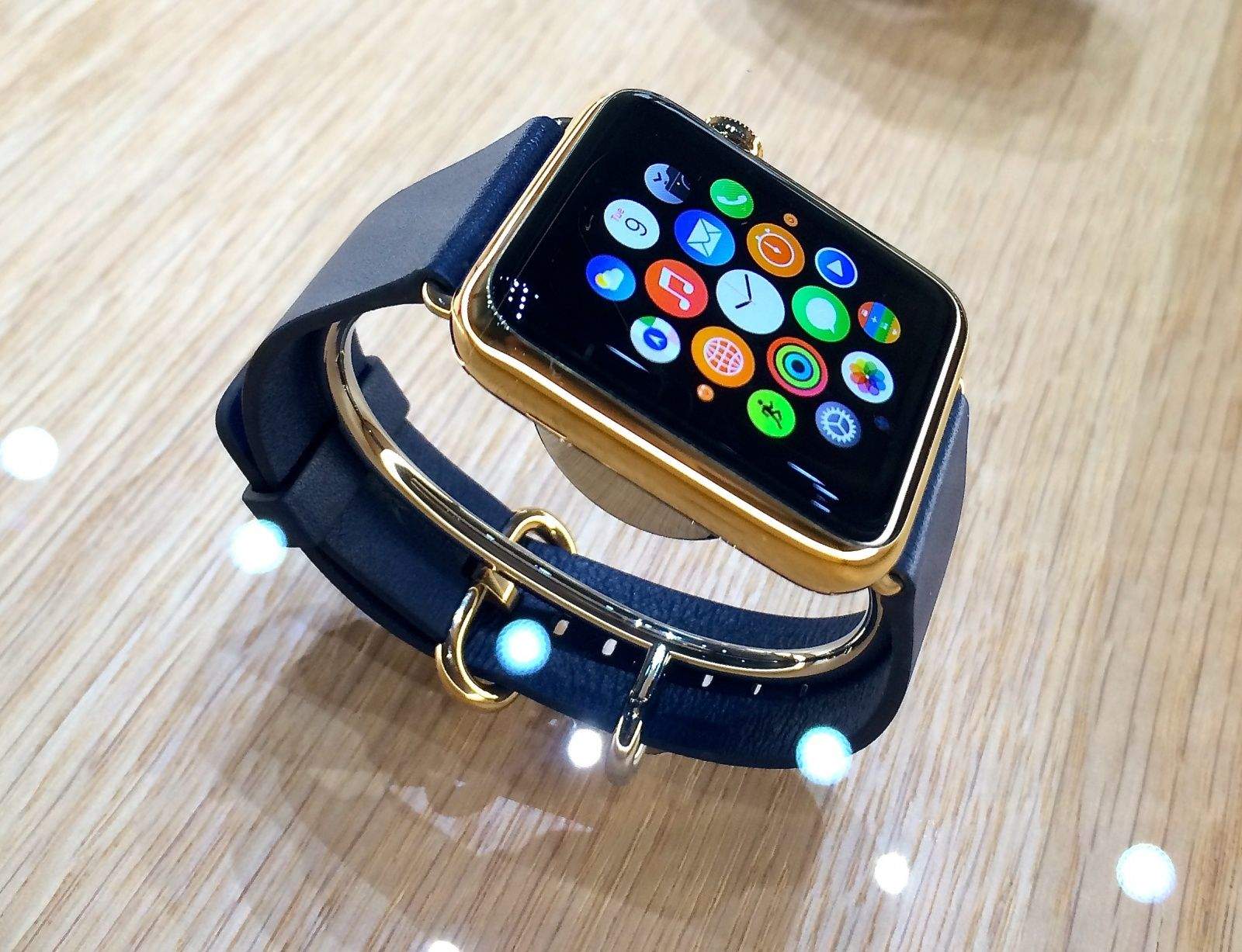
Apple Watch did some monster pre-orders in its first day on sale. Photo: Leander Kahney
Samsung will reportedly have a hand in the Apple Watch. Photo: Leander Kahney/Cult of Mac

Samsung reportedly has Apple’s blessing to manufacture the processors for the Apple Watch, which will be allegedly be made using the company’s 28nm process technology.

The order would come at just the right time for Samsung, which recently announced another quarter of poor earnings: giving it its first annual profit decline since 2011.

With Samsung’s mobile division in the toilet, the company needs to focus on other areas, like securing orders for chip fabrication.

Yes, there is such a thing as iPhone separation anxiety

By

iPhone camera
Do you feel nervous when you're away from your iPhone? Photo: Cult of Mac
Photo: Jim Merithew/Cult of Mac

With the exception that most of us don’t routinely change our wives or husbands every couple of years for a newer, slimmer model, owning an iPhone can be a lot like being in a relationship.

And just like any relationship, time apart can lead to separation anxiety and other negative psychological effects.

A new study carried out by researchers from the University of Missouri suggests that iPhone users should avoid being parted from their iPhones during daily situations requiring large amounts of attention — such as taking tests, sitting in meetings, or carrying out important work assignments.

You can now get any iPhone 6 or 6 Plus model without delay

By

How much is your smartphone spying on you? Photo: Jim Merithew/Cult of Mac
Apple is finally on the "same planet" as iPhone 6 demand. Photo: Jim Merithew/Cult of Mac

During Apple’s earnings call in October, Tim Cook described Apple supply as not being “on the same planet” when it came to matching demand for the iPhone 6. “It’s very difficult to gauge demand without first finding the balance,” he noted.

Well, jump forward a few months and it seems that balance has finally been achieved — since Apple’s online store in the U.S. is now showing all capacities, colors and carriers as in-stock for both the iPhone 6 and 6 Plus.

The recently-released unlocked, SIM-free iPhone 6 models are also showing availability within one business day.

North Korea’s OS X clone is now available to the public

By

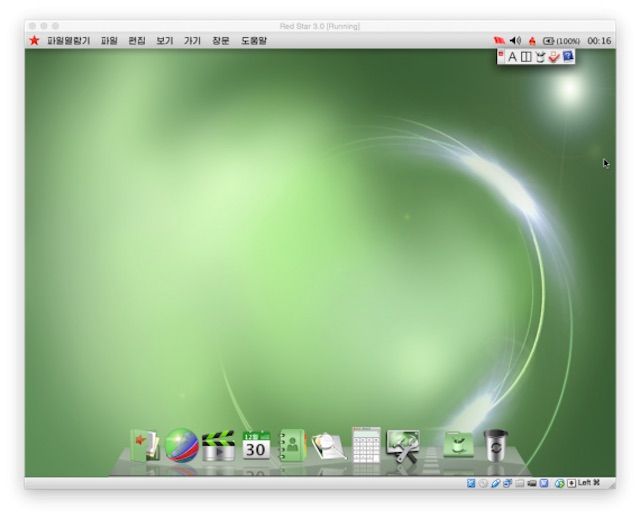
North Korea's new operating system looks suspiciously familiar. Photo: North Korea Tech


The newest version of North Korea’s  state-controlled operating system was made available to the public for the first time ever this week. The last version (Red Star 2.0) was designed to look just like Windows, but for the sequel, Kim Jong Un’s minions have taken some inspiration from Apple and completely redesigned their Linux-based operating system to look just like OS X.

Red Star 3.0 was leaked via torrents a few days ago. We wouldn’t recommend installing it, but the folks at The Next Web took the plunge and discovered the painstaking details Pyongyang went through to replicate OS X.

Everything from the dock, menu bars, settings, and even the spinning beachball of doom, have been ported over to the operating system. A few remnants of the Windows copying days still linger, like the ability to run Windows 3.1 apps, but the rest of Red Star 3.0 is full OS X clone through and through.

Take a look at the similarities:

Get 10 amazing and top-rated Mac Apps for only $10! [Deals]

By

CoM_10for10 Mac App Bundle

Your Mac is a powerful machine with the capabilities to keep you in touch, productive, and entertained – if you load it with the right apps, that is. Having the proper apps at your disposal will take your Mac experience to newer heights and make your life easier.

For a limited time you can get 10 top-rated apps with the 10-For-$10 Mac App Bundle at Cult of Mac Deals.

Apple joins ‘Je Suis Charlie’ solidarity movement after Paris terror attack

By

Apple's French website has been updated with the
Apple's French website has been updated with the "Je Suis Charlie" message. Screenshot: Apple

Apple’s French website has been updated with a stark black line and the simple message “Je Suis Charlie” (“I am Charlie”) in solidarity with victims of Wednesday’s terror attack on Charlie Hebdo magazine.

The murderous rampage, allegedly conducted by French brothers Said and Cherif Kouachi, left 12 dead, including four of the satirical magazine’s editorial cartoonists and two policemen. While French authorities search for the brothers, a third suspect, Hamyd Mourad, is reportedly cooperating after surrendering.

How the iPhone enhances ReSound’s hip new hearing aids

By

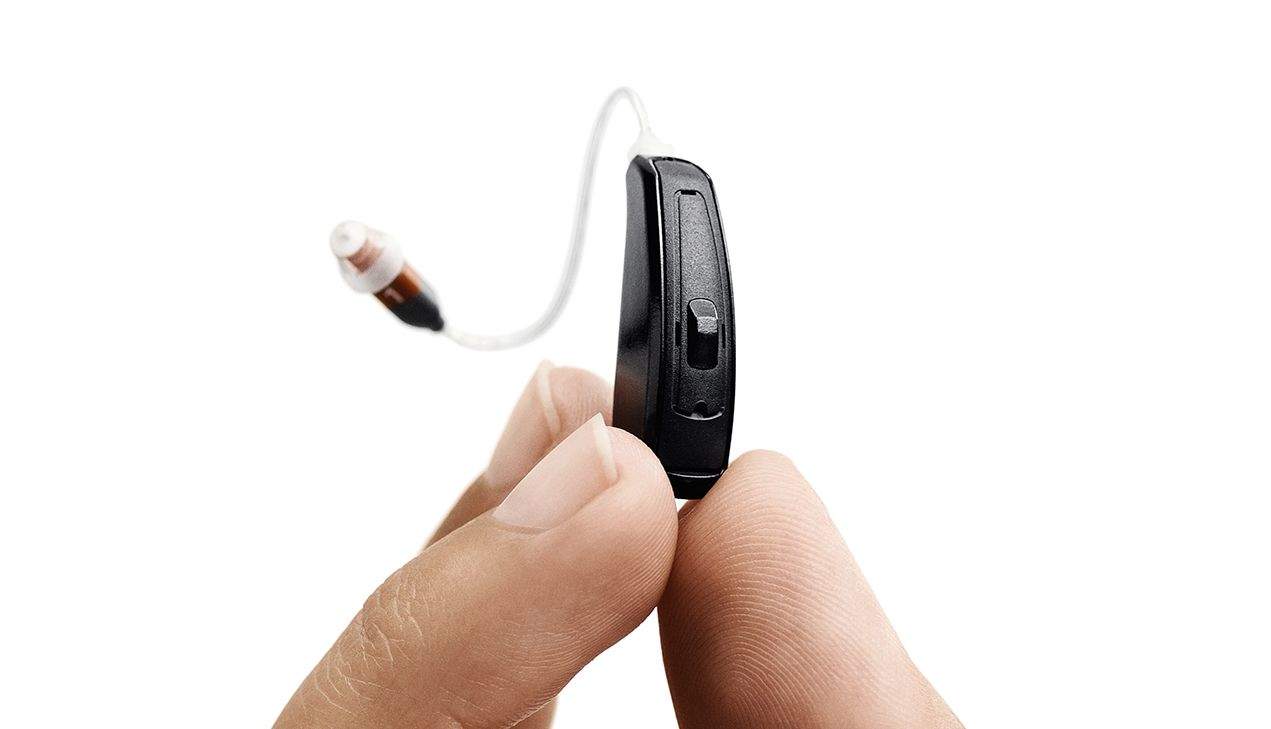
ReSound's LiNX hearing aid is the first controlled by the iPhone. Pairing with the iPhone adds a surprising amount of useful functionality. Photo: ReSound
ReSound's LiNX hearing aid pairs with iPhones to add surprisingly useful functionality. Photo: ReSound
Photo:

LAS VEGAS — Hearing aids aren’t sexy, so a lot of journalists here at International CES breezed right by ReSound’s booth.

Cult_of_Mac_CES_2015 The Danish company has been in the hearing aid business for 75 years, and launched the first iPhone-connected hearing aid at CES last year. Now the company is a back with a full lineup of iPhone-compatible LiNX hearing aids. The devices address the whole range of hearing loss, from the mild to severe.

As I approach 50, I’m wondering if I need a pair myself, so I went to check them out. I was impressed. Connecting a hearing aid to an iPhone adds a lot of very useful functionality.

Apple’s new hire set to lead enterprise push like never before

By

Gene testing, coming soon to an iPhone near you. Photo: Jim Merithew/Cult of Mac
The iPhone: coming soon to a business near you. Photo: Jim Merithew/Cult of Mac
Photo:

Apple is serious about getting its products into the enterprise market — and to prove it, it’s calling in the services of longtime Hewlett-Packard executive John Solomon to take charge.

Solomon’s precise job title and role at Apple are unclear, but according to the well-connected Re/code, he will be helping Apple “boost sales to big companies and government agencies with large technology budgets.”

The only Apple Watch accessory at CES is an unfinished prototype

By

Photo: Jim Merithew/Cult of Mac
Photo:

LAS VEGAS — In a sea of iPhone cases and other Apple-related gizmos, one would expect to find at least a few Apple Watch accessories at CES.

Cult_of_Mac_CES_2015

Sure, the Watch itself won’t come out for probably a few more months, but we already know what it looks like and a lot about how its apps will work. Where are the companies looking to hitch their wagons to Apple’s next big thing?

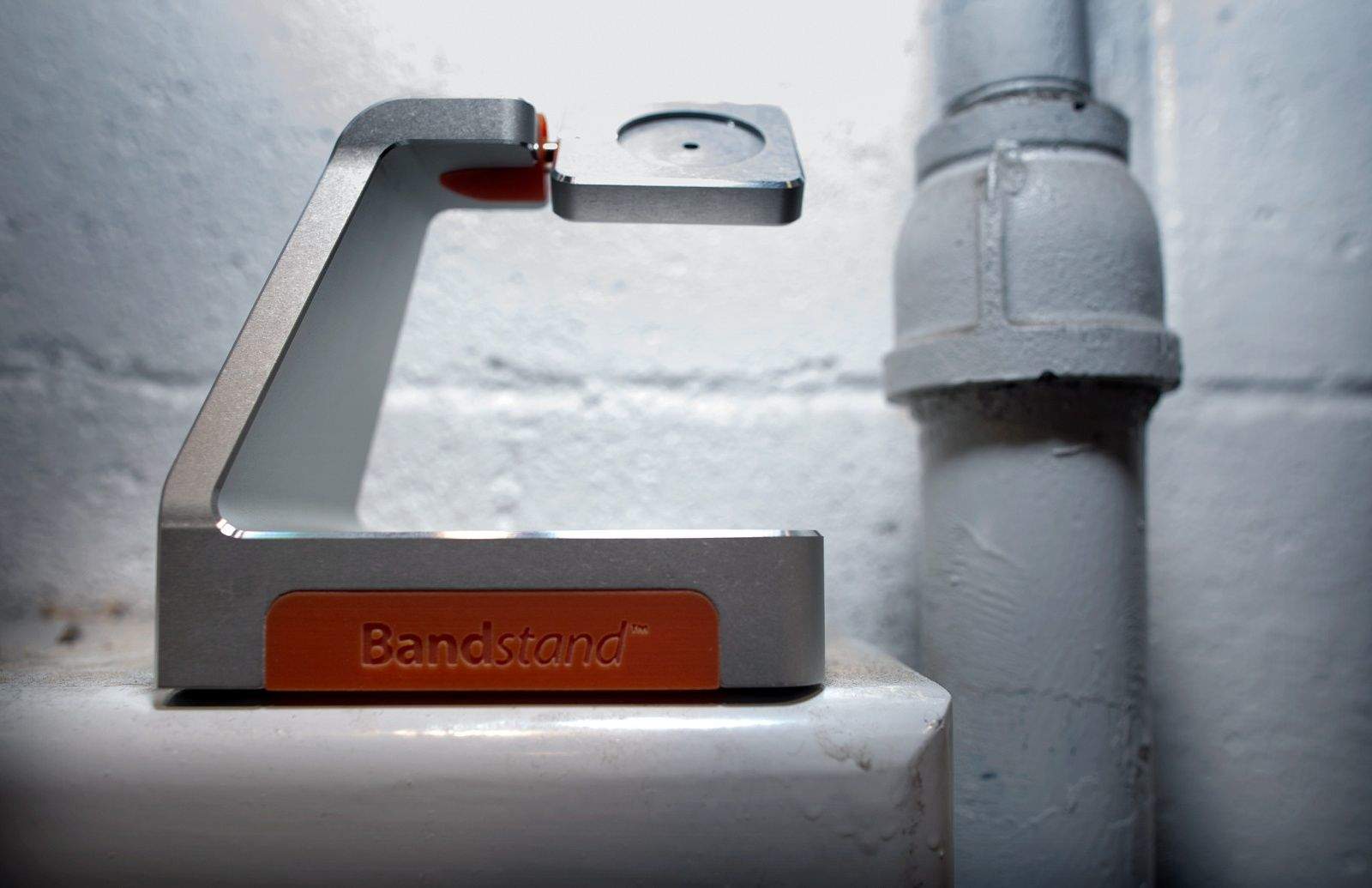
Out of the 3,679 exhibitors spread across the 2.06 million square feet of show floor at International CES this year, there is only one Apple Watch accessory, and it’s an unfinished prototype.

iDevices’ HomeKit-compatible Switch lets Siri light up your house

By

iDevices' HomeKit-compatible Switch lets you control anything you plug into it using an iOS app. Photo: iDevices

LAS VEGAS — iDevices’ first HomeKit-compatible product will be a simple on-off switch that turns your iPhone into a remote control for lamps and appliances.

Cult_of_Mac_CES_2015 It’s name is simple too: Switch.

The $49.99 rectangular device plugs into an outlet. You plug a standard electrical device like a lamp or stereo into its convenient side outlet, and then you can turn that device on and off remotely. Switch comes in plain white, although a colored band of lights can be programmed to glow in custom colors to brighten up a dark hallway.

“You can change it to any color you like,” said Dan Cepa, iDevices’ senior director of sales, during CES International.

iHealth Gateway makes it easier to monitor grandma’s diabetes

By

Photo: Jim Merithew/Cult of Mac
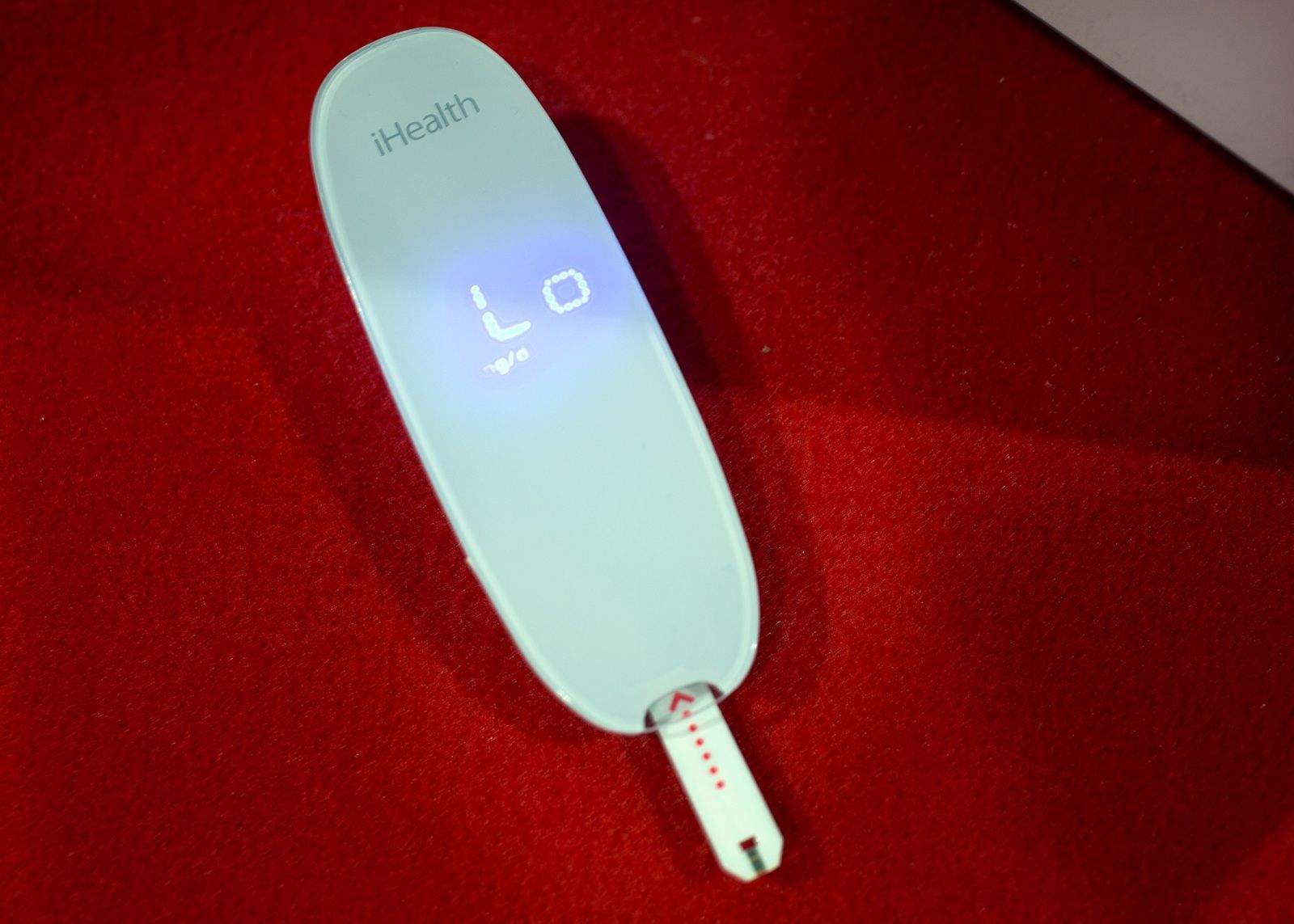
The iHealth Gateway blood-glucose monitor can make caregivers' jobs easier. Photo: Jim Merithew/Cult of Mac
Photo:

LAS VEGAS — Monitoring diabetes can be a pain (literally). Keeping track of your loved one’s diabetes is even harder, especially if you’re trying to ensure your tech-illiterate grandmother’s blood-sugar levels aren’t spiking.

Cult_of_Mac_CES_2015 Now you’ll finally be able to monitor all their vital stats from your iPhone, even if grandma’s not using one too.

iHealth revealed its new iHealth Gateway collection of devices at International CES here this week. The line of products allow loved ones or doctors to remotely monitor personal health stats for senior citizens who eschew iOS devices. All grandma and grandpa have to do is prick their finger with the supported blood-glucose monitor, and the Gateway hub will beam the data to their caretaker’s device. No more worries about whether they’re keeping up with their meds.

Play more than 2,000 ancient DOS games in your browser for free

By

Travel carefully, friends. Minnesota Educational Computing Consortium (MECC)

Older games that we all loved and played relentlessly as kids tend to disappear as the old operating systems that we played them on are sent out to pasture.

The Internet Archive, a free library of millions of free books, movies, websites, and other media, has also archived thousands of older MS_DOS games, like Maniac Mansion, Prince of Persia, and–yes–Oregon Trail, and has given us all access to them for free.

Turns out, you can still get dysentery while traveling to Oregon, even if you haven’t kept your old PC or Mac to play the seminal educational game on.

“The collection includes action, strategy, adventure and other unique genres of game and entertainment software,” writes Jason Scott, the Software Librarian for the Internet Archive. “Through the use of the EM-DOSBOX in-browser emulator, these programs are bootable and playable.”

Ink and water mix beautifully, and these photos prove it

By

Graphic artist and photographer Alberto Seveso mixed metal ink with water for this luminescent creation. Photo  by Alberto Seveso
Graphic artist and photographer Alberto Seveso mixed metal ink with water for this luminescent creation. Photo: Alberto Seveso

If you look at the work of photographer and graphic artist Alberto Seveso, you might inadvertently feel you’re in the throes of a Rorschach inkblot test.

You are staring at ink for sure and, mesmerized, you can’t help but process what the eyes and brain see. Looks like lava, melted plastic or the gas explosions from an evolving star in deep space. The heart will no doubt see beauty but the gut may roil and struggle.

Seveso, a highly sought-after editorial and commercial photographer, hopes he is stirring our insides when he captures the fleeting art of ink or paint being poured into water.

Hexo+ is the high-flying selfie drone of our dreams

By

Photo: Jim Merithew/Cult of Mac
The Hexo+ flies high for stunning aerial photography. Photo: Jim Merithew/Cult of Mac
Photo:

LAS VEGAS — Drones are everywhere at the International CES show. You can’t walk though the South Hall without hearing the feverish buzz of quadrocopter wings luring people to their booths.

Cult_of_Mac_CES_2015 Most of the new drones we’ve seen are either too expensive for normal people, or they’re cheap and lack compelling features. But after hours of searching we’ve found the one drone you should pay attention to in 2015: The Hexo+.

On the outside, Hexo+ doesn’t look too different from other drones, but it packs a killer “auto-follow” feature that will allow budding drone photographers to capture epic aerial videos without needing a dedicated pilot to frame each shot.

Give your iPhone superpowers with this ingenious optical attachment

By

The Carson Universal connect smartphones to almost any optical device. Photo: Jim Merithew/Cult of Mac
The Carson Universal connects smartphones to almost any optical device. Photo: Jim Merithew/Cult of Mac
Photo:

LAS VEGAS — Your iPhone captures great imagery, but sometimes the built-in zoom just isn’t enough. An ingenious gadget that quickly connects smartphones to almost any optical device gives your everyday camera superpowers.

Cult_of_Mac_CES_2015 The Carson Universal is an incredibly simple idea, but it delivers some pretty astonishing results. You can use it to connect your smartphone to telescopes, binoculars, microscopes, spotting scopes or almost any other optical device with a rounded eyepiece. Instead of buying a specialized, device-specific adapter, it’s a one-size-fits-all optical attachment.

“It kind of opens up the possibilities,” said Michelle Hyers, the engineer who designed the Carson Universal.