Mobile menu toggle

Newsstand - page 231

How Family Guy: The Quest for Stuff keeps the laughs coming

By

Photo:
Exclusive behind-the-scenes sketches show Quahog destroyed by Peter's fowl archnemesis. Photo: TinyCo/Fox

Hit TV show Family Guy followed a trajectory that’s very similar to Apple’s. The show appeared as a breath of fresh air early on, underwent a decline during which it almost vanished, then made a triumphant return.

In that way, Family Guy always seemed a perfect fit for iOS. Earlier this year, that pairing finally happened when developer TinyCo debuted Family Guy: The Quest for Stuff, a mobile game that follows Peter Griffin and the rest of the Fox TV show’s colorful supporting cast as they rebuild the town of Quahog after it’s been destroyed.

Six months down the line — and with the game currently in the middle of a haunting, courtesy of its Halloween update — Cult of Mac spoke with the developers about Seth McFarlane, making games funny, and the perils of in-app purchases.

Tips for getting the most out of OS X Yosemite

By

Yosemite's
"Dark mode" is just one of OS X Yosemite's great new features. Photo: Jim Merithew/Cult of Mac

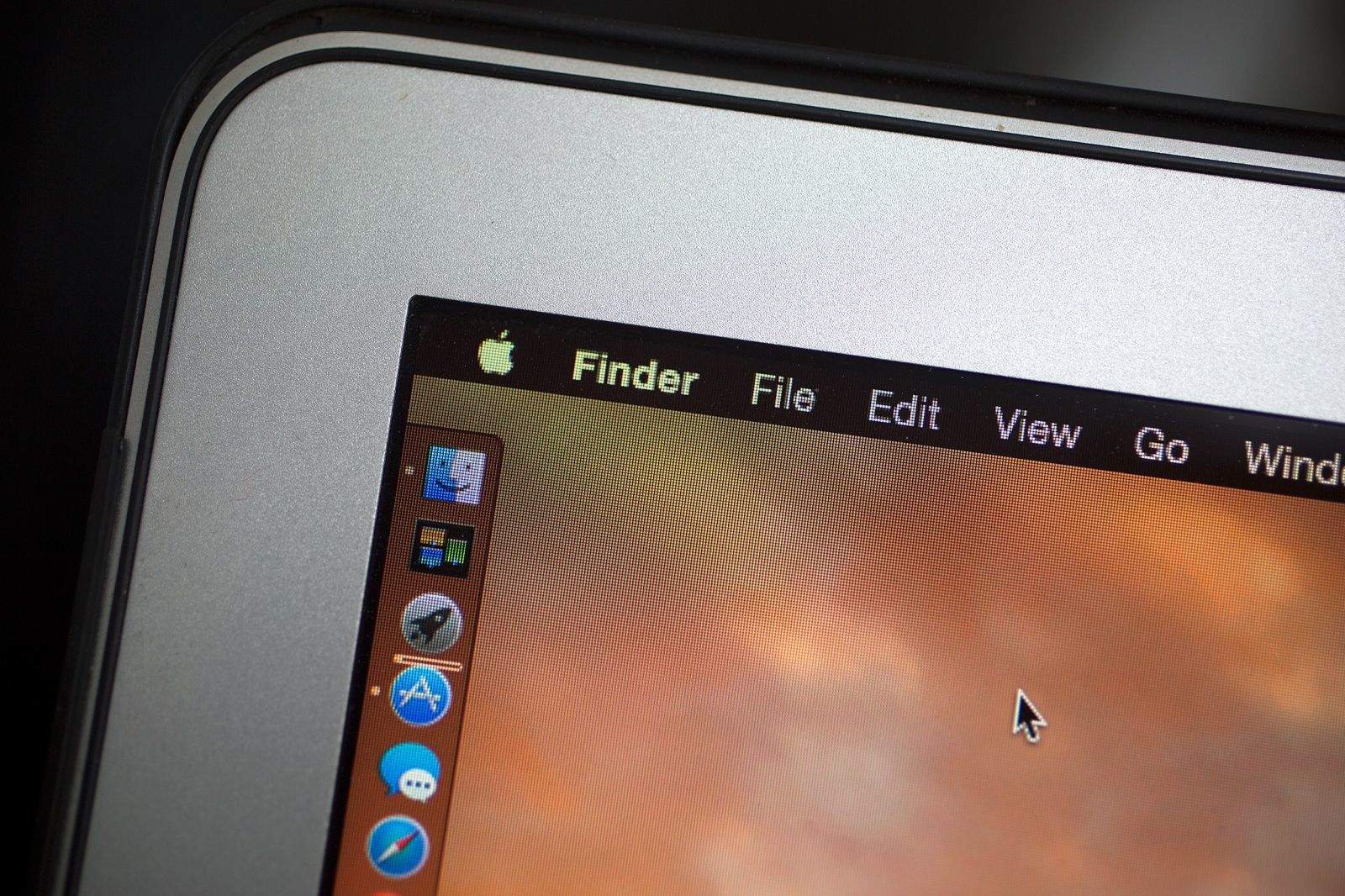
OS X Yosemite packs a lot of new features inside a cleaner, flatter interface on the Mac. It’s a big upgrade, and there’s a lot to take in at first glance.

Whether you’re a Mac novice or a seasoned expert, there’s plenty to explore in the latest version of OS X. Wondering how to get started? Here are some of the best tips and tricks for getting the most out of Yosemite: 

The best apps for OS X Yosemite

By

Yosemite apps
Photo: Ste Smith/ Cult of Mac

Like any new Apple software release, OS X Yosemite has great third-party apps that are worth checking out.

Developers can take advantage of iOS 8-like extensions, Handoff, iCloud Drive, Notification Center widgets, and more to create a better experience. Many apps also need to be updated aesthetically to look at home in Yosemite’s cleaner, flatter design. The ones that aren’t updated stick out like sore thumbs.

We’ve collected a running list of the best third-party apps that are already optimized for Yosemite:

Alien Blue is now Reddit’s official iOS app

By

Screenshots: Alien Blue

Alien Blue, the most popular third-party Reddit client for iOS, has been acquired by Reddit itself. To celebrate, the ‘Pro’ upgrade in-app purchase is available for free instead of $2. The iPad app is also free to download.

Developer Jason Morrissey has joined Reddit, and he will continue to develop Alien Blue and add new features.

Cop uses Find My iPhone to rescue trapped crash victim

By

iphonecrash
Police in San Jose used Find My iPhone to rescue trapped crash victim. Photo: CBS

Find My iPhone has been used hundreds of times to find stolen Apple devices, but police in San Jose found a new use for tracking app yesterday: rescuing a crash victim after her car plunged 500 feet down the side of mountain.

Melissa Vasquez was stranded for over 17 hours after her car flew off the side of Mt. Hamilton, and into a ravine, ejecting her from the vehicle in the process. Police were notified of the crash Monday afternoon, after the car’s OnStar program detected a crash, but when they turned up to the location they saw nothing.

12 hours later, Vasquez’s family reported her missing, but it took a tech savvy officer to figure out he could use her iPad to find her if only he knew her iTunes password.

Why HBO’s web-only subscription is great news for Apple TV

By

apple_TV_HBO_GO
Photo: Apple

The death of cable TV bundling is nearly upon us, as signaled by HBO’s announcement today that it will offer an internet-based streaming subscription in 2015.

“That is a large and growing opportunity that should no longer be left untapped,” said HBO CEO and chairman Richard Plepler. “It is time to remove all barriers to those who want HBO.”

That’s big news in an industry that has been incredibly resistant to disruptors like Apple. And the Apple TV specifically stands to gain immensely from this shift towards Hollywood finally selling premium content unbundled.

When Twin Peaks enters the iPhone era, things are bound to get even weirder

By

Photo: Natasha Masharova/Flickr CC
How will director David Lynch bring Twin Peaks into the smartphone era? Photo: Natasha Masharova/Flickr CC

When Twin Peaks mesmerized us with its weird mix of mystery, mysticism and Americana in the early ’90s, smartphones didn’t exist. But even if the iPhone had already conquered the world, it’s possible nobody in the small Pacific Northwest town that served as the show’s setting would have owned one.

The forested fantasyland of Twin Peaks was a purposely backward backdrop upon which series creators David Lynch and Mark Frost could project their twisted vision of the darkness that lurks below the wholesome surface of American society. While the show was set in 1989, the small-town setting was a deliberate throwback to ’50s-style innocence, which was quickly shattered by the discovery of a beautiful teen’s corpse.

When Twin Peaks resurfaces in 2016 on Showtime, the cultural landscape will have changed radically from where the series left off a quarter-century ago. What kind of fascinating freak show will Lynch and Frost craft as they bring the show into the digital age?

9 hard lessons from a top iPad publisher who’s calling it quits

By

When the best iPad magazine goes under, you know something's wrong. Photo: The Magazine
When the best iPad magazine around closes up shop, you know something's wrong. Photo: The Magazine

When The Magazine ceases publication this December, owner Glenn Fleishman will be closing shop on an ambitious two-year experiment in digital publishing.

It’s not a total surprise — subscriptions were already on a downward trend when Fleishman transitioned from editor to owner of The Magazine after purchasing the publication from Marco Arment last year — and it’s not a total bummer, either.

In fact, Fleishman says he’s feeling pretty good about stopping here: he’s met his obligation to provide Kickstarter backers with their one-year subscriptions, and he’s ending this fascinating experiment while it’s still profitable.

“I’m even able to pay myself an ever-declining hourly rate for my time,” said Fleishman, who spoke with Cult of Mac about what went right, what went wrong, and his feelings about pulling the plug on a project that was his full-time job for the last year and a half.

‘It’s been way too long’ since Apple updated these products

By

Apple's new improved TV could be coming as early as this fall.
Will there be a new Apple TV next week? If so, it's been a long time coming. Photo: Robert S. Donovan/Flickr CC
Photo: Robert S. DonovanFlickr CC

The tagline for next week’s Apple media event is “It’s been way too long.” While that might be nothing more than a sarcastic nod to the fact that Cupertino announced the Apple Watch and iPhone 6 just last month, it could be a cryptic indication that we’ll see updates to some of the company’s neglected products.

Rumors suggest new iPads and Macs will share the stage at Apple’s October 16 event, and we’ll probably get OS X Yosemite’s release date and more talk about iOS 8 and Apple Pay, but what about the rest of the product lineup?

Here’s a look at Apple products currently languishing in update hell, along with some rumors and speculation about what the future might hold.

Real life becomes a vector with Adobe’s Shape CC

By

Photo: Rob LeFebvre/Cult of Mac
Turn any photo into an editable and reusable vector shape. Photo: Rob LeFebvre/Cult of Mac

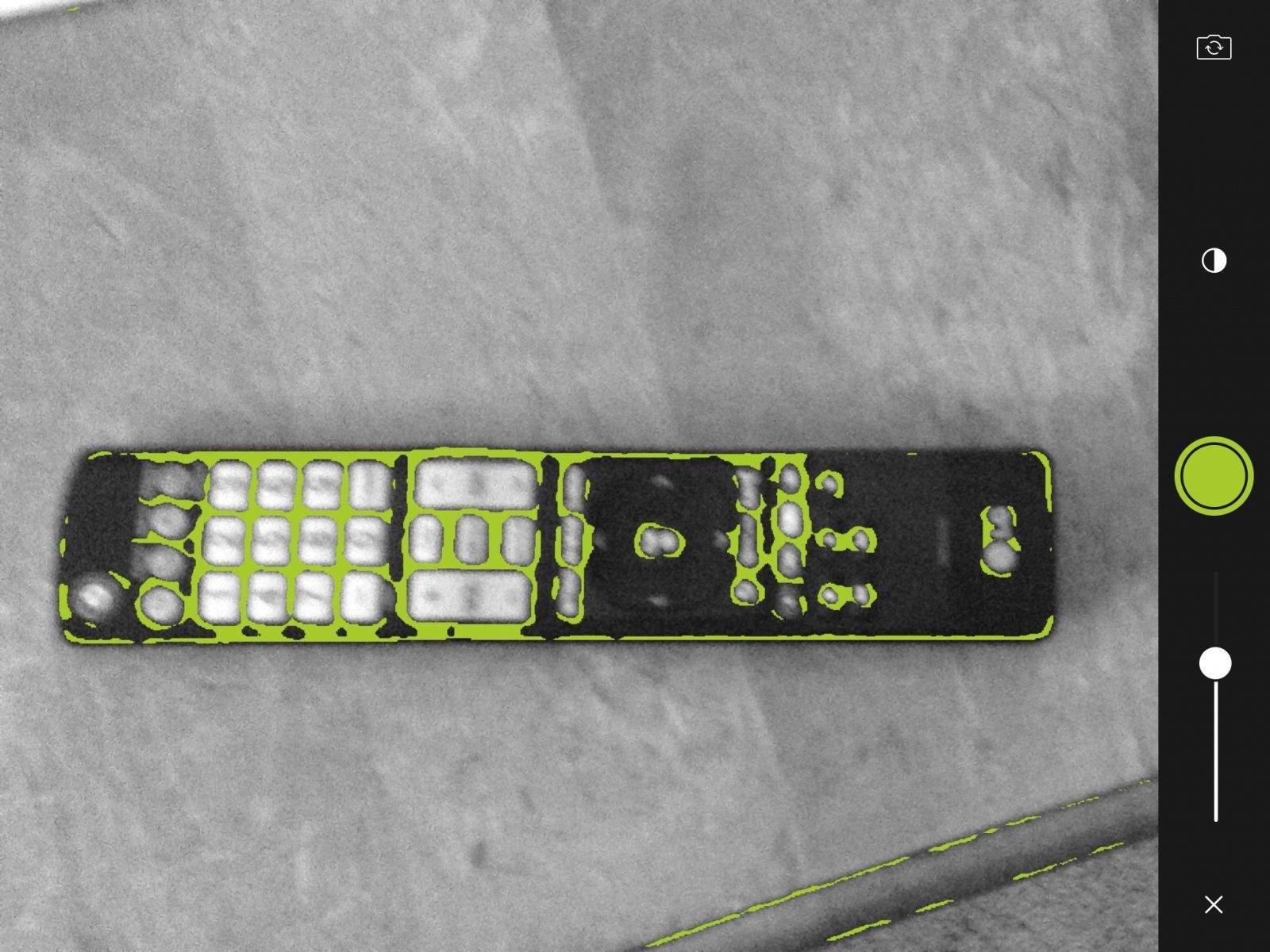
Quick – grab your iPhone and take a picture of something nearby — the remote control on your coffee table, a pair of Warby Parkers, anything, really. Now take that photo and turn it into a fully editable vector graphic that can be used by a host of drawing and artistic programs across your iPhone, iPad and Mac, all via the magic of Adobe’s Creative Cloud.

That’s precisely what Adobe Shape CC does, one of a host of new apps available on your iOS device to make capturing the real world much easier than ever before.

Here’s a quick video rundown of how it works.

It’s been way too long: Apple sends invites to October 16th event

By

Apple has sent the press invites to an October 16th event. Photo:
Apple has sent the press invites to an October 16th event. Photo: Christina Warren


Apple isn’t quite done rolling out its new products for 2014, as the company just sent out invites to a special Town Hall event being held on its Cupertino campus on October 16th at 10AM PT.

The event comes just weeks after the iPhone 6 and Apple Watch were revealed, but the invites provide few clues about what they’re going to announce yet. The iPad Air is expected to get an update, and the rumor mill has spit out claims of a Retina iMac making an appearance too.

OS X Yosemite will also be introduced publicly at the event, and we could even see a new Mac Mini or some other goodies. All will be revealed soon when Tim Cook and the gang take the stage next Thursday. Cult of Mac will be liveblogging the event so stay tuned.

Visiting the cemetery where Steve Jobs was laid to rest

By

steve-jobs08
On the third anniversary of his death, someone laid bouquets and messages at Alta Mesa Memorial Park, Steve Jobs' last resting place. Photo: Leander Kahney/Cult of Mac.

PALO ALTO, Calif. — Sunday was the third anniversary of Steve Jobs’ death. I drove my family down from San Francisco to Palo Alto to see if anyone had left tributes at his house or the local Apple store, which were scenes of remarkable memorials following his death in 2011.

iPhone 6 orders show no sign of slowing down in 2015

By

iPhone 6s
Photo: Apple
Image: Apple

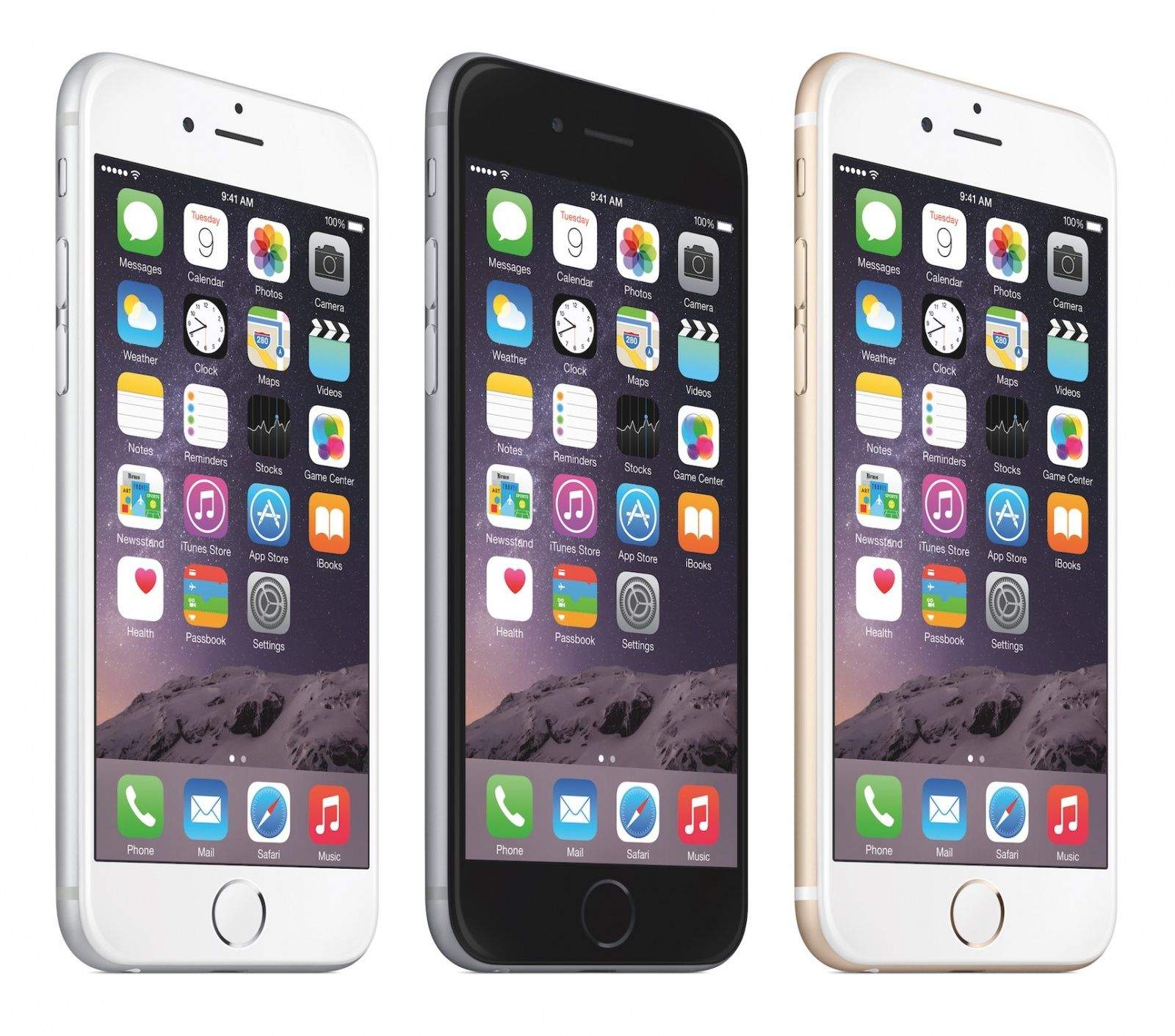
The iPhone 6 and 6 Plus may be killing it in terms of demand, but that’s just because they’re the hot new devices on the market, right?

Not according to industry sources, who claim that chip orders for iPhone 6 and 6 Plus devices have already exceeded 50 million units for the first quarter of 2015.

In real world terms, what that means is that Apple is forecasting that the iPhone 6 won’t slow down its sales domination one bit after the holiday season, since the Q1 2015 chip order is just as strong as the one for Q4 2014.

Tim Cook, Phil Schiller and others remember Steve Jobs

By

Photo: Ben Stanfield/Flickr CC

Tim Cook, Phil Schiller and others who knew him have made public comments commemorating Steve Jobs, who passed away three years ago today.

Cook sent out two tweets, quoting Jobs from his 2005 Stanford Commencement Address as saying, “You have to trust in something – your gut, destiny, life, karma, whatever.” In the second message he said that he was in Grand Canyon National Park, backpacking and “thinking of SJ and his many gifts to the world.”

Read Tim Cook’s heartfelt email commemorating Steve Jobs’ death

By

This Sunday marks three years since the death of Steve Jobs.

This Sunday will mark three years since the death of Apple co-founder and former CEO Steve Jobs at the age of 56. Although many Apple employees will doubtless be working over the weekend, Tim Cook took today as the opportunity to send out a note to Apple employees, sharing some of his thoughts on Jobs’ legacy at Apple.

The note can be read in full below:

Flic lets you manage your photos like Tinder

By

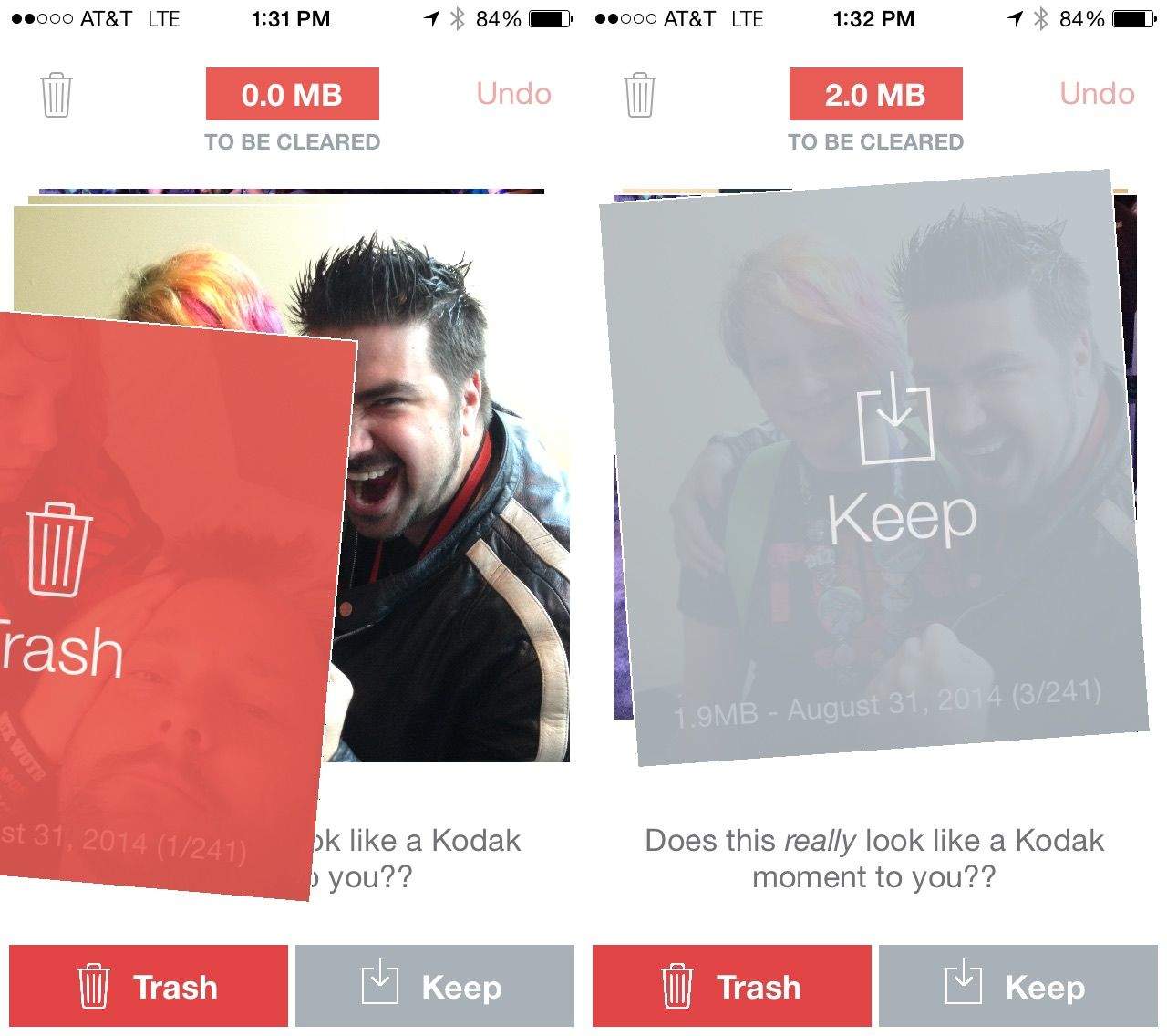
Flic your photos left or right, Tinder-style, for super fast sorting. Screenshots: Cult of Mac

Even with the recent improvements to iOS 8’s handling of photos you take with your iPhone, it’s still kind of a pain in the butt to sort through and delete the ones you don’t want to keep.

The developers behind Flic, a fantastic new photo app, decided they’d had enough and built a better app. This one works a lot like Tinder, a dating app that uses a swipe to sort potential dates.

If you’ve ever had to sort through a ton of photos on your iPhone, you’re going to love Flic. Getting through all your photos is speedy and efficient.

“I just went on my honeymoon,” developer Brandon Evans told Cult of Mac, “and I think I had 400 pictures to go through. It only took me, like two minutes to go through using Flic.”

How to save money and time with iOS 8’s Family Sharing feature

By

familysharing

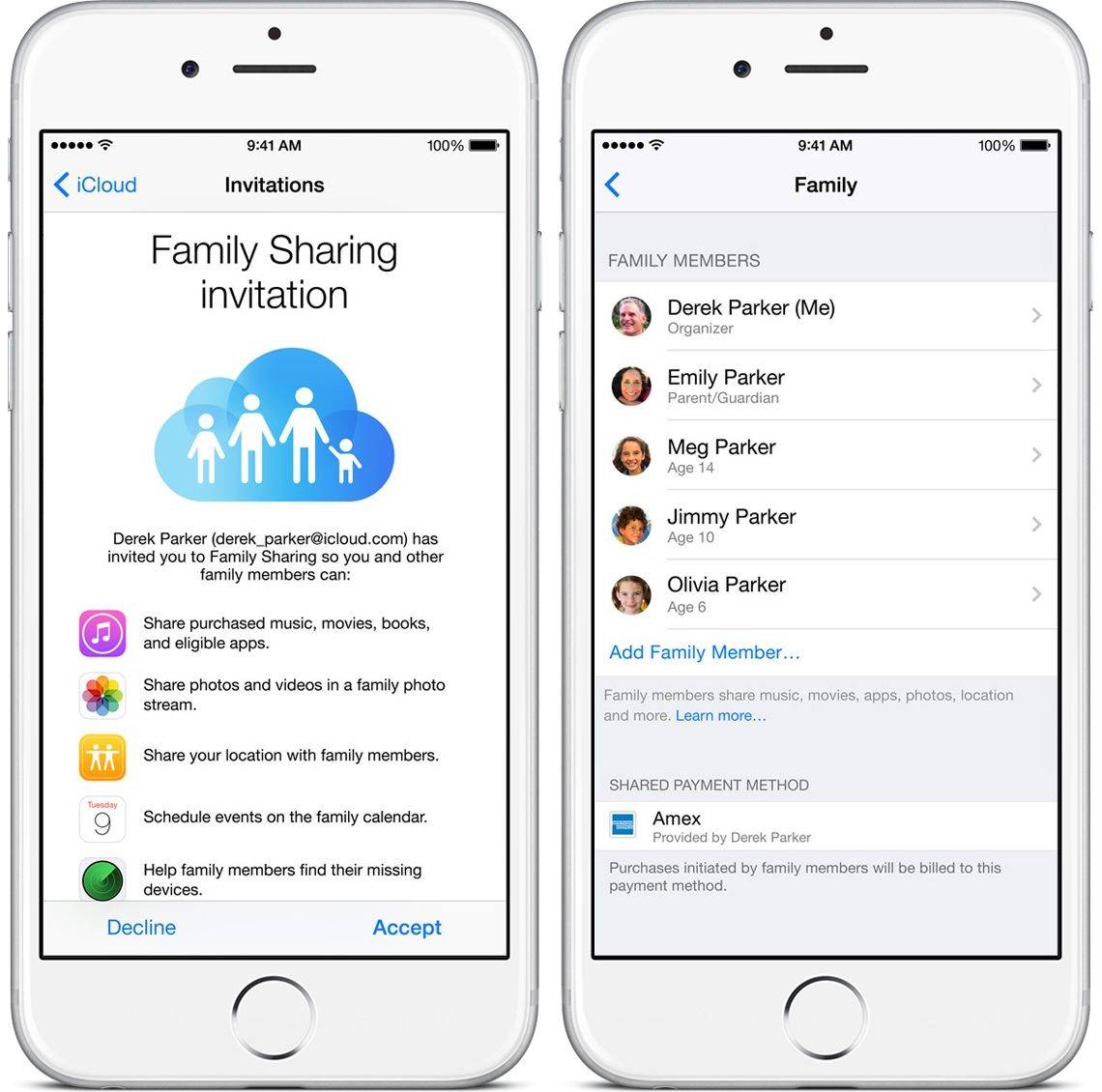
iOS 8’s new Family Sharing feature makes it easier than ever for your entire family to share purchases on iTunes, iBooks and the App Store.

Family Sharing is about more than just sneaking copies of apps off your siblings’ accounts, though: It can bring harmony to your entire digital life by sharing photos, creating a family calendar and even keeping track of each others’ locations.

With minimal effort, you can sync up to six accounts. Here’s how to maximize Family Sharing’s potential.

How to stream torrented movies on iOS 8 without jailbreaking

By

movieboxapp

Popcorn Time is finally out for iOS, giving iPad and iPhone users direct access to “The Netflix of Pirated Movies” service for the first time ever. There’s just one catch: it requires a jailbreak.

Over 50% of iPhone and iPad users have already upgraded to iOS 8 and a jailbreak isn’t coming out anyday soon, but if you want to stream movies to your iOS device you’re still in luck.  A competing service called MovieBox does pretty much the exact same thing as Popcorn Time, and you can get it on your iPhone 6 and 6 Plus 8 without needing to jailbreaking.

Here’s how to install it:

‘Netflix for pirates’ comes to jailbroken iOS devices

By

The Popcorn Time app on Android. Photo: Killian Bell/Cult of Mac

Popcorn Time, the service that allows users to stream movie torrents, today makes its debut on iOS. It’s available only to jailbroken devices — there’s no way Apple would have approved it for the App Store — and it can be obtained through Cydia via a dedicated Popcorn Time repository.

Best List: Apple wrappers and other showstoppers

By

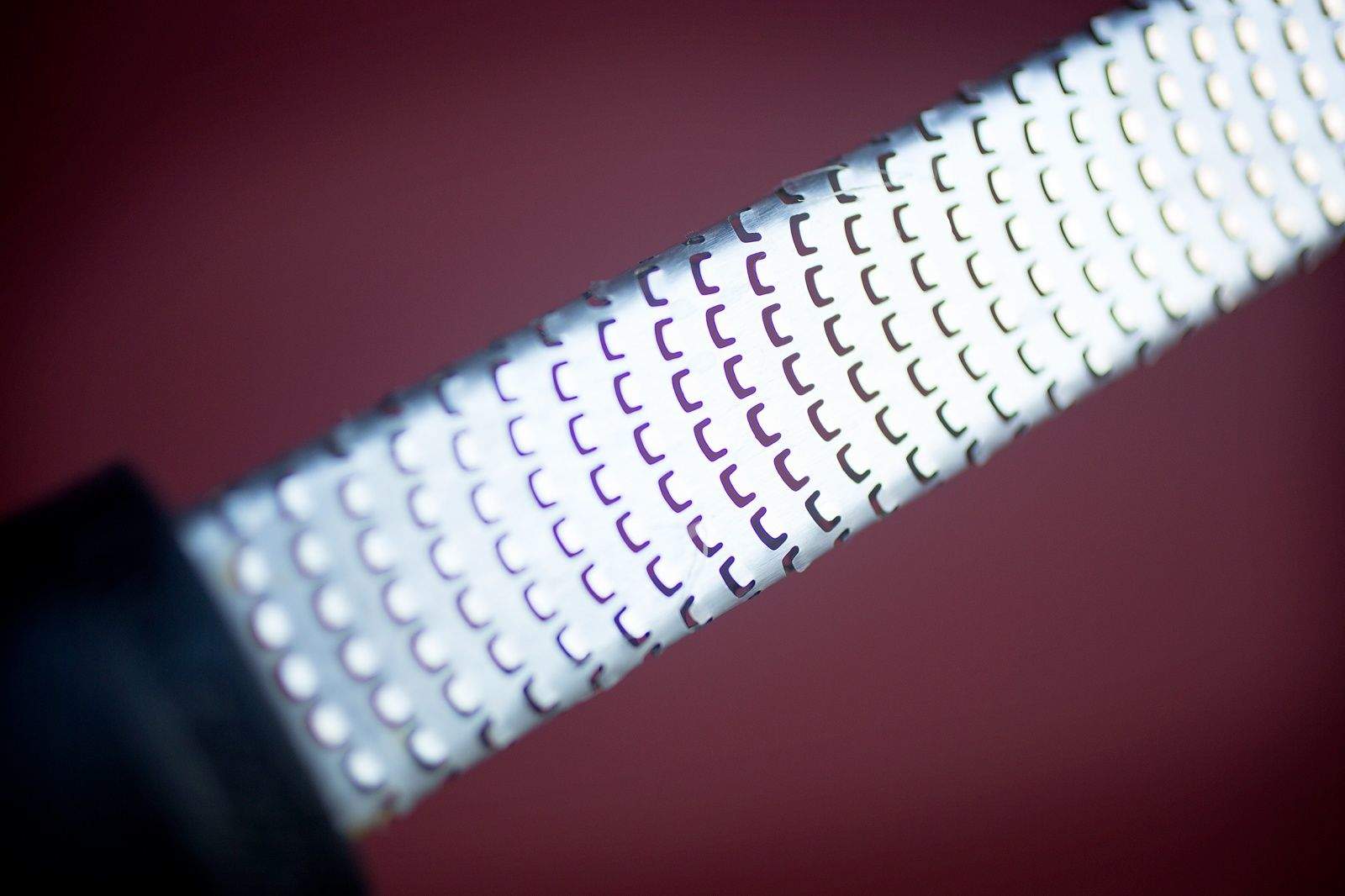
The Microplane Classic Zester Grater ($12.95) looks more like a bastard file than a kitchen utensil. But don't let its woodshop aura fool you: If your recipe calls for a little lemon zest or grated Parmesan, this inexpensive tool will get the job done right — pronto.


It's quicker and more precise than a standard box grater, especially for small jobs, and it's far easier to clean. Run it over a hunk of hard cheese and you'll be rewarded with thin shreds that seem lighter than air. Rub the Microplane over a nubbin of ginger and you'll reduce that root to a juicy pulp.


So, what makes this Microplane a

The Microplane Classic Zester Grater ($12.95) looks more like a bastard file than a kitchen utensil. But don't let its woodshop aura fool you: If your recipe calls for a little lemon zest or grated Parmesan, this inexpensive tool will get the job done right — pronto.

It's quicker and more precise than a standard box grater, especially for small jobs, and it's far easier to clean. Run it over a hunk of hard cheese and you'll be rewarded with thin shreds that seem lighter than air. Rub the Microplane over a nubbin of ginger and you'll reduce that root to a juicy pulp.

So, what makes this Microplane a "Classic"? The company peddles a "Premium" model that, for a measly two bucks extra, puts a prettier face on the grater. It's essentially the same design, only with brightly colored soft-touch handles and "non-scratch end tabs." I've tried them both, and the Classic's old-school black plastic handle works fine for me. Try either model and you'll wonder how you ever got through your kitchen routine without it. — Lewis Wallace

Photo: Jim Merithew/Cult of Mac


Free app swaps New York subway ads for street art

By

Photo: NO AD
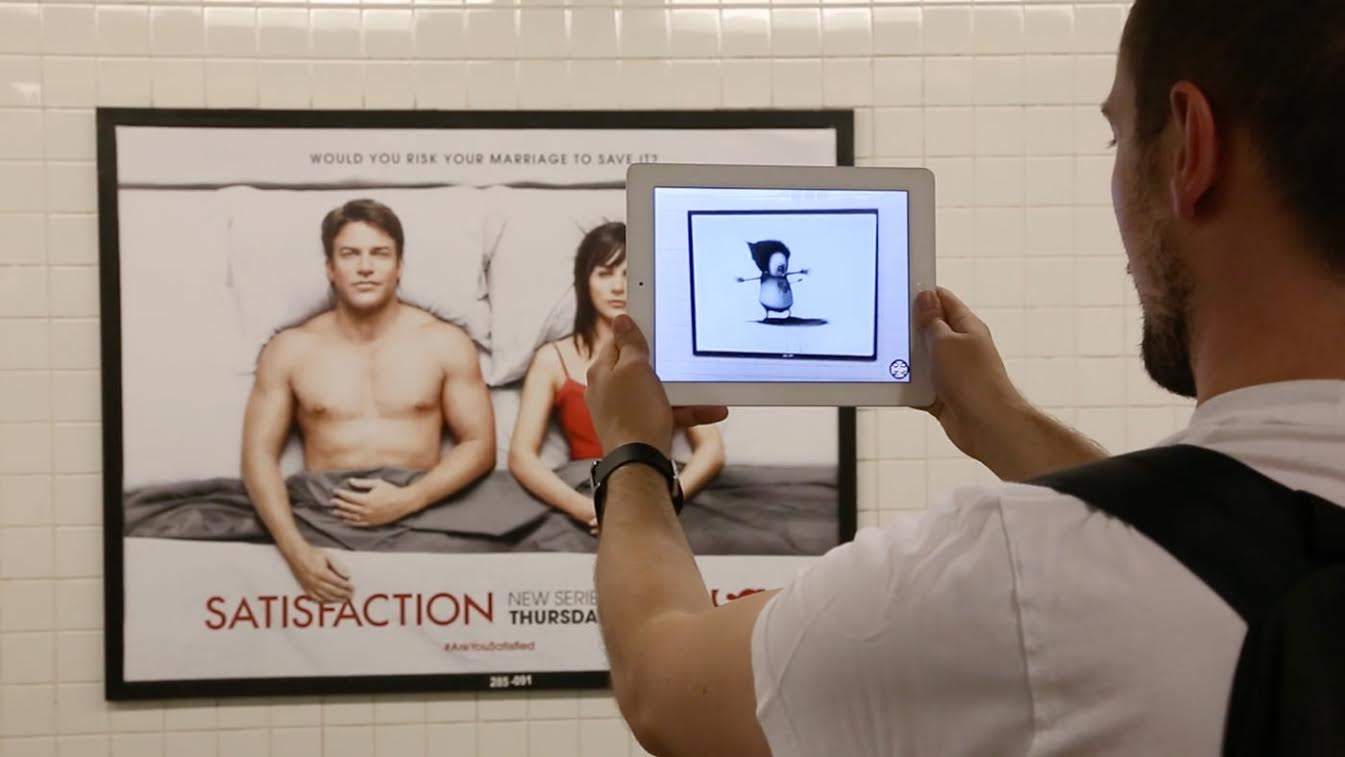
New York commuters can use a free app to virtually purge the subway of annoying advertisements. Photo: NO AD

If you’ve ever visited the subway platforms in the Big Apple, you know they’re plastered with advertisements. That’s where a free new app called NO AD comes in.

The work of Re+Public, a team of devs who use technology to “alter the current expectations of urban media,” NO AD is an augmented-reality app that strips the New York City subway system of its ads — and replaces them with art.

Just point your iPhone camera at a billboard and, hey presto, you’ll see it vanish and a piece of street art will seamlessly appear where there was once corporate propaganda.

Pretty neat, huh?

How to install iOS 8’s most wicked widgets

By

post-298149-image-30da39f795b5b243650069e498b32e10-jpg

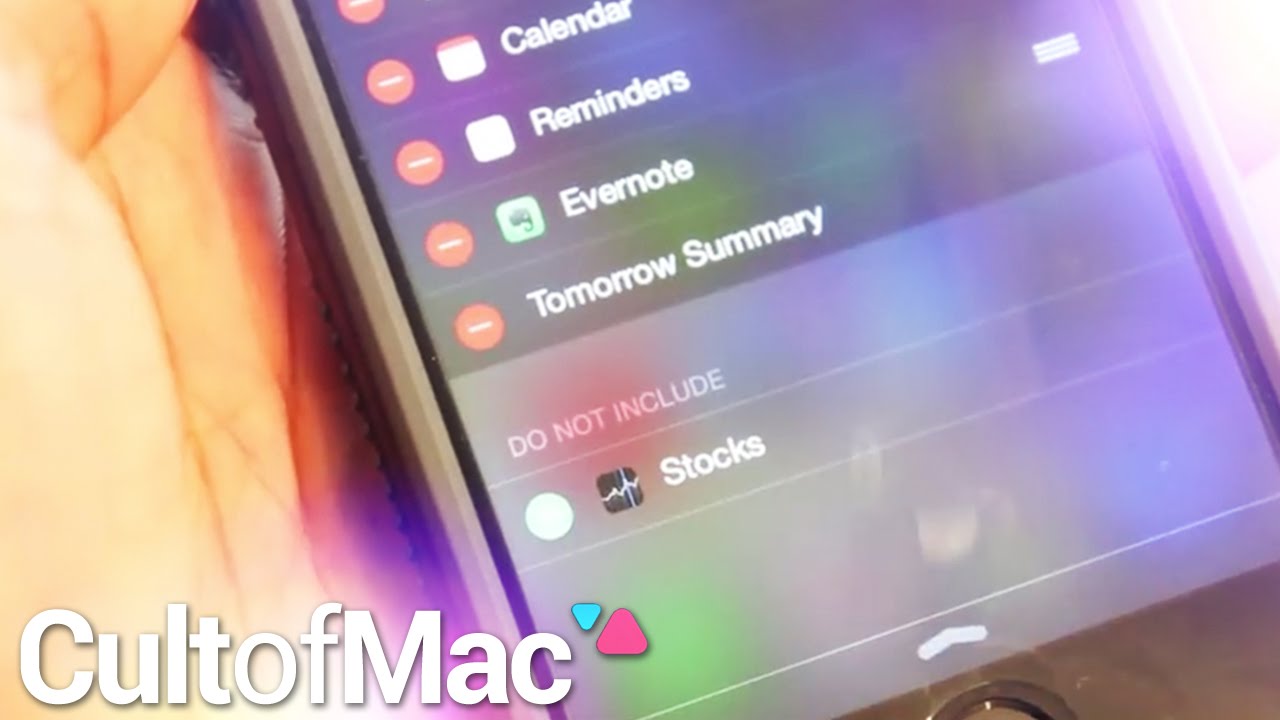
The ability to add widgets to your Notifications dock is easily one of iOS 8’s most useful additions. The new functionality puts some of your favorite apps’ features right at your fingertips.

Only a limited number of apps offer widgets currently, but with developers hard at work you can be sure many more are on the way. In today’s Cult of Mac video, we show you how to install widgets in iOS 8 so you can get started enjoying what’s available now.

In this instructional video, we also give you a look at some of our personal favorites. See how widgets can make managing your to-do list, journaling and checking out your favorite teams’ sports scores easier than ever.

Subscribe to Cult of Mac TV on YouTube to catch all our latest videos.

Meet the pigeon photographer

By

Photographer David Stephenson

Woody Allen famously called pigeons flying rats. Photographer David Stephenson calls them thoroughbreds of the sky.

He also realizes the common perception of the pigeon skews more toward Allen’s view. But Stephenson has a growing body of work that could make people reconsider the much-maligned bird.

Stephenson, aka The Pigeon Photographer, runs a website and Instagram feed where his photos attempt to show the intelligence, strength and iridescent beauty of homing pigeons, which he raises in his backyard near Lexington, Kentucky.

“When we see them circling in the air, they move so fast our eye can’t comprehend the beautiful details, the way the feathers curve, the upstroke or downstroke of the wings,” Stephenson told Cult of Mac. “I just want people to appreciate them more. They are beautiful, insanely tough and intelligent.”

Top iOS games of the week

By

DIY 4 Beginners

Browsing the App Store can be a bit overwhelming. Which apps are new? Which ones are good? Are the paid ones worth paying for, or do they have a free, lite version that will work well enough?

Every week, we highlight some of the most interesting new apps and collect them here for your consideration. This time, our picks include a home-improvement app, a bunch of motivational quotations, and some virtual flooring.

Here you go:

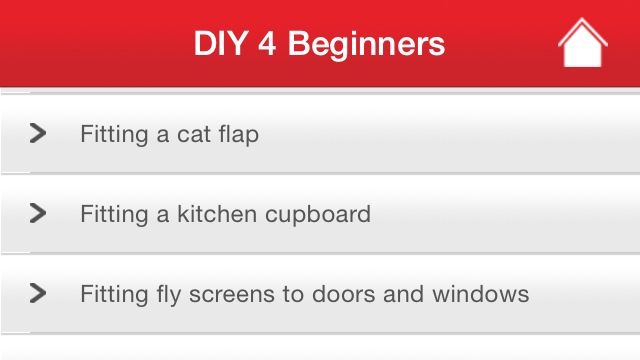
You probably have a few improvements you’d like to make to your home, but it’s possible you have no idea how to do them yourself. Or maybe you do, but you’d like some handy tips on how to store and maintain your paintbrushes or something. This app has you covered either way; it comes from Skil Power Tools, and it contains a wealth of information including tips on removing broken spade handles, tips about proper tool usage, and step-by-step directions on a ridiculous number of projects.

So now I can finally build that deck for my apartment. The landlord will love that.

DIY 4 Beginners – Free | Skil Power Tools
Style My Floor

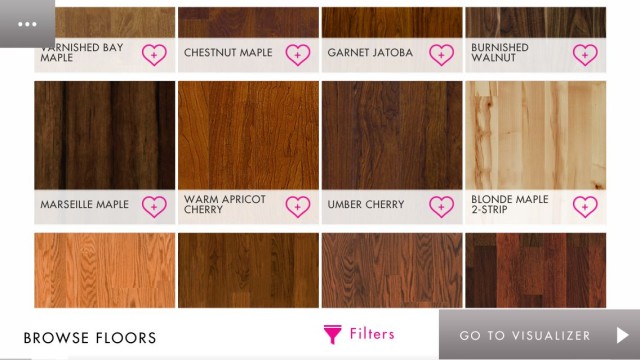
Style My Floor is a decorating app that lets you sample an assortment of different hardwood materials and styles. And even cooler, you can request a “Quick Key” that’ll let you see how different floors will look in your house. You just print out a PDF, lay it in a corner, and then point your iPhone or iPad camera at it. Magic does the rest.

Or technology. Probably that.

Either way, it hits my “easily impressed” button.

Style My Floor – Free | QuickStep Flooring

Daily Productivity Quote

A lot of apps hope to inspire you to improve yourself and focus by offering you words of wisdom from people whose names you recognize. Like that rather stern one up there, which comes courtesy of Arnold Schwarzenegger.

Maybe you’ll get something out of this app, which gives you a new quotation every day to make you work harder and feel better. But I’m going to use it to reply back to coworkers who have silly inspirational quotes in their e-mail signatures. It’s the ultimate passive-aggressive office way of saying, “Leave me alone, and get back to work.”

I’m sure my boss will love that.

Daily Productivity Quotes – Free | Michael Paddock

Cigar

Cigar is a new aggregation app that pulls in new content from crowd-funding site Kickstarter, Netflix, TED Talks, and the App Store and presents it to you in a giant pile for your consideration. You run through them one at a time, swiping up to dismiss ones you don’t like and double-tapping to save some for later.

It can be a little daunting when it throws like 300 things on your stack. But Cigar also e-mails you a digest of things you liked, so you don’t have to go back to the app and sort through your “Liked” list again.

Which is nice.

Cigar – Free | FiveIron Software, LLC