Apple was awarded a patent for bump transfer of data between iPhones. Photo: Jim Merithew/Cult of Mac
It’s Labor Day in the U.S.A. which means you’re probably all hanging out by the pool, barbecuing, drinking, and doing stupid stuff as a way to celebrate the economic and social contributions of workers in the past. It doesn’t really make sense, but who cares.
When you get back to work tomorrow though, break time is over. To help you get back into the swing off things, we’ve rounded up the 10 best productivity apps for iOS.
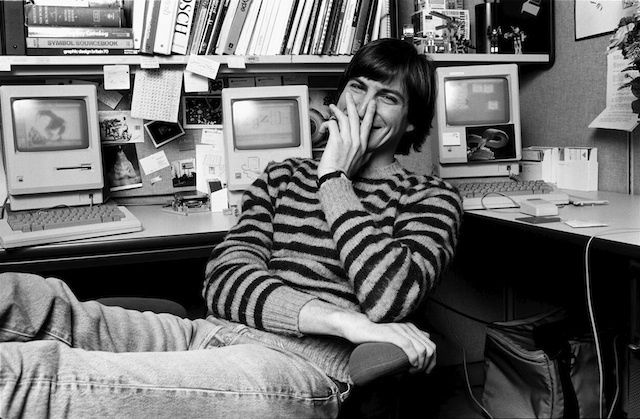
You’ve most likely seen the image of Steve Jobs sitting in the lotus position with his Mac in his lap. It was in Rolling Stone back in 1984 and has become one of the most iconic images of Jobs.
Norman Seeff was the photographer behind that picture, and he just released a couple of unseen photos of Steve Jobs that he took for Jobs’ Rolling Stone feature. The images feature a more candid and subdued version of Jobs in his office and back at home. Take a look:
Upgrading to a new iPhone every year is expensive, and it’s silly to do it just so you have the latest and greatest iPhone when your iPhone 4S still works really well.
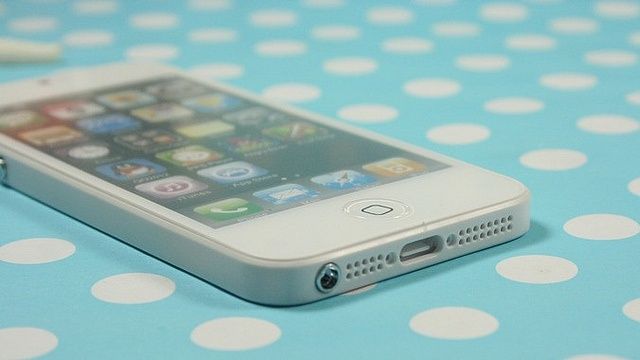
If you can’t wait, but don’t have the money and want to walk around pretending that Tim Cook personally sent you an iPhone 5 before it came out, then you can spend $5 and buy one of these great looking mockups.
Bruce Willis loves battles, and fights, and blowing crap up while trying to escape from bad guys. Bruce Willis ain’t afraid of no one, even Apple. And so when Bruce Willis heard that he can’t leave his massive iTunes music library to someone in his will, he decided he wants to fight Apple, in the courtroom.
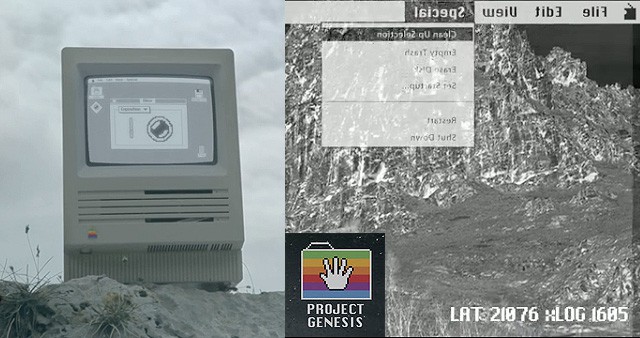
Project Genesis offers a new take on the silicon Story of Creation
Word is spreading of a new independent film, Project Genesis, involving a world populated only by old Apple computers. Italian director and filmmaker Alessio Fava has posted an enigmatic teaser of Macs shuffling around in a drab soulless environment, with hints of better existence:
We computers have always looked at our world from a single point of view: with resignation, limiting ourselves to survive. We were wrong! From this moment on, everything changes: new unexpected ways open up in front of us, the world we knew now becomes more accessible, simple, within everyone’s range.
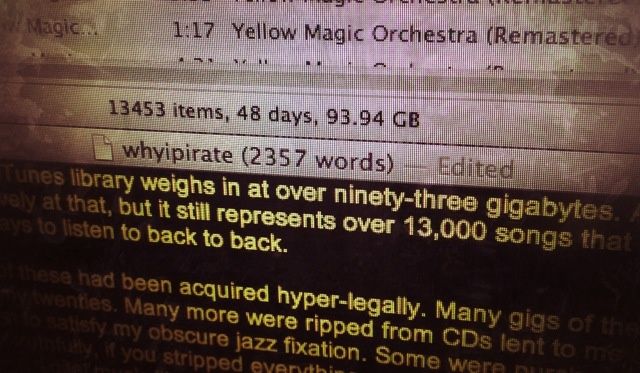
After nearly a decade, my iTunes library weighs in at almost ninety-four gigabytes. A lot of serious music nerds would sneeze derisively at that, but it still represents over 13,000 songs that would take me, from start to finish, a full 48 days to listen to back to back.
I’d be lying if I said most of these had been acquired legally. Most of these albums were acquired on Bittorrent in my twenties. Many more were ripped from CDs lent to me by friends and family, or slurped up from Usenet to satisfy my obscure yet surface-thin musical fixations. Some were purchased through iTunes or other sources online, but truthfully, if you stripped everything out of my iTunes library that I’d acquired legally, I’d probably have a digital music library that could fit on a first generation iPod.
Over the course of the last two years, though, something interesting has happened. I’ve grown a conscience. These days, all of the music I listen to is listened to legally. But iTunes not only has no part in it. In fact, for the past two years, my iTunes library has just been collecting dust: a graveyard to the music piracy of my youth.
I’m ashamed of it. I want to try to explain things. Both why I started pirating music, why I stopped, and how, in fits and starts, being a music pirate helped transform me into someone who cared enough about music to buy it.
Kicking off this week’s must-have apps roundup is a new music app called MUSaIC, that promises to help you rediscover your all those albums you forgot you had. We’ve also got a great new photography app called Etchings, which turns your photos into etched illustrations; a big update to Dolphin, one of my favorite third-party browsers on iOS; and more.
Trip Chowdhry, the Managing Director of Equity Research at Global Equities Research, told a financial writer a few months ago that Apple’s biggest challenge without founder Steve Jobs is that Apple lacks a “unified force.” In order to become unified again, Apple would need a “supernatural person” overseeing things.
But according to Thai Buddhists, they may have exactly that — the reincarnated spirit of Steve Jobs himself, who they say is living in a “mystical glass palace hovering above his old office at Apple’s Cupertino, California headquarters,” according to The Wall Street Journal.
I’ll tell you in this post more about Jobs’ so-called reincarnation, and also about several ghosts caught haunting various Apple products. (And I’m not talking about problems with the MacBook Pro Retina screens.)
Let’s say you want to program, oh, everything. Websites, responsive-design websites, iOS games, and iOS apps. Then let’s through in, just for kicks and giggles, Ruby and PS6. Cool?
This is hours and hours of classes. If you take classes the “traditional” way in a classroom, getting through all this will take a while. Don’t get me wrong, I’m all for in-person classes (I teach them myself), but I’m also a big fan of self-paced, online courses that let you learn at your pace and on your own terms/time.
This is why I like these bundle deals for courses. Like the Programming Bootcamp we kick off today.
The wonderful role-playing game that is Bastion kicks off this week’s must-have games roundup, accompanied by Blast-A-Way, an awesome new puzzle game from Illusion Labs; Dragon Island Blue, the closest you’ll get to Pokemon on iOS right now; and Granny Smith, a platform game that features a granny on rollerscates. Need I say more?
The U.S. Department of Health and Human Services acknowledges the success of iPhones, iPads, and other mobile devices in healthcare in new EHR rules.
The success of devices like the iPhone and iPad in healthcare has become so pronounced that the Department of Health And Human Services has begun to single-out the use mobile devices as part of the meaningful use requirements for electronic health records (EHR) systems. In addition to identifying mobile device use, the agency has also taken steps towards explicitly regulating mobile device security needs in the healthcare industry.
It’s no secret that many of us aren’t fans of the new shared data plans being offered by Verizon and AT&T. Worse are the tactics these carriers are using to all but force us into the new plans. Consumers aren’t the only one’s disappointed, as Sprint and T-Mobile both discourage the practice and prefer to stick with the assumption that users enjoy having unlimited data with no fear of overages. Why should anyone have to pay a premium to see their data capped and divvied up between their data hungry family?
The Tweetbot for Mac saga continues, and this time the guys at Tapbots have come out of left field to release the official beta of their Mac client. The app is available for free now, but there’s a catch: you have to already be a Tweetbot user.
Multiple updates have been released for the alpha version of Tweetbot for Mac, but Tapbots announced earlier this week that it would be discontinuing public testing of the app before it officially launched in the Mac App Store.
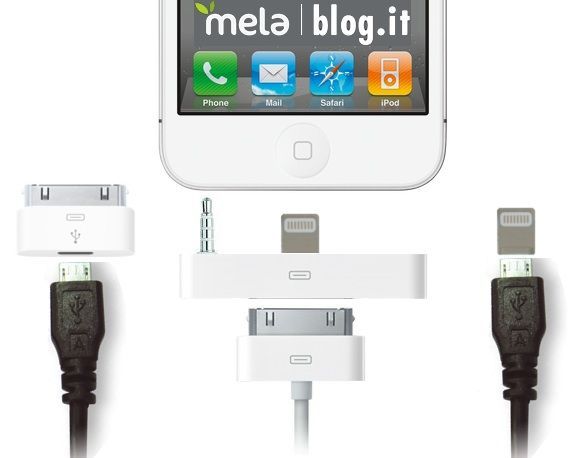
When the new iPhone is released with an all-new, totally redesigned 9-pin dock connector, even with an adapter, it’s going to throw the entire third-party iPhone accessory market into chaos. And unfortunately, it looks like Apple’s giving accessory makers no time to prepare with an early peek at the 9-pin connector. When the next iPhone debuts, it will take months for compatible accessories to be released. Sink or swim time.
Amazon follows Apple's lead and decides against Google Maps for upcoming Kindle Fire revision.
Apple’s decision to ditch Google Maps in favor of its own mapping technology in iOS 6 wasn’t much a surprise. However, Amazon’s decision to reject Google Maps in its second generation Kindle Fire tablet is a bit of surprise – particularly since the Kindle Fire is an Android device.
Unlike Apple, Amazon isn’t developing its own mapping systems. Instead, the new Kindle Fire will rely on mapping functionality from Nokia. Unlike the original Kindle Fire, which had no innate location services or maps app, the new version will sport location-based services, though whether they will be based integrated GPS or solely on Wi-Fi triangulation (like the Wi-Fi only iPad models and the iPod touch) is still an unanswered question.
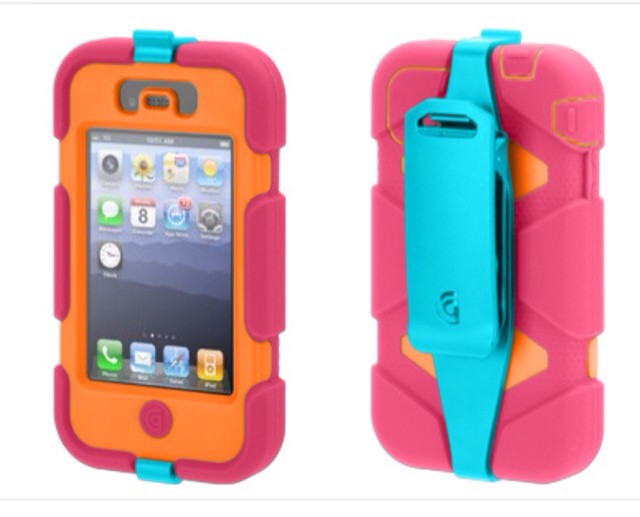
So tasteful.. Which soldier wouldn't want one of these?
Clearly the “military” part in Griffin’s Military Grade Survivor case for the iPhone doesn’t refer to the color. While olive drab is an option, the majority of the rugged cases come in candy colors more suited to a pre-schooler’s toy box than the killing fields of, well, whichever countries the U.S is currently at war with.
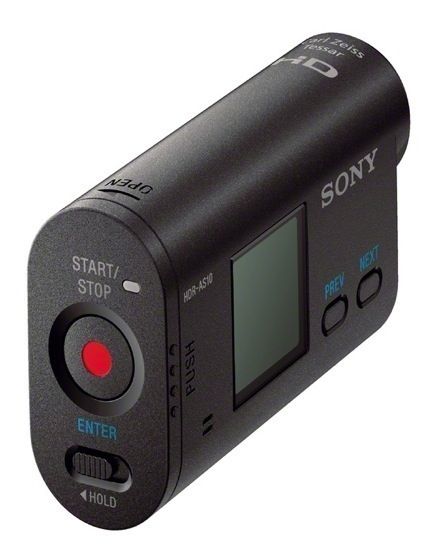
What I want in a rugged sports camera: High definition (to see every detail), a waterproof case (so I don’t have to worry about taking a dip), a slim and stylish body (to match my own!) and probably some other things I never thought of yet.
And here comes the Sony HDR-AS10 HD Action Camcorder, which takes care of all of these bullet points, including the last one.
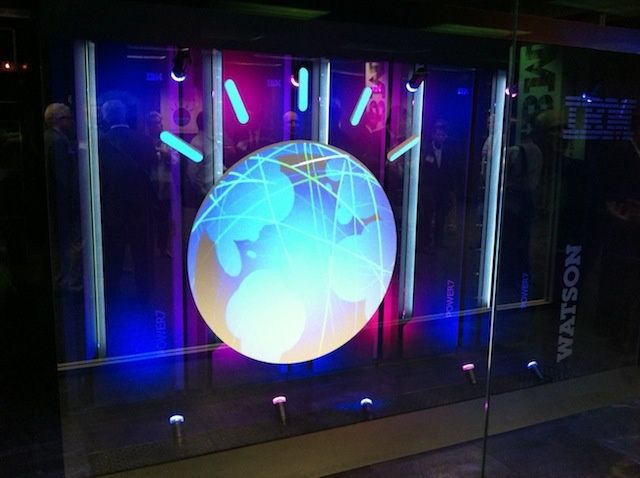
In Watson 2.0, IBM plans to bring the supercomputer to smartphones worldwide.
Could IBM’s Watson replace Siri? That’s an interesting question and IBM’s answer appears to be yes. Big Blue is working to turn the supercomputing solution that made news when it beat Jeopardy! champions Ken Jennings and Brad Rutter into an app that could run on a smartphone. If successful, IBM will turn Watson into a supercharged version of Apple’s digital assistant.
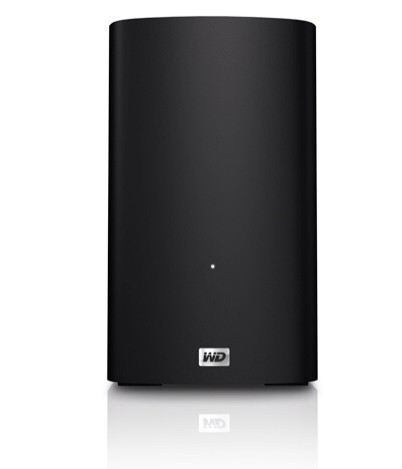
Wowsers! Western Digital’s Thunderbolt My Book VelociRaptor Duo is all about the big numbers. 10,000 RPM platters, 2TB storage, 10Gb/s transfer (in both directions) and – if you daisy-chain it with other Thunderbolt drives – you can RAID things up to make them even faster.
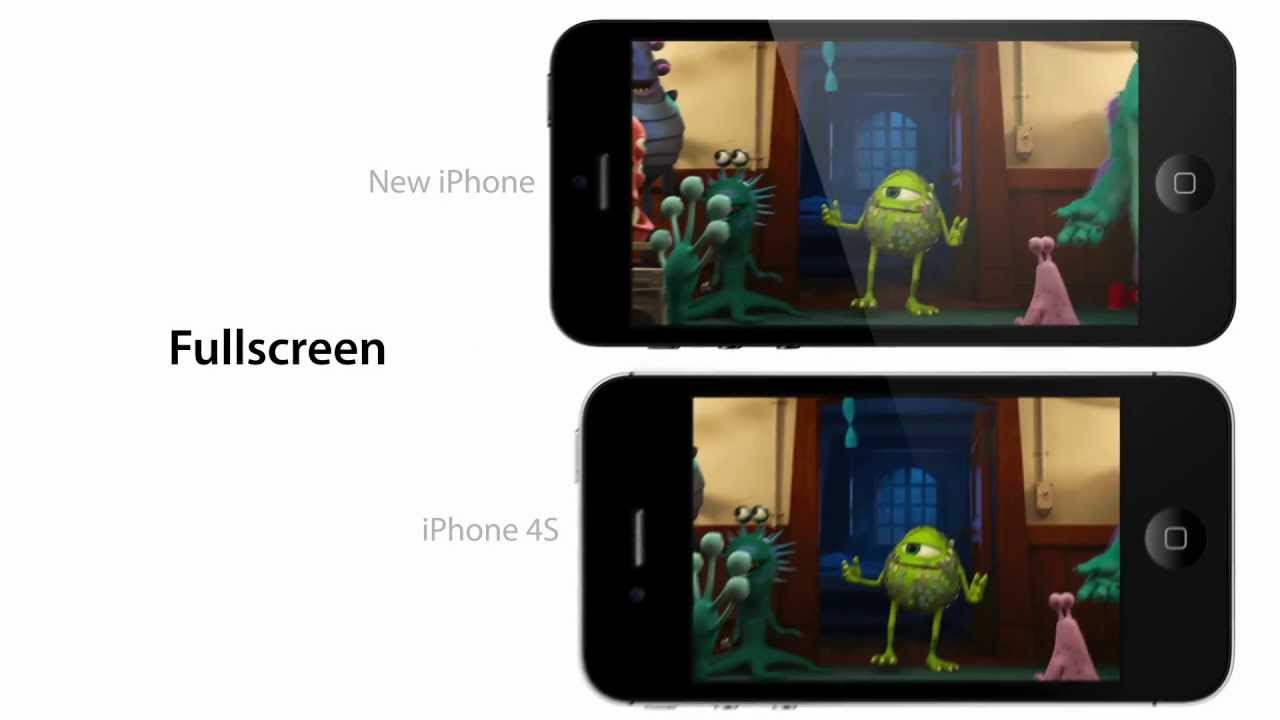
This is fantastic. The guys over at Macrumors have put together a fantastic and very Apple-like video, expounding upon the virtues of the next iPhone’s larger 4-inch display. More apps, bigger homescreen, no more letterboxing in movies and widescreen gaming are the primary qualities promoted here. It’s fine work, and it really has me excited to see how Apple’s going to demonstrate this same capability come September 12th.
Here's another piece of Mac malware you'll want to avoid. Photo: Cult of Mac
Dr Web, a Russian antivirus software specialist, has discovered a new piece of malware that targets computers running Mac OS X and Linux. Named “Wirenet.1,” once installed the software steals all of the passwords you enter into your web browser, mail client, and other apps, and has the ability to log your keystrokes.
Close the drapes, grab a Clif bar and a Gatorade and get ready for some bike-sturbation.
I can’t think of many things worse to do on a bike than ride it indoors on a stationary trainer. After all, without the world going by and the wind in your hair, you’re effectively just sitting on a stool and waggling your legs.
However, if forced to use these blow-up dolls of the bike world, then I’d insist on one that connected to my iPhone 4S or iPad 3 via Bluetooth 4 and let me control it and hook it up with third-party app. And amazingly, that’s just what Wahoo’s Kickr PowerTrainer does.
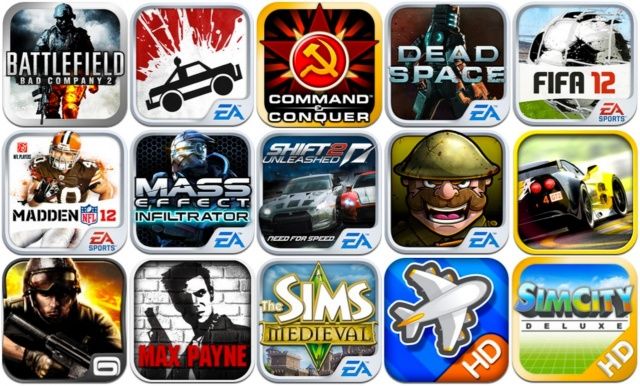
All these and more reduced to as little as $0.99 for Labor Day.
iOS developers are slashing prices for Labor Day. The likes of EA, Gameloft and more are reducing some of their most popular titles to as little as $0.99. We’ve compiled a list of some of the hottest titles on sale, including Real Racing 2, Dead Space, Madden NFL 12, Mass Effect Infiltrator, Max Payne Mobile, and more.
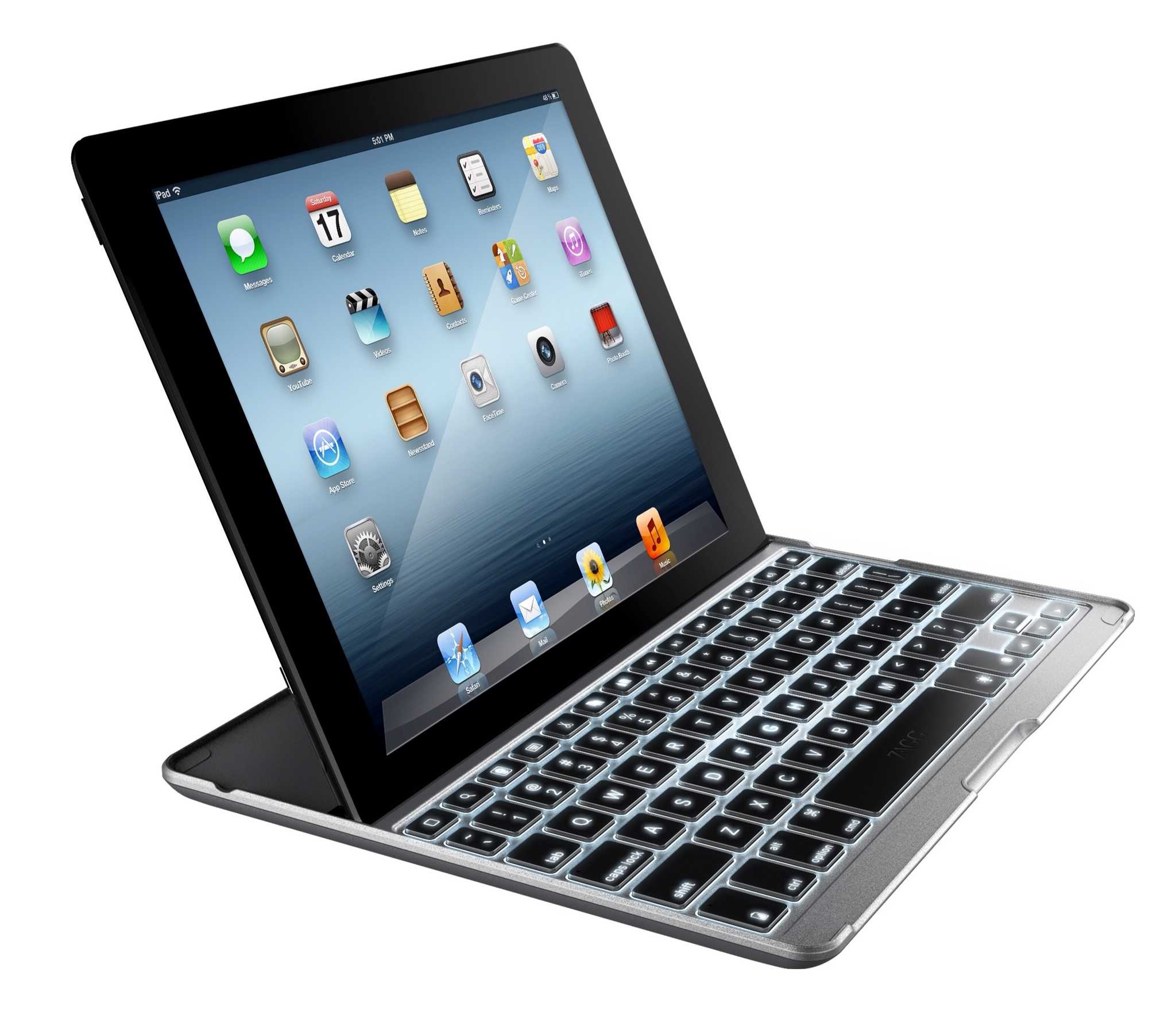
Over at the IFA tradeshow in Berlin. Zagg has launched a couple of new iPad keyboards. And one of them, the Pro Plus, has something I have missed ever since I took to typing on my iPad in the corners of dark and seedy bars: a keyboard backlight.
A new Apple white paper helps IT manage FileVault 2.
Apple has released a new white paper for CIOs, IT leaders, and IT professionals. This one targets FileVault 2, which was introduced in Lion and remains present as a high security feature in Mountain Lion. The 42 page document joins a growing collection of white papers and guides available from Apple that detail the mechanisms and best practices for integrating Macs into Windows-centric enterprise environments.