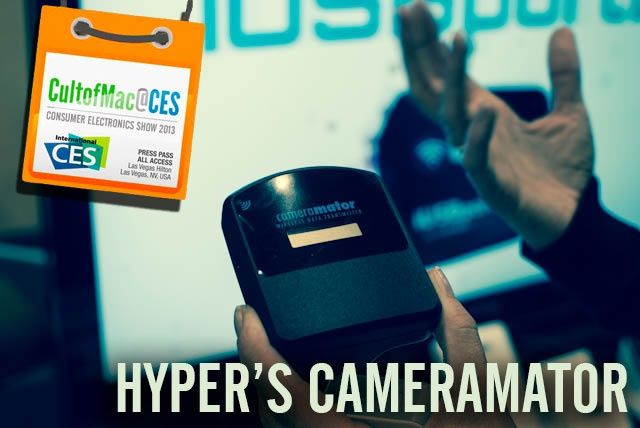
LAS VEGAS, CES 2013 – Hyper has been juicing up our iPhones, iPads, iPods and Macs for ages. Now they want to juice up your camera: not with mere electricity, but with advanced smartphone functionality. Their latest product is called the CameraMator, and it basically allows you to control your SLR with your iPhone, iPad or Android device.
LAS VEGAS, CES 2013 – Ubuntu’s entry into the smartphone market is interesting, and at first gasp, they look like another open-source Android competitor doomed from the start for lack of marketshare. Maybe it’s not so bleak, though, for the Linux maker. Sure, they’re hopelessly outnumbered and entering a bloody fray, but like Battlestar Galactica’s Cylons, they’ve got a plan.
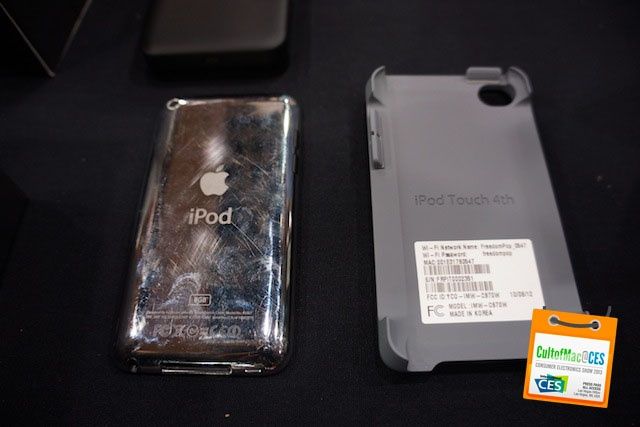
LAS VEGAS, CES 2013 – The only thing that sucks about the iPod touch is that you don’t have a data connection all the time. You can try to scour the streets for free Wi-Fi, but everyone’s locking their networks now. FreedomPop has a solution that will give your iPod touch the data connectivity of an iPhone for free.
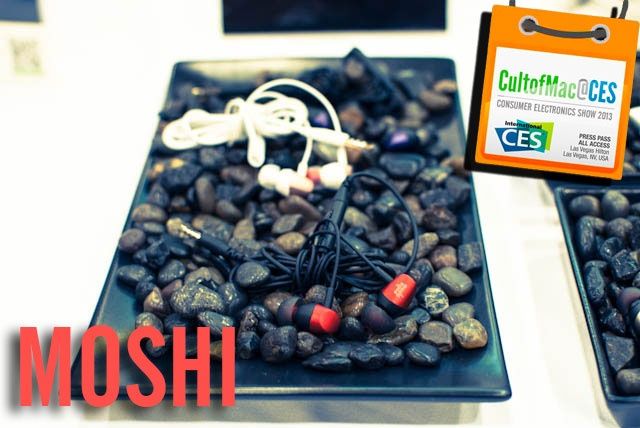
LAS VEGAS, CES 2013 – Moshi’s bag is pretty simple. They aren’t the first accessory makers to enter a space, but when they do enter it, they try to do it with a certain degree of zen-like style. So we were interested in what Moshi had cooking when we stopped by their booth at Showstoppers. After an aborted attempt to try to get us to write up a really long HDMI cable, the cream bubbled up to the surface: the entry-level Mythro aluminum earbuds and the Ionbank 10K. And we were also, shallow as it is to say, pretty impressed with their aluminum Lightning cable.
Hoping to get your hands on a new 27-inch iMac model, with its delightfully thin flat panel display and Fusion Drive goodness? Well, if you order now, you’ll have to wait up to four weeks for it to ship, as seen at the Apple Store website.
It appears that Apple hasn’t been able to manage to overcome its supply constraints, which we reported back in November, to make enough of these glorious machines to meet demand.
LAS VEGAS, CES 2013 – UK-based Fitbug is new to the U.S., and makes gadgets very similar to Fitbit — but they weren’t shy about letting us know they were the first to come up with the idea.
“We were first.” Fergus Kee, Fitbug’s Executive Chairman, stopped short of actually saying fitness gadget-maker Fitbit is a wholesale clone of his company — but he got pretty close.
LAS VEGAS, CES 2013 – MyCharge unveiled an impressive line of new chargers at CES this year, and Cult Of Mac went hands on with both the Hub and Jolt series.
Unlike many portable chargers, which require you to remember your charging cord as well as the unit itself, MyCharge has integrated the cord right into the power brick, so you’ll never forget to bring your cord again. The built in cords are flexible and integrate with the design of the product so that you won’t have to deal with tangled up cords.
LAS VEGAS, CES 2013 – You know what’s funny? Watching giant electronics companies step around the giant Apple-shaped hole at CES. While smaller consumer electronics makers are knocking out great (and terrible – USB Fork, anyone?) iOS accessories, TV makers are clearly trying to preempt the mythical Apple television by making one of their own.
Thus, we’re seeing the age-old “Smart TV” re-emerge as an iOS accessory.
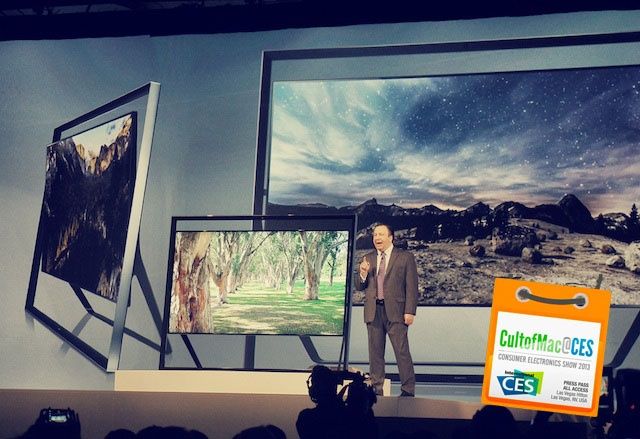
LAS VEGAS, CES 2013 – Every year Samsung attends CES it seems like they try to guess what Apple is going to do with TV. One year they announced a TV that has Netflix and other apps built in. The next they included swappable processors and voice controls.
This year, Samsung’s bet is that if Apple ever decides to make a TV it will be able to predict what you want to watch. It will help you find out where to buy an actor’s clothes. And it might come in a soccer goal shaped frame?
LAS VEGAS, CES 2013 – Globatrac is showing off a nifty little device at CES that you simply slip into your luggage on the plane to let it notify you if your bags have successfully arrived with you.
The Trakdot communicates with either an iPhone or Android app, as well as SMS to tell you the status of your luggage when traveling. It also integrates Bluetooth technology to tell you if your bag is getting closer to you or if someone is walking off with it.
Globatrac hopes to have the Trakdot available at the end of March for $49.95.
LAS VEGAS, CES 2013 – Earlier today we posted a snippet about the Mauz dongle, and how it can turn your iPhone into a remote that can control your desktop through gestures, through either waving your iPhone around, or waving your hand over it. Now the Israeli-designed device has hit Kickstarter, with a funding goal of $150,000.
LAS VEGAS, CES 2013 – If you think you’ve seen it all, think again. Straight out of CES this year comes what appears to be the world’s first Bluetooth-enabled fork. As crazy as it sounds, the concept behind it is actually pretty simple.
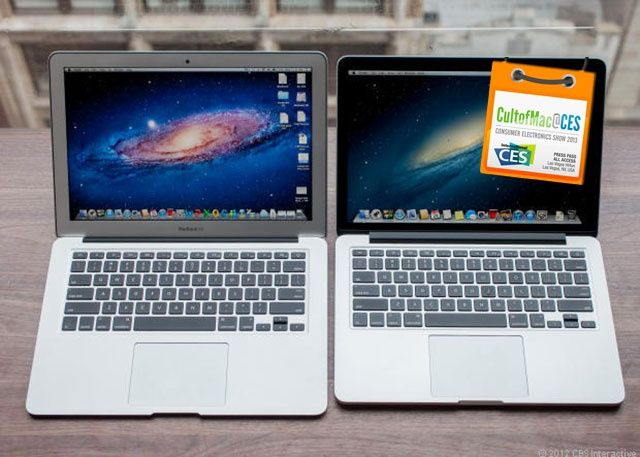
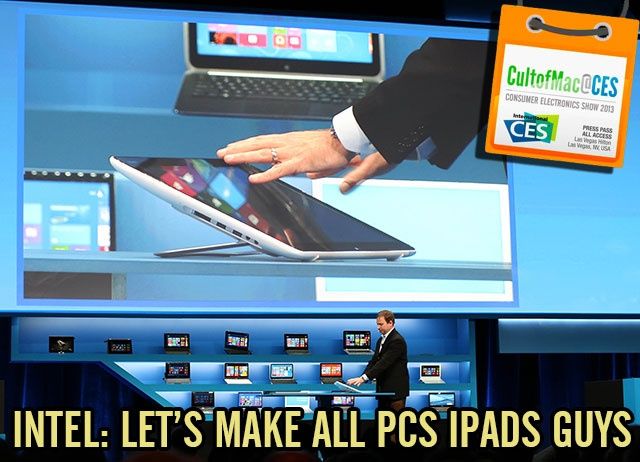
LAS VEGAS, CES 2013 – There was a lot of nonsense being spouted at Intel’s presser today here in Las Vegas, but what isn’t nonsense is their next-generation Core chip technology, which could make a 20% lighter and thinner MacBook Air with 13-hour battery life a reality by the end of the year, or a Retina MacBook Pro with nine hours battery life. Wow.
LAS VEGAS, CES 2013 – Everything you need to know about how Intel wants you to see them was summed up in a bizarre Ken Burns-style documentary that aired at the beginning of their CES presser, in which Intel compared their new ultrabook and tablet initiatives to Notre Dame’s use of the forward pass back in 1913 to utterly dominate the Army Cadets, a team considered much superior. The odd, old-timey documentary ended with a virtual CGI football hurtling at the screen, only to explode in a nuclear fireball just before it hit the camera. “WELCOME TO THE NEXT GAME CHANGER,” Intel blared.
If you know anything about the game in question, though, you know that Notre Dame didn’t actually invent the forward pass, though. They just swiped it from another team and popularized it.
So according to this analogy, who is Intel? They’re clearly Notre Dame, stealing another team’s moves. And that team is obviously Apple. Some game changer.
LAS VEGAS, CES 2013 – I don’t care how battered and beaten the backs of my devices get. In fact, I kind of like the scars – they add character. But even the tiniest scratch on the screen drives me crazy. So I’m pretty stoked about Corning’s brand new Gorilla Glass 3, which promises to shrug off sharp stuff even better than before.
A new Apple corporate job listing suggests that future Macs will have ultrafast 802.11ac wireless tech, more commonly known as “5G Wi-Fi.” Apple is looking for a new System Test Engineer to “develop, design and execute tests for compatibility of Apple hardware and software projects” relating to 802.11 wireless.
It was recently reported that Apple was working with Broadcom to put 802.11ac chips in upcoming Macs. This job listing seems to all-but-confirm Apple’s plans.
While current Macs are already 802.11n compatible, 802.11ac is the next-gen wireless standard that offers nearly 3x faster speeds and 1.3 Gbps down on a triple-antenna setup. The new chips could very well make their way into Apple’s 2013 Macs and even iOS devices, but no one knows for sure at this point.
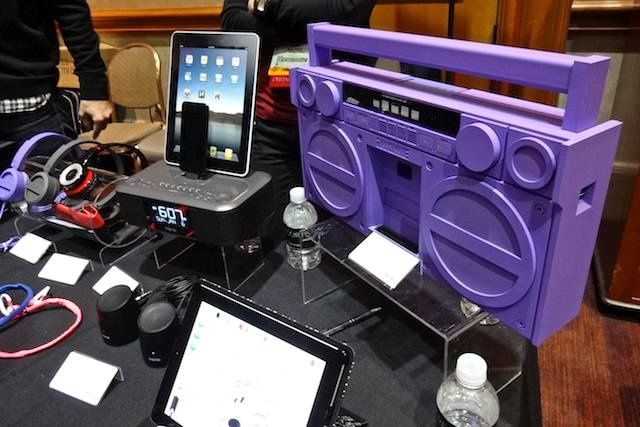
LAS VEGAS, CES 2013 – Apple accessory powerhouse iHome unleashed a mighty avalanche of products last night, the lion’s share of which was Bluetooth in nature. Highlights from the deluge include a Bluetooth version of the perennially popular iMH series portable speakers and the quirky iBT44, a Bluetooth boombox — not simply a Bluetooth-equipped speaker that some marketing guru has slapped the term with, but an honest-to-goodness, FM-equipped stereo circa 1983, only covered in rubber. Oh, and there was also a double-Lightning clock-dock. And Bluetooth headphones. And more Bluetooth speakers. And regular speakers.
When you’re designing an app for iOS, you need to take into account what specific devices you’re building for, whether it be just the iPhone, iPad, or both. There are several Retina and non-Retina screen resolutions to remember, and then there are other nerdy elements like PPI and color temperature.
User interface designer Ivo Mynttinen has published an updated version of his handy iOS Design Cheat Sheet, “a collection of useful data about iOS devices and things you have to keep in mind when designing something for iOS.”
Whether you’re a novice iOS dev or a seasoned pro, this cheat sheet is a handy thing to bookmark for future reference. There’s a clean chart for all of the iOS device resolutions, display stats, icons, and common design elements.
John Browett didn’t last long at Apple. He was brought on by Tim Cook at the beginning of last year to lead Apple’s retail division and then he was fired 9 months later. The former Dixons CEO didn’t mesh well with Apple’s culture, and he caused unrest among Apple Store employees.
Since legendary retail guru Ron Johnson left Apple for JC Penny, Apple hasn’t been able to find the right executive to fill his shoes. Now that Browett is gone, who should Apple give the reigns of Apple retail to?
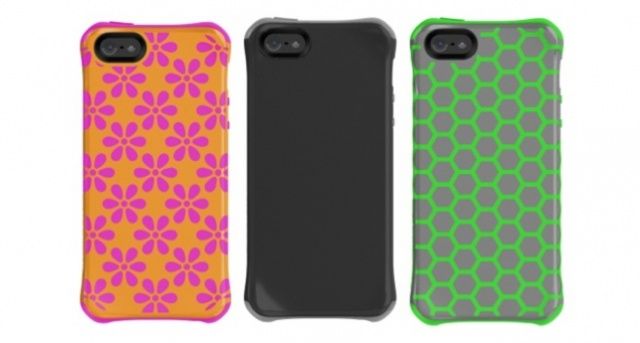
Ballistic is at CES in Las Vegas this week showing off its latest lineup of iPhone 5 cases, the Aspira series. Decorated with bright and pretty patterns, the new selection delivers sleek, “sexy protection” for Apple’s latest smartphone, but it’s not all about looks. The cases are made from a combination of soft rubber and hard plastic to ensure protection against drops and dings.
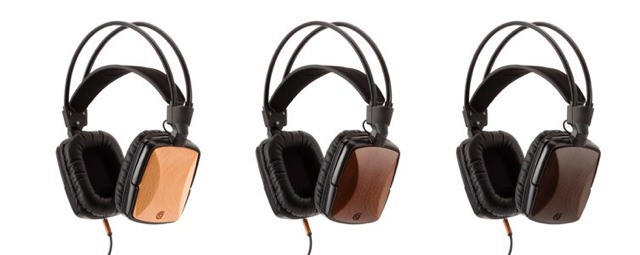
LAS VEGAS, CES 2013 – Wooden speakers apparently make the sound that issues from them seem warmer and more appealing. Maybe so, but in the $99 headphone range there are probably other cost-based design factors that make more difference. Still, these WoodTones headphones from Griffin certainly look warm and appealing.
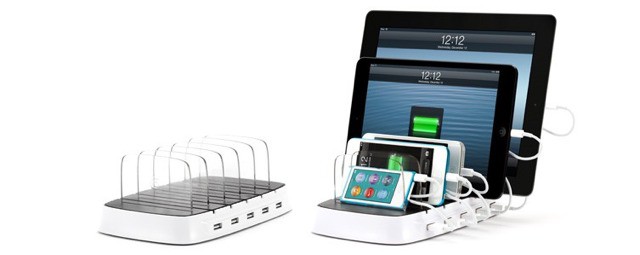
No, it’s not really a toast rack, but it would totally work as one if you wanted to stack a few slices without letting steam making them go soft.
The PowerDock 5 is in fact Griffin’s new five-way charging station for, well, for anything. It works great with your iDevices, but also your Kindle, Android device, or anything that hooks up to USB.
You might laugh, but here at CES we’re constantly overloading the nearest power outlets whilst keeping our iDevices juiced. Well, all apart from Leander, who seems to forget that his iPad 3 needs to be plugged in for more than five minutes before he leaves the hotel room.
The only thing I don’t like is the non-portability – it’s not exactly carry-on friendly. Then again, I guess you could just use any old powered USB hub for most devices anyway.
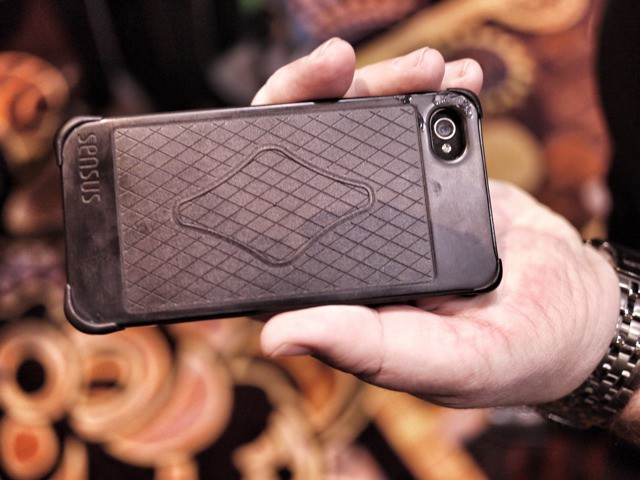
LAS VEGAS, CES 2013 – The Canopy Sensus case puts a multi-touch surface on the back and the right edge of the iPhone. It recognizes all of your fingers at once, and in my brief time trying it out, it works great. But who the hell is going to buy it?
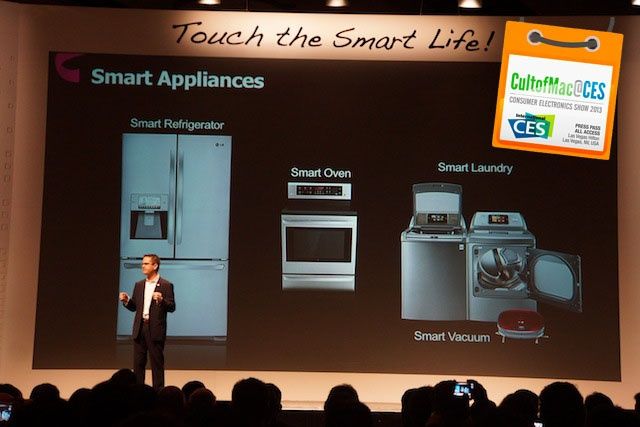
LAS VEGAS, CES 2013 – LG’s mission for 2013 is to help you “touch the smart life.” At least, that’s what CEO Wayne Park claimed when he jumped on stage at CES this morning. They make a lot of products that are smart, and LG just wants your life at home to be simple and stress-free.
LG makes everything for your home. I mean literally everything. Yeah, they make smartphones and TVs, but they also make ovens, refrigerators, robot vacuums, microwaves, washing machines – EVERYTHING.
Nearly every major appliance that you have in your house could probably be replaced by an LG version. If any company could make a Siri-controlled iHome before Apple, then it’s LG. But because they’re trying to do so much, their version of the smart home still sucks, and it gives Apple an advantage to become the company that controls your home.
 LAS VEGAS, CES 2013 – Hyper has been juicing up our iPhones, iPads, iPods and Macs for ages. Now they want to juice up your camera: not with mere electricity, but with advanced smartphone functionality. Their latest product is called the CameraMator, and it basically allows you to control your SLR with your iPhone, iPad or Android device.