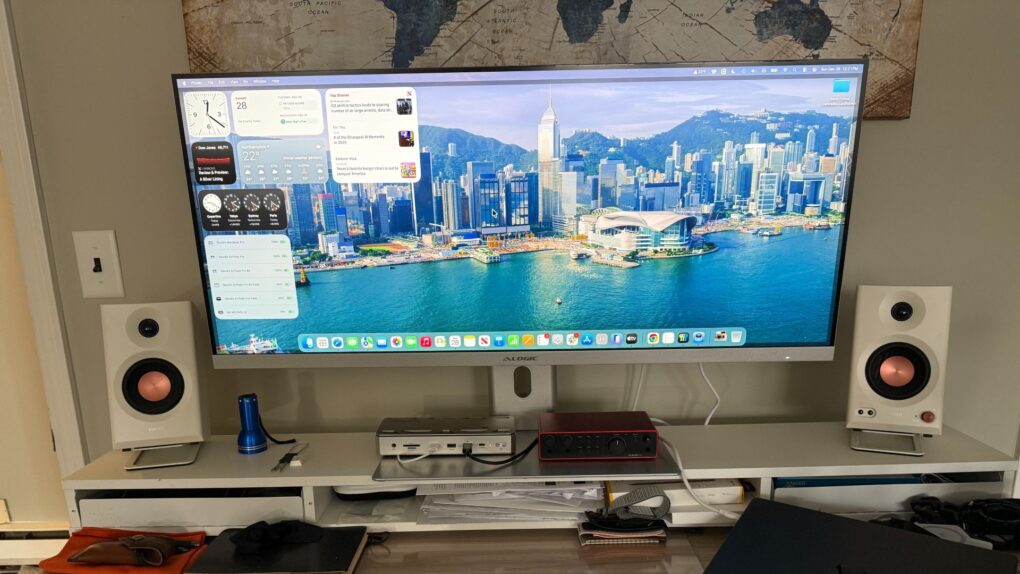
 Mac users who rely on ultrawide monitors (ahem, like me) have been waiting years for Apple to treat their setups as first-class citizens. With macOS 27 Golden Gate unveiled Monday at WWDC26, that wait appears to be over.
macOS 27 ultrawide display support
Apple unveiled the feature on its macOS 27 Golden Gate preview page at WWDC26 on June 8. The company lists ultrawide display support as a standalone feature for the first time — a notable signal of intent. I’m looking forward to how it might improve my 40-inch 5K2K display experience.
The new support lets Macs drive higher resolutions on ultrawide displays, with 5K at 120Hz offered as one example. It also keeps display arrangements intact. So the layout restores exactly where the user left it every time they plug in, according to Apple.
A long time coming
Macs have carried rudimentary ultrawide monitor support for years. But macOS 27 marks the first release to promote it as a dedicated, named feature.
The update addresses a persistent frustration for Mac users with ultrawide setups. They previously had to work around limited native resolution options. Or they had to manually reconfigure their display arrangements after each reconnection.
What it means in practice
The two improvements work together to make multi-monitor workflows meaningfully smoother. Higher resolution modes — Apple’s cited example being 5K at 120Hz — give users more screen real estate with sharper rendering on supported displays.
The persistent layout feature eliminates the tedious ritual of repositioning monitors or adjusting display preferences every time someone docks and undocks their Mac.
For creative professionals, developers and anyone who splits their work across a wide field of view, both changes stand to reduce friction considerably.
What Apple hasn’t said yet
Apple hasn’t disclosed the underlying technical details. As in, does the feature depend on specific Mac models, display technologies or connection standards? We’ll have to wait and see.
The company also hasn’t framed the update as a HiDPI change. And it hasn’t announced new Retina scaling modes, Display Stream Compression enhancements or other shifts to macOS display scaling technology.
When to expect it
macOS 27 Golden Gate arrives for the public this fall. Developers can access it in beta now.

David Snow, an expert on Apple hardware and software, writes on a variety of technological and cultural topics for Cult of Mac. They include Apple news, technology buying guides, and features about computer setups and Apple TV shows and movies.
With 30 years of experience covering technology and other subjects, he has written and edited for numerous print and online publications, including CMP Media, TechTV.com, CNET, Wired News, Red Herring magazine, Law.com, The National Law Journal and Law Technology News magazine. Among other roles, he served as executive editor of the Law.com network of websites and editorial director, technology, for ALM Media.
Snow graduated with a B.A. from Syracuse University with majors in magazine journalism and psychology. While there, he worked as a reporter for The Daily Orange newspaper and associate editor of Equal Time magazine.
Founder of the blog At the Waterline, he can be reached on X (formerly Twitter) via @atthewaterline and on Mastodon via @dsnow.


One response to “macOS 27 finally brings advanced ultrawide display support”
I wished Apple would support non HiDPI screens better like Windows. Not everyone uses a 4K or higher monitor. It’s disappointing that Windows 11 looks way better on a 1080p screen than Mac OS does. I’m sure Apple’s response would be just buy our 5K monitor.