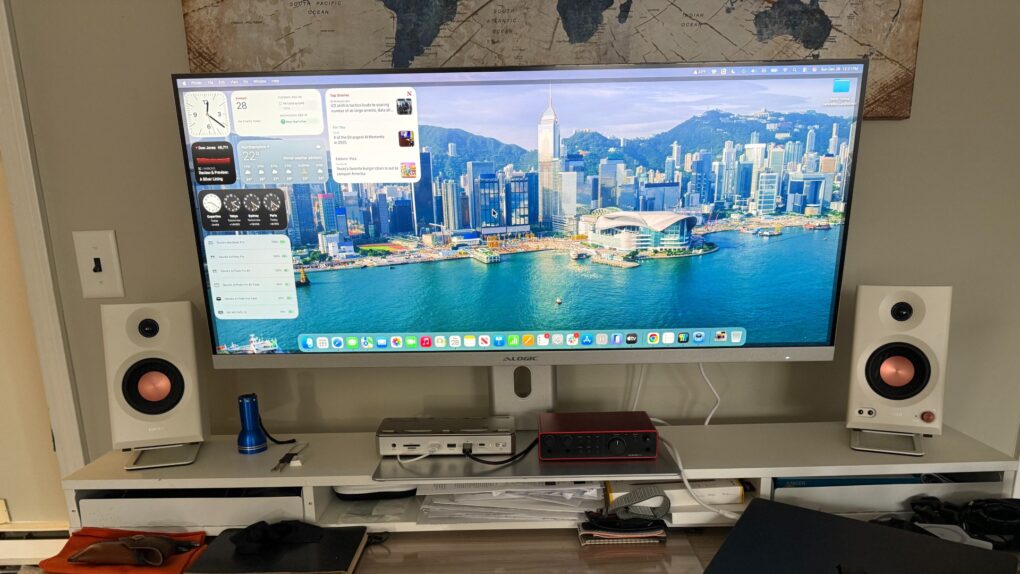
After testing the Alogic Edge 40-inch Ultrawide 5K2K monitor with my M4 Pro MacBook Pro, I can confidently say the display represents one of the most compelling alternatives to Apple’s own monitors for productivity-focused users. The expansive high-res screen real estate and the sleek design are beautiful — and at a pretty reasonable price point of $1,349 (marked down 10% from $1,499).
Alogic Edge 40-inch Ultrawide 5K2K monitor review
This sleek ultrawide display sports 5K2K resolution (5120 x 2160 pixels). It features a 100Hz refresh rate and a USB-C dock with plenty of connectivity options.
- Vast screen real estate
- Integrated USB-C hub
- Premium design and build quality
- Suits many workflows
- Wide orientation lowers pixel density
- Sub-OLED contrast ratios
- No webcam
- Some users may need 3rd-party app for scaling help
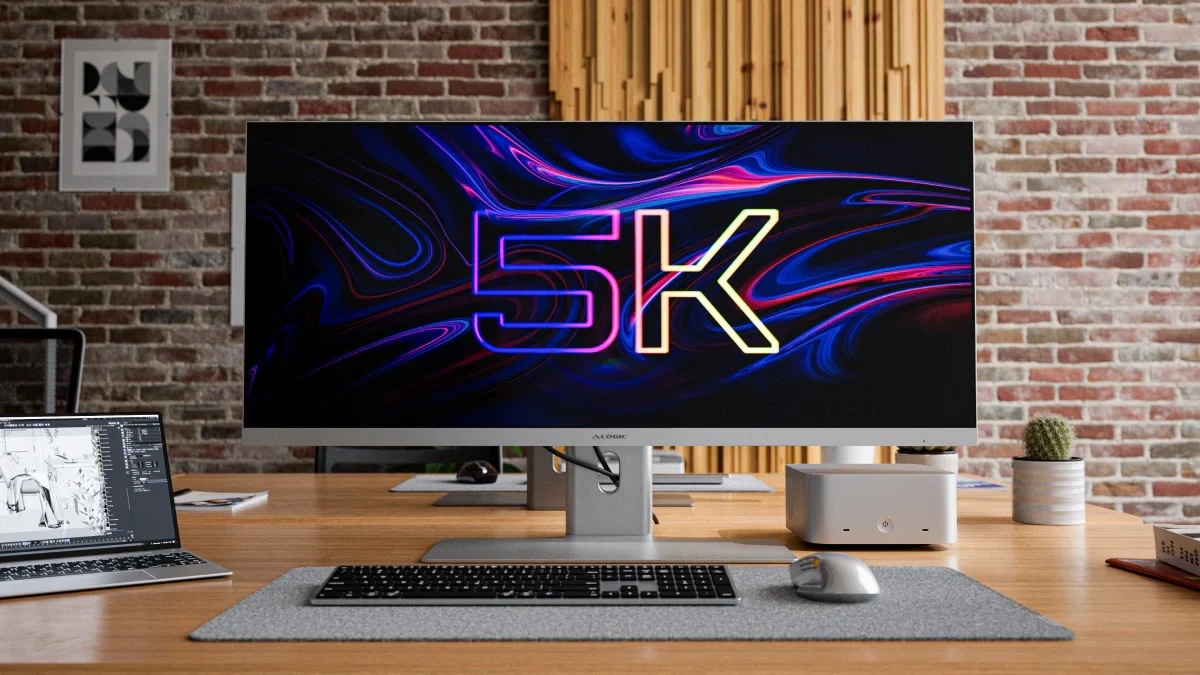
With its expansive 5120 x 2160 resolution stretched across 40 inches of screen space, the Edge 5K2K display delivers what Alogic aptly describes as “like a 4K screen and a half” of horizontal space. It’s wideness drops the pixel count overall, but for many users requiring a little less visual majesty, the display’s aesthetics and convenience factors make up for that. It’s 13 inches wider than other Alogic displays I’ve reviewed, but only about an inch and a half taller.
So if you’ve been contemplating whether to buy a second monitor or invest in one ultrawide display, the Edge 5K2K makes a strong argument for the latter approach. It can offer more usable workspace than dual monitors, plus better ergonomics by keeping everything in your forward field of view and a cleaner desk setup that many Mac users will appreciate.
Table of contents: Alogic Edge 40-inch Ultrawide 5K2K monitor review
- Design and build quality: Apple aesthetic meets sustainability
- Display performance: Balancing resolution and real estate
- macOS integration and scaling considerations
- Connectivity and hub functionality
- Performance characteristics
- Real-world productivity experience
- Value proposition
- Verdict: Alogic Edge 40-inch Ultrawide 5K2K monitor review
Design and build quality: Apple aesthetic meets sustainability
Alogic clearly designed the Edge with Apple users in mind. Available in both silver and space gray finishes, the monitor’s machined aluminum and tempered glass construction mirrors the premium aesthetic of MacBooks and Mac Studios. The remarkably thin 8mm frame creates an almost borderless appearance from the front, though the actual chassis extends to 40mm at its thickest point to house the internal components.
One factor that sets this monitor apart from many competitors is Alogic’s commitment to sustainability. The Edge is engineered from 80% recycled aluminum and sustainable glass, substantially reducing plastic waste while maintaining exceptional build quality. The monitor feels substantial and premium, with no creaking or flex in the materials.

Photo: David Snow/Cult of Mac
The included stand offers height, tilt, and swivel adjustments, making it easy to find your optimal viewing position. A multi-directional joystick on the back bottom-right provides satisfying tactile feedback when navigating the on-screen display menu. There’s also a Kensington Security Slot (K-Slot) for deployment in shared workspaces.
Display performance: Balancing resolution and real estate
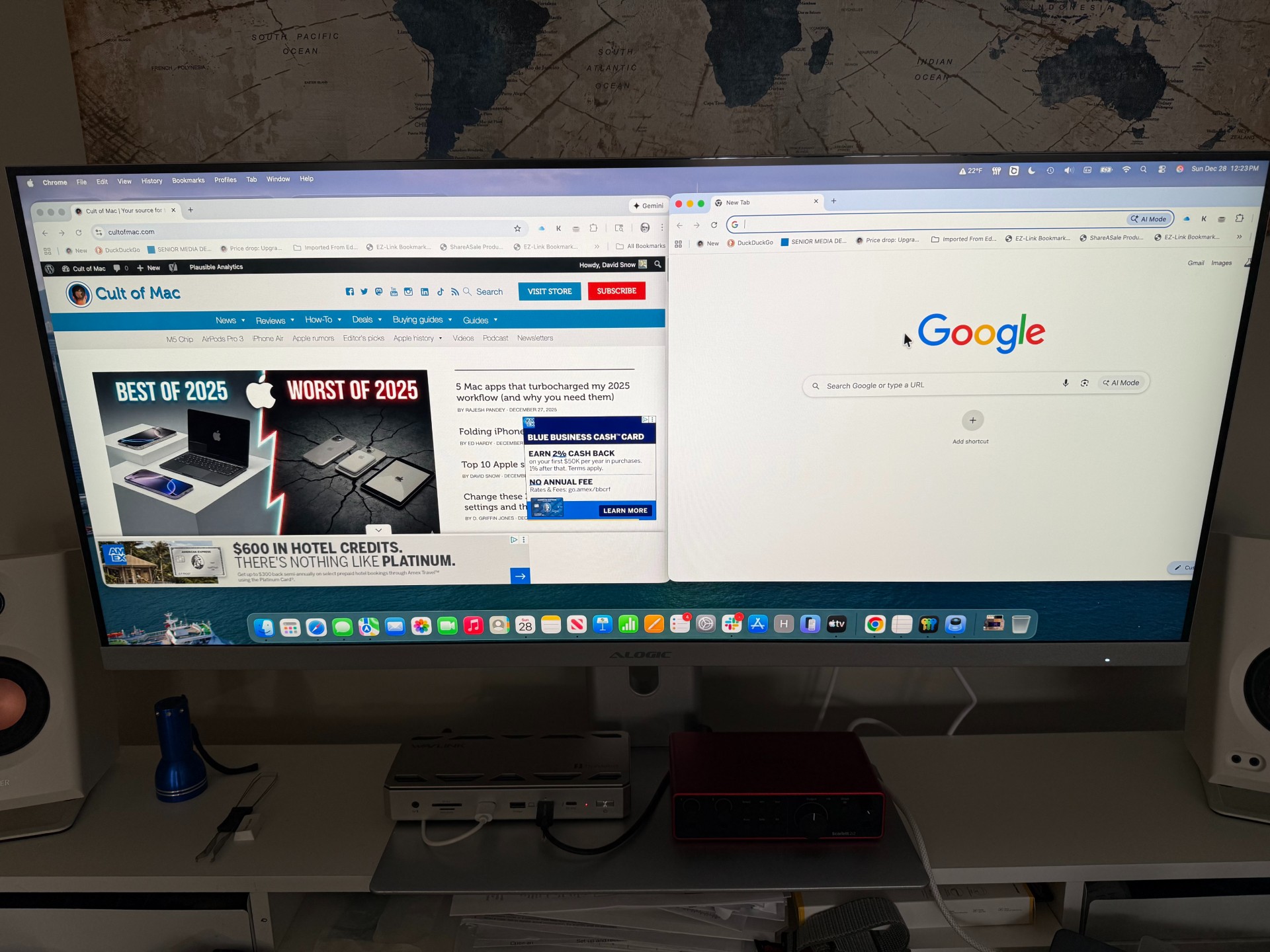
Photo: David Snow/Cult of Mac
The 5120×2160 resolution at 139 pixels per inch represents the monitor’s most significant trade-off for Mac users to consider. While this pixel density exceeds standard HD displays and provides noticeably sharper text than the lower-resolution QHD variant of this monitor, it falls short of Apple’s Studio Display at 218 PPI or even a standard 5K display.
For general productivity work, writing, spreadsheets, coding and web browsing, the 139 PPI proves more than adequate. Text remains crisp and readable, and the sheer amount of information you can display simultaneously is remarkable. The 21:9 aspect ratio allows three windows to sit pretty comfortably side by side. That means at least some people can use it to replace a triple-monitor setup with a single display.
However, pixel-peeping photographers and designers accustomed to Retina displays may notice the difference when working with fine details. The monitor’s color performance partially compensates for this with impressive coverage: 100% sRGB, 94% Adobe RGB, and 99% DCI-P3. The IPS panel delivers consistent colors across its wide 178-degree viewing angles, and the 400-nit brightness easily overcomes office lighting, especially combined with the matte anti-glare finish that effectively eliminates reflections.
macOS integration and scaling considerations
The 5K2K resolution presents some unique considerations for macOS users. Unlike Apple’s perfectly pixel-doubled 5K displays, this resolution doesn’t scale as cleanly at 2x, which some users find creates slightly less crisp text at default settings. However, macOS handles the display capably, and users concerned about scaling can utilize third-party applications like BetterDisplay or SwitchResX for more granular control over display settings.
The ultrawide format integrates beautifully with macOS window management. I found macOS’s native window snapping works seamlessly, allowing me to drag applications to screen edges and create half-screen or custom layouts. The sheer horizontal space makes it easy to keep multiple applications visible simultaneously without the bezels and setup complexity of multiple monitors. However, I somewhat miss keeping windows completely separate on one main screen and one angled screen off to the side.
Connectivity and hub functionality
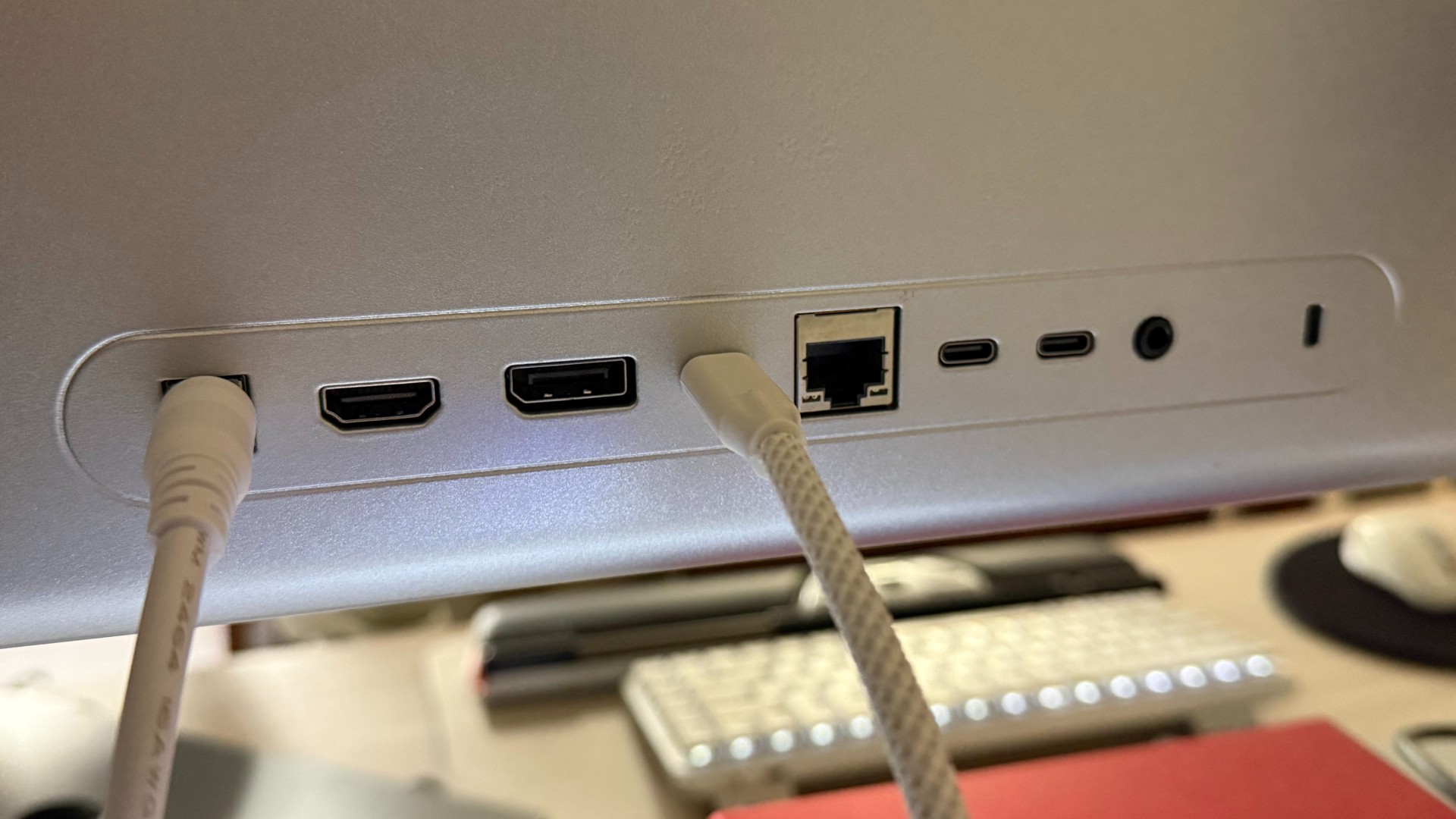
Photo: David Snow/Cult of Mac
This is where the Edge 5K truly shines for Mac users. The built-in USB-C dock transforms the monitor into a comprehensive workstation hub. Connect your MacBook with a single USB-C cable and you get video output, 90W power delivery to charge your laptop, and access to the monitor’s hub functionality.
Additional connectivity includes one HDMI 2.0 port, one DisplayPort 1.4, two additional USB-C accessory ports, a 3.5mm audio jack and, crucially, an RJ45 Gigabit Ethernet port. This setup allows you to dock your MacBook to a complete workstation with just one cable connection, keeping your desk remarkably clean.
The 90W power delivery charges most MacBooks effectively, though users with 16-inch MacBook Pros running intensive workloads may occasionally see slower charging than the 140W maximum those machines support.
Performance characteristics
The 100Hz refresh rate provides noticeably smoother scrolling and motion compared to standard 60Hz displays, making extended work sessions more comfortable. The 14ms gray-to-gray response time clearly positions this monitor for productivity rather than gaming, but I found the performance perfectly good for office work, content creation and even casual gaming.
The built-in dual 3W speakers deliver acceptable audio quality for video calls and casual media consumption, though dedicated speakers remain preferable for serious audio work or entertainment. The display’s speakers have a remote and tinny quality compared to the Edifier MR3 studio monitor speakers I keep on either side of it, aimed right at my ears.
Real-world productivity experience

Photo: David Snow/Cult of Mac
Using the Edge 5K for daily work fundamentally changes how you approach multitasking. I regularly keep a couple of browser windows, a collaboration tool and email open at the same time. I found that easier to do with two 27-inch 5K displays, but I’m still adjusting to the 40-inch 5K2K.
It depends somewhat on your resolution settings — everything shows up smaller at higher settings — but the experience with this display comes within shouting distance of having three 27-inch displays without the desk footprint or cable management headaches.
For video editors working with ultrawide footage or musicians working in Digital Audio Workstations with extensive track counts, the horizontal space proves invaluable. The flat panel design, rather than curved, makes it suitable for color-critical work where geometric accuracy matters.
The main limitation remains pixel density. Moving from a 5K 27-inch display to this 5K2K 40-inch screen means trading some sharpness for significantly more screen space. Whether that trade-off works depends on your specific workflow and how closely you typically view your display.
Value proposition
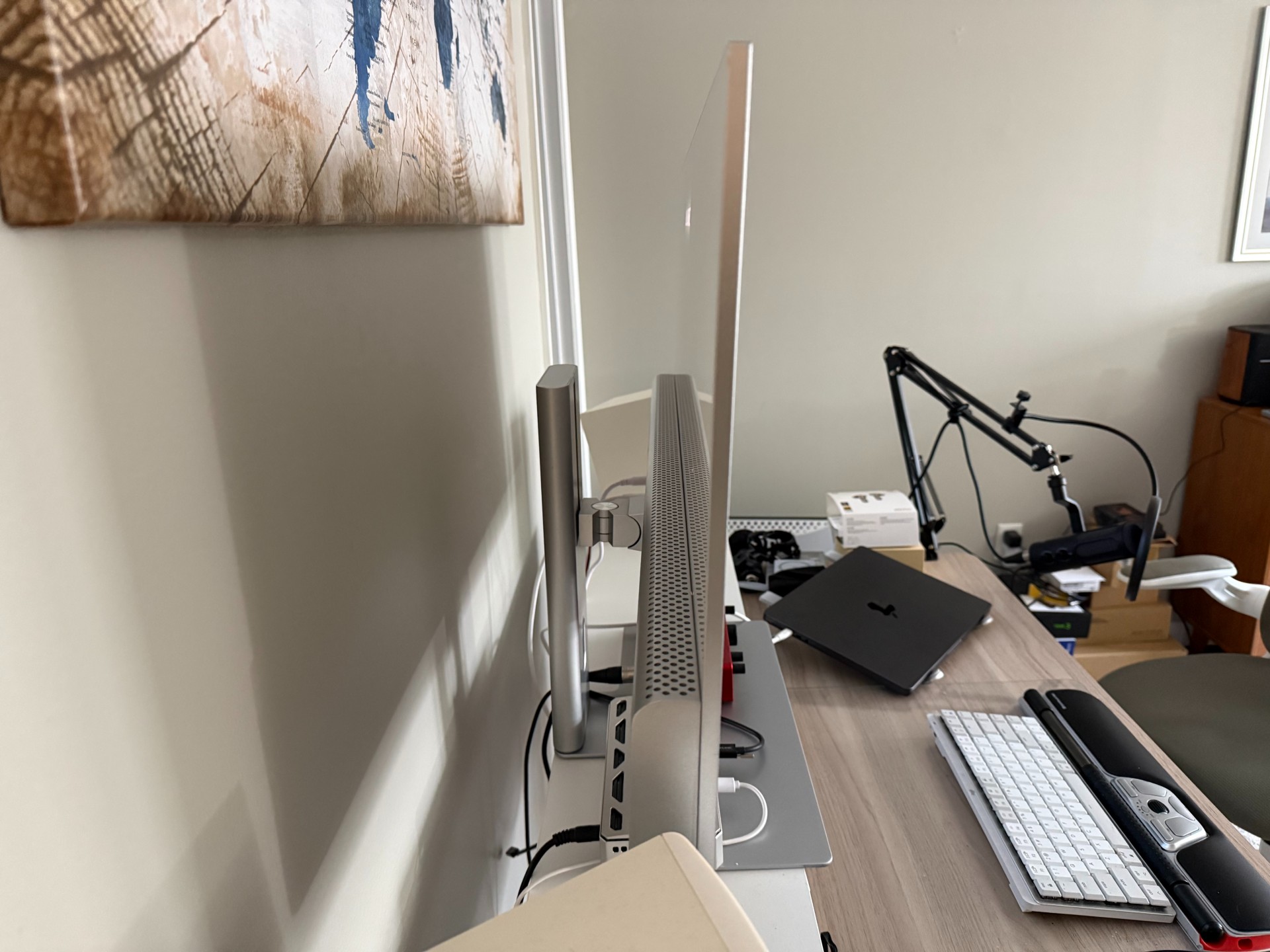
Photo: David Snow/Cult of Mac
At a typical list price of approximately $1,500, the Edge 5K2K sits below pricing for Apple’s 6K and 5K displays while offering substantially more screen real estate and superior connectivity. Compared to competing ultrawide 5K2K displays from brands like LG or Dell, Alogic’s pricing is competitive while offering a more Mac-focused aesthetic and feature set. However, you can pay less with certain budget brands like Innocn.
The two-year warranty provides reasonable peace of mind, and Alogic’s customer service reputation among Mac users has been positive based on community feedback I’ve seen.
Verdict: Alogic Edge 40-inch Ultrawide 5K2K monitor review
This sleek ultrawide display sports 5K2K resolution (5120 x 2160 pixels). It features a 100Hz refresh rate and a USB-C dock with plenty of connectivity options.
- Vast screen real estate
- Integrated USB-C hub
- Premium design and build quality
- Suits many workflows
- Wide orientation lowers pixel density
- Sub-OLED contrast ratios
- No webcam
- Some users may need 3rd-party app for scaling help
★★★★☆
The Alogic Edge 40-inch Ultrawide 5K2K represents an excellent choice for Mac users prioritizing screen real estate and productivity over absolute pixel perfection. Its sustainable construction, comprehensive connectivity and Apple-matching aesthetic create a compelling package that genuinely can replace a multi-monitor setup.
This monitor excels for developers, writers, financial professionals, video editors and anyone whose workflow benefits from seeing more information simultaneously. Creative professionals working primarily with photography or detailed graphic design may prefer the higher pixel density of traditional 5K or 6K displays, but will sacrifice the productivity benefits of the ultrawide format.
Alogic provided Cult of Mac with a review unit for this article. See our reviews policy, and check out other in-depth reviews of Apple-related items.

David Snow, an expert on Apple hardware and software, writes on a variety of technological and cultural topics for Cult of Mac. They include Apple news, technology buying guides, and features about computer setups and Apple TV shows and movies.
With 30 years of experience covering technology and other subjects, he has written and edited for numerous print and online publications, including CMP Media, TechTV.com, CNET, Wired News, Red Herring magazine, Law.com, The National Law Journal and Law Technology News magazine. Among other roles, he served as executive editor of the Law.com network of websites and editorial director, technology, for ALM Media.
Snow graduated with a B.A. from Syracuse University with majors in magazine journalism and psychology. While there, he worked as a reporter for The Daily Orange newspaper and associate editor of Equal Time magazine.
Founder of the blog At the Waterline, he can be reached on X (formerly Twitter) via @atthewaterline and on Mastodon via @dsnow.

