Apple is asking its retail employees to sign non-disclosure agreements ahead of a secret, all-hands meeting to be held this Sunday, Apple Insider is reporting. It could foreshadow a major launch, a media event or both.
The new MacBook Pros expected later this week will boot off solid-state drives, claims Boy Genius Report, citing unnamed sources.
In addition:
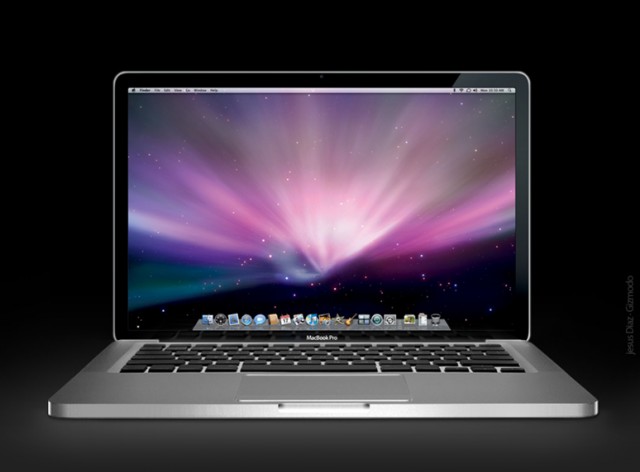
The new MacBook Pros will feature larger glass trackpads. It’s hard to imagine how this is possible, but they’ve been growing with each successive machine, so maybe so.
The lower-end models will have 8GB-16GB SSDs for Mac OS X, and will also come equipped with a regular hard drive. This will offer the benefits of SSDs — instant on and super fast performance — while also providing lots of room for power users’ files (video and Photoshop).
The higher-end models will be SSD only, just like Apple’s new MacBook Air line.
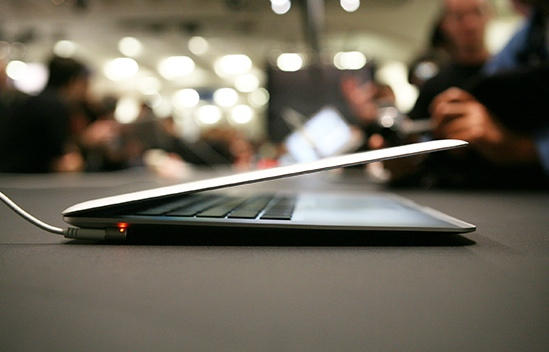
The new machines will be up to a half-pound lighter than curent models. Again, hard to imagine how this is possible given that Liquidmetal rumors are unlikely.
The report also note there will be five different SKUs, jibing with previous rumor reports.
The new MacBook Pros are due on Thursday according to pervasive Internet scuttlebutt, and at the very least, a jump to Intel’s new Sandy Bridge architecture is a sure thing… but another state-of-the-art Intel technology might be coming to them as well, with Mactrast reporting that the February 24th MBP refresh might include the adoption of Intel’s Light Peak technology.
Apple has delayed shipping MacBook Pros on its online store for 3-5 business days… delaying the earliest day you can have a MacBook Pro shipped to you to well-ahead of the rumored Thursday launch of the next-gen MacBook Pros. Given how religious Apple’s Tim Cook is about supply, this has all the markings of an official MacBook Pro refresh.
What’s up with that? Apple’s big product launches are almost always on Tuesdays. (It allows reporters on the East Coast to fly into California on a workday instead of the weekend).
So why would Apple launch new MacBooks on Thursday February 24?
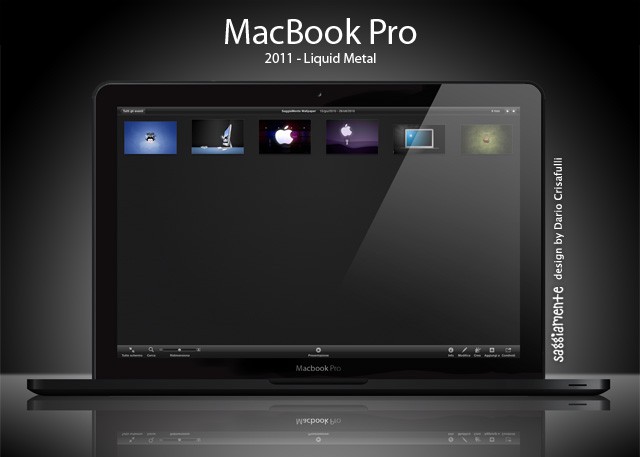
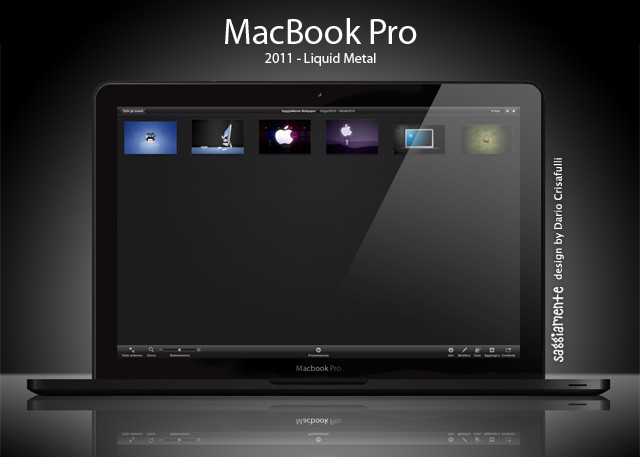
2011 MacBook Pro mockup by designer Dario Crisafulli.
It’s new MacBook Pros next Thursday February 24, according to MacRumors, citing a “reliable” source.
We’ve since heard reliable confirmation that this information is accurate and that the expected release date is next Thursday, February 24th. The move would be a bit unusual for Apple to launch new machines on a Thursday. So, if you are about to buy a new MacBook Pro, wait until next week.
MacBooks were last updated a year ago with Intel Core i5 and i7 chips. The new machines are likely to get Intel’s latest Sandy Bridge processors, which are faster and a lot less power hungry. Rumors that the machines will have cases made of Liquidmetal are unlikely, but they will probably will be lighter, thinner and have higher-resolution screens. A big price drop is predicted too.
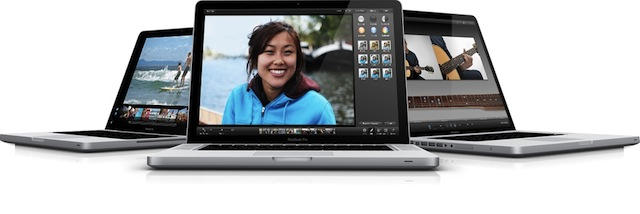
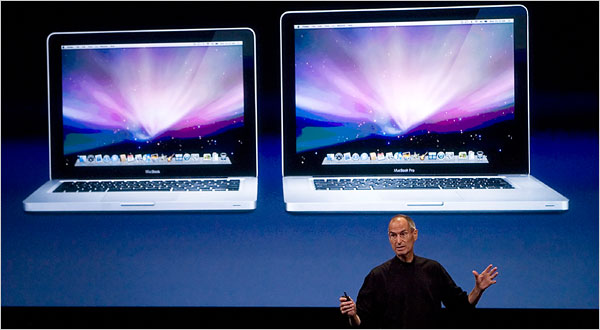
Apple’s said to be releasing five new models, which will include two new 13-inch versions, two new 15-inch versions and one new 17-inch version.
It’s unlikely that Apple will use Liquidmetal for the new MacBooks that are expected any day now, but it sure would be sweet. Check out how svelte the machines would be if Apple used the extra-stiff material.
Yesterday, Intel announced a massive hardware recall that surely stopped the hearts of a few investors: the Cougar Point chipset used for their cutting-edge Sandy Bridge CPU had a hardware bug that caused the SATA 3GB/s port to degrade over time, potentially harming hard drives and other devices connected to it.
All things considered, it’s not actually a huge issue. Intel expects that over 3 years of use it would see a failure rate of approximately 5 – 15% depending on usage model. Still, at the end of the day, Intel expects to spend a billion dollars recalling and replacing the chipset. Oof.
The good news, of course, is that a Mac owner, this won’t affect your current system a whit: there aren’t any Macs available with Sandy Bridge just yet. Here’s the bad news, though. That imminent imminent Sandy Bridge MacBook Pro refresh? That might get delayed.
A little more than two years after the controversy started, graphics chip maker NVIDIA has agreed to a settlement of Apple, Dell and HP owners who bought laptops with faulty GPUs.
For Apple owners, the settlement covers anyone who purchased a MacBook Pro from May 2007 to September 2008.
You might remember that this generation of MacBook Pro was prone to graphics failure due to faulty NVIDIA chips.
On Apple’s part, they have been extremely good about servicing laptops for free that were affected by the bad NVIDIA chips, covering those laptops even out of warranty for up to three years and issuing refunds to those who paid for repairs.
Now NVIDIA’s doing the same. If you paid for a repair on an Apple notebook computer related to the NVIDIA GPU, you can submit a claim by filling out this form. For a replacement, send in this form.
Apple’s new 11-inch Macbook Air with a 64Gb SSD drive is said to be very popular and flying off the shelves at Apple Stores everywhere and beyond. It represents the smallest notebook computer that Apple makes and the default base model ships with the smallest system disk drive available in any Apple notebook. Therefore it makes sense for users to seek ways to optimize the way they use disk space on this tiny new notebook and it was the computer that inspired me to write this How-To — which actually applies to any Mac.
Part of the reason for this success is that Hollywood is Apple-obsessed. Another is that Apple works at it. The company proudly boasts that it never pays for product placement. But it’s likely that there is some string pulling, proactive offers of devices to use and other actions that are kept secret by the company.
Although Cupertino never tips its hand ahead of time, past experience indicates you can set your watch (at least by the month) for their product refreshes, so no shock here: it’s now being reported that Apple will launch new MacBook Pros in the first half of 2011, which probably equates to a April 2011 timescale, along with new iMacs, which were last updated back in January.
Apple was on a roll yesterday: not only did their crackerjack team of programmers manage to release a new point update for Safari 4 and 5 resolving many existing issues, but they also pushed down the Software Update pipeline a new Boot Camp and MacBook EFI update.
Consumer Reports infamously loathes the iPhone 4, but if their latest list of computer ratings are anything to go by, that seething distaste doesn’t extend to Apple’s notebooks: not only do they highly recommend most of Cupertino’s current laptops over the competition, but they’re absolutely gaga over the new MacBook Air.
Now here’s a story that wins on many fronts: after a two year courtship, Frank proposed to his girlfriend Kasey on a bridge in New York City’s Central Park. What makes this particular proposal notable – besides its success – is that the Big Moment was assisted and captured by their friends using four synchronized iPhones, and managed by an ‘event director’ using a MacBook Pro.
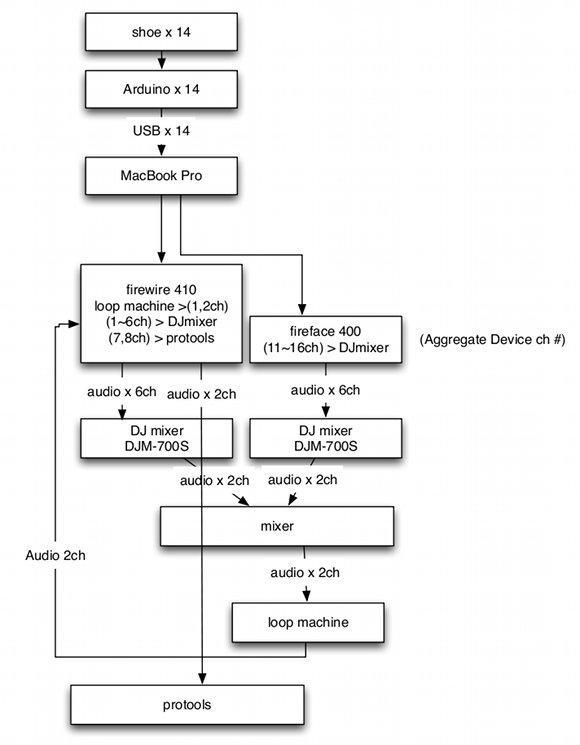
Here's how the DJ duo got the shoe flow flowing. Via Createdigitalmusic.com
httpv://www.youtube.com/watch?v=yyFL_ZKgTaQ
Need to put a spring in your step on a fall Friday?
Check out this video by Japanese break beat duo Hifana, it came out awhile back but we think it’s awesome.
The idea? For an ad campaign to showcase the flexibility of Nike Free Run+ shoes in Japan, they DJs use the footwear to make music, contorting and twisting the shoes to get different sounds, then battle it out DJ style
A MacBook Pro is at the heart of the operation that one half of Hifana, Daito Manabe, set up to make some sweet footie music. Nike gives a nod to the Apple power behind the project with a blink-and-you-missed it shot of a pair of MBPs in the beginning of the video.
If you purchased a MacBook Pro between May 2007 and September 2008 and subsequently had problems with the wonky GeForce 8600M graphic chip inside, NVIDIA has just opted to settle a class-action lawsuit on your behalf.
If you’ve not had the pleasure of reading the interviews at The Setup before, I urge you to set aside some of your precious time and go and read them today.
Ever been singing along to a new song and wondered just what the heck the lyrics really are? Searching for the lyrics on the internet isn’t the fastest of solutions to avoid lyric confusion. Here we’re going to show you how to utilize scripts and a widget to search out the lyrics for all of the songs in your iTunes library and automatically save them to song’s meta data, so that next time you can correct your friend when they sing “where’s my Asian friend,” when the lyrics really are, “what’s my age again.”
iPods are great nifty little devices that allow you to take music off of your computer and carry it around town with you inside a magical Apple electronic device. But what happens when you want to transfer the music that’s on your iPod and put it back on your Mac? Despite all of its friendliness, iTunes is unwilling to pry the music of your iPod or iPhone. In this walk-through we’ll show you how to reclaim your music from your iPod and get it back on your Mac.
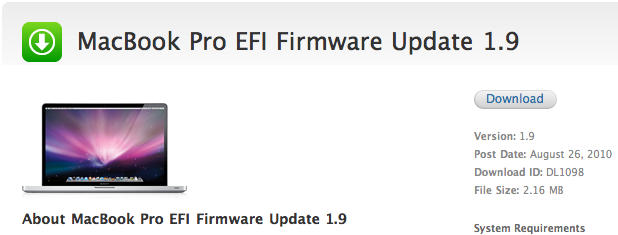
Got a current gen MacBook Pro that just won’t play nice with your external display, or has a tendency to freeze at starting line at the sound of the OS X boot chime? Apple has just updated the MacBook Pro EFI firmware to version 1.9.
The new firmware resolves issues where a mid 2010 15- or 17-inch MacBook Pro might freeze during startup or sometimes stall during day-to-day use. In addition, the update clears up some issues hooking your MBP up to certain external displays.
Anyone out there have one of the afflicted models who can give us a first-hand report on whether or not the latest update solves the problem? Hit us up in the comments.
Although he’s still a Blackberry man on the mobile front, President Obama is a MacBook Pro user when it comes to his day-to-day work, as this video demonstrating the new healthcare.gov site makes abundantly clear. I particularly like the sitcom-style sticker slapped on the back of the 17-inch MacBook Pro, obfuscating its glowing Apple emblem. It’s clearly a MacBook, but the White House is still being coy, lest the fact that President Obama uses an Apple laptop somehow be misconstrued as, you know, an actual endorsement of the best computer brand on Earth.
Jonathan Mann once wrote a tune about Paul Krugman that went wildly viral and landed him on the Rachel Maddow Show. Now he’s written one about Steve Jobs and it remains to be seen where this one might take him, but it’s at least a pretty good song by our reckoning: “he’s the best at what he does though I hardly can define/what it is and what he has and that kinda blows my mind.”
Mann is a busy, creative guy who’s led a very interesting and adventurous life so far, which you can hear more about on his YouTube site. He has been writing a song and making a video a day since January 1, 2009 and while he admits he wants to be a star, he also cops to simply “trying to make my way through life.”
In addition to Steve Jobs’ Head (song #541), he recently posted song number #543, Let’s Get Along, which he shot and edited on his new iPhone 4. A dedicated Apple fan, Mann also uses a Mac Pro and a Macbook Pro to record his material.
How come no one ever uses Windows gear to write songs about Steve Ballmer or Bill Gates?
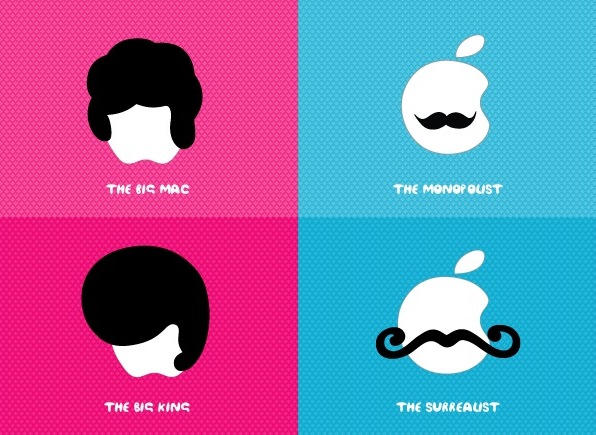
From Barcelona-based Herraiz Soto (the same people who brought you zen text editor Ommwriter) comes another idea for your notebook Mac: Bros and Mos, aka Stick with me baby.
They’re decorative stickers that add a little personality to the Apple symbol on your computer’s lid.
The stickers are made with 3M Controltac (whatever that is) and the designers say they won’t leave any nasty sticky marks on your laptop. But they are easy to put on and peel off as the mood takes you.
Each sticker costs eight Euros – about $9.60 at today’s exchange rate. But that does include shipping.
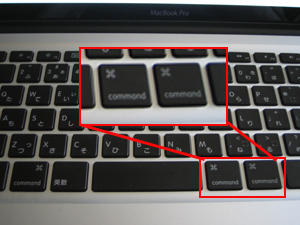
Japanese blog KODAWARISAN sent us this picture of a 15″ Macbook Pro i7 with an interesting keyboard configuration. Instead of a command and option key on the bottom right of the keyboard there are two command keys.
This brings the total number of command keys to 3. The Google translation of the blog indicates that this notebook is a rare “Three-Sword Style Macbook Pro.” The name alone makes me want it now.