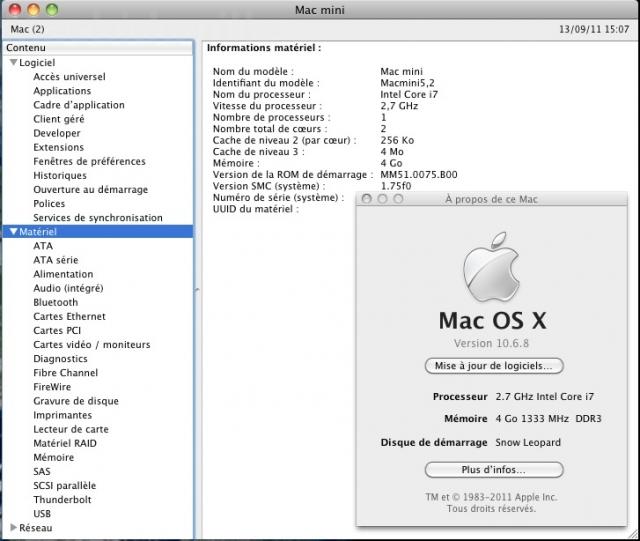
If you purchased one of Apple’s latest Mac minis to find you have a massive hatred for the new OS X Lion operating system, then you’ll be disappointed to find that you cannot downgrade to Snow Leopard. However, that may not be the case…
Dying to get your hands on an iPad 2 before the weekend? Don’t order one from the Apple online store, then, because a whole host of Apple’s gadgets have had their shipping times mysteriously extended.
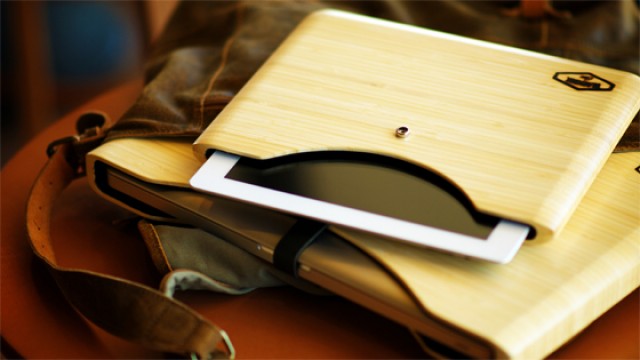
These BlackBox cases are some of the most stylish cases I’ve seen for our Apple gadgets. Available for the iPad 2, the MacBook Air and the MacBook Pro, they’re all made from beautiful bamboo and provide you with ultimate protection and a super sleek design.
Remember that cool MacBook Pro with built-in 3G that one lucky surfer picked up on Craigslist? It got a lot of attention a couple weeks ago when it was listed on eBay, with bids in excess of $70,000. Unfortunately for its owner, Apple had the listing removed, and now it wants the machine back.
Thirty two years ago, a UK office furniture manufacturer called Hille International wanted a new design for an office chair, something that would pry loose the white-knuckled fingers of American design duo Charles and Ray Eames from their death grip on the office furniture market.
The line of chairs that resulted was called the System Supporto, and not only is it a masterpiece of design… it is Apple designer Jony Ive’s favorite kind of chair, widely used within Apple. According to our own source, it probably even inspired the design of the MacBook Pro!
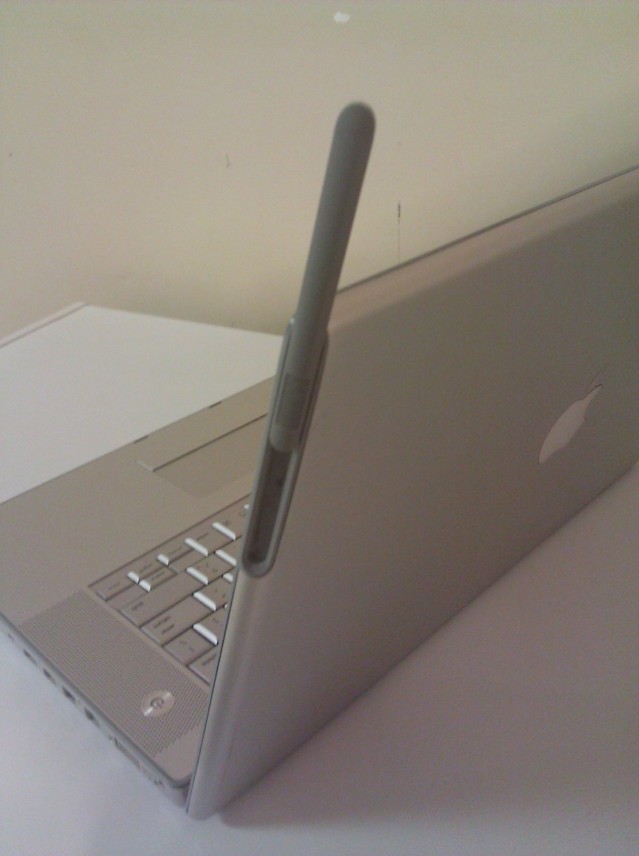
That awesome MacBook Pro prototype with built-in 3G that we reported on yesterday was removed from eBay at the request of Apple last night, after bidding reached a whopping $70,000. However, its seller has been posting further details of the device on the MacRumors forums, revealing its magnetic MagSafe-like antenna setup.
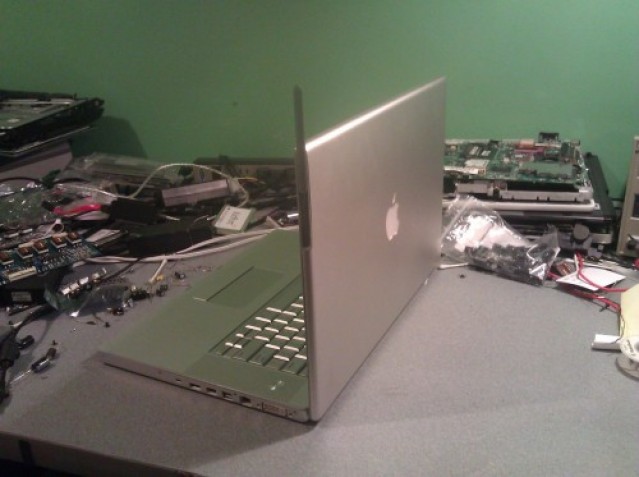
A “one of a kind” MacBook Pro prototype, which has been listed for sale on eBay, reveals Apple’s work on a notebook with built-in 3G connectivity. It’s the first MacBook Pro we’ve seen with an antenna built into the side of the display, and a SIM card slot beneath the memory cover.
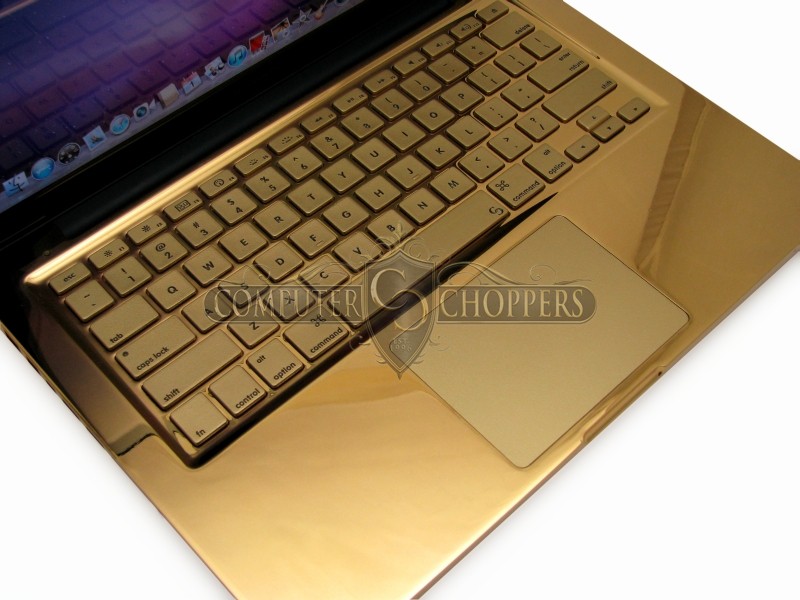
So what we have here is a MacBook Pro slathered in so much 24 karat gold and multi-colored sapphire encrustation that you’d think it was a rapper’s bridgework. In fact, the guys over at Computer Choppers took this whole crazy idea so far that they even gold-plated the keyboard.
You know what they say: one man’s bling is another man’s vomitsome eyesore. Check out more pictures after the jump.
Apple is allegedly investigating complaints from some Mac OS X Lion users about system crashes related to graphics or sleep/wake issues on various Macs. Users that complain about the problem say that a person will see their Mac suddenly crash and display a black screen or a kernel panic. One common situation surrounding the problem is that some sort of graphics event is taking place or that the crash may take place when the computer wakes from sleep.
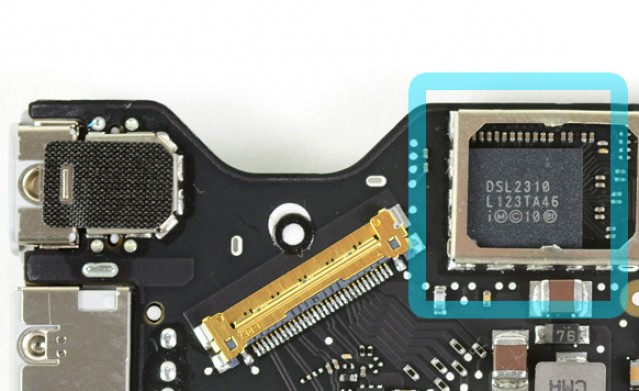
'Eagle Ridge' Thunderbolt chip. Image courtesy of iFixit
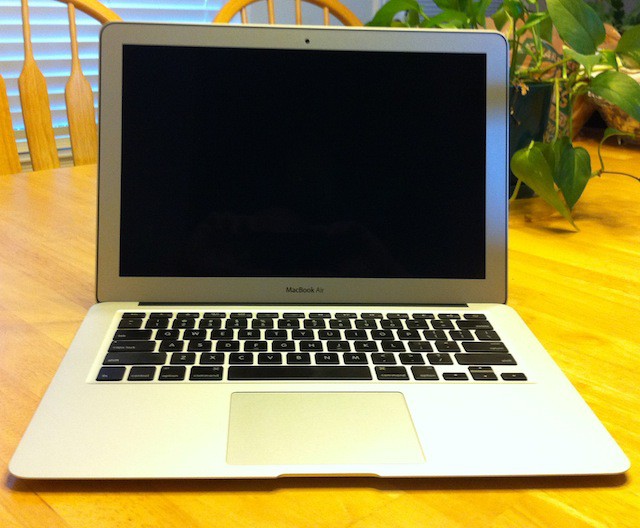
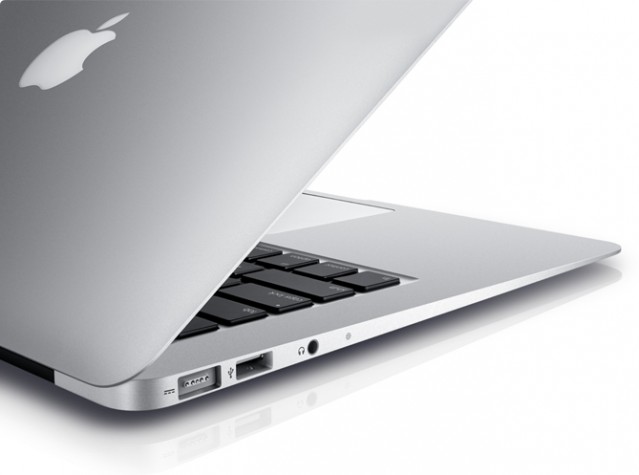
As you stare lovingly at your new MacBook Air before you go to bed tonight, caressing its smooth aluminum shell, know this: its Thunderbolt port is inferior when compared to that of its cousins.
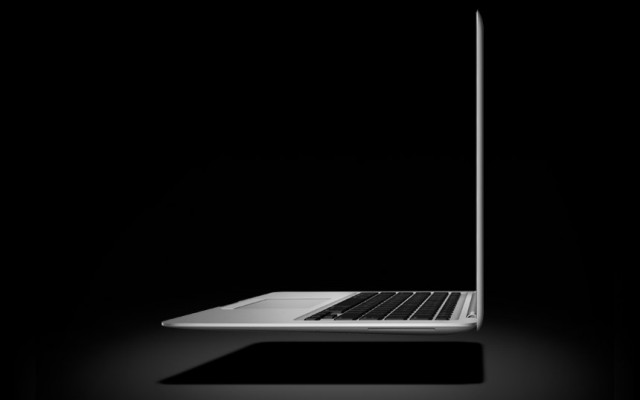
Hot on the heels of the new MacBook Air, Apple looks to already be working on a mysterious, “ultra-thin” 15-inch Macbook to add to the mix.
Not much is known about what this upcoming notebook from Apple will be like, but the MacBook Pro line hasn’t seen a refresh since February. Could it be an Air-style MBP?
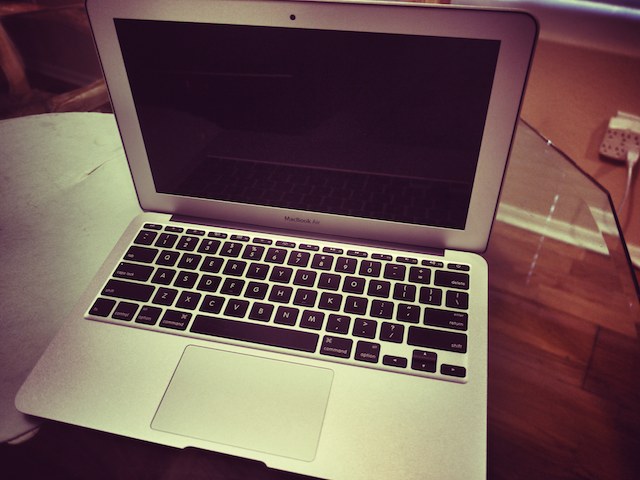
Apple’s new 11-inch MacBook Air is simply incredible. Of course you probably already knew this puppy was light, and gorgeous, but the power that this tiny machine packs is truly breathtaking. Optimized for speed and portability, the new MacBook Air improves on its predecessor to prove that it’s the best notebook computer Apple’s ever made.
Apple’s latest lineup of MacBook Air ultraportables are not only significantly faster than their predecessors, but thanks to those new Core i5 and i7 processors, they also beat the high-end 2010 MacBook Pro in early benchmark tests.
Apple’s next-generation of MacBook Airs are expected to launch alongside OS X Lion as early as this week, and in addition to the latest Sandy Bridge processors and Intel’s high-speed Thunderbolt technology, the new models could boast a backlit keyboard.
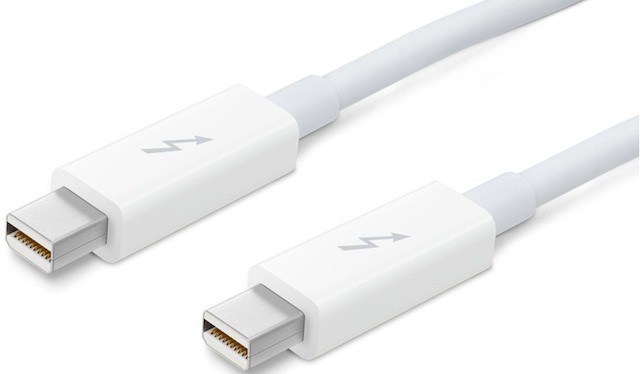
The latest addition to Apple’s online store is a fancy new high-speed Thunderbolt cable designed to connect your Thunderbolt-equipped devices to the latest iMacs and MacBook Pros.
We went bonkers last week and gave out more free hardware in seven days than we ever have before. To mix things up this week we’re going to be giving out some beautiful software to enhance your Apple experience. Today we’re teaming up with the great people behind StackSocial who have given us three promo codes for their latest Mac Essentials Bundle. With eleven Mac apps worth $333 that we’re giving away for free, this is one of the best software giveaways we’ve ever had. You’ve got to play to win though, so here are the details on what you’ll win and how to qualify for the giveaway:
You’ll find a notebook to suit everyone within Apple’s family of notebooks: the entry-level MacBook is perfect for students and casual computer users, the MacBook Air is a blessing to the travelling businessman, and there’s a MacBook Pro fitting for just about everyone. And I’m not the only one who thinks so – Consumer Reports just dealt Apple’s awesome MacBooks a whole lot of love.
After an unexplained absence, Apple products have officially returned to NBC’s The Office, which wrapped up its seventh season last night.
Apple gear was prominently seen and mentioned during the show’s earlier seasons. In 2005, for example, former boss Michael Scott (played by Steve Carell) gifted a then-cutting-edge 5th generation iPod Classic (“video iPod”).
But as of late, HP replaced Apple for “promotional consideration”, as evidenced by the closing credits. Apple products continued to appear on occasion, but only discretely, the logo always obscured.
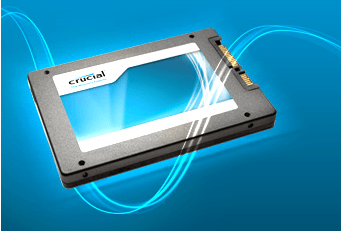
Crucial has just launched its new M4 lineup of 2.5-inch solid-state drives, which are the successors to the RealSSD C300 range, and boast faster read and write speeds. The M4 uses 25nm technology NAND flash created by its parent company Micron, and is available in 64GB, 128GB, 256GB and 512GB models.
Crucial claim the new M4 SSDs reach read speeds of up to 415MBps – a 17% increase over its predecessor – while write speeds are up 20% with speeds of up to 260MBps.
As with all SSDs, however, this technology doesn’t come cheap. The 64GB M4 will cost you $130, which rises to $250 for the 128GB, $500 for the 256GB and $1000 for the 512GB. All can be purchased directly from Crucial and include a three-year warranty.
While the M4s are pretty pricey, solid-state drives are a great way of improving the speed of your Mac. Traditional hard drives are famous for being the bottleneck in modern-day Macs, and since the release of the incredibly nippy second-generation MacBook Air, many users have realized the difference an SSD can make and have adopted the new technology. Recent tests have proven that MacBook Pros equipped with SSD drives are significantly faster than those with traditional HDDs.
The 17-inch MacBook Pro reached the end of the line back in 2012. In some ways, it’s easy to see why Apple made the decision that it did. Compared to the overwhelming popularity of its 15-inch younger brother, the 17-inch model apparently registered disappointing sales. It certainly didn’t help that it was virtually impossible to open up -- let alone comfortably use -- a 17” MacBook Pro on a train or airplane.
But there is definitely a group of power users who use their MacBooks for tasks like video editing who would welcome the return of the extra two inches of screen real estate. Especially as Apple has focused more and more on the possibility of, for instance, shooting video using your iPhone and then editing it from the back of your car, a return to the “ultimate mobile studio” would be more than welcome. Particularly if it meant we’d finally see a 17-inch MacBook Pro with Retina Display.
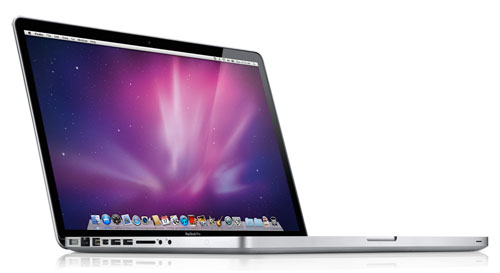
The next revision of Apple’s MacBook Pro lineup will boast a brand new case design for the first time since the aluminum unibody models were introduced in 2008. The current lineup of MacBook Pros – which was recently refreshed earlier this year to introduce a Thunderbolt port, Intel’s Sandy Bridge processors, and new GPUs – will be the last revision before an all-new design.
A source for MacRumors has provided “reliable confirmation” that a redesign is currently in the works, however, there are currently no details on what the new MacBook Pro will look like:
Unfortunately, we have no specifics on what the next MacBook Pro might look like, though many have previously speculated that Apple will take cues from the MacBook Air line.
I’m sure previous speculation won’t be far off either. Apple’s latest MacBook Air has proven to be a huge success and at its unveiling back in October 2010, Steve Jobs hailed the device the “future of notebooks.”
My guess is that the next MacBook Pro will be at least thinner and lighter, with SSD storage and better battery life. If we’re really lucky we’ll get one of those Retina displays everyone’s talking about.
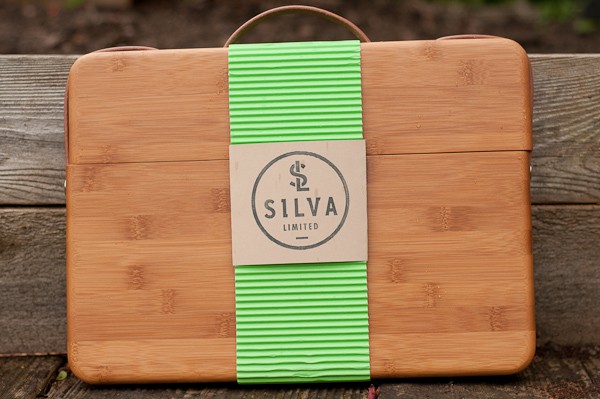
It’s not everyday you see a case like Silva Limited’s bamboo Macbook Pro case. Hand assembled, hand finished, made from sustainable bamboo — it’s obvious these handsome cases have been crafted with love and a ton of attention to detail.
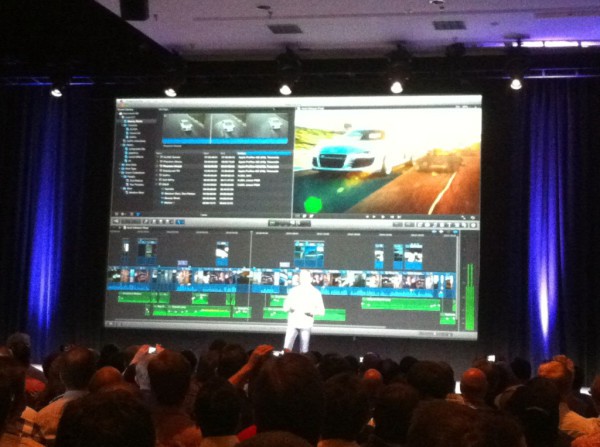
Live from the Final Cut X event (via twitpic user @fcpsupermeet)
Update: Final Cut X will be $299 and will be available in the App Store in June. Still unknown are the future of Final Cut Studio (Including Soundtrack, Motion, Compressor, Color, DVD Studio) or Express.
Apple is, at the very moment I’m writing this, taking the cloak off of Final Cut X live and to much applause in front of the Final Cut Pro User Group Network in Las Vegas. For several weeks there have been rumors and murmurings that Apple would today unveil the next iteration of its venerable Final Cut video editing software, we’re learning now those rumors were true.
Final Cut users know that the last major update the software had was about 10 years ago. Though many users love the program, it was getting so long in the tooth it was starting to look like a vampire.
Details of the new Final Cut X are still coming in since the unveiling isn’t over yet, but one attendee at the event is posting updates via twitter (thanks @fcpsupermeet). Here are some notables from his twitter stream:
Crowd is unruly!
Final Cut X is a full rebuild from scratch
64 bit – Crowd: “finally!” “thank you!”
Cocoa, Core Animation, Open CL, Grand Central Dispatch support
The Focus was on image quality
Fully color managed
Resolution independent playback/timeline all the way up to 4K
Features people detection, single or in groups
Non-destructive auto color balance
Automatic audio cleanup (option to auto noise reduce audio, more)
Features “smart collections”: a lot like the smart folders found in OS X
Editing can start immediately during importing of AVCHD and other media, switches silently to local media as it ingests
Uses every available cpu cycle to keep things rendered. Also highly scalable. Will even work on a Macbook
No interruption for rendering. No transcoding, EVERYTHING native. (incl DSLR footage–assume this means AVC)
While everyone else is talking about the new almighty Thunderbolt ports the new MacBook Pros are sporting, one big switch that isn’t getting all that much attention is Apple’s switch from NVIDIA GeForce GT graphics processors to AMD’s Radeon HD GPUs.
The switch takes place on the 15″ and 17″ units while the smaller 13″ MacBook Pro just has the standard Intel integrated graphics card. Apple is claiming that the switch to AMD has increased performance threefold over the old MacBook Pro models.
The Apple Store is down, and new MacBook Pros are on their way. We saw the 13-inch yesterday: now we’ve got the details on one of the 15-inchers and 17-inchers, respectively.
Here’s what we’re looking at for the 15-inch and 17-inch:
• An Intel Core 2.0 GHz i7 quad-core processor with a 6MB cache (15-inch)
• An Intel Core 2.2 GHz i7 quad-core processor with a 6MB cache (17-inch)
• 4GB of DDR RAM at 1333 MHz (both)
• 500GB hard drive (15-inch)
• 750GB hard drive (17-inch)
• 15.4-inch LED backlit screen with 1440×900 resolution (15-inch)
• a 17-inch LED backlit display with a 1920 x 1200 resolution (17-inch)
• Intel HD Graphics 3000
• AMD Radeon HD 6490M GPU with 256MB of memory (15-inch)
• AMD Radeon HD 6750M with 1GB GDDR5 memory (17-inch)
• FaceTime HD camera
• 8x SuperDrive
• Thunderbolt and Mini DisplayPort
• SDXC slot, FireWire 800 port and two USB 2.0 ports
• Audio and Ethernet ports
• Wi-Fi and Bluetooth
Like the 13-inch we saw yesterday, these are more modest updates to the MacBook Pro line than we anticipated, boasting no LiquidMetal design or ubiquitous SSDs. The only notable update is the adoption of Light Peak, branded by Apple as Thunderbolt.
There’s still two new MacBook Pros (a 15-incher and 17-incher) to be revealed, but expect them to be variations of these two. We’ll let you know price when the Apple Store comes back up.
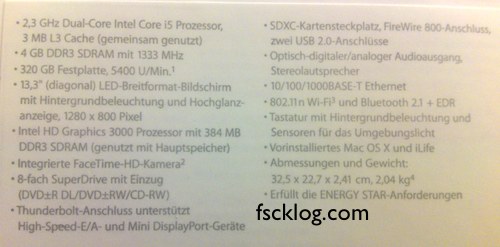
Fscklog has just posted a photo of what they believe are the specs to the new 13-inch MacBook Pro, which should be due out any day now.
Here are the specs, translated from German
• 2.3Ghz Sandy Bridge Dual-Core Intel Core i5 Processor with a 3MB L3 Cache
• 4GB of DDR3 RAM clocked at 1333MHz
• A 320GB hard drive
• a 13.3-inch diagonal LED backlit display with a 1280×800 pixel resolution.
• Intel HD Graphics 3000 with 384MB of DDR3 RAM.
• An integrated FaceTime-HD camera
• An 8x Superdrive
• Two USB 2 ports, an SD card reader, FireWire 800, a MiniDisplay Port, Ethernet and, most interestingly, Thunderbolt port (this is very possibly the Apple-branded implementation of Light Peak we’ve been hearing about).
Overall? It seems the 13-inch model is not the radical re-imagining we’ve been hearing about for the last few days. It’s not made of Liquid Metal, there’s no SSD and the new MBP has an identical chassis design to the old model. Short of the new Thunderbolt port and the leap to Sandy Bridge, these aren’t markedly different than the last generation of 13-inch MBPs. That said, the 13-incher is the entry-level MBP model. Perhaps Apple has something more radical afoot for the 15- and 17-inch models.
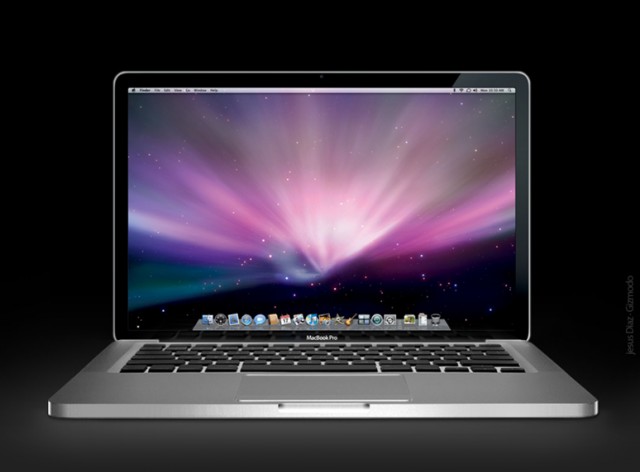
After the jump, a look at the new MacBook Pro’s marketing materials and a close-up view of the Thunderbolt port.