Amazing: I just liberated 10GB of space on my MacBook Pro’s harddrive that was being held prisoner by backups of iDevices I used to own, but had long since gone. And frankly, I’m not sure I would have found and freed up the space without the $10 DaisyDisk app.
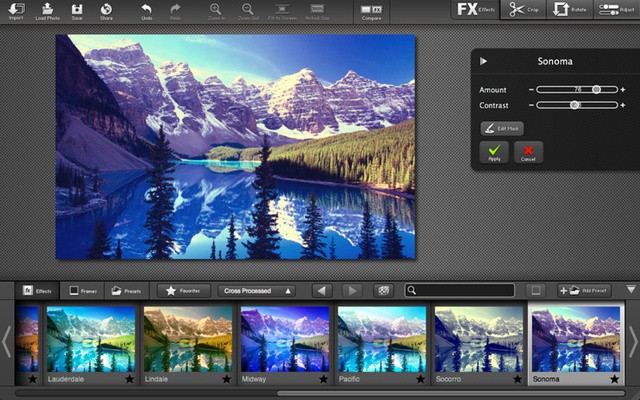
There’s something about a really well-edited photo that just “pops”. And then there are the photos that have had creative filters applied and you just see the image in a whole new way. You know it’s not magic right? You know that all it takes is practice, the right image, and…the right software.
Sure, iPhoto is pretty good and Aperture is powerful, but neither of them are really designed for effects (or layering effects), which is where FX Photo Studio Pro comes in. Part of the Cult Of Mac Deals FX Photo Studio Pro is usually $40 in the Mac App Store, but you can get it for $20 now!
Apple wants apps in the Mac App Store to play inside their own sandboxes.
It’s June 1st, and that means Apple’s deadline for when Mac developers need to have their apps sandboxed has come to pass. After months and months of extending the deadline to iron out technical details, all apps submitted to the Mac App Store must now obey Apple’s sandboxing requirements. All existing Mac App Store apps cannot be updated until they meet the guidelines.
While sandboxing will mean safer and simpler Mac apps, there are some negative effects developers have to consider.
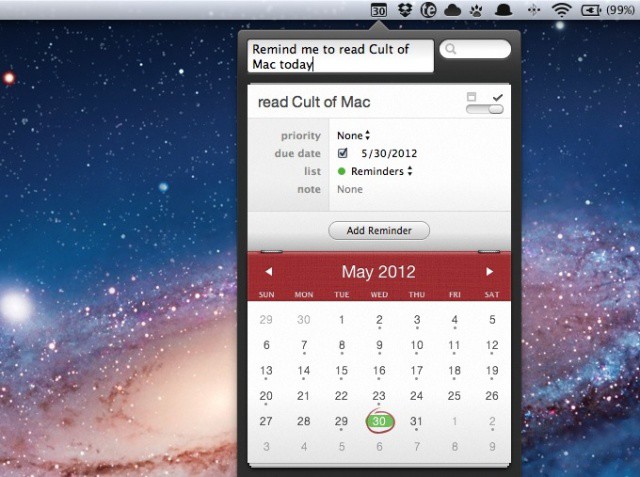
Fantastical is one of my favorite Mac apps. The handy calendar app sits in my menubar and manages my schedule like a personal secretary. The beauty of Fantastical is that, unlike iCal on the Mac, you can quickly add complex events to your calendar using natural, everyday language. “Lunch with John at 12 on Thursday” translates to an event titled “Lunch with John” that’s automatically scheduled for Thursday at noon.
Flexibits, maker of Fantastical, announced a nice update to the app today. Version 1.3 adds Reminders integration, allowing you to add and edit reminders on your Mac and have them synced via iCloud to your iOS devices.
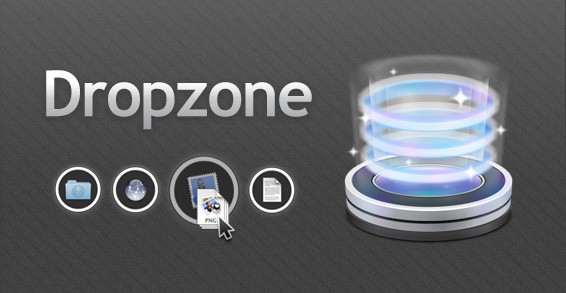
A great app called Dropzone had a killer sale yesterday. The Mac app normally sells for $14 in the Mac App Store, but the developer decided to participate in Two Dollar Tuesday and drop the price of Dropzone to only $2.
After taking the gamble, Dropzone made an astounding $8,000 in one day. The dev says the money is “beyond my wildest dreams,” and this reinforces how profitable price cuts in the Mac App Store can be.
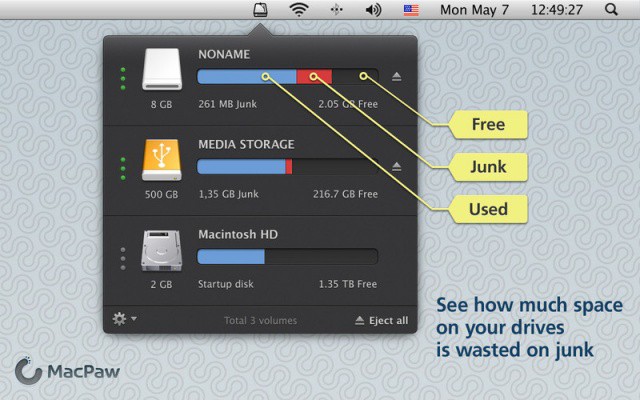
CleanMyDrive monitors and spit-shines your external hard drives.
MacPaw, makers of CleanMyMac, released a new menubar Mac app today called CleanMyDrive. As a simplified version of CleanMyMac, CleanMyDrive lets you monitor and clean up external hard drives connected to your Mac. The app is super simplistic, and it’s free in the Mac App Store.
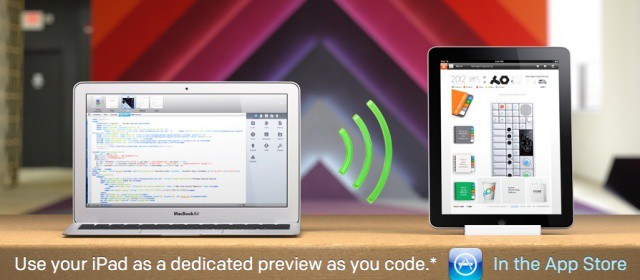
Panic, the company behind popular Mac app Coda, has announced the second major version of its prized web development tool. Coda 2 for Mac will launch on May 24th alongside a new app for the iPad called Diet Coda. Version 2.0 of Coda is “better at everything,” according to Panic, and Diet Coda will allow you to preview your code live on the iPad as you write on the Mac. The iPad app will also let you make quick edits to your code on the go.
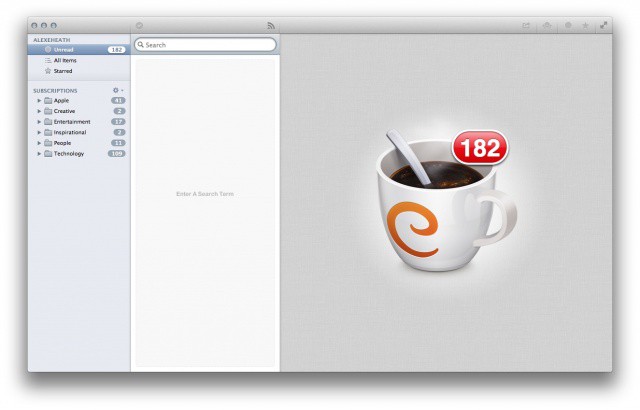
Caffeinated: a viable contendor for your new default RSS app on the Mac
Ok, I’ll admit it: I still haven’t kicked my RSS addiction. As hard as I try to just use sources like Twitter and Flipboard to get my news, there’s something about having every article from every site I follow in one place. And in my line of work, it’s very important to stay on top of the news cycle.
For the longest time I’ve used Reeder to scan RSS feeds on all of my devices. The iPhone, iPad and Mac apps are about as good as it gets for RSS, but I’ve been longing for some competitive apps to come on the scene. On the Mac, a RSS client called Caffeinated may have way it takes to dethrone the reigning champion, Reeder.
Apple wants apps in the Mac App Store to play inside their own sandboxes.
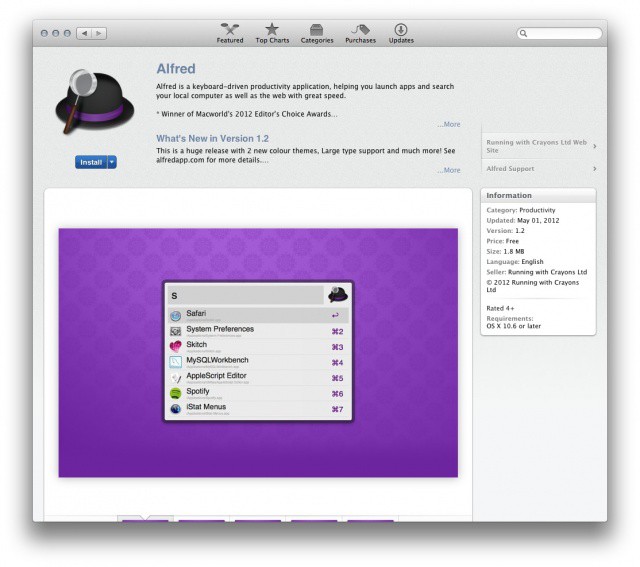
TUAW reported earlier on Thursday that Apple was planning to start rejecting apps from the Mac App Store that used universal hotkeys to trigger functions and access features. The ban was supposedly set to go into effect on June 1st alongside Apple’s app sandboxing deadline. A new report from Macworld debunks TUAW’s claim by saying that Apple is not planning to start rejecting apps like Alfred that rely on universal keyboard shortcuts.
Alfred uses universal keyboard shortcuts to let you search for anything on your Mac.
As OS X continues to become more of a consumer-oriented platform and less of a power user-friendly environment, Apple is reportedly set to begin enforcing new guidelines in the Mac App Store that will ban apps that use “hotkey” functionality.
Apps like Alfred are able to give the user a universal system hotkey that can be used to access the app anywhere in OS X. Starting on June 1st, Apple will be prohibiting these kinds of system-wide features from making their way into the Mac App Store.
Do you have a hard time keeping your Mac windows where you want them? Sick of manually adjusting the ever-changing Tetris puzzle of your OS X desktop? Think the green + button at the top left of every Mac window is beyond useless at intelligently resizing an app?
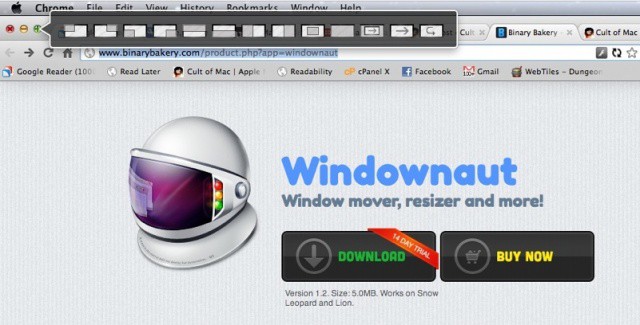
You’re not alone. You want to download Windownaut, a new app that supercharges that green + button to allow you to quickly and easily snap your windows to any location you want on your Mac’s display.
Droplr, the popular web and app service for sharing files and links online, has launched its Droplr Pro plan. In case you didn’t know, Droplr is an incredibly slick way of sharing and storing media in the cloud. The iPhone and Mac apps can also be used to share files with shortened links, much like CloudApp.
Droplr Pro offers a completely ad-free experience, views/downloads statistics, increased storage, private drops, customized drop views, and custom domain configuration for short URLs. The service costs $3 per month or $30 per year.
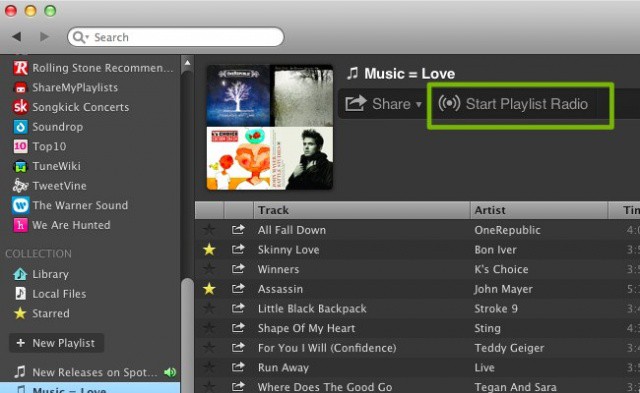
Spotify announced a major update to its Mac and Windows desktop apps today. Version 0.8.3 has begun rolling out to users of the popular music streaming service, and the update brings several new features and improvements.
Pandora-like radio stations can now be created based on Spotify playlists. Like Google’s search results, Spotify has also added Instant Search for immediately displaying search results. Playable song buttons can now be copied and embedded with HTML on the web. Sharing options have also been expanded for social networks like Tumblr.
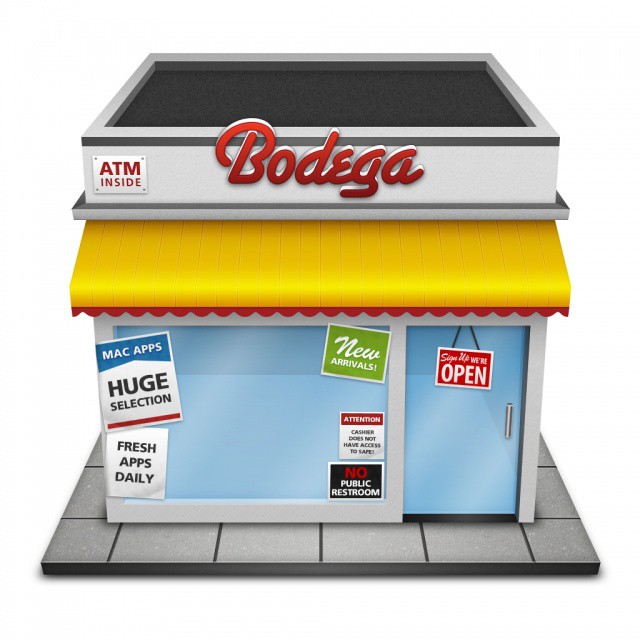
Meet Bodega, a storefront for Mac apps that came before Apple's own Mac App Store.
The Mac has had a vibrant, growing community of developers for many years, and Apple has continued to encourage third-party developer participation with the Mac App Store. Launched in January of 2011, the Mac App Store already boasts 10,000 apps. It’s easier then ever for developers to get their apps in front of millions of OS X users. But what if you don’t want to play by Apple’s rules? Or what you if you want your app to be seen by as many eyes as possible? Then you start to look outside the Mac App Store.
While Apple’s is great in its own ways, other storefronts are offering different —and in many ways better — experiences for app distribution and discovery. In fact, there’s a certain Mac app out there that’s been doing it well for a long time.
Cult of Mac Deals is wrapping up another stellar app bundle lined up for our readers — with a total savings of over $400 on 9 great Mac apps! All of these apps would normally retail for $453 on their own. But thanks to Cult of Mac Deals you can get all of them for only $49 for a limited time. That’s an 89% savings!
But time’s running out to get your hands on The Mac SuperBundle…because it ends in just a few hours!
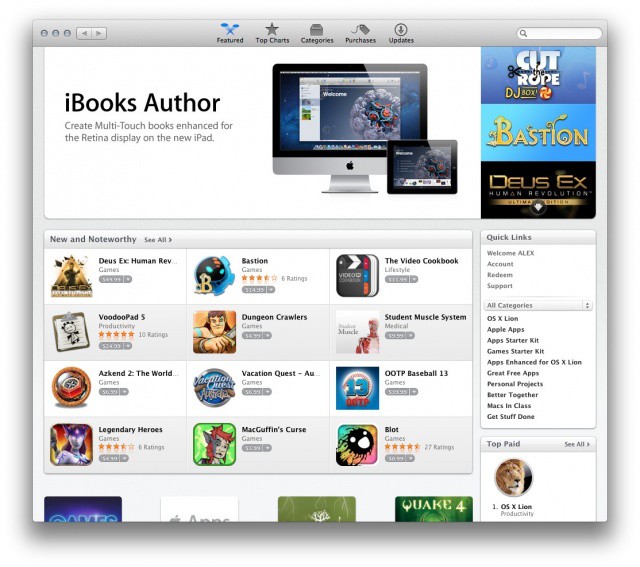
Apple launched the Mac App Store with over 1,000 apps back in January of 2011, and the digital storefront has been rapidly growing ever since. Thanks to warm reception from the developer community and the exclusive distribution of software like Final Cut Pro X and OS X Lion, Apple controls the largest and most vibrant PC software storefront in the world.
15 months in and the Mac App Store is home to more than 10,000 apps. While not as big a number as the iOS App Store’s 500,000+ titles, the success of the Mac App Store heralds the future of software distribution.
The apps in this bundle can help you in a wide variety of activities, from digital media with Roxio Toast to searching for files more efficiently and effectively with Houdah Tembo to keeping track of your home inventory easily with Compartments.
All of these apps would normally retail for $453 on their own!
The most coveted app awards will be announced by Apple this summer at WWDC 2012.
Following the announcement of the already-sold-out WWDC 2012, Apple has officially begun accepting nominations for its 2012 Apple Design Awards. Mac and iOS apps can be nominated to win the most prestigious developer awards Apple gives each year, and past winners include apps like Infinity Blade and Things.
Registered iOS developers can nominate apps today and Apple will announce the winners at WWDC in June.
Three years ago, WWDC sold out in a month. The next year took a week to sell out. 2011 took just 12 hours. This year took 2 hours. How fast will next year sell out?
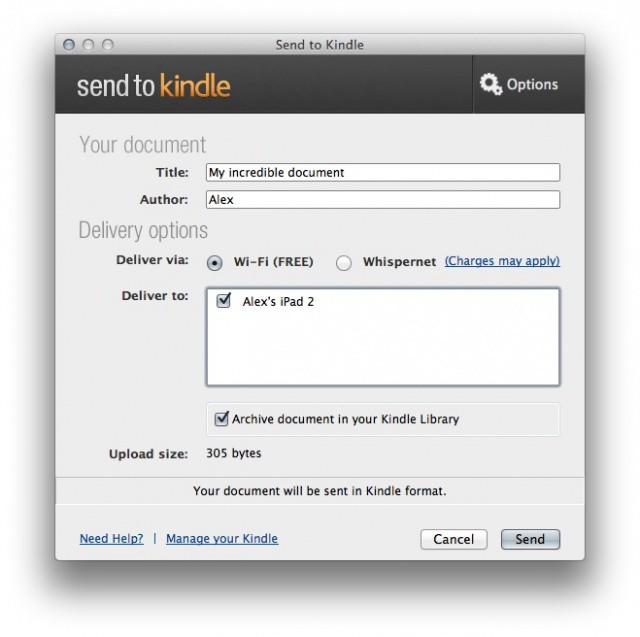
Amazon's latest app lets you send files to your Kindle directly from your Mac.
Amazon today announced its “Send to Kindle” app for Mac users. The free tool can send documents from a Mac to registered Kindle devices (including the iOS Kindle app) wirelessly. Many are unaware that each Kindle account comes with its own email address, and Amazon lets its users send documents to devices through that address. Popular bookmarking service Instapaper also lets its users push articles to a Kindle account for reading later.
The new Send to Kindle app cuts out the email middleman for desktop computer owners.
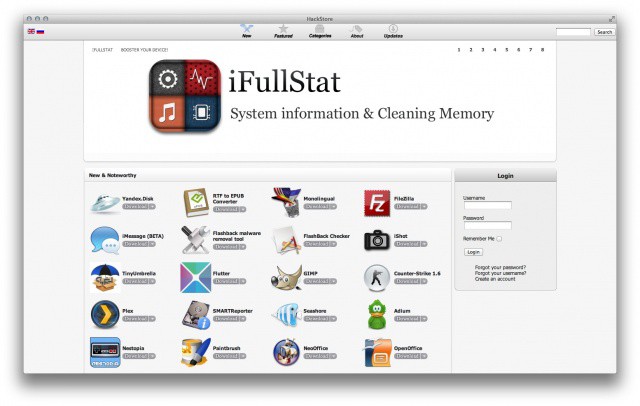
Mac apps that Apple won't let into the Mac App Store are available in the HackStore.
Several weeks ago we brought you an exclusive look at the HackStore, an upcoming Mac App Store alternative for unapproved OS X apps and tweaks. After finishing up development, the HackStore is now available for everyone to download.
Cult of Mac Deals has another stellar app bundle lined up for our readers — with a total savings of over $400 on 9 great Mac apps! The apps in this bundle can help you in a wide variety of activities, from digital media with Roxio Toast to searching for files more efficiently and effectively with Houdah Tembo to keeping track of your home inventory easily with Compartments.
All of these apps would normally retail for $453 on their own. But thanks to Cult of Mac Deals you can get all of them for only $49 for a limited time. That’s an 89% savings!
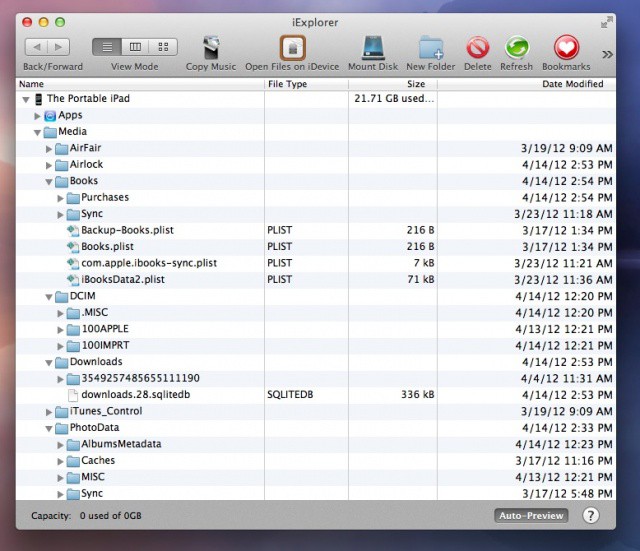
The other day, I was setting up an iPad for a client of mine when I noticed that there was 5 Gb of space being used on the device. When I plugged the iPad into my Macbook Air and opened iTunes, it said that the iPad had 3.9 Gb of space in the “Other” category, but none of the files in the file sharing section of iTunes were that big. This conundrum led me to today’s tip.
Apple has released updates for three of its production apps, Final Cut Pro X, Motion, and Compressor. Verizon 10.0.4 of Final Cut Pro X, Motion 5.0.3, and Compressor 4.0.3 are all available now as updates in the Mac App Store. Overall stability improvements and multiple bug fixes have been included across the board.
Introducing the HackStore, where Cydia meets the Mac App Store (design in progress)
When the App Store first launched on iOS, the need for an alternative marketplace quickly arose. Jailbreakers and power-users wanted a way to download and install apps that gave them more control over their devices than what Apple would allow.
That was how Cydia was born. Created by Jay ‘saurik‘ Freeman, the Cydia app store allows users with jailbroken devices to not only install apps that bypass a number of iOS’s built-in restrictions, but to more easily discover them.
On the Mac, there’s obviously no jailbreaking, but given the sandboxing restrictions placed upon App Store developers, there’s still a need for a Cydia-like alternative: an easy-to-use, curated catalog for apps that give power-users too much control over their systems for Apple’s comfort.
Enter the HackStore, which hopes one day to be as synonymous with user-empowered Macs as Cydia is with jailbroken iOS devices.