Mobile menu toggle

iPad - page 285

Must-Have Tech: iPad Swiped from ER Patient

By

Beware the iPad thief. CC-licensed, thanks to Shivendu Madhava on Flickr.

A 24-year-old woman spotted an iPad left behind in an emergency waiting room and let her fingers do the walking.

At around 8:45 p.m., Jessica L. Andrews noticed Apple’s magical device sitting all alone in the waiting room of Hunterdon Medical Center in New Jersey after its owner went in for ER treatment. Andrews quickly slotted the handy tablet computer into her purse and left.

However, even if you need serious medical attention, you’re unlikely to forget your iPad altogether.

Unreliable MobileMe Remains a “Hobby” for Apple [Opinion]

By

MobileMe-Errors

I want to like MobileMe.  It’s the Apple-sanctioned slice of cloud computing, integrated with the Mac and iOS operating systems.  The setup is simple, the price is reasonable, and despite the unprofessional name and lack of phone support, when all is humming along things just work.

Except MobileMe doesn’t keep working.  It stops syncing.  It loses data.  And Apple provides little or no advance warning of potential problems, nor easy ways to fix issues that occur.  Apple TV may have moved on to a professional product stage with the latest iteration, but from a business perspective MobileMe is still a “hobby” for Apple.

This Week’s Must-Have iOS Apps: VLC Media Player, Task Pad, Windowshop & More!

By

post-66959-image-919fbbbd97e8ea76bb1d599c560ca67f-jpg

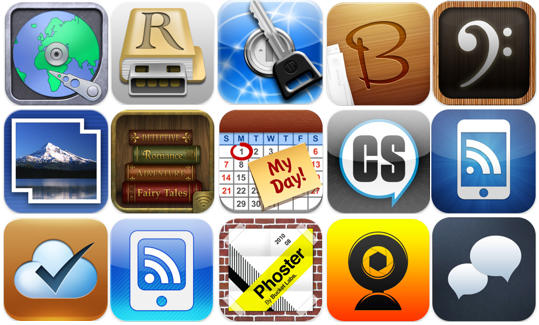
VLC Media Player is now available on the iPhone as a universal app, and firmly puts itself in to our must-have apps list for this week. Allowing you to play an impressively wide range of video codecs on your device, it’s very simple to use and it’s free!

Another must-have app this week is Task Pad. Available for both the iPhone and iPad, Task Pad is a powerful organizer and to-do list that syncs with your Mac or PC, helping you to remain productive and on top of your tasks.

Amazon’s Windowshop also makes our list this week – a new way to shop Amazon’s millions of items – with a simple and intuitive interface that makes online shopping a pleasure on the iPad.

See our full list of must-have iOS app after the break!

This Week’s Must-Have iOS Games: Age of Zombies, Worms 2, Word Solitaire & More!

By

post-66955-image-a96725826db5d20d137ce5df37c7cbdc-jpg

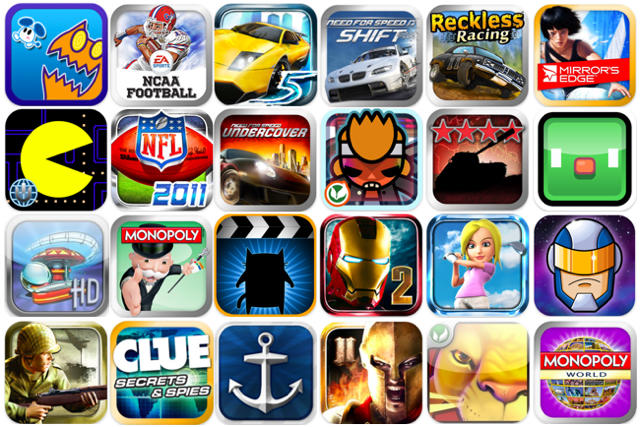
Featured in this week’s must-have iOS games is the much-anticipated Age of Zombies – the new game from Halfbrick Studios. The creators of Fruit Ninja and Monster Dash bring us their biggest adventure yet, which sees the return of Barry Steakfries – the tough-as-nails commando who loves nothing more than to shoot up zombies.

Also earning a place on our list of favorites this week is Gun Bros, another shoot ’em up from Glu that features non-stop 3D action as the ‘Bros’ attempt to protect the cosmos from the evil ‘T.O.O.L.’ organization, who are set out to enslave the universe.

Word Solitaire: Aurora is a unique word puzzler that puts an interesting, intellectual twist on the classic Solitaire card game, and another of our favorites this week. Instead of cards that feature numbers, you play with cards that feature letters, and you must drag and drop to arrange them in to words.

See our full list of favorites after the break!

Report: iPad 2 Will Have Two Omnivision Supplied Cameras, Faster Processor

By

post-66938-image-2d71428910a447d33345777d8f6d9824-jpg

Even when it debuted at the time, the iPad was conspicuous for its lack of forward-facing camera. Apple had obviously considered it: the iPad’s frame actually contains a hollow in which a standard iSight camera fits perfectly. Why didn’t they pull the trigger? Hindsight being 20/20, it’s pretty obvious now that Apple did not choose to install a camera in the first iPad because they hadn’t yet readied their FaceTime video chat standard: it would be stupid to supply hardware in the iPad that only Apple’s competitors were ready, at the time, to capitalize upon.

Now that FaceTime is out for the iPhone, iPod Touch and Mac, the iPad is obviously the next in line. Now a new report suggests that existing iPhone camera supplier Omnivision will also be tasked with creating the iPad’s camera.

How A London Student Built A Collection Of 22 Macs And More

By

20101029-brentcollection.jpg

This little lot (22 Macs, 2 PCs) belongs to London-based 21-year-old student Brent (who declined to give us his surname). It’s one of the latest pics in his Mactastic Flickr stream which is jam packed with Macs, iPods and iPads. Only some of them are pictured in use as doorstops.

Brent says: “You can put it down to just not having time to sell the older models every time I upgrade. As a result of this, I’ve gained a collection.”

His current working machines are a 27″ iMac and a MacBook Pro. He’s not got one of the new Airs yet but I’m pretty sure he’ll have one soon…

World Leaders Early Adopters of the iPad

By

cult_logo_featured_image_missing_default1920x1080


The iPad is reported to be the fastest-selling electronic device ever and government leaders aren’t being left behind.

British Prime Minister David Cameron is the latest world leader have an Apple iPad. Cameron was regaled with two iPads as housewarming presents when he took residence at No. 10 Downing Street.

Both business mogul Mike Faith and New York Mayor Michael Bloomberg had the bright idea of sending over the tablet computer.

Cameron wanted Apple’s “magical device” enough to pay out of his own pocket for it (£429, about $650) and stock it with £164 (about $262) of books. The iPad sent over the pond from Bloomberg is still unopened in the box.

The Hai Pad Is (Almost) As Shamless An iPad Clone As Could Be

By

cult_logo_featured_image_missing_default1920x1080

Although there are a lot of gadget makers looking to come out with their own answers to the iPad in the coming months — most notably RIM with the BlackBerry Playbook and Samsung with the Galaxy Tab — you’ve got to give them credit: the tablets they are releasing aren’t just iPad clones.

You can’t say the same for this tablet though, plucked out of a cheap electronics shop in the alleys of Shaghai: it’s an iPad clone through and through.

TSA: Leave It In Your Bags! The 11.6-Inch MacBook Air Is Not A Security Threat

By

11.6-inch-macbook-air

Thinner at its thinnest point than even the edge of an axe blade, Apple’s new MacBook Airs could conceivably be used to split a skull or two, but according to the always-paranoid Transportation Security Administration, it’s still less dangerous than a small bottle of water: if you have to go through an airport security checkpoint with your 11-inch Air, the TSA has determined that it never once has to be taken out of your bag for closer inspection.

How To: Jailbreak Your iOS Device Using Pwnage Tool for Mac [Jailbreak Superguide]

By

post-65697-image-824601f44f85132384d897ac538e27ae-jpg

The Pwnage Tool by the DevTeam hacker group allows you to create custom iPhone firmwares for the purpose of jailbreaking, to get full control over your device (see why you should jailbreak here).

Currently, the Pwnage Tool version 4.1.2 allows you to jailbreak a device already on the latest firmware. However, it will NOT unlock the device, enabling it to be used with different GSM carriers worldwide.

You can also use greenpois0n by Chronic Dev to achieve the same. There’s practically no difference between the different tools, except for the fact that they come from different dev teams.

How To: Jailbreak Your iOS Device Using greenpois0n [Jailbreak Superguide]

By

post-65666-image-3740c29ceff034500d1ca33d70c46842-jpg

Chronic Dev has released its Mac version of greenpois0n, his 1-click jailbreak solution (see why you should jailbreak here). However, it will NOT unlock the device, enabling it to be used with different GSM carriers worldwide.

It is pretty easy to use and worked perfectly with my iPhone 4. Besides the tool, there’s a ‘Loader’ application that gets automatically installed on the iPhone after jailbreak, which gives you option to install Cydia.

You can also use Pwnage Tool by DevTeam to achieve the same. There’s practically no difference between the different tools, except for the fact that they come from different dev teams.

Here’s see how it works.

Devonthink Comes To iOS With Devonthink To Go

By

devonthink-ipad-1.jpg

Here’s Devonthink To Go for iPad and iPhone, and it has a lot to offer.

For starters, there’s two-way sync between desktop and mobile databases. Documents that have been edited in other apps can be “opened back” in Devonthink, which will update its database accordingly. And plain text files can be edited inside Devonthink To Go itself.

IDAPT Multi-Charger Now In Multi-Color

By

20101028-idaptcolor.jpg

We’ve mentioned the IDAPT charging station before, but it has just been updated in a variety of colors in time for the Christmas season.

If, like a lot of us here at the Cult, you have more devices than you know what to do with and not enough time (or power outlets) to charge them all, a single charging station might come in useful.

And if it’s going to be so prominent in your home, you might as well get one that fits in with your decor.

The IDAPT i4 claims to charge over 4000 different gadgets, either via adaptors for the base unit or via USB connection to it. It will charge your iPods, iPhones and iPads quite happily – and all at once. It costs $59.99 including a pack of six mixed adaptors, or you can choose to pick your own selection of four adaptors that precisely match your devices.

Mophie Workbook Is Like A Trapper Keeper For Your iPad

By

wb-2

I love the almost Trapper Keeper like aesthetic of the Mophie Workbook Case, which not only protects your iPad but lets you prop it up horizontally at almost any angle, perfect for typing or watching video. Sure, unlike my old Trapper Keeper, it features a synthetic leather veneer, but for some reason, I less want to put my iPad in it than lock in a bunch of cool robot folders magic-markered in block capitals with their dedicated subject.

Also unlike a Trapper Keeper is the price: a Mophie Workbook will cost you $59.95 if you want one.

VLC Is Now A Universal Binary On The iPhone, iPod Touch And iPad

By

post-66046-image-350b7b6190b9723d939db105d8d8c2a9-jpg

Our most beloved of open-source video players, VLC, got a spankingly sexy iPad port last month… and now it’s been updated as a universal binary that supports the iPhone 4, iPhone 3GS and third/fourth gen iPod Touch.

If you’ve previously downloaded the iPad version, the update also adds the ability to delete files within VLC itself, as well as faster decoding and increased support for some of the more esoteric extensions.

Is there anything VLC doesn’t run on at this point? Besides the AppleTV, that is, which is positively twitching for a port?

VLC is a free download from the App Store. Go get it.

Nielsen: Oops! Actually, Only 9% Of iPad Owners Have Never Downloaded An App

By

post-65991-image-19cd5449b7d22057a01434a07a44b8eb-jpg

Remember last week’s report that said that almost one-third of all iPad owners had never downloaded an app?

We bought it — after all, the iPad is a compelling device right out of the box without ever plugging in a credit card company — but it looks like we were being overly credulous. Nielsen Group, who originally posted the numbers, has just released a huge honking update on their previous numbers… this time claiming that only 9% of iPad users have never downloaded an app.

President Obama Autographs An iPad

By

obama-signing-ipad-photo

Despite the wary uncertainty of several Secret Service agents, Sylvester Cann was able to get President Obama to autograph his iPad at a recent rally at the University of Washington in Seattle. Much to Apple’s chagrin, the autograph was captured through their arch-nemesis Adobe’s Adobe Ideas app.

Obama — cool as a cucumber — seems to have been a sport about it all: he reportedly thought autographing an iPad was pretty awesome.

This Week’s Must-Have iOS Apps: Printer Pro, Simply Postcards & More!

By

post-65738-image-75a8c210ea85e2803b0fa7cad3e3568f-jpg

One of our favorite applications this week is a great new photography app called Simply Postcards that lets you turn any photo into a real postcard that you can have printed with a personal message and mailed to friends and family.

Printer Pro is Readdle’s latest application for iOS, and one of the most impressive applications in our favorites this week. It allows you to wirelessly print a whole range of documents direct from your iPad, including email attachments, web pages, and iWork documents.

Also featured is a great language translator for the iPad, and the most definitive guide to Central Park for your iPhone.

This Week’s Must-Have iOS Games: Yoo! Sports, Reckless Racing, Angry Birds & More!

By

post-65648-image-0606aabdde7e70362a4f4194296fbb4c-jpg

This week’s must-have iOS games features a great new sports package for the iPhone that offers 5 action-packed sports games including archery, bowling, and tennis. Yoo! Sports claims to be the next generation of iOS gaming.

Reckless Racing is EA’s fantastic new dirt-road racer and another of our favorite games this week. It combines traditional top-down racing with state of the art graphic environments optimized for the Retina display.

Angry Birds Halloween also features – the ghastly special edition of one of the best-selling iOS games in the App Store.