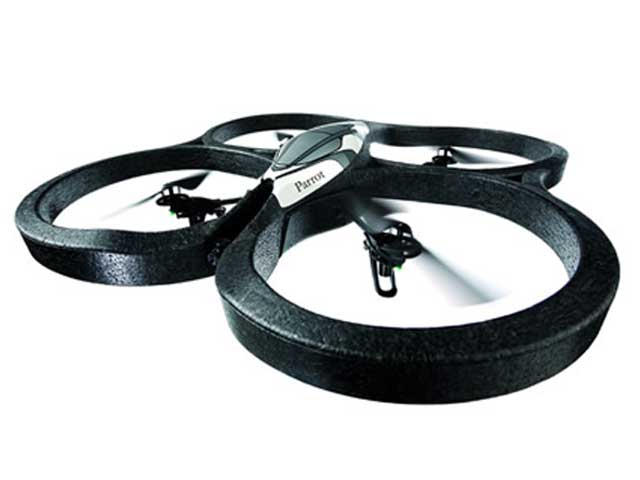
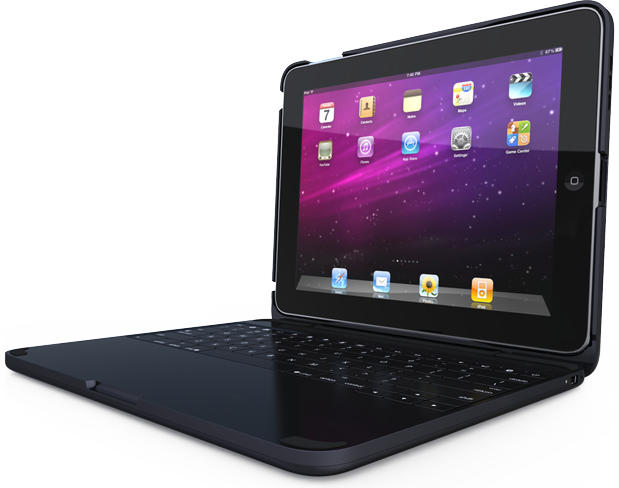
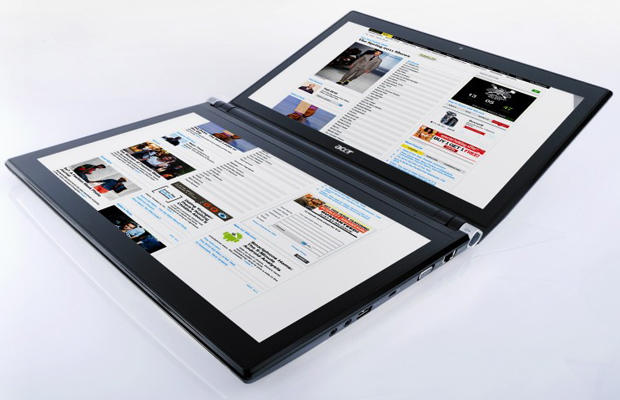
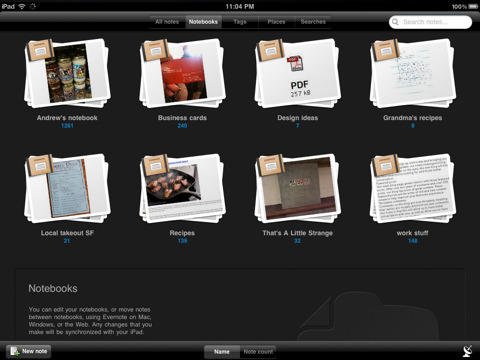
Because Apple is already using the brand name iPad, two companies have tried to name their competitive tablets something completely different: The nPad.
Not recommended. Here’s why.
Because Apple is already using the brand name iPad, two companies have tried to name their competitive tablets something completely different: The nPad.
Not recommended. Here’s why.
NY-based DJ Rana Sobhany is fully committed to Apple’s mobile hardware — iPads and iPhones — as the technology that will be used to create the next generation of mobile music production. Her website Destroy the Silence chronicles her iPad Music Experiment and is filled with audio and video clips showing how the author and former instrumental musician is warping the boundaries of nightclub and dancefloor music production.
Sobhany notes in a recent interview that the strong emotional connection usually present between audiences and traditional live music performers can be lost in the transition to computer-based performance. She feels the touch-screen UI of Apple’s flagship mobile device may be able to help bridge that divide. “The iPad creates complete audio and visual engagement with the audience because I’m not just clicking a mouse,” she says, adding “I’m actively using these apps and mixing beats.”
This link points to a 10 minute clip of music Sobhany created during a recent set at the House of Blues in LA. It was mixed live on two iPads with one additional synth/drum machine controller powered by an iPhone.
Belkin’s a big name in accessories, and you’ve probably got at least a few of their iPod or iPhone cases floating around your house. Today they’re expanding their line-up for the iPad with two new offerings: the Grip 360 + Stand and the FlipBlade.
The Grip 360 is an all-in-one accessory that can be used in three configurations: as a carrying case, a handheld case and as a stand. On the back is a flexible hand strap that makes the iPad easier to hold one-handed; the strap titularly rotates 360 degrees depending on which configuration you want to hold your iPad in, or removed entirely. It sells for $69.99.
The FlipBlade is a bit different: it’s a compact support for the iPad that allows you to prop your tablet up in either of its orientations, and which folds up for easy traveling. The design’s nice, but at $29.99, seems a bit overpriced for something a cheap plastic business card holder will do with more portability for less than a buck.
Before the iPad debuted, the tablet market was basically limited to niche convertible laptops with stylus-driven displays largely marketed to digital artists. The iPad changed everything: it placed the tablet as a bridge device between a phone and a laptop and made it less about the creation of a few specific types of digital media than a gadget aimed at the consumption of digital media.
It was a genius redefinition of a product class, and Apple’s basically dominated the tablet market ever since it was released. You might be surprised by how utterly complete the iPad’s domination of the tablet market is, though: according to statistics released by Strategy Analytics, the iPad accounts for 95.5% of all tablet sales.
That number’s going to go down, of course. The iPad basically caught gadget makers with their pants down, and we’re only just staring to see devices like the Galaxy Tab and the upcoming BlackBerry PlayBook creep out of electronic makers’ design factories to challenge the iPad’s crown. Apple’s percentage of the tablet market is largely due to the fact that there just aren’t any good tablets out there besides the iPad.
So that number’s going to go down, but by guess, with that sort of head start? Apple’s still going to sell more than half of all tablets made for at least the next couple of years.
[via TUAW
November 7th’s turning out to be an important date for big box retail. It’s not just the day that Target’s slated to get the iPhone for the first time, but also the day that all 158 Best Buy Mobile stores will finally get the iPad.
Best Buy’s Mobile store locations are more Lilliputian Best Buys that focus on mbile electronics and are most often found in shopping malls or in congested downtown city locales.
There’s some obvious advantages for Apple pushing the iPad through as many outlets as it can this holiday season. Cupertino clearly does not want anyone to be able to fall upon the excuse of merely not being able to find an iPad or iPhone to buy a loved on this Christmas, and by selling iPads at Best Buy Mobile, Apple is able to expand its retail presence even to malls that don’t have an Apple Store.
Pretty soon, about the only excuse anyone’s going to have not to own an iOS device is sheer obstinance.
It’s doubtful as to whether any online apps will be able to match the gadgetry the pundits have on television to interpret election results, but one elegant graphic on the New York Times’ web site has been optimized for the iPad, and looks worthy of a bookmark.
At 9 AM ET on Thursday, November 4, the Skyfire Browser will be coming to iOS and will allow users to watch Flash video on their iPhone, iPad, and iPod Touch by converting it to HTML5.
Priced at $2.99, Skyfire Browser has been available on Android devices since May 2010, and has been incredibly popular with 1.5 million downloads. Now, after a “rather rigorous review,” Apple has finally approved the app for iOS devices, and it will soon be available in the App Store.
httpvhd://www.youtube.com/watch?v=u8-nKo2hqlg&feature=player_embedded
Apple’s advertising team has thrown a lot of hyperbolic adjectives at the iPad like “legendary”, “amazing” and “magical,” but their latest advertisement might be pressing it. “Cinematic,” sure. “Elementary”…. uh, okay. But by the time we’re at “full size” and “electric,” I think maybe we’re scraping the bottom of the barrel here.
If you use a pair of Monster brand headphones using Apple’s Remote and Mic technology and if you’ve been noticing your iPhone or iPad fritzing out on you when they’re plugged in, don’t worry: it’s not in your imagination and you haven’t just gotten a dud pair. There’s an issue with Monster cans, and Cupertino is very aware of it.
The first interesting tidbit to surface from the iOS 4.2 GM firmware release today is the fact that there is a new multitasking bar on the iPad.
The new version sports both brightness and volume controls for quick access to these settings. In addition to the regular audio controls and screen orientation lock Apple has added a new AirPlay button just to the left of the volume control.
[via deanostetto at Macrumors forums]
A 24-year-old woman spotted an iPad left behind in an emergency waiting room and let her fingers do the walking.
At around 8:45 p.m., Jessica L. Andrews noticed Apple’s magical device sitting all alone in the waiting room of Hunterdon Medical Center in New Jersey after its owner went in for ER treatment. Andrews quickly slotted the handy tablet computer into her purse and left.
However, even if you need serious medical attention, you’re unlikely to forget your iPad altogether.
I want to like MobileMe. It’s the Apple-sanctioned slice of cloud computing, integrated with the Mac and iOS operating systems. The setup is simple, the price is reasonable, and despite the unprofessional name and lack of phone support, when all is humming along things just work.
Except MobileMe doesn’t keep working. It stops syncing. It loses data. And Apple provides little or no advance warning of potential problems, nor easy ways to fix issues that occur. Apple TV may have moved on to a professional product stage with the latest iteration, but from a business perspective MobileMe is still a “hobby” for Apple.
VLC Media Player is now available on the iPhone as a universal app, and firmly puts itself in to our must-have apps list for this week. Allowing you to play an impressively wide range of video codecs on your device, it’s very simple to use and it’s free!
Another must-have app this week is Task Pad. Available for both the iPhone and iPad, Task Pad is a powerful organizer and to-do list that syncs with your Mac or PC, helping you to remain productive and on top of your tasks.
Amazon’s Windowshop also makes our list this week – a new way to shop Amazon’s millions of items – with a simple and intuitive interface that makes online shopping a pleasure on the iPad.
See our full list of must-have iOS app after the break!
Colorware’s been doing a great job of painting the cool and latest gadgets for almost 10 years, but they’ve never actually released a product before. Colorware’s Grip for iPad is, in fact, their very first product. And props to them for it, as it’s possibly the most polished “case” for the iPad out there.
Featured in this week’s must-have iOS games is the much-anticipated Age of Zombies – the new game from Halfbrick Studios. The creators of Fruit Ninja and Monster Dash bring us their biggest adventure yet, which sees the return of Barry Steakfries – the tough-as-nails commando who loves nothing more than to shoot up zombies.
Also earning a place on our list of favorites this week is Gun Bros, another shoot ’em up from Glu that features non-stop 3D action as the ‘Bros’ attempt to protect the cosmos from the evil ‘T.O.O.L.’ organization, who are set out to enslave the universe.
Word Solitaire: Aurora is a unique word puzzler that puts an interesting, intellectual twist on the classic Solitaire card game, and another of our favorites this week. Instead of cards that feature numbers, you play with cards that feature letters, and you must drag and drop to arrange them in to words.
See our full list of favorites after the break!
Even when it debuted at the time, the iPad was conspicuous for its lack of forward-facing camera. Apple had obviously considered it: the iPad’s frame actually contains a hollow in which a standard iSight camera fits perfectly. Why didn’t they pull the trigger? Hindsight being 20/20, it’s pretty obvious now that Apple did not choose to install a camera in the first iPad because they hadn’t yet readied their FaceTime video chat standard: it would be stupid to supply hardware in the iPad that only Apple’s competitors were ready, at the time, to capitalize upon.
Now that FaceTime is out for the iPhone, iPod Touch and Mac, the iPad is obviously the next in line. Now a new report suggests that existing iPhone camera supplier Omnivision will also be tasked with creating the iPad’s camera.
This little lot (22 Macs, 2 PCs) belongs to London-based 21-year-old student Brent (who declined to give us his surname). It’s one of the latest pics in his Mactastic Flickr stream which is jam packed with Macs, iPods and iPads. Only some of them are pictured in use as doorstops.
Brent says: “You can put it down to just not having time to sell the older models every time I upgrade. As a result of this, I’ve gained a collection.”
His current working machines are a 27″ iMac and a MacBook Pro. He’s not got one of the new Airs yet but I’m pretty sure he’ll have one soon…

The iPad is reported to be the fastest-selling electronic device ever and government leaders aren’t being left behind.
British Prime Minister David Cameron is the latest world leader have an Apple iPad. Cameron was regaled with two iPads as housewarming presents when he took residence at No. 10 Downing Street.
Both business mogul Mike Faith and New York Mayor Michael Bloomberg had the bright idea of sending over the tablet computer.
Cameron wanted Apple’s “magical device” enough to pay out of his own pocket for it (£429, about $650) and stock it with £164 (about $262) of books. The iPad sent over the pond from Bloomberg is still unopened in the box.
Apple’s just seen fit to tighten up the Terms and Conditions applying to iTunes rentals… and in doing so have finally closed a loophole that allowed rented television shows to be transferred between the iPad and other iOS devices.
Although there are a lot of gadget makers looking to come out with their own answers to the iPad in the coming months — most notably RIM with the BlackBerry Playbook and Samsung with the Galaxy Tab — you’ve got to give them credit: the tablets they are releasing aren’t just iPad clones.
You can’t say the same for this tablet though, plucked out of a cheap electronics shop in the alleys of Shaghai: it’s an iPad clone through and through.
The iPad is synonymous with Apple, but according to Taiwan-based company Proview, Cupertino is stomping all over their trademark on the ‘IPad’ name… and they want Apple to pay up.
Thinner at its thinnest point than even the edge of an axe blade, Apple’s new MacBook Airs could conceivably be used to split a skull or two, but according to the always-paranoid Transportation Security Administration, it’s still less dangerous than a small bottle of water: if you have to go through an airport security checkpoint with your 11-inch Air, the TSA has determined that it never once has to be taken out of your bag for closer inspection.
The Pwnage Tool by the DevTeam hacker group allows you to create custom iPhone firmwares for the purpose of jailbreaking, to get full control over your device (see why you should jailbreak here).
Currently, the Pwnage Tool version 4.1.2 allows you to jailbreak a device already on the latest firmware. However, it will NOT unlock the device, enabling it to be used with different GSM carriers worldwide.
You can also use greenpois0n by Chronic Dev to achieve the same. There’s practically no difference between the different tools, except for the fact that they come from different dev teams.
Chronic Dev has released its Mac version of greenpois0n, his 1-click jailbreak solution (see why you should jailbreak here). However, it will NOT unlock the device, enabling it to be used with different GSM carriers worldwide.
It is pretty easy to use and worked perfectly with my iPhone 4. Besides the tool, there’s a ‘Loader’ application that gets automatically installed on the iPhone after jailbreak, which gives you option to install Cydia.
You can also use Pwnage Tool by DevTeam to achieve the same. There’s practically no difference between the different tools, except for the fact that they come from different dev teams.
Here’s see how it works.
Here’s Devonthink To Go for iPad and iPhone, and it has a lot to offer.
For starters, there’s two-way sync between desktop and mobile databases. Documents that have been edited in other apps can be “opened back” in Devonthink, which will update its database accordingly. And plain text files can be edited inside Devonthink To Go itself.