Blockbuster has today unveiled a new iOS app that allows customers who still subscribe to its traditional disc rental service to manage their rentals on iPhone, iPad, and iPod touch. The app also allows you to check stock availability at your local Blockbuster store, and more.
We’ve already heard one crazy rumor about the iPhone 5S today, and now we have another, even more ludicrous one, about the iPad. Apparently, Apple is planning to launch a bigger “iPad maxi” in early 2014 which will step up the tablet’s fight against ultrabooks and other small notebooks with a 12.9-inch display.
Back In The Day™, when men were men, cars were cars and boys were forced to work to support their families before their stupid brains were even half developed, we fixed automobiles by kicking their tires and sucking our teeth.
Fast forward to the Space Year 2013 and cars now repair themselves. All you have to do is take it to a repair shop, where they plug it into a computer which sucks the money from your bank account while you take a spin in a “courtesy” car.
But what if you want to tinker? If you own a Ford and an iPad, and don’t mind getting your hands (literally) dirty, then you’ll be happy to hear that there’s a (concept) app for that.
This is the Bridging Book, and it “bridges” the gap between reality and virtual reality by combining an iPad app with an actual paper book. The concept is simple and yet looks to be very effective, if the smiles on the kid in the video are anything to go by: The iPad detects page turns made in the book using magnets. Yes, frikkin’ magnets.
Quick question: How do you feel about 60˚? That’s the angle, not the temperature. Do you like it? Still not sure? Then let me put it another way: Are you a fan of tilting things back by 30 degrees?
If so, and if you don’t like to adjust things, then the ChillTab2 might just be the perfect stand for you.
We know that the iPad’s dock hole is pretty much a USB port in disguise, and that the camera connection kit is also a stealth adapter which lets you plug in all kinds of USB accessories and use them.
But I never even thought that it might be possible to import photos from a floppy disk this way. Luckily for us, Niles Mitchell wasn’t so short sighted: He grabbed an old USB floppy drive and hooked it up.
Apple’s iBooks provides one of the best, most accessible ereading experience on the iPad, in my opinion, and it’s pretty darn simple to use.
That said, there’s always room to learn just a few more tricks to make the experience even better for you. Here, then, are five tips to master iBooks on your iOS device of choice.
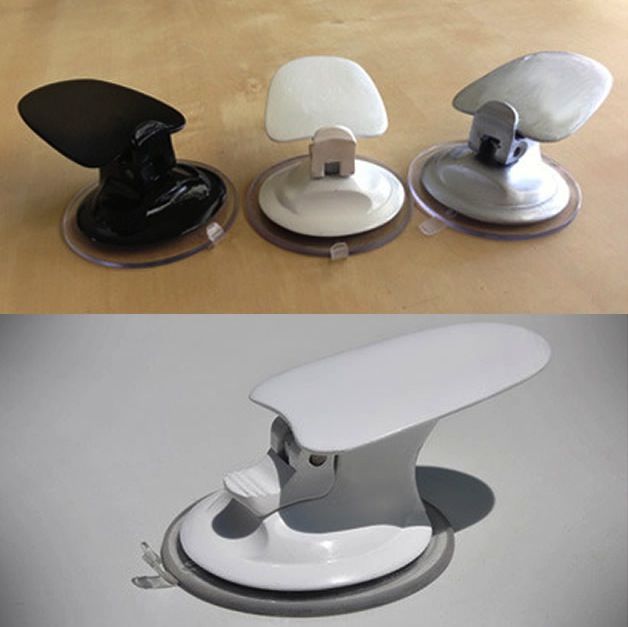
If you own an iPad with a Smart Cover or Case, then you know how much of a pain it is to use it as a stand for your iPad. It literally only has two positions that aren’t ideal for doing what you need to do on your iPad. Thanks to these Smarter Stand Clips your iPad Smart Cover (or Case) can now be transformed into a fully functional stand that creates 4 different stand positions. Moreover, these clips are designed to slide up and down your Smart Cover with ease so you’ll be able to quickly change your stands position in a flash.
Apple might unveil a new iPad mini at WWDC, but if the rumors are true that it might not have a Retina display, then you might want to consider getting a first gen iPad mini.
The Online Apple Store just dropped the price on all refurbished iPad mini and iPad 4 models today. The price drops aren’t huge (although a lot of models are not $100 cheaper than a brand new unit), but it’s a better deal than buying one brand new and you get the same warranty.
Apple has stopped advertising 24-hour dispatch for products sold through some international online stores. Many of the Cupertino company’s popular products offered 24-hour dispatch providing they were in stock, but in some markets that’s now been increased to 1-2 business days.
You wake up. You’re outside, laying on hard ground. The sky above is blue, with fast moving clouds. You have no memory of falling asleep anywhere but in your own bed, and you have no idea where you are.
You look for hints. The road is dark gray asphalt. The lines running along its center are white and broken into long strips. The dirt off the shoulder is a reddish brown. A car passes. The model looks familiar but the license plate is blurred, offering no clues.
You stand and find yourself uninjured. Where the hell are you? You walk east, keeping the sun out of your eyes as the shadows lengthen, and eventually you spot a road sign. It’s in Spanish. That narrows it down to around 22 countries where Spanish is used.
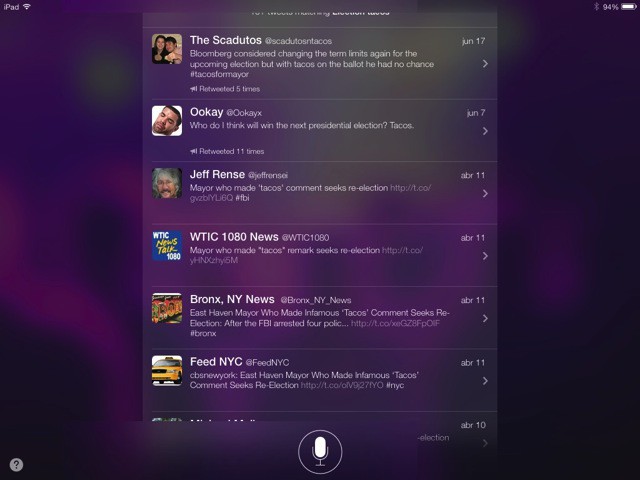
Earlier today, Microsoft released a new ad that attempts to show how much better the ASUS VivoTab is at getting stuff done than the iPad. A similar TV spot was aired last night with Siri being used to mock things like the iPad’s lack of Powerpoint (a Microsoft product).
Alongside its TV ads, Microsoft has put up a new webpage called “iPad vs. Windows.” At the bottom of the comparison it says that the ASUS ViviTab “has a bigger touchscreen” than the iPad.
Shazam has today launched a universal app offering iPad support for the very first time. The release boasts a number of nifty new features, including auto tagging, a dynamic home screen, the ability to flip through recent matches, and more.
Mailbox, the hugely popular third-party Gmail client for iOS that has changed the way we manage our emails, is now available on the iPad. The update comes just over three months after Mailbox made its debut on the iPhone, and you’ll be pleased to know that you no longer have to wait in line to use it.
Clear, the popular list-making client for iPhone and Mac from Realmac Software, now allows you to email your lists thanks to a new update that’s available to download from the App Store today. The release also brings some new themes, and teases upcoming support for the iPad.
Microsoft has released a new TV ad that slams the iPad touts Windows 8 on an Asus tablet. This is the most directly targeted attack campaign on Apple in recent memory—even the Samsung Galaxy ads had more tact.
The tagline of the ad is “Less Talking, More Doing,” a.k.a using apps like Powerpoint. Siri is used to mock the iPad, ending in the virtual assistant giving up with, “Should we just play chopsticks?” in Garageband.
You have to give it to Microsoft for not pulling any punches. It will be interesting to see if Apple responds. Remember the good ol’ days of Mac vs. PC?
Is your iBooks library starting to outgrow those beautiful skeuomorphic wooden bookshelves that Apple provided for you? Have you purchased way too many Star Wars novels, only to find them crowding out your beloved Jane Eyre collection?
Well, there’s a simple way to manage an epic, ever-growing iBook collection, of course (why else would I be writing this), and here’s how.
If you’re active you know how many pairs of headphones you can blow through in a given year, so a nice extra set is always needed. This Cult of Mac Deals offer has just what you’re looking for – and at price you’re looking for as well.
These headphones combine high quality sound output with scientifically developed sound isolation that creates a music listening experience you won’t be disappointed with – especially for just $15.
Everyone knows Aspyr Media for their numerous Mac ports of classic PC games like, for example, Bioware’s incredible Star Wars RPG, Knights Of The Old Republic. Now it looks like Aspyr could be bringing KOTOR to the iPad.
The Apple online store went down for just over four hours earlier today, and it came back with Apple’s new Father’s Day promotion and a few noticeable design changes.
The Cupertino company is again heavily promoting the iPad and the iPad mini, but the iPhone 5 also gets a lot of room on the store’s homepage.
Apparently the OLPC cemented the colors green and white as the color scheme of choice for the education market, because now the new Logitech Wired Keyboard for iPad is similarly hued.
I have no problem with that: the combo is so ugly that it’ll seriously diminish the resale value should light-fingered pupils decide to earn a little extra pocket money.
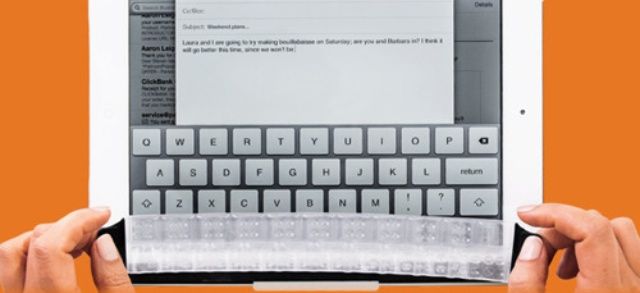
Two new iPad mini keyboard cases from Zagg today: A super-thin magnetic cover and a thicker stick-on “folio” case, similar to the Pro Plus case for the regular-sized iPad only with a top cover too. And both, amazingly, are backlit.
I quite like the dark linen texture that sits behind the elements of the iOS (and recently OS X) interface, but I’m pretty sure that Jony Ive’s upcoming Great Purge will consign it to the same tomb as brushed aluminum – after all, this is a designer so minimalist that he even removed a superfluous “n” from his own name.
So this wraparound case from Plus Motif might be my last chance at linen.
I just got back from a week-long vacation. We were staying in Tel Aviv, Israel, which meant lots of walking and cycling (I took my Brompton), plus day trips. Which in turn meant traveling light.
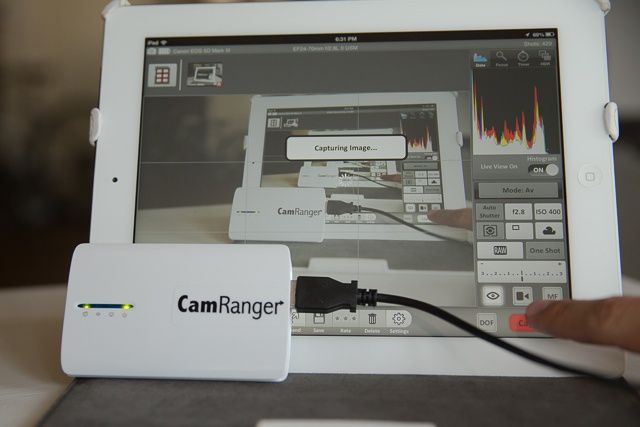
The iPad is perfect traveling companion, and the iPad mini is even better. But if you want to take lots of photos with an actual camera, or – worse still – a camera that shoots huge RAW images, you need to plan ahead. And as I didn’t want to take a Mac with me, I needed a few tricks to help out.
This post isn’t about how I managed my photos on the trip (although I will mention that side of things a little in terms of the hardware I used). It’s about the gadgets and apps that help you work around the limitations of the iPad when you’re relying on it away from home.
If you're an AT&T customer, you'll need a certain plan to enjoy this with a data connection.
Since it was revealed that FaceTime over Cellular was coming to iOS 6 last summer, AT&T has been gradually rolling out the feature to different segments of its subscriber base.