★★★★☆
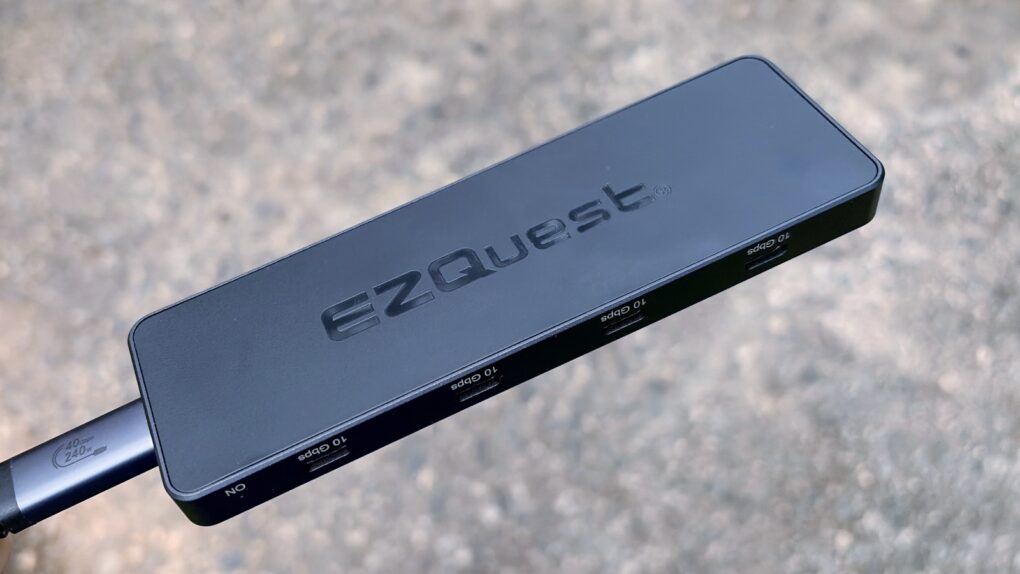
Get eight USB-C ports in a pleasingly small package with this new hub from EZQuest. Photo: Ed Hardy/Cult of Mac
The EZQuest USB 4 Dual Display 8-in-1 Hub is for Mac users who have gone all-in on USB-C ports. It boasts no less than seven high-speed ports and an eighth just for charging. And it takes up just one port on your Mac.
Unlike the USB-C ports in most hubs, EZQuest’s can be used for external screens, removing the need for HDMI. One or two displays are supported, depending on the computer the accessory is attached to.
As someone ready to dump all the old legacy ports, I happily put this product through testing.
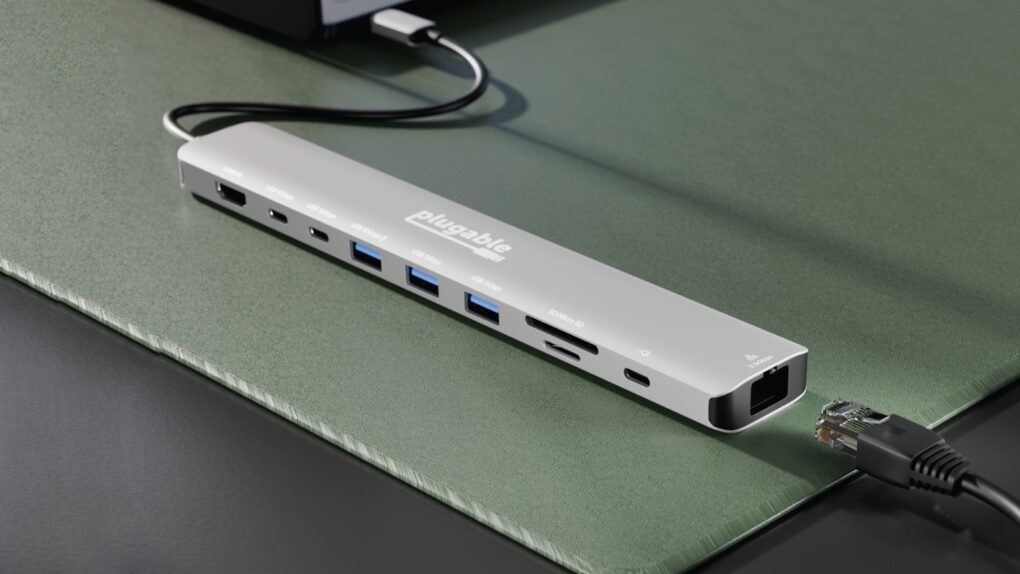
The Plugable USBC-10IN1E could be the powerful hub your MacBook needs. Photo: Plugable
Plugable Technologies on Tuesday launched the USBC-10IN1E, a new 10-in-1 USB-C hub aimed at delivering docking station-level performance in a compact design. The company says the device stands out in a crowded market by combining high-wattage charging, advanced display support and faster networking in a single accessory.
Despite the advanced features, the new product is quite affordable — which is not surprising for Plugable.
★★★★☆
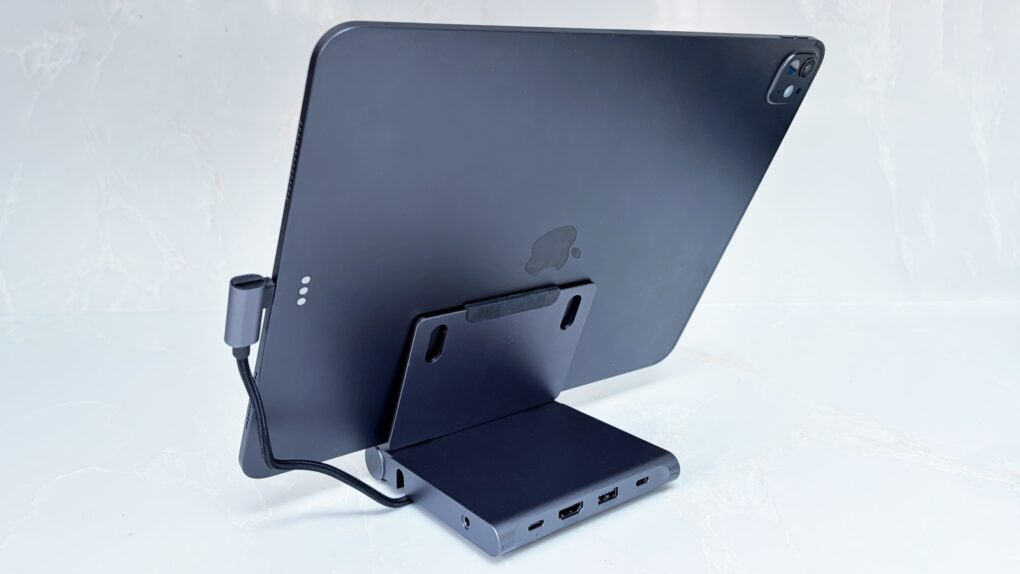
Don't settle for an iPad stand or travel hub. Not when Satechi combined them. Photo: Ed Hardy/Cult of Mac
Your iPad is fun and relaxing, but it can also be the heart of a compact workstation with the Satechi OntheGo Foldable Stand Hub. This holds up your tablet while simultaneously expanding its connectivity with five additional ports.
It’s so useful in the office, it’s easy to forget the accessory folds down so you can take it with you. Satechi says it’s made for creatives on the move.
I tested the stand+hub in my home office and when traveling. Here’s what I found.
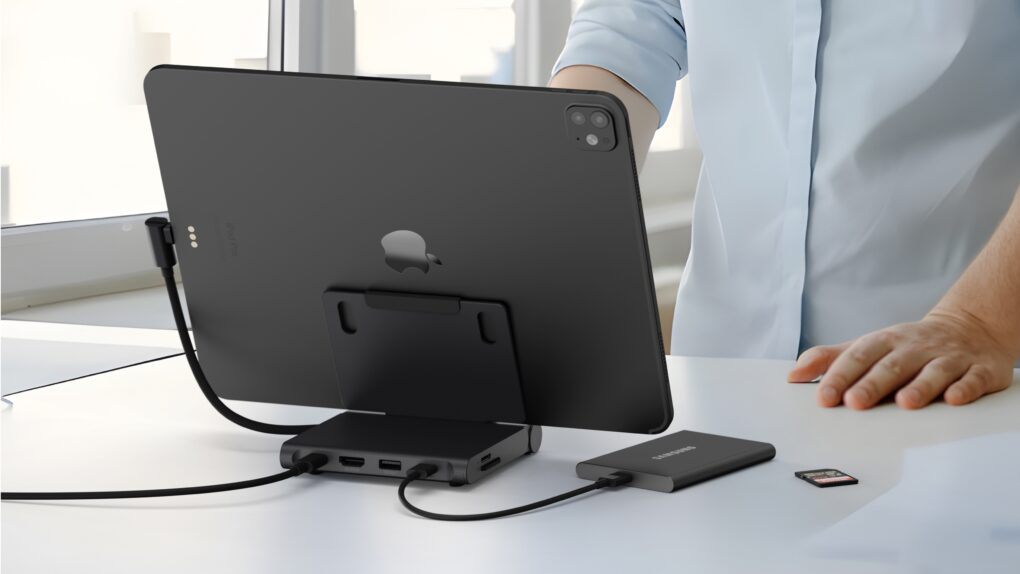
This iPad stand also includes useful ports to keep you productive on the go. Photo: Satechi
The Satechi OntheGo Foldable Stand Hub helps your iPad become the heart of a compact workstation. It holds up the tablet while simultaneously expanding its connectivity with five additional ports.
The multifunction stand also folds down so it’s ready to travel.
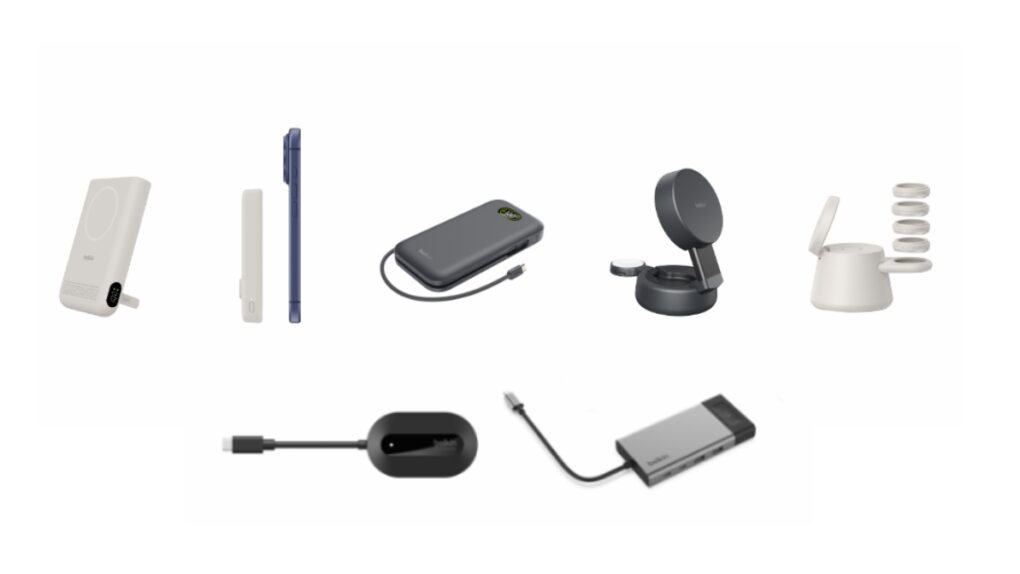
Belkin used CES 2026 to show off new high-speed power banks, chargers and a wireless HDMI adapter. Image: Belkin
Belkin used the giant CES 2026 trade show going on this week in Las Vegas to unveil a wide range of new accessories for iPhone, Mac and iPad. There are high-speed power banks and desktop chargers that support MagSafe, a wireless HDMI adapter and more.
These all hit shelves in the early months of the year.
★★★★☆
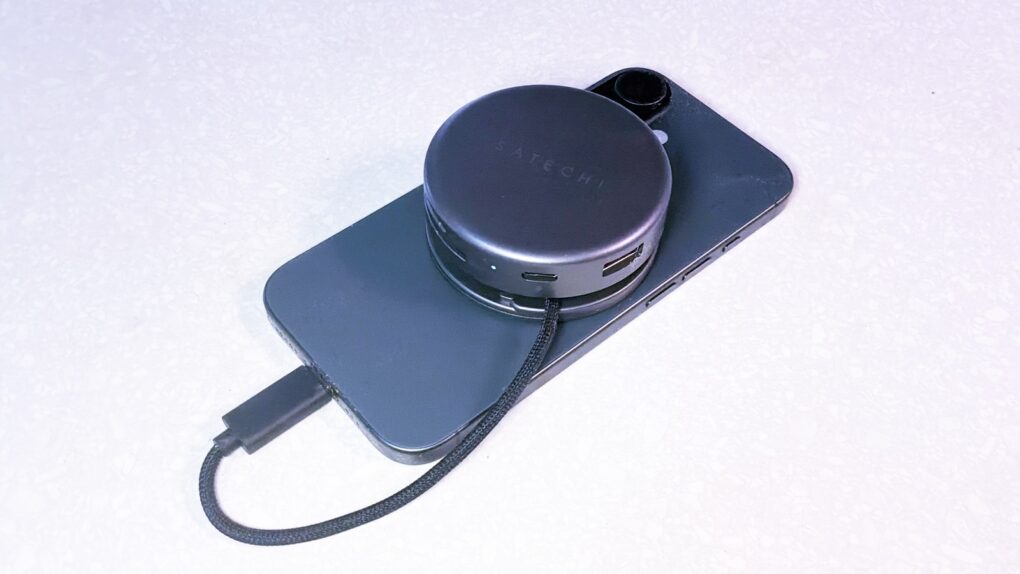
Satechi OntheGo 7-in-1 Multiport Adapter helps creators and travelers do what they need with their iPhone. Photo: Ed Hardy/Cult of Mac
Your iPhone is a powerful computer held back by its single port. Connect the Satechi OntheGo 7-in-1 Multiport Adapter, and you can connect to a wide range of accessories — external monitors, SSDs and more — all without adding too much bulk. It really builds upon the phone’s capabilities.
I’m not saying it’ll turn your iPhone into a mini MacBook, but if you’re toting a laptop on trips simply to watch TV shows or give a presentation on a large screen, this hub is for you.
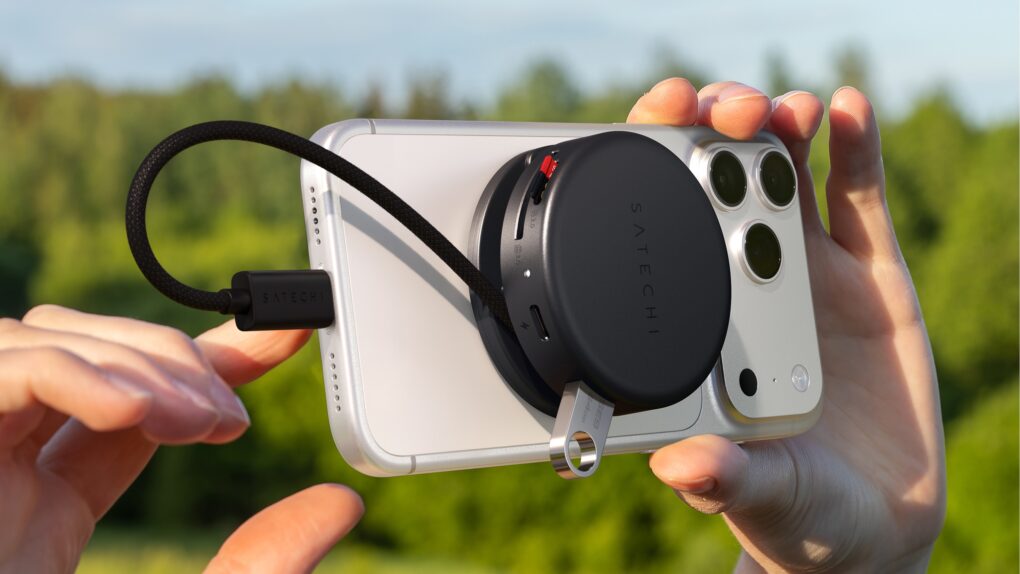
Plus, it stands out by connecting to the MagSafe magnets built into your iPhone, so the accessory conveniently clings to the back of your device.
I tested it out with my iPhone 17 to see what the multiport adapter has to offer. Here’s what I found.
Satechi OntheGo 7-in-1 Multiport Adapter helps creators and travelers do what they need with their iPhone. Photo: Satechi
The Satechi OntheGo 7-in-1 Multiport Adapter is the USB-C hub your iPhone has been looking for. It magnetically attaches to the back of the handset and adds a collection of ports useful to anyone pushing their iPhone to the limit. That includes HDMI, USB-A, Ethernet and more.
“The OntheGo 7-in-1 Multiport Adapter combines power and portability in a sleek design so you can bring your desk anywhere without compromise,” said Brock Guclu, Satechi’s co-founder and president.
Here are the chargers, hubs, power banks and other travel gadgets that I like so much I take them with me on holiday. Graphic: ChatGPT/Cult of Mac
The right travel gadgets make your vacation easier. Whether you’re heading out on a weekend getaway or a long-haul flight across the globe, the correct gear can make all the difference. From keeping your devices charged and connected to ensuring entertainment on the go, today’s travel tech is designed to streamline every leg of the journey.
As a frequent traveler, I’ve built up a collection of accessories: chargers, hubs, portable monitors and more. In this guide, I’ll share my must-have gadgets, hoping they’ll upgrade your travel experience, too — whether you’re a frequent flyer, a digital nomad or just someone who likes to stay plugged in wherever the road leads.
★★★★☆
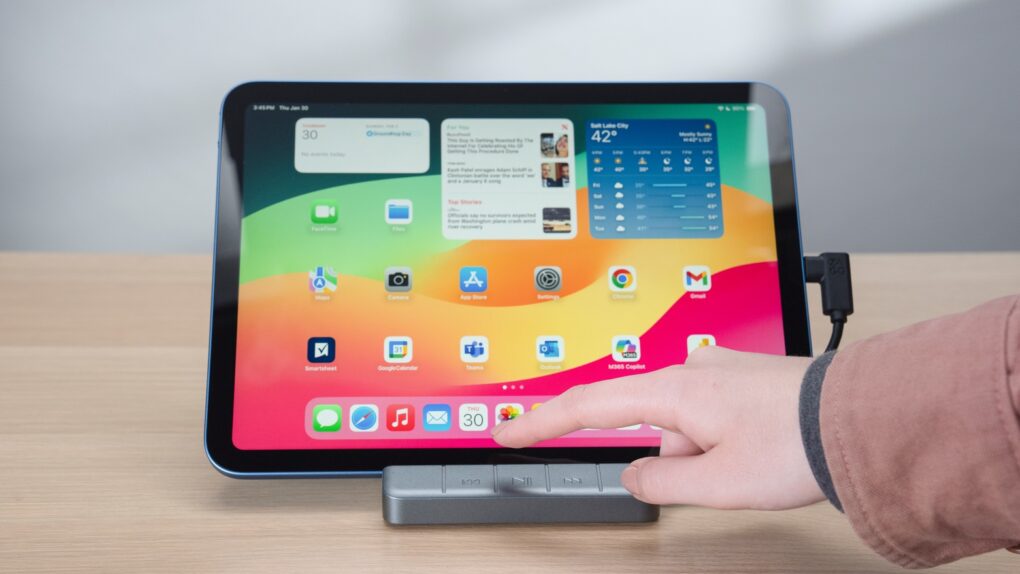
The Zagg 6-port Media Hub features an iPad stand, useful ports plus media controls. Photo: Zagg
The Zagg 6-port Media Hub includes a flip-up iPad stand, an HDMI port, a USB-A port and more, with the standout feature being an easily accessible set of media controls. And all this fits into the same space on your desktop as a more conventional tablet stand.
I used the iPad hub/stand in my home for weeks, and it does its job well. That said, a design quirk might limit its appeal.
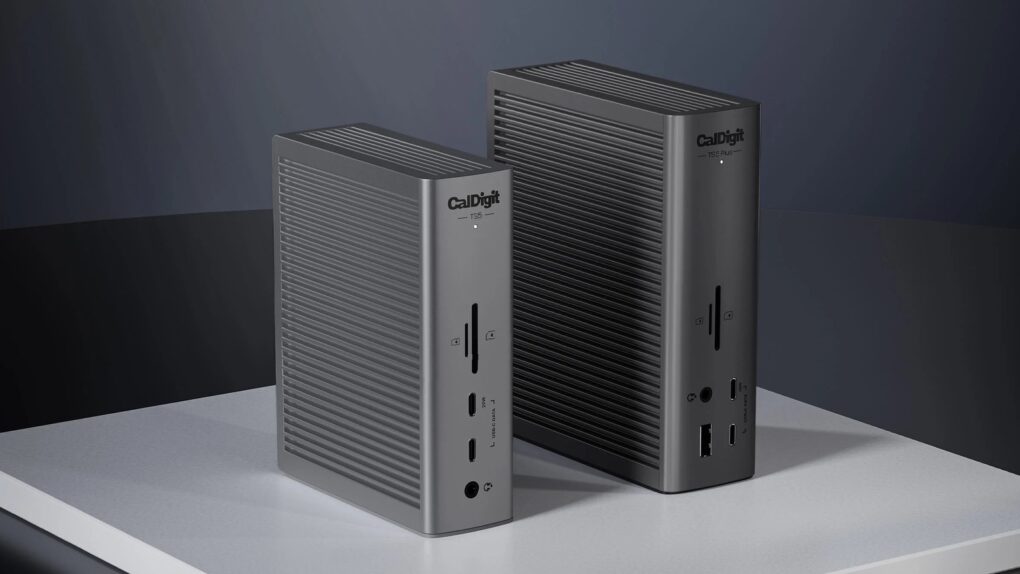
Both the CalDigit TS5 and TS5 Plus offer more than a dozen ports. Photo: CalDigit
The newly announced CalDigit TS5 Plus is for very elaborate setups. The sort of professional-grade setups that can make use of 20 ports, including a pair of Thunderbolt 5 ports, five more USB-C ports, 140W charging, a 10Gb Ethernet port and plenty more.
Those who can struggle by with a mere 15 ports might choose the smaller CalDigit TS5 instead.
The Zagg 6-Port Media Hub is ideal for fans of watching video on an iPad. Photo: Zagg
Don’t buy a separate stand and hub for your iPad until you check out the Zagg 6-port Media Hub that launched Wednesday. Add an HDMI port, a USB-A port and more to your tablet without taking up any more space on your desktop than a stand alone would.
Plus, it got a big brother: the Zagg Pro Dock is a stand for MacBooks with 10 ports, including dual HDMI and Ethernet.
These are part of a collection of new hubs from Zagg with a range of port options.
★★★★☆
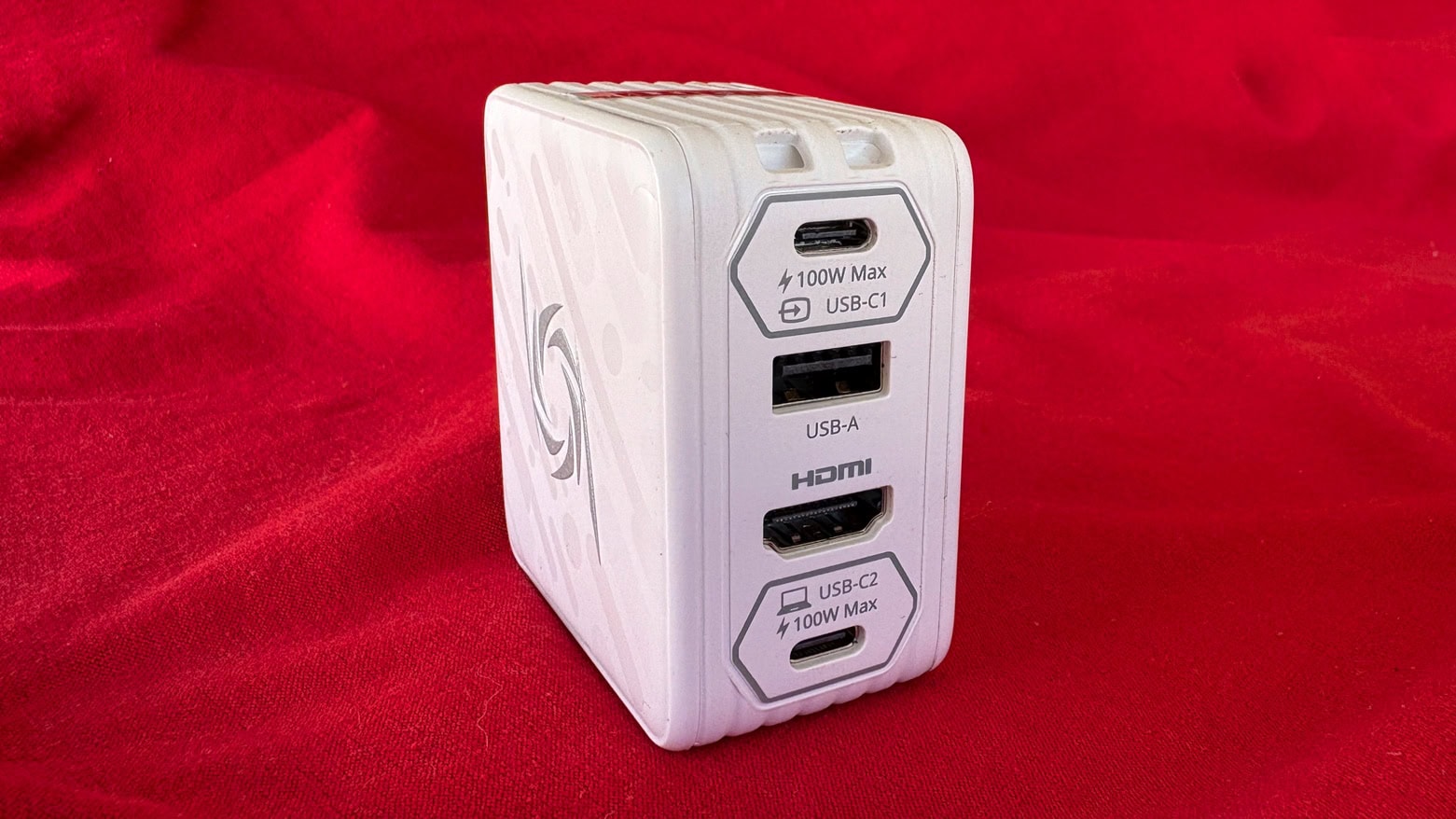
Don’t carry a separate wall charger and hub when the AVerMedia Elite Go GC313Pro is both. Photo: Ed Hardy/Cult of Mac
Plug the AVerMedia Elite Go GC313Pro into a wall socket to charge your Mac or iPad, and then (surprise!) plug an HDMI monitor and USB accessories into it, too. It’s both a charger and a hub in one package, handy for any traveler. Plus, it can charge three devices at once — also great for travelers.
As a bonus feature, the gizmo is also a video capture card. But (spoiler alert) how useful this is for Apple users is questionable.
I tested the various functions of the 4-in-1 charging hub and came away impressed… mostly.
Max out your Mac mini with this hub. Photo: Satechi
The wait for the Satechi Mac mini M4 Stand & Hub with SSD Enclosure isn’t as long as expected. The accessory — which adds front-facing ports and more storage — can be ordered now, though quantities are limited.
It seems a nice addition for Apple’s tiny new desktop. It even makes pressing the computer’s hidden power button easier.
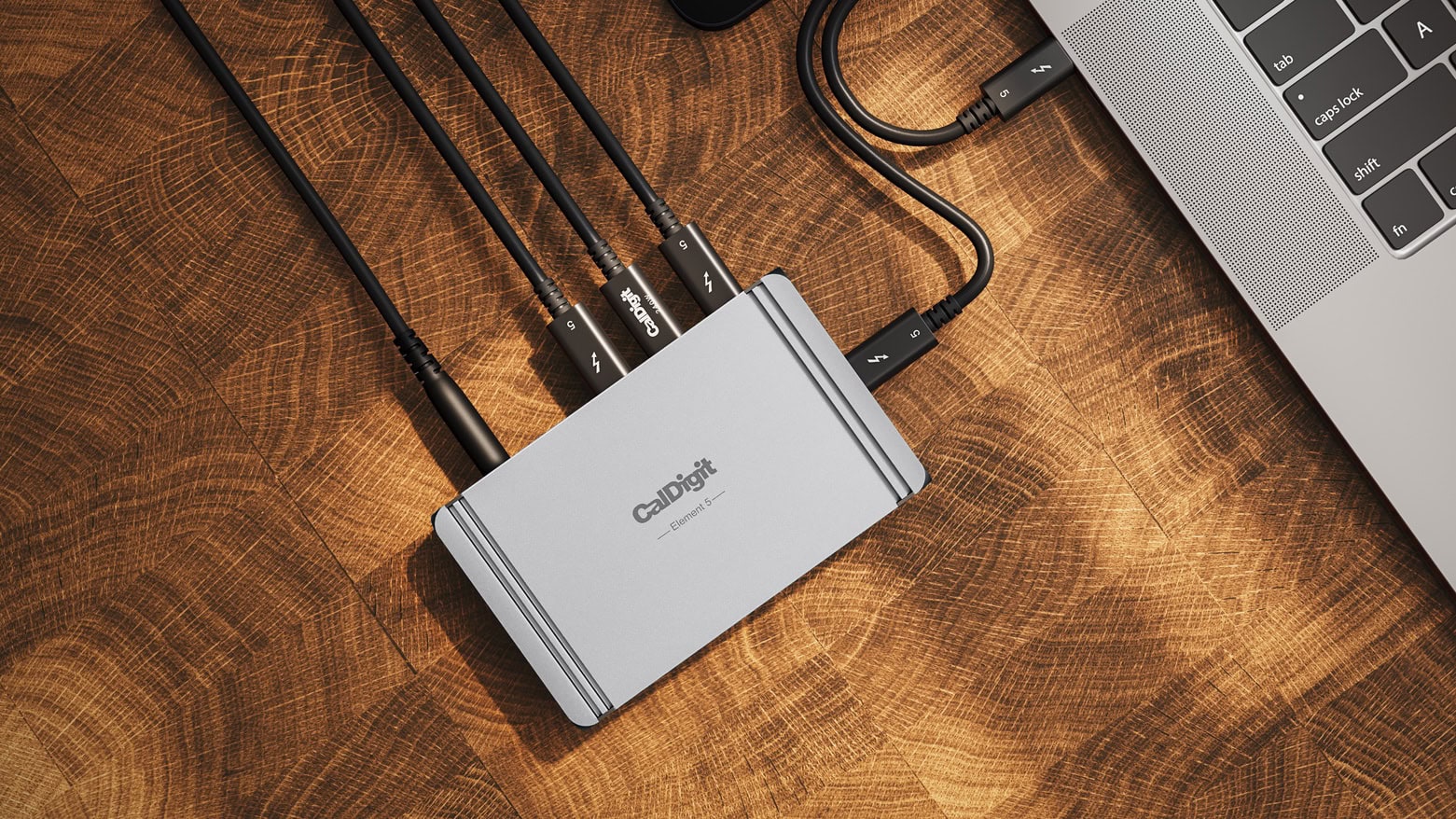
The CalDigit Element 5 Hub won’t crowd your desk but offers multiple Thunderbolt 5 ports. Photo: CalDigit
The CalDigit Element 5 Hub includes four Thunderbolt 5 ports. That puts it ahead of all directly competing hubs, as these include only three ports with the latest super-fast networking standard.
And that’s not all. CalDigit’s latest includes nine ports in total, and offers up to 90W of power.
Max out your Mac mini with this hub. Photo: Satechi
The Satechi Mac mini M4 Stand & Hub with SSD Enclosure expands the capabilities of Apple’s tiny new desktop with additional front-facing ports and more storage. It even makes pressing the computer’s hidden power button easier.
Satechi gave a sneak peek of the product in November, but on Monday revealed the full specifications, including a price and release date.
This stand, hub and SSD enclosure might be just the accessory your Mac mini M4 needs. Photo: Satechi
The just-announced Satechi Mac mini M4 Stand & Hub with SSD Enclosure adds an array of front-facing ports to Apple’s slimmed-down desktop. There’s also room inside for an NVMe SSD.
The multi-purpose accessory is designed to match the size and appearance of the Mac.
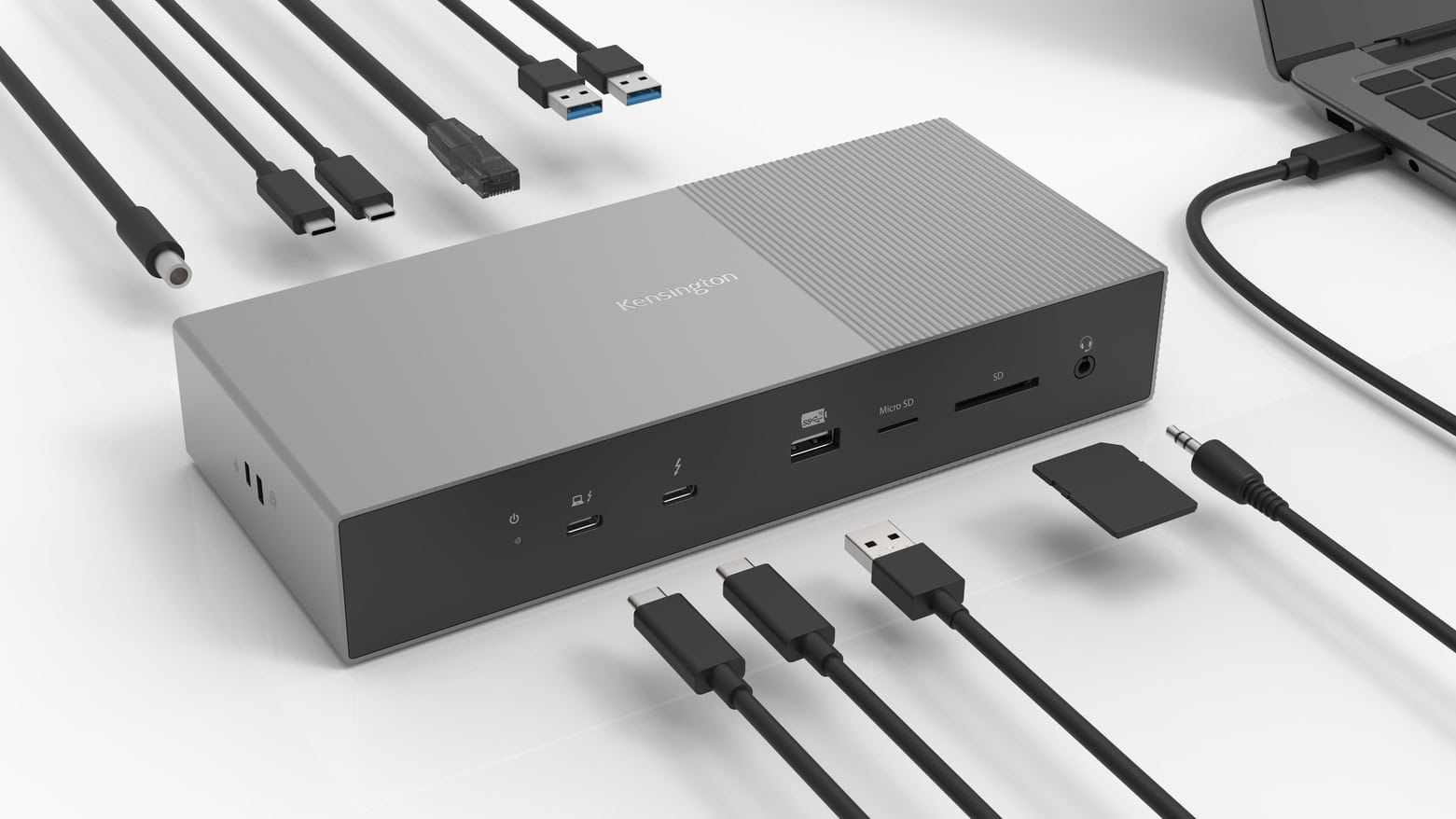
The Kensington SD5000T5 EQ Thunderbolt 5 Triple 4K Docking Station offers cutting-edge features to creative professionals. Photo: Kensington
The Kensington SD5000T5 EQ Thunderbolt 5 Triple 4K Docking Station is the first Thunderbolt 5 dock to get Intel certified. It boasts 11 ports and delivers data transfer speeds up to 120 Gbps (15,000 MBps).
The dock is intended for professionals and content creators.
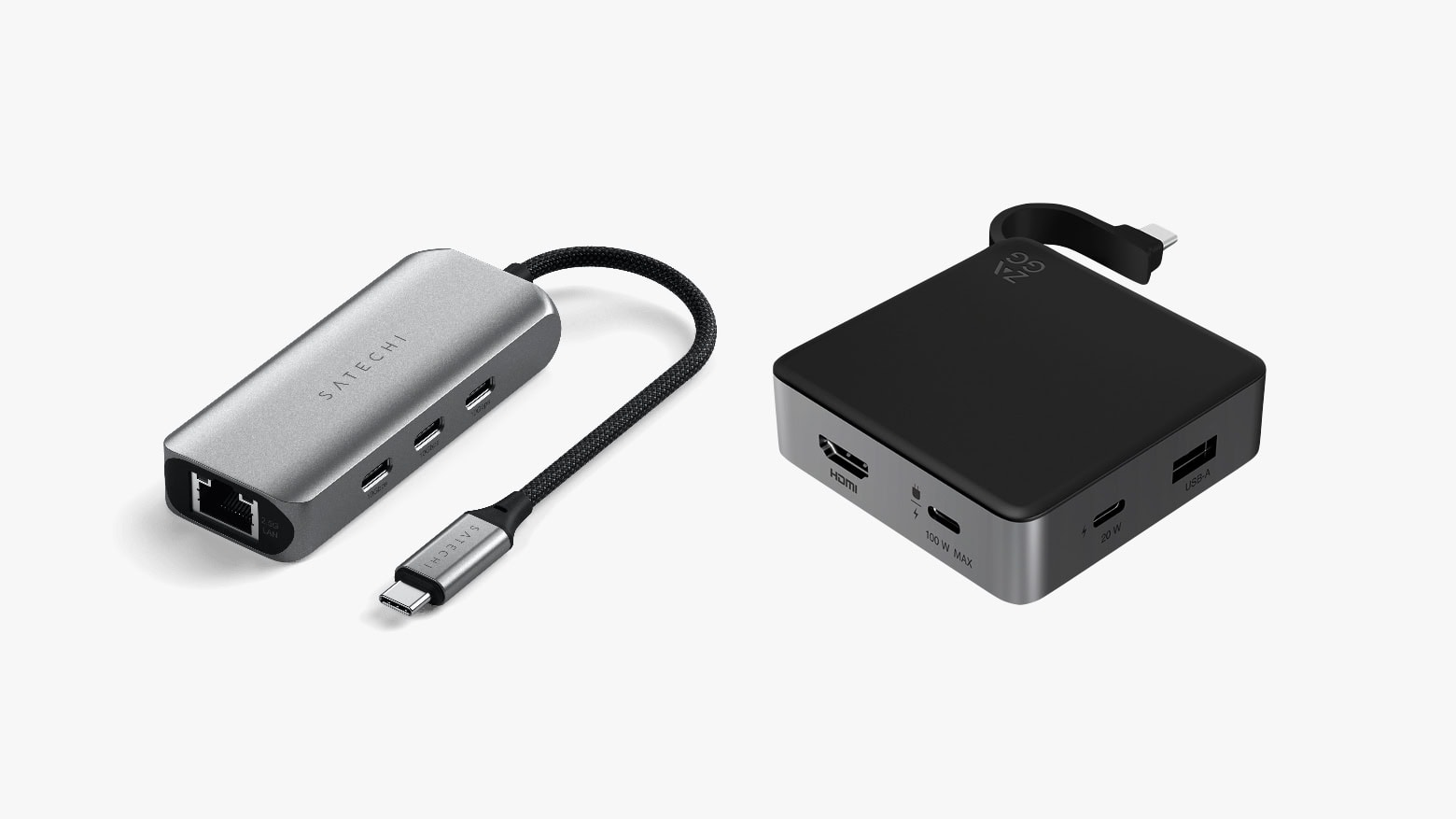
Both Satechi (left) and Zagg (right) offer small travel hubs with additional USB-C ports. Photo: Satechi/Zagg
The new Satechi 4-in-1 USB-C Hub With 2.5 Gigabit Ethernet expands a Mac with a trio of high-speed USB-C ports and fast networking. It launched Thursday at an affordable price. Alternatively, there’s the Zagg 4-Port Hub, which offers a pair of USB-C ports, USB-A and HDMI.
Either of these hubs can make a MacBook into the center of an extensive office setup on the go.
This user sought advice on good docks to connect his MacBook Air to a display. Photo: [email protected]
There’s a lot to love about M1 MacBooks, but easy connectivity with multiple external displays isn’t on the list. So people often wonder which dock or adapter might suit their need to use one or more external displays with the laptop. Today’s M1 MacBook Air user asked for advice and got it. You can check out the three main recommendations for a good dock for MacBook Air below.
Plugable's new iMac hub is also a small shelf. Photo: Plugable
Plugable AD-6IN1 is a six-port hub designed specifically for iMac that connects to the desktop’s stand so it doesn’t clutter up the user’s desk. It can even be used as a small shelf.
In addition, Plugable introduced a small USB-C Ethernet adapter that can also supply power to a notebook or tablet.
The Belkin Auto-Tracking Stand Pro can be your virtual cameraman, whether you're making a TikTok video or simply on a video call. Photo: Belkin
The Belkin Auto-Tracking Stand Pro is the first-ever accessory to work with Apple DockKit. Using this tech, it can hold up an iPhone, rotate and tilt to keep the camera focused on the user during video calls.
After being announced CES 2024 in January, the accessory reached the market on Friday.
Thunderbolt 5 means this upcoming Kensington multiport dock offers transfers at up to 120Gbps. Photo: Kensington
Kensington on Monday unveiled one of the first docks using Thunderbolt 5, a new version of the networking standard that’s up to three times the speed of its predecessor. The SD5000T5 will sport an array of ports, and support dual 8K displays.
Also at CES 2024, the accessory-maker took the wraps off a trio of USB-C docks.
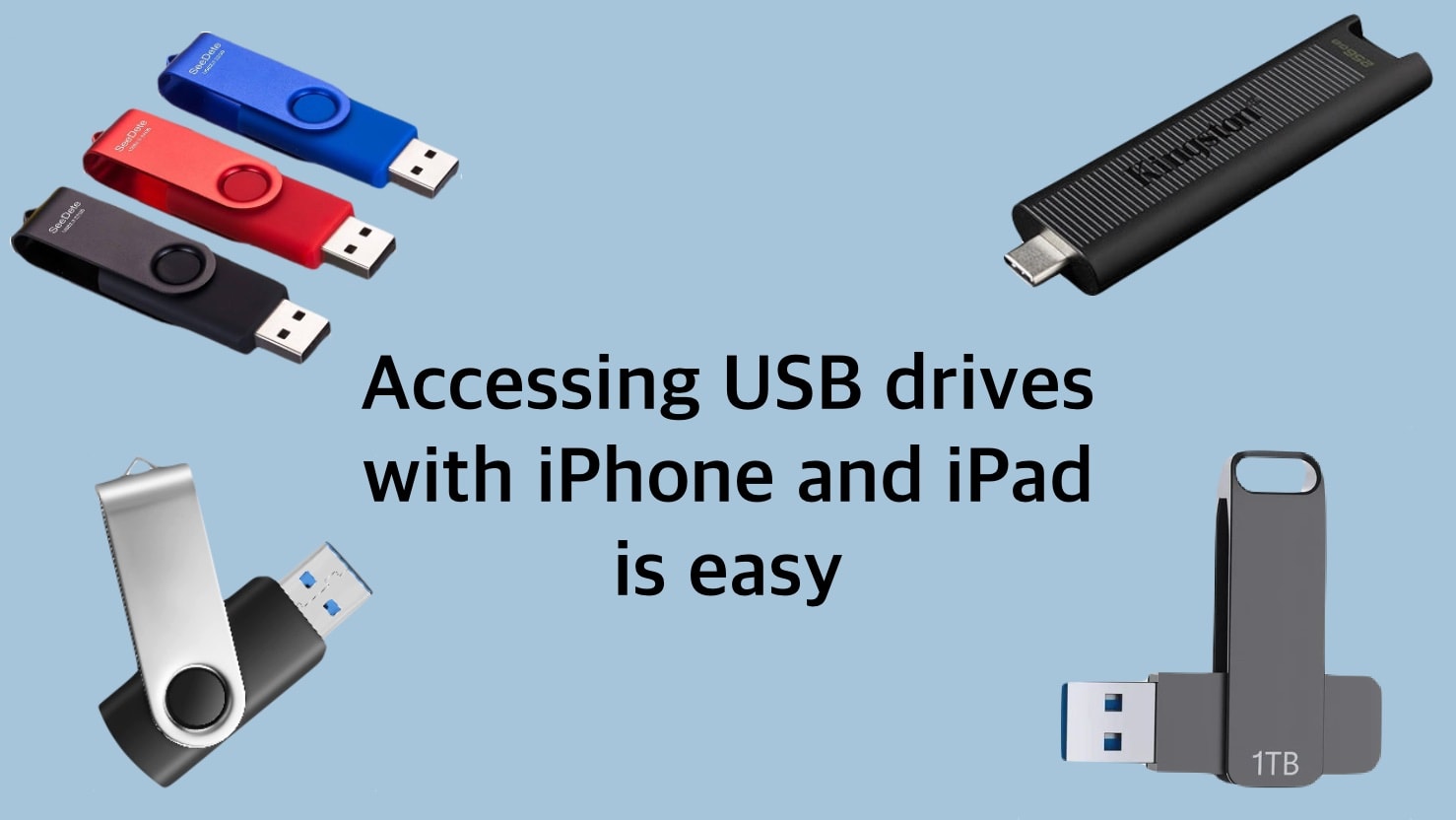
Using a USB drive with iPhone or iPad is much easier than it used to be. Image: Ed Hardy/Cult of Mac
The world is full of USB drives, from portable thumbdrives to full external SSDs. Happily, you’re not closed off from these just because you use an iPhone or iPad. Connecting to external drives has gotten much easier than it used to be.
And you’ll have full read/write access to everything on the drive. You won’t even need to install any software, as the app you need comes preinstalled on your device.
★★★★☆
The Plugable USBC-4IN1 can connect a 4K HDMI TV to a Mac or iPad, and add more high-speed USB accessories, too. Photo: Ed Hardy/Cult of Mac
The movies and shows on a MacBook or iPad can be easily played on a full-size TV, but many computers need an adapter to add the HDMI port. The Plugable USBC-4IN1 has just what’s needed, offering 4K video at 60Hz. Or Plugable’s USB-C dock is well suited for using an HDMI monitor to get work done.
Plus, it stands out from the pack with a USB-C port that supports simultaneous 100W power pass-through charging and 10Gbps data transfers. There’s a couple of high-speed USB ports, too.
I put the surprisingly affordable accessory through a series of test to see if it lived up to its promises. Here’s what I found.









![Easily connect your Mac to a TV with this very affordable 4-in-1 USB-C dock [Review]](https://www.cultofmac.com/wp-content/uploads/2023/08/Plugable-USBC-4IN1-review.jpg "Easily connect your Mac to a TV with this very affordable 4-in-1 USB-C dock [Review] ★★★★☆")