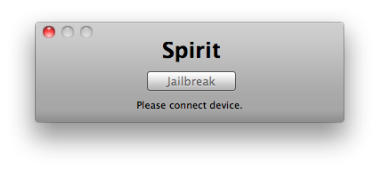
Spirit by comex allows you to jailbreak your device, to get complete control over it (see why you should jailbreak here). Currently, spirit allows you to jailbreak any device that has already been upgraded to firmware 3.1.2, 3.1.3 or even an iPad on version 3.2. However, it will NOT unlock the device, enabling it to be used with different GSM carriers worldwide.
The first thing you’ll want to do on your brand new iPad 3G is sign up for a data plan. It’s pretty easy, and you can do it right on the iPad. It’s basically half-a-dozen finger taps (except for typing in your credit card number of course).
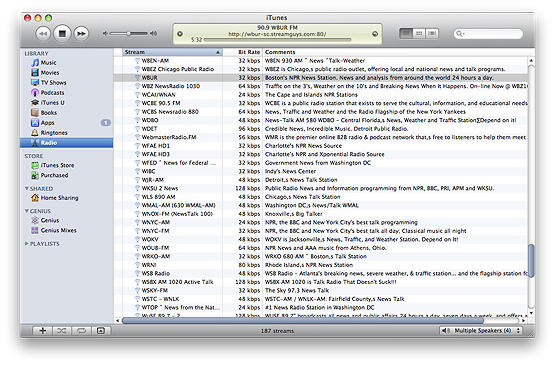
These days many people do some or most of their music listening on the computer, and much of that is managed with iTunes. It’s very nice to have such quick and easy access to your music library, podcasts and internet radio in one place, but by default these only play in the room where the computer is located.
Wouldn’t it be nice to listen throughout your whole house or office, and without breaking the bank?
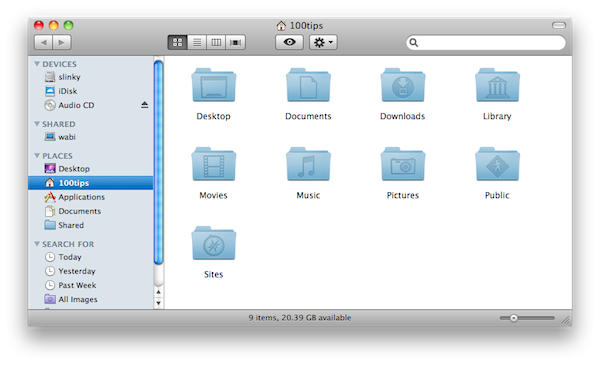
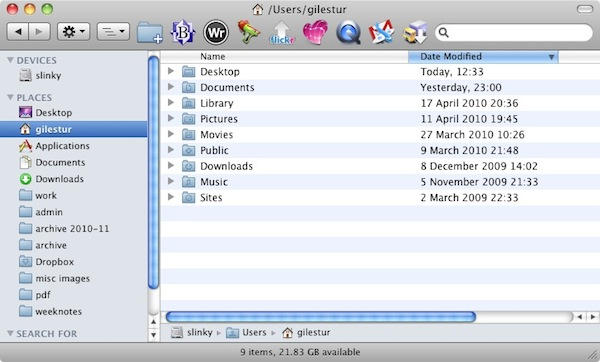
In the last tip, we showed you three standard views for looking at files in a Finder window.
There’s a fourth view, though. It’s called Cover Flow, and we’ve given it a tip all of its own because you’re likely to see it in many different places.
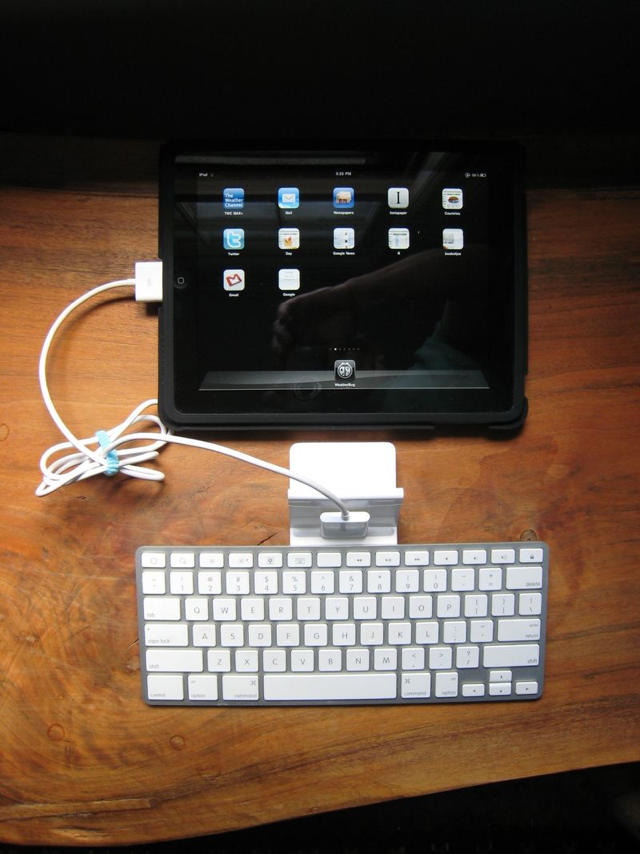
Apple’s own iPad dock gives an easy and handy way to use a physical keyboard with your tablet, but one annoyance is the official dock’s inability to allow you to type when the device is in a landscape position.
It’s slightly irritating, but the Book of Joe has an easy-to-follow instruction manual on how to dock your iPad in a landscape position.
Essentially, you prop up your iPad (in Joe’s case, with the official iPad case) and use an iPod cable extender to connect the iPad to the dock connector. It’s a lot more of a kludge than it has to be, and I imagine a bluetooth keyboard and a sixty-nine cent business card holder would be a better solution for the price. Still, if you’ve got this stuff lying around already, it’s not a bad hack… at least until a third-party accessory maker comes out with a dock that allows typing in both landscape and vertical orientations.
We’ve shown you a first generation iPhone dual-booting into Android OS, but want to do it yourself? You’re in luck! Here’s an easy to follow seventy step guide, simple enough for that even a drunk, googly-eyed neonate could figure it out.
We’re slightly kidding: a lot of this instruction list is devoted to things like setting up virtualized Ubuntu installs, so it’s really only fifty steps. Still, that’s an order of magnitude too many steps for a guy whose technical sophistication tops out at dragging the install icon to his Applications folder.
Are you Cylon enough to attempt it though? God speed, and let us know how you get along in the comments.
When you’re browsing a bunch of files in a Finder window, you can choose whether to view them as icons, as a list, or in columns. This tip shows you how to quickly switch from one view to another.
If only we could have experienced the iPhone in all of its glory from the initial release. 3G has only recently been opened to multimedia streaming. Tethering is still not available though the iPhone is fully capable. Why are we not video chatting with our loved ones these almost perfect devices?
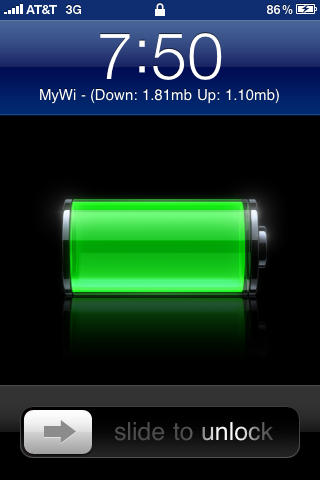
Jailbreaking that iPhone is currently the only way to tether your device to you Mac and get that sweet 3G data access to you 13″ Macbook. In fact, with MyWi, a jailbreak app from the Cydia Store, you can create your own WiFi hotspot similar to the Verizon MiWi. Better charge up that battery now.
Spotlight is the built-in search system in Mac OS X. You can get to it at any time by clicking on the magnifying glass icon in the very top-right corner of your screen.
Welcome to MacRx, a new category dedicated to some common setups, problems and headaches of All Things Mac. As we all know, how things should work isn’t always how they do work. Sometimes a little assistance can be in order.
This week an issue I’ve seen many users struggling with, Managing Bookmarks in Safari. As a Mac consultant I frequently run into clients who can’t find the bookmarks they’ve added to their systems, or have so many bookmarks saved that the list is virtually endless and unuseable.
Getting to know the ways in which Safari stores bookmarks, and coming up with a simple organizing scheme you can follow, will go a long way in preserving your sanity – or at least help save some time occasionally.
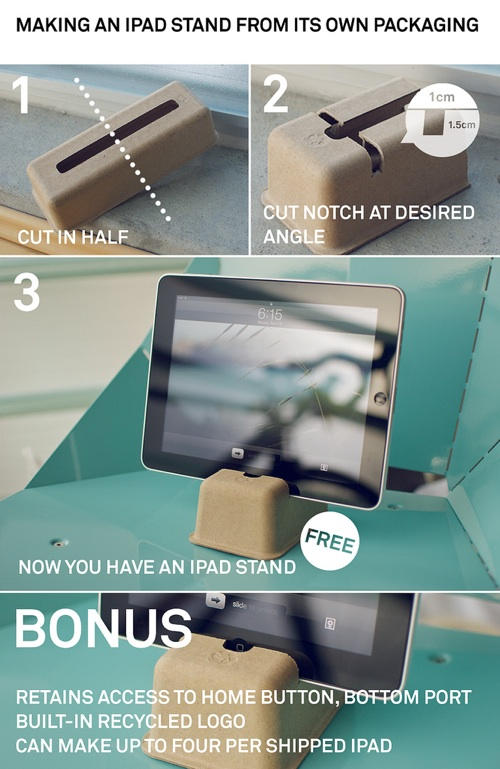
$0.69 for an iPad stand? Bah, we say. Ian Collins shows us all how to make up to four free iPad stands out of its own packaging materials. Ghetto? Perhaps. We prefer to call it recycling.
Some of our previous tips have guided you around the Dock, but you might not always want to use that.
Sometimes, you just want to quickly flit between applications, and constantly taking your hands off the keyboard to use the mouse or trackpad can be annoying.
This tip shows you a quick way to switch from one app to another, without taking your hands off the keyboard at all.
We’ve looked at the Dock, and we’ve looked at the Menu Bar. Today we’re taking our first look at Finder.
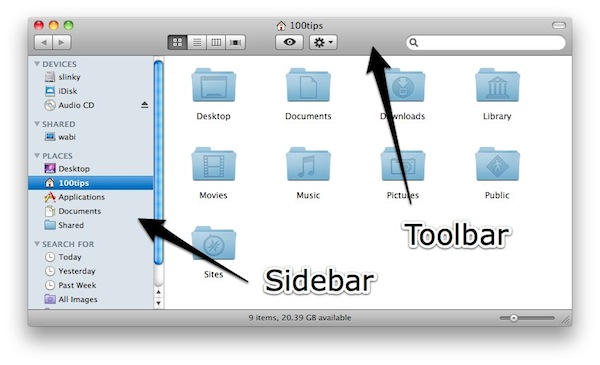
This is what you’ll see when you first start to use Finder in Mac OS X. Broadly speaking, it does the same job as Windows Explorer, but it does many of those things in different ways.
Before we go into any more detail (which we will, in forthcoming tips), it helps to understand the layout of a Finder window.
Last week, I wrote about an upcoming bullet hell SHMUP from Cave called ESPGALUDA II due to hit the App Store last Saturday. As promised, it did, and at a special low introductory price of $4.99 to boot.
Unfortunately, though, ESPGALUDA II came with some big problems.
For one, it would only run on the iPhone 3Gs or iPad. Even worse? Due to a developer error, third generation iPod Touches like mine were inexplicably incapable of running the game, even though the hardware supports it. This put iPod Touch owners in a nasty position: they either dropped five bucks on the ESPGALUDA II app now and hoped an update came along soon to fix the install problem, or waited for the fix and risk paying an extra four bucks for the game later.
If you’re a SHMUP-loving iPod Touch 3rd Gen owner, though, don’t despair. There’s an easy way to get ESPGALUDA II running on your device right now. Just follow the instructions below.
Exposé is a system built into Mac OS X, designed to help you find your way around windows and applications more easily.
When you have a lot of different windows cluttering up your screen, it can be hard to locate the exact one you want. Exposé makes it easier by momentarily displaying all of them, shrunk down a little so that they will all fit into view.
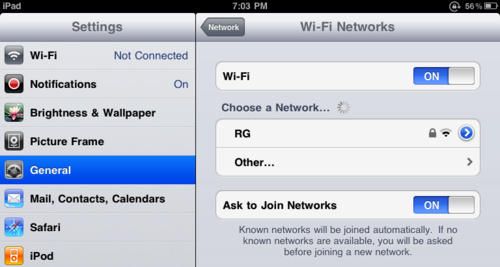
Having some problems with your iPad’s WiFi connection? Apple’s aware of the problem, and has some ideas on how to fix them.
According to Apple, the iPad might not automatically rejoin known WiFi networks using third-party routers that are dual-band capable (802.11 b/g and 802.11 n) when each band’s network uses the same name or use different security settings.
Apple’s recommendation? Try creating separate network names for each separate band’s network (ie: add a G to the end of the name of the 802.11 b/g band) and making sure both bands’ networks use the same security settings.
We’ve been lucky enough to not have this problem, but what about you? Is this solution fixing your problem, or is their a bigger issue afloat?
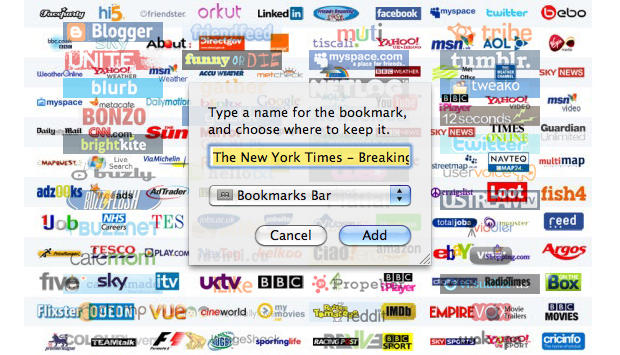
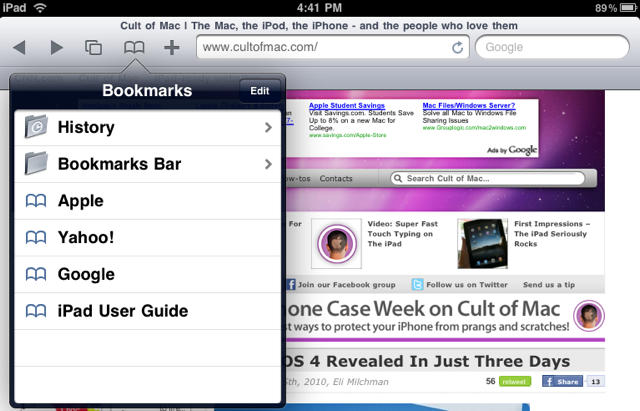
By having an iPad, you now have the internet in your hands (and probably on your couch), at least according to Steve Jobs. But are you wishing you had a bookmarks bar like in regular Safari? After reading this quick guide you soon will.
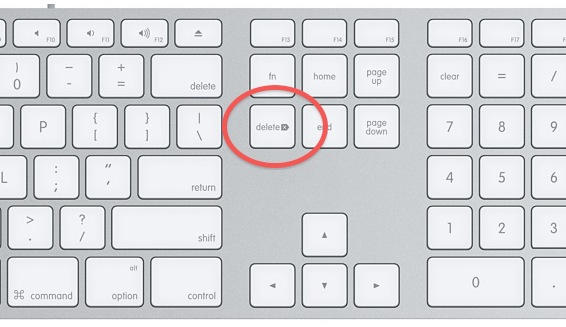
Windows PCs have two distinct keys for deleting text in different directions – delete and backspace. But on some Macs, there’s no sign of anything called “delete”. What gives?
It’s certainly not the prettiest (a Frankenstein) or the most powerful (a sloth) but it’s the one with the twenty hours of battery life spread between two interchangeable batteries always swinging from a satchel (read: man purse) on my hip.
What was once a lackluster Windows XP lilicomputer is now, thanks to the OSx86 project and this wonderful guide, the one Mac I’m always guaranteed to have on me.
A couple of weeks ago I canceled my MobileMe account. Why? Because it didn’t do the one thing I wanted it to do: share my calendar with my wife so we could coordinate our busy lives. That’s all.
I love MobileMe’s email, calendar, contact syncing (especially on the iPhone) and even iDisk. I gave Apple a year to improve it, but nothing happpened, so I switched.
Here’s how to recreate all of MobileMe’s features for FREE (except one) and how I use it to sync my iMac, MacBook and two iPhones.
In the Hackintosh community, the MSI Wind is somewhat legendary for being the first netbook out there that could essentially run OS X out of the box, with all features working and no hardware hacking required.
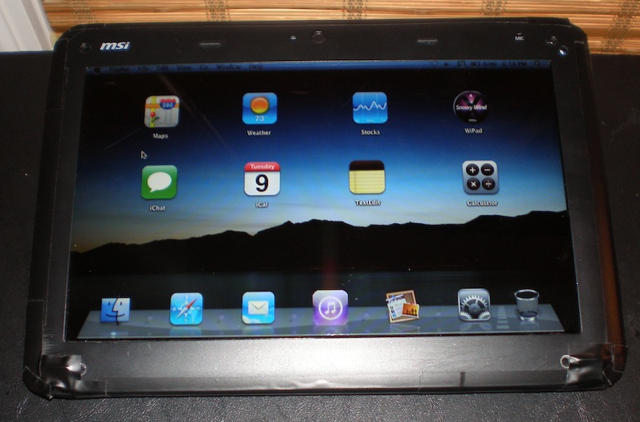
Now it looks like the venerable Wind has another Apple bragging point: with its keyboard ripped out and its display replaced with a touchscreen and reversed, the MSI Wind U100 makes a good poor man’s substitute for the iPad.
Sure, it doesn’t use the iPhone OS — it’s running Snow Leopard 10.6.2 — and it’s got some rough edges (it can only be turned on and off by wiggling a little paperclip in a hole), but if you were hoping that Steve Jobs was going to announce a MacTablet on January 27th instead of a big iPhone, this might be just the project to devote your weekend to.