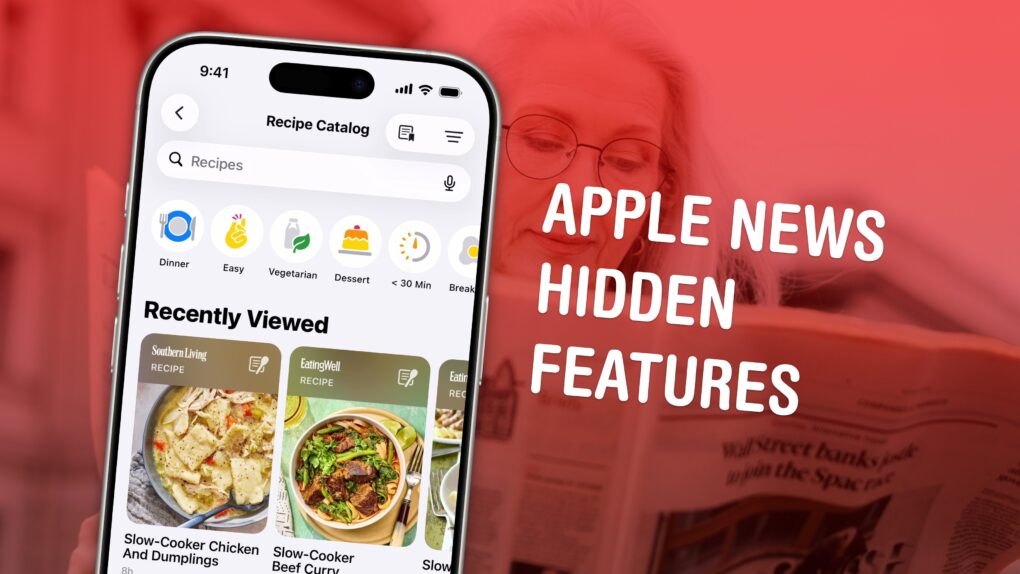
Apple News gives you a streamlined way to keep up with current events. It’s a sane, if somewhat generic-looking, way to stay on top of the news that matters to you. If you want more, Apple News+ offers paywall-free access to major publications, local news and magazines. And to sweeten the deal, it has fun daily puzzles, excellent recipes and audio stories.
Admittedly, not a lot of people pay for Apple News+ on its own. It’s hardly a fan favorite. But if you have the Apple One Premier bundle, you can enjoy all of its hidden benefits — here’s how to make the most of it. Keep reading or watch our quick video.
How to make the most out of Apple News+ features
As the way we consume news evolves, paywalls, rogue ads and clickbait are becoming the norm. And Apple News+ solves some of those problems. A standalone subscription costs $12.99 per month, but Apple News+ is also thrown in with the $37.95-per-month Apple One Premier bundle.
You might be an Apple News+ subscriber and not even know it!
Beyond its customizable news feed, which lets you follow your favorite topics as well as specific sources, Apple News+ offers loads of extras that make it even more compelling.
Table of contents: Under-the-radar Apple News+ features
- Free access to major news outlets
- Daily word games, crosswords, Sudoku and puzzles
- Tons of great recipes with easy-to-follow directions
- Free access to tons of magazines
- Audio stories you can listen to
- Follow Cult of Mac on Apple News
Apple News+ features access to The Washington Post, The Verge, The Wall Street Journal and more
Screenshot: D. Griffin Jones/Cult of Mac
Apple News+ offers access to hundreds of top-shelf publications, including many like The Washington Post, The Wall Street Journal, NYT Wirecutter and The Verge that place much of their content behind a paywall on their websites.
Your Apple News+ subscription means you can read those stories without paying a separate fee. And a cool Safari trick makes it easy to read these stories for free in the Apple News+ app.
Imagine this common scenario: You see an interesting article everyone’s talking about on Bluesky or Mastodon. You tap the link to open it in your browser, but you hit a paywall. (This happens to me just about every day.)
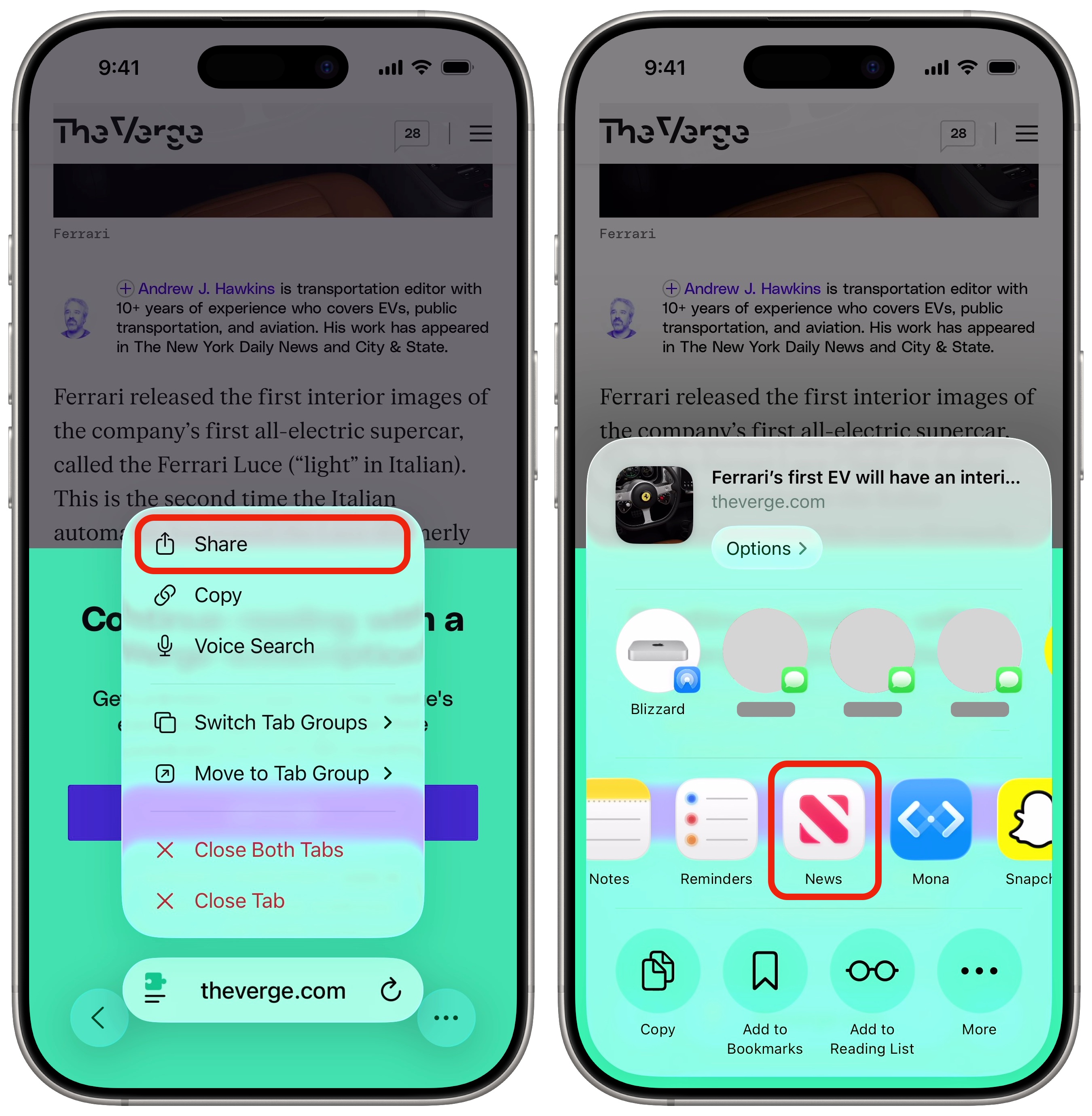
When that happens, there’s a quick way to open that paywalled link in the Apple News+ (if the publication is included in the app). Just tap the Share button in your browser, scroll through the list of apps (you might have to tap More at the end), then tap News. It’ll instantly open the same article, but in the Apple News+ app.
This works for non-paywalled stories, too, giving you the option to read them without the typical clutter of most ad-supported websites. (It’s similar, and in many ways superior, to Safari’s Reader mode and Hide Distracting Items feature.)
Daily word games, crosswords, Sudoku and puzzles
Screenshot: D. Griffin Jones/Cult of Mac
A staple of the print newspaper is was the daily puzzles. And, as Wordle proved for The New York Times, that tradition lives on in the digital age. Apple News+ is no different.
Game on Apple News+
Subscribers gain access to a bunch of games:
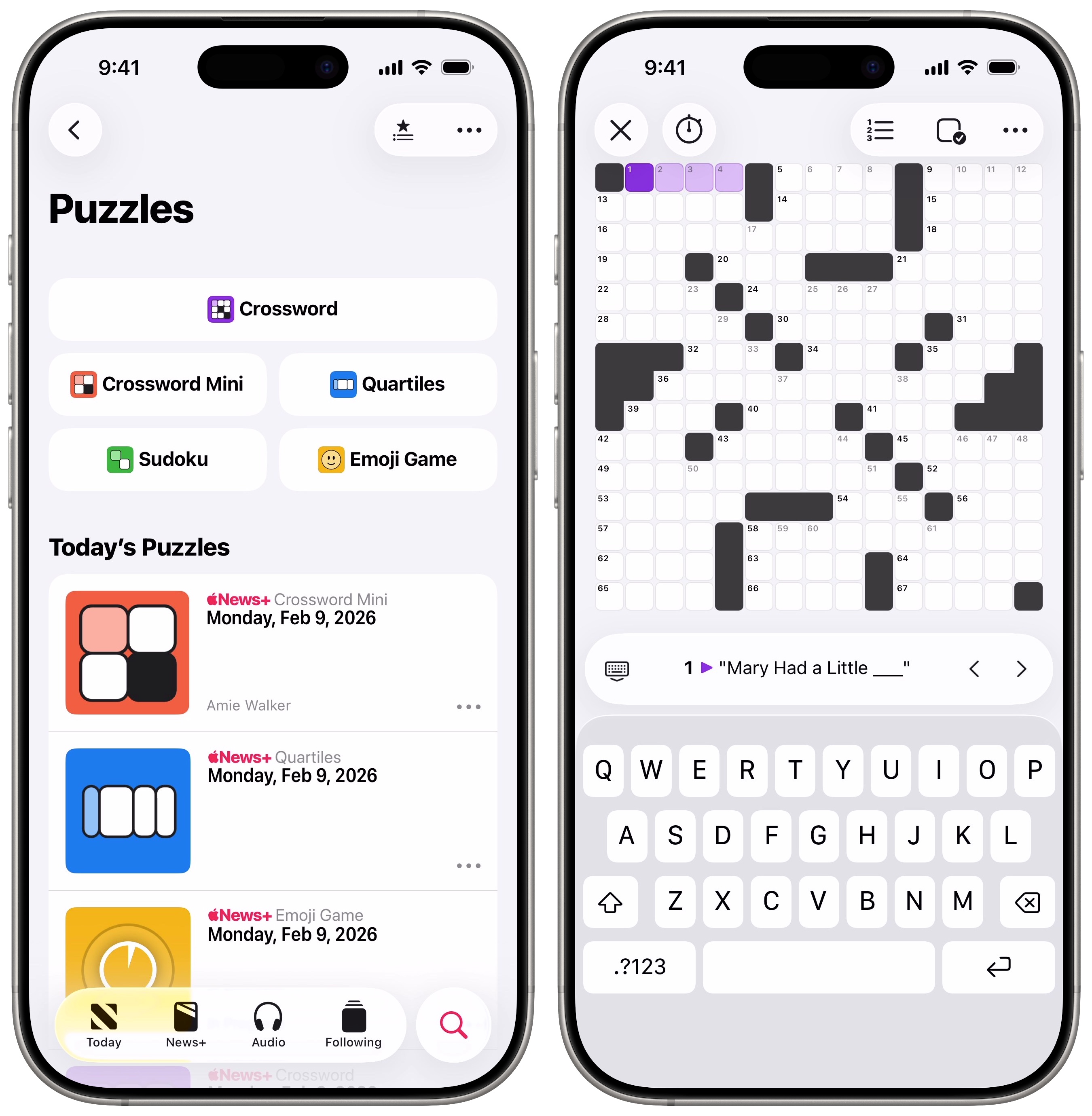
- Crossword is a full-size crossword puzzle that quizzes your trivia and word knowledge. Use the clues (and other words) to fill in the whole thing. It gets progressively harder from Monday to Sunday.
- Crossword Mini is no bigger than 5 × 5 tiles and can be done in a few minutes — less than a minute with a little practice. It’s one of my favorites. (For more info, read our post: How to play Apple’s daily crosswords on iPad and iPhone.)
- Sudoku is a number game, where each 3 × 3 segment of a 9 × 9 puzzle must contain all the numbers, 1 through 9. You need to figure out the one correct solution. Apple News+ offers up three daily puzzles: Easy, Moderate and Challenging.
- Quartiles shows you tiles containing word fragments, and you need to piece them together to make as many words as you can. Each puzzle always contains five words that are four tiles long — quartiles. It can be tricky to find them all! (For more info, read our explainer: How to play Quartiles, the daily word-building game in Apple News+.)
- Emoji Game presents sequences of emojis that represent words and phrases. You need to figure out what they mean and piece them together in the proper order. It’s surprisingly hard. (For more info, read Surprise! Apple releases Emoji Game early for World Emoji Day.)
I’ve gone through phases where my family, friends and I compete in the daily word games every single day, sending scores by text. They’re a lot of fun, and the interfaces are thoughtfully designed. It’s a smarter, and more rewarding, way to kill a little bit of time.
Apple News+ features tons of recipes with easy-to-follow directions
Screenshot: D. Griffin Jones/Cult of Mac
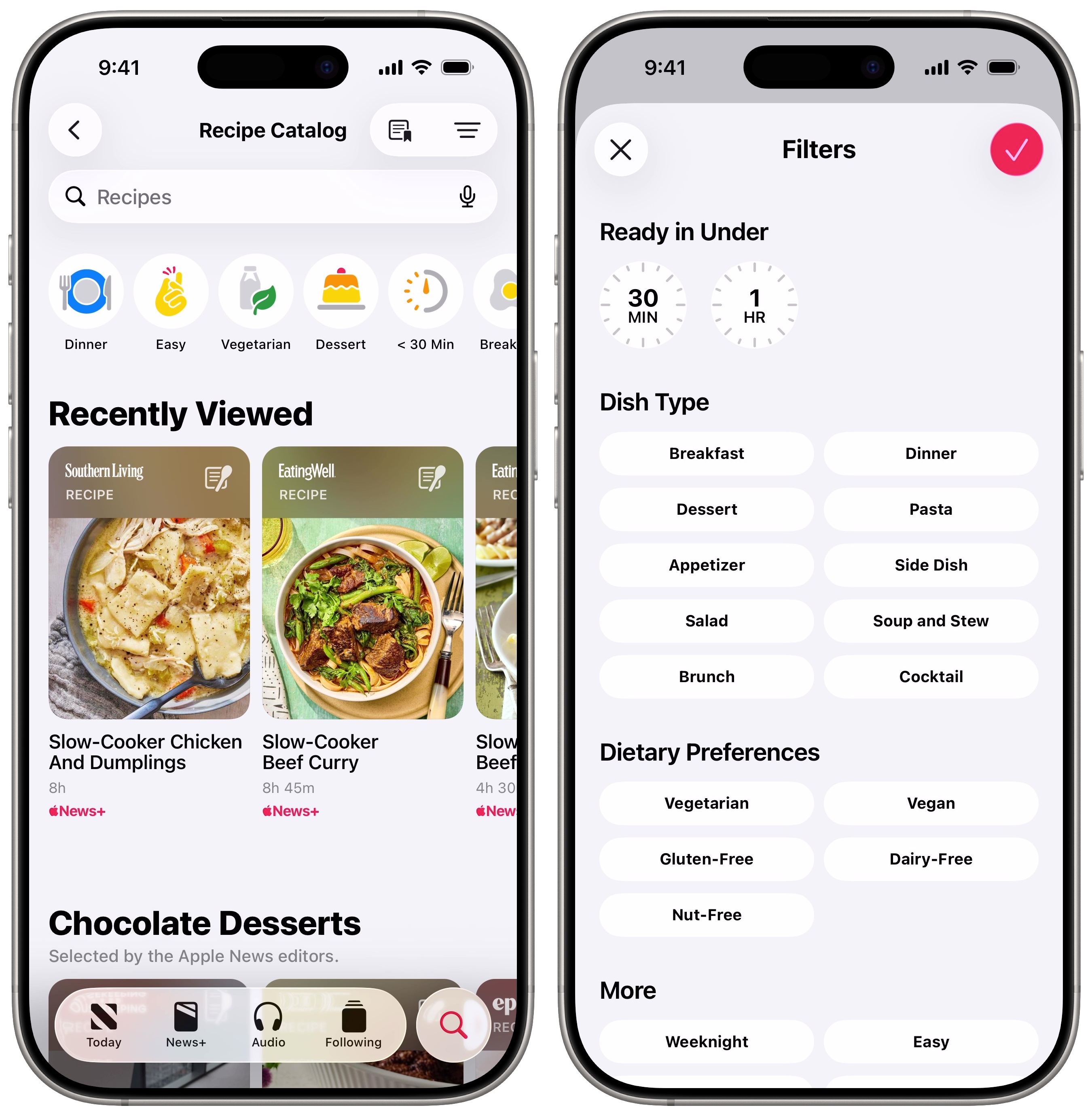
Apple News+ Food is a fantastic way to figure out what to make for dinner. It pulls excellent recipes from loads of trusted sources. You can filter through them using smart categories like Slow Cooker, <30 Min, Easy and Vegetarian. Plus, you can save your favorite recipes in a catalog so you know where to find them in the future.
All the recipes are nicely formatted, with easy-to-read instructions. And you don’t need to scroll past an essay about ingredients (or the author’s life story) to start cooking. The Apple News+ Food section provides a tab where you can see all the ingredients, and a tab that shows directions.
There’s even a special Cook mode that prevents the screen from dimming and shows you what to do step-by-step. You can quickly start timers and convert units with just a tap. It’s a great way to cook.
To find this great cooking resource, open the Apple News+ app, tap the Search tab, then tap Food. Read more about it in our detailed how-to: Find great new recipes with Apple News+ Food.
Free access to tons of magazines
Screenshot: D. Griffin Jones/Cult of Mac
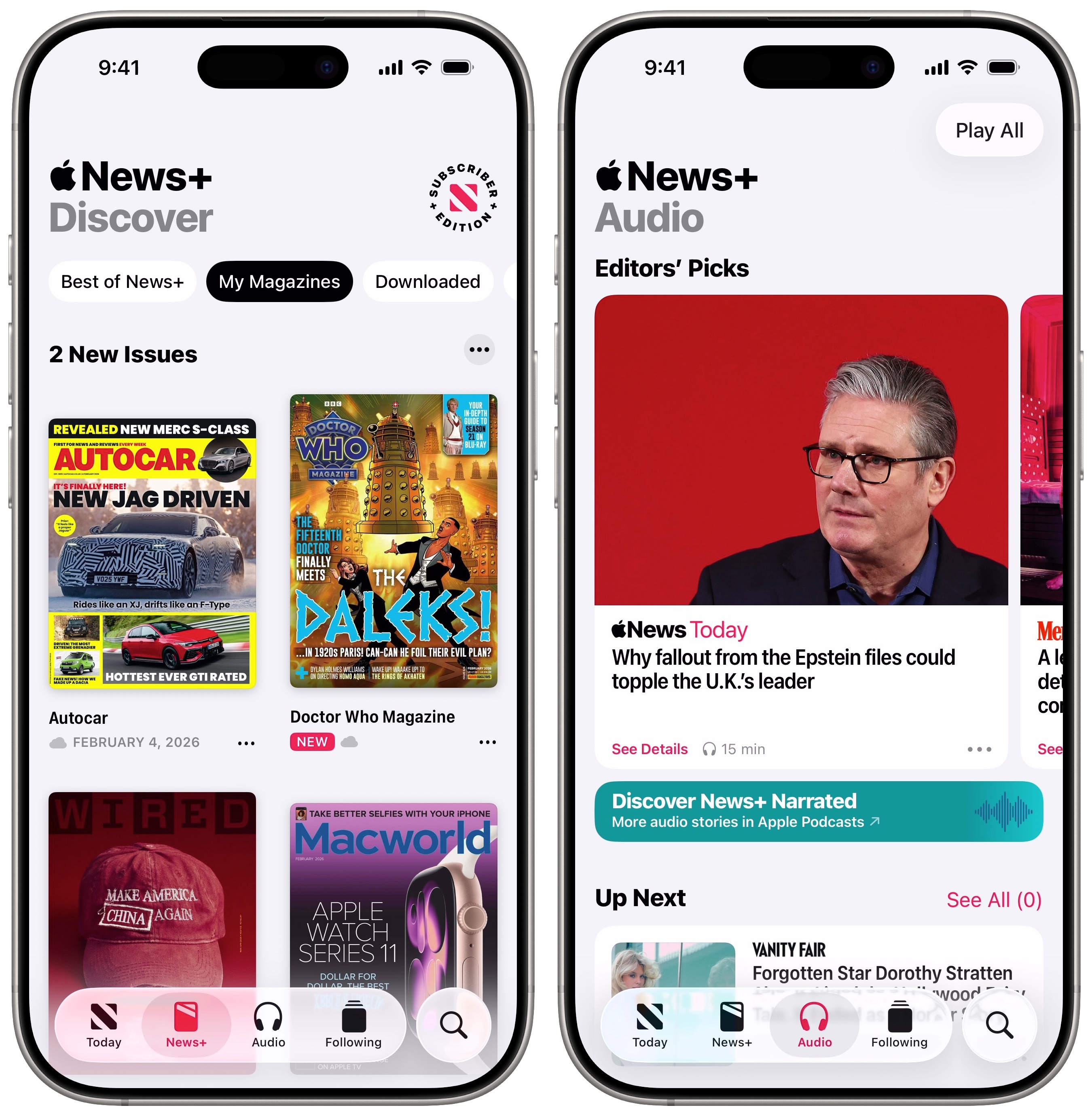
There are a bunch of great magazines in Apple News+, too, for longer-form reading. You can read top magazines like The Atlantic, Car and Driver, National Geographic, The New Yorker, Popular Mechanics, Wired and dozens more in the same distraction-free setting.
Personally, I was thrilled to learn Doctor Who Magazine was on the service, since I’m a super-fan of the show. I used to hear second-hand about all the interesting interviews and stories in each issue; now I can read it all for free.
Audio stories you can listen to
Another Apple News+ perk is all the audio stories. If you want to catch up on the latest goings-on while you’re letting the dog out or commuting to work, the audio stories are a great way to catch up. I have much more time for podcasts than I do for reading, because I can multitask while listening — do the dishes, tidy up, fold laundry.
You can browse the Audio tab in the News app, or follow News+ Narrated in Apple Podcasts. (If you like podcasts and Apple rumors and news, boy do I have another recommendation for you.)
Follow Cult of Mac on Apple News
If you’ve been encouraged to use the Apple News+ app more and try out those hidden features, don’t forget this last step. Follow Cult of Mac for more excellent how-tos, breaking news, user setups and thoughtful reviews. (And between you and me, the Apple News+ app is a nicer way to read the site!)
More on Apple News+
Now that you know about those five hidden features, check out our other deep dives on Apple News+:
- This one trick will make the Apple News app way better
- Is News+ the future of journalism? [Opinion]
- Apple News Today is an Apple News+ promo disguised as a peppy news podcast [Review]

D. Griffin Jones was a writer, podcaster and video producer for Cult of Mac. Griffin has been a passionate computer enthusiast since 2002, when he got his first PC — but since getting a Mac in 2008, he hasn’t turned back. His skills in graphic and web design, along with video and podcast editing, are self-taught over 20+ years. Griffin has a bachelor’s degree in computer science and has written several (unpublished) apps for Mac and iOS. His collection of old computers is made up of 40+ desktops, laptops, PDAs and devices, dating back to the early ’80s.
Griffin writes for his personal blog, Extra Ordinary, and is currently looking for work.


3 responses to “5 under-the-radar features that make Apple News+ even better”
Wonderful tips, thank you! That first one will be especially helpful! One thing I wish Apple News did was allow you to have any story read aloud. I love this feature in Google News and would be great if Apple did the same. Any idea why Apple hasn’t yet done this? Thanks!
You could use Accessibility Reader to have your phone read to you, which I’ve written about here: Make your iPhone read text out loud
Love this tips, I knew them but reading the article just made me remember how good News is and how I should use it more often! One problem I have with it is not being able to choose Fonts. Some article use horrible thin fonts that are very difficult to read and that really puts me off. I wish I could customise that.