Apple Creator Studio and Adobe Creative Cloud take very different approaches to creative software. One focuses on deep hardware integration and streamlined workflows, while the other prioritizes breadth, flexibility and industry-standard tools.
Both of these subscription app bundles promise powerful creative capabilities. However, which one actually makes more sense depends on your requirements, capabilities and workflow.
Our guide to Apple Creator Studio versus Adobe Creative Cloud will help you decide which bundle is right for you.
Apple Creator Studio vs. Adobe Creative Cloud
You might think that Apple’s Creator Studio Bundle is a great alternative to Adobe’s more expensive Creative Cloud. But that’s not exactly the case.
The two bundles might look similar on the surface, but they offer very different capabilities.
The Creator Studio bundle is a great pick for anyone already deep into Apple’s pro apps ecosystem. However, for more serious work, it’s almost impossible to beat Adobe Creative Cloud.
Apple Creator Studio vs. Adobe Creative Cloud: Which one makes more sense for you?
- What apps do you get in the Apple Creator Studio bundle?
- AI features in Keynote, Pages, Numbers and Freeform (future addition)
- What apps do you get in Adobe Creative Cloud?
- Adobe’s cloud-based services and collaboration tools
- Performance: Speed versus capability
- Pricing
- Conclusion: Which creative suite makes more sense?
What apps do you get in the Apple Creator Studio bundle?
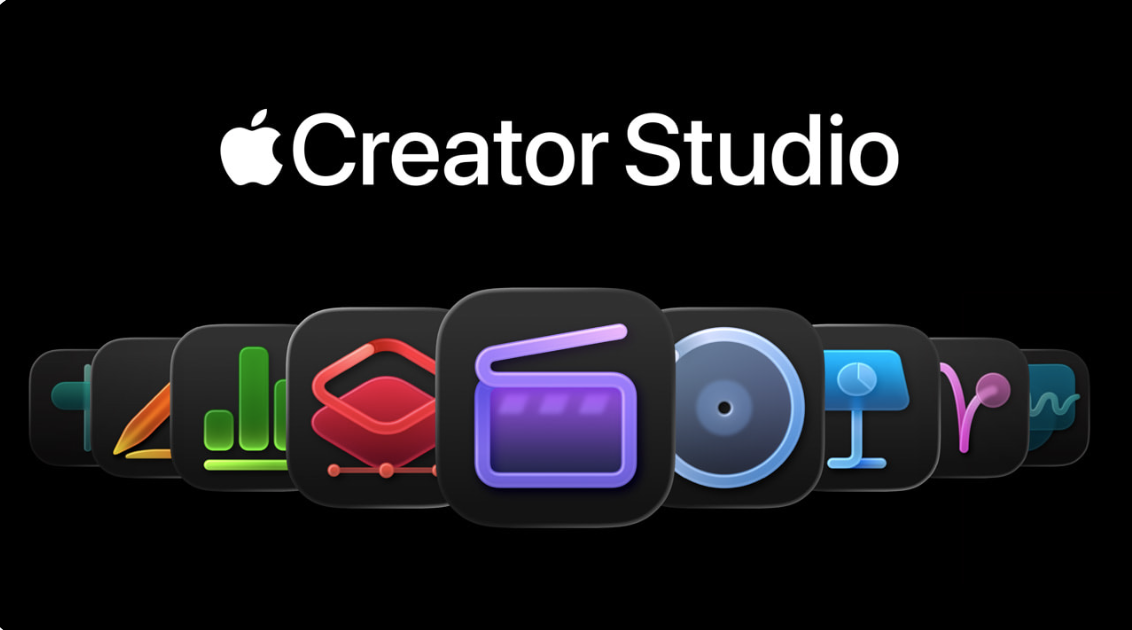
Photo: Apple
Apple Creator Studio bundles the company’s pro creative apps in a single subscription. Instead of buying individual tools separately, you gain access to Apple’s full suite for video editing, music production, image editing and live performance, along with premium features across Apple’s productivity apps.
Additionally, Creator Studio provides access to new AI-powered features inside the existing apps. These include AI-assisted tools inside Final Cut Pro and Logic Pro, as well as enhanced capabilities in Keynote, Pages, Numbers and Freeform.
With a Creator Studio subscription, you gain access to the following apps:
- Final Cut Pro (Mac and iPad) for professional video editing
- Logic Pro (Mac and iPad) for music production and audio editing
- Pixelmator Pro (Mac and iPad) for photo editing and graphic design
- Motion (Mac) for motion graphics and visual effects
- Compressor (Mac) for advanced video encoding and export controls
- MainStage (Mac) for live performance and music playback
AI features in Keynote, Pages, Numbers and Freeform (future addition)
An Apple Creator Studio subscription also unlocks premium and AI-assisted features in Apple’s productivity apps:
Keynote
- AI-powered first-draft creation from a text outline
- Automatic slide layout and design cleanup
- Access to premium presentation templates and themes
Pages
- Premium document templates and design assets
- Intelligent image tools, including Super Resolution upscaling
- Auto Crop for optimizing image placement within documents
Numbers
- Magic Fill to automatically generate formulas and populate tables based on patterns
- Premium chart styles and enhanced data-visualization templates
Freeform (coming later)
- Additional premium templates and visual assets
- New intelligent tools for collaborative brainstorming and ideation
What apps do you get in Adobe Creative Cloud?
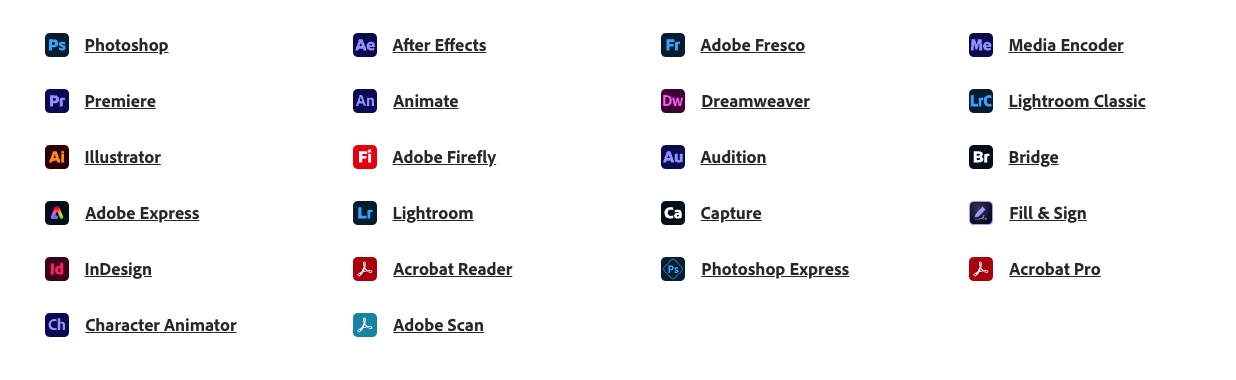
Photo: Adobe
With Creative Cloud Pro, you get access to Adobe’s full lineup of professional creative tools spanning design, photography, video, audio and web production. While Apple Creator Studio only works with Apple devices, Creative Cloud works across macOS, Windows, iPadOS and the web. Obviously, this gives Adobe’s suite a key advantage over Apple’s offering when it comes to cross-platform creative workflows.
With a full Creative Cloud subscription, you gain access to more than 20 apps, which work on a variety of platforms:
- Photoshop for photo editing (and Adobe Photoshop Express on mobile)
- Premiere for video and film editing
- Illustrator for vector graphics
- Adobe Lightroom, Adobe Lightroom Classic and Lightroom Web for editing, organizing and sharing photos
- InDesign for page design and layout
- Adobe Express for creating and graphic, video and photo content on social media
- After Effects for motion graphics and visual effects
- Audition for recording, mixing, editing and restoring audio
- Premiere Rush for creating and sharing online videos
- Adobe Character Animator for animation
- Adobe Firefly for generative AI
- Adobe Dimension for product shots, branding and other marketing needs
- Adobe XD for designing web and mobile apps
- Dreamweaver for designing, coding and publishing websites
- Acrobat Pro and Acrobat Reader for working with PDFs
- Adobe Fresco for drawing and painting (on iPad and Windows 10)
- Adobe Scan for scanning papers and whiteboards as PDFs
- Bridge for managing files and assets of creative projects
- InCopy for writers and editors to manage and style text (works in conjunction with InDesign)
- Adobe Media Encoder for ingesting and transcoding media files
- Adobe Portfolio for building personal websites to show off creative work
As you can see, Adobe Creative Cloud includes an extremely wide array of highly specialized apps, versus Apple Creator Studio’s much more limited slate.
Adobe’s cloud-based services and collaboration tools
Beyond apps, Adobe Creative Cloud Pro also includes some compelling extras. You gain access to 30,000-plus Adobe Fonts as well as Behance, the platform built to connect creators with people looking to hire them.
It also comes with cloud-based services and collaboration tools. As a subscriber, you get Creative Cloud Libraries for shared assets, 100GB of cloud storage for syncing files across devices, in-depth tutorials, and collaborative review features that make it easier to work with teams and clients.
As for AI features, Creative Cloud provides access to Generative Fill in Photoshop, text-based video editing in Premiere Pro, and 4,000 monthly generative AI credits.
Photo: Adobe
As is evident, Adobe Creative Cloud offers a far more comprehensive lineup of apps as part of its subscription, covering nearly every creative segment.
By comparison, Apple’s Creator Studio is more focused and selective in scope. While it can work well for solo creators, small production teams, and Apple-centric workflows, it falls short for more demanding use cases. For large teams, complex projects, or work that spans design, motion graphics and cross-platform collaboration, Adobe’s ecosystem remains the more practical choice.
Performance: Speed versus capability
One of Apple Creator Studio’s biggest advantages is how tightly its apps are optimized for Apple hardware.
Apps like Final Cut Pro and Logic Pro are built specifically for macOS and Apple silicon, allowing them to take full advantage of the M-series chips’ unified memory, media engines and power efficiency. In real-world use, this translates to smoother timelines, faster exports and lower thermal loads.
Due to this, high-resolution video playback, real-time effects and background rendering often feel more fluid on Macs, even on relatively modest hardware. This is especially evident on MacBooks, where sustained performance and battery life take a big hit with Adobe apps.
However, that performance advantage comes with trade-offs. Apple’s Creator Studio apps are more opinionated in design and narrower in scope. While they excel at common workflows, they are not as powerful or specialized as Adobe’s tools. Advanced motion graphics, complex compositing and niche professional workflows are either limited or not supported at all.
By contrast, Adobe Creative Cloud prioritizes capability over efficiency. Apps like Premiere Pro, After Effects and Photoshop offer far more advanced features and broader format support than Apple’s software. However, they are also heavier and more demanding on system resources.
Even on Apple silicon Macs, Adobe’s apps can feel slower than Apple’s while consuming more power and generating more heat during intensive workloads.
Apple Creator Studio vs. Adobe Creative Cloud: Pricing
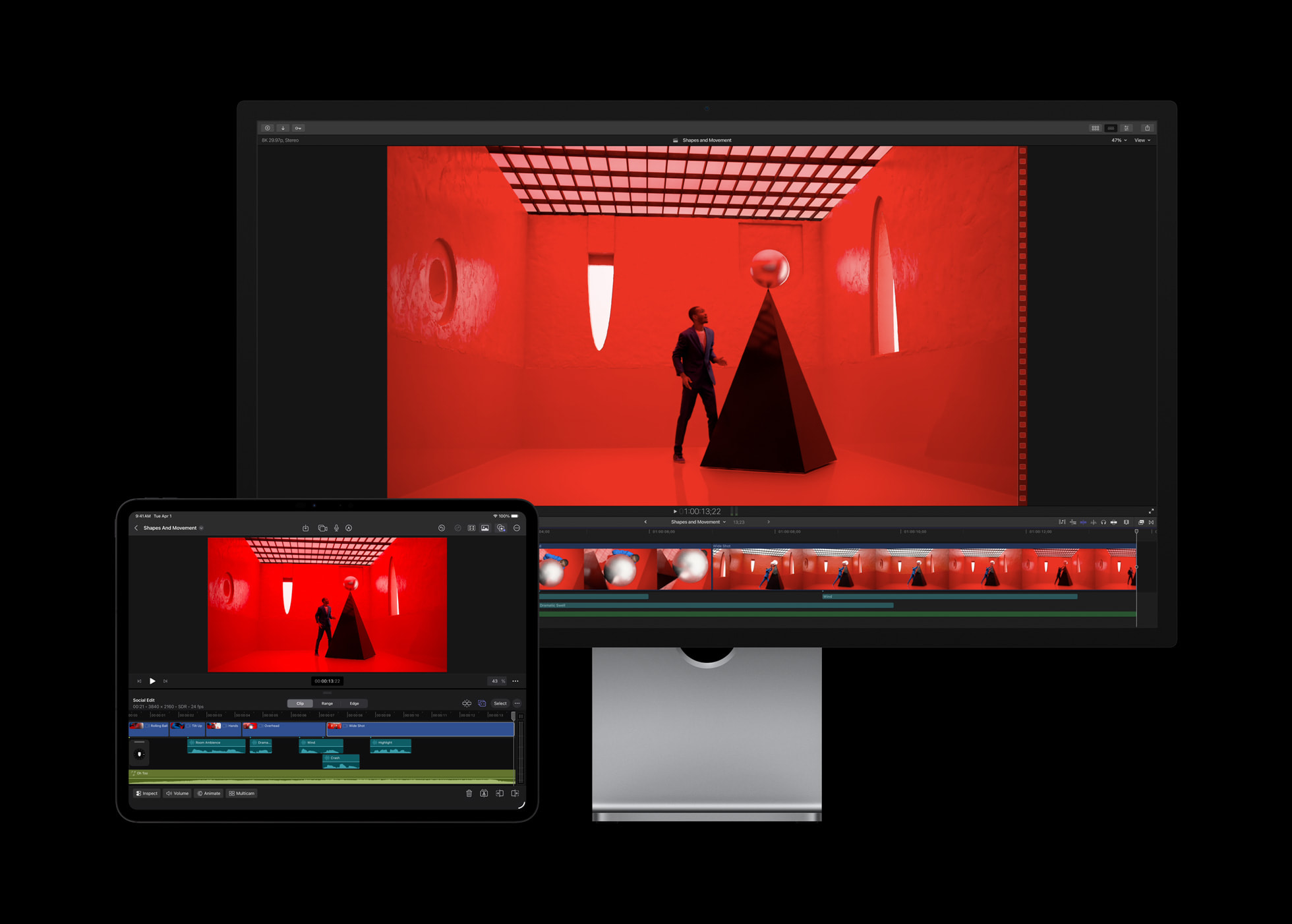
Photo: Apple
When it comes to pricing, there’s a big gap when pitting Apple Creator Studio versus Adobe Creative Cloud.
Apple’s bundle is significantly cheaper, costing $12.99 per month or $129 per year. New Mac owners also get a three-month trial, while existing users receive a one-month trial. Students benefit from even lower pricing, with the bundle available for $2.99 per month or $29.99 per year.
What makes the deal even better is that you can share the Apple Creator Studio bundle with up to six members through Family Sharing.
By comparison, Adobe Creative Cloud plans cost much more — especially if you want a month-to-month plan. (Adobe offers significant discounts for year-long commitments.)
The Adobe Creative Cloud Pro subscription, which includes all the apps, costs a whopping $104.99 per month. That drops to $69.99 per month when billed annually. Or you can pay $779.88 for the full year at one go. This is more than six times more expensive than the Apple Creator Studio bundle.
Adobe offers the more affordable Creative Cloud Standard plan with 20-plus core apps like Photoshop, Illustrator, Premiere and Acrobat Pro. But even this bundle costs $82.49 per month ($54.99 per month when you subscribe for the full year). If you pay outright for the full year, the price comes to $599.88.
For photographers, Adobe offers a special plan with only Photoshop and Lightroom that costs $29.99 per month ($19.99 per month when billed annually or $239.88 for a full year).
To get the best pricing, Adobe also requires a full year-long commitment. Canceling an annual subscription before the term ends triggers additional fees.
For students and teachers, Adobe offers a 64% educational discount on the Creative Cloud Pro plan. This drops its monthly price to $24.99 (billed annually), but again, it requires an annual commitment. Plus, the steep discount is only available for the first year. After that, the price jumps to $39.99 per month (billed annually).
Adobe’s high subscription fees effectively put Creative Cloud out of reach for most users. Unless you’re a highly paid professional who relies on these tools daily, or working for a company that foots the bill, the cost and the long-term commitment are hard to justify. And despite the high price, you cannot share your Adobe subscription with friends or family members.
If you don’t want to get into subscriptions, you can individually buy Apple’s professional apps. Adobe does not offer a similar option, although you can subscribe to individual apps (at high monthly rates).
Conclusion: Which creative suite makes more sense?
Apple Creator Studio and Adobe Creative Cloud cater to very different types of creators.
Apple’s bundle shines when it comes to performance, efficiency and tight integration with Mac and iPad. It is an excellent option for creators who value speed, stability and a streamlined workflow within the company’s ecosystem.
For solo creators and small teams working primarily with video, audio or presentations, Apple Creator Studio offers a compelling and cost-effective option.
Adobe Creative Cloud remains the more versatile and capable suite overall. Its extensive app lineup, deep feature set, cross-platform support and collaboration tools make it better-suited for complex projects, mixed-device environments and professional design or VFX work.
While it demands more system resources and a higher investment, it also provides flexibility that Apple’s more focused bundle cannot match.

Rajesh has been writing about consumer technology for over a decade, with a strong focus on iPhones, Macs and Apple’s ecosystem. He enjoys digging into Apple software updates, hardware changes, and discovering new Mac apps that make work faster and more enjoyable.
You can reach out to him at mail[at]rajeshpandey.me.


2 responses to “Apple Creator Studio vs. Adobe Creative Cloud: Which creative suite should you choose?”
Use Apple’s suite for whatever you can — I prefer to buy and own my apps (like Final Cut Pro). You also can buy one or more of the Affinity apps if you need photo editing, page layout, or graphic design. They’re $75 each, no subscription required. Just say NO to subscriptions, a forever drain on your bank account.
Dude… AFFINITY IS **FREE**!!!
🙄
And the rest of this article is just COMPLETE NONSENSE and misses the entire – and entirely DIFFERENT – point of both packages. SO ignorant. Pure click-bait that screams “Sponsored by Adobe!!” (notice the ads here on the page 😒)