Mobile menu toggle

Charlie Sorrel - page 112

Fujifilm X100 Is The Best (Digital) Camera I Have Ever Used [Review]

By

IMG_6042.JPG
X100S by Fujifilm
Category: Cameras
Works With: Uh, hands?
Price: $1,200

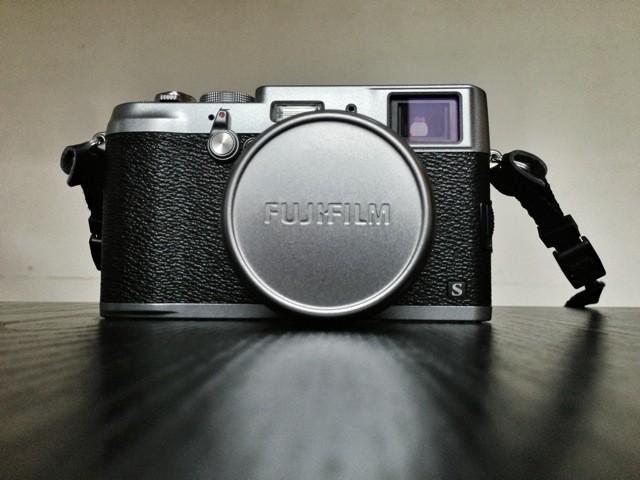
First, remember one thing: this isn’t a full review of the Fujifilm X100S, even though I had to write it up there in the title to please our CMS. I’ve only had the thing for a few days, and even though Cult of Mac isn’t DP Review, a few days isn’t enough to evaluate an iPhone case, let alone a camera like the X100S.

On the other hand, the X100S is So Hot Right Now, and I’ve been staying up tip 3AM since I got it because I can’t stop playing with the thing. Combining those two interesting facts leads me to think that an in-depth first look might be a good idea — especially as you can now convert the RAW files on your Mac using the just-released Lightroom 4.4.

Let’s take a look — You might want to go make a cup of coffee first.

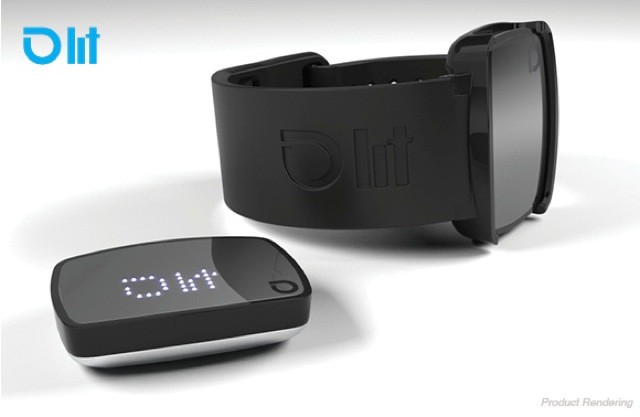
LIT Tracker Measures Big Air, McTwists And General Rad-Ness

By

LIT.jpeg

Remember when your phone seemed neat because it could actually tell you where you were on a map? That seems pretty quaint now that the gyroscopes and compasses and magic location beetles [1] not only tell our photons where they are, but how they’re moving and even which direction they’re pointed in.

And now that same quantum leap is about to happen in the world of personal fitness trackers. Oh boy.

Ulysses 3 Lands In The App Store With $20 Introductory Price Tag

By

main-001.jpg

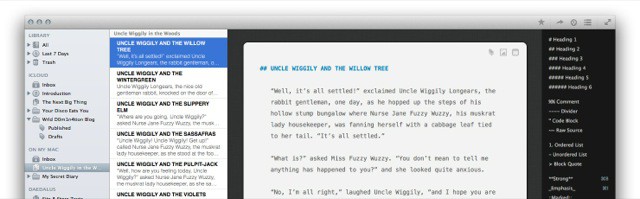
Ulysses 3, the awesome next-generation text editor from the Soulmen, has just landed in the Mac App Store. It's $20 for a week, going up to $40 after that, and is worth every damn penny. And lest you think I'm some pussy-assed blogger who gets everything for free, I'm not. I just dropped my $20 like everyone else. And this is despite the fact that, so Killian tells me, I have a quote right there on the MAS page.

Beautiful Acoustic iPhone Speaker Dock — With DIY Plans

By

iphone-diy-box.jpg

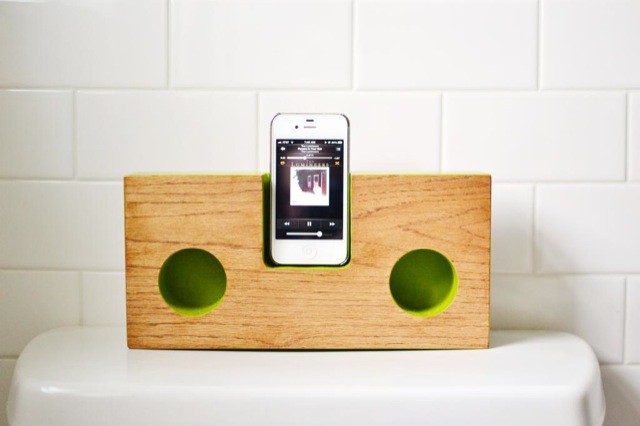
You could easily make your own iPhone amplifier dock from a shoebox. Or better, an old wooden wine case. Or best of all, you could get out your clamps, drills, router and hot glue and go medieval on some pile of wood’s ass. If you choose the latter route, then you should download the plans (totally SFW) from Renee at Red Bird Blue – her amazing creation is what you see in the picture above.

What Your Instagram Filter Says About You

By

What-Your-Instagram-Filter-Says-About-You3.jpeg

What’s your favorite Instagram filter? We all have one. Mine is X-Pro, and I almost never use anything else (except for no filter, which – according to Statigram – is my second most used “filter.”)

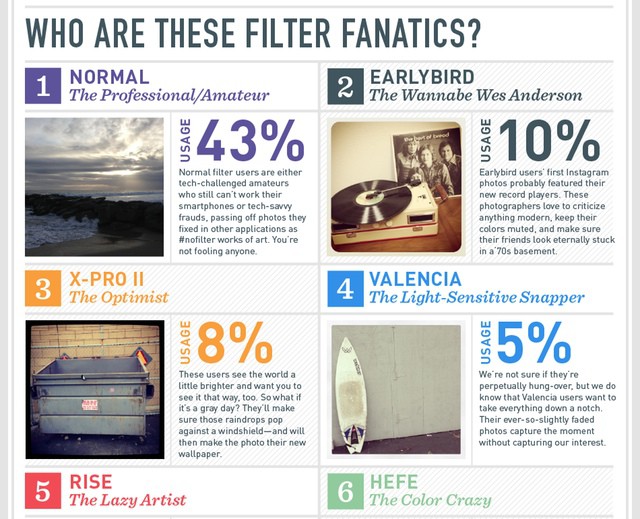
But what does this excessive use of one particular look say about me? Or – less importantly – about you? Luckily, there’s an info graphic for that, and it tells you your personality type according to InstaFilter Preference:

X-Pro II

The Optimist

The users see the world a little brighter and they want you to see it that way too. So what if it’s a gray day? They’ll make sure those raindrops pop against a windshield – and will then make the photo their new wallpaper.

Better is the definition of a “Normal” shooter. Anyone who goes commando in Instagram is either a techno-illiterate idiot, incapable of even tapping on a brightly-colored thumbnail, or “tech-savvy frauds, passing off pictures they fixed in other applications as #nofilter works of art. You’re not fooling anyone.”

As somebody whose first Instagram picture was a “#nofilter work of art,” imported into my iPad 2 from a Panasonic GF1, I can say that this entry at least is pretty accurate. Go check the rest out at the links below.

Source: Marketo

Via: Apartmant Therapy

Digested Sucks Notes And Highlights From iBooks And Spits Them Out In Evernote or PDF

By

Screen-Shot-2013-04-03-at-12.00.58-PM.jpg

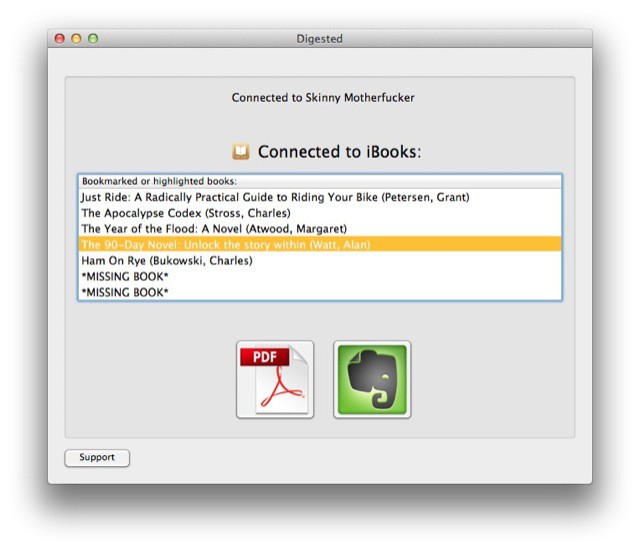
It seems like just yesterday that I was complaining about the lack of sharing and export in iOS reading apps… Maybe that’s because it was only yesterday. I was actually moaning about Read Later apps, but I mentioned Kindle and iBooks as being equally bad.

Now, just a day later, I discover that there’s a free Mac app which will suck the notes and highlights out of your iBooks and package them up in a nicely-formatted PDF, or direct to Evernote. It’s called Digested, and it does exactly what it says it does.

Lightroom 4.4 Updated With Support For Fujifilm’s Awesome X100S

By

lr44.jpg

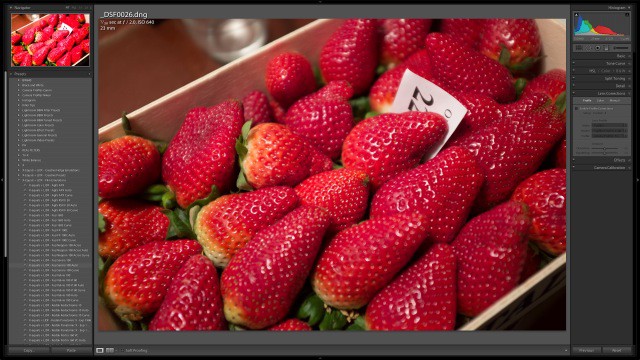
If you’re the proud owner of a Fujifilm X100s camera, then today is yet another happy day for you: Lightroom has been updated to v4.4 and now supports your camera’s wacky X-Trans sensor, the clever sensor which removes the need for an anti-aliasing filter by placing the color pixel filters in an irregular grain-like pattern.

And of course the update supports a whole bunch more camera (listed below), as el as fixing bugs.

Move Over Instapaper And Pocket: DotDotDot Adds Notes, Tags And Comments [Opinion]

By

dotdotdot.jpeg

Just before the weekend, a new Read Later app launched. Yes, you rightly shout, there are a ton of these apps around already. Hell, even Safari can save pages off line for reading later. But the new app/service, called DotDotDot, shows what these services should be. It’s not polished (it’s an early beta), but it already shows up the competition.

Which brings me to “the competition.” I just ditched Instapaper, the grandaddy of read-later apps, for Pocket. Why? Read on.

Picfari App Guides You To The Best Travel And Vacation Photos

By

picfari.jpeg

Picfari is a smart little iPhone app which tells you where all the best photos are to be taken – wherever you are. Say you’re on vacation in, I don’t know… Barcelona, Spain. Fire up the app and it’ll not only let you browse photo hotspots, it’ll also pull in great sample shots from places like Flickr, and even give you some tips on getting the best shots.

Cyclemeter Adds Support For Wahoo RFLKT iPhone Bike Computer

By

Cyclemeter-RFLKT.JPG.jpeg

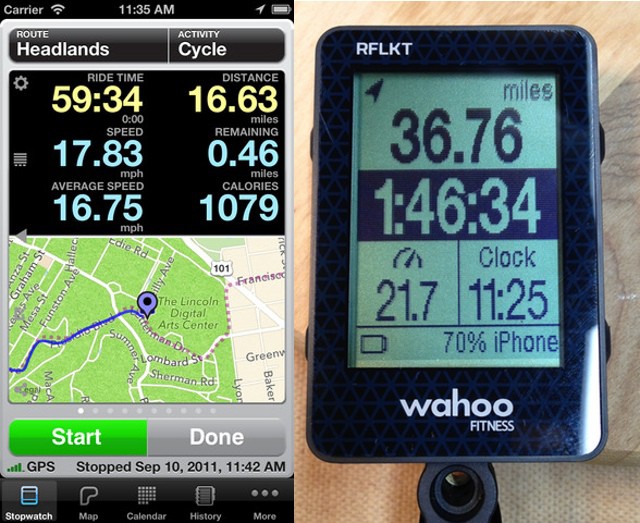
Good news for those of you who were unfortunate enough to have dropped $130 on the Wahoo RFLKT (ROFL!) Bluetooth 4 iPhone HUD for your bike. One of the best iPhone cycling apps – Cyclemeter – has just been updated to support your fragile dongle. There’s bad news, too: You’ll have to drop another $3 on an in-app purchase to enable the new feature. Insult, meet injury.

AluFrame, The Classiest Bumper Case, Like, Ever

By

alufram.jpg

Just Mobile, the folks behind many handy aluminum Mac and iOS accessories (like the pencil-impersonating AluPen stylus, and the AluRack laptop mount) has just busted out three new gadgets. There’s the AluCup – a plastic and aluminum desk-tidy in the shape of a cup; the HeadStand, which is a headphone holder/hanger for your desk, and the AluFrame, a fancy aluminum bumper for the iPhone 5.

Rich Notes: The Rich-Text Text Editor For iOS [Feature]

By

cult_logo_featured_image_missing_default1920x1080

Here’s a little something that might get you formatted-text nerds excited: Rich Notes, yet another new text-editing app, lets you write on the iPad in rich text. That is, you can italicize and embolden your words right there on the page. Yes, this works with some other apps, but Rich Notes lets you use keyboard shortcuts to do it. If you have an external keyboard hooked up, CMD-B and CMD-I will do just what they do in every desktop app.

Rich notes comes from the developer DenVog, who also makes the excellent Index Card app for iPhone and iPad. It’s due to launch on February 20th. Let’s take a look:

X-Doria’s Shield Case For iPhone Is Rugged And Good-Looking [Review]

By

IMG_0497.JPG
Shield by X-Doria
Category: Cases
Works With: iPhone 5
Price: $40

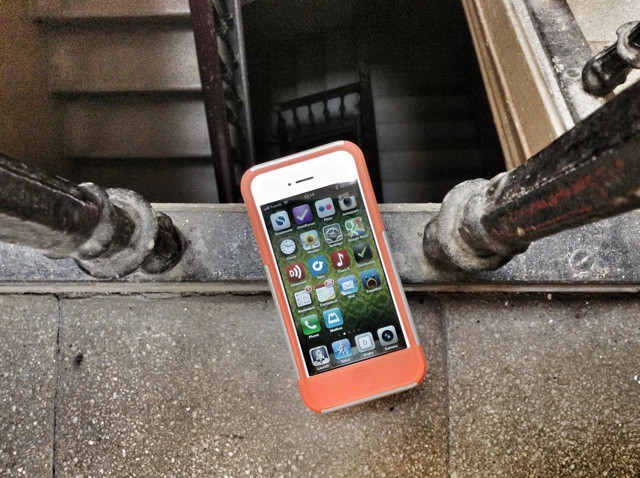
As you already know, I swing more or less caseless when it comes to iPhones and iPads. I cover the iPad’s screen with a Smart Cover, and have a dedicated jeans pocket for the iPhone. But once in a while eI need something more rugged, and that’s when I reach for X-Doria’s Shield, a multi-layer case which adds minimal weight and bulk but quite a good bit of protection:

Hackers Can Grab Control Of Your Camera Via Its Wi-Fi SD Card

By

IMG_1546.JPG

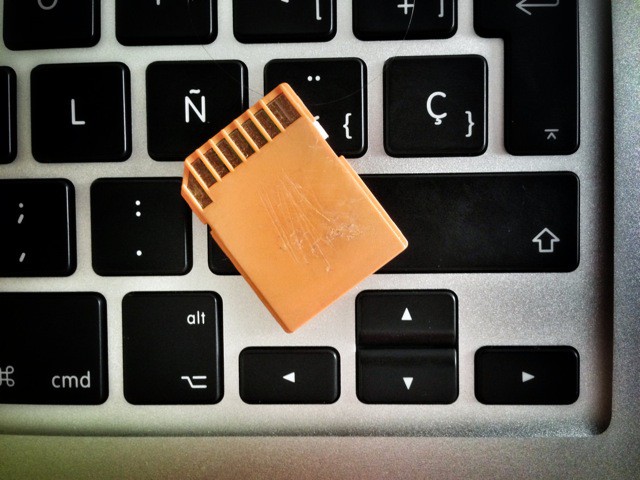
Do you use an Eye-Fi or other wireless card to send pictures from your camera to your iPhone or iPad? Or maybe you have one of those fancy cameras with built-in wifi? Well, be careful: If the card’s network isn’t locked down, then it’s as vulnerable to hacking as an unsecured home network. And depending on your setup, attackers could gain access to your camera and its photos, and even seize control of the camera’s functions.

Beautiful Curved Sne iPad Stand: $90 For A Piece Of Plywood

By

sne-stand.jpeg

Having just discovered that my beloved PadPivot iPad stand also works great with a closed MacBook Air (the 13-inch), you’d have a hard time convincing me to buy another iPad stand, especially one which only has a single angle of view, and which only holds the iPad in horizontal mode.

However, the Sne Stand, fashioned as it is from beautiful bent Baltic Birch plywood, is certainly tempting. Right up until you get to its $90 price tag.

Ulysses 3 Might Be The Mac’s Best Text Editor [Preview]

By

ulysses.jpg

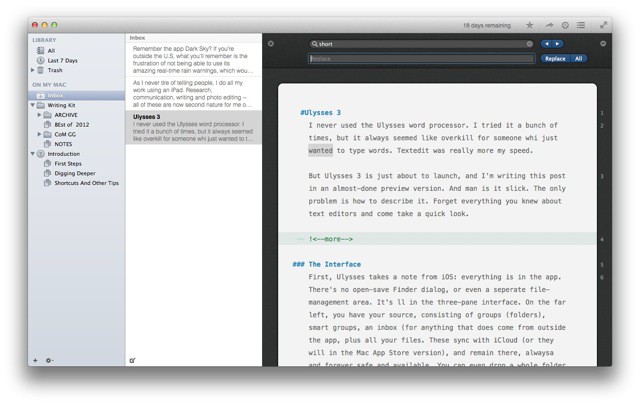
I never used the Ulysses word processor. I tried it a bunch of times, but it always seemed like overkill for someone who just wanted to type words. Textedit was really more my speed.

But Ulysses 3 is just about to launch, and I'm writing this post in an almost-done preview version. And man is it slick. The only problem is how to describe it. Forget everything you knew about text editors and come take a quick look. It really is something completely new.

1Password Safari Extension Updated… With Animations!

By

1pupdate.jpeg

If you’re not using 1Password on your Mac and iOS devices, you might as well just package up your bank and credit-card details, your passwords, your passport and your ID, and mail the parcel off to Russia or China, clearly marked “FAO: Identity Thieves. ”

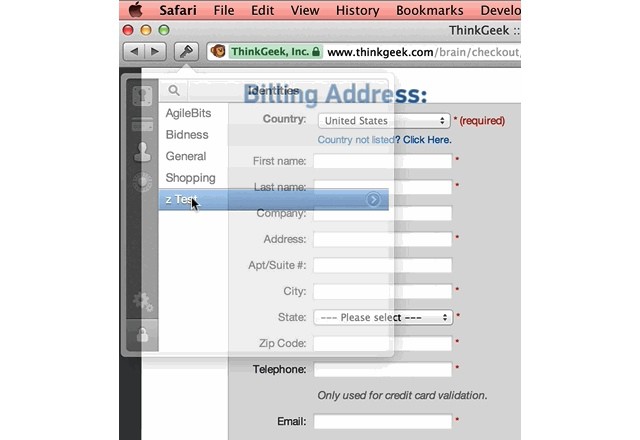
If you are using 1Password, then you’ll be pleased to know that the Safari extension just got a great update. Sure, it brings lot of improvements under the hood, but what we’re interested is the new animated form filling.

Doctor’s Hack Turns iPhone Into Hookworm-Detecting Microscope

By

shitscope.jpeg

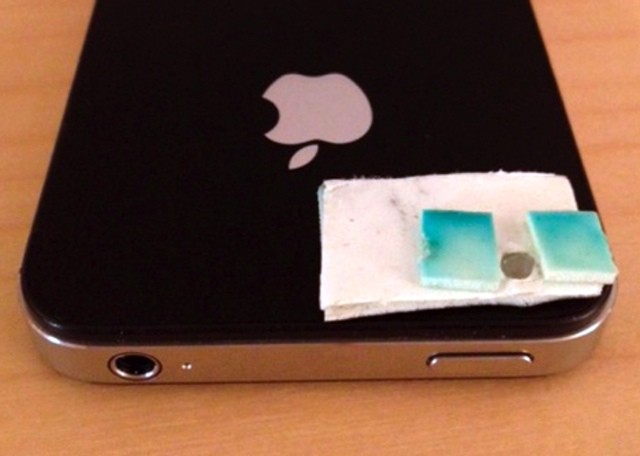
Do you know what a hookworm is? It’s a filthy parasite which hides in your intestine, secured by a its hooks, and feeds on your blood. Ugh. They affect around 600 million people in the world, and can’t be detected with the human eye. Why the hell am I telling your about this in the Cult of Mac? Because an enterprising Canadian doctor has hacked his iPhone to diagnose the presence of these filthy animals.

I’m Ditching The iPad For Work And Going Back To The Mac [Opinion]

By

wpid-Photo-24-Sep-2012-1439.jpg

As I never tire of telling people, I do all my work using an iPad. Research, communication, writing and photo editing – all of these are now second nature for me on both the iPad mini and the full-sized iPad 3. I love the portability, I love the stripped-down “workflow” which lets me get stuff done way faster than I can on the Mac, mostly due to lack of OS X’s inherent distractions.

In fact, I am so happy with the iPad as a work machine that I thought that I’d never buy another Mac. I figured that, by the time my iMac died, iOS would have caught up with most of the “truck” tasks I still need to do: keeping a big photo library, running a BitTorrent client.

So why am I writing this post on a brand-new MacBook Air? One thing: My arm is fucking killing me.

Elegant Mika iPad Stand Looks Like a Miniature iMac Foot

By

MA_26.jpg

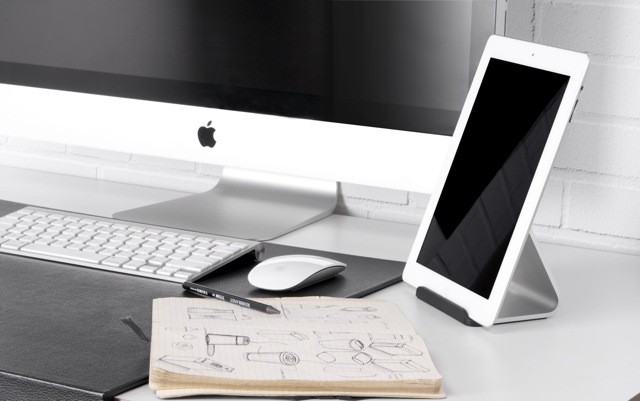
My huge 27-inch iMac is currently hanging on the wall thanks to a VESA mount and adapter, which means I’m intimately familiar with the heavy aluminum leg that used to hold it up. I have been looking for something to do with it other than using it to gather up dust under my bed, and now I think I have it: An oversized iPad stand.

Or I could just give Bluelounge $40 for the Mika, a “Universal” stand for anything vaguely tablet-sized.

Forecast, An Amazing Web App From The Maker Of Dark Sky

By

wpid-forecast.jpg

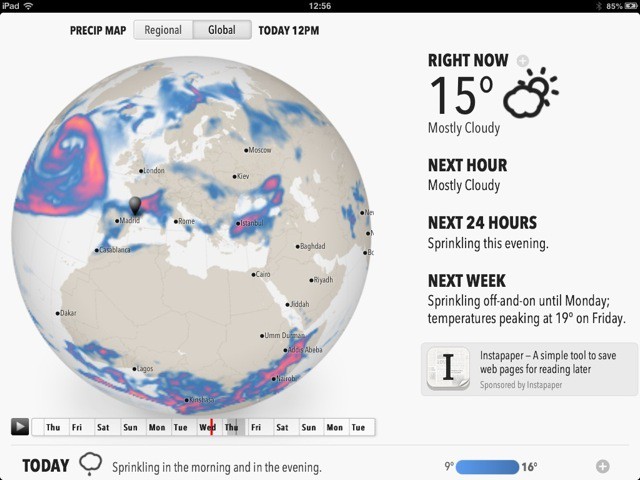
Remember the app Dark Sky? If you’re outside the U.S., what you’ll remember is the frustration of not being able to use its amazing real-time rain warnings, which would literally tell you when it would rain on your location in the next hour or so.

Now, the developers of Dark Sky have come out with Forecast, which works anywhere in the world, and will run on Android, iOS, the desktop, anywhere. How? It’s a web app.

Focus Point Beats Native iPad Photos App In Every Way

By

mzl.mgxtsrfs.480x480-75

The iPad is great for photographers, but the built-in Photos app sucks. You can’t change the viewing order. Making albums and moving photos is a multi-tap pain in the ass, and navigating is confusing even for the experienced user.

That’s where Focus Point comes in. It’s a photo-viewing app that’s been around for a while, but the latest update adds enough new goodies to make it worth a look.