[polldaddy poll=3473621]
What Will Steve Jobs Say On Friday About iPhone 4? [Poll]


[polldaddy poll=3473621]
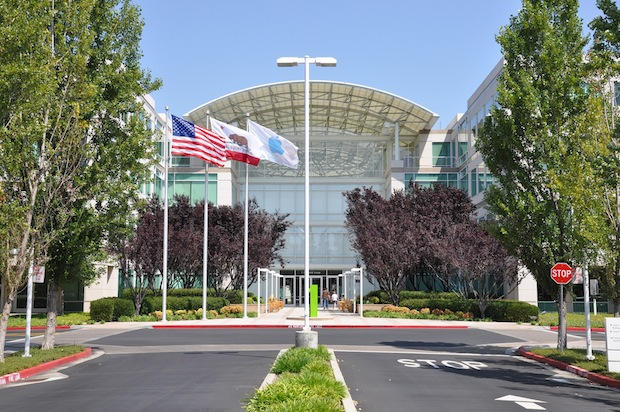
Apple has invited a select group of journalists to a press conference about the iPhone 4 on Friday.
The press conference will be held at 10AM at Apple’s Cupertino campus. It will likely address controversy surrounding the device’s antenna performance, which degrades if the phone is held in the so-called death grip.
It’s not clear if Steve Jobs will host the press conference.
No other information about the conference is available. According got Macworld, the invite simply says it’s a “press conference about iPhone 4,” nothing more.
The iPhone 4 Antennagate went into overdrive this week after Consumer Reports tests showed the issue is hardware related, and not a software problem as Apple had claimed earlier this month.
In a statement published on its website, Apple blamed a faulty reception algorithm for displaying incorrect signal strength. The company has promised a software fix.
Given the bad publicity surrounding the device, a voluntary recall is expected.
What a surprise: software updates don’t fix problems in hardware.
Check out our video above. An iPhone 4 running the 4.1 beta loses a couple of bars when held in a “death grip.”

This is a guest commentary by Bryan J. Ball, a stand up comedian and long-time Apple fanboy.
My relationship with Steve used to be such a happy one. He would create beautiful bits of electronic amazement and I would buy them, show them off and feel generally superior to my non-Apple friends and family. That’s still mostly true but I’m starting to have my doubts.
My life is pretty Apple-centric. I have an iMac, an iPad, all manner of iPods and I was literally first in line to get an iPhone 4. I’ve been pretty happy with everything I’ve had so far. My area has excellent AT&T coverage so I’m not even plagued by the death grip reception issue on my iPhone.
Yes… I’ve been called a fanboy on more than one occasion. I used to categorically deny this but after watching Steve Jobs’ behavior and listening to myself defend it over the last couple of weeks, I’m starting to wonder.
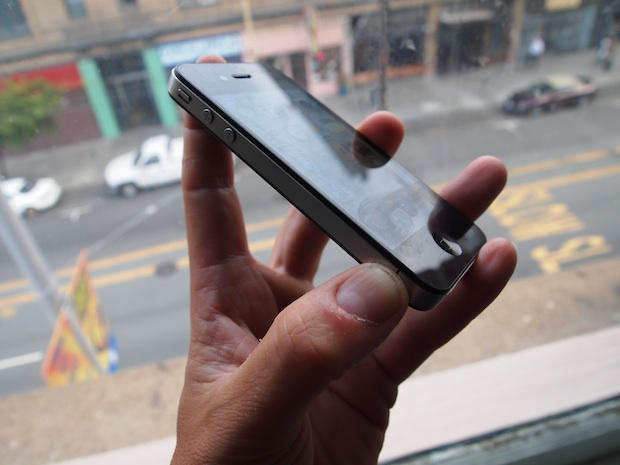
Apple’s antennagate issue has been in the news for weeks now. It’s the dominant story about the iPhone 4. This is why PR experts have compared Apple to Toyota. Not because the two problems are equivalent — they aren’t — but because the media equates Prius with dodgy brake pedals, and the iPhone 4 with dodgy reception issues. Note: No one said it’s a Prius-style problem; they said it’s a Prius-style PR problem.
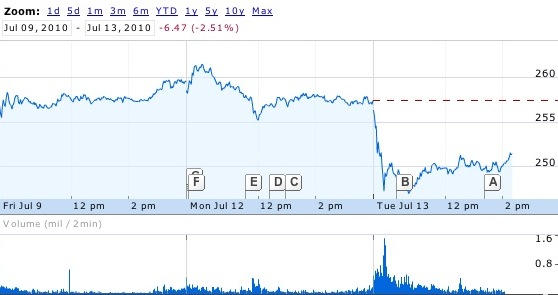
Apple’s stock is taking a pounding today after Consumer Reports‘ negative iPhone review, and our story that the company may have to issue a hardware recall.
Apple’s share price fell 3-4% in heavy trading today, reports VentureBeat:
Apple’s stock price fell 3 percent on Tuesday after Consumer Reports gave a negative review of the iPhone 4 because of its reception problems.
… In the wake of the Consumer Reports review, experts speculated that Apple would have to recall the units it has sold to fix the antenna problem, which may be more complicated than the software fix that Apple talked about on July 2.
VentureBeat: Apple shares slide after bad iPhone 4 review, recall concerns
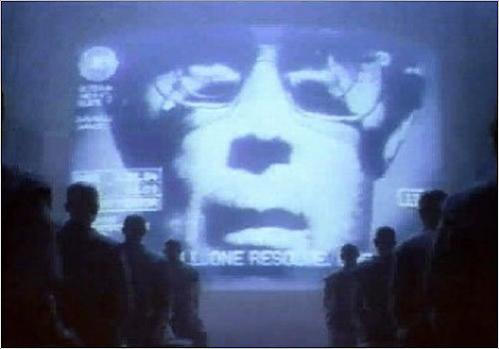
Apple has started to delete threads full of comments about the Consumer Reports article bashing the iPhone 4 antenna from its support forums.
Apple’s Discussion Forum censors went into overdrive today in what appears to be an attempt by Apple to squash all references to the Consumer Reports statement that it “can’t recommend” the iPhone 4 until the antenna issues are fixed, issues that their labs and I’ve independently confirmed on my own iPhone 4.
This isn’t the first time that Apple has had sour grapes about topics posted to their support forums. They have been known to regularly delete discussions about hardware or software flaws that Apple wasn’t ready to talk about. I’ve heard and read about Apple’s dreadful censoring habit for years when there were issues about iMacs, Powerbooks, and Mac OS X Leopard. It wasn’t until today that I saw a real example of Apple’s censorship happening to something that interested me.
I checked the forum postings that were in earlier reports and I wasn’t able to access them and received this error: “Error: you do not have permission to view the requested forum or category.” I searched the forums and found two live threads (at press time) here and here. Ironically, the first thread has disappeared only to be replaced by the error message and so far the second thread is still live, but I’m sure that won’t last very long.
Unfortunately for Apple, but luckily for us is that the Internet has a lot of wide open spaces that can be used to discuss the antenna issue that Apple does not want to admit to — so go ahead voice your comments good or bad here on Cult of Mac.
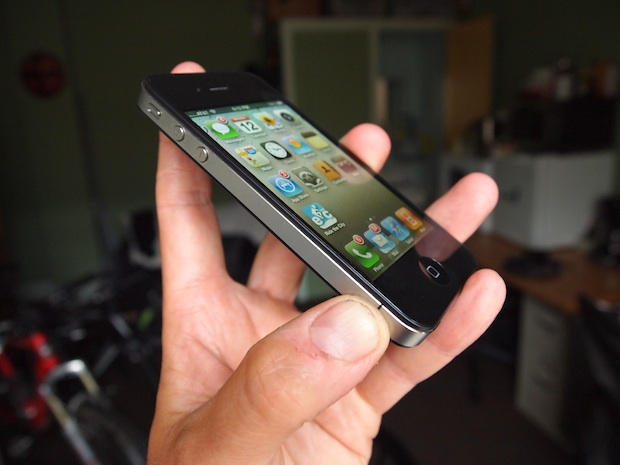
Apple will be forced to recall the iPhone 4 following Consumer Reports tests proving the “Death Grip” antenna issue is not software related, but a hardware flaw, PR experts say.
“Apple will be forced to do a recall of this product,” said Professor Matthew Seeger, an expert in crisis communication. “It’s critically important. The brand image is the most important thing Apple has. This is potentially devastating.”
Consumer Reports‘ conclusion that the iPhone 4 Death Grip is hardware-related is a huge blow for Apple. This isn’t something Apple can ignore — or brush off as a software problem that is easily fixed. Consumer Reportsis too big and important. Apple must respond.
But is the Death Grip a fuss about nothing? Given all the complexities of cell-phone networks, is the Death Grip something that doesn’t have much effect in day-to-day use?
[polldaddy poll=3462464]
Kirk to Enterprise: iPhoneSavior brings us news today that CBS Mobile has sanctioned and rereleased a previously banned Star Trek Communicator app for the iPhone, with classic lines and sound effects:
The newly reimagined Star Trek Original Series Communicator ($2.99) for iPhone is packed full of the kind of classic fodder Star Trek fans are certain to drool over. In addition to a hidden, functional dialing pad that accesses the iPhone’s address book to make calls, the app includes several sound bites featuring Captain Kirk, one says; “Two to beam up Scotty.”
I just beamed this onto my iPhone, definitely a hoot. Now if they can only get the transporter working…
UPDATE: The app price has been lowered to US$1.99
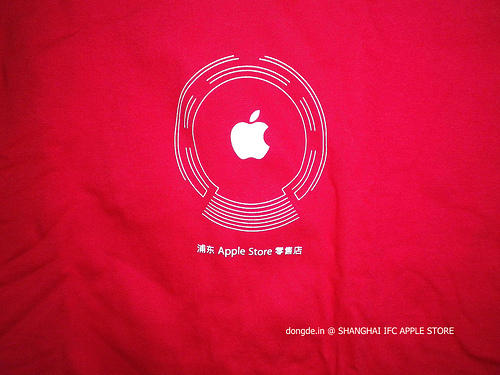
Apple will be giving away 5,000 of these free commemorative t-shirts this weekend at the grand opening of its flagship store in Shanghai.
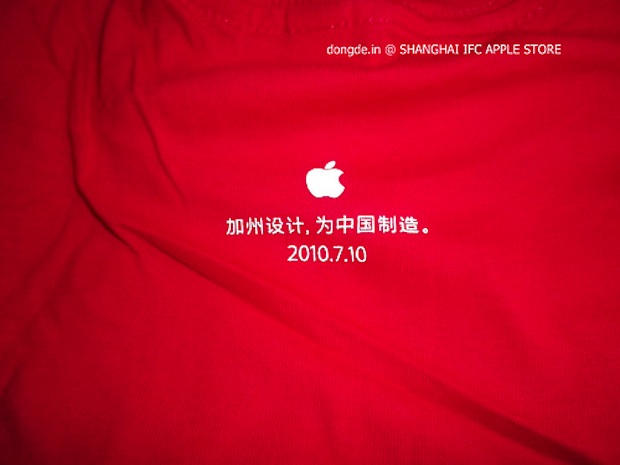
Note what is says on the back: “Designed in California, Made for China.”
It’s a subtle but important play on Apple’s traditional credit line, which says: “Designed in California, Made in China.”
Given the controversy at Apple’s supplier Foxconn, I asked our Chinese blogger friend Chris Chang if the statement was appropriate. Some may feel that Apple’s relationship with China is exploitative.
“The statement is appropriate,” says Chang. “It’s actually the most attractive part of the shirt. I can’t say that Apple has an exploitative relationship with China, but according to Ron Johnson’s speech in the Shanghai Apple store, I believe that Apple is trying to build up a relationship with China.”
During the store’s press preview, Johnson — the head of Apple’s stores — said the company is planning a big push in China and will open 25 retail outlets there by 2012.

Check out these awesome pictures of Apple’s new Shanghai store, courtesy of our friend Chris Chang of M.I.C Gadget.
Chris’ pictures clearly show how and why Apple is making a killing right now. While other companies are going out of business, Apple is building great glass and steel monuments to its brand that broadcast its growing influence and power — and make tons of money at the same time.
The Shanghai store is the biggest and boldest yet. It’s a big statement of the company’s success in glass and steel. What other corporation anywhere in the world is building such huge architectural monuments to itself?
It harkens back to the old days, when powerful companies built huge skyscrapers or endowed concert halls and libraries. Of course, thanks to the economy, no one is doing it these days — except Apple. And these monuments (Upper West Side, Sainte-Catherine, Carrousel du Louvre, Fifth Avenue, Regent Street) make more money than Tiffany, square-foot-for-square-foot.
You’ve got to marvel at Apple’s cojones.

I gawped in disbelief at this picture in the New York Times of Apple’s new store in Shanghai. At fist glance, I thought it was a special effect from a sci-fi movie. The spaceport-looking thing in the background is the Oriental Pearl Tower.
New York Times: Apple Making New Push Into China
New Apple Friend Bar Gives Customers Someone To Talk At About Mac Products
Another chunk of genius from The Onion, poking fun at those of us who love our Apple products a little too much.
The Apple Friend Bar, it says, is a new service where ordinary Mac fanatics can book appointments with experts who will be happy to just chat about Apple products. All. Day. Long.
My favorite part is when the Friend Bar employee is quoted saying: “Unlike your girlfriend or co-workers, we’re not going to get tired of discussing the wireless networking capabilities of the Snow Leopard operating system.”
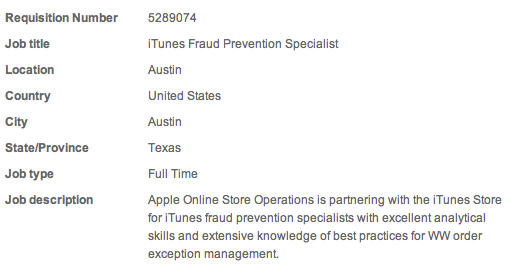
Earlier today, Apple made a new job posting on their official site, calling for an iTunes Fraud Prevention Specialist to work in Austin “canceling fraudulent orders” and “researching and resolving fraud escalations from various sources.”
It was a well-timed posting. A couple of days earlier, developer Thuat Nguyen and his dev company “mycompany” was caught hacking into the accounts of 400 iTunes users and funneling money from their accounts into a number of cheesy, crappy, Dragonball-themed e-book apps… a transparent money-funneling move that got Nguyen banned from the Apple dev program.
Since the job posting appeared, though, it seems that Apple has rethought lending any publicity to the fact that they think, internally, they need to do more about iTunes fraud: the job posting has since been pulled. No need to be cagy about this, Apple: credit card fraud happens, it’s not really your fault, and it’s good that you’re hiring more guys to protect us. Don’t worry about it!
We have laptops and desktops but what do we call the iPad, which is neither? It’s been suggested we call it a “kneetop” because it rests on our knees. But what about thightop, tummytop, or crotchtop? Vote below, or leave new suggestions in the comments.
[polldaddy poll=3437482]
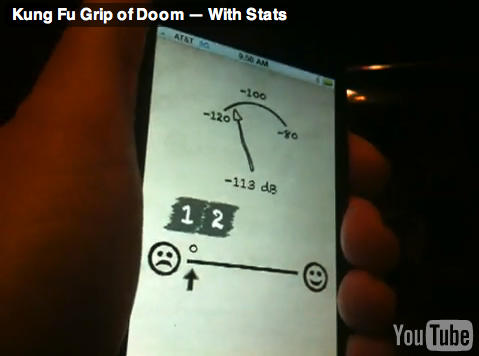
TUAW published a report today that included new video evidence supporting the belief that the iPhone 4 death grip is very real. I know you are probably rolling your eyes about this, since there have been many other videos covering this topic, but this time things are different. This video includes the demonstration of the iPhone 4 along with a customized field services app that clearly shows the iPhone 4 antenna problem isn’t the result of some software glitch as Apple claims.
UK artist Kyle Lambert demonstrates the viability of creating art on the iPad, painting an impressive portrait of singer Beyoncé using the Brushes app, 1 finger and 6 hours of work. Very nice job. Even better, Kyle’s posted a time lapse video documenting the whole process.
Thanks to MacWorld for the tip.
When my grandchildren ask me what news I remember most vividly, my answer won’t have anything to do with wars, tsunamis or alien invasions — I’ll tell them about the day Apple admitted they made…a mistake.
Fine, that may be somewhat hyperbolic; but I don’t recall Apple ever kneeling in the past about anything, let alone about what amounts to their killer product — and even managing to look sheepish in the process. Of course, there’s good reason for that lack of kneeling; keeping one’s mouth shut makes perfect sense for any entity, as an admission of guilt is a fatal move in the arena of liability — and in Apple’s case here, may leave it vulnerable to all sorts of nasty lawsuits.
Apple published a letter to iPhone 4 users this morning, in which it apologized for the device’s reception weirdness.
But it turns out there’s nothing wrong with the hardware. Turns out Apple’s been using the wrong formula for calculating and displaying signal strength, and has been doing so since the 3G model came out.
So if your phone told you signal strength was four bars, it might have only been two. And where it said you had two bars, it might have been non-existent.
Oops.
The letter says:
“To fix this, we are adopting AT&T’s recently recommended formula for calculating how many bars to display for a given signal strength. The real signal strength remains the same, but the iPhone’s bars will report it far more accurately, providing users a much better indication of the reception they will get in a given area. We are also making bars 1, 2 and 3 a bit taller so they will be easier to see.”
The changes will appear in a forthcoming software update (which will also apply to 3G and 3GS models).
Apple signs off with a hopeful: “We hope you love the iPhone 4 as much as we do.”
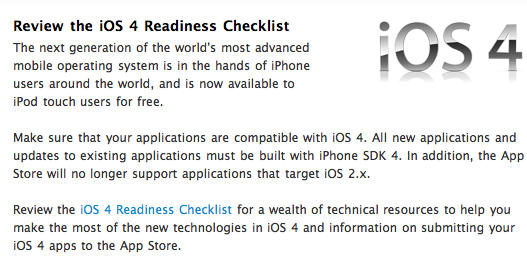
Apple has announced via their iOS Developer newsfeed that iOS apps that were developed and compiled for iOS 2.x will no longer be supported. Developers are being advised to re-build their apps in Xcode targeting iOS 3.x or later. Developers that continue to submit or have existing apps compiled against iOS 2.x will face removal of their app from the iTunes App Store.
In the same announcement Apple directed developers to their iOS 4 Readiness Checklist which includes a “wealth of technical resources” to help developers to take advantage of resources in iOS 4. Instructions and information about submitting iOS 4 apps to the App Store are also included.
Apple released iOS 4 as a free update for all iPhone 3G, iPhone 3GS, and the 2nd and 3rd generation iPod touch devices. iOS is fully compatible with all of these devices with the exception of the iPhone 3G and 2nd generation iPod touch which do not support all of iOS 4’s features. Apple has uncharacteristically offered iPod touch owners a free update, since in the past they had to pay approximately $10 for an OS update.
We’ve received some comments from iPhone 3GS users that their battery life after the iOS 4 update has declined. This can in most cases be attributed to poorly written apps or apps that don’t support the multitasking feature introduced in iOS 4. Are you experiencing this problem? Have you identified an app or some other reason for the decline in battery life on your iPhone 3GS? Tells us all about it in the comments.
[polldaddy poll=”3408272″]
[polldaddy poll=”3404954″]
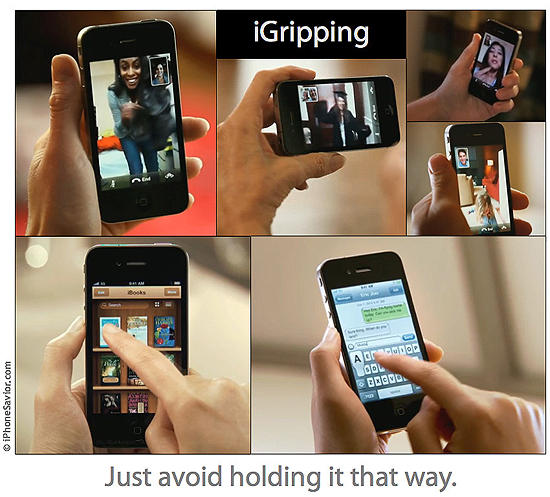
User Interface Watch: Apple’s march towards hands free, thought controlled computing continued this past week with the widely misunderstood iPhone 4 “Death Grip” episode. Perceived and quickly lambasted as a design flaw, Apple is stategically taking high levels of flak as they quietly persue their true longterm goal.
[Tags: ANALYSIS, HUMOR, SATIRE]
Steve Jobs has always been a minimalist, be it product design, the breadth of his wardrobe, or succinct email replies. This minimalism also applies to the ways in which we interact with our computers.
Early computers required both hands and all fingers to operate, utlilizing bulky keyboards. This mimicked the way humans had conveyed information since the invention of the typewriter, but was clearly just a technology to be milked for all it was worth, then cast aside.
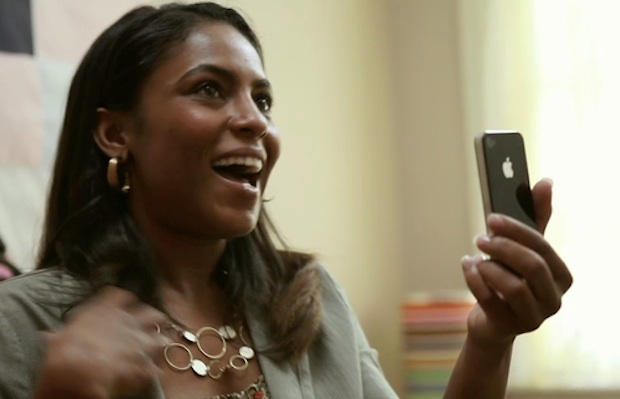
This is awesome: A Tublr blog with a boatload of screencaps from Apple’s TV ads showing people holding their iPhones the wrong way.
Earlier today, Steve Jobs said the iPhone 4 ‘Death Grip’ was a “non-issue” and people should “Just avoid holding it in that way.”
Which of course is total bullshit, as Apple’s own ads show.
Here’s some more, including shots of Jobs himself clutching his iPhone in his left hand: