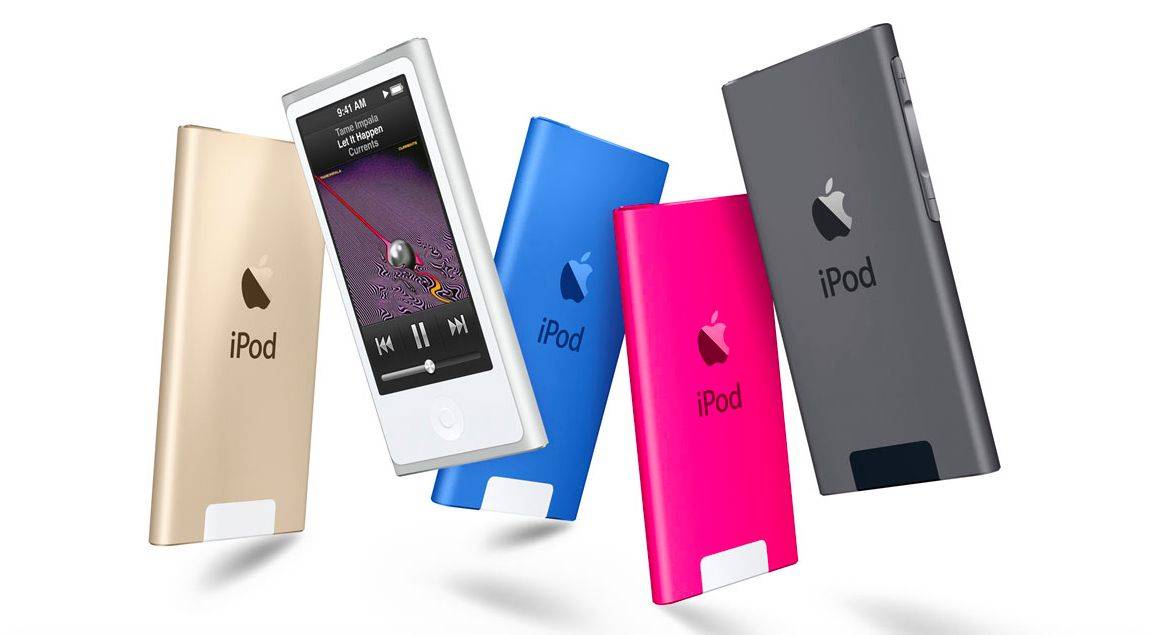
The iPod changed music playback, and helped revitalize Apple..
The Apple iPod was a revolutionary line of portable media players first introduced by Apple Inc. in October 2001. Designed to simplify digital music consumption, it quickly became a cultural icon due to its sleek design, intuitive interface, and the seamless integration with Apple’s iTunes software.
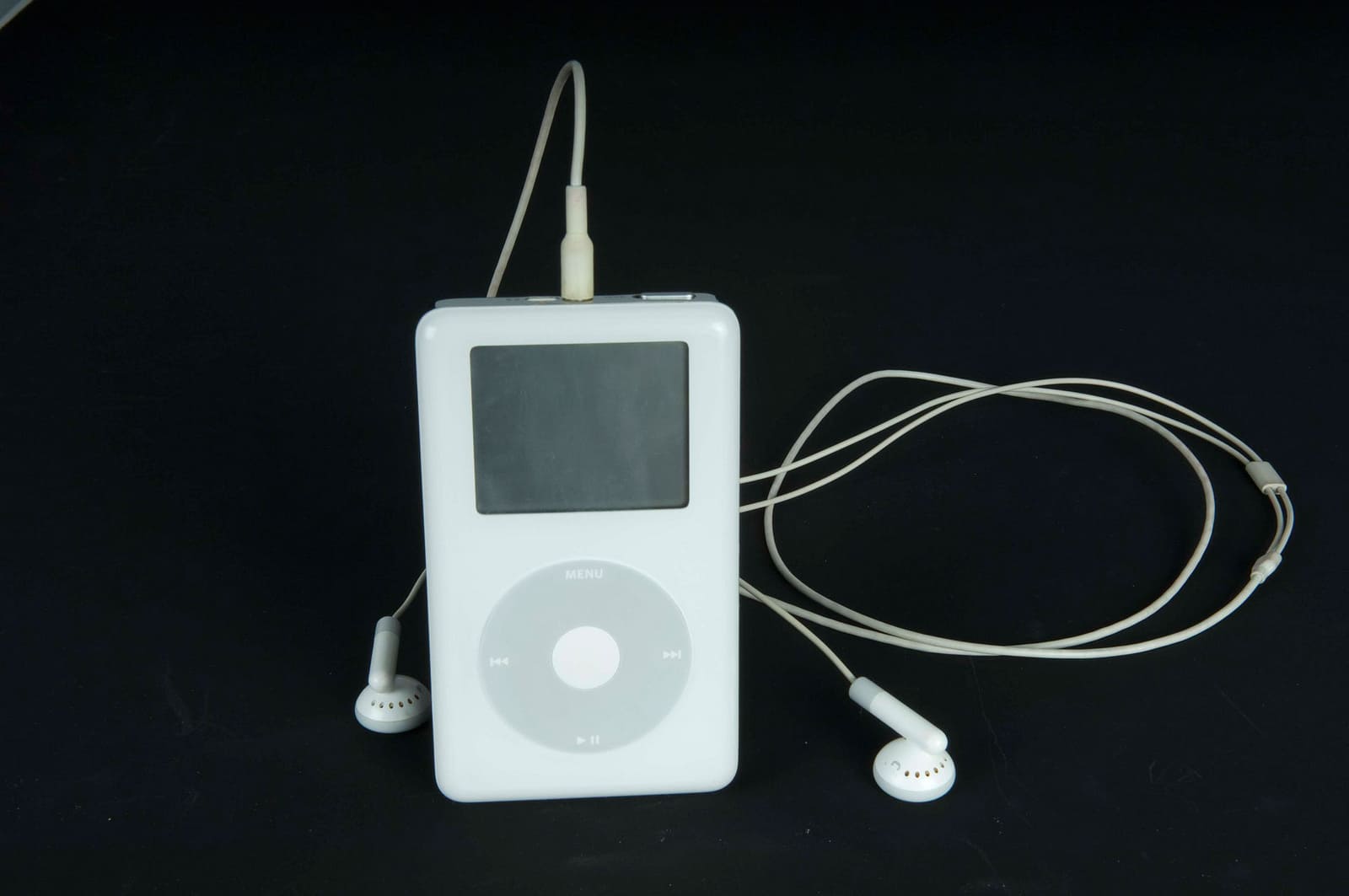
The original model featured a mechanical scroll wheel and a monochrome display, with storage capacities that could hold around a thousand songs — an impressive feat at the time.
As the product line evolved, Apple introduced various iterations, including the iPod mini, iPod nano, iPod shuffle, and the iPod touch, each catering to different user needs and preferences.
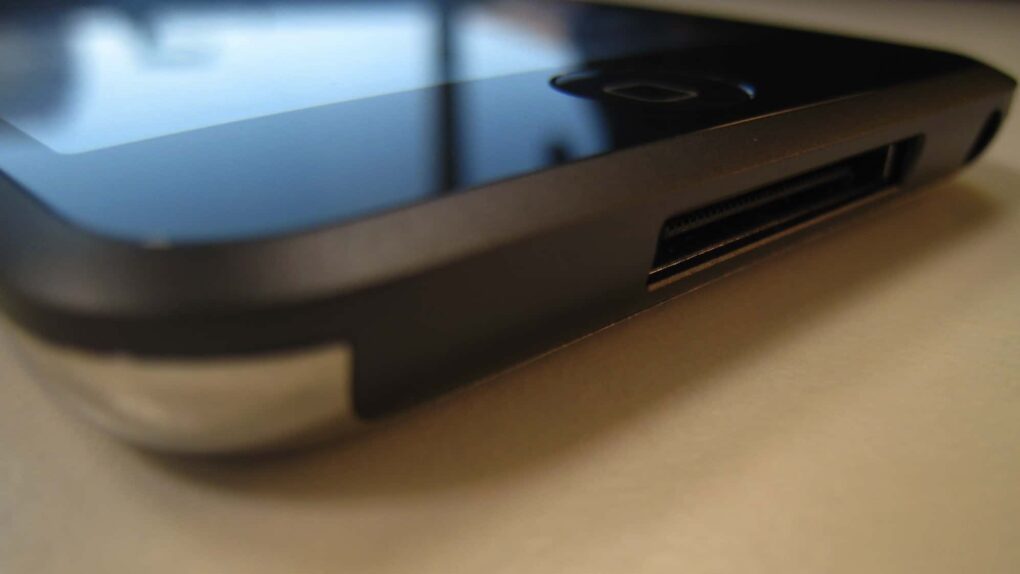
Beyond just playing music, later versions included features such as photo viewing, video playback, games, internet browsing, and app support. The iPod touch, in particular, resembled the iPhone and allowed users to experience many smartphone-like features without cellular connectivity.
Over time, as smartphones became more prevalent and music streaming replaced downloaded libraries, the device’s popularity waned. In 2022, Apple officially discontinued the product line, marking the end of an era. However, its impact on the tech world remains significant — it helped establish Apple as a dominant force in consumer electronics and set the stage for future innovations like the iPhone.
Unfortunately for Bill Gates, Steve Jobs was one step ahead. Photo: 60 Minutes
May 12, 2005: Longtime Apple frenemy Bill Gates tells a German newspaper that Apple may have hit it big with the iPod, but that its success isn’t going to last forever.
The reason for the Microsoft co-founder’s doomy take on the iPod’s future? He thinks mobile phones will steal the music player’s market share.
The good news for Gates is that he was right on the money. The bad news for Microsoft is that Apple cannibalized itself by making the iPhone. And Apple’s smartphone became even more successful than the iPod.
The iPod was Apple's most successful product yet. Photo: Jim Merithew/Cult of Mac
April 9, 2007: Apple sells its 100 millionth iPod. Coming just five-and-a-half years after the portable music player went on sale, the landmark event confirms the iPod as Apple’s most popular product of all time.
Until the iPhone arrives a couple of months later, that is!
It’s a big birthday for the fruit company. Image: Apple/D. Griffin Jones/Cult of Mac
As Apple turns 50, it’s worth looking back on the company’s greatest accomplishments and lowest moments through history. If you don’t have time for David Pogue’s 600-page epic, Apple: The First 50 Years, maybe you can spare eight minutes to relive the single biggest piece of Apple news every year.
So many iconic Apple products came after rivals made unsuccessful versions. AI image: Apple/ChatGPT/Cult of Mac
Looking back over Apple’s first 50 years, it’s clear what the company’s greatest talent is: turning rivals’ niche products into mainstream hits.
Apple proves adept at releasing new products in categories that looked like failures because customers simply lacked interest. But then Apple figured out what its competitors were doing wrong and released its own versions that quickly became iconic.
Here are five examples of Apple turning other companies’ fiascos into triumphs.
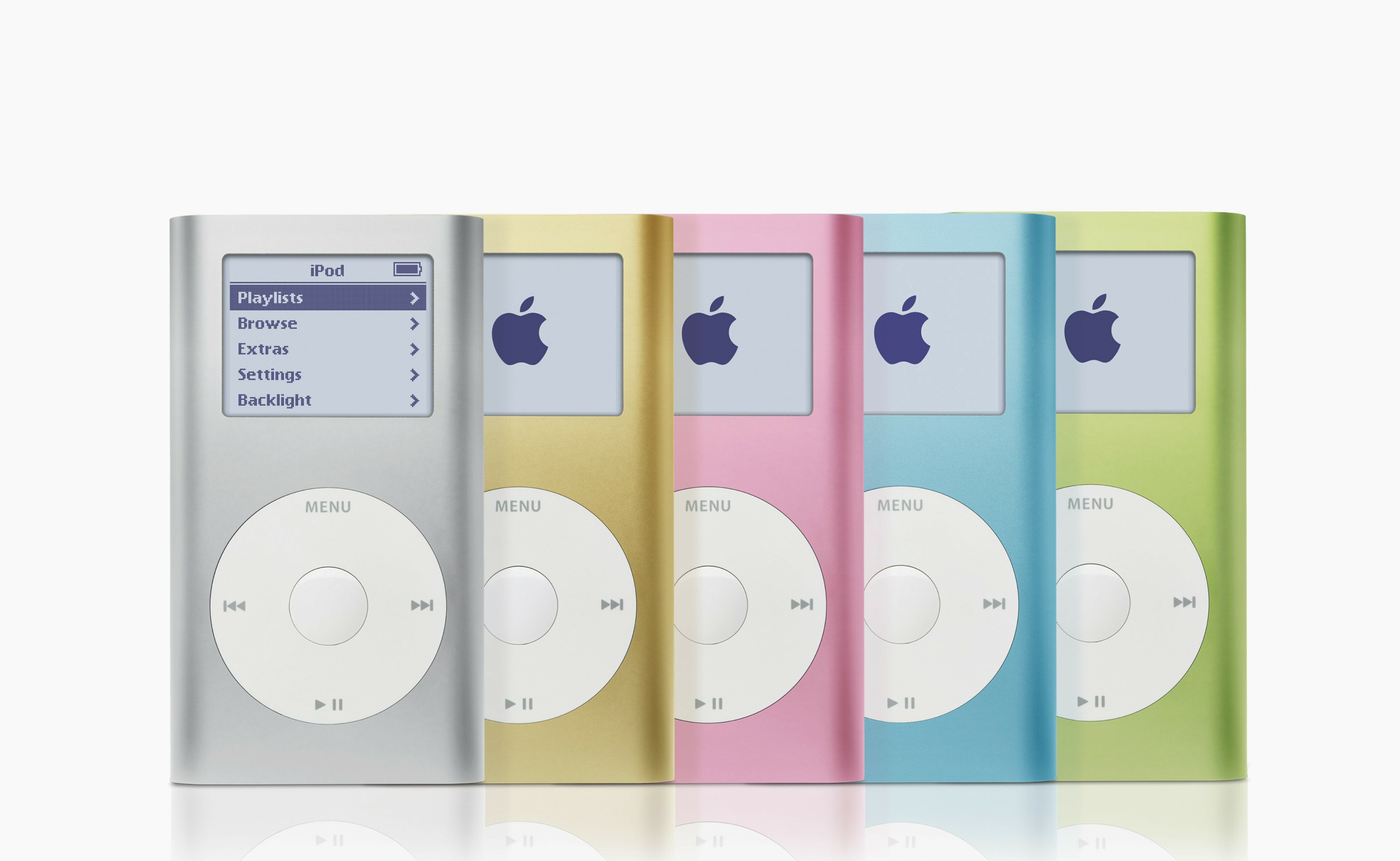
The iPod mini quickly became a big hit for Apple. Photo: Apple
February 20, 2004: Music goes small as the iPod mini launch brings the reimagined digital audio player to Apple stores.
Released with 4GB of storage and in five colors, the diminutive device features a new “click wheel” that integrates control buttons into a solid-state, touch-sensitive scroll wheel. It also showcases Cupertino’s growing fascination with aluminum, which will become a hallmark of Apple design.
Despite its small size, the new music player’s market potential looms large. In fact, the iPod mini soon becomes Apple’s fastest-selling music player yet.
Steve Jobs' death caused an outpouring of support. Photo: Grammys
February 12, 2012: Months after his untimely death, Apple co-founder Steve Jobs is honored with a Special Merit Grammy Award in recognition of his contributions to the field of music with the iPod and iTunes Music Store.
Eddy Cue, Apple’s senior vice president of internet software and services, collects the Grammy on behalf of Jobs’ family and “everyone at Apple.”
The iPod was kind of a big deal in 2005. Photo: Jim Merithew/Cult of Mac
January 12, 2005: Apple reports record earnings for the preceding three months, fueled by impressive iPod sales during the holiday period and demand for the latest iBook laptop. The hardware boom drives a fourfold increase in profits for the company.
Apple brags that it has sold a total of 10 million iPods so far — and rightly so. The massive popularity of the portable music player drives Apple to its highest earnings yet.
“We are thrilled to report the highest quarterly revenue and net income in Apple’s history,” said Apple CEO Steve Jobs in a press release. “We’ve sold over 10 million iPods to date and are kicking off the new year with a slate of innovative new products including iPod shuffle, Mac mini and iLife ’05.”
The iPod shuffle did away with the display (and celebrated randomness). Photo: Apple
January 11, 2005: Steve Jobs introduces the iPod shuffle, an entry-level music player that lacks a display. The device randomly shuffles the audio files it holds, but lets users easily skip songs they don’t like.
The first iPod to use flash memory, the iPod shuffle plugs directly into a computer using USB 2.0 and comes in 512MB and 1GB configurations. It’s smaller and cheaper than ever, making Apple’s music player even more approachable to average consumers.
“iPod shuffle is smaller and lighter than a pack of gum and costs less than $100,” said Apple CEO Steve Jobs in a press release. “With most flash-memory music players users must use tiny displays and complicated controls to find their music; with iPod shuffle you just relax and it serves up new combinations of your music every time you listen.”
The HP-branded iPod flopped, but it was still a savvy business move for Apple. Photo: Keegan/Wikipedia CC
January 8, 2004: The clumsily named iPod+HP, a Hewlett-Packard-branded iPod, debuts at the Consumer Electronics Show in Las Vegas.
Shown off by Hewlett-Packard CEO Carly Fiorina, the prototype device is blue, the color used for HP’s branding. By the time it arrives on the market later that year, however, the digital music player is the same shade of white as the regular iPod. The device doesn’t hang around for long, either.
Goodbye, in-flight magazines! Photo: Jim Merithew/Cult of Mac
November 14, 2006: Apple teams up with a slew of airlines to offer the “first seamless integration” between iPods and in-flight entertainment systems.
A special dock will let iPod owners use the devices to play music and videos on planes’ seat-back displays. The plan promises to rid the world of old-fashioned in-flight movies and printed magazines.
The iPod Photo brought us one step closer to the iPhone. Photo: Apple
October 26, 2004: Apple debuts the iPod Photo, a device capable of putting not just 15,000 songs in your pocket, but also 25,000 photographs. The new device “lets you take your entire music and photo library with you wherever you go,” Apple says.
It is the first iPod to offer a color screen and the ability to display digital images and album cover art. The iPod Photo represents a big step forward in the functionality of Apple’s iconic music player.
Introduced on this day in 2001, the iPod quickly became a cultural phenomenon. Photo: Newsweek
October 23, 2001: Apple CEO Steve Jobs introduces the first iPod, a device capable of storing an entire music library in a highly portable package.
The first-generation device boasts a 5GB hard drive capable of putting “1,000 songs in your pocket.” That may not sound too dazzling in a world in which people can stream the massive Apple Music library from their iPhones, but it was a game-changer at the time!
On this day in 2003, Steve Jobs revealed his plan to bring iTunes to Windows. Photo: Apple
October 16, 2003: Six months after opening the iTunes Music Store for Mac owners, Apple expands the service to Windows computers. This gives PC owners a new, legitimate way to download — and pay for — songs at a time when digital piracy threatens the music industry.
Apple CEO Steve Jobs later quips that making iTunes available to Windows owners is akin to “giving a glass of ice water to somebody in hell.”
Bring back the iPod! Apple should start manufacturing its dedicated music player again. With iPhones increasingly banned from schools, a simple entertainment device could fill the gap.
That said, creating a new iPod for the streaming era would not be as simple as bringing previous models back to life.
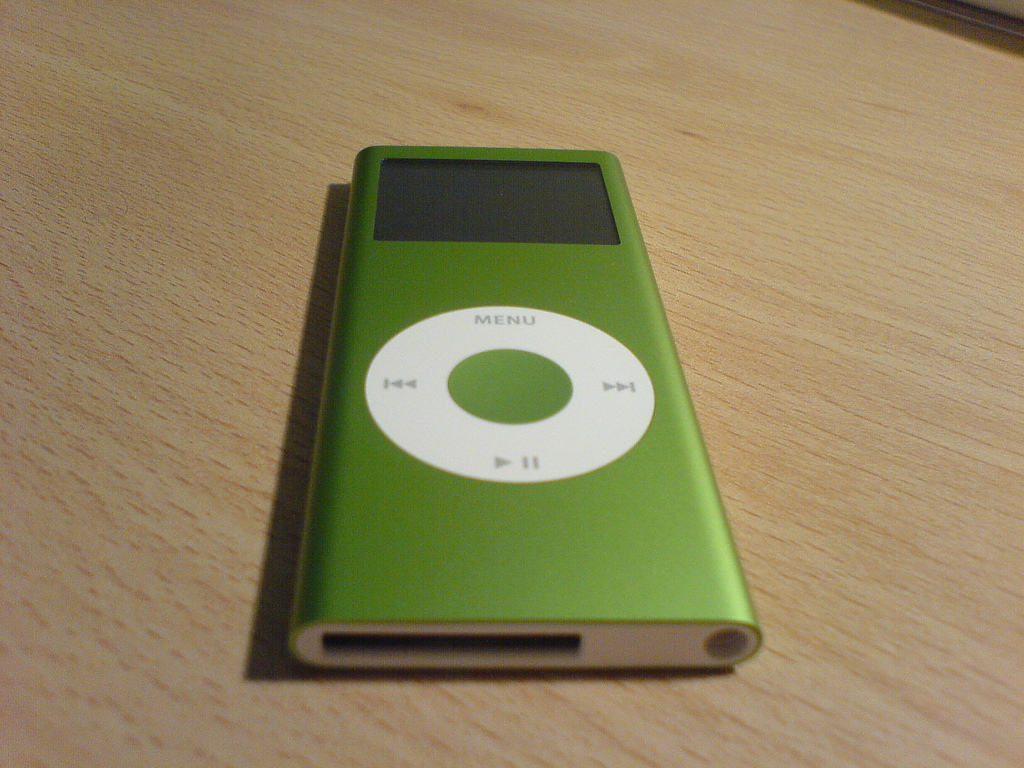
September 25, 2006: Apple ships its second-generation iPod nano, offering a fancy redesign of the pocket-size original.
“iPod nano is the world’s most popular digital music player, and we’ve completely redesigned it to make it even better,” said Apple CEO Steve Jobs in a press release. “The all-new iPod nano gives music fans more of what they love in their iPods.”
Among the new iPod nano’s improvements are a slimmer, anodized aluminum casing; a brighter screen; longer battery life; and a wide range of colors. And, oh yes, it also includes gapless music playback for the first time!
Remember when you used wireless headphones? Bet it's been a long time. Photo: Apple
September 7, 2016: Apple unveils the first-gen AirPods during a special event in San Francisco. The blindingly white wireless earbuds look undeniably strange at first glance, with their long, slender stems and a charging case that looks like a dental floss container.
Apple released three new iPods, including the first iPod touch, in 2007. Photo: Apple
September 5, 2007: Apple introduces its first new iPods after the release of the iPhone. The lineup includes the third-gen iPod nano, the newly renamed iPod Classic and — most significantly — the debut of the iPod touch.
In doing so, Apple sets out to demonstrate that there is still plenty of life left in its iconic portable music player.
July 19, 2004: The fourth-generation iPod brings neat innovations to the popular audio device, including the Click Wheel interface recently introduced on the iPod mini.
“The best digital music player just got better,” says Steve Jobs in a press release on the day the product launches. And yet some people feel disappointed by the upgraded music player.
This is the user's "before" picture, with 2017 iMac. See the "after" picture below. Photo: [email protected]
I love the “before” and “after” setups posts with photos on social media. Today’s is on the basic side, but it’s always fun to see clear visuals of what people do. In this one, an iMac toiling away for eight years gets judged into well-deserved retirement by Apple’s hot little M4 desktop machine on a Satechi Mac mini hub that greatly expands connectivity and storage. With the iMac’s lovely screen gone, the new rig is a Dell-4K-display-Mac-mini combo.
The sixth-gen iPod touch packed big improvements into its incredibly slender case. Photo: Apple
July 15, 2015: Apple introduces the sixth-gen iPod touch, attempting to prove that there’s still a place for the humble music player in the crazy, crazy world of iPhones and Apple Watches.
Apple calls the device “the best iPod touch yet” in a press release, and touts “a new lineup of colors for all iPod models, including space gray, silver, gold, pink and blue.”
The MP3 made the iPod possible. Photo: Jim Merithew/Cult of Mac
July 14, 1995: The MP3 file format receives its official name as the new .bit file extension gets changed to .mp3. The technology allows the compression of a standard CD .wav file to one-tenth its original size, courtesy of some smart algorithms. The format will revolutionize the music industry — and put Apple on the road to world dominance with the iPod.
The MP3 enables easy sharing of music tracks online and makes music more portable than ever. Within a few years, Apple’s iPod will become the world’s best-known MP3 player, quickly capitalizing on the new format.
★★★★☆
The KYY 14” Portable Monitor pairs well with a 14-inch MacBook or a 13-inch iPad. Photo: Ed Hardy/Cult of Mac
The KYY 14” Portable Monitor challenges the idea that bigger is always better. It’s much smaller than the external display I usually travel with — and that’s exactly why I love it.
Can you guess which two monitors are Studio Displays? (Hint: The LG DualUp is on the left). Photo: [email protected]
Love it or hate it, the LG DualUp and its odd 16:18 aspect ratio — nearly square — has found a lot of fans among Mac users, including the owner of today’s M4 Mac mini setup with dual Studio Displays.
The iPod music player, a product that was once the definition of tech coolness, rode off into the sunset on Tuesday. The last iPod nano and iPod shuffle models went on Apple’s list of obsolete products, which means the classic iPod lineup officially obsolete.
The music player that transformed Apple and the worldwide music culture will no longer be supported or serviced by Apple. It’s the end of an era.
 May 30, 2013: Apple marks the sale of the 100 millionth iPod touch by launching a new, stripped-down model with a budget price of $229.

 May 12, 2005: Longtime Apple frenemy Bill Gates tells a German newspaper that Apple may have hit it big with the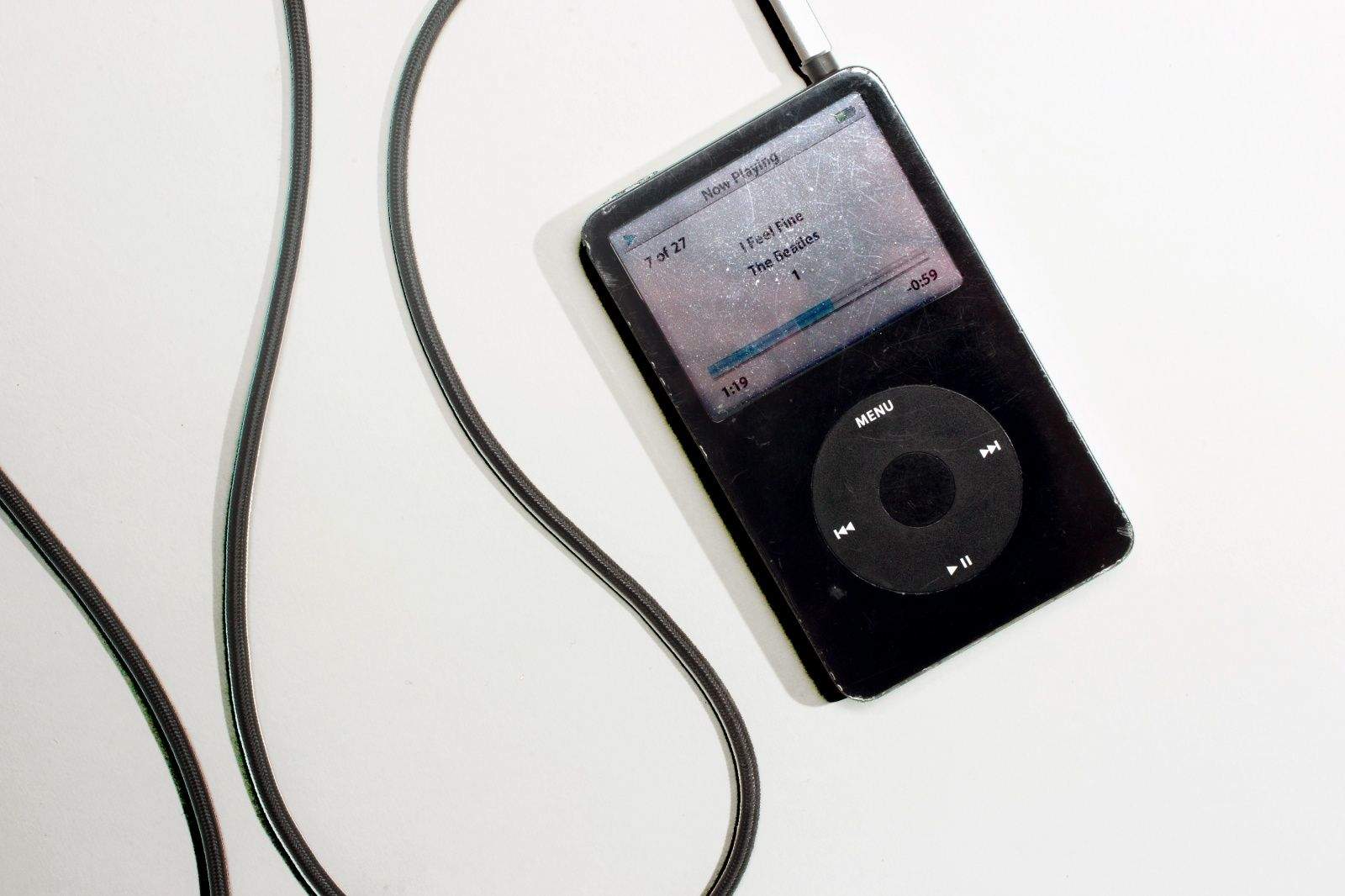
 April 9, 2007: Apple sells its 100 millionth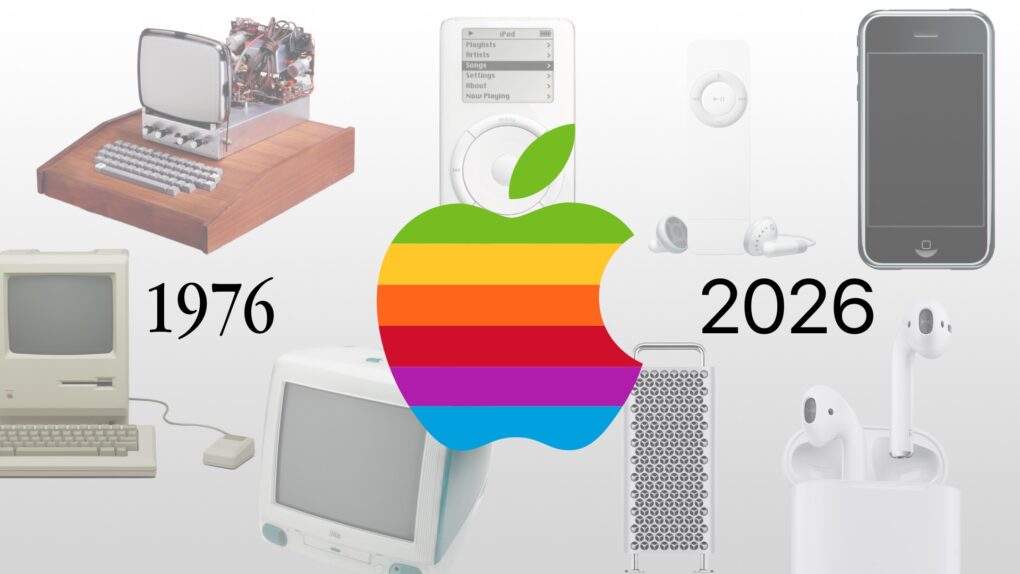
 February 20, 2004: Music goes small as the iPod mini launch brings the reimagined digital audio player to Apple stores.
 February 12, 2012: Months after his untimely death, Apple co-founder
  January 12, 2005: Apple reports record earnings for the preceding three months, fueled by impressive iPod sales during the holiday period and demand for the latest iBook laptop. The hardware boom drives a fourfold increase in profits for the company.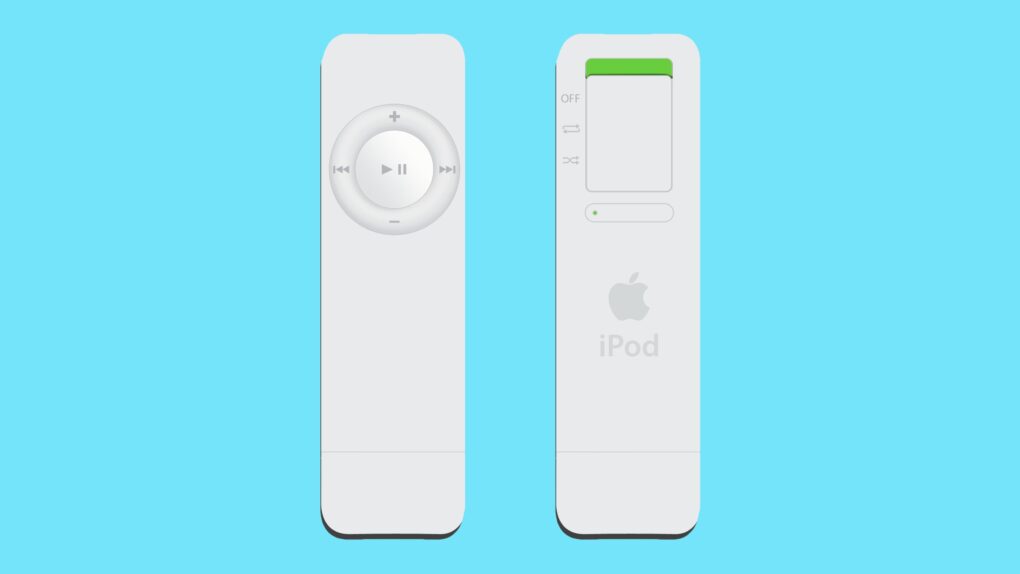
 January 11, 2005: Steve Jobs introduces the iPod shuffle, an entry-level music player that lacks a display. The device randomly shuffles the audio files it holds, but lets users easily skip songs they don’t like.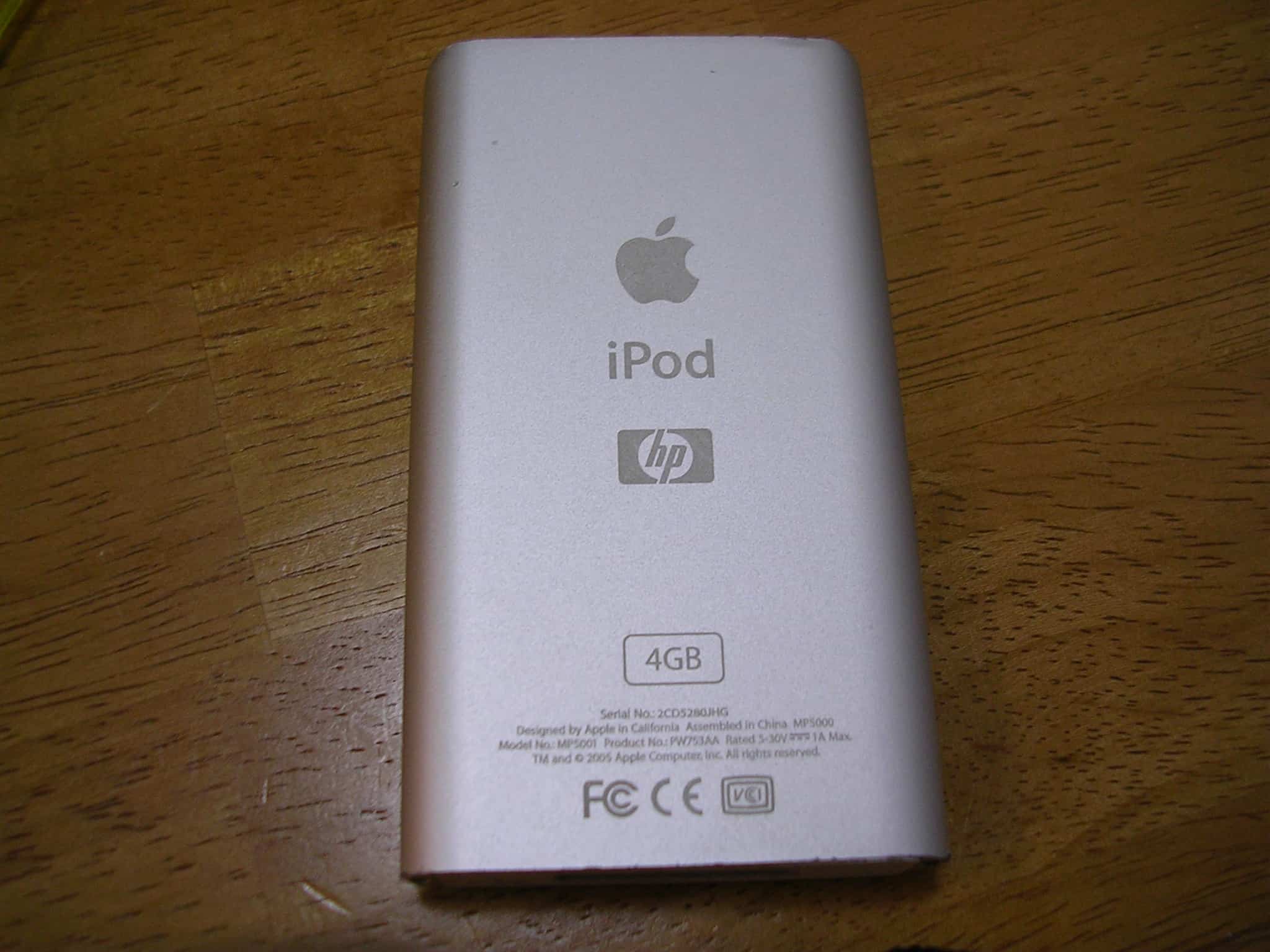
 January 8, 2004: The clumsily named iPod+HP, a Hewlett-Packard-branded iPod, debuts at the Consumer Electronics Show in Las Vegas.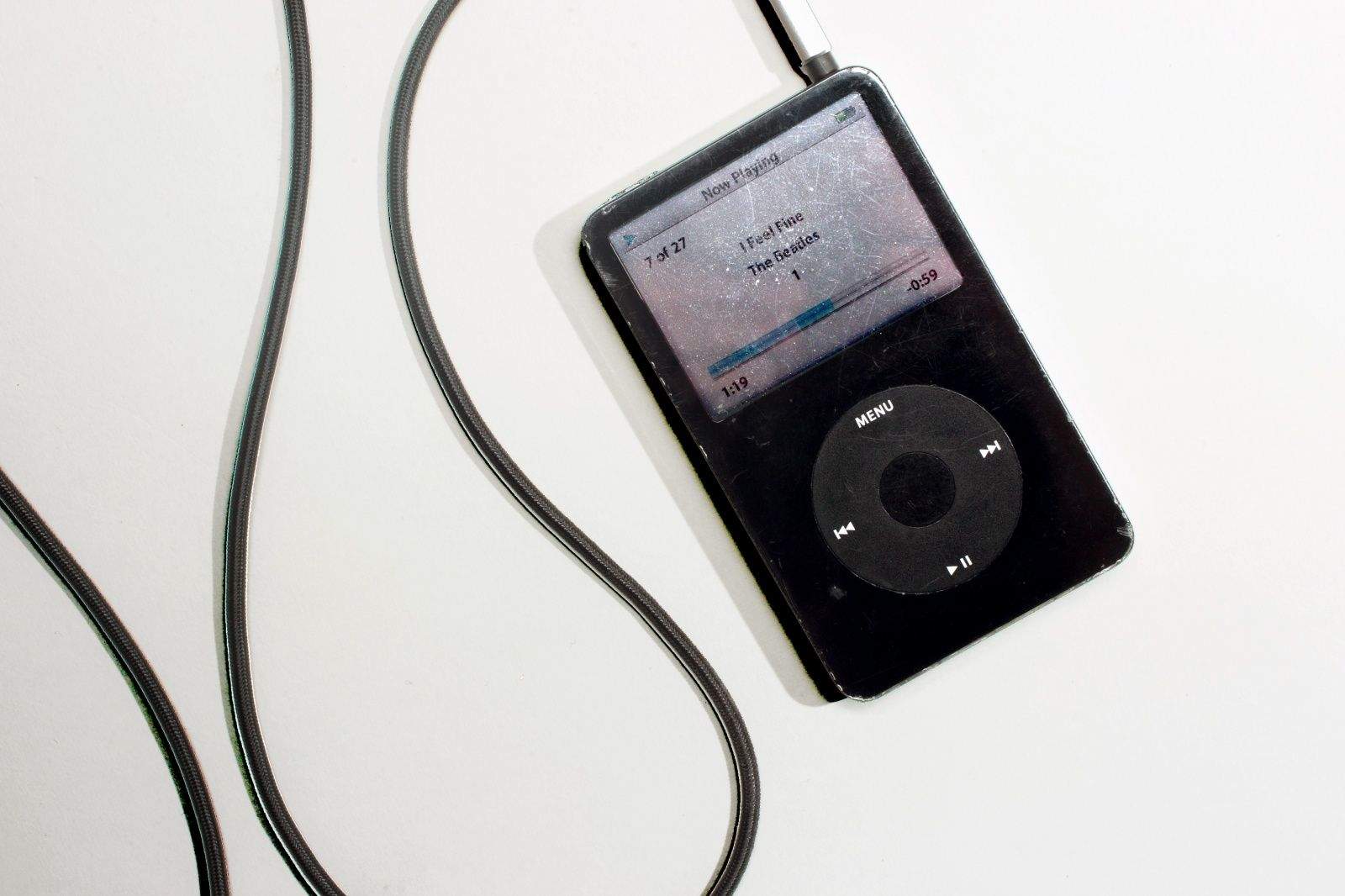
 November 14, 2006: Apple teams up with a slew of airlines to offer the “first seamless integration” between iPods and in-flight entertainment systems.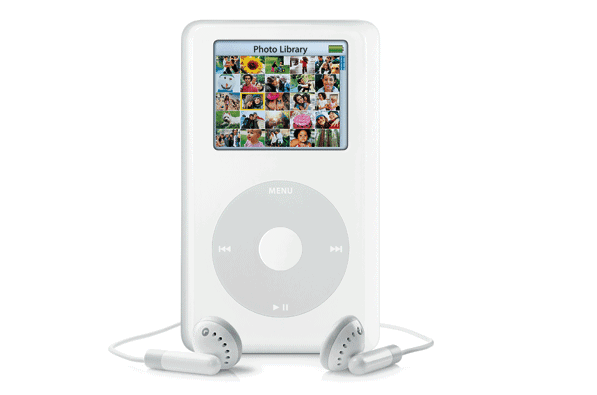
 October 26, 2004: Apple debuts the iPod Photo, a device capable of putting not just 15,000 songs in your pocket, but also 25,000 photographs. The new device “lets you take your entire music and photo library with you wherever you go,” Apple says.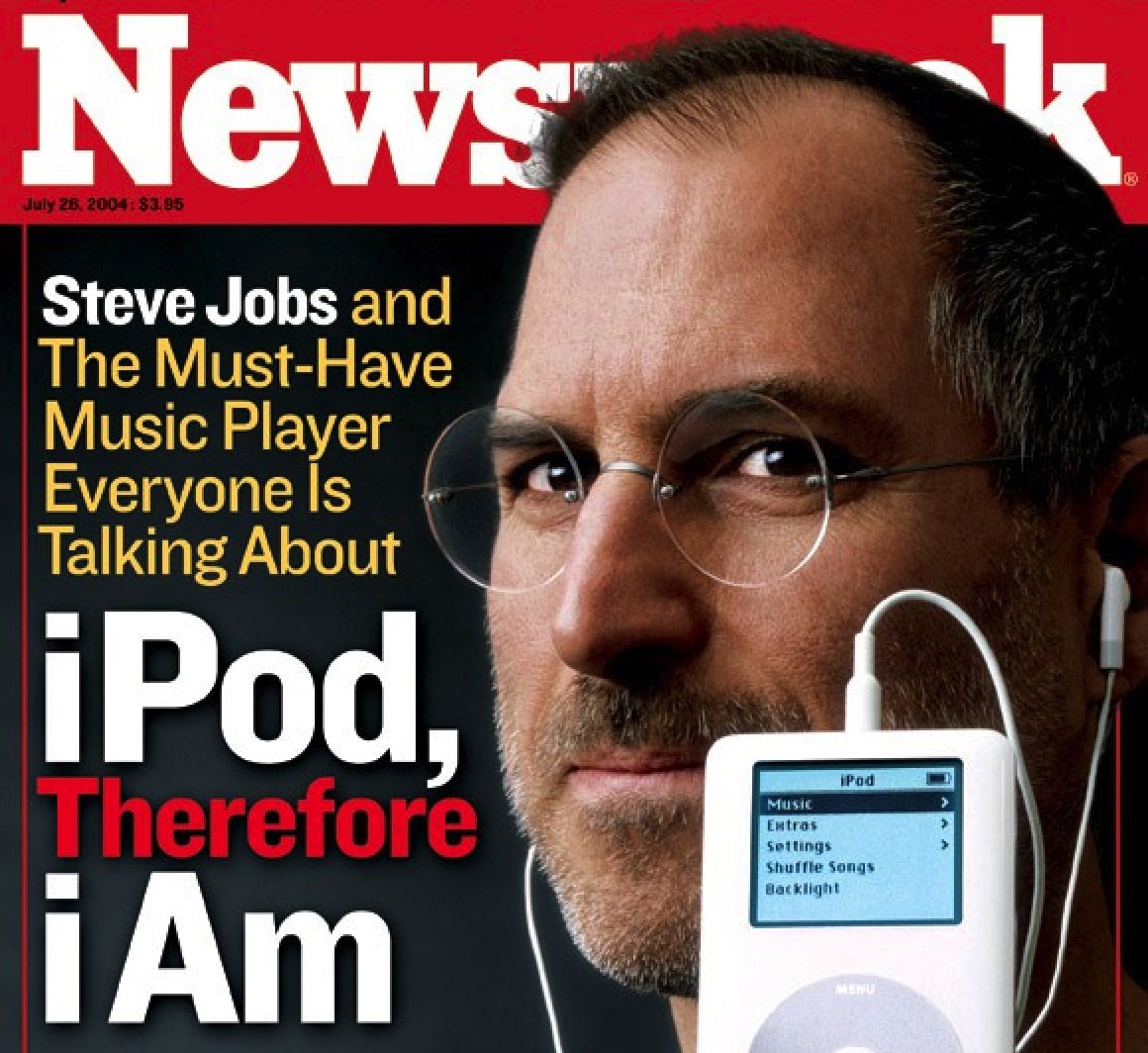
 October 23, 2001: Apple CEO Steve Jobs introduces the first
 October 16, 2003: Six months after opening the
 September 25, 2006: Apple ships its second-generation iPod nano, offering a fancy redesign of the pocket-size original.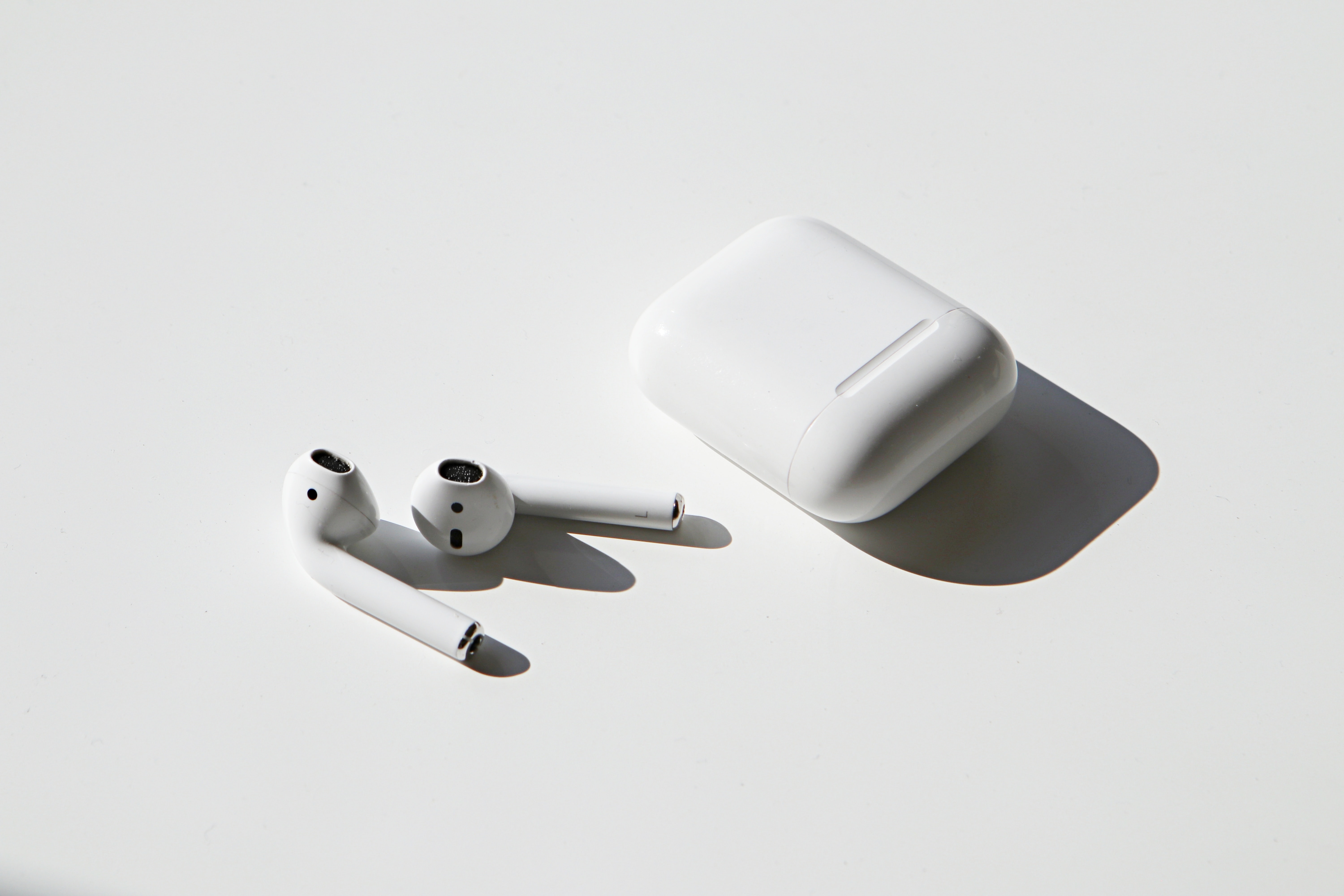
 September 7, 2016: Apple unveils the first-gen AirPods during a special event in San Francisco. The blindingly white wireless earbuds look undeniably strange at first glance, with their long, slender stems and a charging case that looks like a dental floss container.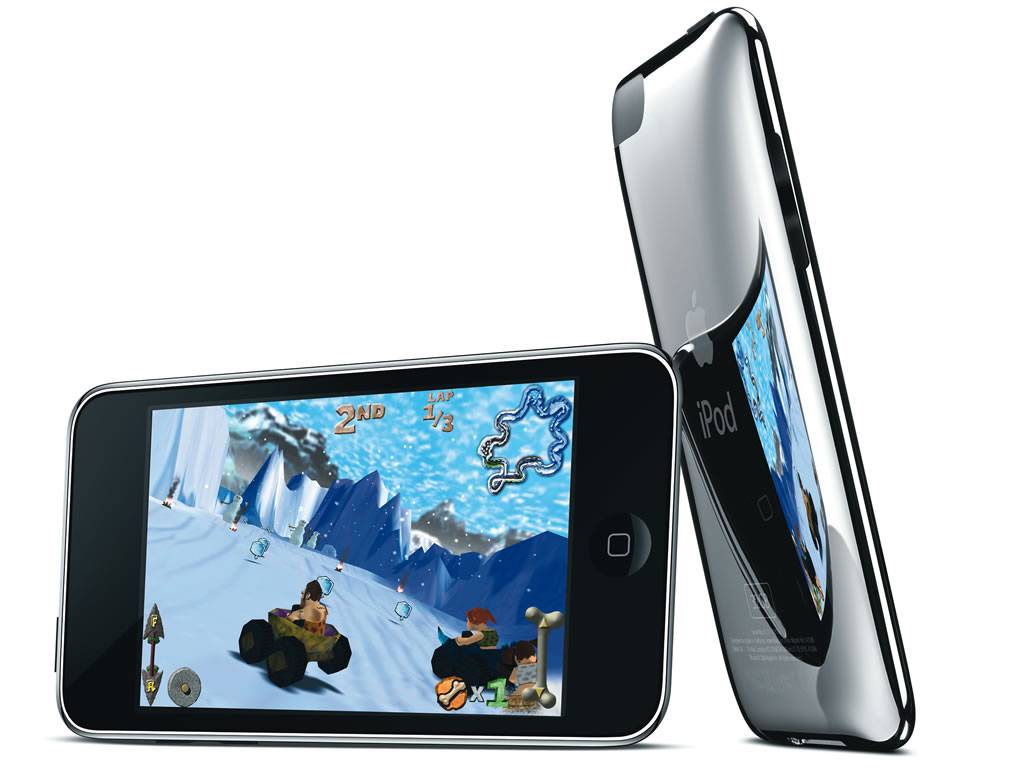
 September 5, 2007: Apple introduces its first new iPods after the release of the iPhone. The lineup includes the third-gen
  July 19, 2004: The fourth-generation iPod brings neat innovations to the popular audio device, including the Click Wheel interface recently introduced on the iPod mini.
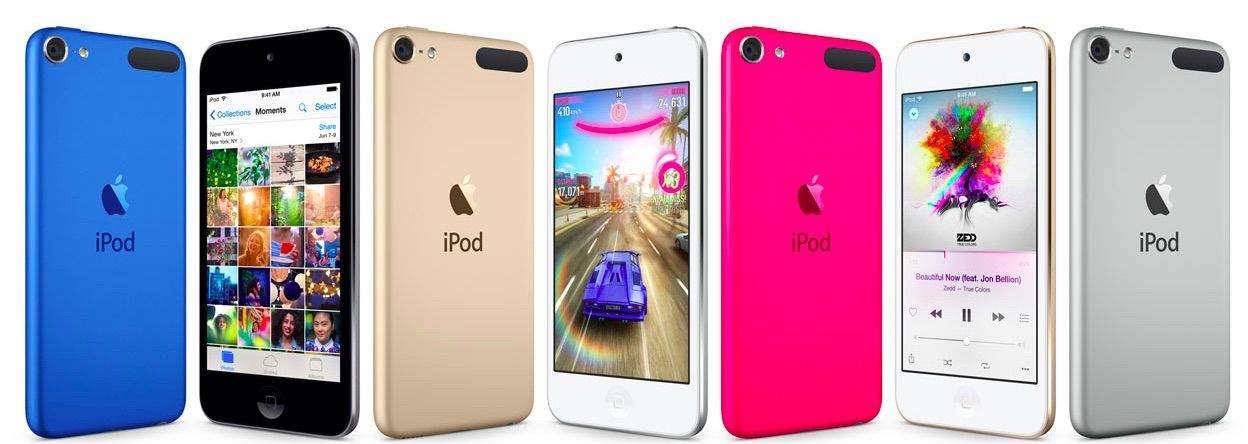
 July 15, 2015: Apple introduces the sixth-gen iPod touch, attempting to prove that there’s still a place for the humble music player in the crazy, crazy world of iPhones and Apple Watches.
 July 14, 1995: The MP3 file format receives its official name as the new .bit file extension gets changed to .mp3. The technology allows the compression of a standard CD .wav file to one-tenth its original size, courtesy of some smart algorithms. The format will revolutionize the music industry — and put Apple on the road to world dominance with the iPod.