Mobile menu toggle

tweak - page 3

Plugication Tweak Automatically Resumes Your Music When You Plug In Your Headphones [Jailbreak]
By

Plugication-iPhone

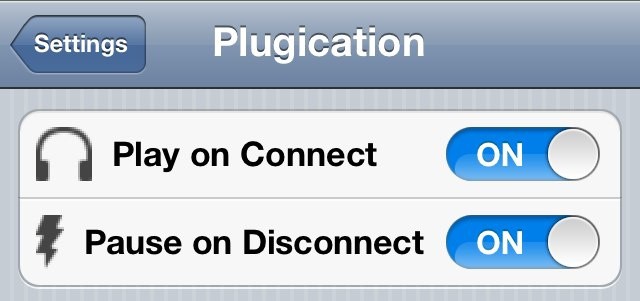
Here’s a jailbreak tweak guaranteed to put a smile on your face if you’re a music junkie. It’s called Plugication and it automatically resumes your music when you plug your headphones into your iOS device, negating the need to open up the Music app and resume it manually. Best of all, it’s completely free.

How To Quickly Check Your Twitter Timeline With Siri [Jailbreak]

By

TweetLine

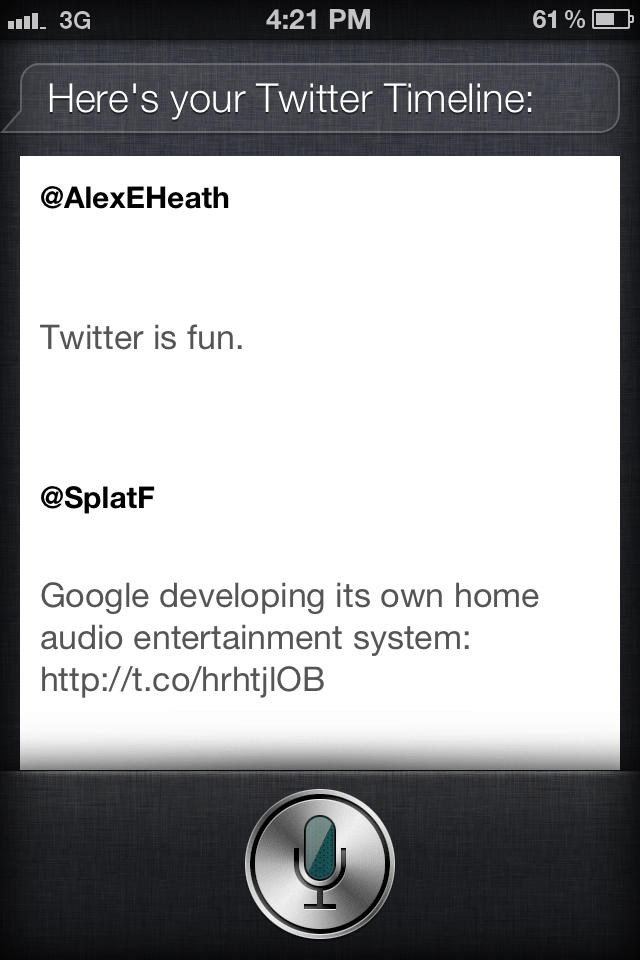
We’ve already shown you jailbreak tweaks like AssistantExtensions that let you tweet using your voice and Siri, and now there’s a way to easily read your Twitter timeline with Apple’s digital assistant. Using a simple keyword, you can have Siri show your recent tweets from within its linen window.

How To Keep Apps Like Path From Accessing Your Contacts Data [Jailbreak]

By

Screen shot 2012-02-08 at 12.47.49 PM

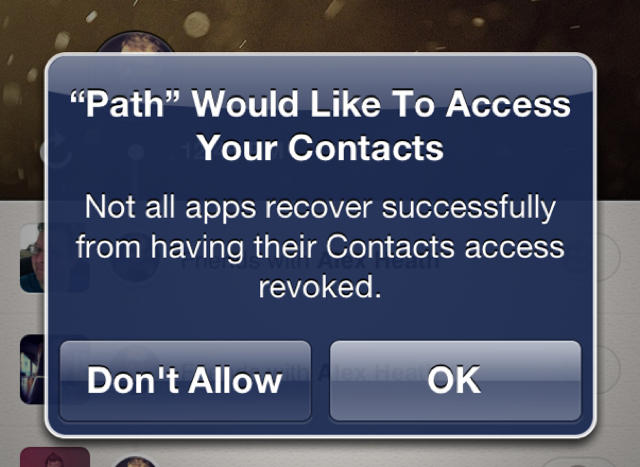
We told you yesterday that Path was secretly uploading your iPhone’s entire address book to its servers. Users of the inclusive social network voiced concern, and many decided to remove the app entirely until Path addresses the issue in an upcoming update.

It’s common practice for third-party apps to access and even store your contacts elsewhere. The problem with Path is that there was no indication that this activity was taking place. Path’s CEO stated that the app would make the activity opt-in when the next update is pushed out.

Thanks to a brand new jailbreak tweak, you’ll never have to worry about an app silently stealing your personal contacts data again.

$4.99 iOS 5 Battery Fix Available From Cydia Is A Complete Scam

By

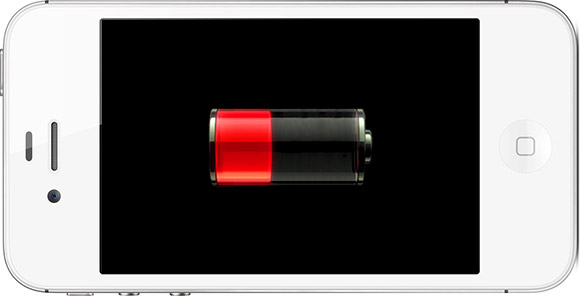
Is this a familiar sight for your iPhone 5?

While Apple has been slow to fix the battery issues plaguing its new iPhone 4S and other devices running the new iOS 5 software, it seemed the jailbreaking community had come to the rescue. A tweak that hit Cydia earlier this week claims to fix your battery life woes under iOS 5, but it wants $4.99 for the privilege.

As it turns out, the tweak does nothing; it’s just a complete scam to steal your cash.

Guy Gets Siri On iPod Touch After Restoring From iPhone 4S Backup

By

siri-ipod-touch-copy

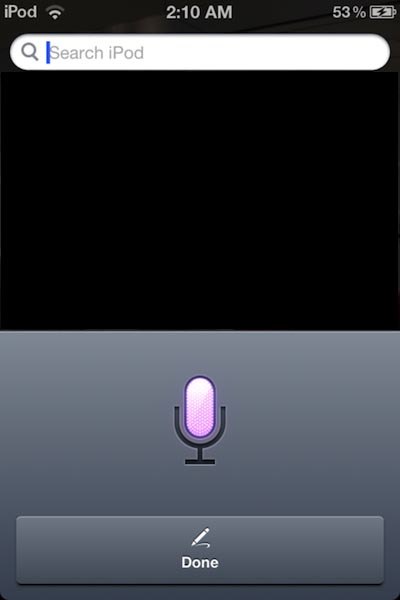
Since Apple launched Siri on the iPhone 4S back in October last year, hackers have been working their socks off to port the intelligent assistant to other iOS devices. But it seems all their hard work may have been wasted, because one guy claims he got Siri on his new iPod touch simply by restoring from an iPhone 4S backup.

Add Music Controls To The Home Screen Of Your Jailbroken iOS Device With SpringPod

By

SpringPod-for-iPhone

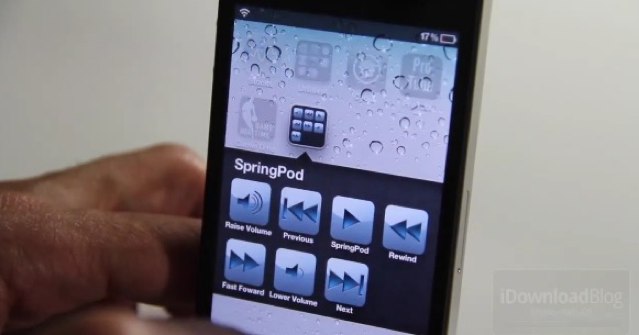
If you’re listening to music in the background while you use other apps on your iOS device, it’s quick and easy to control your Music app by using the buttons in the multitasking tray. If you have a faulty home button, however — which is a common problem on Apple’s iOS devices — you may have an issue.

Thankfully, SpringPod offers an alternative solution by adding music controls to your home screen.

UnlockFX Will Transform The Unlock Animation On Your Jailbroken iOS Device

By

UnlockFX-tweak-iOS

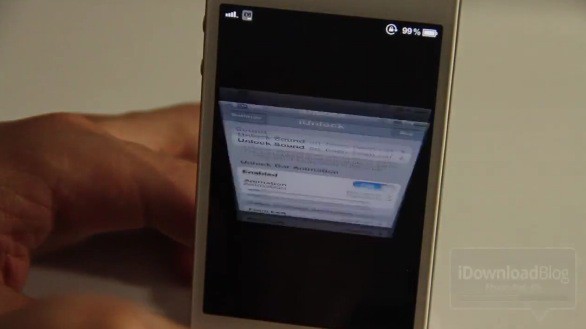
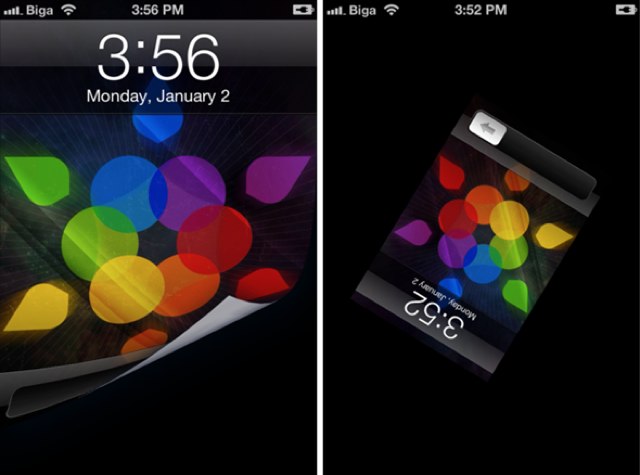
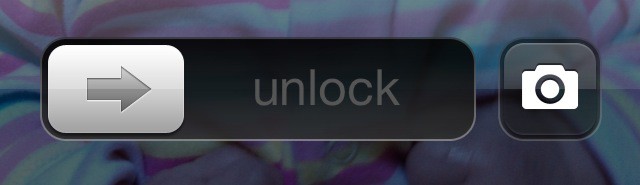
Don’t you wish your iOS device would do something a little more spectacular when you use that “slide to unlock” button? Well UnlockFX from Filippo Biga might be the answer. It’s a tweak that offers all kinds of fancy effects designed to transform the unlock animation on your jailbroken iOS device from boring to beautiful.

Animate Your Jailbroken iPhone’s App Icons With This Motion Tweak

By

Motion-tweak-iPhone

iOS devices receive a lot of criticism for their static app icons, which, although often pretty, are a little boring to look at. Other than the Newsstand icon, which changes depending on which publications you have installed within, iOS icons do nothing.

If you’ve got a jailbroken iPhone, however, you can make them a little more exciting. Motion is a nifty tweak available from within Cydia, which will animate the app icons on your home screen with all sorts of fancy effects.

Jailbreak Tweak Introduces iPad-Like Multitasking Gestures To The iPhone

By

post-137273-image-00cecac4f8342ccd6dcca51ef70614c5-jpg

httpv://www.youtube.com/watch?v=oZEypDIqekQ

One of the most useful little introductions to Apple’s iOS 5 software are the new multitasking gestures on the iPad, which allow you to use four-finger swipes to switch between the apps you have running in the background. Unfortunately we didn’t get these on the iPhone, but thanks to a new jailbreak tweak called Zephyr, we can add them ourselves.

Add Today’s Date To Notification Center [Video How-To]

By

Notification

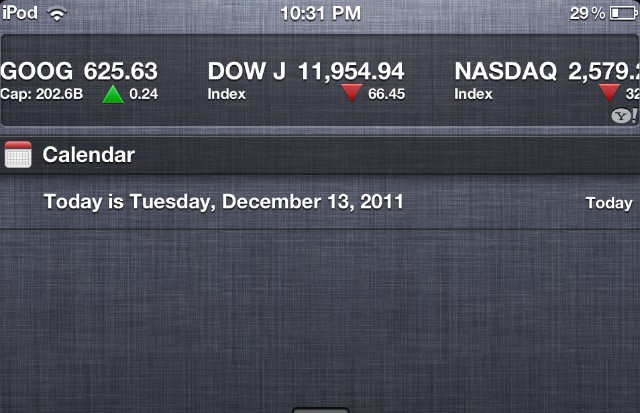
Notification Center is a useful little addition to iOS, but it’s very limited. As of now, you can’t customize it to show much more than Stocks and Weather. In this video, I’ll show you a little workaround that will allow you to display the current date in Notification Center.

Get iOS-Style Copy & Paste On Your Mac Thanks To This Awesome Utility From Pilotmoon

By

PopClip-1

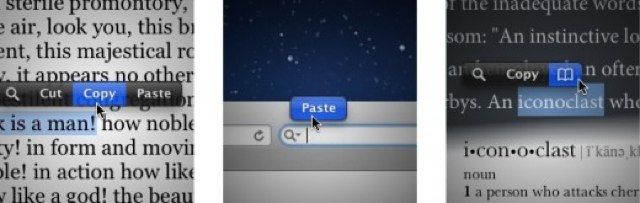
Last week, we published a video how-to that demonstrated a number of simple ways you can make Mac OS X look and act more like iOS. To be added to that list is an awesome new utility from Pilotmoon that makes the copy & paste function on your Mac look just like the copy & paste function on your iPhone, iPod touch, and iPad.

Add Custom Shortcuts to Your iPhone’s Home Screen Without Jailbreaking

By

IconProject-shortcuts

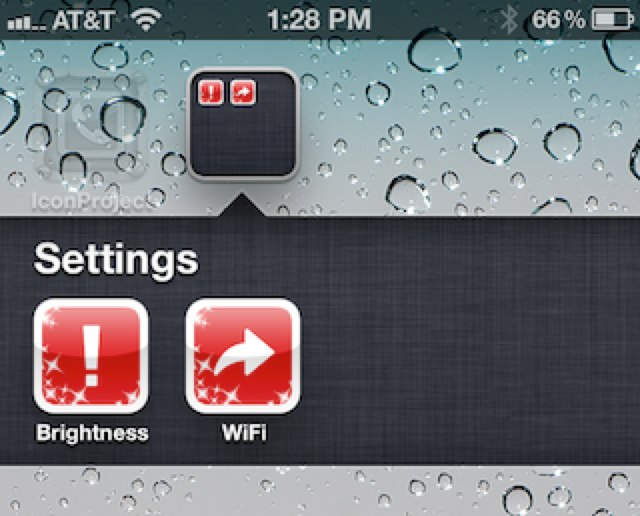
One of the advantages to jailbreaking the iPhone — at least for me — is the ability to add shortcuts to your home screen that will quickly adjust your device’s settings. There are a number of tweaks that allow you to change your brightness; and toggle 3G, Bluetooth, Wi-Fi, Airplane mode, and more.

It’s not so easy if you’re device isn’t jailbroken, but a new app called IconProject changes that — for just $0.99.

WeeSpaces Brings iOS Multitasking to Your Notification Center [Jailbreak Only]

By

WeeSpaces

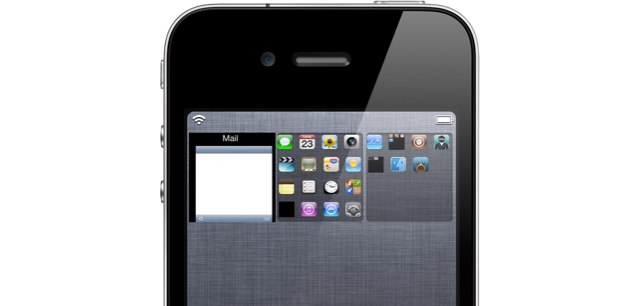
While Apple is yet to open its iOS 5 Notification Center up to third-party widgets, developers have been hard at work creating awesome tweaks that can be installed on jailbroken devices. One of the best is a tweak called WeeSpaces, which makes it easier than ever to multitask on an iOS device.

‘Brightness Icons’ Makes It Easier Than Ever to Adjust the Brightness on Your Jailbroken iOS Device

By

Brightness-Icons-tweak-iPhone

httpv://www.youtube.com/watch?v=RCfn8tDqa9U

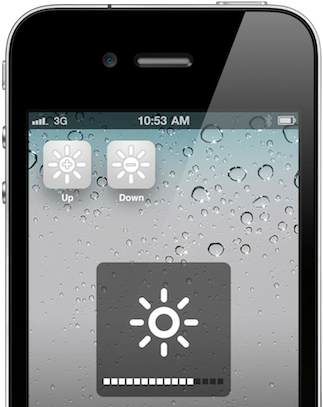
Brightness Icons is a tweak for jailbroken iOS devices that makes it easier than ever to adjust the brightness on your device. No longer do you have to navigate your way around the Settings app to dim your display — simply do it right from your home screen.

Jailbreak Tweak Hacks a Speedometer Into Stock Maps App

By

Speed-of-Maps-speedometer-tweak

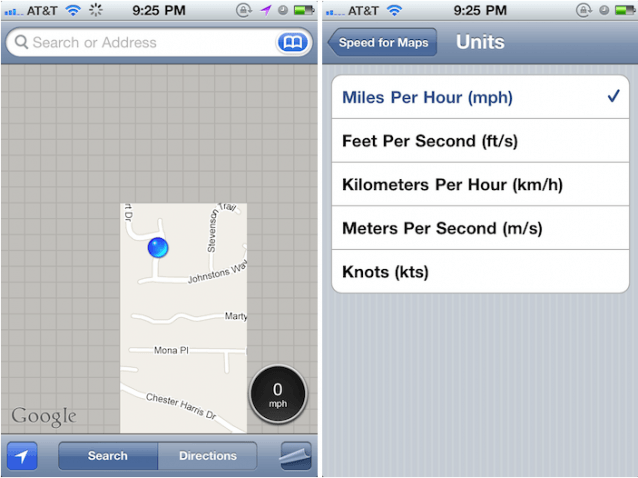
Apple’s stock Maps app for iOS is great at what it does, but there are a number of useful features that it’s lacking. Thankfully, Cydia boasts a plethora of jailbreak tweaks that allow us to add our own enhancements — the latest of which introduces a handy speedometer.

Handy New Jailbreak Tweak Means You’ll Never Have to Enter Your iTunes Password Again

By

post-105940-image-4f80cb57bcf6c0e3e021ea99073b27fe-jpg

How many times a day do you enter your iTunes password to download new apps or updates on your iOS device? If you’re anything like me, your answer will be “too many times!”

Fortunately, an upcoming jailbreak tweak from Filippo Biga will ensure you never need to enter it again.

Jailbreak Tweak Brings Lock Screen Camera Button to iOS 4

By

ios-5-lock-screen-camera-button.JPG

As we await the launch of iOS 5, jailbreak developers are creating new tweaks for the existing iOS 4 software that aims to provide us with a taste of the goodies we’ll be getting our hands on this fall. The latest is CameraLock — a great little utility that introduces a camera button to your lock screen.

Delete All of Your Junk Mail in Two Taps with ‘DeleteMail’ for iPhone

By

DeleteMail.png

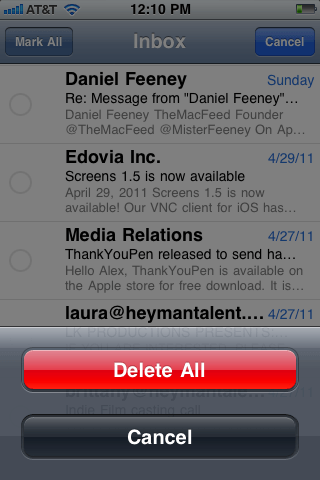
One of the biggest niggles with the iOS Mail application – for me – is that in order to delete multiple emails at once, you need to go through and select each individual message before you hit the delete button. I think that kind of defeats the object of having a multiple delete function; you might as well just delete them individually if you’ve got to touch them all anyway. However, a new jailbreak tweak called DeleteMail offers a solution to this problem.

Developed by Andrea Oliva, and now available in Cydia for $0.99, DeleteMail allows you to delete every single email in a particular mailbox in just two taps.

Upload Photos to Facebook Straight from Your Camera Roll with Jailbreak Tweak

By

Native-FB-Upload.png

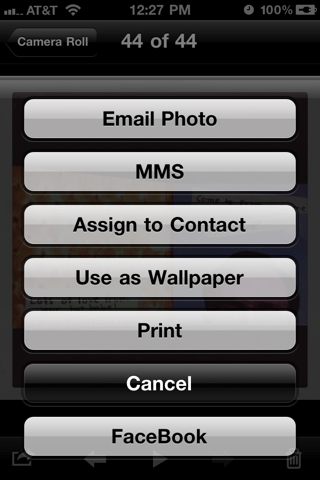
A new jailbreak tweak that’s just hit Cydia allows users to upload photos to Facebook directly from the photo library on their iOS device without having to use a dedicated application. Native FB Upload allows you to select your photo and send it to Facebook just as easily as you can to MobileMe.

While the App Store is full of Facebook applications that allow you to upload photos, this $1.99 tweak from Tyler Nettleton (@InfectionX) cuts out the middle man. Once installed you can select a photo in your camera roll, or any other photo album, and tap the ‘export’ button in the bottom left that you’d usually use to send an image via MMS, email, or to MobileMe. You’ll have a new option to upload to Facebook.

‘Cydia Search’ Lets You Browse Jailbreak Tweaks on Your Desktop

By

Cydia-Search-web-browser-app.png

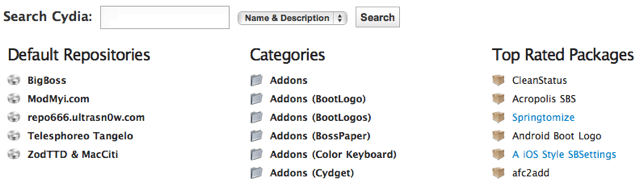
A new resource called ‘Cydia Search’ lets you browse the Cydia’s huge collection of jailbreak tweaks and applications from the convenience of your desktop. Finding the packages you’re looking for in Cydia can sometimes be a slow and unpleasant process, but thanks to Planet-iPhones, you can now find them from your web browser.

Cydia Search checks all of Cydia’s default repositories – as well as 7 others – for new and updated packages once every hour. You can browse packages by repository and category; by top rated, newest, and updated packages; or you can search the collection for a range of things like package names, descriptions, and authors. You can also subscribe to the newest and updated packages RSS feeds so that you never miss a Cydia release.