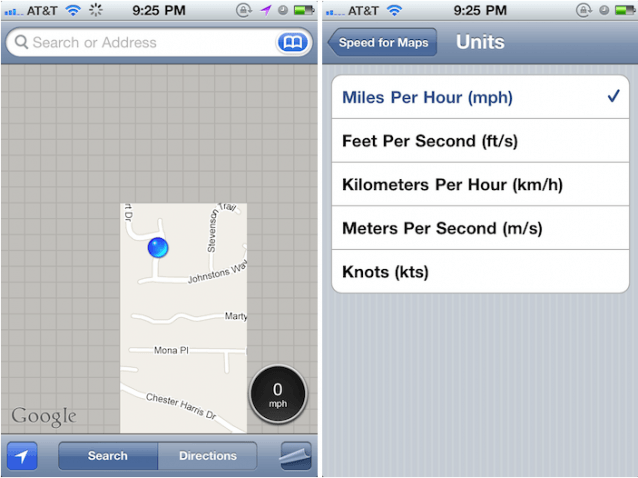
Apple’s stock Maps app for iOS is great at what it does, but there are a number of useful features that it’s lacking. Thankfully, Cydia boasts a plethora of jailbreak tweaks that allow us to add our own enhancements — the latest of which introduces a handy speedometer.
‘Speed for Maps’ is available to download now through Cydia, and places an icon in the bottom corner of your stock iOS Maps app that displays your speed — just like you get in a GPS navigation app. You can choose how you’d like your speed to be displayed from within the Settings app, with a choice of MPH, KPH, FPS and even Knots.
Will you find Speed of Maps helpful? What’s your favorite Maps tweak? Personally, I’m eager to equate my jogging speed to Knots Per Hour.
[via 9to5 Mac]

Killian Bell is a freelance writer based in the U.K. He has an interest in all things tech and also covers Android over at CultofAndroid.com. You can follow him on Twitter via @killianbell.

