Mobile menu toggle

Top stories - page 843

The SkechBook Turns The iPad Mini Into A Neat Little Notepad [Review]

By

1359730946.jpg

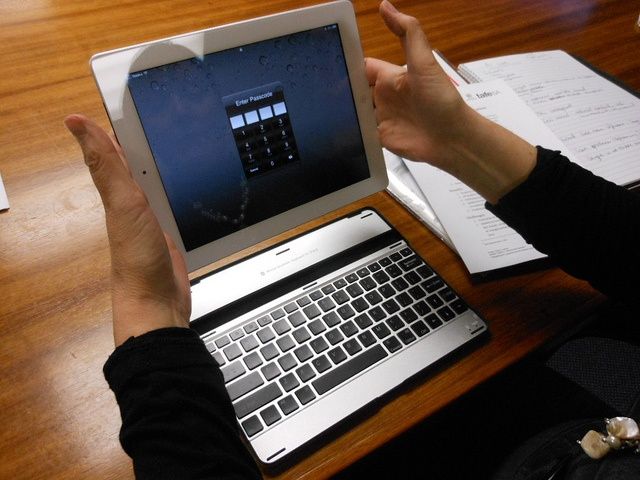
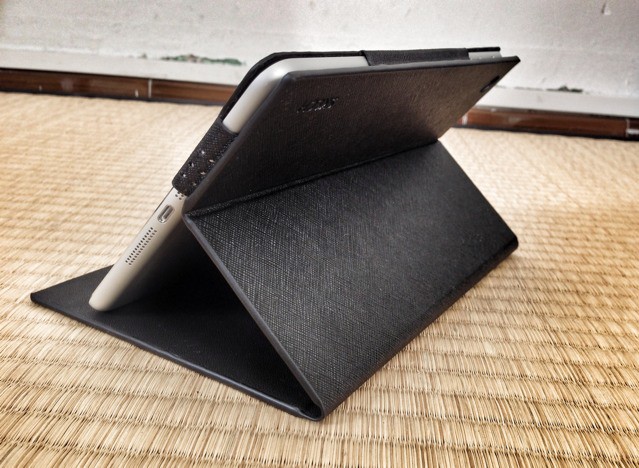
The SkechBook case, from master iPad case-maker Skech, was one of the things that drove me to buy and iPad mini, so slim and cute and retro-tastic is its tiny form.

Since succumbing to the mini’s charms, though, I have come to believe that it really needs no case other than the Smart Cover, and the Smart Cover is only really needed to lock and unlock the screen quickly. Why? Because the iPad mini weighs just 307 grams on my kitchen scale, making even the 68-gram Smart Cover a significant addition to its weight. And apart from the glass screen, the little iPad is so light, tough and compact that further protection seems like unnecessary coddling.

Google: If You’re Not Using Our Mobile Map App, You’re Probably Lost (And Lonely)

By

googlegraf
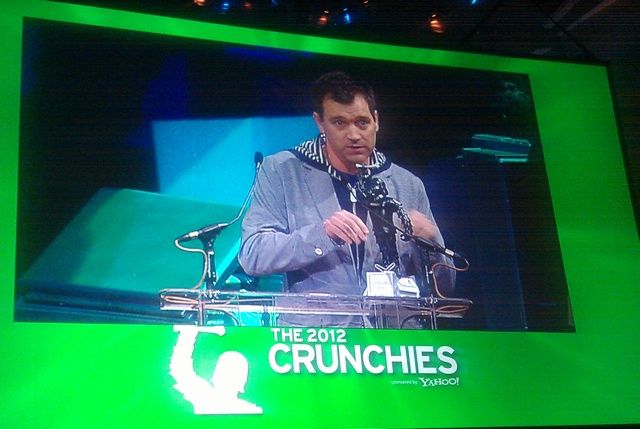
Google's Daniel Graf accepting the 2012 Crunchies award.

Google won the award for Best Mobile Application at the sixth edition of the TechCrunch Crunchies Awards, beating out Grindr, Instagram, and Square.

“I see a few empty seats, so it looks like those guys haven’t downloaded the app and got lost somewhere,” said the Daniel Graf, Google’s director of mobile maps, accepting the statue of a gorilla smashing a TV set.

Path Fined $800,000 By FTC For iOS Privacy Violations

By

pathscreenshot

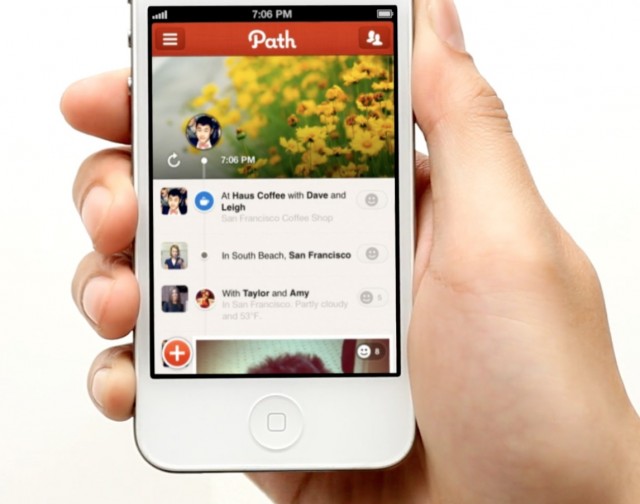
Path, the mobile social network that first launched on the iPhone in November 2010, has agreed to settle Federal Trade Commission charges that it deceived its users by collecting personal information from their address books without their knowledge or consent. The settlement requires the company to establish a comprehensive privacy program and to have independent privacy assessments carried out every other year.

The company has also been fined $800,000 for illegally collecting personal information from children without their parents’ consent.

How Jobs Made Kutcher Weep And Our Best-Of-Show Picks On The CultCast [Macworld 2013]

By

new-cultcast-site-promo-pic.jpg

macworldbugSAN FRANCISCO, MACWORLD/iWORLD 2013 – It was clear during his panel that playing Steve Jobs touched actor Ashton Kutcher in a deep and poignant way… but when he started choking back tears when speaking about the tech luminary, things started getting weird.

Yes, team Cult is here at Macworld 2013, and we’re reporting live from the show on our all-new CultCast.

Couldn’t make it this year? Don’t worry, we sat through 60 minutes of actors Kutcher and Josh Gad describing the process of making their new JOBS movie so you wouldn’t have to. Catch our new episode to find out what Jobs said that made Kutcher teary-eyed whilst reciting it, and why he and fellow actor Josh Gad feel Woz’s recent harsh criticism of their movie just isn’t fair.

Then—from the cool, to the useful, to the downright whacky—it’s our favorite Apple tech from the show!

All that on our newest CultCast plus, JJ Abrams, Star Wars Savior! Read on for the show notes.

The Three Things You Should Learn From ‘JOBS’ According To Ashton Kutcher

By

JOBS_1

macworldbug    SAN FRANCISCO, MACWORLD/iWORLD 2013 – Whether you’re excited for Ashton Kutcher’s upcoming film JOBS or not, there’s no denying that Kutcher poured his heart into this role.

Throughout his keynote this morning, Ashton waxed philosophic on the things that he learned as he tried to become Steve Jobs. At one point he was even on the brink of tears. At the end of the interview, Ashton was asked what he want he wants people to get out of seeing the movie, and he shared these three things.

Top 5 Things To Do In San Francisco During Macworld/iWorld 2013

By

scoot
Image courtesy Scoot Networks.

macworldbugSAN FRANCISCO, MACWORLD/iWORLD 2013 – After you’ve brushed up on your iPhone photography skills and checked out the gadgets on the Expo floor, there’s still a few Apple-related things to do in San Francisco.

It’s a bit disappointing that the strip clubs have decided to stop offering their usual MacWorld free passes – and we don’t recommend you follow Apple maps to the Tenderloin to visit “My Butt,” either — but here are a few ideas.

The 128GB Retina iPad Is The Desktop To The iPad Mini’s Laptop [Opinion]

By

1359551677.jpg

With Tuesday’s’s announcement of a 128GB iPad 4, Apple is clearly signaling that the iPad is not only suitable for serious work, but that it can be the primary machine for many users. Most commenters have fixated on fitting extra movies and other consumables into the extra 64GB of space, but they’re forgetting about work.

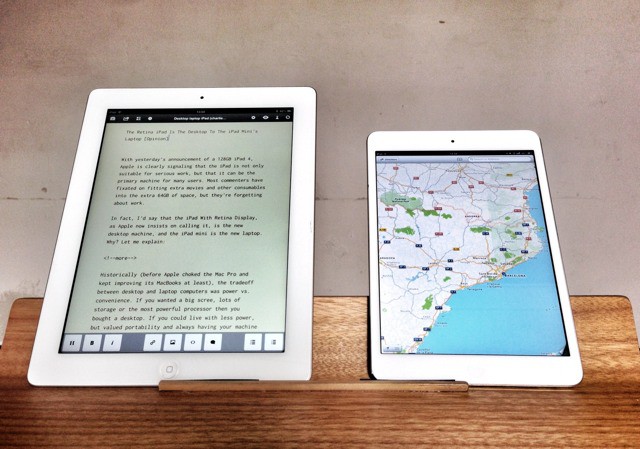
In fact, I’d say that the iPad With Retina Display, as Apple now insists on calling it, is the new desktop machine, and the iPad mini is the new laptop. Why? Let me explain:

Google’s Campus Gets A New Android Statue, But It Doesn’t Mean Anything

By

post-213493-image-07c8b65907d624cc869211eef356beb1-jpg

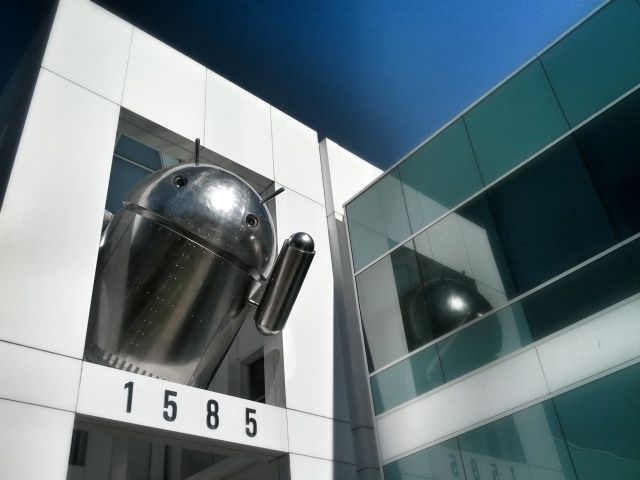
There’s a new Android statue on Google’s Mountain View campus today. Made from what appears to be chrome, the little guy is hanging out of Building 45, which is situated opposite the lawn where the other Android statues sit. Its arrival has sparked speculation that Google is ready to release a new version of Android, but according to the company, we’re reading too much into it.

The Adobe CS6 Training Bundle: 100 Hours To Creative Mastery [Deals]

By

CoM - Adobe Course

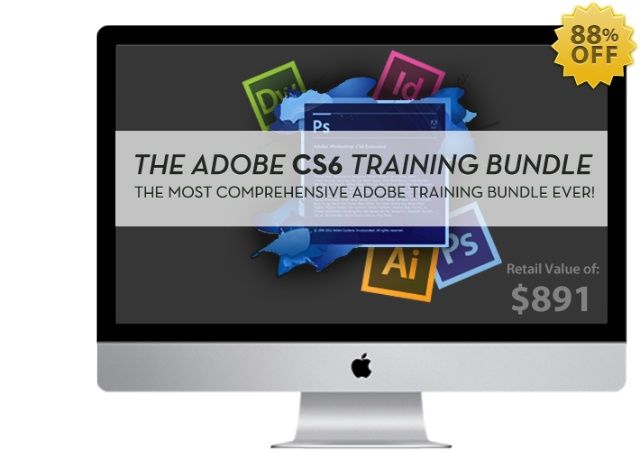
Adobe has been making their “creative suite” for years, and while it is robust on so many levels, it is also daunting on just as many. There’s so much to learn and wrapping your head around each component is key in order to get the most out of each of them. Our latest Cult of Mac Deals offer will give you a chance to get the most out of Adobe Creative Suite 6 so that you can get more results from your creative work.

The Adobe CS6 Training Bundle offers over $891 worth of education on Adobe Creative Suite 6 – with over 1000 lessons making up over 100 hours of practical training – and Cult of Mac Deals has it available for only $99 for a limited time!

Evasi0n: iOS 6.1 Jailbreak Gets A Name And A Website [Jailbreak]

By

1359598711.jpg

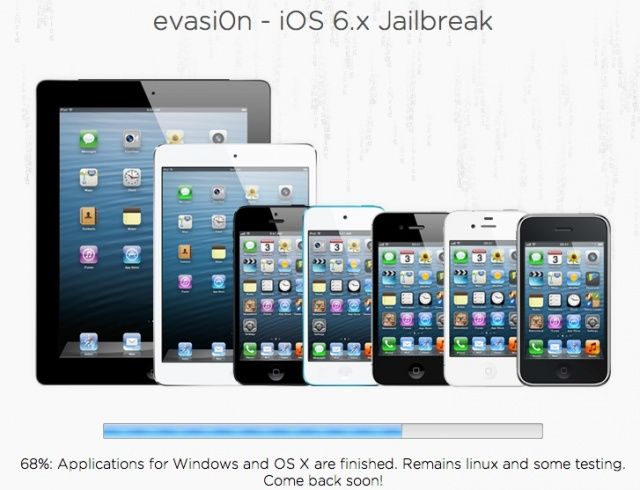
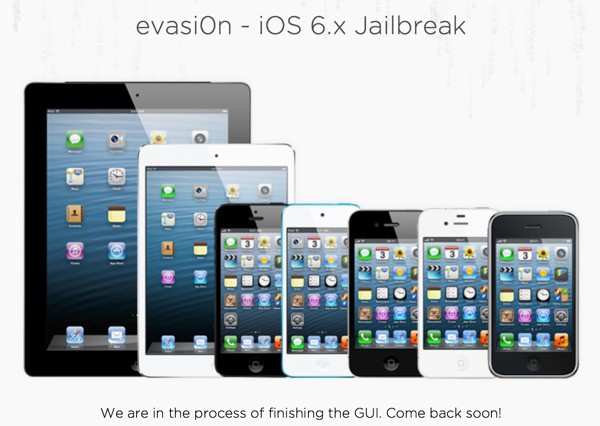
The iOS 6.1 jailbreak is dropping within the week. A group of hackers known as the Evad3rs have been working on it for months, and when it’s released, all current iOS devices will be compatible (with the exception of the third-gen Apple TV).

While we’ve known that a new jailbreak is coming, details have remained relatively scare. Until now. An official home has been given for the iOS 6.1 jailbreak: evasi0n.com

What’s The Deal With Struggling Tech Companies And Celebrities? [Opinion]

By

Alicia Keys thinks Blackberry is totally
Alicia Keys thinks Blackberry is totally "fly."

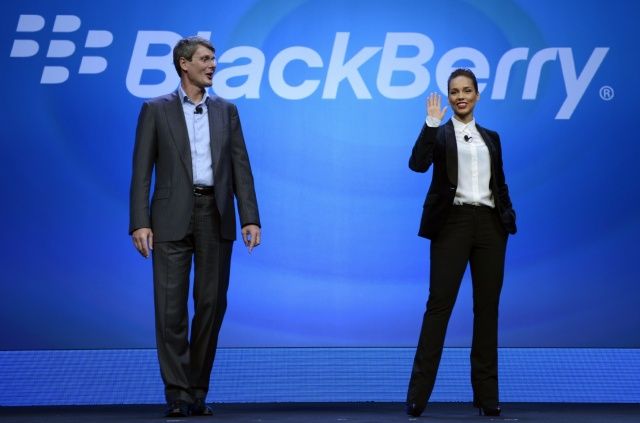
Despite the fact that she uses an iPhone, Alicia Keys joined BlackBerry’s CEO onstage today to announce her new position at the company as “Global Creative Director.” After giving a creepy analogy about her and BlackBerry “exclusively dating,” Keys skirted a question about what phone she used before her BlackBerry. That’s probably because she was a self-proclaimed “iPhone junky.”

The idea of a famous artist/non-technology expert like Alicia Keys getting in bed with BlackBerry may seem weird, but this isn’t something new. For years struggling tech companies have been using faux-celebrity partnerships and endorsements as a desperate plea for attention.

The BlackBerry Z10: How It Stacks Up Against The iPhone, Android And Windows 8 Superphones [Chart]

By

How does the BlackBerry Z10 Compare?

It’s official: the BlackBerry Z10, the first smartphone to ship with the new BlackBerry 10 operating system, and what many believe is the last chance for BlackBerry (formerly RIM) to save itself from complete irrelevance.

The early reviews of the Z10 aren’t bad, but aren’t great, pretty much agreeing that the smartphone is just good enough to buy BlackBerry some time. But how does it stack up, spec-for-spec, against the iPhone 5 and some of Android’s top phones? We’ve put together a chart for you to see for yourself.

RIM Shamelessly Copies Apple, Renames The Company After A Fruit

By

Apple and BlackBerry take it to the street.

The headline pretty much says it all: beleaguered smartphone maker Research In Motion has rebranded itself as BlackBerry, naming the company after it’s most popular product.

So now we have two fruit companies making smartphones: Apple and BlackBerry. And just like in the grocery aisle, one is going to sell by the droves, while the other will be largely rejected by shoppers at large until it collects mouldering funguses and is eventually thrown in the big dumpster behind the supermarket… I mean, gadget store.

Sync Lightroom And iPhoto Pictures To Your iPad Simultaneously [How-To]

By

cult_logo_featured_image_missing_default1920x1080

Problem: You use Lightroom for your fancy photos from your fancy camera, and you want to put the best of those on your iPad.

But you also shoot a ton of pictures on your iPhone, and you want to back those up to iPhoto on your Mac, and send the best of those to your iPad too.

It sounds like a mess waiting to happen, right? Thanks to two little features, though, you can do all of this without breaking a sweat.

Project Genesis: A New Tale Of The Beginning. Did Mac Create Man?

By

Mac-Project-Genesis-Film.jpg
Project Genesis: A New Tale Of The Beginning

What if the history books have it wrong? What if the tool is the master of its maker? Did Mac create Man?

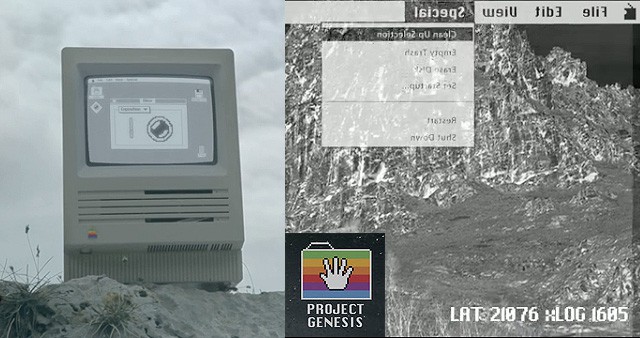
Project Genesis, a short film about a world populated only by old Apple computers, has arrived. The computers have issues. And they have spoken:

We have always looked at our world with a single point of view: with resignation, limiting ourselves to survive. We were wrong! From this moment on, everything changes: new unexpected ways open up in front of us, the world we knew now becomes more accessible, simple, within everyone’s range.

With “Project Genesis” we open the door to our dreams: now we only have to start living, as we truly mean it

Cue the spotlights. Cue the fanfare. Today on Cult of Mac, we present the International Premiere of this groundbreaking short film by Italian director Alessio Fava. It was worth the wait:

Unlocking A New iPhone Is Now Illegal, But Jailbreaking Is Still Safe — What It All Means For You

By

illegal iPhone unlock

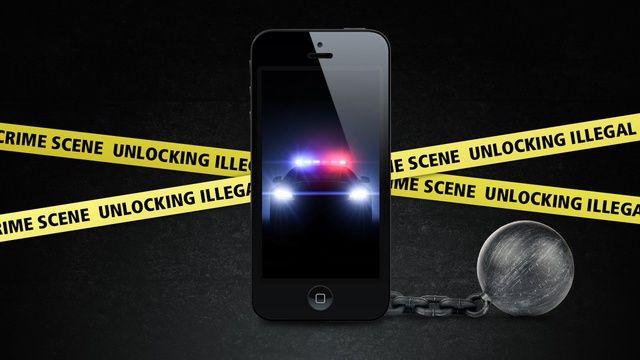
It can be easy to get “unlocking” and “jailbreaking” confused, but the two terms mean totally different things. Unlocking refers to freeing your phone to work on any carrier instead of just the one you bought it on. Jailbreaking is the process of circumventing Apple’s security measures in iOS to install tweaks, hacks, and mods that aren’t allowed in the App Store.

The U.S. Library of Congress has ruled that it is now illegal for you to unlock your smartphone if it was bought after January 26th, 2013. Carriers can still legally unlock your device for you, but it’s illegal to go through a third-party unlock vendor.

Jailbreaking your iPhone has been kept legal through 2015 under an exemption in the Digital Millennium Copyright Act (DMCA). The crazy catch is that jailbreaking the iPad has technically been made illegal, while the iPhone and iPod touch both remain exempt. So jailbreaking is safe mostly, but unofficial unlocking is not. This is important to mention as the iOS 6.1 jailbreak approaches.

Keeping up with the U.S. legal system is very confusing, so what does all this unlocking and jailbreaking legal jargon mean for you?

This Is How Many Apps, Songs, Videos, Photos & Games You Can Fit On A 128GB iPad

By

Screen Shot 2013-01-29 at 12.33.43 PM
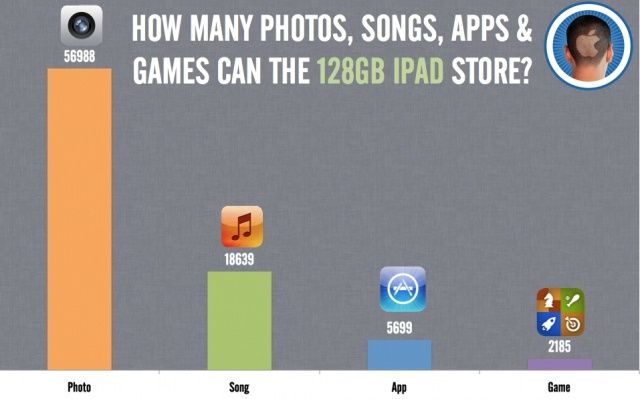
It's not too bad at video either: 85 SD Videos and 32 HD Videos.

When it’s released, the new 128GB will be the highest capacity yet, but what does it mean in practical terms? How many games, apps, photos, songs, and videos will the new 128GB iPad store?

We did the math. Here’s what you can fit on your new 128GB iPad.

Why A 128GB iPad? Call It The iPad Pro [Opinion]

By

This is who the 128GB iPad is really for. Photo: http://bit.ly/WMmZv8

For some reason, Apple released a 128GB iPad this morning. And a lot of people are scratching their heads over it.

It’s not that a 128GB iPad is an unwelcome thing, of course. More storage for apps, movies and music is always a good thing… except, if it’s just a matter of soldering in a couple of 64GB NAND modules instead of a couple of 32GB NAND modules, why the heck didn’t Apple release a 128GB iPad when they refreshed the iPad in October?

In other words, why now? Why announce it today, on a sleepy Tuesday morning at the tail-end of January? And who is this thing for, anyway?

I’ve got a theory.

Mastering Writing Kit, iOS’s Best Word Processor [Feature]

By

1359391233.jpg

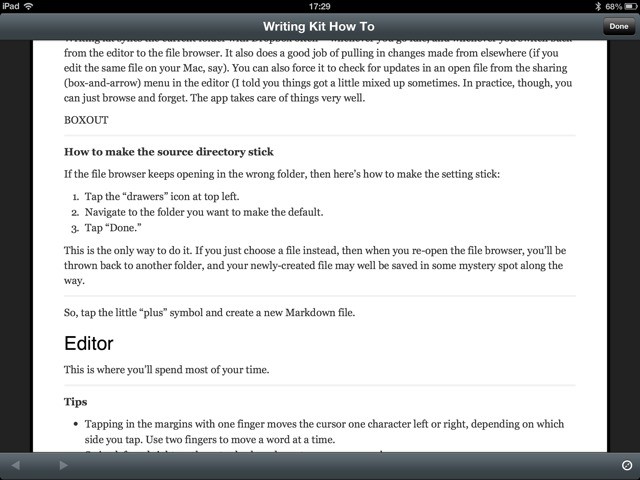
Writing Kit is one of the best text editors on the iPad (and iPhone), but it can be a little confusing at first. It’s made for people who write for a living, and specifically for those who write for the web. To this end, Writing Kit contains not only a world-class Markdown-friendly text editor, but a web browser, quick-research tools and connections to an embarrassment of other web services.

Once you get used to it, Writing Kit will quickly become your writing app of choice. With that in mind, here’s a guide to help you make the most of it.

Apple Will Start Selling A 128GB iPad Next Week

By

DSC_2058

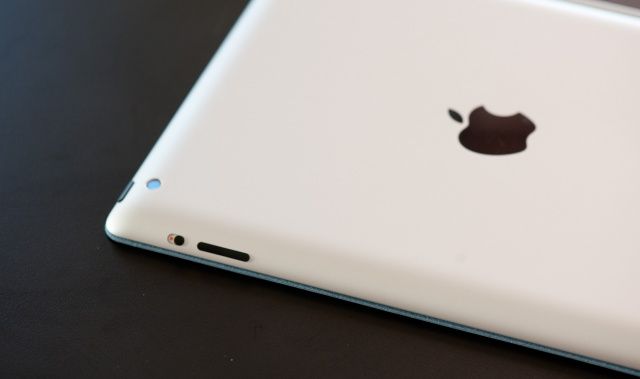
Apple has officially announced a 128GB version of the fourth-generation iPad, coming in both WiFi and WiFi+ Cellular models. They’ll be available next week on Tuesday, February 5th, in black or white, and cost $799 for the WiFi model and $929 for the WiFi + Cellular model.

In the official press release, Apple’s not trying too hard to emphasize this as anything more than what it is: a doubling of storage capacity on the high-end. The timing, though, is curious, coming just a couple months before a (presumed) March or April iPad event; this perhaps implies that a fifth-gen iPad isn’t incoming until later in the year.

It’s curious that Apple has taken so long to release an iOS device with 128GB of storage, when the flash modules Apple has needed to do it have existed for years. Is a 128GB iPhone on the table next?

How Should Apple React To Porn On Twitter’s Vine App?

By

Vine porn

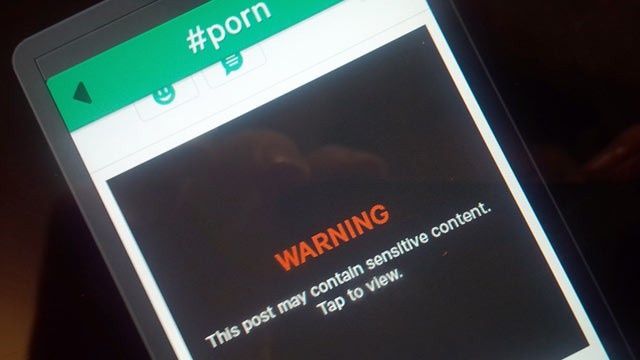
You’ve probably seen quite a few headlines today about Twitter’s new Vine iPhone app displaying pornography. Vine went live in the App Store last week, and the video sharing service has garnered quite a bit of attention due to its parent company, Twitter.

Vine was made an Editors’ Choice by Apple in the App Store, but the app has been de-promoted following all the porn hubbub. Apple has yet to give an official comment on the issue or pull Vine from the App Store completely.

What does all this mean for Vine, and more importantly, the App Store’s policies on porn?

Everything To Expect At Macworld/iWorld 2013 [Macworld Preview]

By

macworldiworld2012pic
Cult of Mac is going to Macworld. Here's everything to expect, day-by-day.

Many people thought that without Apple’s injecting blood directly into the arteries of Macworld, the expo would quickly shrivel and die.

They were wrong. Apple may not have participated in the event since 2009 but things are still going strong. Macworld has transformed itself from an Apple launch event where Cupertino  announced products like the original iPhone and taught customers how to use them, to an event where people celebrate the culture that permeates Apple fans and binds them together.

In three short days, thousands of iFans across the globe will converge on San Francisco’s Moscone Center to celebrate everything that is great about Apple. It’s going to be a great show. Already, Macworld/iWorld 2013 is set to be one of the most entertaining Macworld conferences in recent memories. It’s going to be packed with celebrities like Ashton Kutcher and Will.i.am, while over 350 companies show off their new products to Apple fans who will love getting to hangout with each other and swap stories on everything Apple.

Here’s what to look forward to this week at MacWorld/iWorld 2013:

Apple Releases iOS 6.1, Next Comes The Jailbreak

By

ios-6.1-release-date-2013

Following a last minute Friday release of developer beta 5, Apple has officially released the final iOS 6.1 for all compatible devices… which, of course, opens the door to the imminent iOS 6.1 Jailbreak.

The headlining new feature of iOS 6.1 is that it adds LTE support to 36 iPhone carriers and 23 iPad carriers around the world. You can also purchase movie tickets through Siri now, and the Apple TV gets new Bluetooth functionality, iTunes 11’s Up Next functionality, and iTunes in the Cloud support. There’s also a host of new bug fixes.

Most excitingly? The official release of iOS 6.1 heralds the long delayed availability of an untethered iOS 6 jailbreak for all devices short of the Apple TV 3.

iOS 6.1 final is the same as iOS 6.1 Beta 5, so if you downloaded that over the weekend, you won’t have to install anything more. Press release and direct download links are after the jump.

Hack Your iOS Device Without Jailbreaking [How-To]

By

You don't have to jailbreak to give your iPhone a little extra personality.

Jailbreaking your iPhone gives you the ability to tweak and customize nearly every facet of iOS, but new jailbreaks are few and far between these days. For example, there still hasn’t been a full jailbreak for iOS 6 from last summer, although one is on the distant horizon.

People jailbreak their iPhones for all sorts of reasons, whether it be free tethering, themes, or quick access to settings. The most common reason to jailbreak is actually more of a philosophy. There are millions of iPhone owners out there who want to be able to have greater control over their iOS experience. What if you want to hide stock apps you don’t use, or even just get rid of your carrier logo?

Fortunately, you can actually do those last two things on a non-jailbroken iPhone with relative ease, and here’s how: