Mobile menu toggle

Top stories - page 344

Unmount noisy hard drives to stop them driving you crazy

By

A hard drive, fully
A hard drive, fully "unmounted."
Photo: Vincent Botta/Unsplash

If the main disk in your Mac is a spinning hard drive, you should probably upgrade to a solid state drive. Swapping in an SSD is the cheapest way to make your old computer feel like a brand-new Mac. But for backups, and for lesser-used internal storage in a Mac Pro or iMac, a hard drive still gives you the best value. You will pay far less per megabyte of storage.

The problem is that hard drives are noisy as well as slow. If you’re used to enjoying the silence of an SSD-based computer environment, then those whirrs, whines clicks and pops will drive you nuts. Which is why you should unmount your noisy hard drives. That way they’re still available to the apps that need them, but otherwise they’re sleeping.


LG confirms Dolby Atmos coming to Apple TV app, AirPlay 2 on its Smart TVs this year

By

LG UM6X UHD in room
LG confirms Dolby Atmos coming to its TVs via Apple TV app and AirPlay.
Photo: LG

TV maker LG has confirmed it will add Dolby Atmos support to 2018, 2019 and newer 2020 models of selected televisions this year for both the Apple TV app and AirPlay 2.

In a published report Thursday, a company representative told FlatpanelsHD that support for Dolby Atmos will be delivered “later this year.”

Apple Watch saves life: How an alert saved his life

By

photo of Texas native and Apple Watch user Brady Ogle
Brady Ogle loves his Apple Watch for many reasons.
Photo: Brady Ogle

Brady Ogle knew something was wrong with his body. It took the Apple Watch to confirm it.

24 hours after New Year’s Day, Ogle reported for work like any other workday at an AT&T store in Granbury, Texas, just south of Dallas. For the preceding three months, the 30-year-old hadn’t been feeling well. He visited his doctor but was told he might be suffering from a mild case of indigestion and to simply manage it from home with a proper diet.

Still, his symptoms kept preying on his mind. Something was wrong. He could feel it.

Peek-a-View lets you safely limit the photos someone can see [Review]

By

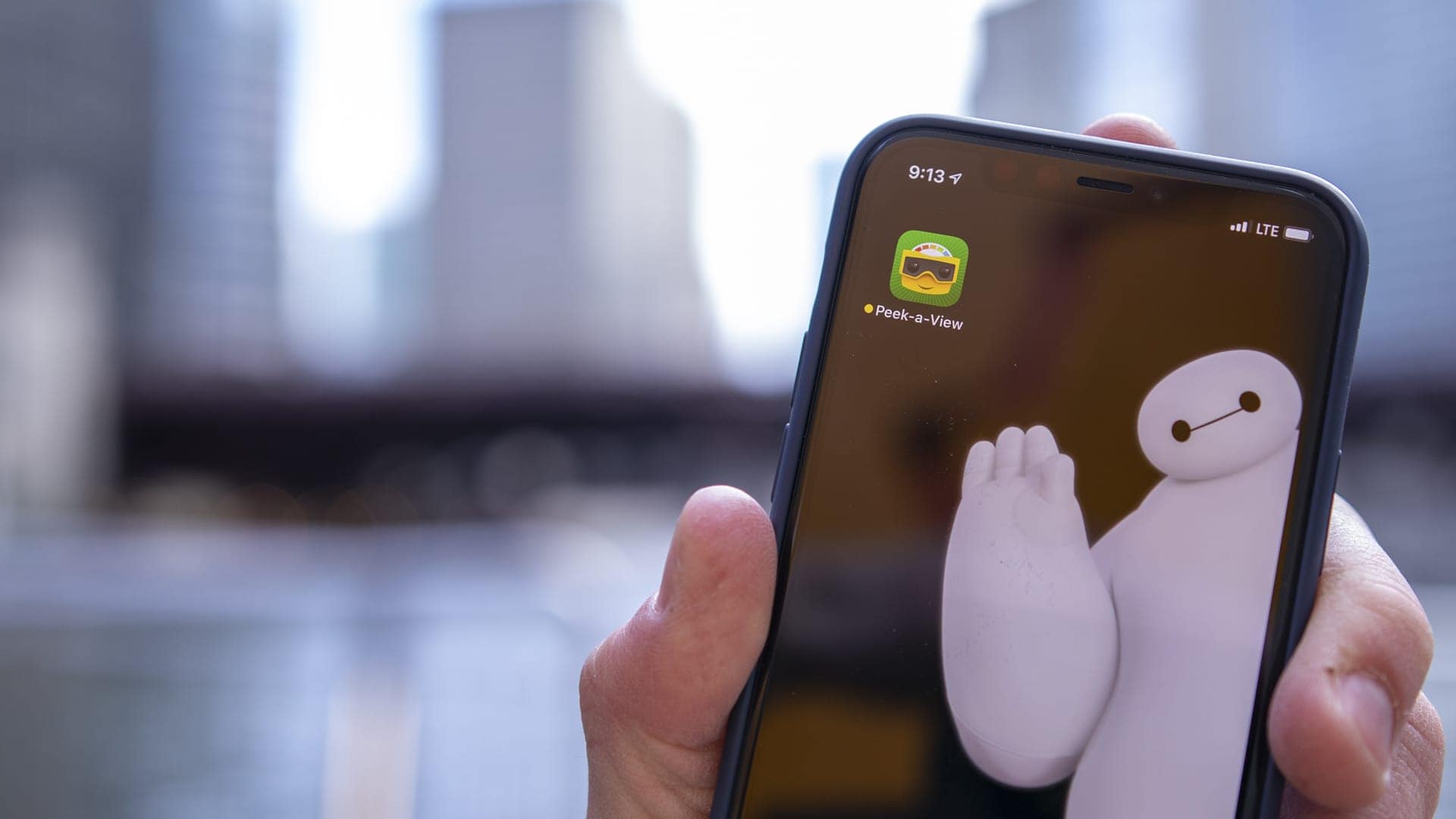
Peek-a-View lets you limit a photo album to be view-only.
Photo: Ian Fuchs/Cult of Mac

If you’ve ever found yourself showing other people pictures on your phone, you’ve probably also been trying to micromanage what they can and can’t see. And, if you’re a parent of a young kid, it’s likely that you’ve let your child look through a photo album on your device. In that case, you’ve certainly been worried about their ability to delete or accidentally modify an image.

There are ways to limit what a person — or child — can or can’t get to on your device through the Guided Access settings in iOS. But nothing is as simple as using a new iOS app called Peek-a-View to lock down your photos.

One carrier is already accepting ‘iPhone 9’ preorders

By

iPhone-9-KT-preorders
But does it mean anything?
Photo: MySmartPrice

At least one carrier in South Korea has already started accepted preorders for the rumored “iPhone 9.”

Korea Telecom (KT) has plastered posters and banners all over one store that suggest a new Apple handset will arrive immenently. But the picture it is using to depict the device looks awfully familiar.

CarKey feature buried in iOS beta might let iPhones replace car keys

By

A Tesla Watch app concept.
A concept design for an Apple Watch app designed to communicate with a Tesla.
Photo: Eleks Labs

Apple reportedly added code to iPhone and Apple Watch to let these devices function as car keys, giving users one less thing to constantly carry around.

The company began work on such a feature years ago, and supposedly how has finally reached the point where it’s building the feature into iOS and watchOS.

Apple’s new beta updates usher in iCloud folder sharing, universal purchases

By

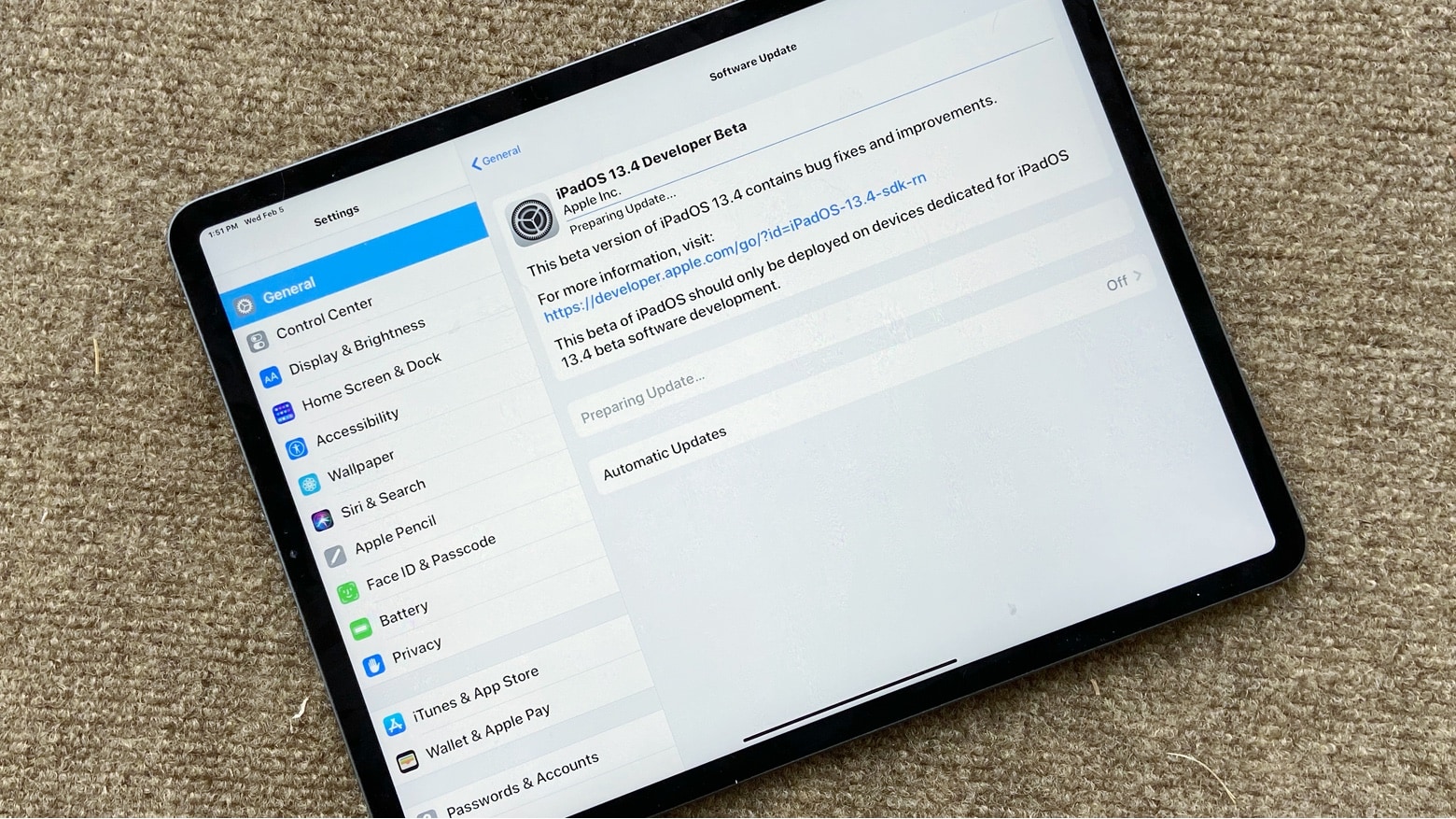
First iPadOS 13.4 Developer beta includes iCloud folder sharing
Developers can install iPadOS 13.4 to test out iCloud folder sharing. The same goes for iOS 13.4 and macOS 10.15.4.
Photo: Ed Hardy/Cult of Mac

The first pre-release versions of updates for all Apple computers include significant new features. iCloud folder sharing makes its delayed debut. And the ability to buy the iOS, iPadOS, macOS, and tvOS versions of third-party software as a single purchase is coming too.

These features appear in the initial developer betas of iOS 13.4, macOS 10.15.4, iPadOS 13.4, tvOS 13.4 and watchOS 6.2.

How to use Mac menus from the keyboard

By

help menu shortcut
Help!
Photo: Charlie Sorrel/Cult of Mac

There’s nothing a Mac nerd likes more than using keyboard shortcuts. Actually, there’s one thing — telling people about Mac keyboard shortcuts. Either way, you’re going to love this tip, which lets you access the menu bar menus of any and all Mac apps, using just the keyboard.

Hit the magic key combo, and you can quickly type to find any menu command by name.

Foxconn to quarantine iPhone workers amidst coronavirus fears

By

Foxconn employees accused of $43 million iPhone scam
HonHai/Foxconn to quarantine some workers at its main iPhone production plant for 14 days.
Photo: Apple

iPhone manufacturer HonHai/Foxconn Technology Group plans to re-open its main factory in the central Chinese city of Zhengzhou on February 10, but quarantine its returning workers for 14 days in an abundance of caution as the number of cases of the coronavirus grows.

Disney+ already has 28.6 million subscribers in 3 months

By

Disney-Plus
Disney+ is a massive hit.
Photo: Disney

The Walt Disney Company just unleashed its first quarterly earnings report for 2020 revealing that its Disney+ streaming service is off to an impressive start.

Paid subscribers for Disney+ more than doubled from 10 million during the first week of availability, to 26.5 million users by the end of 2019. CEO Bob Iger said the service has continued growing since then and currently has 28.6 million subscribers as of today.

This Siri shortcut scans and translates text on any photo, sign or menu

By

translate scan shortcut
What could this possibly mean?
Photo: Jon Tyson/Unsplash

I live in Germany, and even though my German is fine, I often get beaten by notices and signs. In my native England, signs and notices are snappy. They use few words, and often annoying slogans, to get the point across. In Germany, an A4 (legal-size) sheet of paper with densely spaced type is the norm. And that’s just from neighbors complaining about people leaving their strollers on the wrong side of the entrance hall.

So, I decided to do something about it. I wrote a Siri Shortcut that scans one of these German essays using the iPhone’s camera, translates it, and shows it to you. There are apps that can do something similar, but my shortcut is way better, for several reasons.

How to use Mac-like hot corners on the iPad

By

iPad hot corners
A corner.
Photo: Charlie Sorrel/Cult of Mac

On the Mac, hot corners are essential — and amazingly useful. You can put your display to sleep, trigger Mission Control and more, just by flicking the mouse to a screen corner. If you’re one of those people who likes to use a mouse with your iPad, you can utilize these same flick-to-activate gestures on the tablet. And there’s a bonus: Hot corners on the iPad are way, way more powerful than on the Mac.

Calm your pooch when you’re away with made-for-dogs music and videos [Deals]

By

With RelaxMyDog, you get unlimited access to music and videos designed to help dogs overcome anxiety, loneliness, stress, boredom and hyperactivity.
Get unlimited access to music and videos designed to help dogs overcome anxiety, loneliness, stress, boredom and hyperactivity.
Photo: Cult of Mac Deals

Dogs offer us companionship, fun and emotional support. So it’s only right that we do everything we can to support their emotional health. When their human is away, when loud noises happen outside, when they’re bored or just generally nervous, there are steps we can take to keep our dogs calm.

Apple suppliers in China eye February 10 restart after coronavirus shutdown

By

Foxconn
But there's a definite chance of further delays.
Photo: Foxconn

Apple’s manufacturing partners in China hope to jump back into action next week, after the coronavirus epidemic forced temporary shutdowns in the country, according to a new report.

Foxconn, LG Display and others “plan to resume full-scale production” on February 10. But with the viral outbreak only worsening as the weeks go on, there’s a definite chance of further delays.

A tiny percentage of iPhone buyers claimed free Apple TV+ subscription

By

Apple TV+
Apple TV+ did not get off to a strong start, if one analyst is correct.
Screenshot: Apple TV+

Even though every new iPhone, Mac or iPad purchased last fall came with a free subscription to Apple TV+, a relatively small percentage of people signed up, according to an analyst, who estimates that the strategy garnered the streaming service only 10 million subscribers.

IOGear Share Pro sheds the HDMI cable for wireless video [Review]

By

IOGear Share Pro is a wireless video adapter
The IOGear Share Pro takes the place of a huge HDMI cable, and plugs right into your MacBook.
Photo: Ed Hardy/Cult of Mac

Wirelessly connecting a MacBook to a TV is a snap with the IOGear Share Pro. It uses the computer’s USB-C port to stream video to a screen up to 60 feet away, no wires needed.

I fully tested this accessory. Dive in to see how it preforms in regular use.

AirPods Pro remain back-ordered until March

By

AirPods supplier confident of booming business through 2021
Anyone hoping to give AirPods Pro as a Valentine’s Day gift can expect to go through some hassle to get them on time.
Photo: Charlie Sorrel/Cult of Mac

Order AirPods Pro today from Apple.com and they won‘t arrive before March 3. And other online retailers are also out of stock. Apple has struggled to meet demand for these wireless earbuds since they launched, and there’s no sign it’s catching up.

That said, there’s a way many people can get AirPods Pro without a wait.

I hated the iPad Pro Smart Folio Keyboard, but now I love it

By

Smart Keyboard Folio
As a keyboard, the Smart Keyboard Folio makes a great stand.
Photo: Charlie Sorrel/Cult of Mac

I picked up the Smart Folio Keyboard for my iPad Pro a few weeks back, because I was traveling and needed to do some work on the go. I’ve avoided the expensive accessory in the past, because a regular Bluetooth keyboard is so much better — on paper anyway. Even the most basic Bluetooth keyboard offers far more essential features than Apple’s own keyboard case. But after trying the Apple keyboard, I like it a lot. The keys themselves are still awful, but the convenience factor is off the charts.

Why you should check your Apple Watch Activity Trends right now

By

The only way is up. Are your Activity Trends pointing in the right direction?
Photo: Graham Bower/Cult of Mac

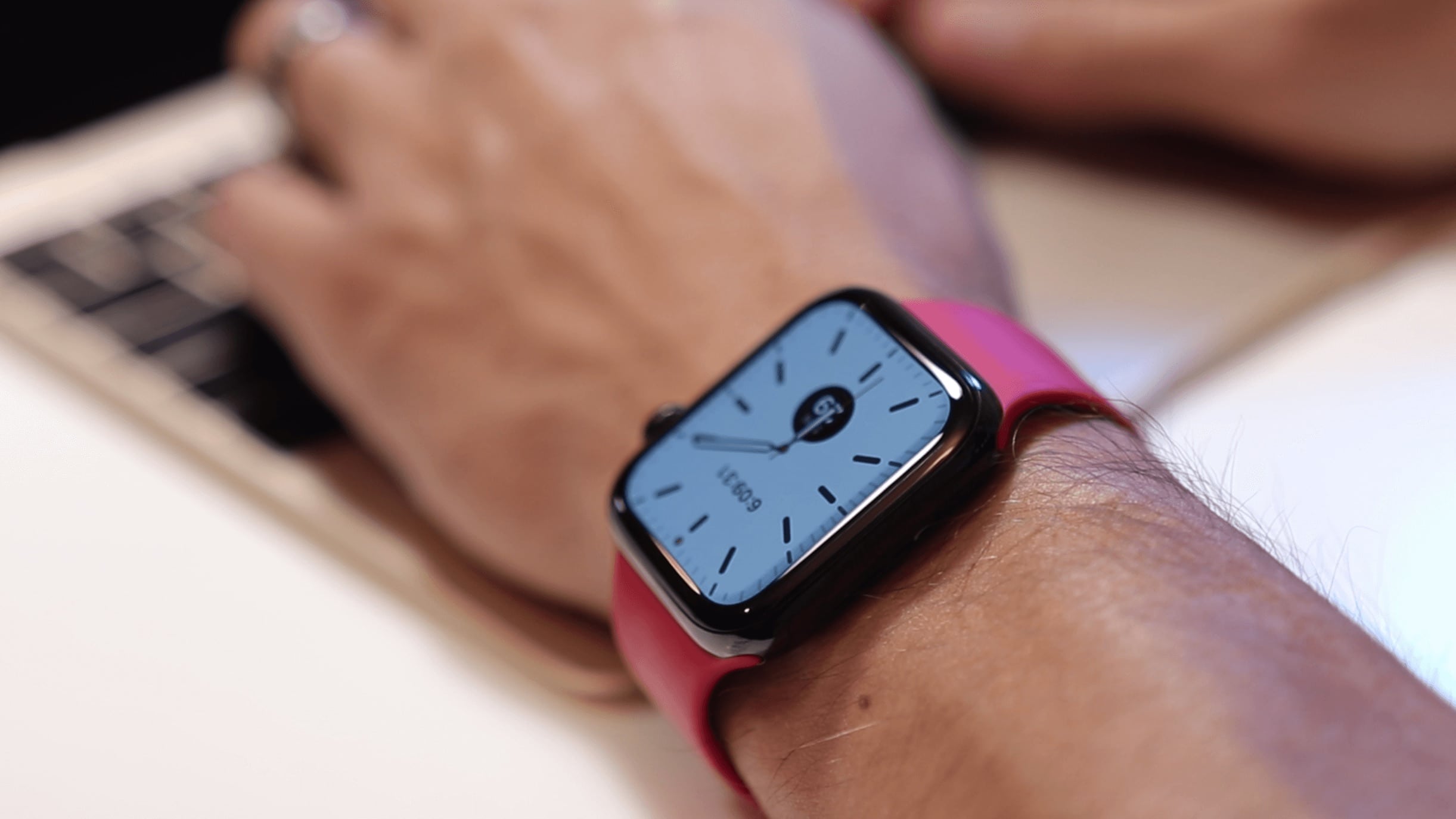
Apple Watch has always tracked your daily physical activity with its three iconic Activity rings. That’s great if you just want to focus on hitting your daily goals. But what if you want to see your progress over time?

iOS 13 solves this with Activity Trends, an all-new tab you’ll find in the Activity app on your iPhone. It provides an indispensable snapshot of how you’ve been doing. Trouble is, it takes 90 days to collect all your trend data. Which means if you checked when you first upgraded to iOS 13, there probably wasn’t much to see.

The good news is that it’s now well over 90 days since Apple released iOS 13. So your Apple Watch Activity Trends should finally be visible. Here’s how to make sense of them.

Dive deeper into the humor of Mythic Quest on Apple TV+

By

All 9 episodes of Mythic Quest: Raven's Banquet are live on Apple TV+
Mythic Quest: Raven’s Banquet shows the crazy world of a game production company.
Photo: Apple

The debut of Mythic Quest: Raven’s Banquet is Friday, and Apple TV+ released a sneak peek of this comedy about developers at a video game company. The actors discuss how their wildly-divergent characters create the humor in this show.

Watch it now:

How to use your Mac’s Magic Trackpad upside-down

By

Trackpad upside-down
It's old and battered, but it still works. Even upside-down.
Photo: Charlie Sorrel/Cult of Mac

If you have a low desk, or you just hate bending your wrists back, then you might consider turning your Magic Trackpad upside down, and using it with the lower end of its wedge away from you. With the trackpad upside-down, its slope will better watch your hand’s natural shape and position.

But flipping the trackpad also flips the direction of the mouse pointer, right? Up is down, down is up, and left and right don’t know where they are any more. Wrong! If you have an older Mac, you can just type a command into the Terminal to allow automatic orientation detection. And on newer Macs — from Sierra onward, I believe — there’s an equally easy trick.