Tyler Hall, the developer behind Nottingham is quite clear: he loved Notational Velocity so much, he wanted to make a version of his own.
Spot The Difference: Nottingham Clones Notational Velocity
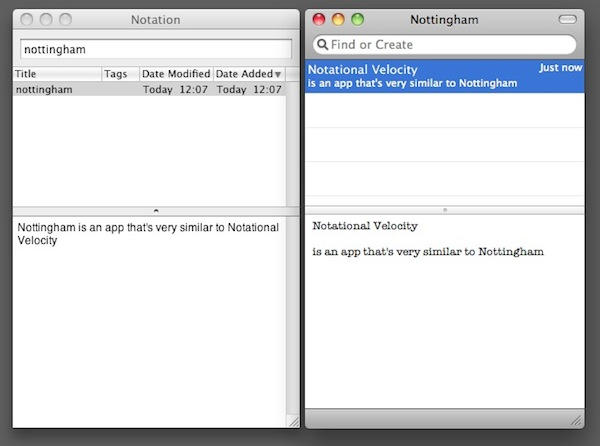

Tyler Hall, the developer behind Nottingham is quite clear: he loved Notational Velocity so much, he wanted to make a version of his own.

Computing legend and former Apple Fellow Alan Kay has kindly written a detailed note explaining a comment he made at CES, facetiously reported here. Looking for a newsy nugget from Kay’s complex talk, I was trying to make a joke about something profound being revealed at the CES gadget orgy. (“We all thought it was pretty funny too,” said Kay in a separate email).
Kay’s note explains a comment he made about the logical expression NOT BOTH underlying all human thinking.
“What I said was that all human symbol/logical REPRESENTATION systems and all computers past present and future can be made from NOT BOTH,” Kay says.
Kay’s full, fascinating email after the jump.

In a profile piece on the sudden surge of “slate-like” tablet computers that took CES by storm (which, with few exceptions, already managed to seem like also-rans compared to Apple’s still unannounced and unreleased tablet), the New York Times claims that Apple has been working on a multi-touch capable version of the iWork suite for the last few years.
That’s interesting, no doubt, but the New York Times goes on. According to the newspaper, “conversations with several former Apple engineers” who claim to have had a role in the creation of the device, the Apple Tablet’s multi-touch interface requires a “somewhat complex new vocabulary of finger gestures to control it, making use of technology it acquired in the 2007
purchase of a company called FingerWorks.” Sound familar?

Back in 2008, after looking at photographer Russ Croop’s paintings ably done using the NetSketch and Brushes apps on his iPhone, we wondered how long it would take before this form of fancy finger work hung in art galleries. (An exhibit of fellow fingerpainter Matthew Watkins took place at an Italian Apple reseller in September).
Fast forward 13 months: Croop has a one-man show of 15 works called “Painting Through a Keyhole: the iPhone as Canvas” at the The Dairy Center for the Arts in Boulder, Colorado until February, 12, 2010 and participated in the international offerings at “iPhone Therefore I Am” at the Chicago Art Department that also launched Jan. 8.

Cult of Mac talked to Croop about how he got from iPhone touchscreen to art gallery, the mistakes he made — that every iPhone artist should avoid — and the misunderstandings most gallery goers have when they see his work.
CoM: How did the show come about?
Russ Croop:
The Dairy Center for the Arts has three galleries and hosts different art shows almost every month…It’s supposed to be a pretty exacting juried selection process with several judges from different disciplines. They use a high-tech projector system that times each image so every picture gets equal billing. I submited my iPhone paintings last April 2009 and didn’t find out that I was selected until October 2009.
CoM: How did you decide on the title and theme?
RC: I often compare creating art on the iPhone to painting through a keyhole because when you zoom in to add detail, you can only see a small portion of the “canvas.” This is especially true when using NetSketch.
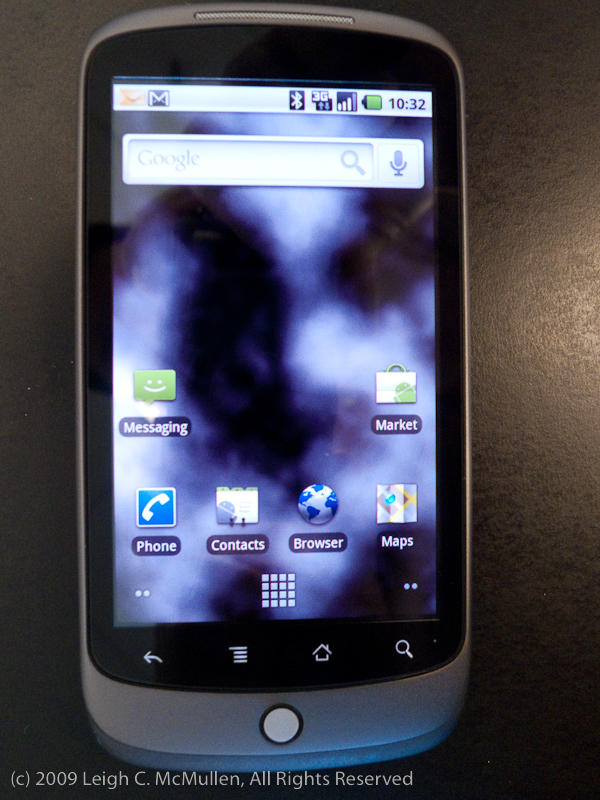
I’m not going to use the word “iPhone killer” to describe the Nexus One, such phrasing is trite at best. Not to mention that the only thing that’s going to kill the iPhone will be Apple, and then, only when iPhone 4 or whatever comes out.
That said, of the current crop of pretenders the Nexus One seems to be something special. Follow us after the jump for our first impressions after 48 hours.
UPDATE: My apologies, this story is incorrect. I followed up with Buffalo Technologies, who now say Apple had only an advisory role in the inclusion of Firewire. The decision was not an Apple mandate, and not all portable drives sold in the Apple Store have Firewire as well as USB, as readers have noted. In an email, Buffalo’s Brian Verenkoff says:
“Apple never insisted we do anything, nor can they force any company to do something they don’t want to. Obviously given the nature of this product, we designed it for the iPod/iPhone user base and did have ongoing dialog with Apple to make sure we developed a product that was compatible with their store and their customers. At the end of the day, every decision was made by Buffalo as to the product features.”
LAS VEGAS – Here’s something I bet you didn’t know. Every portable hard drive sold in Apple’s retail stores must include a Firewire port.
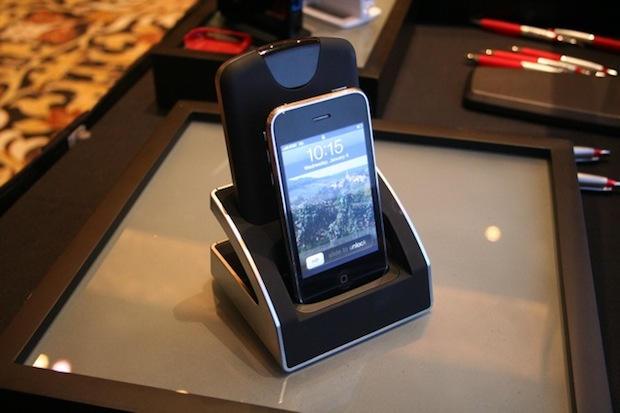
I found this out while getting a demo of Buffalo Technology’s Dualie, a combination iPhone/iPod dock and 500-Gbyte dockable hard drive.

Surprising absolutely no one, The Street is reporting that the Apple Tablet to be announced on January 27th has no Intel processor inside.
According to their source, Northeast Securities analyst Ashok Kumar (who apparently has had conversations with Apple’s tablet design partners), Apple has predictably eschewed an Intel CPU for a low-power ARM processor created by P.A. Semi, a company which Cupertino acquired a couple of years ago.
To be honest, you’d have to be completely out of touch with the Apple landscape of the last couple of years to be flabbergasted by this news. Apple did not pick up P.A. Semi on an idle whim, and given that the Tablet is more likely to run an evolution of the iPhone OS than OS X, an ARM chip seems pretty much a given, especially given the power efficiency requirements of a tablet? Yet the Street reports:
There has been speculation that Intel’s new generation of Atom chips was in the running for the slot… If you believe that the closely-watched Apple Tablet will reshape the mobile computing landscape, then the snub deals Intel a significant defeat. Intel had a lock on the netbook market with its Atom processors and it was widely assumed that the chip giant would win the Tablet contract at all costs.
“Widely assumed?” Who seriously thought the tablet would pack an Atom processor? Heck, Apple’s been dropping Atom support, at least in Snow Leopard. Given Apple’s ownership of P.A. Semi, it’s been a lock since the get go.
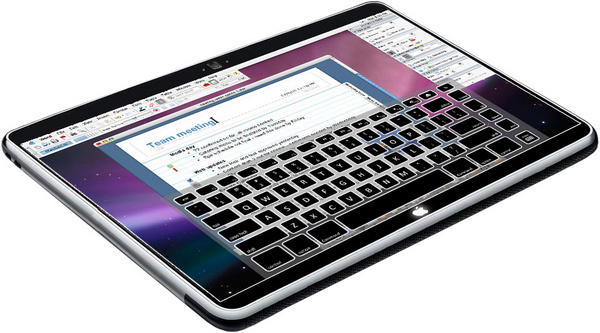
While it probably won’t encompass a 3D interface, there’s been enough background murmurings about the method users will employ to interact with Apple’s forthcoming tablet to expect something new. What that “new” is? Only Apple knows… but if our tipster is right, whatever the Tablet’s UI is, it’s going to be different enough from OS X or the iPhone OS to require a significant learning curve.
According to reader Tom: “I just heard [to] be ready for a steep learning curve regarding the “new” Apple product about to be released [and its] interface. This person is an employee of Apple and had just had a meeting regarding some of the new things coming. He/She would not go into details, but did say that he/she hoped we liked learning.”
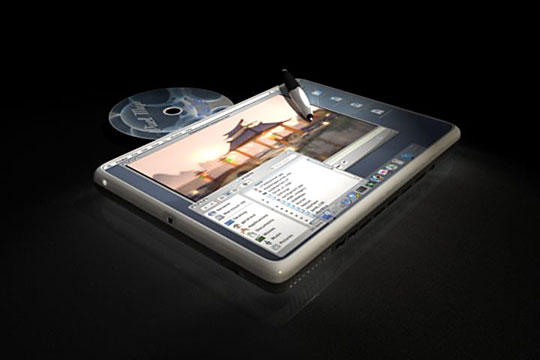
Take the dusty and venerable name of the Wall Street Journal out of this otherwise pedestrian piece, and what you’re left with is a stock purple-print-and-pulp regurgitation of all of the current Internet rumors about the forthcoming Apple tablets, along with a few speculations and just a dash of WTF.

Having wrapped up the fairly well-thought-out and fairly grounded predictions for 2010, we thought it would be a good idea to try to take a look further in to the future of Apple. Now, before you proceed, you should be aware that looking beyond a one-year outlook is notoriously difficult. After all, at this point 10 years ago, Apple was more than a year away from shipping iTunes software, let alone making iPods and disrupting the mobile phone industry. So you should be aware that I refuse to stand by any of these five predictions over the long haul and expect to be wrong. With that, let’s take a look into the far future. All the way past the year 2000.
In the Year 2012, Apple Will Buy Both Yahoo! and TBWA/Chiat Day, Simultaneous Entering Both the Internet Services and Ad Industries at the Same Time. I actually don’t think this one’s insane. Yahoo! continues to struggle against Google, the ad industry is in need of grounds-up reinvention, and Apple has more cash on hand than pretty much anyone else. At this point, Steve Jobs is running out of challenges in both Apple’s existing and immediately adjacent businesses. To cement his reputation as the best CEO of the next decade, he should create a juggernaut capable of challenging Google.

Apple has a ridiculously good run over the past ten years. But in true Apple fashion, I’m not here to rest on the laurels of the past but to look into the future. So sit back, relax, and take a daring look all the way into the year 2010. Here are the five things that Apple must do to thrive in 2010.

More tantalizing hints on Apple’s forthcoming tablet come their way to us today from China, where former Google China president Ka-ifu Lee has posted alleged hands-on impressions of the device on his sina.com.cn microblog.

‘Tis the season to get and give presents, and with prices through the floor, many will have gotten new digital cameras this year. If you’re one of the lucky ones who received a nice shiny new SLR camera, here are 10 tips that will help you become the next Ansel Adams.
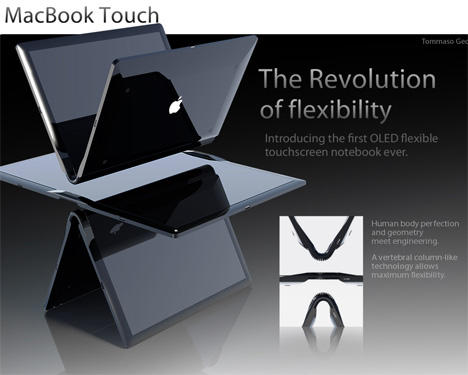
Many — if not most — people await the future, some with great anticipation, others with more anxiety. But designers are a breed apart. Designers create the future today.
Yanko Design’s brilliant 2009 design retrospective showcases the web magazine’s passion for modern industrial design and original ideas. The feature highlights a number of talented, undiscovered designers, a few of whom chose Apple products and other computer technology ideas as jumping off points for products we’d not be surprised to see in production one day soon.
Check out our gallery selection of Yanko Design’s best thought provoking tech and transportation ideas for 2009, along with a couple creepy borg-like innovations we’d just as soon see remain on the drawing board.

I hope you’ll never have to use these tips, but in the freak moments when you just can’t go back and pick up your iPhone because you have a plane to catch and you just realized you left your iPhone at home while parking your car in Lot B at LAX these steps might come in handy.
Consider it a Holiday Blessing
Though I think everyone should own and use an iPhone because it’s the most powerful computing tool you can fit in your pocket, it’s nice to take a break for a while. My wife was able to hold conversations with me and I didn’t google something or check to see what made my phone vibrate.
It was also entertaining to see how many times I would try to reach for my absent phone. I use it for everything. So when I needed directions to a restaurant or wanted to know the time, I had to use the Yellow Pages and a GPS or find a clock. Not fun, but I felt like I was being all nostalgic or something. Using a clock… that’s old school.
Another fun activity is noticing how many people are consumed by whatever is happening on their smart phone. For the past five days, I was able to look down on these people as the poor addicted souls that they were, and I felt pity. I wanted to drop a couple coins in their empty starbucks cups and tell them to buy themselves a life, or a better marriage/relationship. Then I would ask them for the time and if they could pull up a terminal map so I could find the nearest McDonalds.
News To Me: Call Forwarding is Free
The last time I used call forwarding AT&T charged me $.75 a minute and I ended up paying $125 in fees. When I arrived in Cleveland, I called them up and asked to set up forwarding and Customer Service Associate Matt told me the forwarding is free. Minutes are charged twice, but other than that my calls went to the wifey’s phone penalty-less. This doesn’t help with SMS messages, but your incoming calls are covered. You might want to change the voicemail on the phone you’re forwarding to so you don’t confuse people.
When you get back to your forgotten iPhone, you can turn off call forwarding in Settings>Phone>Call Forwarding.
If You Use Google Voice, You’ll Be OK
If you receive incoming calls and SMS through Google Voice, you can just add another phone to your account and direct incoming activity to the newly added phone. Once you add the number, Google Voice will call the phone and ask for a confirmation code. Just dial the numbers (mine was two digits) and you’re good to go.
It’s a good idea to just embrace using your Google Voice number as your one and only number. Sure, Google owns another part of your communicative life, but convenience is worth it even if you’re bringing the apocalypse one step closer with every call/email/document/wave/search/checkout.
My MBP Saved Me
I don’t like to bring my notebook with me on trips involving family because I’ll typically ignore people when I’m using my phone and I don’t want to double ignore them while on my Mac. But since I forgot my phone, my Mac gave me just enough of the internet to hold me over. My nephew scored an iPod Touch for Christmas and I was able to show him my app library in iTunes for ideas on what to download. I didn’t have to open the Yellow Pages for an address to plug into the GPS–thank you baby Jesus. And photo and video sharing ends up being more enjoyable on a 15″ screen rather than 2″x 3″.
Hopefully, this article is useless to you because you’ll forget clean underwear before you leave your iPhone at home. That said, I think I enjoyed my time at the in-laws a bit more without my iPhone ant it’s nice to know that life is ok without it.
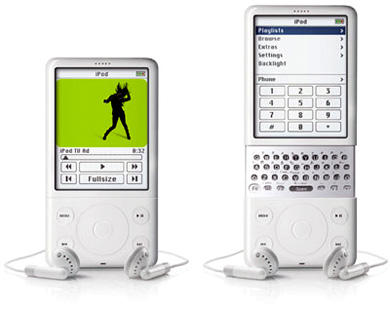
Although our record is sullied by a few occasional missteps generally caused by a lone rumor- monger tickling our plush, erogenous wishful thinking zones, the Internet’s grown remarkably adept at seeing new Apple products coming. Most gadget bloggers and tech pundits would be willing to part with a digit if Apple doesn’t at least announce a tablet next year: there are just too many supply reports, patent and trademark filings and industry insiders telling us to expect one. The same was true with the iPhone: we all knew an Apple phone was coming. We were just laughably wrong about what the iPhone turned out to be.
It’s worth keeping that in mind as we come up on January’s presumed announcement of Apple’s tablet: the chances of it being what we expect (a large iPhone) are probably as wrong as our belief that the iPhone would be just an iPod with a SIM card in it. To remind us all of exactly how wrong our predictions were, Technologizer’s Harry McCracken has posted up a fantastic speculative prehistory of the iPhone, correlating all of the earliest predictions about what the iPhone was going to be and then fact-checking them against reality.
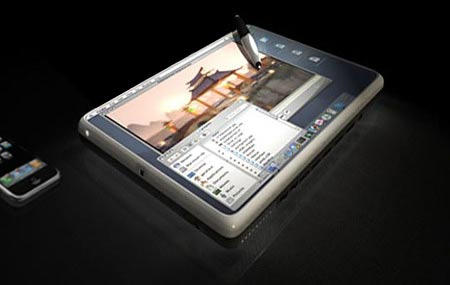
Over at InfoWorld, Randall C. Kennedy has posted up his thoughts on the forthcoming Apple tablet, conservatively placed under the non-confrontational headline, “Why Apple’s rumored iTablet will fail big time.”
Kennedy’s points are all good ones, if a bit petulantly phrased. First, he points out the history of the tablet PC, noting that every major computer manufacturer has experimented with tablets, with all experiments ending in failure, because tablets are underpowered and awkward to use on anything but a desk or table Kennedy then points out that for most of us, typing on a hardware keyboard is simply faster than using a pen or stylus. For regular computing, Kennedy says, a laptop or netbook is simply going to do anything a tablet can do, quicker, more efficiently and more precisely.
Those aren’t bad points, but Kennedy is ignoring the fact that all past tablets have failed precisely because they weren’t fully realized products.
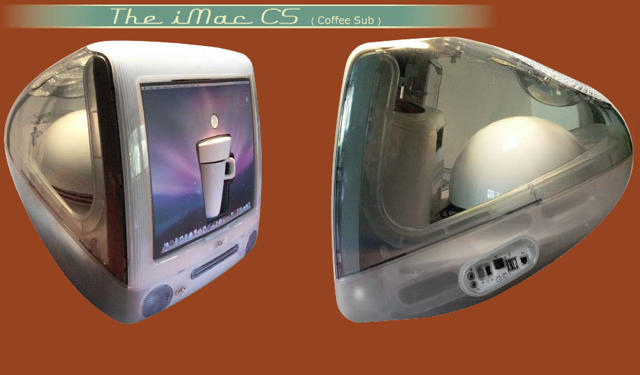
Many of us have gumdrop iMacs sitting on our desks, too adorable to dispose of, too antiquated to be of any use. One of my New Year’s Resolutions, in fact, is to finally figure out what to do with my bondi blue iMac. My earlier thoughts tended to gravitate towards Hackintoshing the sucker into a competitive, modern machine, but tinkerer Klaus Diebel has screwed another notion into my brain: why not turn my gumdrop iMac into a coffee maker?
Of course, Diebel’s iMac CS is a lot more clever than just a coffee maker crammed into an empty iMac shell: it’s also a functional Mac, as well as a working, subwoofer-amped stereo system. It turns out that the Mac Mini’s optical disc slot lines up perfectly with the gumdrop iMac’s, with no other alteration necessary, so if you want to use the iMac CS as a desktop computer, all you need to do is hook up an external display and a mouse and keyboard. Why external? Because the iMac’s built-in screen now squirts out liquid joe. As for the JBR subwoofer, it beefs up the sound of the included Mac Mini, although if you attach an iPod to the iMac CS, it will automatically mute the Mac Mini and output your tunes through the iMac CS’s speakers, replete with sphincter-loosening bass… possibly messy funtionality, given all the coffee you’ll be drinking.
It’s a great little mod. Better yet, if you’re lazy, you can just pay Dubei to make you one, although you’d better be prepared to pony up: the raw materials of the mod cost between €300 and €400, even before you add in the price of the gumdrop iMac and the Mac Mini.
[via TUAW
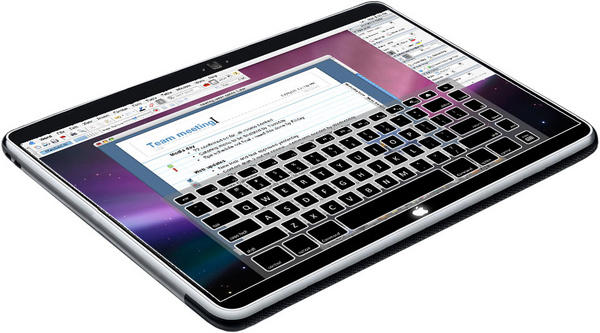
Those who know what the Apple Tablet actually is have had a circle of secrecy woven around them twice by Cupertino’s Mephistophelean lawyers, but with all the ballyhoo right now about a late January announcement, it’s still easy to forget we actually don’t really know the first thing about the forthcoming device. How big will it be? What will the hardware be like? Is it more like a Macbook without a keyboard, or is it just like a big iPod Touch? What operating system will the Apple Tablet even run?
It’s been assumed for awhile that the Apple Tablet will probably be more iPhone-like than Mac-like, since Apple wants another platform on which the App Store can shine. It now looks like that assumption is correct: Apple has reportedly told select developers to ready full screen version of their apps to demo on the Apple Tablet in January.

Kenji Kojima developed a music app called RGB MusicLab that transforms images into music. You can download the app gratis and do what you will with the ditty coming out of that awkward family portrait on your blog, video or work presentation.
Here’s how it works:
RGB MusicLab converts RGB (Red, Green and Blue) value of an image to chromatic scale sounds. The program reads RGB value of pixels from the top left to the bottom right of an image. One pixel makes a harmony of three note of RGB value, and the length of note is determined by brightness of the pixel. RGB value 120 or 121 is the center C, and RGB value 122 or 123 is added a half steps of the scale that is C#. Pure black that is R=0, G=0, B=0 is no sounds.
The clever folks over at Synthtopia took the app for a spin using a head shot of actress Megan Fox — currently topping lad mag FHM’s list of the sexiest woman alive.
With just days before Christmas, we highlight three Mac deals for the harried, last-minute holiday shopper. If you have an iPod on your list, but you don’t want to cross that mystical $100 barrier, Apple still has 8GB iPod nanos for just $99. Not often does shipping make it into the headlines, but as retailers pull out all the stops to attract online sales, Apple still has free next-day delivery. But hurry – 1pm EST Wednesday is the deadline. Last on our top trio seems perfect for all those iPhone owners out there: 80 percent off select cases for the Apple handset. (We also have a 50% off deal for iPod touch owners.)
Along the way, we have deals on a skin for the Nike+ iPod running sensor, the latest batch of App Store price drops and more software for your iPhone or iPod touch. For details on these and many more bargains, check out CoM’s “Daily Deals” page after the break.

A word to drivers down under: make sure your license and registration are up to date.
Police in Tasmania are using iPhones to snap plates, relay the pics to a database of unregistered vehicles and unlicensed and disqualified drivers via an app developed for the department.
In just 10 days of operation, the app has outed 167 unregistered vehicles and caught 107 disqualified or unregistered drivers, the Mercury reports. Formerly, officers had to radio in the information and wait for a co-worker to check.
Within the first 10 minutes of trying it out, police pulled up alongside a car at a traffic light ran the app and found the car was unregistered. They pulled over the car, found the driver was also without a license and drugs in the car, too.
The app, designed by the Tasmania police department, is also used by motorcycle cops.
Via Mac Daily News

The iPod is always a tricky thing to manipulate in this chapping, frostbiting weather. In the December wind, the hand freezes quickly in a contorted, blue-skinned claw around the iPod Classic; fingers pressed against the iPhone’s frigid touchscreen tend to break off like icicles at the tips.
For iPod manipulation in these hypothermic months, then, a solution, courtesy of alpine gear makers, The North Face. They’ve just introduced two new jackets — the Hustle Audio Jacket for guys, the Femphonic Audio Jacket for women — which builds an iPod remote right into the sleeves. You can change tracks, play, pause and wiggle the volume around without once exposing your fingers to the ice-fanged bite of the season.
North Face jackets tend to be expensive, so you can expect to pay $350 for both the Hustle and Femphonic audio jackets, but while that’s a couple hundred dollars more than what you can theoretically buy an off-brand winter coat for, it’s only a $50 premium over North Face’s usual coat prices.
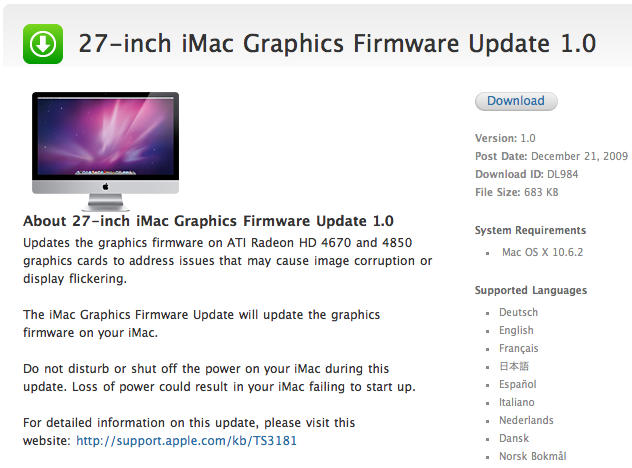
Apple’s 27 inch iMac is the sexiest machines in Apple’s already sexed-out line of computers, but it’s been worth waiting to buy one: the first batch had numerous problems, including cracked screens, flickering displays and a yellow, nicotine-like graphical patina.
Rumor had it that Apple was scrambling to replace faulty ATI Radeon HD 4670 and 4850 GPUs on their iMacs, which strongly implied the problem was hardware, not software. Nevertheless, Software Update has just pumped out a Graphics Firmware Update for the 27-inch iMac that “address[es] issues that may cause image corruption or display flickering.”
Jury’s still out on whether or not this solves the widescale problems people are having with their iMacs. Any cultists out there with a 27-incher who can tell us how their baby is handling its new medicine?
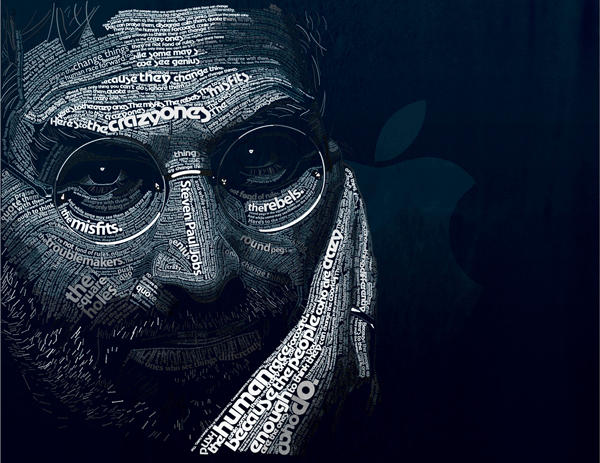
So what if Time magazine passed him over for person of the year: Steve Jobs beat out a couple thousand CEOs around the globe to be named the best-performing CEO by Harvard Business Review.
Researchers looked at what execs brought to the table and to shareholders from 1,999 publicly-held companies worldwide during the entire time of their tenure.
Though they admit “it may come as no shock that Steve Jobs of Apple tops the list,” it does seem a little surprising that Bill Gates is absent. No shocker: Gates is out of the running because the research only considered execs who took the helm from 1997 on.
Even without Microsoft, tech execs took the lion’s share of the top 10, including Yun Jong-Yong at Samsung Electronics (ranked 2), John T. Chambers, Cisco Systems (ranked 4), Jeff Bezos from Amazon (7), Margaret C. Whitman eBay (8) and Eric E. Schmidt Google (9).
So what put Jobs ahead of the pack?


